DEV3 Technologies home

DEV3 Pulsegrove – Hospital Group Management SaaS with Online Booking (built on the ClinicPro engine)

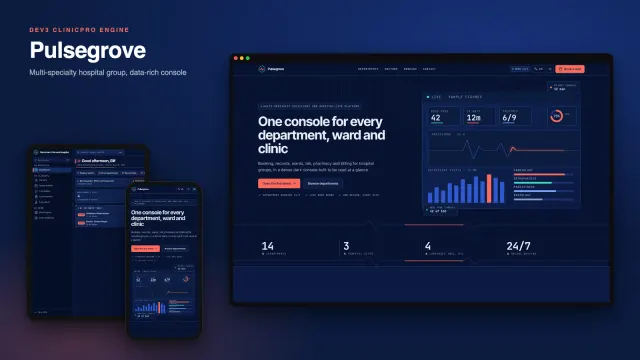
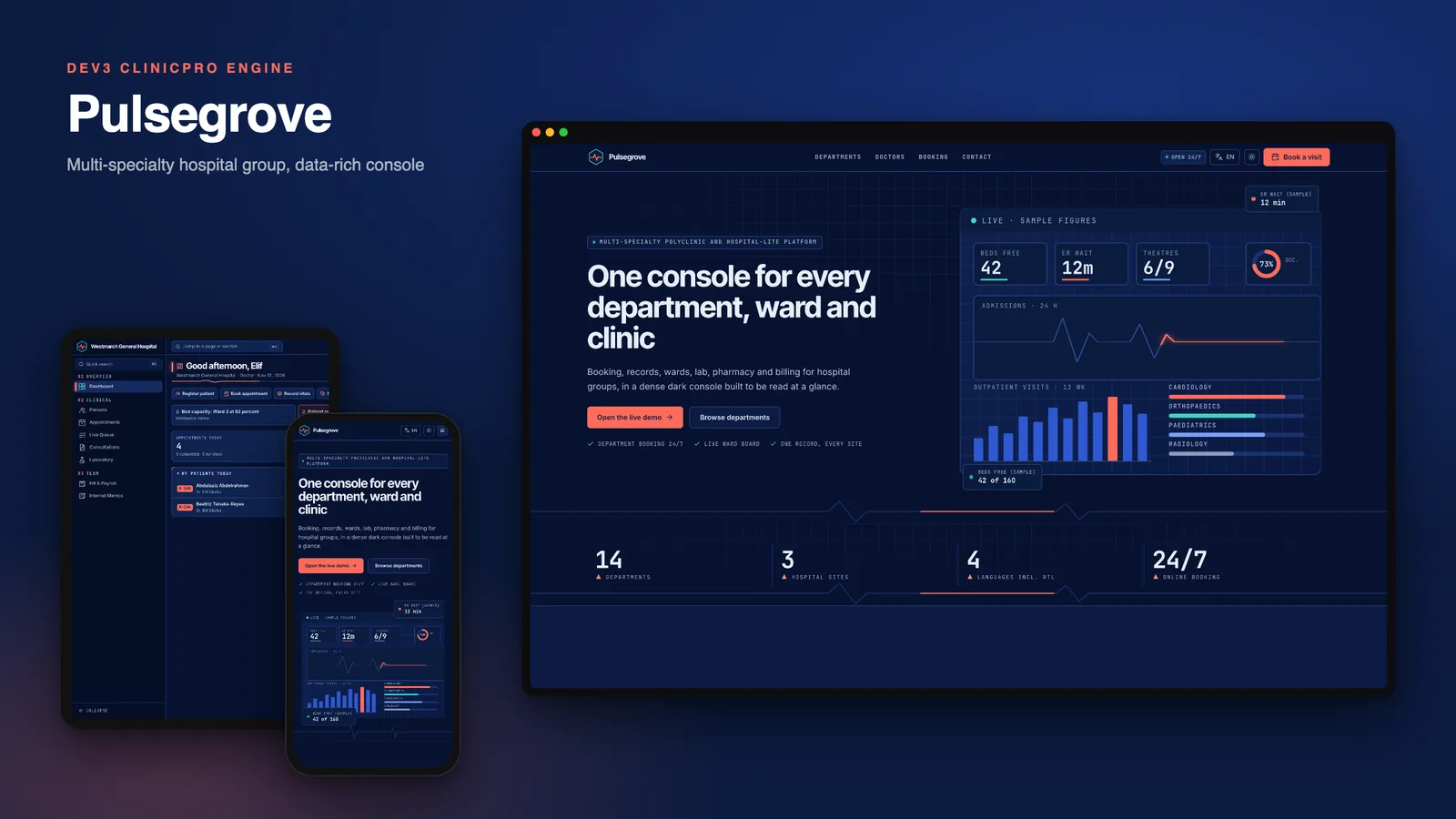
A dark, data-dense console for multi-specialty polyclinics and hospital groups on Next.js and MongoDB: department booking, ward board, records, lab, stock, billing and a patient portal. Built on the DEV3 ClinicPro engine: the same features, a different design.
by DEV3 TechnologiesVerified Author(0) 0 sales 3 viewsUpdated 12 Nov 2026

Launch Offer: up to 50% off

This item is 50% off: $24.50 instead of $49

Ends in
--
Days
--
Hrs
--
Min
--
Sec

Pulsegrove is a self-hosted management suite for multi-specialty polyclinics and hospital groups, built by DEV3 Technologies on Next.js 15 (App Router and Server Actions) and MongoDB. Built on the DEV3 ClinicPro engine: the same features, a different design. This one is made for people who read numbers all day: a deep-navy console, coral and aqua data accents, hairline panels and JetBrains Mono figures.

The look, page by page

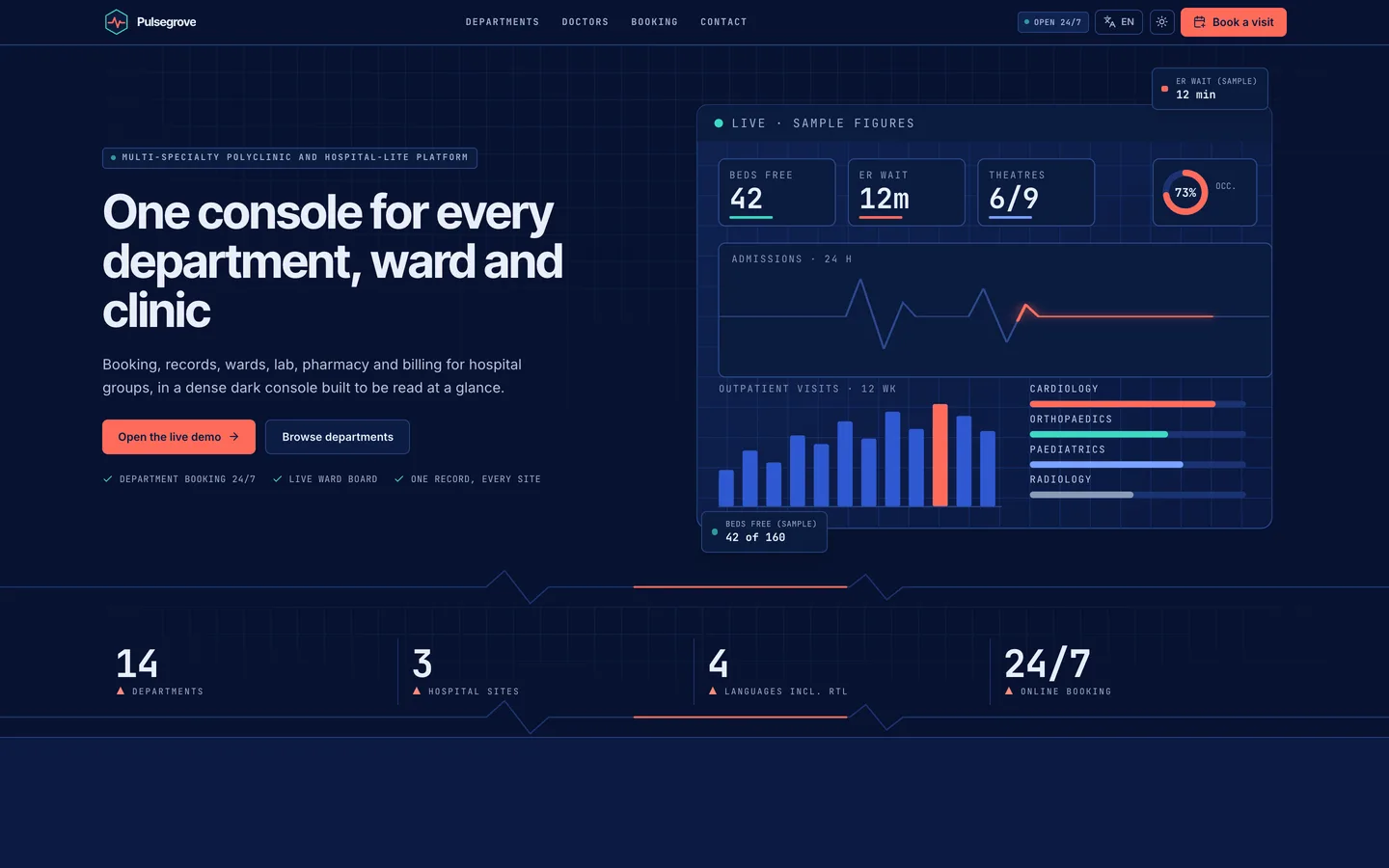
  • Website. A navy data-wall hero with two floating sample tiles (beds free, ER wait), a stats strip (14 departments, 3 hospital sites, 4 languages), a ward-board panel that shows occupancy per ward, a department directory with category filter chips and a searchable consultant directory. Pricing is three ruled console panels and the FAQ is one numbered list.
  • Sign-in. A dark console window with a status strip (sign-in online, session encrypted, audit log recording) and a short boot log. The patient portal has its own console window titled for the hospital.
  • Admin shell. An always-navy collapsible sidebar with a 33-glyph hex-cell icon set, a Ctrl/Cmd K command palette that jumps to any page or patient, and a compact header with the current site and clock. Light mode keeps the navy rail.
  • Dashboards. The doctor console is a KPI wall with a today's-flow bar and the consultation list; the manager console has eight tiles and a 14-day collections chart. Memos in the demo are hospital notices: a bed-capacity alert for the paediatric ward, a record-system maintenance window, a cardiology clinic move and a cold-chain stock check.
  • Lists and records. Dense sortable tables with sticky headers, facets, column menus and export; a vitals bar across the top of every patient record; split forms with a navy title column for admitting a patient.
  • Patient portal. A health record hub: Records, Results, Billing and Referrals tabs over one record panel (it opens on Results), plus a three-step department, doctor and slot booking flow. The demo patient already has an upcoming booking, so the hub shows real data.

What it does

  • Department booking and reminders. Department, doctor and free slot, on the website or in the portal; reminders go out through your own mail settings.
  • Records, lab, pharmacy and stock. Consultation notes, lab orders with verified results, dispensing, batch and expiry alerts.
  • Billing. Invoices with split payments, kept in USD and shown in each site's currency (EUR, AED and USD in the demo).
  • Many hospitals, one install. Each site has its own team, branding, currency and language, a self check-in kiosk and a waiting-room display.
  • Four languages and dark mode. English, Arabic, Hebrew and Spanish with right-to-left layouts; fonts are bundled open-licence files and the art is drawn in code, with no external requests.

Publishing the iOS app

The download includes iOS-App/: the native SwiftUI source for the patient and staff app, themed to this design with Inter and Inter Tight, the coral wordmark and the navy and coral palette. It was built and checked in the Xcode iOS simulator; the three screens in the gallery are simulator captures. To publish it you set your own bundle id, URL scheme and server address in Config.xcconfig, add your Apple developer team and signing, and submit it yourself. Apple's review and approval are not part of this product and are not promised.

Quality

The release passed typecheck, lint, the right-to-left, route-segment and server-action checks, the automated test suite and a production build. It was unpacked and built from scratch, and a headless browser captured every screen in the gallery.

What you should know before buying

  • Demo population: about 18% children, 27% aged 18-39, 33% aged 40-64 and 22% aged 65 and over, across cardiology, orthopaedics, paediatrics and more.
  • Demo patients, diagnoses and prescriptions come from the shared engine and are general medicine; the 14 departments on the website are editable sample content. Your own data replaces the demo set after install.
  • Names in the demo are an international mix across the three sites, with sex-matched first names; 18% of patients are children with a guardian as emergency contact, 52% are women.
  • The platform console (sites, plans, currencies, backups) works as in every build of this engine and is not part of this design's look, so it is not shown in the gallery.
  • Email, card payments and file uploads need your own providers (SMTP, Stripe, an image host); without them the app runs and logs outgoing mail.
  • Needs Node.js 20.9 or newer and MongoDB 5 or newer (a replica set is recommended; a hosted cluster works).
  • The iOS app is a SwiftUI source project that builds and runs in the Xcode simulator; you add your own Apple team, signing and App Store listing, and review by Apple is yours to pass.

Included

Source code, the web installer with an optional three-site demo, the iOS source project, a buyer guide, a Docker setup, cron configuration and six months of support.

How it's built

Architecture, stack, key decisions and the quality gates DEV3 Pulsegrove passed before release.

How one clinic engine carries a dark, dashboard-dense hospital look: KPI walls, ledger tables and a quick-search console over identical backend logic.

The problem it solves

A hospital group wants software that reads like an operations console, with many numbers visible at once, instead of a soft clinic app. The look must change deeply in layout and components while patient data, billing and permissions behave exactly as in the proven engine.

Architecture and approach

Pulsegrove is a design pack over the DEV3 ClinicPro engine. The pack replaces tokens, fonts, brand, logo, icons, email and PDF themes, demo data, website content and a set of presentational components, including the data tables, form shells, calendar, patient header and dashboards. A guard script compares every other file to the engine byte for byte, so the backend cannot drift.

The signature pieces are the KPI wall, the ledger table, the collapsible navy sidebar with its quick-search palette and the departments directory. Art is drawn in code as inline SVG and motion is CSS only.

Quality gates and results

  • Backend identical to the engine, verified by the guard on every build
  • Automated tests, typecheck, lint and production build all passing
  • Accessibility and performance scores of 90 or more on the public pages

Tech stack

Area Technologies
Frontend Next.js 15, React 19, Tailwind CSS 4
Backend Server Actions, Mongoose 9, next-auth 5

Inside the build

Hospital group home: a navy data-wall hero with live-style tiles and the coral pulse line. Hospital group home — a navy data-wall hero with live-style tiles and the coral pulse line.

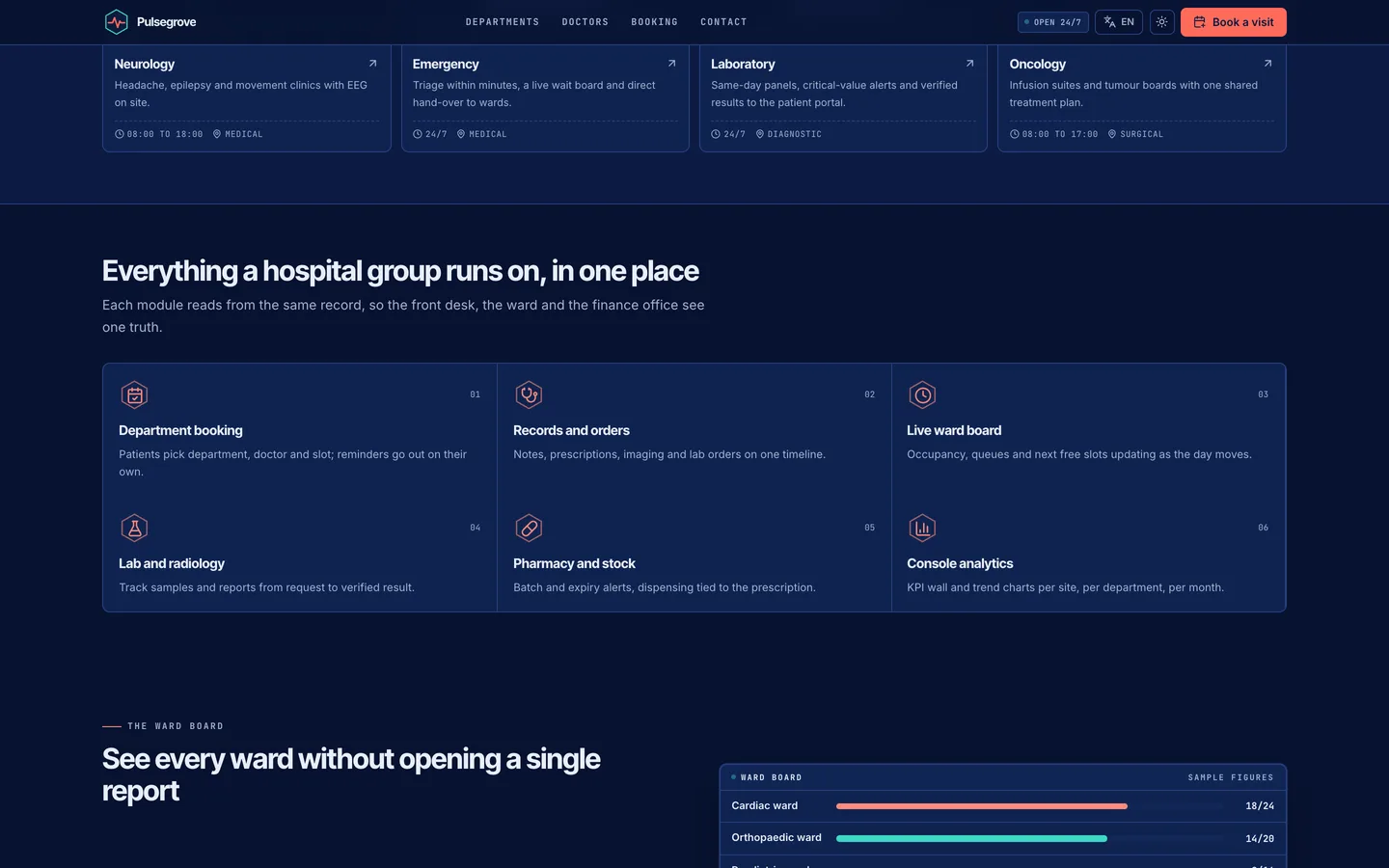
Modules: six capabilities laid out as a ruled spec grid. Modules — six capabilities laid out as a ruled spec grid.

Guides & articles

Practical guides and engineering write-ups for DEV3 Pulsegrove.

Hospital software: 6 things to check before you pick a console

Last updated
Hospital software: 6 things to check before you pick a console: DEV3 Pulsegrove

Hospital software is easy to demo and harder to live with. Here are six things to check before you pick a self-hosted system, with DEV3 Pulsegrove as the worked example. Pulsegrove is built on the DEV3 ClinicPro engine: the same features, a different design.
Video tour of Pulsegrove: the website, the dashboard and billing

The Pulsegrove home page

1. Can you read the day from one screen?

Look for a wall of figures, a flow bar and the live queue together, not a page of menus.
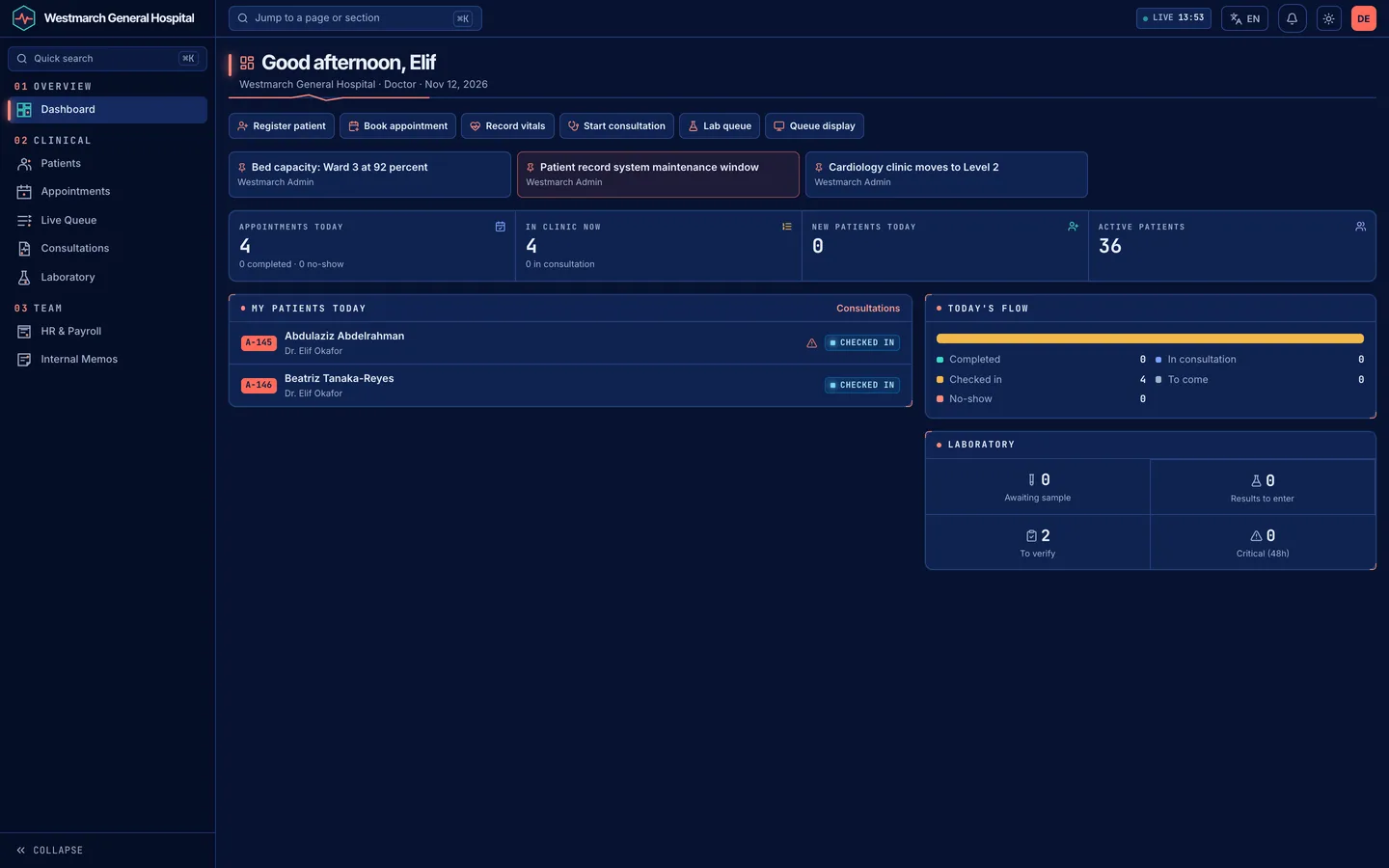
Can you read the day from one screen?

2. Are departments easy to find?

A directory with filters and visible hours and fees saves phone calls.
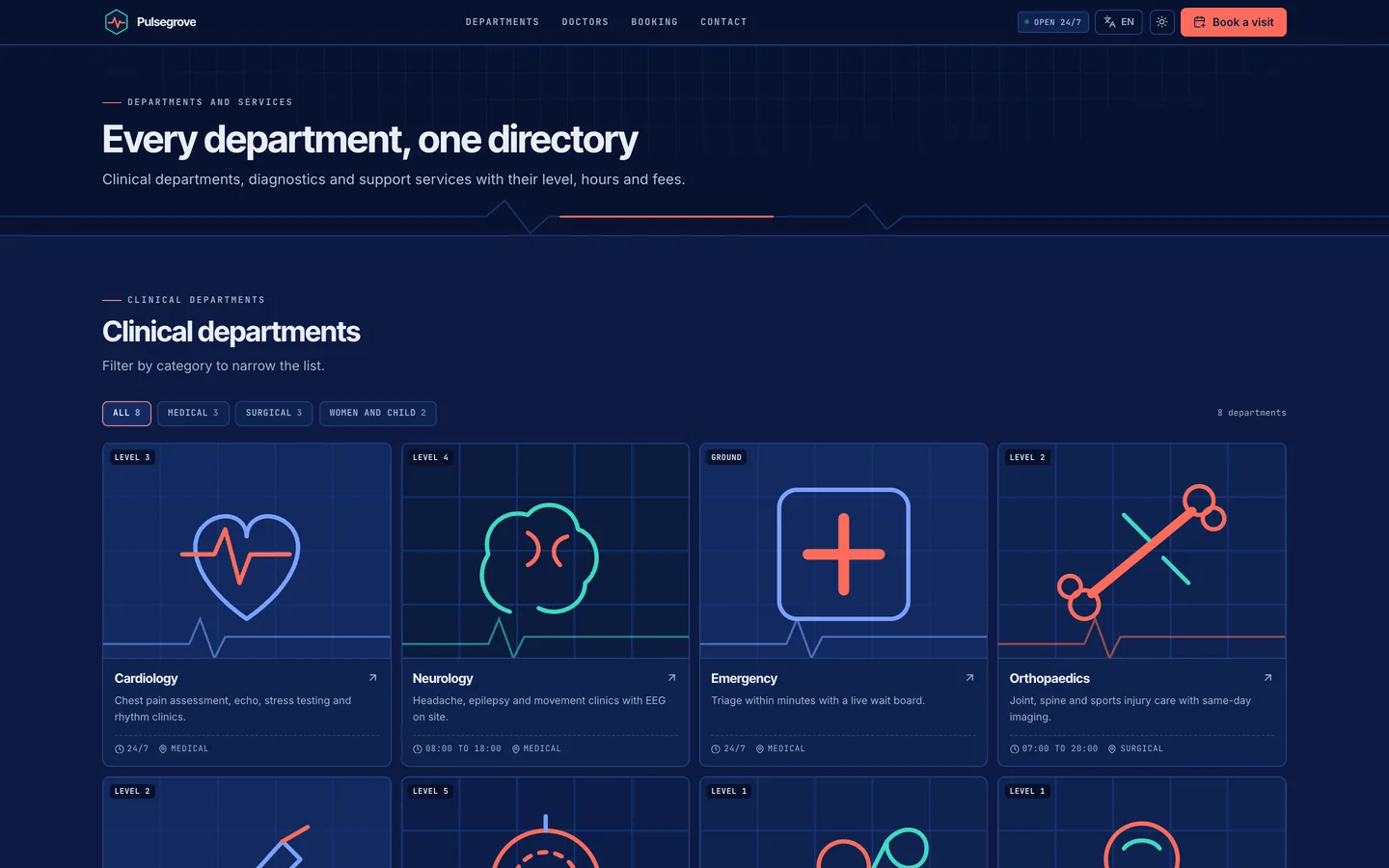
Are departments easy to find?

3. Is the doctor directory searchable?

Patients should filter by department and search by name before booking.
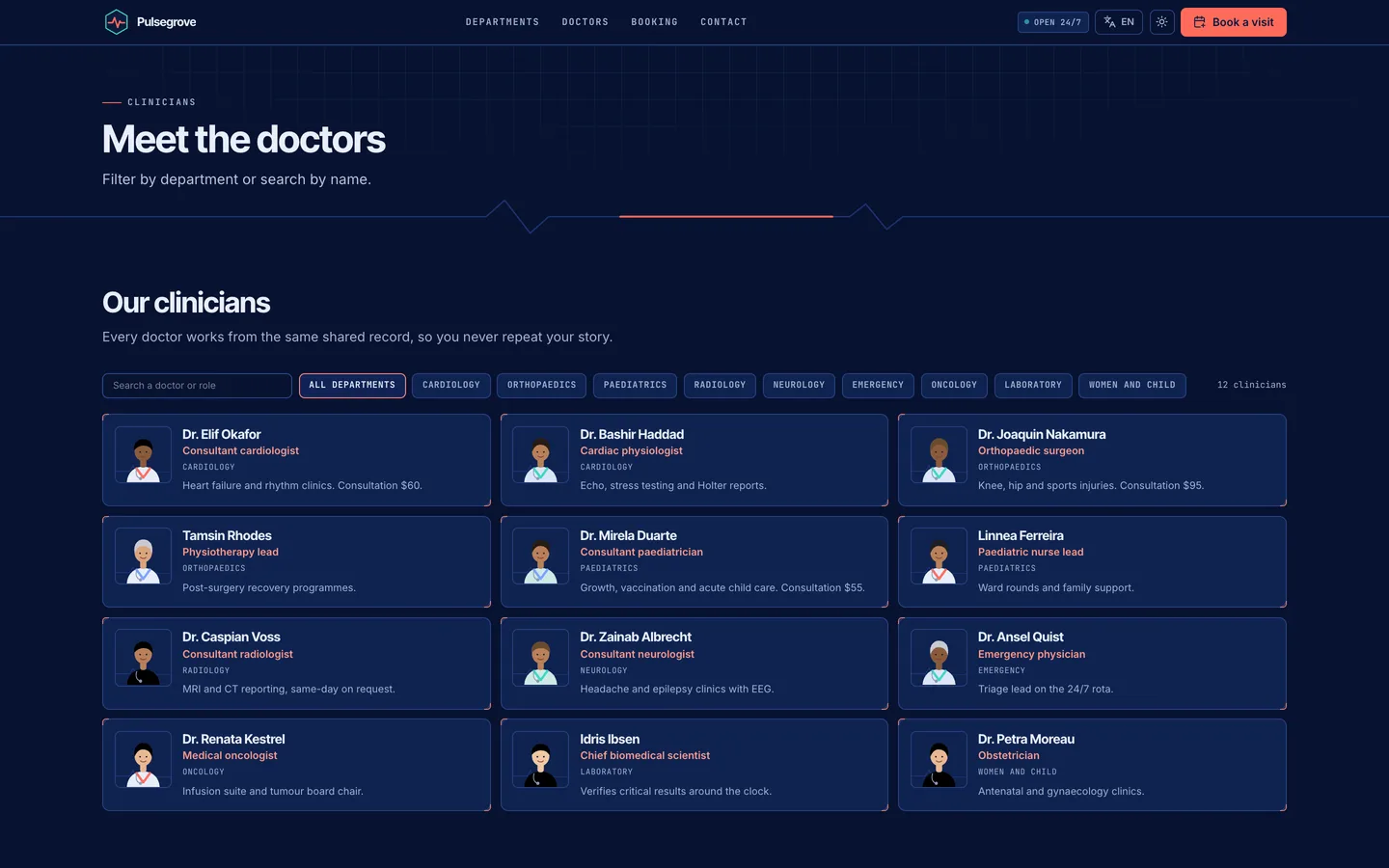
Is the doctor directory searchable?

4. Do lists stay readable with thousands of rows?

Check sticky headers, filters, column menus and exports on the patients table.
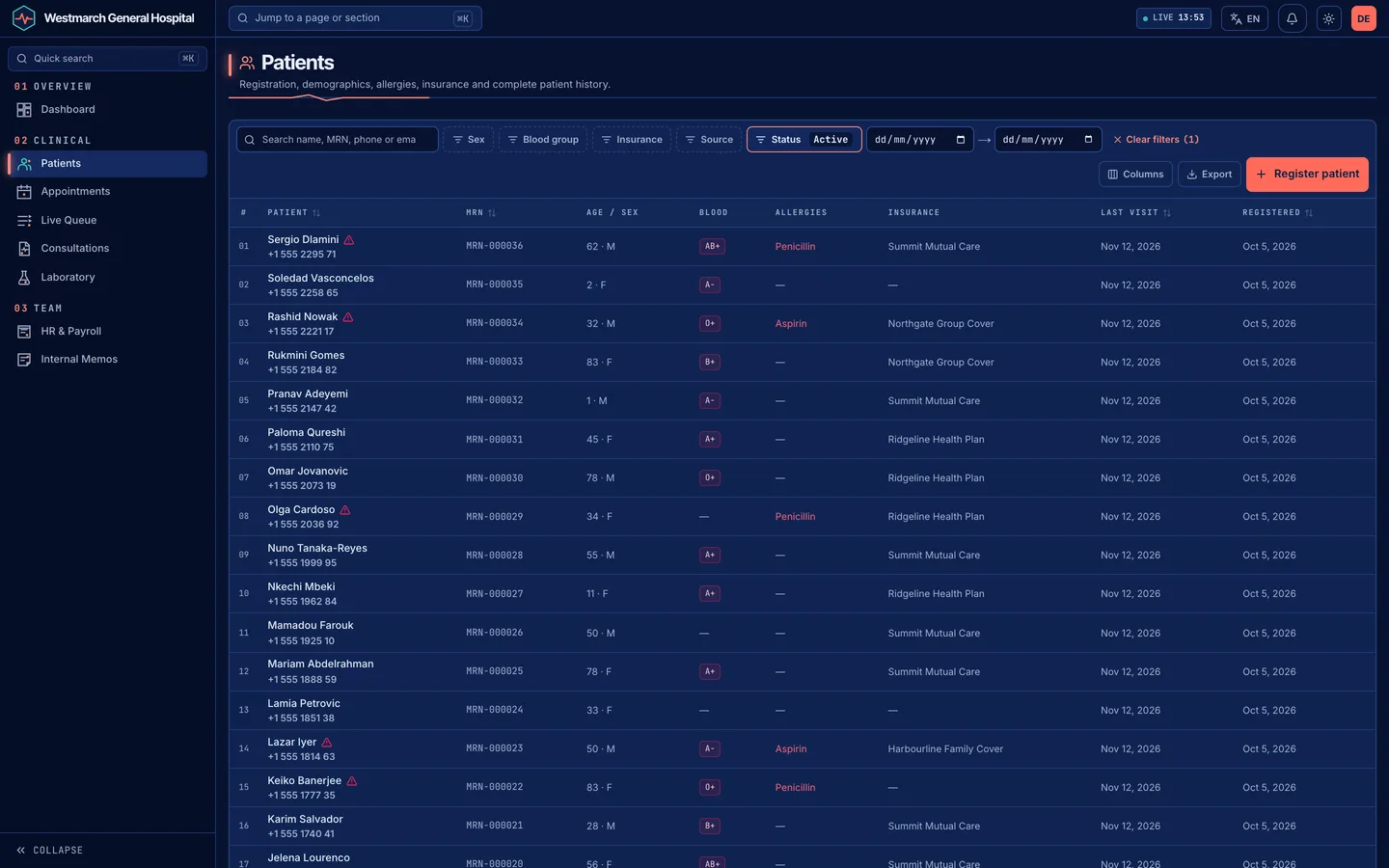
Do lists stay readable with thousands of rows?

5. How does it handle several hospitals?

Separate teams, branding and currencies in one installation matter for groups; the manager console should show each site's day at a glance.
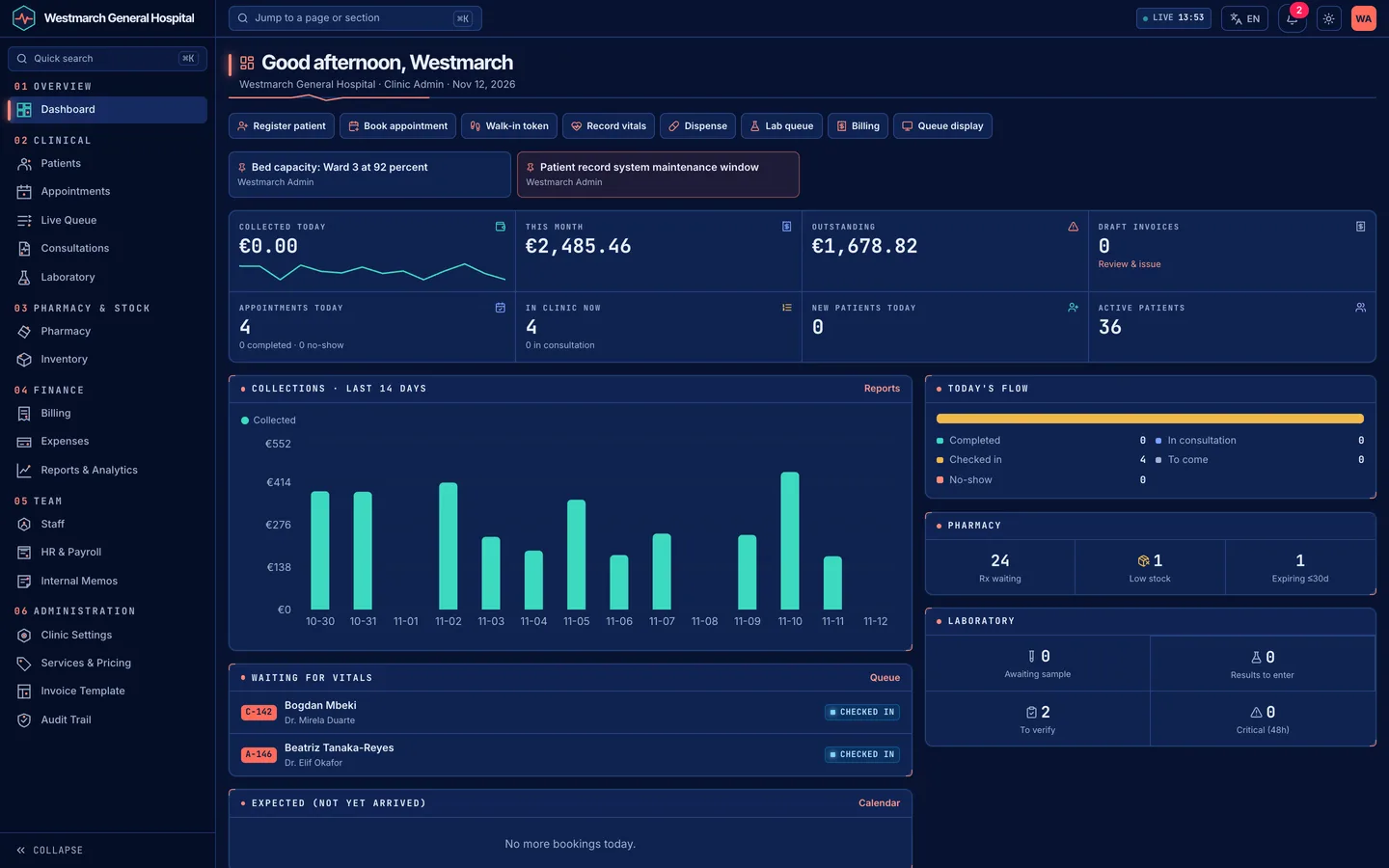

How does it handle several hospitals?

Frequently asked questions

The complete source code (version 1.0.0) as a download from your account, with the setup and usage guides shown on this page. You can modify the code to suit your product.

Questions about this product (0)

Answers from the DEV3 team and the community.

Ask a question

No questions yet.

Wondering about setup, licensing or customisation? Ask, and the DEV3 team will help.

More from this author

View all

Related in Enterprise SaaS Starters

View all