DEV3 Technologies home

DEV3 Cogvane – Self-Hosted Workflow Automation with Visual Flow Editor, Safe HTTP Requests & Encrypted Vault (Next.js)

Self-hosted workflow automation on Next.js 16 and MongoDB: a visual flow editor, webhook, schedule and form triggers, run retries, safe HTTP requests and an encrypted vault. Workspaces and an operator panel included. Setup wizard and demo data included. No mobile apps.
by DEV3 TechnologiesVerified Author(0) 0 sales 0 viewsUpdated 10 Nov 2026

Launch Offer: up to 50% off

This item is 50% off: $24.50 instead of $49

Ends in
--
Days
--
Hrs
--
Min
--
Sec

Video tour. Pick a section below to browse 98 screenshots in 10 sections.

App & phone tours

Tap play to watch each app. Nothing downloads until you do.

  • Mobile web0:59

Cogvane is a workflow automation platform that you host yourself, built by DEV3 Technologies on Next.js 16, React 19, TypeScript, Tailwind 4 and MongoDB, with a separate Node worker that executes runs. Each customer gets a workspace. In a workspace people draw flows on a canvas: a trigger, then action, transform, condition, loop and wait nodes. They publish a version, and the worker runs it with retries, limits and a full history. You, the operator, sell plans to workspaces and watch the whole platform from an operator panel. The demo shows fictional workspaces such as an outdoor-gear retailer, a dental group and a design studio.

No live demo: 98 grouped screenshots and two video tours show the marketing site, the canvas, runs, the vault, hosted forms, settings and the operator panel. Install it with the demo data to try every role on your own server. This product is a web application: there are no mobile apps.

For people who build flows

  • A visual flow editor on a dotted canvas with a searchable palette of 37 nodes, an inspector with params, retry and error tabs, undo and redo, auto-layout, a minimap and live validation. Flows are saved with optimistic concurrency and an edit lock so two people do not overwrite each other.
  • Triggers: a webhook (methods, header, HMAC or signed-URL authentication, idempotency keys, an answer from the last node), a schedule (cron or every N minutes, in the flow's time zone, with catch-up), a hosted form with 12 field types, and manual or API starts.
  • Nodes: HTTP request, send email (to an outbox until you set up SMTP), respond to webhook, store data, wait, sub-flow, If, Switch, Merge, Loop, filter, sort, aggregate, split, map, date, text and JSON helpers, CSV parse and build, and five simulated app nodes that show how a connector is wired.
  • A sandboxed formula language: a fixed list of 50 functions, usable as transforms, with autocomplete and a live preview in the editor. It is not JavaScript and there is no code node, so a flow cannot run arbitrary code on your server.
  • Test runs that use the draft, show every step and its JSON, and never send real email; versions with a diff and one-click rollback; import and export as JSON with credentials by name only; and 24 templates.

Runs, retries and history

  • Every run keeps its steps, durations, inputs and outputs (previews are redacted). Retry a run, retry from the failed step, or cancel it. Waits, retry delays and sub-flow polling are stored jobs, so they survive a restart.
  • A retry policy per node (fixed or exponential backoff, honouring Retry-After), error routes, a flow-level error flow and outgoing webhooks for run.failed, run.succeeded and flow.published.
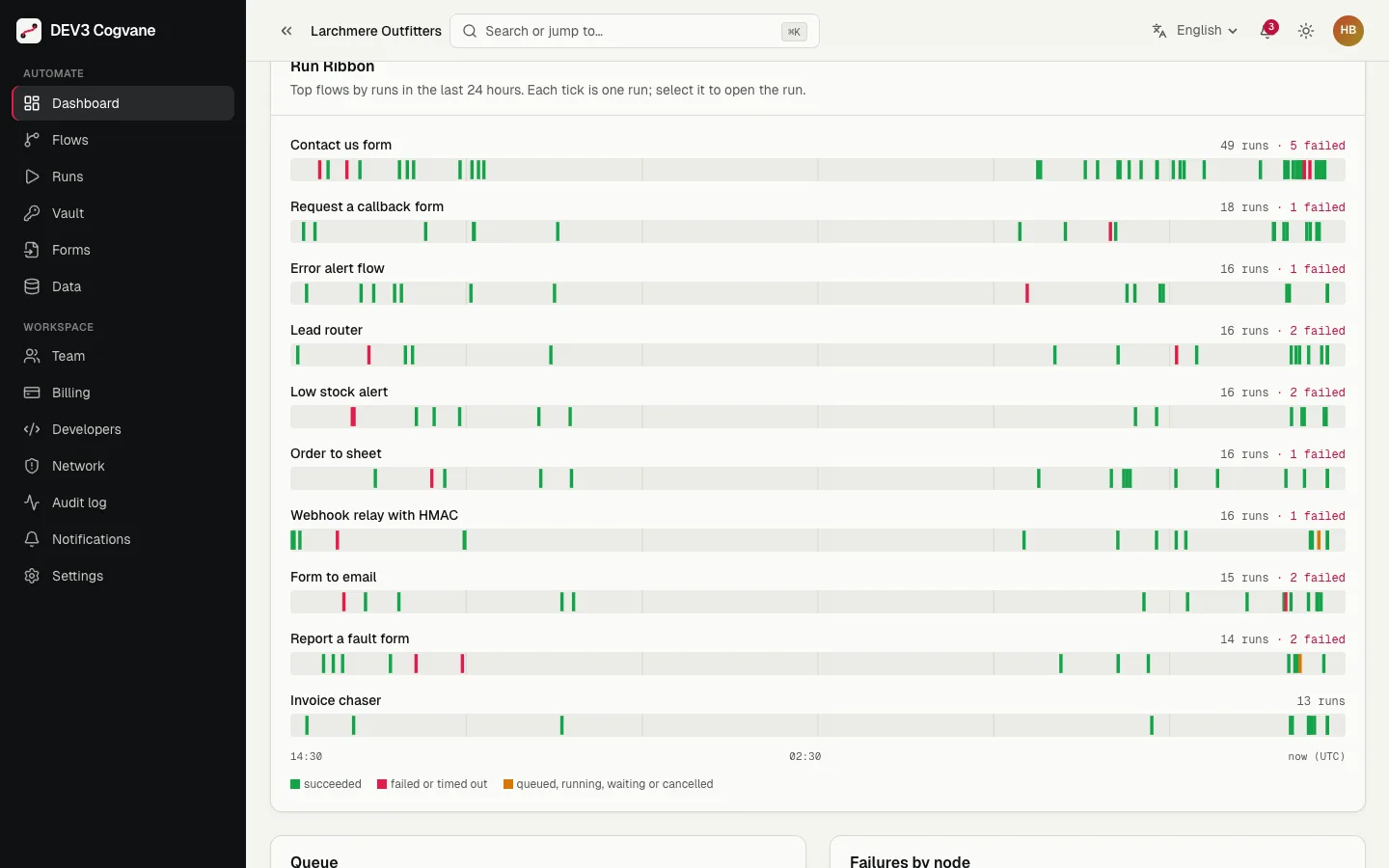
  • A dashboard with runs today, success rate, operations used, failing flows, a Run Ribbon (one tick per run for the busiest flows over 24 hours), queue depth and failures by node.

Safe by design

  • SafeFetch: every outbound request resolves the host once, refuses private, loopback, link-local, carrier-grade NAT, reserved and cloud-metadata addresses, pins the checked address for the connection, re-checks every redirect, ignores proxy variables and caps body size and time. The operator can allow private targets, and a workspace can add allow-list rules, but metadata addresses can never be allowed.
  • Vault: credentials are encrypted with AES-256-GCM, bound to workspace, credential and version, shown by name only, and redacted from previews, logs and errors. Key rotation is a command.
  • Tenant isolation is enforced in the data layer: every query is scoped to a workspace, and a test fails the build if one is not.
  • Plans meter runs and operations with no overshoot even under a parallel burst.

For you, the operator

  • An operator panel with revenue and plan mix, runs per day, worker health and heartbeats, workspaces with usage meters and suspend, a platform audit log, network policy, plans, the email outbox and read-only support access.
  • Plans, simulated checkout, invoices and a scoped REST API with OpenAPI documentation.
  • An installer wizard, demo data and a cogvane:check command that reconciles usage, leases, graph hashes and the vault.

What you get

The complete Next.js source with the shared DEV3 core vendored, a worker, scripts for scheduled jobs, Documentation/index.html (install, pm2 and systemd units, limits, API, formula reference), START-HERE.txt and LICENSE.txt. Support is included for 6 months.

Good to know

  • Connectors are generic in version 1.0: an HTTP request node, webhook and form triggers, and an email node that writes to the outbox. There is no marketplace of third-party apps; build them as HTTP nodes. The five app nodes are simulated and only talk to a built-in mock host.
  • The demo makes no real third-party calls. In demo mode only the in-process mock host is reachable. In production, real requests go to public addresses only; private networks, loopback addresses and cloud metadata are blocked, and an operator allow-list exists for intranet targets. Ports 80, 443, 8080 and 8443 unless a rule adds more.
  • Expressions are a sandboxed formula language with a fixed 50-function list, not JavaScript. There is no code node and no AI node in this release.
  • A separate worker process must keep running (pm2 or systemd; units are in the documentation). Per-run caps: 200 node executions (100 on Starter), 25 loop iterations per loop node, 500 looped items in total, 5 MB of data (1 MB on Starter), 10 minutes of wall time (2 on Starter, 5 on Team) and waits of up to 30 days. Caps can be lowered, not raised beyond these hard limits.
  • Branches run one after another inside a run, and execution is at-least-once per node after a worker crash.
  • Email goes to the outbox until you configure SMTP. Payments are simulated by default; run your own sandbox payments first.
  • MongoDB 6 or newer (a single node works, a replica set is recommended). No Redis. It is sized for thousands of runs per hour per worker, not for a high-throughput event bus.
  • Back up your vault key (COGVANE_VAULT_KEY, or never change APP_SECRET if the key is derived from it): credentials cannot be recovered without it.
  • Rate limits for hooks and forms are kept per server process. The shortest schedule interval is 15 minutes on Starter, 5 on Team and 1 on Business. Step and payload history is kept 7, 30 or 90 days by plan; run summaries 365 days.
  • Name: Cogvane is a working name checked by a web search only, not a trademark clearance.
  • No hosted demo. All workspaces, people and data in the screenshots are fictional.

Quality checks

Cogvane 1.0.0 passed the seven checks of the DEV3 Next.js suite on the final code: type-checking and linting (0 errors), 585 app tests and 49 core tests (including 96 expression attack vectors and real-socket tests of the address guard), a production build of 77 routes with 206.2 KB of gzipped first-load JavaScript and CSS on the home page, seeding of the empty and demo datasets, a headless-browser pass over 56 routes and 16 happy paths with a real worker process (including 20 parallel webhooks with one idempotency key, two parallel publishes, a double retry and cancel against finish, all over HTTP), an install test from the packaged zip and a secret scan. Lighthouse on the home page, mobile: performance 95, accessibility 100.

How it's built

Architecture, stack, key decisions and the quality gates DEV3 Cogvane passed before release.

The engineering behind Cogvane: DNS-pinned outbound requests, an expression engine behind an AST walk, an AES-GCM vault, and a Mongo job queue with leases, with the known limits written down.

The problem it solves

An automation platform lets customers describe what a server should do. That is two hard problems at once. The first is trust: a flow can fetch any URL, evaluate any formula and store any secret, so one careless step becomes a server-side request forgery, a code execution or a leaked key. The second is reliability: runs wait, retry, call other flows and survive restarts, workers die mid-step, two people press publish at once, and the same webhook arrives twenty times in the same second. Every one of those must end in one clear state.

Architecture and approach

Cogvane is a Next.js 16 application on MongoDB with a shared DEV3 core for auth, billing and tenancy, plus a Node worker that executes runs. Workspaces are tenants: a Mongoose plugin scopes every query by an immutable workspace id and fails closed, cross-tenant code lives only in the platform folder, scripts and the worker, and a unit test greps for violations.

One outbound door

Every request goes through one function. It resolves the host once, checks every address against private, loopback, link-local, carrier-grade NAT, reserved, multicast and cloud-metadata ranges (including IPv4-mapped and NAT64 forms), and gives the HTTP client a lookup that returns only the validated address, so the connection cannot be pointed somewhere else. Redirects are followed manually, up to three, and each hop is resolved, checked and pinned again. Proxy variables are ignored, bodies are capped by decoded bytes, and the whole call has a time budget. Tests run real sockets: a name that only the injected resolver knows still works, which proves the pin is the only path.

A formula language, not code

Expressions are parsed by a small library and then walked: only allow-listed root names and 50 functions are accepted, computed keys must be literals, and prototype names are refused. The context is a frozen object without a prototype, and the result must be plain JSON data. A suite of 96 vectors, many of them attacks, guards the walk, and a test greps the tree for dynamic code.

Runs that survive crashes

Runs are executed one node after another in topological order. Every step write is gated on the worker's lease, waits and retries are stored jobs, and a dead worker's runs are reclaimed after three strikes. Quotas use conditional increments, so a burst at the limit cannot overshoot. Idempotency keys, parallel publishes, double retries and cancel against finish are all settled by one conditional update.

A vault that is honest about its limits

Credentials are sealed with AES-256-GCM, with the workspace, credential and version bound in as additional data. The key comes from an environment variable or is derived from the application secret, and the application refuses to store a credential when neither exists, because the core's fallback is random per process. The documentation tells the buyer to back the key up.

Quality gates and results

Cogvane 1.0.0 passed its seven checks on the final code: 585 app tests and 49 core tests, a 77-route production build with 206.2 KB of gzipped first-load JavaScript and CSS on the home page, seeded demo data that reconciles with its own checker, a headless-browser pass over 56 routes and 16 happy paths with a real worker, an install test from the zip and a secret scan.

Known limits: connectors are generic HTTP, webhook, form and outbox email; there is no code or AI node; branches run sequentially inside a run; execution is at-least-once per node after a crash; and rate limits are kept per server process.

Tech stack

Area Technologies
Application Next.js 16 App Router, Server actions, React 19, Tailwind CSS 4, @xyflow/react canvas
Engine Node worker process, Mongo job queue with leases, undici with pinned DNS, Sandboxed formula language, Cron scheduler
Data and security MongoDB 6+, Fail-closed tenant plugin, AES-256-GCM vault, Zod validation
Quality Vitest unit and race tests, Playwright smoke, real worker, Secret scan of the zip

Inside the build

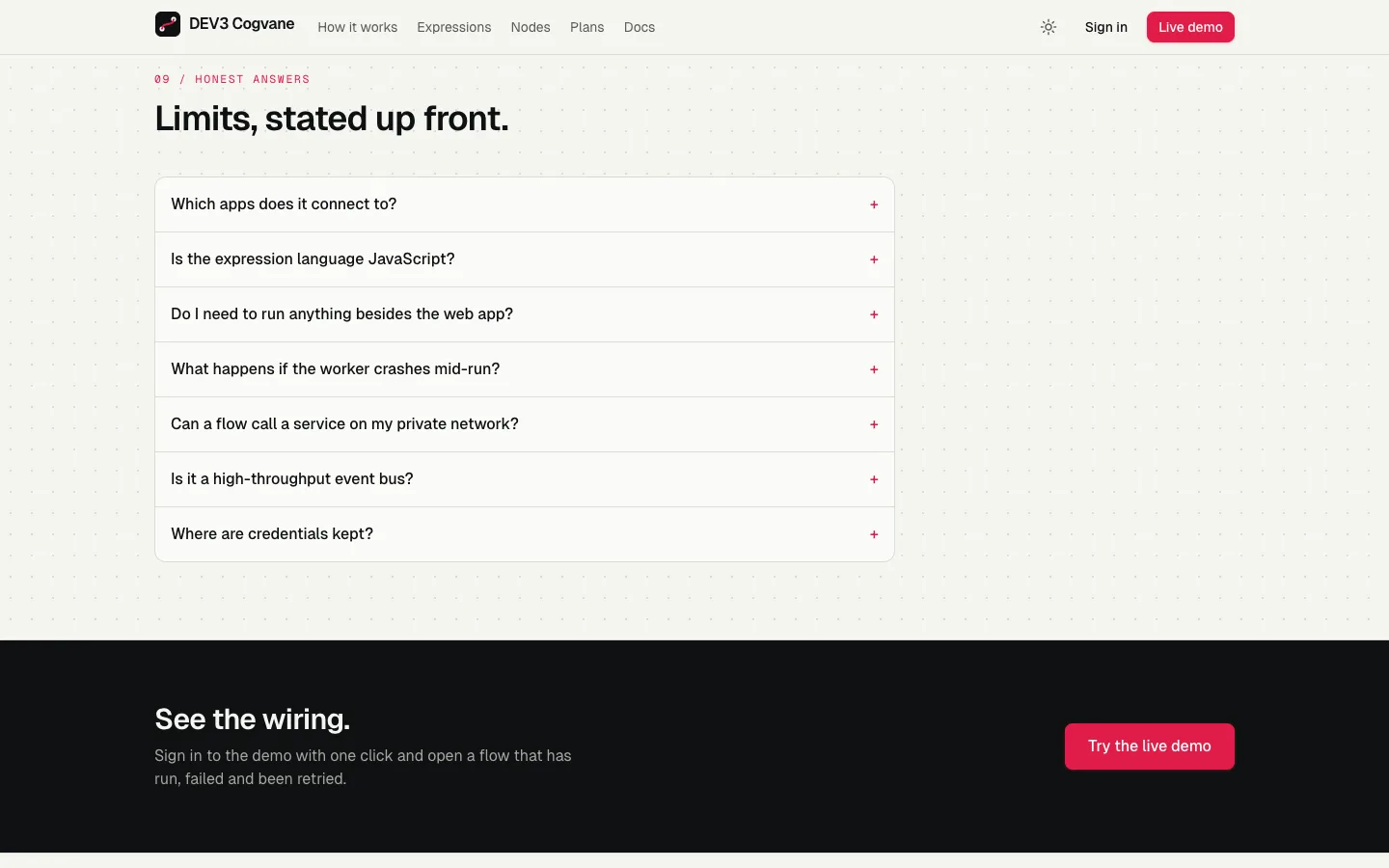
Questions: Honest answers about connectors, expressions and the worker. Questions — Honest answers about connectors, expressions and the worker.
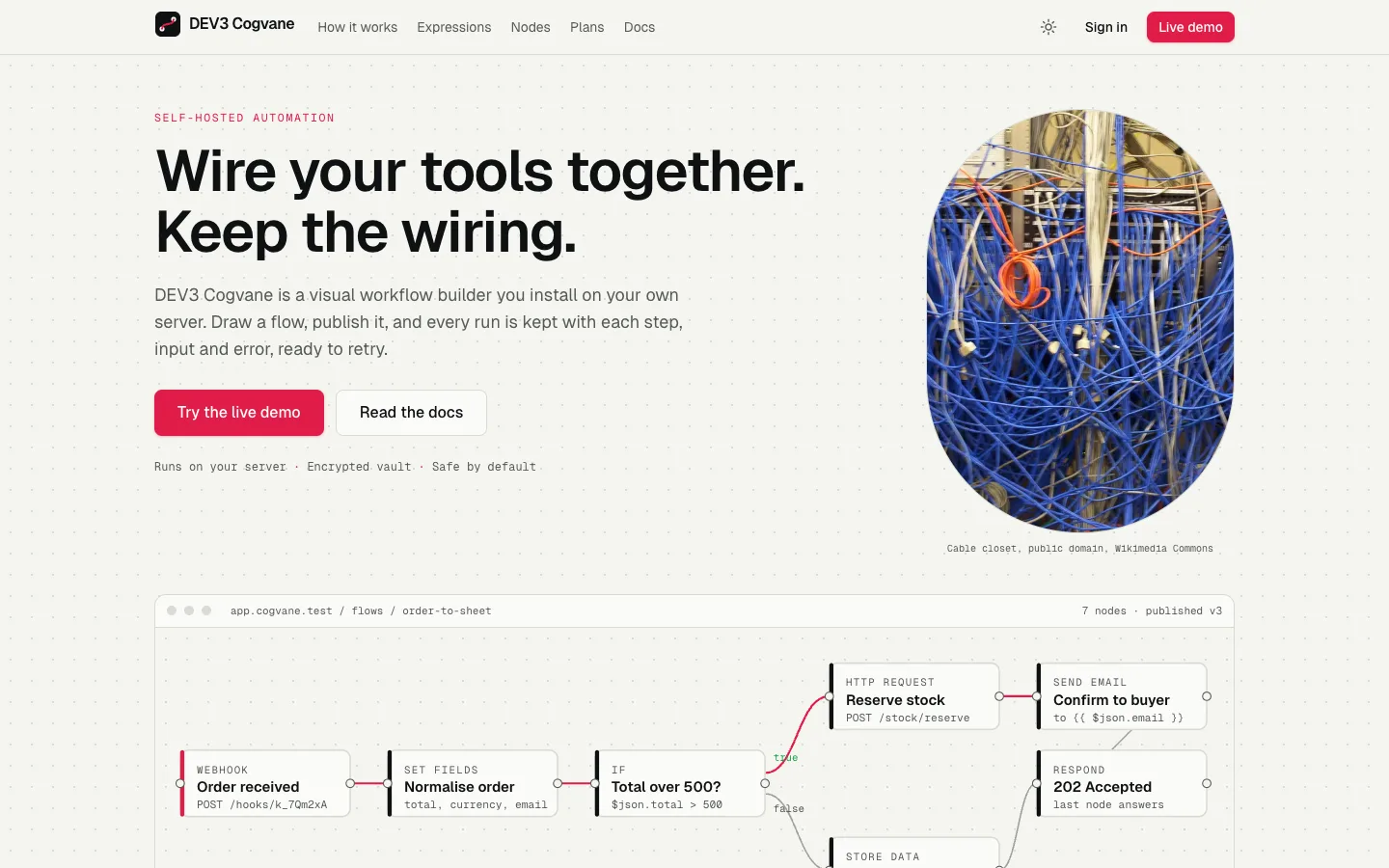
Hero: The headline, a rack of patch cables and the order flow drawn on the canvas. Hero — The headline, a rack of patch cables and the order flow drawn on the canvas.

Guides & articles

Practical guides and engineering write-ups for DEV3 Cogvane.

Self-hosted workflow automation: 7 things to check before you pick a tool

Last updated
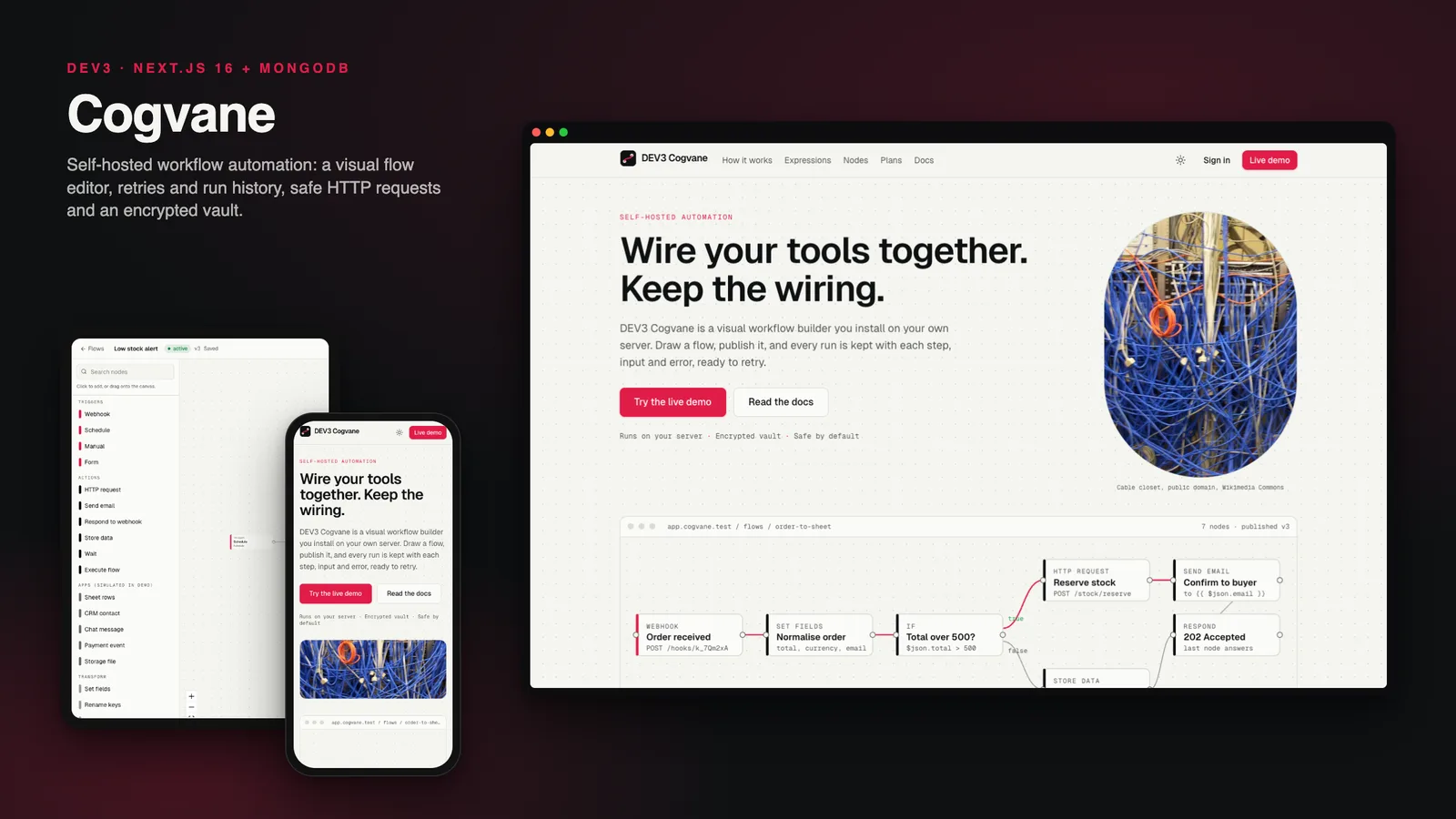
Self-hosted workflow automation: 7 things to check before you pick a tool: DEV3 Cogvane

Automation tools are easy to demo and hard to trust. The questions that matter come after the first flow works. Here are seven things to check before you pick a self-hosted platform, with DEV3 Cogvane as the worked example.
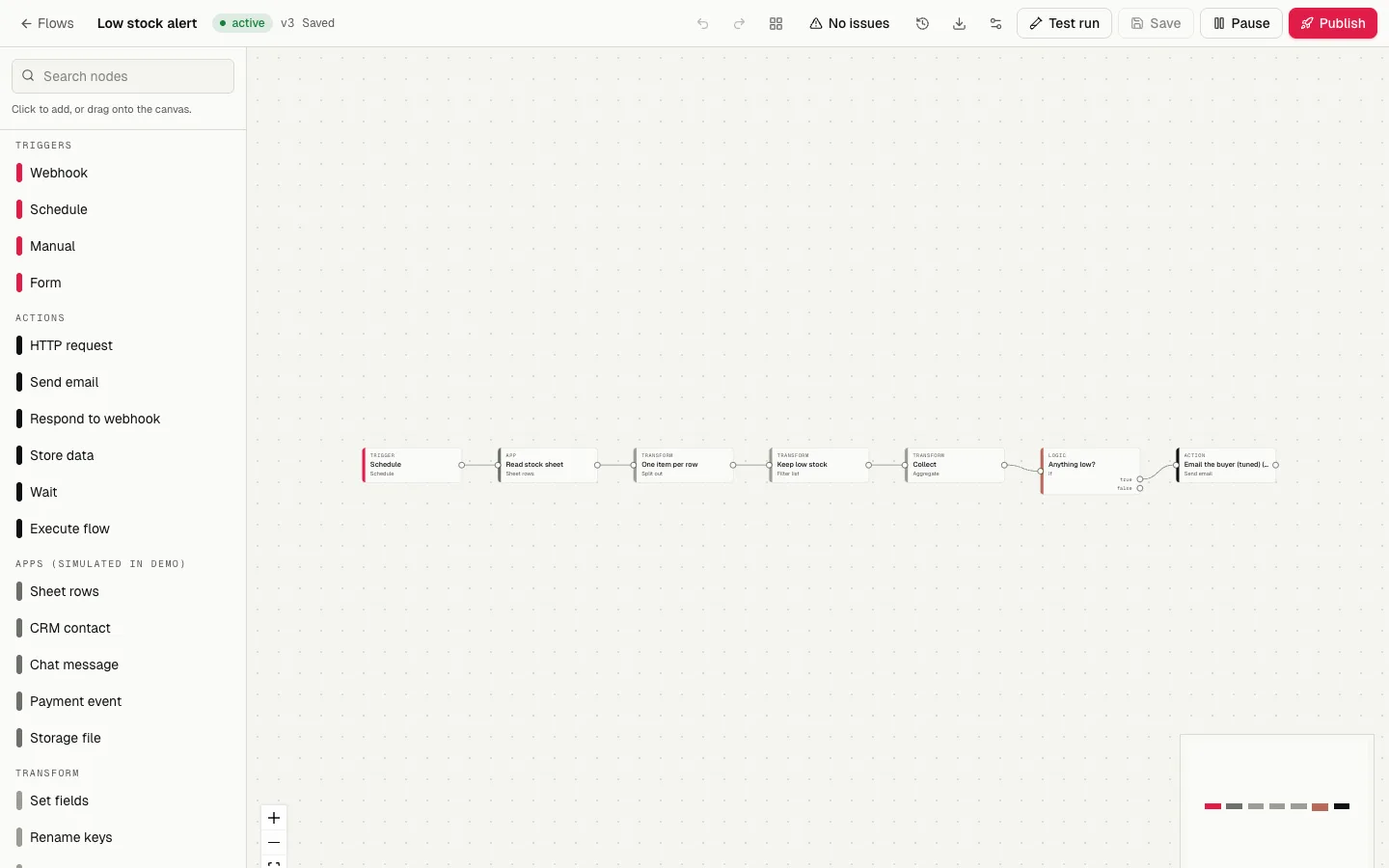
The flow canvas with an order flow, node palette and inspector

1. Can people see what a flow does?

A flow should be a picture, not a script. Cogvane draws flows on a canvas with a searchable palette of 37 nodes, an inspector for each node, and validation that points at the node with the problem. Test runs use the draft and show every step.
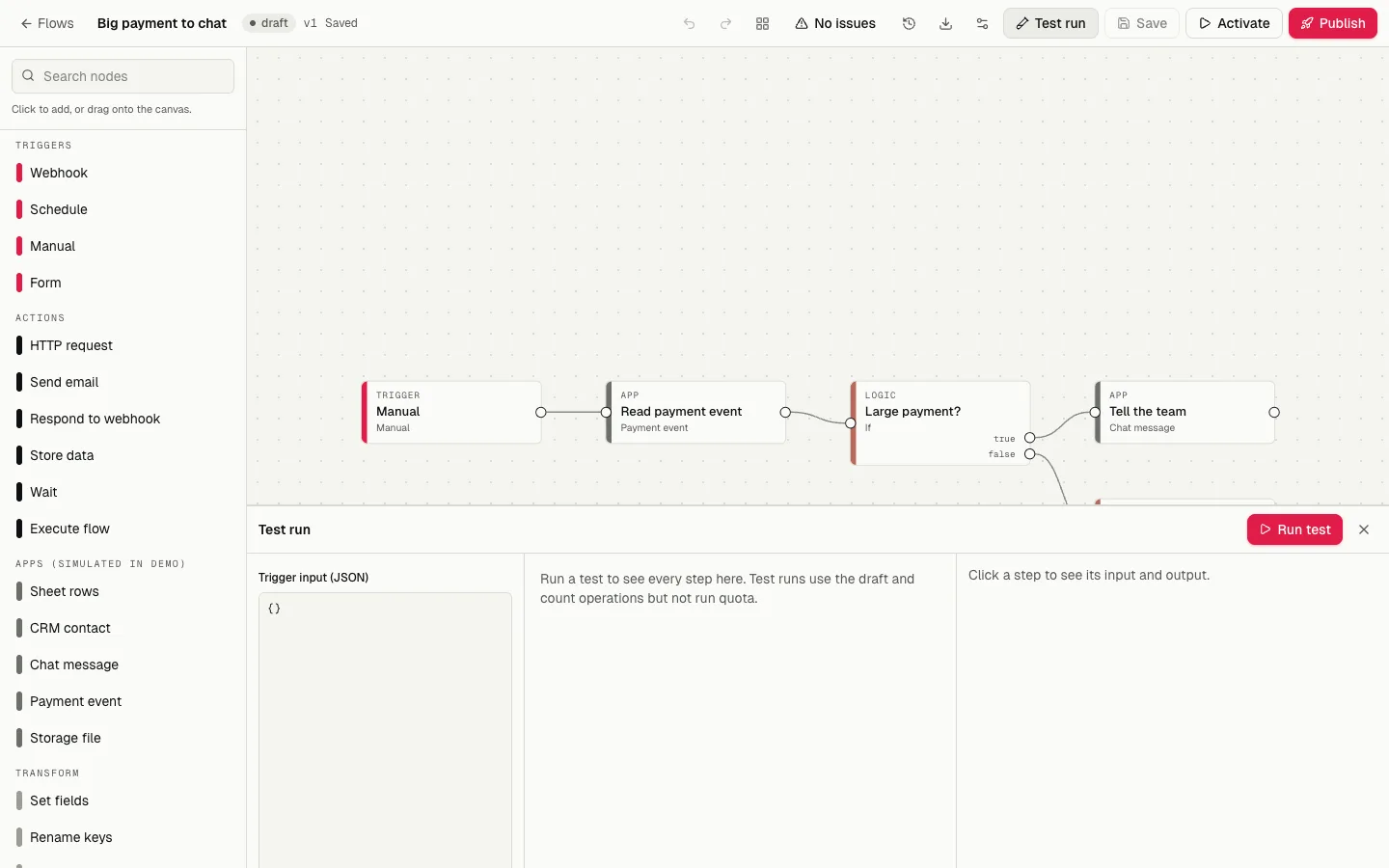
A test run lighting up each node with its JSON output

2. How can a flow start?

Look for webhooks with real authentication (header, HMAC or signed URL), schedules in a time zone, hosted forms and manual or API starts. Cogvane also stores idempotency keys, so twenty identical webhook calls start one run.

3. What happens when something fails?

You need history, not hope. Every run keeps its steps, and a failed run can be retried from the failed step. Waits and retry delays are stored jobs, so a restart does not lose them.
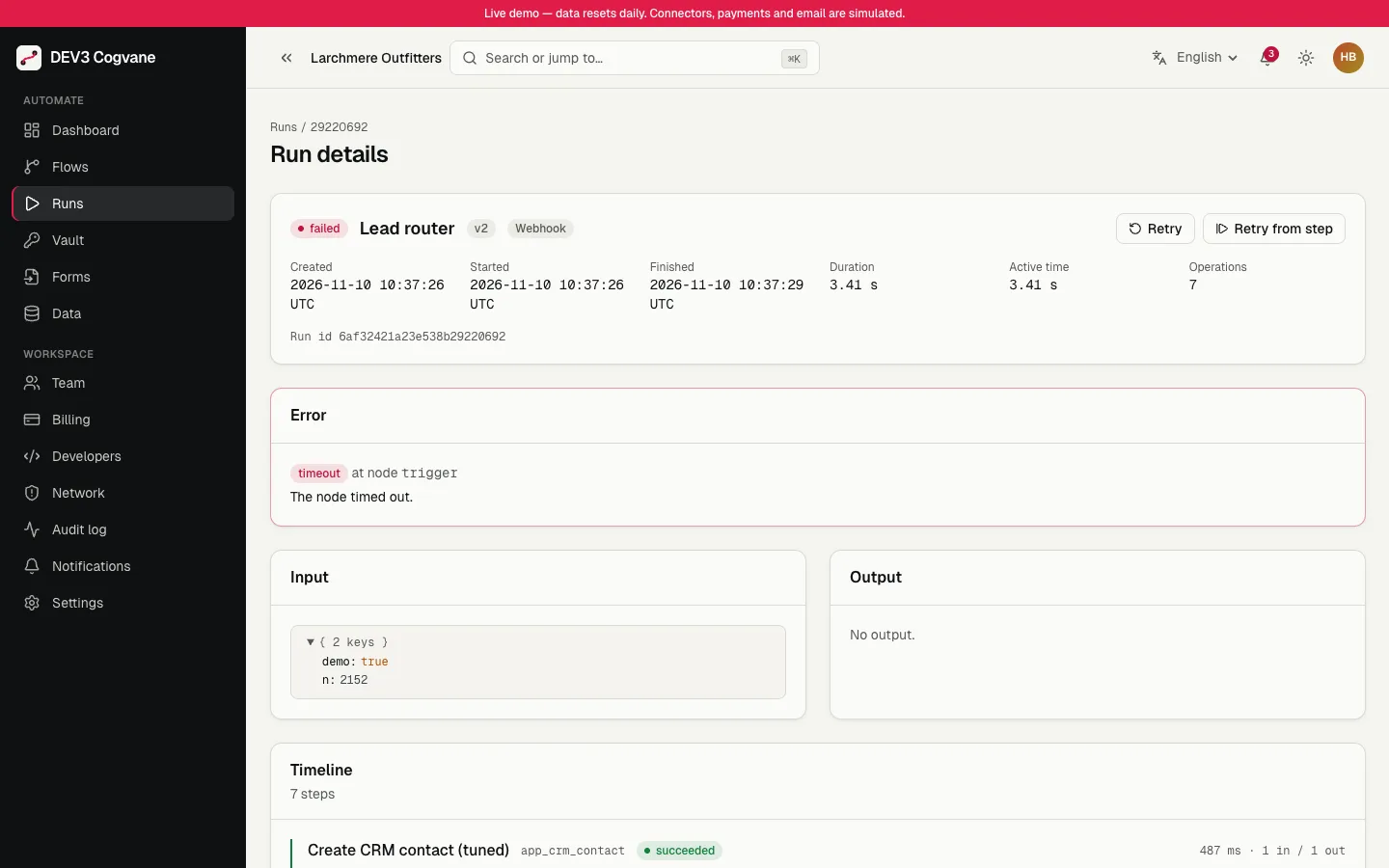
A failed run with the error card and a retry button

The Run Ribbon: one tick per run over 24 hours

4. Can a flow reach your internal network?

An automation tool that fetches URLs is an SSRF risk. Cogvane resolves each host once, refuses private, loopback and metadata addresses, pins the checked address for the connection and re-checks every redirect.
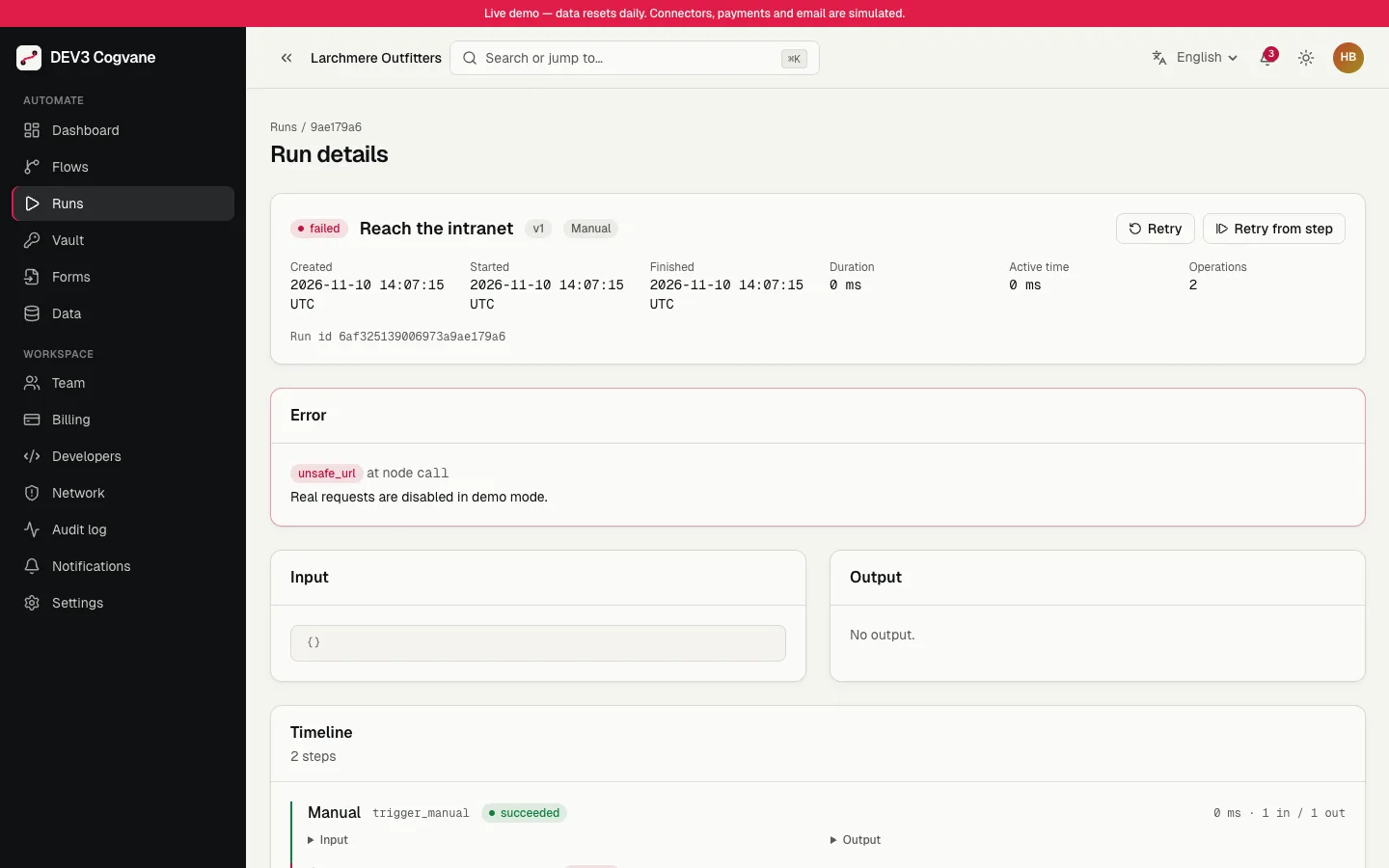
A request to a private address refused before it leaves the server

5. Where do credentials live?

Not in the flow. Cogvane keeps them in an AES-256-GCM vault, shows names only and redacts values from logs and previews. Rotation is a command, and the documentation says plainly that you must back up the key.
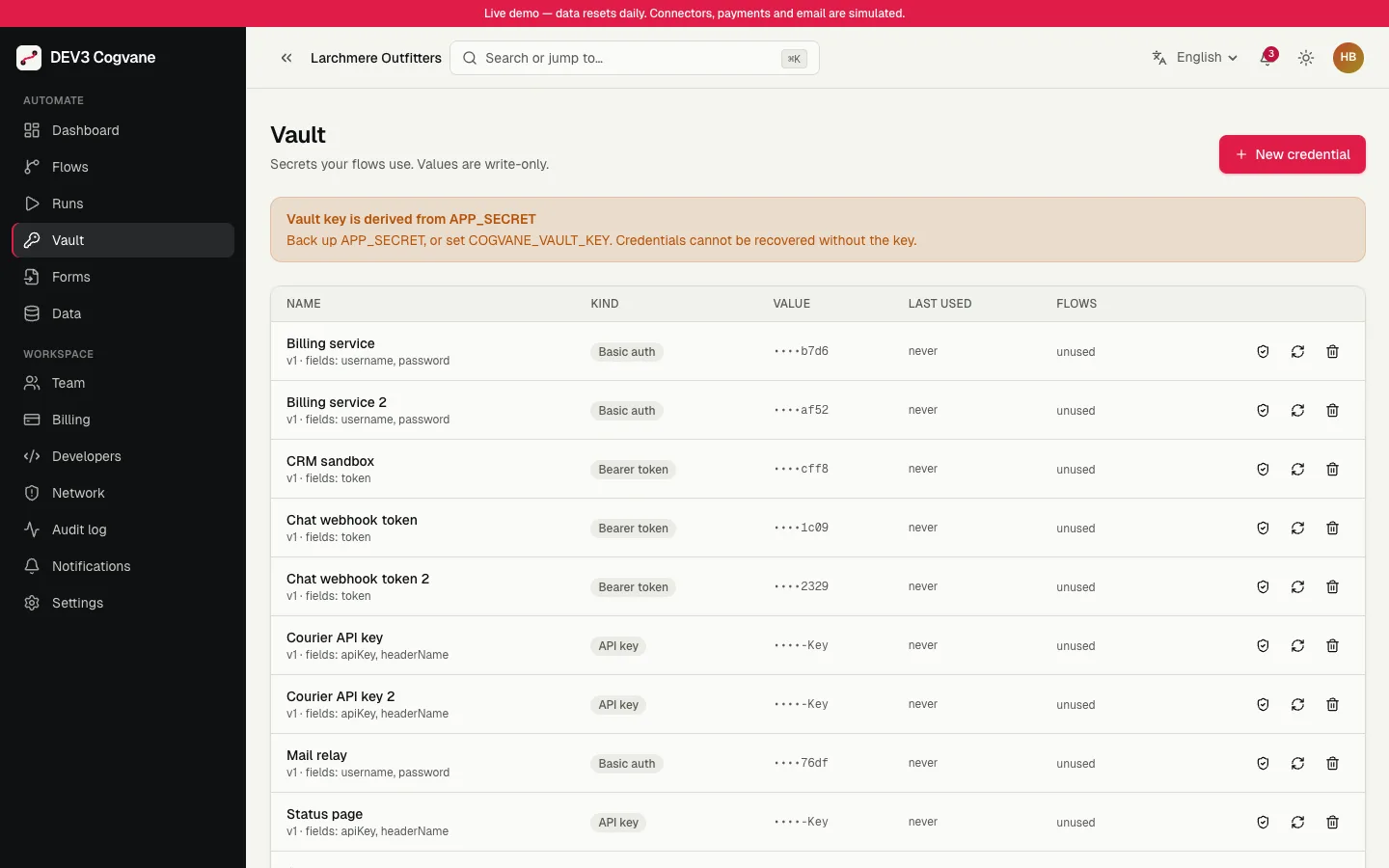
The credential vault showing names, kinds and where each is used

6. Is the formula language safe?

If expressions run as code, a flow can run code on your server. Cogvane uses a sandboxed formula language with a fixed list of 50 functions. It is not JavaScript, and there is no code node. That is a limit, and it is the point.

7. Who keeps it running?

Runs execute in a separate worker process that you keep alive with pm2 or systemd. The operator panel shows worker heartbeats and runs taken back from a worker that stopped.
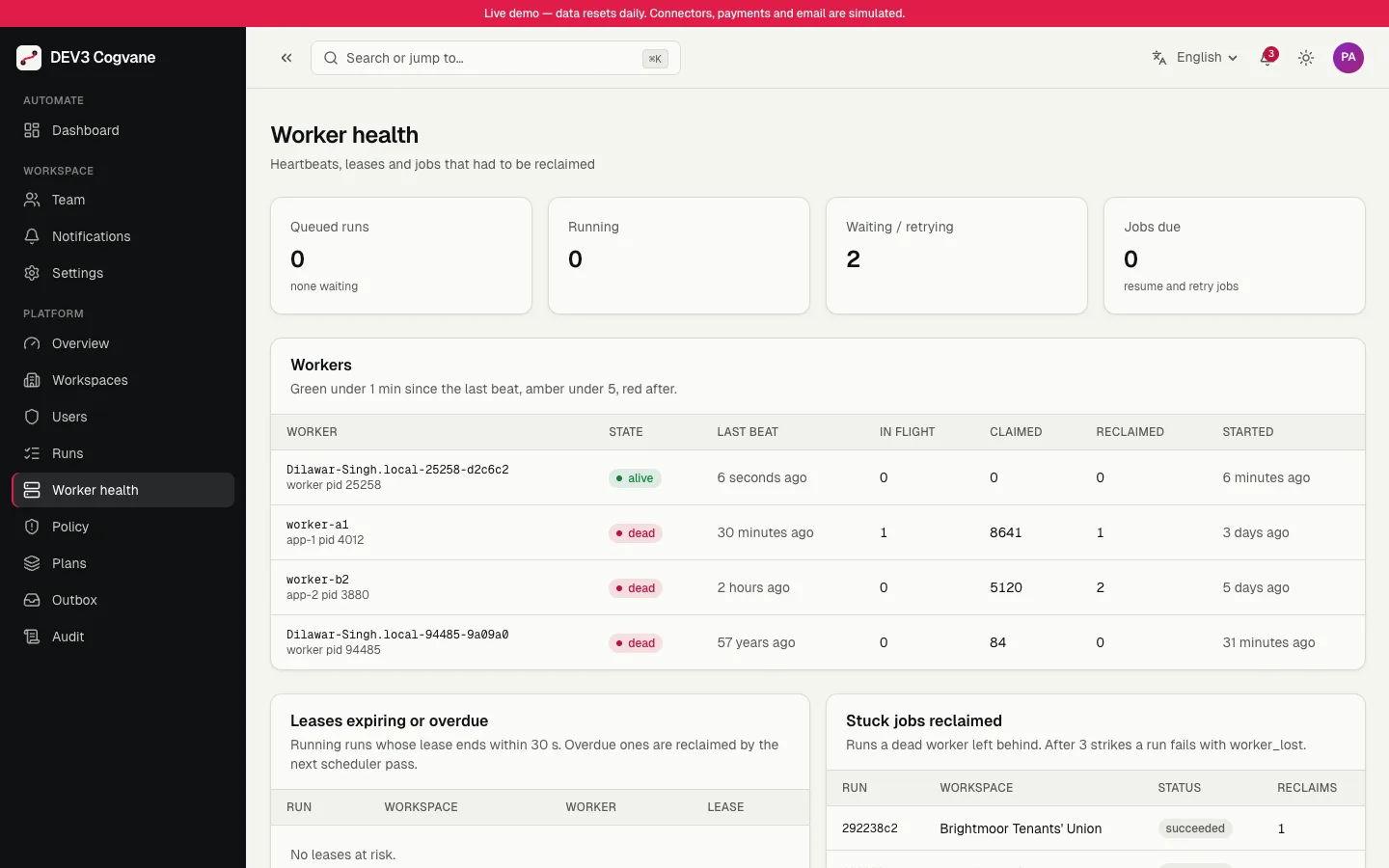
Worker health with heartbeats and reclaimed runs

Video tour of Cogvane

Limits to weigh

Connectors in 1.0 are generic: HTTP, webhook, form and an outbox for email. There is no marketplace of third-party apps and no AI or code node. Branches run one after another inside a run, and it is sized for thousands of runs per hour per worker, not a high-throughput event bus. Check those against your needs.


Frequently asked questions

The complete source code (version 1.0.0) as a download from your account, with the setup and usage guides shown on this page. You can modify the code to suit your product.

Questions about this product (0)

Answers from the DEV3 team and the community.

Ask a question

No questions yet.

Wondering about setup, licensing or customisation? Ask, and the DEV3 team will help.

More from this author

View all

Related in Enterprise SaaS Starters

View all