DEV3 Technologies home

DEV3 Pagemoss – Team Wiki & Knowledge Base SaaS Laravel Script with Page History, Permissions, Public Help Centre

A self-hosted team wiki and public help centre on Laravel 12 and Filament 4: nested pages in a block editor, full history with restore, permissions per space and page, comments, MySQL full-text search and import and export. Web installer and demo data included. No mobile apps.
by DEV3 TechnologiesVerified Author(0) 0 sales 0 viewsUpdated 10 Nov 2026

Launch Offer: up to 50% off

This item is 50% off: $24.50 instead of $49

Ends in
--
Days
--
Hrs
--
Min
--
Sec

Video tour. Pick a section below to browse 102 screenshots in 9 sections.

App & phone tours

Tap play to watch each app. Nothing downloads until you do.

  • Mobile web1:01

Pagemoss is a team wiki and knowledge base you host yourself, built by DEV3 Technologies on Laravel 12 and Filament 4. Each customer is a workspace with its own spaces, people and plan. You run it as the operator: workspaces, plans, domains, trust reports and audited support sessions live in a separate panel.

What it does

  • A calm editor. Nested pages with a block editor: headings, lists, checklists, tables, code, callouts, images, files and embeds. Type a slash for the block menu, use Markdown shortcuts, link a page with [[, mention a colleague with @, or switch to plain Markdown and back.
  • History you can trust. Every save, publish and restore is a revision. Compare two versions side by side and restore one; restoring adds a new revision instead of overwriting. Autosaves are thinned on a schedule, published history is never pruned.
  • Permissions that hold. A default role per space, grants for people, groups or the whole workspace, restricted pages, and guests who see only what was shared with them. Restricted pages never appear in search, backlinks, the page tree, exports or notifications for someone without access, and they get the same answer as for a page that does not exist.
  • One editor at a time, safely. An edit lock names the holder and lets others ask for the page; saves from a stale version end in a conflict dialog, not in lost work. The lock can be taken over by a space manager and the old holder's unsaved text is kept as a draft.
  • Search and navigation. MySQL full-text search with a quick palette (Ctrl or Cmd K), prefix matching as you type, tags, backlinks, favourites, recents and notifications. Chinese, Japanese and Korean text works through the ngram index.
  • A public help centre. Publish any space as public, unlisted or members only, in the workspace's brand, with search, a Was this helpful prompt, a sitemap and a custom domain after a DNS check. Visitors can report an article to the operator.
  • Share, import, export. Share a page by link with an optional password and expiry. Import a zip of Markdown or HTML files with images, with a report. Export a space as Markdown, HTML or PDF.
  • Admin and API. A workspace admin for spaces and permissions, groups, guests, templates, help centre, imports and exports, trash, audit log, API keys, webhooks and settings, with a Moss Map dashboard of space freshness. A scoped REST API with an OpenAPI document, idempotency keys and signed webhooks.
  • Operator panel. Workspaces with meters, plans, subscriptions and invoices, help-centre domains, trust reports, export health, an outbox, a platform audit log and view-only support sessions that are logged.

Quality checks

The release passed seven gates on the final code: Larastan level 6 with 0 errors, 378 Pest tests, a build inside the page budget, migrations and the full demo seed on MySQL 8 and SQLite, a headless smoke test with ten race checks run on MySQL (parallel edit locks, saves from one base revision, opposite moves, move against delete, restore against edit, parallel restores, repeated comments, a full-text search as a restricted person, creates at a plan limit, and a consistency check), the installer driven from the zip, and a secret scan. The home page scores 100 for performance and accessibility on mobile.

What you should know before buying

  • No real-time co-editing. One editor at a time per page, with an edit lock and conflict-safe saves. Live presence uses Reverb or falls back to polling every 10 seconds.
  • Search is MySQL full-text. MySQL 8 or MariaDB 10.6 or newer is required for a live site; no external search engine is needed. Words under three letters fall back to a simple match.
  • Import is Markdown and HTML only, as a zip of files; there is no import from other products' proprietary formats.
  • Custom help-centre domains need DNS and TLS at your proxy; verification checks a TXT and a CNAME record.
  • Payments are simulated by default. The operator is the merchant of record and workspaces never see card data. Mail goes to an outbox until you configure a mailer.
  • A cron entry every minute and a queue worker are required. Web only: there are no mobile apps. Node.js is not needed (assets are prebuilt).

Included

Source code, the web installer, a buyer guide and API notes, demo data with fictional brands and people (ten workspaces, about 9,000 pages and 50,000 revisions), a cron entry for the scheduler, and six months of support.

How it's built

Architecture, stack, key decisions and the quality gates DEV3 Pagemoss passed before release.

The engineering behind Pagemoss: permission checks inside the SQL, an edit lock taken with one conditional update, fractional page ordering and an append-only history, proven by races on MySQL.

The problem it solves

A wiki is trusted only if three things hold. A page that someone may not read must never show up in a search result, a snippet, a backlink or an export. Two people editing the same page must never silently overwrite each other. And history must be a record nobody can rewrite. Each of those is easy to break when the pieces are built one at a time.

Architecture and approach

Pagemoss is a Laravel 12 application with a Filament 4 workspace admin, an operator panel and a hand-written editor in plain JavaScript. Every list goes through one permission resolver that builds its answer as SQL, so a restricted title can never appear in a row, a snippet or a count, and a test checks that the SQL scope agrees with the per-page answer for every person and page.

The edit lock is a single conditional update, so two people opening the editor at once cannot both win. Saves compare the revision they started from and end in a conflict instead of an overwrite; a broken lock keeps the old holder's text as a draft. Pages are ordered with fractional keys compared bytewise, moves and trashing run under one space lock, and history rows are append-only, enforced by the database layer.

Ten races run against MySQL with parallel processes: edit locks, saves from one base, opposite moves, move against delete, restore against edit, parallel restores, repeated comments, a full-text search as a restricted person, creates at a plan limit and a consistency check.

Quality gates and results

The release passed seven gates, including a headless smoke test with the race checks on MySQL. The consistency command passes on the demo data: ten workspaces, about 9,000 pages and 50,000 revisions.

Tech stack

Area Technologies
Application Laravel 12, Filament 4, Blade, REST API
Data MySQL 8 full-text, SQLite
Frontend Tailwind CSS 4, Vite, Plain JavaScript editor
Quality Pest, Larastan level 6, Playwright

Inside the build

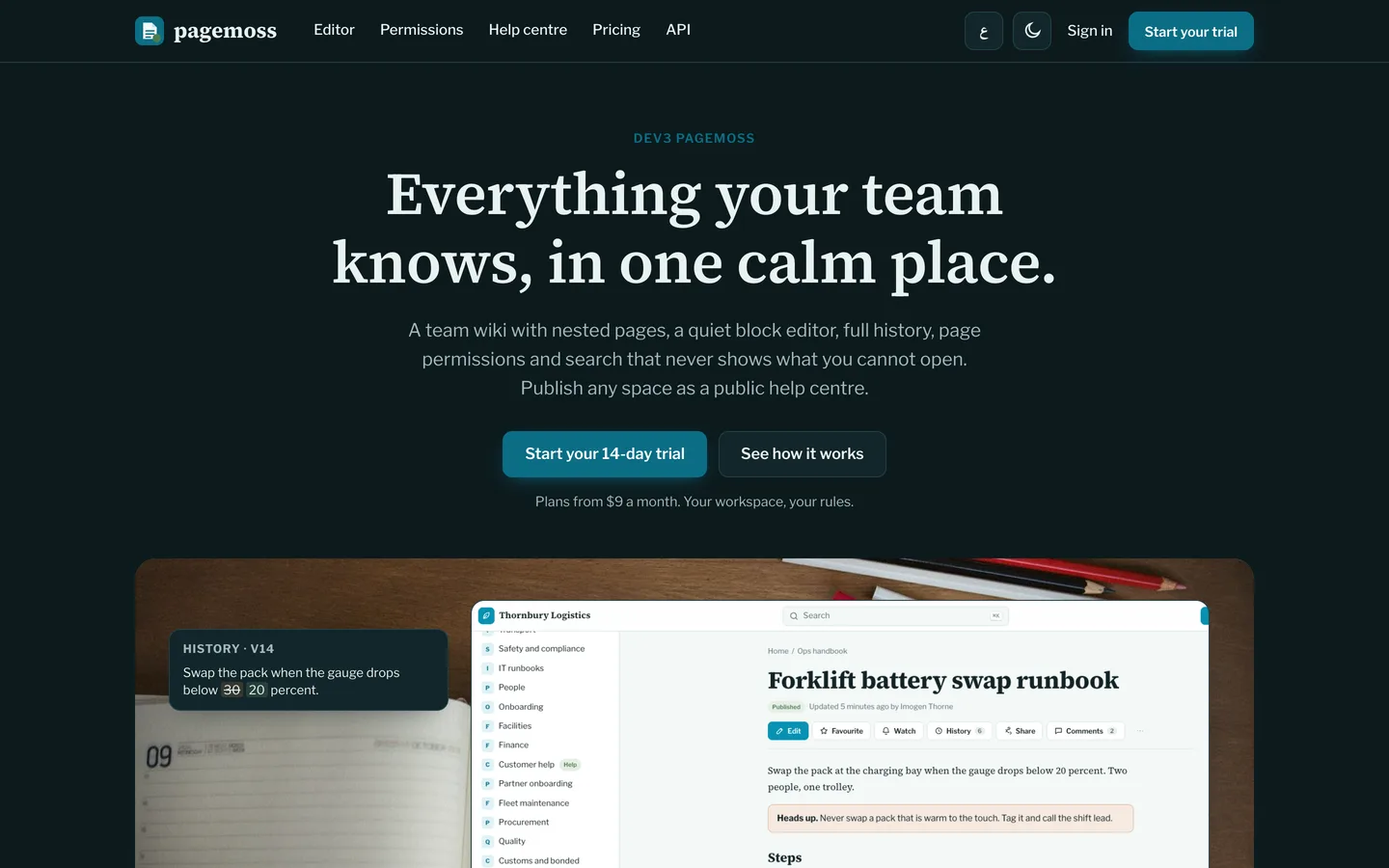
Everything your team knows, in one calm place: The home page: a desk, a real Pagemoss page and two margin notes showing history and search. Everything your team knows, in one calm place — The home page: a desk, a real Pagemoss page and two margin notes showing history and search.

Home in dark mode: The site follows the visitor colour scheme with the same lagoon accent. Home in dark mode — The site follows the visitor colour scheme with the same lagoon accent.

Guides & articles

Practical guides and engineering write-ups for DEV3 Pagemoss.

Team wiki software: 7 things to check before you pick one

Last updated
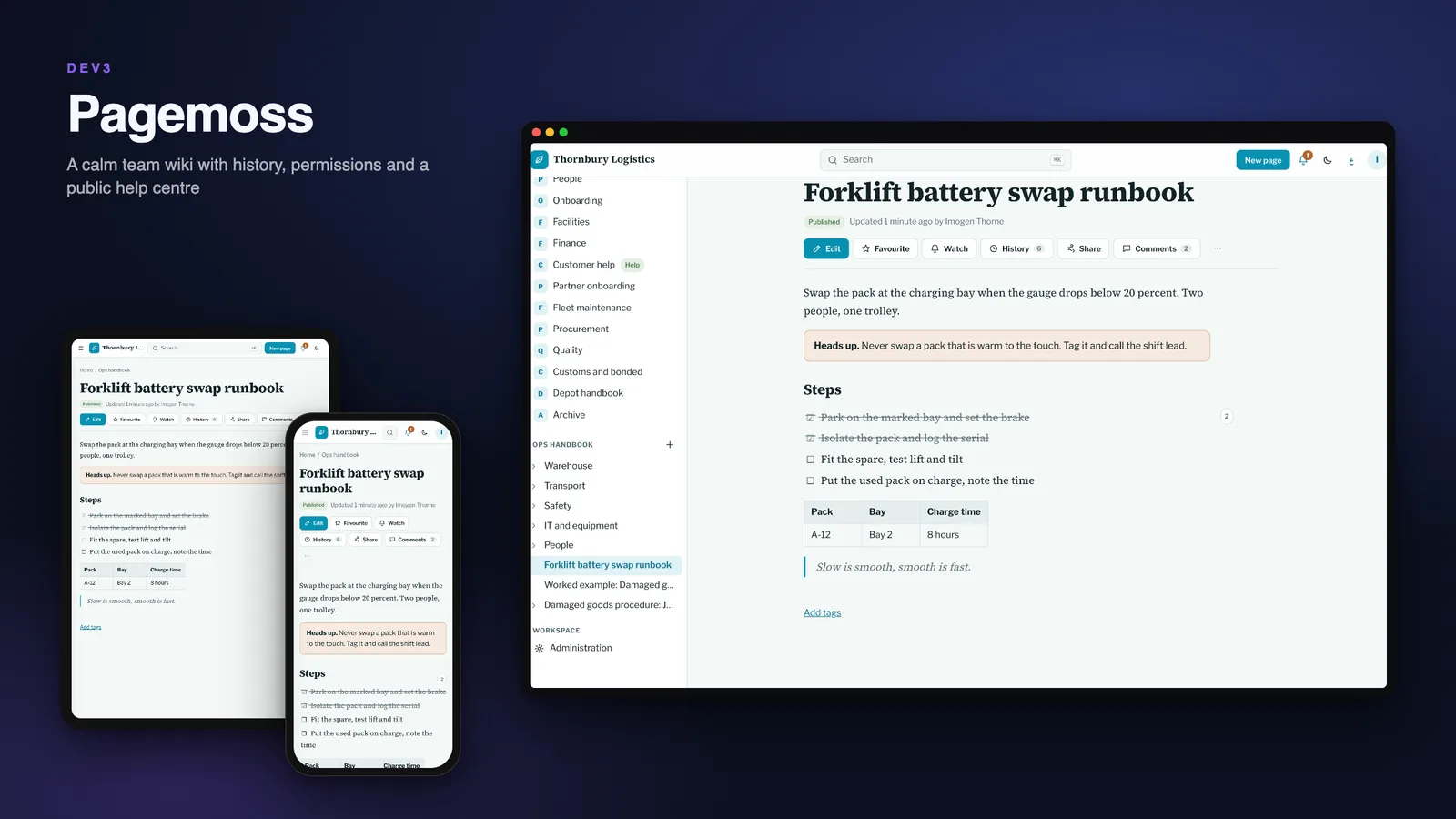
Team wiki software: 7 things to check before you pick one: DEV3 Pagemoss

A wiki fails quietly: nobody can find anything, nobody trusts the last edit, and the one page that mattered was visible to the wrong people. Here are seven things to check before you pick team wiki software, with DEV3 Pagemoss as the worked example.
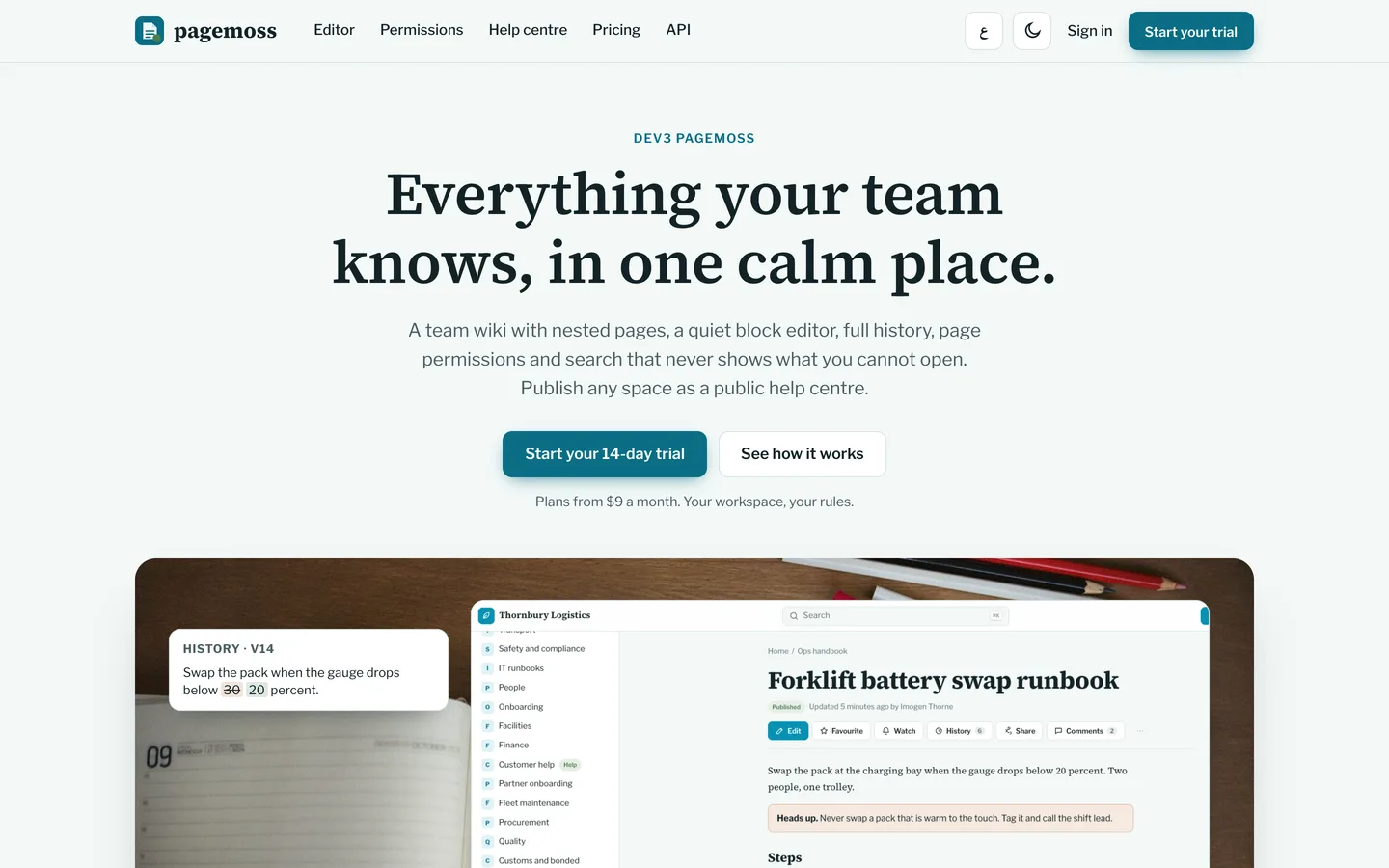
The Pagemoss home page: a page on a desk with a history chip and a search result beside it

1. Can you see what changed, and put it back?

Trust follows history. Every save in Pagemoss is a revision with who, when and a note. Two versions compare side by side, with added, removed and moved blocks marked, and restoring adds a new revision instead of overwriting anything.
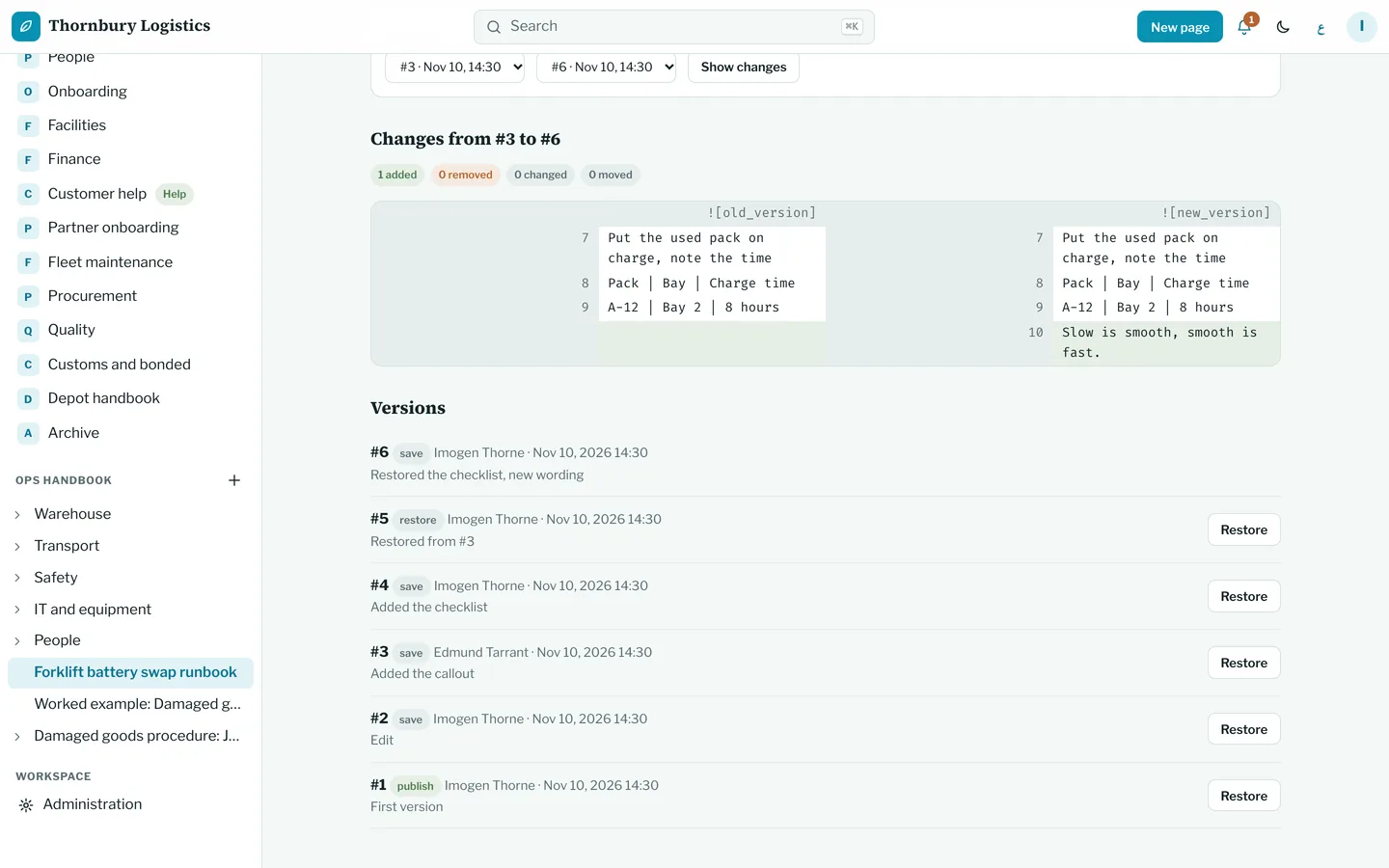
A side by side comparison of two versions of a runbook

2. Is the editor pleasant enough that people use it?

Type a slash for a heading, list, table, code block, callout, image or file. Markdown shortcuts work, [[ links a page and @ mentions a colleague. If you prefer plain text, switch to Markdown mode and back without losing anything.
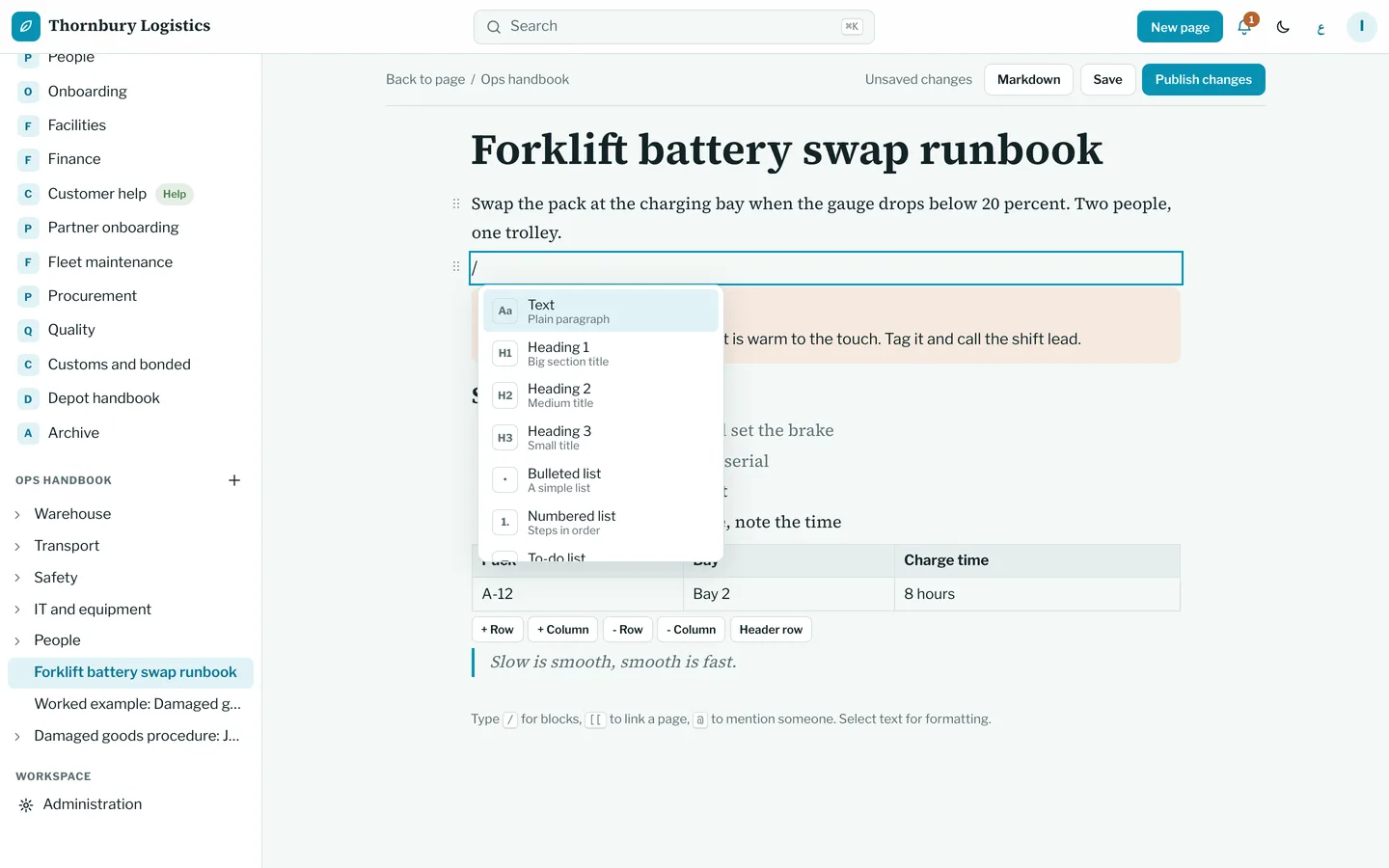
The slash menu open in the editor

3. Who can see what, and does search respect it?

Spaces have a default role, groups and people get their own, and a single page can be restricted. A restricted page never appears in search results, backlinks, the page tree or exports for someone without access, and they get the same answer as for a page that does not exist.
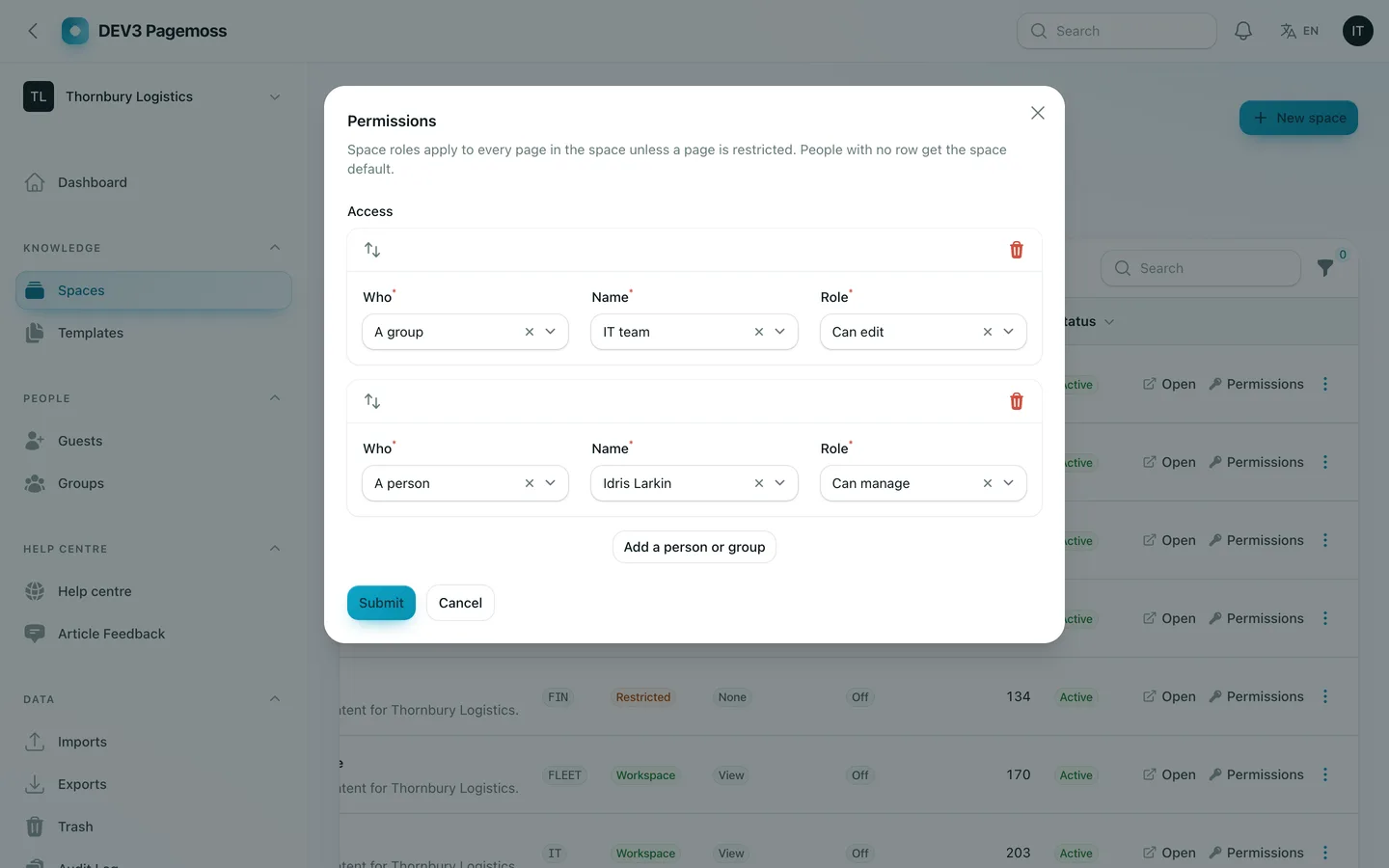
The permission matrix of a space

4. Can two people edit at once without losing work?

Pagemoss is honest about this: one editor at a time per page, with an edit lock that names the holder and a request button, and saves that refuse a stale base with a conflict dialog instead of overwriting. It is not real-time co-editing, and the listing says so.

5. Can you publish answers to customers?

Publish any space as a public, unlisted or members-only help centre in your brand, on your own domain after a DNS check. Readers search, read and say whether an article helped; unpublished and restricted pages never leak.
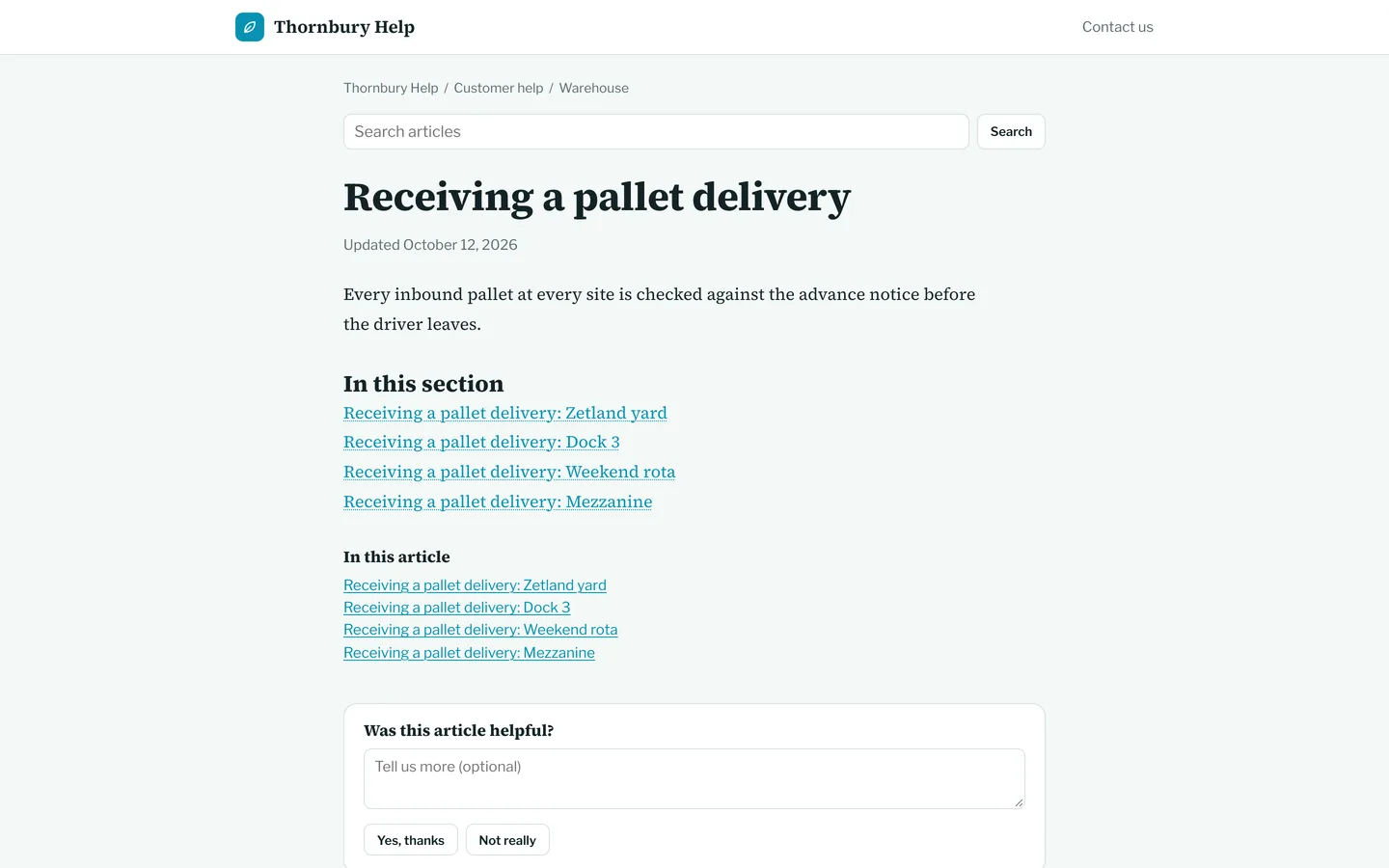
A public help centre article with a Was this helpful prompt

6. Can you get your content in and out?

Import a zip of Markdown or HTML files with images, with a report of what was created and skipped. Export a space as Markdown, HTML or PDF. A scoped REST API with an OpenAPI document and signed webhooks covers the rest.

7. What are the limits?

Ask every vendor: search engine (MySQL full-text here, no external service), real-time co-editing (not included), proprietary import formats (Markdown and HTML only), custom domains (DNS and TLS at your proxy), and who runs payments (you do, simulated by default).
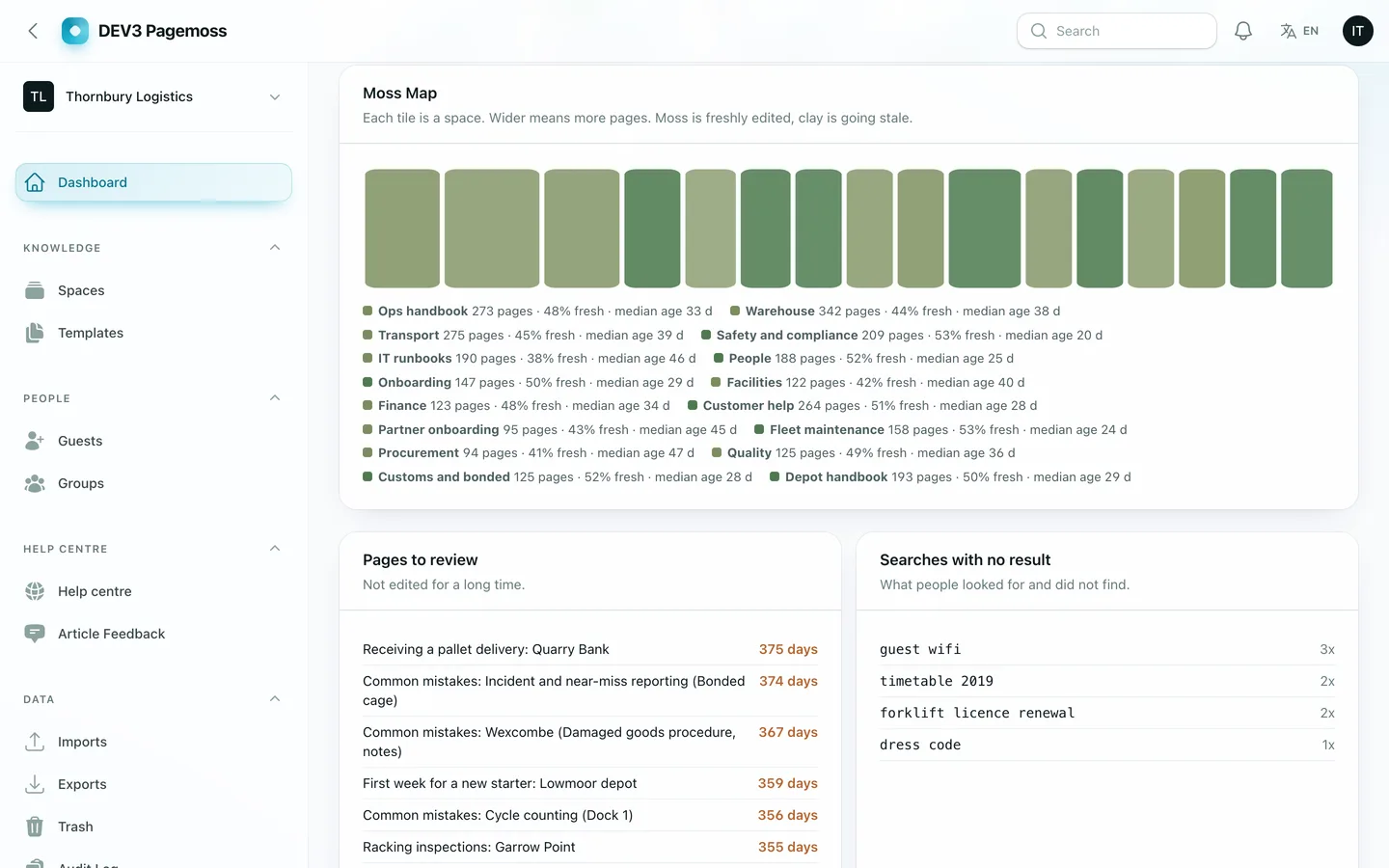

The Moss Map: spaces as tiles, mossy when fresh and clay when stale

Video: a tour of Pagemoss from the site to editing, history, permissions, the help centre and the operator panel

Frequently asked questions

The complete source code (version 1.0.0) as a download from your account, with the setup and usage guides shown on this page. You can modify the code to suit your product.

Buying guides: Laravel scripts with Filament panels and a web installer · Next.js or Laravel for a SaaS script?

Questions about this product (0)

Answers from the DEV3 team and the community.

Ask a question

No questions yet.

Wondering about setup, licensing or customisation? Ask, and the DEV3 team will help.

More from this author

View all

Related in Web Scripts & Software

View all