Most WordPress sites don't fail at writing. They fail at everything around it: posts published before anyone checked them, meta descriptions left blank, images without alt text, a translated site drifting out of date, comment queues full of spam, and a PHP warning that has been filling the error log for months. Adding AI makes it worse if every tool may publish or change things on its own.
This guide sets out a content operations workflow for WordPress built on the DEV3 AI Content, SEO & Site Tools Plugins Bundle: plan, write, structure, optimise, check accessibility, translate, moderate and keep the site healthy. It focuses on the order of the steps and the human approval points; each plugin's settings are covered in the guides linked along the way.
The seven plugins and where they sit
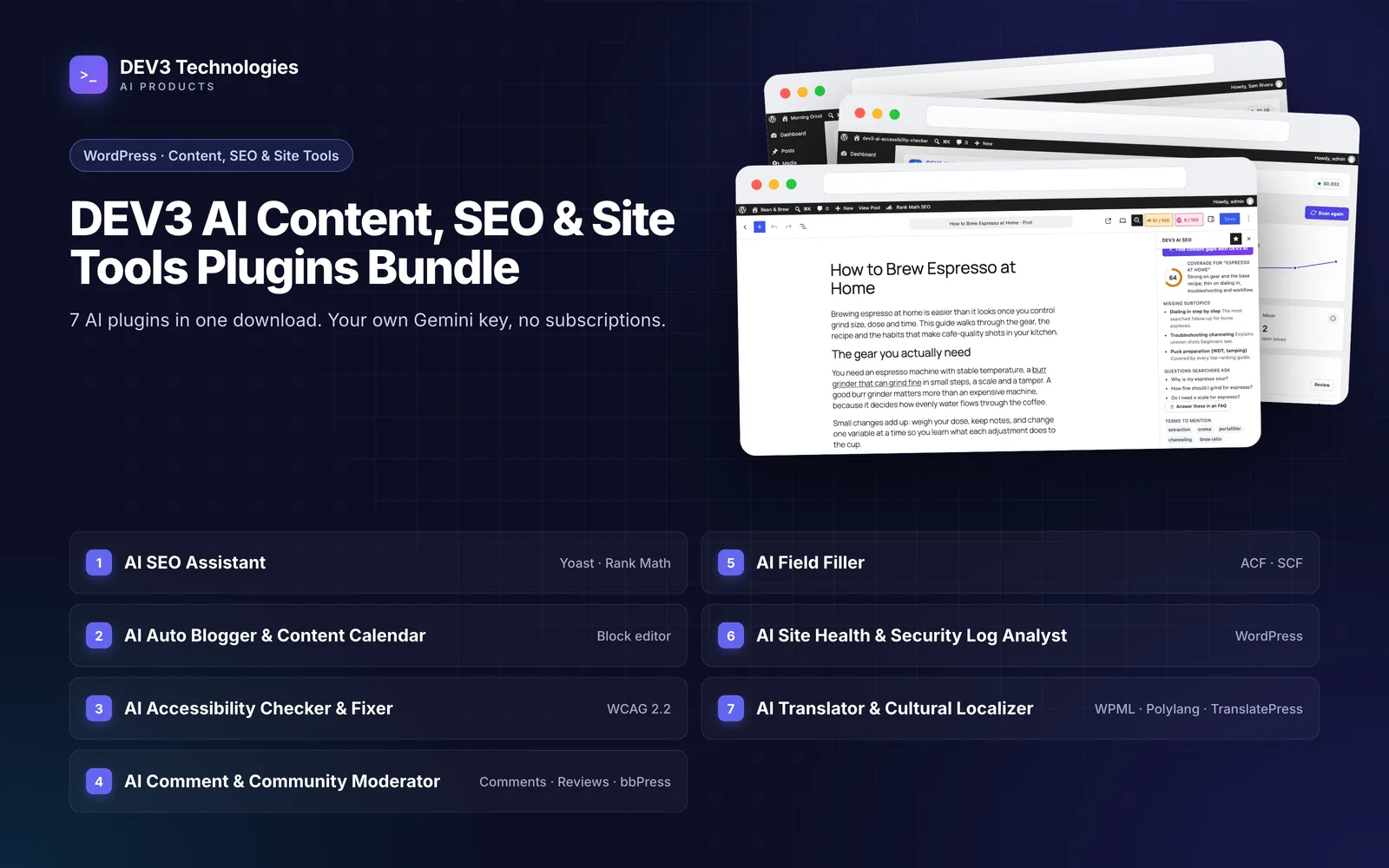
The bundle contains seven separate plugins. Each works on its own and shares a common DEV3 core for the AI client, settings and usage logs.
| Stage | Plugin | Works with |
|---|---|---|
| Plan and write | DEV3 AI Auto Blogger & Content Calendar for WordPress | Block editor |
| Structure | DEV3 AI Field Filler for ACF | Advanced Custom Fields, Secure Custom Fields |
| Optimise | DEV3 AI SEO Assistant for Yoast & Rank Math | Yoast SEO, Rank Math, SEOPress, All in One SEO, or its own fallback |
| Make accessible | DEV3 AI Accessibility Checker & Fixer for WordPress | WCAG 2.2 rules |
| Translate | DEV3 AI Translator & Cultural Localizer for WPML, TranslatePress & Polylang | WPML, Polylang, TranslatePress |
| Moderate | DEV3 AI Comment & Community Moderator for WordPress | Comments, WooCommerce reviews, bbPress |
| Keep healthy | DEV3 AI Site Health & Security Log Analyst for WordPress | PHP error log, Site Health, WP-CLI |
The one rule behind the workflow
Every stage follows the same pattern: AI drafts, a person decides, and the change can be undone. The details differ by plugin:
| Plugin | What AI can do | What stays with people |
|---|---|---|
| Auto Blogger | Research topics, write outlines and drafts | Approving and publishing. Unapproved posts are held as pending |
| Field Filler | Propose values for custom fields | Accepting each value in a review modal or queue |
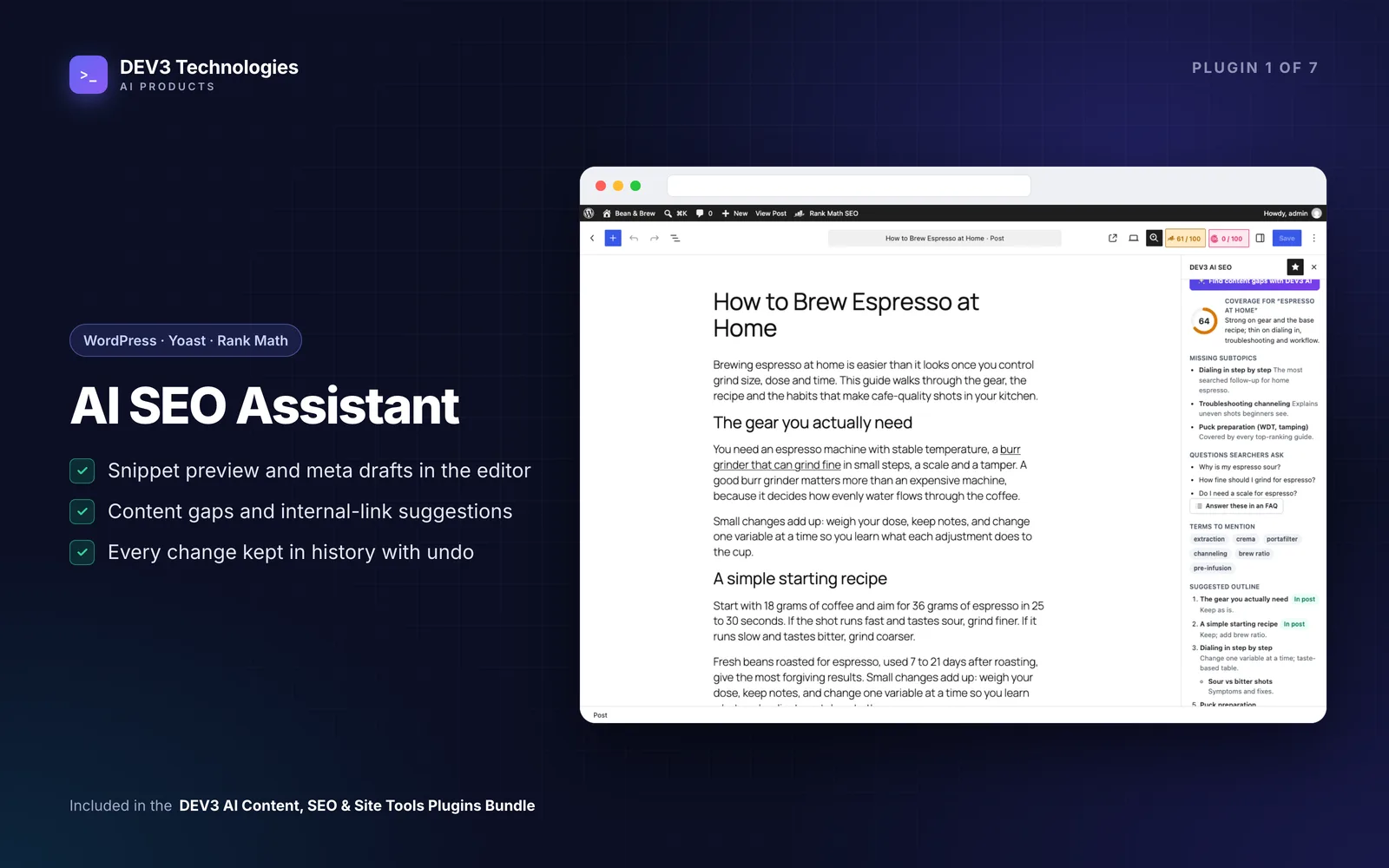
| SEO Assistant | Suggest titles, descriptions, keywords, schema, links and FAQs | Applying each field; every apply can be undone |
| Accessibility Checker | Draft alt text, link text and accessible names | Applying fixes; each fix stores before and after for undo |
| Translator | Translate changed segments using memory and glossary | Human-edited translations are never overwritten |
| Comment Moderator | Hold or mark as spam | Approving and deleting |
| Site Health | Explain issues and suggest fix steps | Any one-click fix, which is off by default |
Stage 1: Plan the month
Start in the Auto Blogger's topic backlog and editorial calendar, which has month and week views with drag and drop by pointer, touch or keyboard. AI research can suggest ideas, and each idea is compared with your existing posts and backlog by meaning, so you don't commission the same article twice. With AI off, a keyword-overlap check does the same job.
Set up a brand voice before any drafting, and decide who approves. By default approval needs the edit_others_posts capability, which in standard WordPress roles means editors and administrators. The editorial calendar guide walks through a full month.
Stage 2: Write with a publish guard
Drafts move through outline, writing, review, changes requested, approved and scheduled stages, mapped onto normal WordPress statuses. AI drafts are written section by section as native blocks (paragraphs, headings, lists, quotes, tables), and only reach the post when someone clicks Accept draft into post.
The important part is the publish guard. An unapproved post managed by the plugin that is heading for "publish" or "scheduled" is saved as pending instead, whatever code path sent it. An author with publishing rights is downgraded to pending; an editor who publishes in person is recorded as the approver. In the block editor, the Publish button stays locked until "I have reviewed this AI-assisted draft" is ticked.
Scheduled AI runs submit drafts for review. A schedule can only publish on its own if "Auto-publish without review" is switched on for it, and that setting is off by default.
Stage 3: Fill structured fields
If your posts carry custom fields, such as a recipe's cooking time, an event's venue or a product guide's specifications, the Field Filler proposes values from the post's own content. Each ACF field becomes part of a schema with its limits and choices, relationship and image fields can only point to real items on your site, and every value is checked by ACF's own validation before it can be applied.
Use it per field in the editor or in bulk with a review queue and batch undo; a basic mode works without AI. See bulk-filling ACF fields from existing content.
Stage 4: Optimise for search
The SEO Assistant drafts the SEO title, meta description, focus keyword, social title and description, schema type, internal links and FAQ blocks. Accepted fields are written into whichever SEO plugin you run: Yoast SEO, Rank Math, SEOPress or All in One SEO. Without one, the plugin's own fallback stores and prints them.
Three behaviours make this safe:
- Conflict checks. If someone changed the live value after the suggestion was made, applying it is refused rather than overwriting their edit.
- History and undo. Every apply is logged, and undo writes back to the same SEO plugin.
- Grounded links. An internal-link anchor must already exist in the paragraph it is added to.
For older content, bulk runs of up to 2,000 posts go into a review queue with diffs. The Yoast and Rank Math fixes guide covers missing descriptions and orphan pages.
Stage 5: Check accessibility before it goes out
The Accessibility Checker scans rendered pages and block content against more than 20 WCAG 2.2 rules, and the editor sidebar checks unsaved content as you write. Issues in your content can be fixed; issues in theme markup get guidance only.
Fixes are drafts with undo. Contrast fixes are calculated, keeping the colour's hue and finding the nearest shade that reaches 4.5:1 (3:1 for large text), or the nearest passing colour from your theme palette. AI drafts alt text from the image and the text around it, plus descriptive link text.
There is no overlay and no compliance badge, and every score screen says it covers automated checks only. The statement generator flags over-claims such as "fully compliant" unless a manual audit has been confirmed. The WCAG 2.2 audit guide explains the full scan.
Stage 6: Translate last, and keep it in sync
Translate after SEO and accessibility work, so translations inherit the finished title, content, alt text and SEO fields (Yoast SEO and Rank Math fields are included).
The Translator splits content into segments and keeps a translation memory, so later syncs send only new or changed paragraphs. By default, saving a translated source post queues that delta sync automatically. Markup, links and attributes are replaced by placeholders before the AI sees the text, glossary rules (do-not-translate and forced terms) are checked on every answer, and unit and currency conversions are calculated in code.
An AI write never replaces a segment marked as human-edited, and a translation edited directly in WordPress is detected and left alone.
One setting to check on day one: new translations take the source post's status by default, so translating a published post creates a published translation. If you want a reviewer to read each translation first, set the translated post status to draft or pending. The localisation guide covers markets, formality and glossaries.
Stage 7: Moderate the conversation
The Comment Moderator screens WordPress comments, WooCommerce product reviews and bbPress topics and replies through one queue. Local rules (links, blocklist, posting rate, duplicates, personal data, profanity and Akismet) run on every submission, and AI adds labels for spam, toxicity, harassment, off-topic content and personal data.
The policy is a one-way ratchet: automation can move an item from live to held to spam, but never back up. Approving and deleting are left to people, and once a moderator changes an item's status the AI never moves it again. If the AI call fails or times out, the rules decide and the item is re-checked in the background. Suggested replies stay drafts until accepted. See stopping comment spam and toxic reviews.
Stage 8: Keep the site healthy
The Site Health & Security Log Analyst reads the PHP error log, Site Health results, logins, suspicious requests, updates, cron and file checksums, and groups repeats into ranked issues with a 0–100 health score. Every issue has a built-in explanation; with AI on, it adds a likely cause, impact and numbered fix steps.
Before anything goes to the AI, a redactor masks API keys, tokens, passwords, database details, paths, user names, emails, IP addresses and card numbers, and an admin can view the exact masked payload. The plugin is an analyst, not a firewall or malware cleaner, and it never claims a site is secure.
It is read-only by default. One-click fixes such as deactivating a plugin or restoring a core file must be enabled first, and each then needs a preview, a single-use token that expires after ten minutes, and explicit confirmation, and can be undone. The error log guide shows how to read the issues.
A weekly routine for a small team
| When | Who | Task |
|---|---|---|
| Monday | Editor | Review the calendar, approve outlines, check the backlog for duplicates |
| During the week | Writers | Accept AI drafts into posts, edit, submit for review |
| Before publishing | Editor | Approve the post, apply SEO fields, fix accessibility issues in the sidebar |
| Daily | Moderator | Clear the held and flagged queues |
| Weekly | Site owner | Read the Site Health weekly report and resolve top issues |
Tips before you switch AI on
- Start with AI off. The calendar, workflow, SEO checks, accessibility rules, moderation rules and log analysis all work without an AI key, so the team can learn the routine first.
- Keep auto-publish off for every Auto Blogger schedule unless you truly don't need a review.
- Set the translated status to draft or pending if translations need a reviewer.
- Use a real cron. Bulk jobs, scans and log collection run in the background through WP-Cron, which only fires on site visits.
Getting started
The DEV3 AI Content, SEO & Site Tools Plugins Bundle includes all seven plugins as installable zips with full source code, so planning, SEO, accessibility, translation, moderation and site health run from one consistent set of tools, with people approving what matters. To see how the publish guard and approval workflow were built, read the case study.