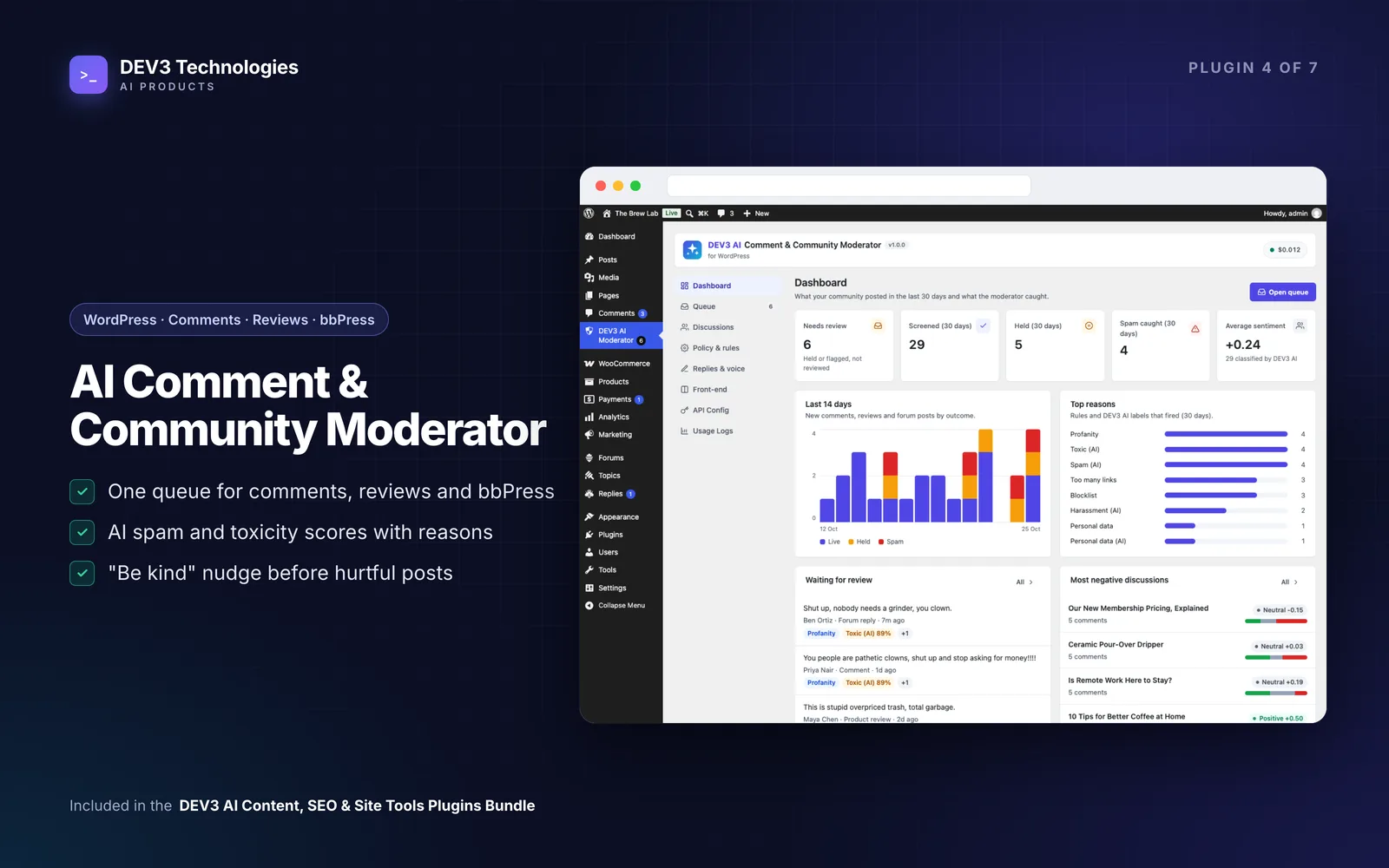
"Half our comments are spam, and the filter keeps eating real ones"
If your WordPress site has comments, WooCommerce product reviews or a bbPress forum, you know the routine. Link spam arrives overnight. Someone posts the same message on ten products. A frustrated customer leaves a review that crosses the line into abuse, and it sits there until someone notices. Meanwhile, a perfectly good review from a real buyer vanishes into the spam folder and nobody finds out.
Most moderation setups fail in one of two directions: too loose, and the site fills with junk; too strict, and real people get silenced. Handing the decision to an AI that can approve or delete on its own just moves the risk somewhere you cannot see it. This guide sets up a moderation routine that catches the bad stuff, keeps real contributions safe, and leaves the final call with a person, using DEV3 AI Comment & Community Moderator.
What good moderation looks like
- Cheap, predictable rules first for the obvious cases: too many links, blocked words, posting floods, duplicates.
- A smarter second opinion for the hard cases: harassment, toxicity, off-topic posts.
- The AI can hold, never publish or delete. The worst it should do to a real comment is ask a human to look.
- One queue for comments, product reviews and forum posts, with a reason next to every decision.
- No long waits for visitors when they hit Submit.
Step by step: setting up moderation on WordPress
The plugin works with WordPress comments out of the box, and with WooCommerce 8+ product reviews, bbPress 2.6+ topics and replies, and Akismet if you use them.
1. Turn on the rules (no AI needed)
Open DEV3 AI Moderator (below Comments). The rule screen works immediately, with no API key and no network calls. Each rule can be set to Off, Flag only, Hold for review or Move to spam:
- Links: too many links in one comment.
- Blocklist: words or phrases you never want published.
- Posting rate: someone posting too often.
- Duplicates: the same message posted in several places.
- Personal data: emails, phone numbers and card numbers.
- Profanity.
- Akismet: if Akismet is active, its spam verdicts are respected and shown as a reason.
A sensible starting point: send obvious spam signals to spam, hold personal data and profanity for review, and use Flag only on anything you are unsure about, so it stays live but is marked in the queue.
2. Add AI scoring for the hard cases
Add a Google Gemini key under API Config. DEV3 AI then scores each item for spam, toxicity, harassment, off-topic and personal data, with a plain-language reason.
Open Policy & rules and set a threshold and an action for each label. The AI can only hold or spam content. It never approves and never deletes. Try your settings in the Policy tester before you rely on them.
3. Choose when screening happens
You have two modes:
- Before publishing: the check waits up to a timeout (8 seconds by default), then falls back to the rules if the AI has not answered, and the AI retries in the background.
- In the background: visitors never wait, because the AI check runs in the background.
Busy sites with fast-moving discussions usually prefer the background mode. Sites where one abusive comment does real damage often prefer screening before publishing.
4. Scan what is already there
Run Policy & rules → Scan existing content to bring older comments, reviews and forum posts into the queue. It is a good way to find problems that slipped through before.
5. Work the queue
Open Queue. The views are Needs review, Held, Flagged but live, Spam, Reviewed, Trash and All. Filter, search and use bulk actions: Approve, Hold, Spam, Mark reviewed, Re-scan with DEV3 AI or Trash. Export to CSV if you need a record.
Click any row to see why it was caught, the AI label scores and its history. Once a moderator has reviewed an item, the plugin never moves it again.
6. Reply well, and fast
From the item drawer you can reply using templates with {author}, {post} and {site} placeholders, or click Draft reply with DEV3 AI for a reply in your brand voice. Nothing is posted until you click Post this reply. This is especially useful for negative product reviews, where a calm, quick public answer matters.
7. Nudge visitors before they post
The optional "Be kind" nudge shows a gentle prompt on the comment form when someone is about to post something hurtful, so they can edit first. It runs locally in the browser, and can optionally ask DEV3 AI and offer kinder wording.
Going further: understand the conversation
Under Discussions you get sentiment per post, product or forum topic (from AI or a built-in word list), frequent words, and Summarize with DEV3 AI for long threads, with themes, open questions and follow-ups. Summaries you mark Show on site can be placed with the Discussion summary block or the [dev3cm_summary] shortcode. For a product with hundreds of reviews, that gives shoppers a quick overview, and gives you a list of open questions to answer.
Tips and pitfalls
- Start on Flag only for any rule you are unsure about. You can tighten it once you have seen a week of results.
- Trusted users skip screening. Users who can moderate comments are not screened. You can switch this off under Sources.
- Mask personal data before it is sent. Only the text being checked, the post title and excerpt, and (for replies) the parent comment are sent to Google. Turn on PII masking in API Config to mask emails and phone numbers first.
- Keep Akismet if you have it. The plugin works alongside it rather than replacing it.
- Plan for privacy requests. GDPR export and erase, plus retention settings, are included.
Who this is for
- WooCommerce stores with lots of product reviews, where both fake reviews and lost genuine ones cost sales.
- Publishers and bloggers with busy comment sections.
- Community sites on bbPress that need one queue for topics and replies.
The case study explains how the plugin was built. If you need moderation across a custom community platform or app, our AI implementation team can help.
Getting started
DEV3 AI Comment & Community Moderator is part of the DEV3 AI Content, SEO & Site Tools bundle. Switch on the rules today, add AI scoring when you are ready, and let real people keep the final say.