
A paywall is only as strong as its weakest exit. On a WordPress site, a members-only article can leave through the single post page, the REST API, the RSS feed, an excerpt in an archive, a search result, a menu link, an attached PDF or a WooCommerce product page. Add an AI assistant that answers questions from your content and you have one more exit, and a sneaky one: a model that has read a locked article will happily paraphrase it to anyone who asks. When we built DEV3 AI Membership & Paywall, we made one rule early: every exit asks the same access engine, and the AI assistant asks it before the prompt is built. This post explains how that works, with the real code.
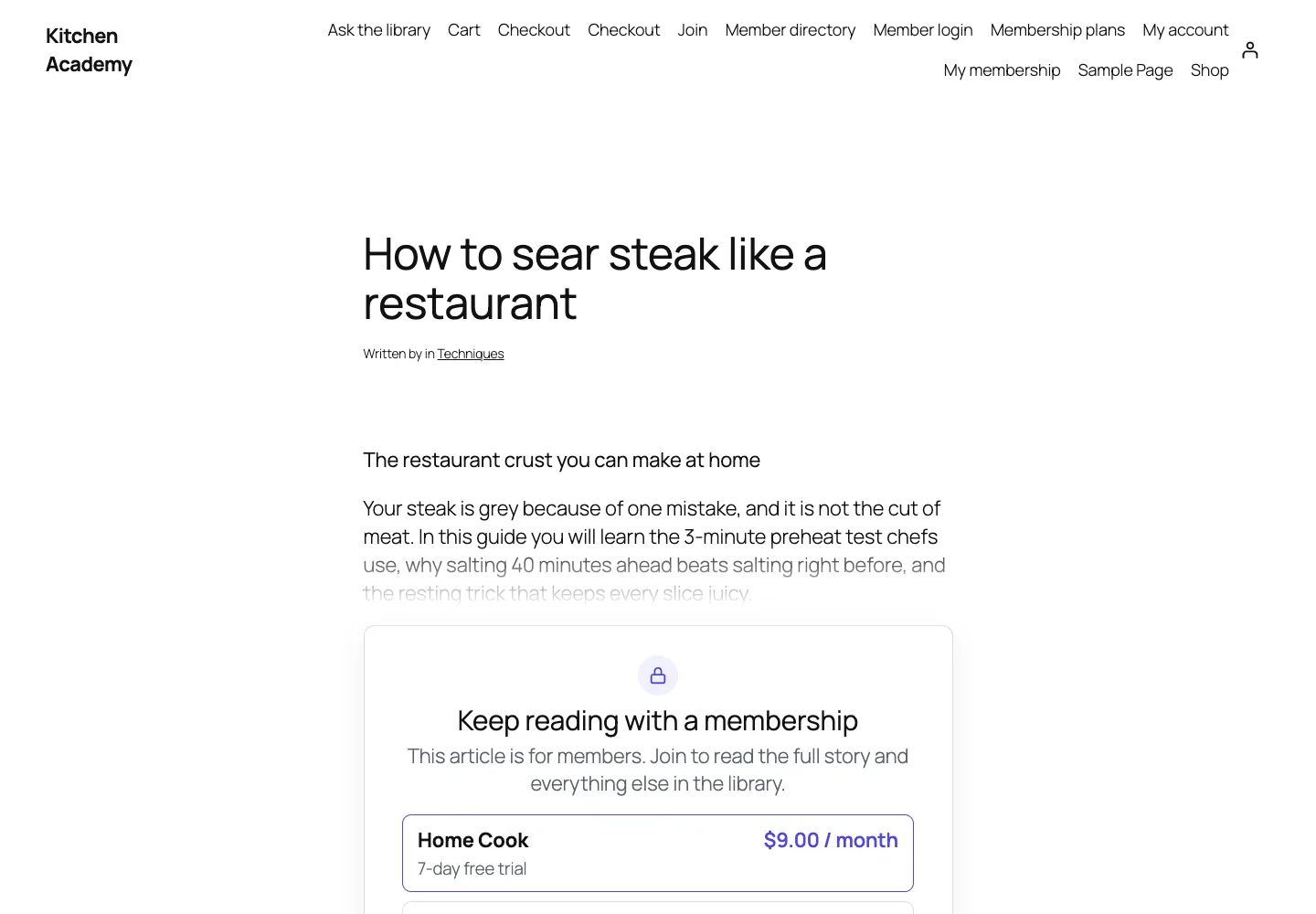 The paywall on a locked article: the teaser is public, the rest of the text never reaches the page.
What it does and who it's for
DEV3 AI Membership & Paywall turns a WordPress site into a membership business: levels, access rules, drip content, checkout, renewals, member pages and reports, plus AI tools that help you price, sell and keep members. It suits:
- Publishers and newsletter writers who want a metered or tiered paywall on articles, with a preview that sells the full piece.
- Course creators and coaches who drip lessons a set number of days after someone joins, or unlock them on a date.
- Communities and clubs that need a member directory, public profiles and members-only menu items and files.
- Shops with a members' area that restrict WooCommerce products to certain levels and take payment through the WooCommerce checkout.
- Recipe, research and knowledge libraries that want a "Ask the library" assistant that answers only from articles the reader is allowed to open.
Payments run through Stripe Checkout, PayPal (one-time and subscriptions) or the WooCommerce checkout. The AI features use the Google Gemini API with your own key, and every one of them can be switched off without losing the rest of the plugin.
How to set it up
- Install the plugin zip from the bundle and activate it. The menu DEV3 AI Membership & Paywall for WordPress appears.
- Go to Tools → Create missing pages. Plans, Checkout, Account, Login, Join, Member directory and Ask the library are created with their blocks.
- Create levels in Levels, by hand, from a template, or with Design tiers with DEV3 AI.
- Protect content in Access rules: a category, a post type or picked posts, with optional drip.
- In Settings → Payments, add Stripe and/or PayPal keys and the webhook URL shown there, or turn on the WooCommerce checkout.
- Optional: paste a Google Gemini API key in API Config and set a monthly budget.
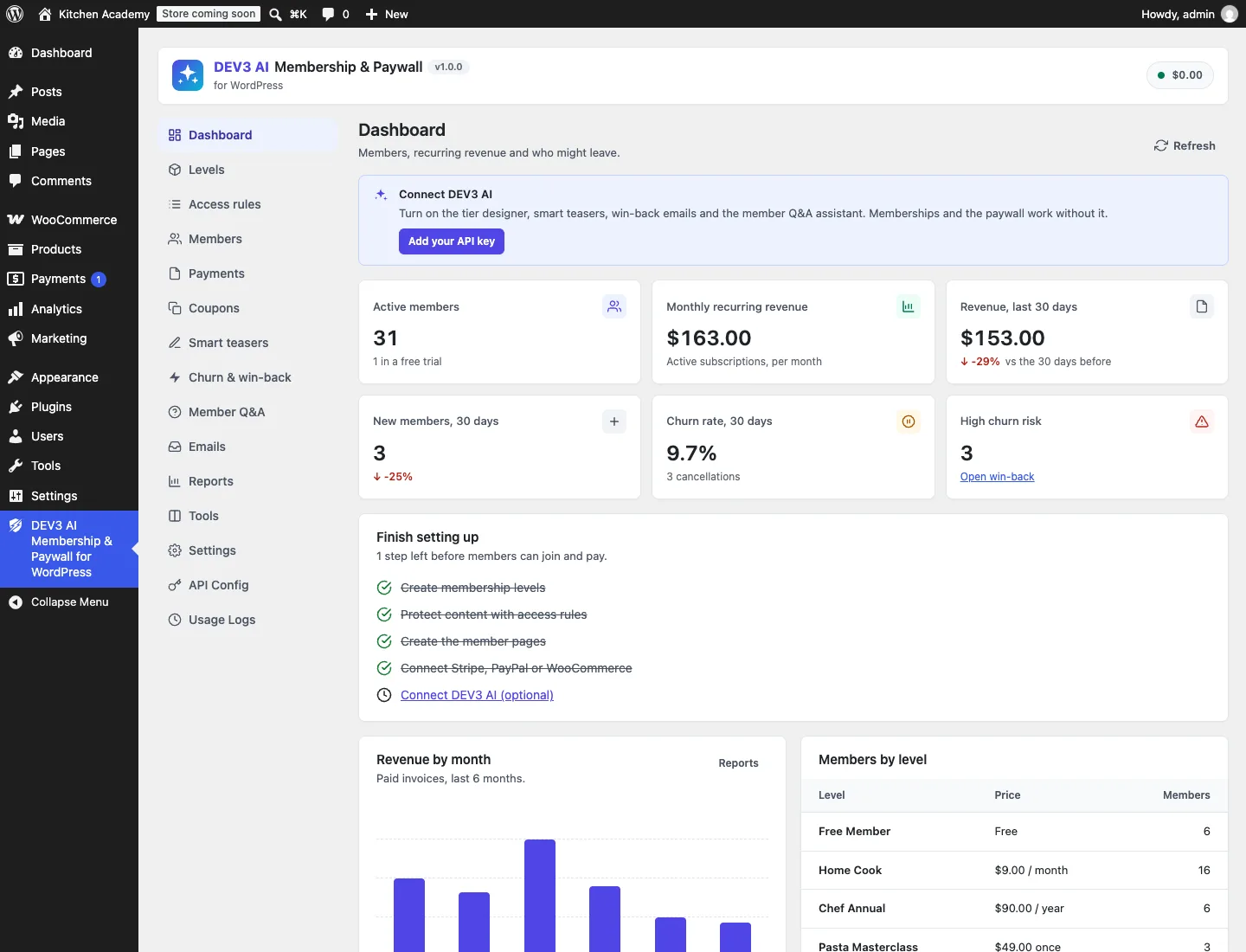 The dashboard shows members, recurring revenue, churn and what is left on the setup checklist.
How to use it
Design plans and lock content
Design tiers with DEV3 AI reads your post counts, top categories, recent titles and existing levels (never post bodies or member data) and proposes two to four levels with prices, trials, features and the categories each one should unlock. You edit or untick any level, then create the levels and their access rules in one click. Access rules → Test access then shows exactly what a visitor or a chosen user gets on any post, and why.
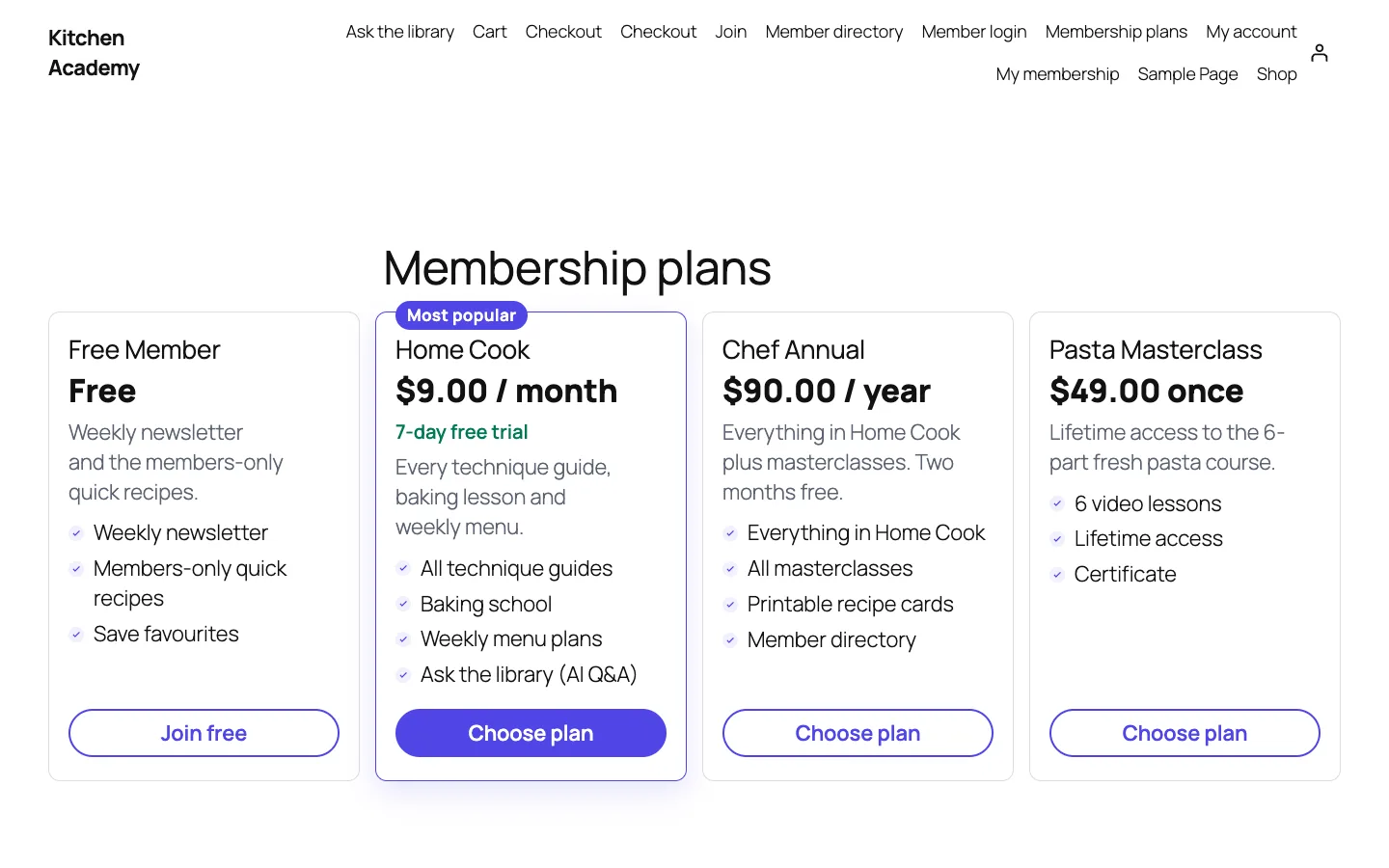 The Membership plans block renders free, recurring, yearly and one-time levels.
Write teasers and win members back
The Smart teasers screen lists every locked post with its current preview. One button queues AI drafts for every post that has no teaser, and each draft waits for Approve. The Churn & win-back screen lists members by a 0–100 risk score, and opening a member shows each named reason (no visit in 30 days, payment past due, ending soon without renewal) and a button to draft a personal win-back email that you edit before sending.
Let members ask the library
Member Q&A → Build the index with DEV3 AI splits your content into passages and embeds them. Members then ask questions on the Ask the library page, and the answer cites the articles it used. The rest of this post is about why that assistant cannot leak locked articles, and why the same rule protects every other exit.
The deep dive: one access decision, every exit
The decision itself
Everything starts in Engine::check( $user_id, $post ). Its docblock is the spec:
- A post marked "Public" in its Membership box is always open.
- Requirements are the post's own setting plus every active rule that matches it (by post type, picked ids or terms). No requirement means open.
- Admins (a setting) and users who can edit the post bypass.
- A user who meets any requirement (level, role or logged-in) and whose drip date has passed gets in.
Rule matching expands hierarchical terms, so protecting "Baking" also protects "Baking → Sourdough". Child pages of a protected page are covered too. The decision loop looks like this:
foreach ( $r['requirements'] as $req ) {
	$met = self::meets( $user_id, $req, $now );
	if ( $met['ok'] ) {
		$out['reason']  = $met['via'];
		$out['rule_id'] = (int) $req['rule_id'];
		return $out;
	}
	if ( null !== $met['unlock_at'] ) {
		$unlock_at = null === $unlock_at ? $met['unlock_at'] : min( $unlock_at, $met['unlock_at'] );
	}
	$levels = array_merge( $levels, array_filter( $req['levels'], static fn( $l ) => $l > 0 ) );
}
$out['allowed'] = false;
// ... reason is 'drip', 'level_required' or 'login_required'
(condensed from Engine::decide)
Two details matter for everything that follows. First, the answer always carries a reason (public, bypass, member, role, drip, level_required, login_required), so the paywall can say "unlocks in 7 days" instead of "join now" and the admin's Test access tool can explain itself. Second, the result is memoised per request and passes through a dev3mb_access_decision filter, so a site can override it in one place and every exit sees the override.
meets() handles drip. The drip clock starts at the earliest start date of any qualifying membership, or at the user's registration date for role and logged-in rules. A member who joined five days ago on a seven-day drip gets unlock_at back rather than a flat "no".
We pinned the semantics with an acceptance test: AccessRulesTest::test_sixty_access_cases builds a world of levels (free, basic, pro, lifetime), roles, a custom post type, nested categories, drip and date rules, cancelled and trial members, an editor and an admin, then asserts 60 user-and-post cases with their expected decision and reason. Any change to the engine that flips one case fails with a readable line naming the case number, the user, the post, the expected decision and reason, and what came back.
Wiring every exit to it
Restrict::register() is a list of every place content leaves WordPress:
add_filter( 'the_content', array( $this, 'filter_content' ), 9999 );
add_filter( 'the_content_feed', array( $this, 'filter_feed' ), 9999 );
add_filter( 'the_excerpt_rss', array( $this, 'filter_feed' ), 9999 );
add_action( 'template_redirect', array( $this, 'template_redirect' ), 5 );
add_action( 'pre_get_posts', array( $this, 'hide_in_archives' ) );
add_action( 'rest_api_init', array( $this, 'rest_hooks' ) );
add_filter( 'render_block', array( $this, 'render_block' ), 10, 2 );
add_filter( 'wp_nav_menu_objects', array( $this, 'filter_menu' ), 10, 2 );
add_shortcode( 'dev3mb_restrict', array( $this, 'shortcode' ) );
add_filter( 'woocommerce_is_purchasable', array( $this, 'woo_purchasable' ), 20, 2 );
(condensed from Restrict::register)
A few of these deserve a note:
the_contentat priority 9999. Running last means other plugins can't append the full text after we swap it for the teaser and paywall. A re-entrancy guard stops the paywall's own rendering from recursing.- REST.
rest_hooks()adds arest_prepare_{type}filter for every post type that is shown in REST, not only posts and pages. For a locked post it replacescontent.renderedandexcerpt.renderedwith the teaser and addsdev3mb_restricted: trueplus the reason. Without this,/wp-json/wp/v2/posts/123would bypass any front-end paywall, and headless themes or scrapers would read everything. - Feeds. Feed readers get the teaser and a "Read the full article (members only)" link. Feeds use
Engine::is_protected()rather than a per-user check, because a feed is fetched anonymously and cached by aggregators. - Archives and search. Optionally, locked posts are excluded from the main query with
post__not_in. To keep that cheap,protected_ids()scans published posts in id-only batches of 500 and caches the list for an hour. The cache is cleared onsave_post, term changes and rule changes. - Blocks and menus. Every block type gets a
dev3mbAccessattribute, andrender_blockdrops blocks the viewer shouldn't see. Hiding a menu item also hides its children, which a test checks. - WooCommerce. A members-only product is not purchasable for others, and the add-to-cart area shows the paywall instead.
- Files. A protected attachment moves into a private uploads folder with deny rules, and downloads through a checked link that calls the same engine. On nginx, the docs give the one-line
deny allrule, since.htaccessdoesn't apply there.
The front-end tests check outcomes rather than wiring: test_rest_and_feed_never_leak_locked_content locks a post that contains the marker SECRET-ENDING, requests it through rest_do_request() and through the feed filter, and asserts the marker is absent from both while dev3mb_restricted is true.
The new exit: an AI assistant
Retrieval-augmented answers are where membership sites leak in new ways. The usual pipeline is: embed all your content, embed the question, find the nearest passages, paste them into a prompt, return the answer. If the index holds members-only passages and nothing checks the asker, the model sees the locked text and the answer carries it out, paraphrased, past every filter above.
There are two places to put the check. You could keep a separate index per level, but levels overlap, drip makes access time-dependent, and rules change. Or you can keep one index and filter after retrieval but before the prompt. We chose the second, because then the assistant uses exactly the same Engine::check() as the rest of the site, including drip dates, bypasses and any site-specific filter.
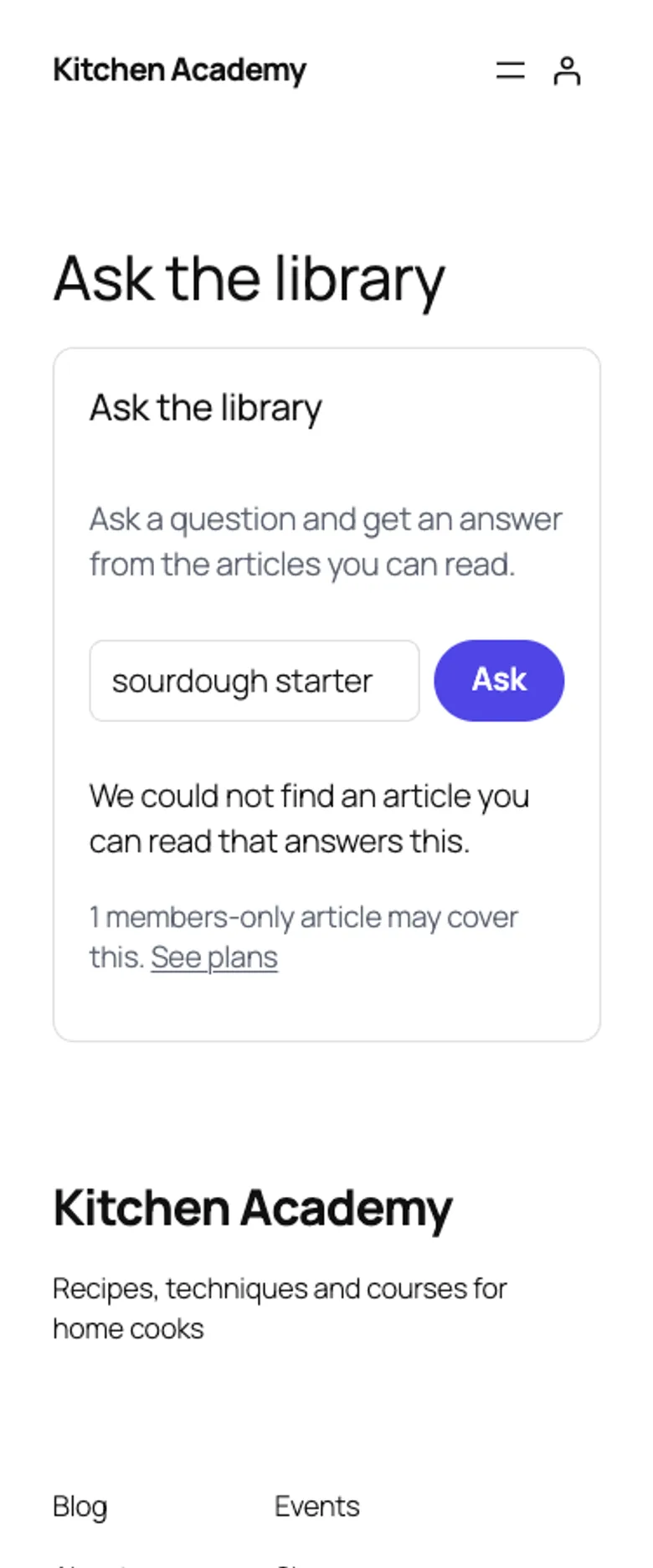 A visitor's answer: nothing readable matched, and one members-only article may cover the question.
Indexing
Assistant::chunk_post() turns each published post into passages of about 1,100 characters, split on sentence boundaries (including CJK punctuation), with at most 40 passages per post. Password-protected posts are never indexed. A content hash on the post means unchanged posts are skipped, and stale passages are re-embedded by a background job in batches of 50. The vectors go into the shared embeddings store with the RETRIEVAL_DOCUMENT task type; questions use RETRIEVAL_QUERY.
Filtering before the prompt
This is the core of Assistant::ask():
$cand    = self::candidates( $question );
$allowed = array();
$locked  = array();
foreach ( $cand['chunks'] as $c ) {
	if ( Engine::check( $user_id, $c['post_id'] )['allowed'] ) {
		$allowed[] = $c;
	} else {
		$locked[ $c['post_id'] ] = true;
	}
}
$allowed = array_slice( $allowed, 0, 6 );
// ... only $allowed is numbered into the prompt; 'locked' => count( $locked )
(condensed from Assistant::ask)
The model never receives a passage the asker can't open, so there is nothing for it to leak, whatever the question says. The count of locked articles is useful on its own: the visitor sees "1 members-only article may cover this. See plans", which is a better upsell than a generic paywall.
The prompt is strict about sources. It tells the model to answer only from the numbered sources, to set found to false when they don't contain the answer, and to cite source numbers. The response schema caps the answer at 1,400 characters and the sources array at six integers. When mapping citations back, the code looks each number up in the $allowed array, so a hallucinated citation [9] simply doesn't resolve to a link.
Testing the leak, not the code
AiFeaturesTest::test_qa_semantic_answers_only_from_accessible_content creates a public post about bread and a Gold-only post containing SECRET-RATIO, builds the index with mocked embeddings, and captures every request body sent to the Google Gemini API. As a visitor, the answer mode is ai, locked is 1, the only cited source is the public post, and SECRET-RATIO appears in no outgoing request. Then the test grants Gold to a user, asks the same question, and asserts that SECRET-RATIO is sent. The second half matters: a filter that blocks everything would pass the first half.
Without AI or without an index, candidates() falls back to WordPress search plus a keyword score per passage, and ask() returns a list of readable matching articles instead of an answer. The same access filter applies.
Trade-offs
- Filtering after retrieval can starve an answer. The assistant takes the top 30 passages above a 0.3 similarity score, then filters. If most of those are locked for this reader, fewer than six readable passages remain even though lower-ranked readable ones exist. We accepted that: the visitor is told locked articles matched, and members get full results.
- Search is brute force. The embeddings store computes dot products in PHP, paging through rows and trimming to the best few hundred between pages. That suits a membership library of a few thousand posts; a site with far more would want a vector index.
- Access is checked per passage.
Engine::check()is memoised per request, so 30 passages from 10 posts cost 10 decisions, not 30. - Feeds are teaser-only for everyone. Per-member private feeds are not in this version.
- Live AI is untested. All AI paths, including indexing and answering, were tested with mocked Google Gemini API responses. A run with a live key comes next, so we make no claims about answer quality or speed yet.
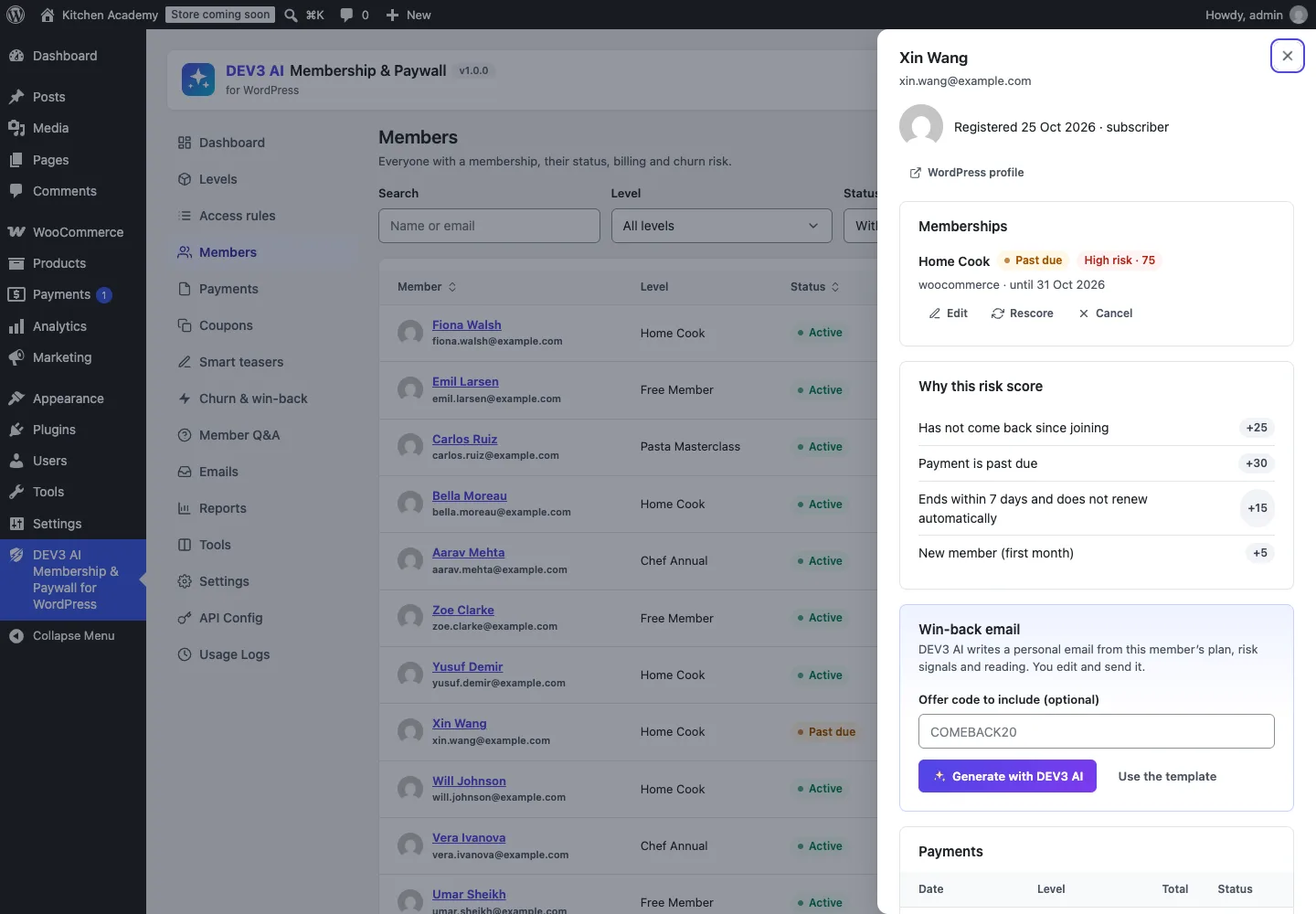 Churn scores work without AI; DEV3 AI only drafts the win-back email.
Results so far
The plugin has 66 PHPUnit tests, including the 60-case access acceptance test, the REST and feed leak test and the assistant leak test, plus 35 Jest tests. Stripe and PayPal checkout, renewals, failures, cancellations and refunds were tested against mocks of their documented APIs with signature checks; WooCommerce order grants and refunds were tested for real. Build, PHP_CodeSniffer at 0 errors and 0 warnings, PHPUnit in wp-env and packaging all pass.
 Illustration: locked passages are filtered out before anything reaches the model.
Conclusion
The pattern is worth copying on any site with private content: write the access decision once, give every answer a reason, and wire every exit to it, including the AI. Filter retrieval results through that decision before the prompt, and test that the private marker is absent for a visitor and present for a member. DEV3 AI Membership & Paywall ships in the DEV3 AI Membership, Learning & Support Plugins Bundle on the DEV3 marketplace, alongside our course builder and helpdesk plugins, and is being prepared for CodeCanyon. The case study covers the rest of the plugin. If you need AI features that respect who is allowed to see what, talk to our AI implementation team.