Everyone wants a bigger email list, and nobody likes popups. The usual result is a compromise that pleases no one: a full-screen overlay on page load that blocks the article on a phone, shows on every page, keeps coming back after you close it, and asks for an email before the visitor has read a sentence. Sign-ups trickle in, bounce rates go up, and you're not sure the popup is helping at all.
This guide shows how to build lead capture on WordPress that visitors tolerate and that you can measure, using DEV3 AI Popup & Lead Capture Builder. The examples cover a blog newsletter, a content upgrade and a WooCommerce first-order offer.
What good lead capture looks like
- The right moment. After someone has engaged (time on page, scroll depth, exit intent), not the second the page loads.
- The right place. A guide offer on the blog, a discount in the shop, nothing on checkout.
- Respectful frequency. Once per visit at most, hidden for a while after closing, never again after signing up.
- Phone-friendly. On a small screen, the page stays usable.
- A real offer. A guide, a checklist or a coupon, with consent recorded.
- Leads go somewhere useful, like Mailchimp or Brevo, and you can export them.
- You know what works because you tested it, rather than guessing.
Step-by-step
1. Install and set the visitor-experience guardrails first
- Upload
dev3-ai-popup-builder.zipin Plugins → Add New → Upload Plugin and activate it. A DEV3 AI Popups menu appears. - Open Settings before creating anything. Check:
- Mobile-safe mode (on by default): on phones, popups and full-screen campaigns become a bottom sheet covering at most 60% of the screen, with no blocking backdrop and no scroll lock, unless the visitor opened it with a click.
- Max overlays per page view (default 1) and seconds between overlays, so two campaigns never stack.
- Hidden roles, so your editors don't see popups while they work.
- Do Not Track / Global Privacy Control handling and lead retention.
- Brand voice, which DEV3 AI copy will follow.
- Optional: add a Google Gemini key in API Config for the AI drafting tools. Every campaign feature works without one, and visitors never trigger AI calls.
- Optional: under Integrations, connect Mailchimp (audience, tags, optional double opt-in) or Brevo (list), and click Test connection. A signed webhook is also available.
2. Pick the format that fits the job
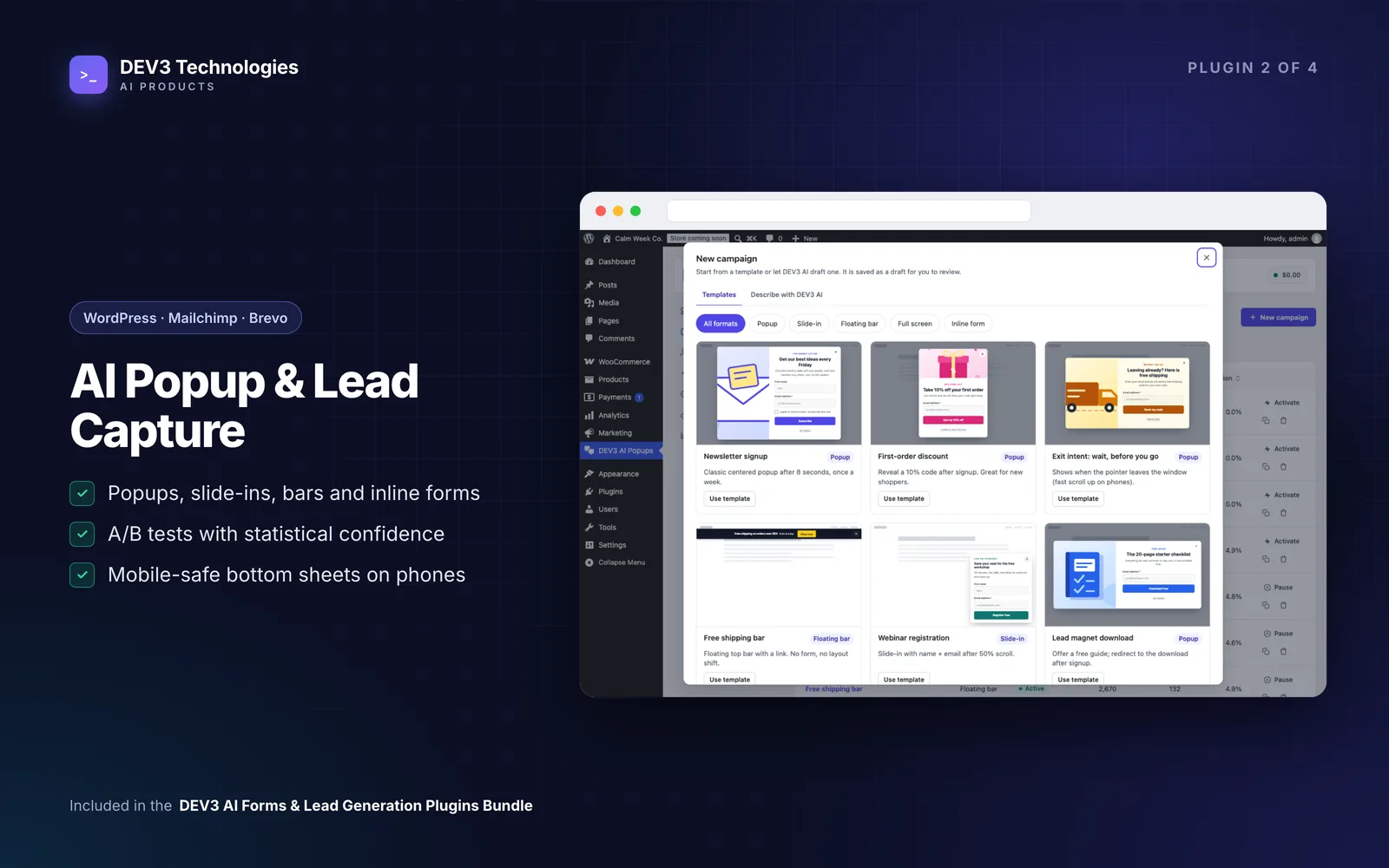
Go to Campaigns → New campaign. Start from one of the 12 templates, or with a key, Describe with DEV3 AI and click Create draft and edit. Campaigns start as drafts.
Five formats are available:
- Popup: a centred modal for a strong offer.
- Slide-in: a corner card that never steals focus. Ideal for a content upgrade on a blog post.
- Floating bar: a top or bottom bar for announcements or a one-field signup. It overlays the page and never pushes content.
- Full screen: a welcome mat, used sparingly.
- Inline form: in the page itself, via the Lead form block,
[dev3pu_form id="12"], or automatically before or after posts.
For most blogs, an inline form after posts plus a slide-in on scroll is gentler than any modal.
3. Write the offer and the form
In the editor's Content tab, set the eyebrow, headline, body, button, a clear "No thanks" link, an image with alt text, and the success message. Write with DEV3 AI proposes new copy as a diff you accept, edit or reject.
In Form & offer, add up to 6 fields (email, text, phone, dropdown, checkbox), or use a button link instead. Turn on the GDPR consent checkbox: its exact text is stored with each lead. For a shop, choose an offer after signup: a fixed code, or a unique one-time WooCommerce coupon (percent or fixed, with expiry and prefix, restricted to the lead's email).
In Design, the colour picker runs a live WCAG contrast check, and animation switches off automatically for visitors who prefer reduced motion. Fonts come from your theme.
4. Choose when it appears
Triggers include page load, time on page, scroll percentage, exit intent, inactivity and click. On desktop, exit intent fires when the pointer leaves through the top; on phones, it's a fast scroll back up after 30% depth (or off). In mobile-safe mode, "on page load" becomes "after 10 seconds or 40% scroll" on phones.
For a click-to-open offer, use the Popup button block, [dev3pu_button id="7" label="Get the guide"], or link to #dev3pu-open-7.
5. Target and cap it
In Targeting & frequency:
- Pages: every page, only matches, or all except matches. Rules include post type, category, URL patterns such as
/blog/*, search results, 404 and WooCommerce shop, product, cart, checkout or account pages. These rules are checked on the server, so they work with page caching. - Visitors: device, logged in or out, new or returning, minimum pages viewed, referrer and UTM rules.
- WooCommerce cart: minimum or maximum cart value, or "not empty". Useful for a free-shipping nudge.
- Frequency: once per visit, every N days, at most N times; hide for N days after closing; never again after signing up.
Suggest targeting proposes triggers, devices and rules with reasons, shown as a diff.
Click Preview on site (only you see drafts), then Publish.
Measure, then test
Every signup appears under Leads with campaign, variant, consent text, page, referrer, UTM, device, coupon and sync status. A second signup with the same email for the same campaign updates the lead instead of duplicating it. If Mailchimp or Brevo fails, the visitor still sees the success message and the lead shows Sync failed with a Retry sync button. Export CSV is always there.
When you have a campaign running, open its A/B test tab. Add up to 4 variants with traffic weights, either copies you edit or Offer variants from DEV3 AI (three different angles with rationale). Each visitor always sees the same variant. Results shows conversion rate, uplift against the control and confidence; a variant is marked significant at 95% or more with at least 100 views per variant. Explain results gives a plain-language summary and an idea for the next test. Declare winner ends the test.
Tips and pitfalls
- Can't see your popup? Check it's Active, the page rules match, your role isn't hidden and your browser hasn't stored a frequency cap. Use a private window or Preview on site. Only one overlay shows per page view by default.
- Exclude checkout from discount popups. Nobody needs a distraction while paying.
- Don't call a test early. Wait for the significance marker rather than reacting to the first day.
- Speed matters. Nothing loads on pages where no campaign can show. The script is small and deferred, and overlays never shift page content.
- Privacy: leads stay in your database and are included in WordPress personal data exports and erasure. IP addresses aren't stored unless you enable hashed IPs, and no visitor data is sent to AI.
Who it's for
Bloggers and publishers growing a newsletter, WooCommerce stores offering a first-order or exit-intent coupon, and marketers who want to test offers without a developer. If you need leads pushed into your own CRM, the dev3pu_lead_captured hook makes that a small job for our web development team. How the A/B testing survives page caching is covered in the case study.
Get started
DEV3 AI Popup & Lead Capture Builder comes in the DEV3 AI Forms & Lead Generation Plugins Bundle, together with the Form Builder, Entry Insights and Form Autofill & Spam Shield. Set your guardrails, pick a template and publish your first campaign.