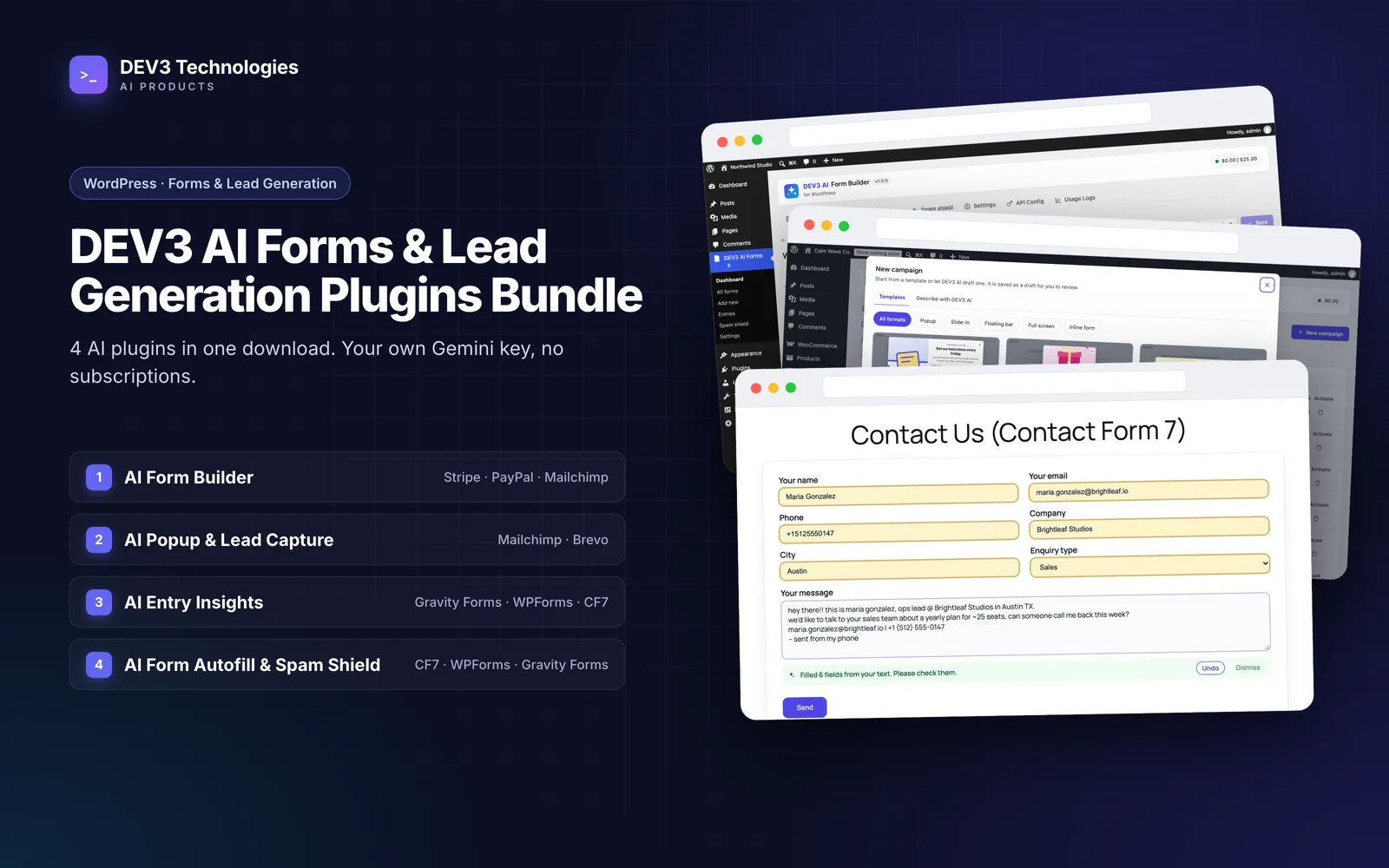
Most WordPress sites collect leads with a patchwork: a popup plugin from one vendor, a form plugin from another, a CAPTCHA bolted on top and an inbox where every submission looks the same. Each piece works, but nobody designed the hand-offs: spam reaches the sales inbox and the best enquiry of the week waits behind twenty newsletter sign-ups.
This guide treats lead generation as one pipeline, from the first visit to a qualified lead someone replies to today. It uses the four plugins in the DEV3 AI Forms & Lead Generation Plugins Bundle and explains where each one sits, what it passes on, and which combination fits the forms you already have. The guides linked below cover each plugin in depth.
The four stages of a lead pipeline
Every lead-generation setup, whatever the tools, has to do four jobs:
- Get attention. Invite a visitor to leave an email address or start an enquiry, at the right moment and without blocking the page.
- Capture the details. Collect what you need to act on, in a form that is easy to finish on a phone.
- Keep the junk out. Stop spam, link-building pitches and abuse before they reach a person's inbox.
- Qualify and respond. Decide which entries matter most, and reply to them first.
The bundle has one plugin built around each stage:
| Stage | Plugin | What it hands on |
|---|---|---|
| Attention | DEV3 AI Popup & Lead Capture Builder for WordPress | Email sign-ups with consent proof, page and UTM data; or a click through to your enquiry form |
| Capture | DEV3 AI Form Builder for WordPress | Multi-step entries, optionally paid, stored in its own entries manager and sent to your tools |
| Protection | DEV3 AI Form Autofill & Spam Shield for WPForms, Contact Form 7 & Gravity Forms | Submissions that have been screened and either delivered, flagged, marked as spam or blocked |
| Qualification | DEV3 AI Entry Insights for Gravity Forms & WPForms | A scored, summarised and tagged inbox, with alerts for hot and urgent entries |
All four are usable without an AI key. The AI features add drafts, scores and suggestions on top of rules that already work.
Stage 1: Attention with popups that don't get in the way
The Popup & Lead Capture Builder offers five formats: centred popups, corner slide-ins, floating top or bottom bars, full-screen welcome mats and inline forms (as a block, a shortcode or inserted automatically after posts). Six triggers decide when a campaign appears: exit intent, scroll depth, time on page, click, inactivity and page load.
Two settings matter most for a pipeline:
- What the campaign collects. A campaign can show its own short form (email, name, phone and extra fields, with an optional consent checkbox), or just a button. A button-only campaign is how you send warmer visitors to your full enquiry or quote form instead of asking for everything in a popup.
- Who sees it. Page rules such as post types, categories, URLs and WooCommerce pages are checked on the server. Device, referrer, UTM tags, logged-in state, new or returning visitors, pages viewed and cart value are checked in the browser, so targeting still works behind a full-page cache.
Leads from popup forms are stored in WordPress with the consent text they agreed to, the page, referrer, UTM tags and device. From there they can go to Mailchimp, Brevo or a signed webhook (for Zapier, Make or n8n), with a retry if delivery fails. Popup forms have their own light spam checks: a honeypot and a minimum fill time.
On phones, mobile-safe mode is on by default and turns popups into non-blocking bottom sheets. More on getting this stage right in how to grow your email list with popups that don't annoy visitors.
Stage 2: Capture with a form people finish
This is the stage where you have a real choice, and it shapes the rest of the stack.
Option A: build the form with DEV3 AI Form Builder. It is a full form plugin: 35 field types, multi-step layouts with a progress bar, step-level and field-level conditional logic, live calculations recomputed on the server, Stripe and PayPal checkout, save-and-continue links and private file uploads. Entries land in its own entries manager. Notifications, confirmations and integrations with Mailchimp, Brevo, HubSpot, Google Sheets, Zapier and signed webhooks are built in.
Crucially for a pipeline, Form Builder already includes the protection and qualification layers for its own forms: a honeypot, time trap and rate limit, the DEV3 AI Spam Shield, paste-to-fill, and entry intelligence with a 0–100 lead score (rule-based when AI is off). See how to build a multi-step quote request form in WordPress for a worked example.
Option B: keep Contact Form 7, WPForms or Gravity Forms. If your forms already work, or a client's site is built around one of these, there is no need to rebuild them. The other two plugins in the bundle are designed for exactly this case and add stages 3 and 4 around the forms you have.
A simple rule of thumb:
| Your situation | Capture with |
|---|---|
| New site, or you need payments, calculations or multi-step quotes | DEV3 AI Form Builder |
| Existing CF7, WPForms or Gravity Forms forms you don't want to rebuild | Your current form plugin, plus Spam Shield and Entry Insights |
| A mix: old contact forms plus a new quote form | Both, with each form covered by its own path |
Stage 3: Protection before the email goes out
The Form Autofill & Spam Shield plugin works inside Contact Form 7, WPForms (Lite and Pro) and Gravity Forms, with its own panel in each builder's form settings. It does two things on the same form.
For genuine visitors, it removes friction. A visitor pastes an email signature or a long message, and AI fills only the fields that are still empty, highlights them and offers Undo. The form is never submitted automatically. Email domain typos get a "Did you mean …?" suggestion, phone numbers are formatted to international format and name casing is fixed, all locally in the browser without AI.
For everyone else, each submission gets a spam probability, an abusive flag, a sentiment and a language before the notification email is sent. Per form, you choose what happens above your threshold:
- Block with a message, so a real visitor can rephrase.
- Mark as spam, using the form plugin's own spam handling.
- Flag only: the submission is delivered with a "[Flagged]" prefix on the subject and logged.
You also choose whether the form fails open or closed if the AI cannot be reached, and a per-IP rate limit plus a daily AI cap protect your API budget. The spam log lets you mark a false positive as "not spam", which trusts that sender from then on.
The detail is in how to stop contact form spam in WordPress with AI.
The hand-off to stage 4
This is where the plugins fit together without any glue code. When Spam Shield marks a submission as spam, it does so through each builder's own mechanism. Entry Insights listens to the same builders and skips submissions they mark as spam: spam or trashed Gravity Forms entries, WPForms submissions with a spam reason, and Contact Form 7 submissions flagged as spam. Junk never reaches your scored inbox.
Flagged submissions are different: they are delivered, so they do reach Entry Insights, where a person can look at them. Use "flag only" on a form while you tune the threshold, then move to "mark as spam" once you trust it.
Stage 4: Qualification and a reply the same day
Entry Insights captures submissions from Gravity Forms, WPForms Lite and Pro and Contact Form 7 into one inbox, which matters because WPForms Lite and Contact Form 7 don't keep a copy of submissions.
Every entry is scored by configurable rules in the same request: points for signals such as a phone number, a company email, a budget field, buying words or a tight deadline, plus sentiment, urgency and keyword categories. When an AI key is added, a background queue adds a summary, intent, category, urgency, a 0–100 lead score with a reason, the language and suggested tags. The form never waits for the AI.
What you get at the end of the pipeline:
- Inbox views for new entries, hot leads, needs attention, starred, replied and archived, with filters, search, bulk actions, notes and CSV export.
- Alerts by email for hot leads, urgent or unhappy entries.
- Reply drafts in the sender's language and your brand voice, which a person edits and sends. Templates work without AI.
- An insights dashboard with trends, score distribution, categories and per-form quality, so you can see which form brings in the better leads.
Privacy is handled by field type: phone, password, hidden, file, payment and consent fields are never sent to the AI, and email addresses are reduced to their domain. See how to score and prioritise leads from WordPress contact forms for the full setup.
Putting it together: example stacks
Service business with an existing Contact Form 7 site
- Install Spam Shield and set the contact form to "flag only" for the first week.
- Install Entry Insights, turn capture on for the contact form and edit the scoring rules to match what a good enquiry looks like for you.
- Add a button-only slide-in from the Popup Builder on service pages, linking to the contact page.
- Once the flags look right, switch Spam Shield to "mark as spam" and turn on hot-lead alerts.
New site taking quote requests and deposits
- Build the quote form in Form Builder with steps, conditional logic and a calculated estimate. Its built-in spam shield and lead score cover this form.
- Send entries to HubSpot or Google Sheets from Form Builder's integrations.
- Use the Popup Builder for a newsletter sign-up on the blog, sending leads to Mailchimp or Brevo.
For a site with a mix, keep older Gravity Forms forms on the Spam Shield and Entry Insights path, build new landing-page forms in Form Builder, and run Popup Builder A/B tests (up to four variants) on those pages.
A sensible install order
If you are setting this up from scratch, install in the order your problems hurt:
- Spam protection first on any form already getting junk. It reduces noise immediately and makes every later stage cleaner.
- Qualification second. Entry Insights is only as useful as the entries it sees, so it comes after spam is under control.
- Capture improvements third. Rebuild a key form in Form Builder when you need steps, payments or calculations.
- Popups last. More traffic into the pipeline only helps once the pipeline can handle it.
Throughout, AI output is a draft first: generated forms, popup copy, suggested tags and replies wait for a person.
Next step
The four plugins are sold together as WordPress plugin zips with full source in the DEV3 AI Forms & Lead Generation Plugins Bundle. To see how the qualification stage scores entries without slowing a single submit, read the Entry Insights case study.