DEV3 Technologies home

DEV3 Commonry – Coworking Space WordPress Theme for Elementor & WooCommerce

A coworking space WordPress theme with an interactive floor plan, a day-pass booking bar, plans with a monthly and yearly switch, a meeting-room rate table, community events and tour requests. Built in Elementor and the block editor with WooCommerce passes and a one-click demo.
by DEV3 TechnologiesVerified Author(0) 0 sales 5 viewsUpdated 07 Nov 2026

Launch Offer: up to 50% off

This item is 50% off: $24.50 instead of $49

Ends in
--
Days
--
Hrs
--
Min
--
Sec

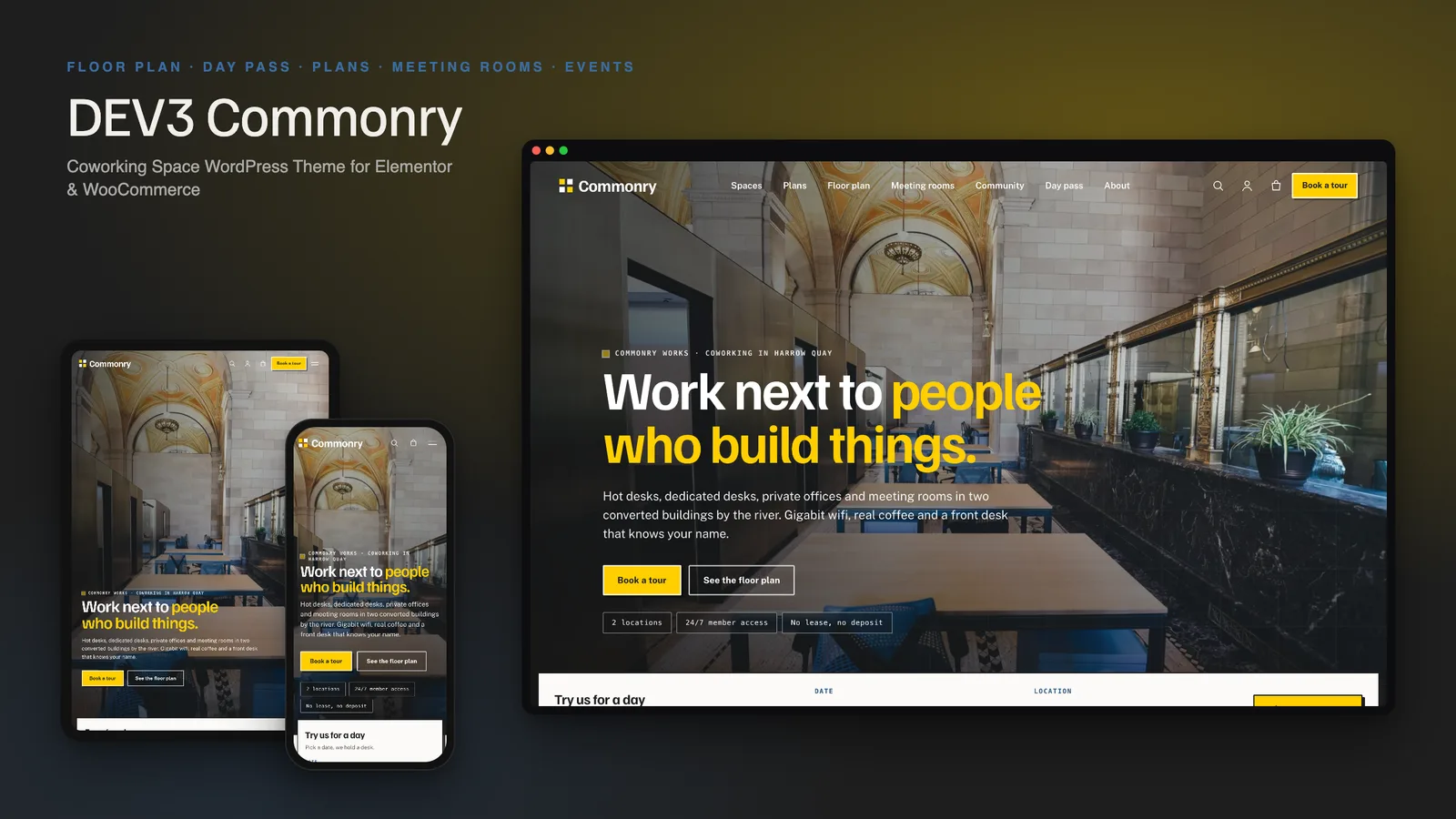
DEV3 Commonry is a WordPress theme for coworking spaces, flexible offices and creative studios. Its light concrete look, ink-black type and signal-yellow buttons sit on full-bleed photography, with hairline grid lines that give it an architectural feel.

There is no public live demo. Watch the video tour at the top of this page, or step through the screenshots at desktop, tablet and phone sizes.

The interactive floor plan

  • Every desk and room is drawn as a shape on an SVG plan, one tab per location. Hot desks and dedicated desks show one square per seat.
  • Hover, focus or tap a space to see seats, hourly, day and monthly rates, sample availability and a link to its page. Chips filter by space type.
  • It works without JavaScript: each shape is a link, and a table lists every space for screen readers.

Day passes and meeting rooms

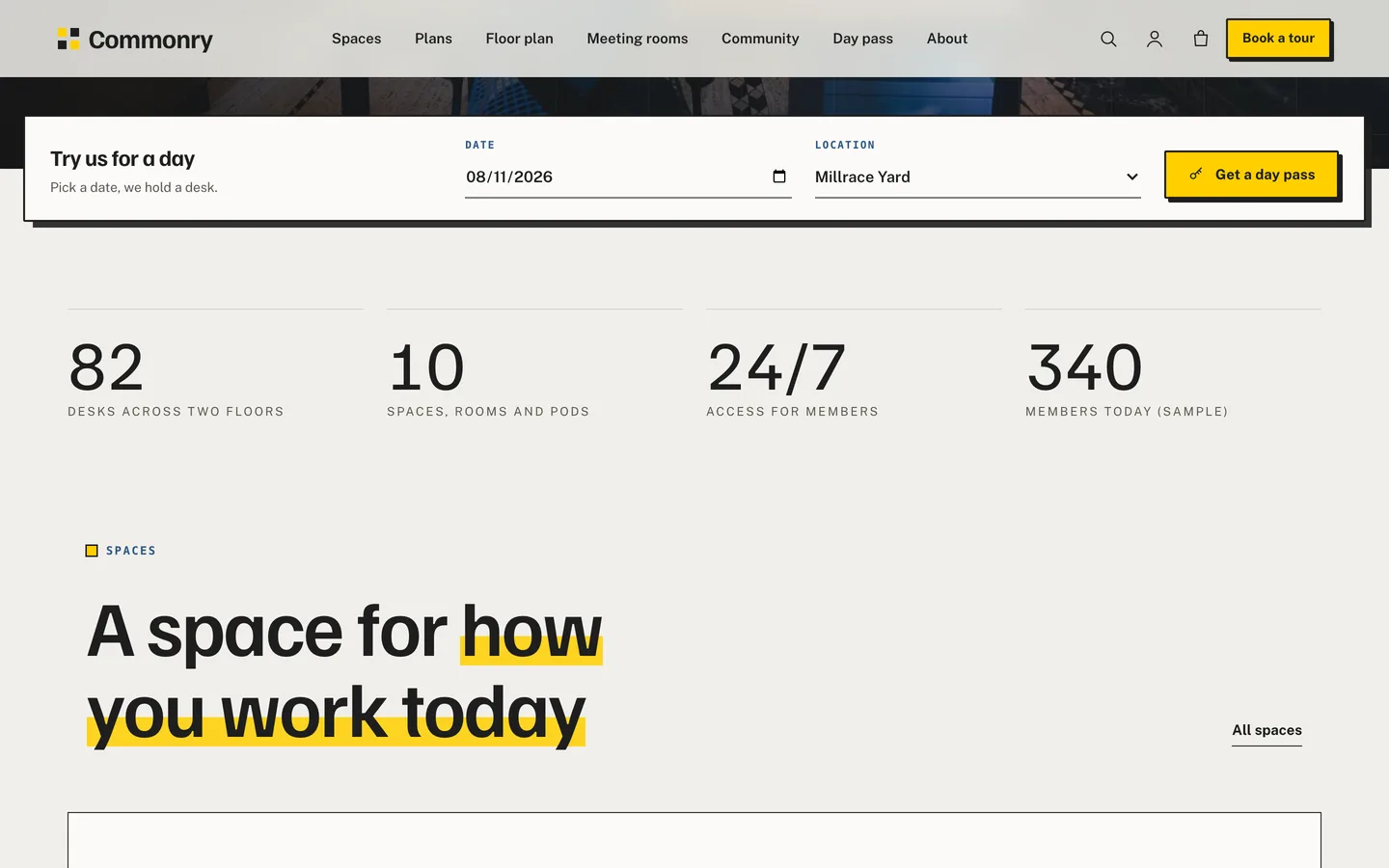
  • A day-pass bar on the home hero sends the visitor to a page with passes for the chosen date. Day passes and meeting-room hours ask for a date (and a start time) and carry it through the cart to the order.
  • A meeting-room rate table lists seats and hourly, half-day and day rates for every room and pod.

What is in the box

  • Spaces, plans, floor plan, meeting rooms, day pass, community, locations, tour booking, about, contact, FAQ and journal pages.
  • Five content types: spaces, events, member businesses, community managers and member quotes.
  • A tour request form with a nonce, honeypot and rate limit, saved as a request and emailed.
  • A Monthly / Yearly pricing switch, event cards with date tiles, member text badges and community manager profiles.
  • 31 block patterns, a child theme, translation and RTL support, schema.org JSON-LD for spaces, events and FAQs.
  • A WooCommerce shop for day passes, a ten-pass bundle, meeting room hours and gift passes, with a slide-out cart.

Design and motion

Familjen Grotesk headings with Public Sans body text, 2 px corners, plates with corner marks and a signal-yellow marker under key words. A photo hero opens every page, with light motion: split headings, staggered grids, counters and a stacked-card section. There is no 3D or WebGL code, and visitors who ask for reduced motion see the final state at once.

Compatible plugins

Commonry works on its own. Booking and membership plugins can be added on your site; the theme ships compatible styling and a class map in the documentation, and does not call their APIs.

Demo content

The one-click demo creates a fictional company with two locations, 10 spaces, 4 plans, 6 events, 8 member businesses, 3 community managers, 6 member quotes, 4 journal posts and 4 products. All names, prices and availability are samples. Photos are free-licence stock images with credits.

Included

The theme (version 1.0.0), a child theme, the DEV3 Theme Toolkit plugin, the demo content package, documentation and 6 months of support.

How it's built

Architecture, stack, key decisions and the quality gates DEV3 Commonry passed before release.

A flat, photo-led theme for coworking operators: an SVG floor plan drawn from the spaces themselves, a day-pass bar with dated WooCommerce passes, a meeting-room rate table and tour requests, all editable in Elementor.

The problem it solves

Coworking sites are mostly brochures. Visitors want to see which desks and rooms exist, what each costs by the hour, day and month, and whether they can try a day first. Most themes answer with a photo grid and a contact form. The brief: show the real layout of the building, make a day pass buyable in a minute, and keep every figure editable by a non-developer, without 3D scenes or heavy scripts.

Architecture and approach

Commonry is a classic PHP theme with theme.json on DEV3's shared theme core, flat (no WebGL). The DEV3 Theme Toolkit plugin owns the content types, widgets, request forms and demo importer; the theme owns presentation and the niche features.

Key design decisions

  • The floor plan is data. Each space stores a box on a 1000 by 600 grid; the theme draws one SVG per location, with one square per seat for desk zones. Shapes are real links, so it works without JavaScript; a small script adds tabs, filters and a details card.
  • Accessible by construction. Every shape is focusable with an accessible name, and a table lists all spaces for screen readers.
  • Dated passes. Products in two categories ask for a date, and the date travels through the cart, checkout and order.
  • Request-time forms. The tour form and the day-pass pages are filled when the page is served, so Elementor's element cache cannot freeze a nonce or a prefill.
  • Light and flat. Self-hosted fonts, a 12 KB gzip boot bundle and light motion only.

Quality gates and results

Commonry ships as a complete coworking site with a one-click demo: 10 spaces in two locations, 4 plans, 6 events, 8 member businesses, 3 community managers, 6 member quotes, 4 journal posts and 4 products. The theme adds 31 block patterns.

  • Quality gates passed: php -l on every file, phpcs with WPCS 3 and PHPCompatibilityWP 7.4+ at 0 errors, the flat-theme size budget and no-3D scan, and the WordPress Theme Check plugin with no required-level failures.
  • Flows tested: add to cart with a date, mini cart, cart, checkout and order received, and live editing of the Photo Hero in Elementor.

All names, prices and availability in the demo are fictional samples.

Tech stack

Area Technologies
Frontend SVG floor plan, Elementor widgets, Block patterns, Lenis
Platform WordPress 6.0+, PHP 7.4+, WooCommerce, Contact Form 7, DEV3 Theme Toolkit
Delivery phpcs (WPCS 3), Theme Check, Headless Chrome QA, One-click demo importer

Inside the build

Photo hero slideshow: a full-bleed cross-fading photo of the space with a hairline grid, a split headline and a day-pass booking bar on the bottom edge. Photo hero slideshow — a full-bleed cross-fading photo of the space with a hairline grid, a split headline and a day-pass booking bar on the bottom edge.

Counters strip: desks, rooms, access hours and members count up as they arrive (sample figures). Counters strip — desks, rooms, access hours and members count up as they arrive (sample figures).

Guides & articles

Practical guides and engineering write-ups for DEV3 Commonry.

A coworking space WordPress theme with a floor plan: DEV3 Commonry

Last updated
A coworking space WordPress theme with a floor plan: DEV3 Commonry: DEV3 Commonry

Most coworking websites are brochures: a row of photos, a price list and a contact form. Visitors want something else. They want to know which desks and rooms exist, what each costs by the hour, the day and the month, and whether they can try a day before they commit. DEV3 Commonry is our coworking space WordPress theme built around those questions. This post covers who it suits, how the floor plan works and how to set up a day pass.
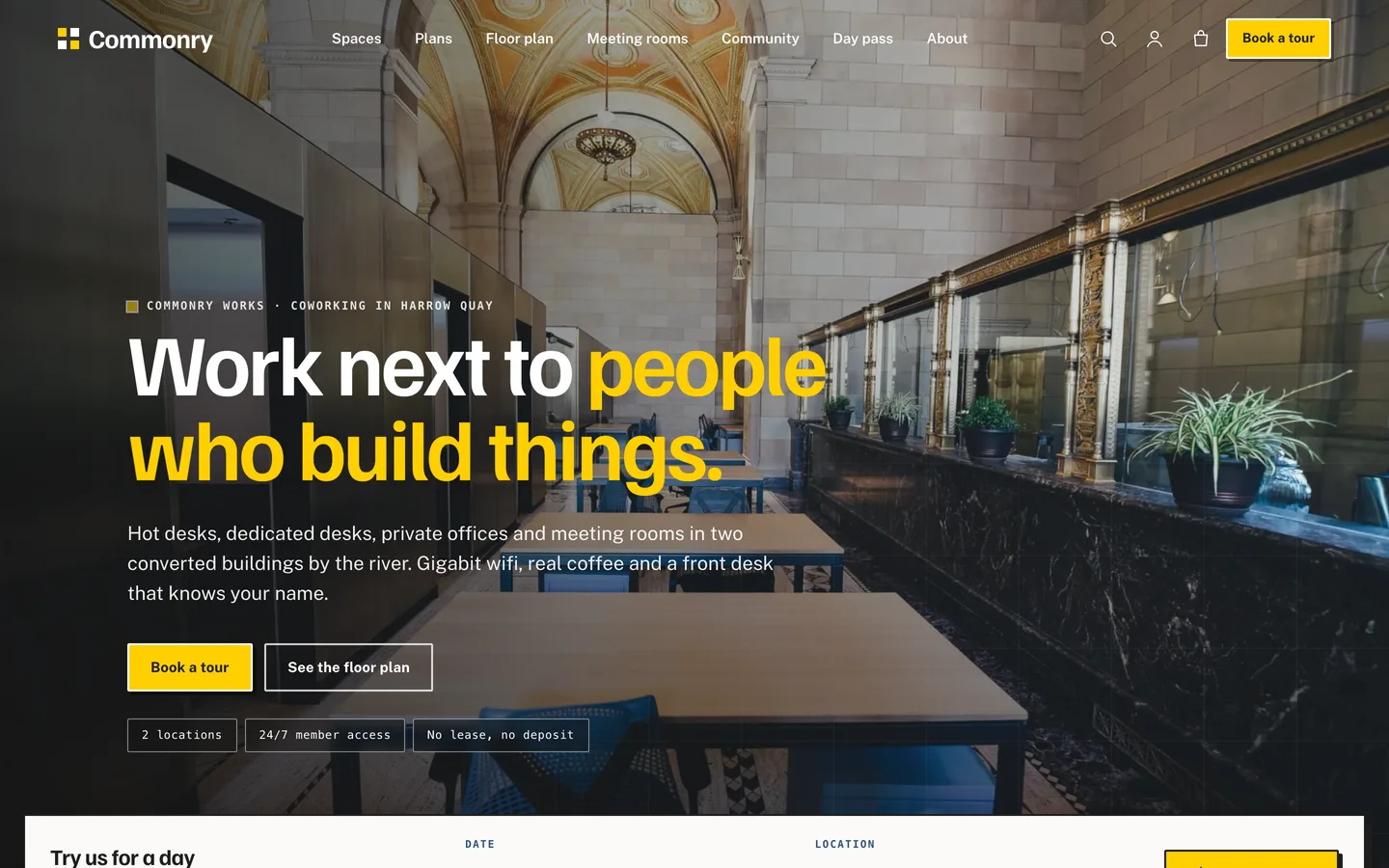
The Commonry home page: a full-bleed photo of the space, a split headline and the day-pass bar on the bottom edge

Video tour of the Commonry demo, from the home page to the floor plan, plans and meeting rooms

Who Commonry is for

  • Coworking operators with one or several locations and a mix of hot desks, dedicated desks and private offices.
  • Flexible office and studio landlords who rent meeting rooms by the hour.
  • Creative hubs and maker spaces that run events and want their members visible.

If you run a single meeting room, a simpler business theme will do. Commonry suits a place with a layout worth showing.

A floor plan drawn from your data

The plan on the home page and the Floor plan page is generated from your Spaces. Each space stores a box on a 1000 by 600 grid and a location; the theme draws one plan per location, with one square per seat for desk zones.
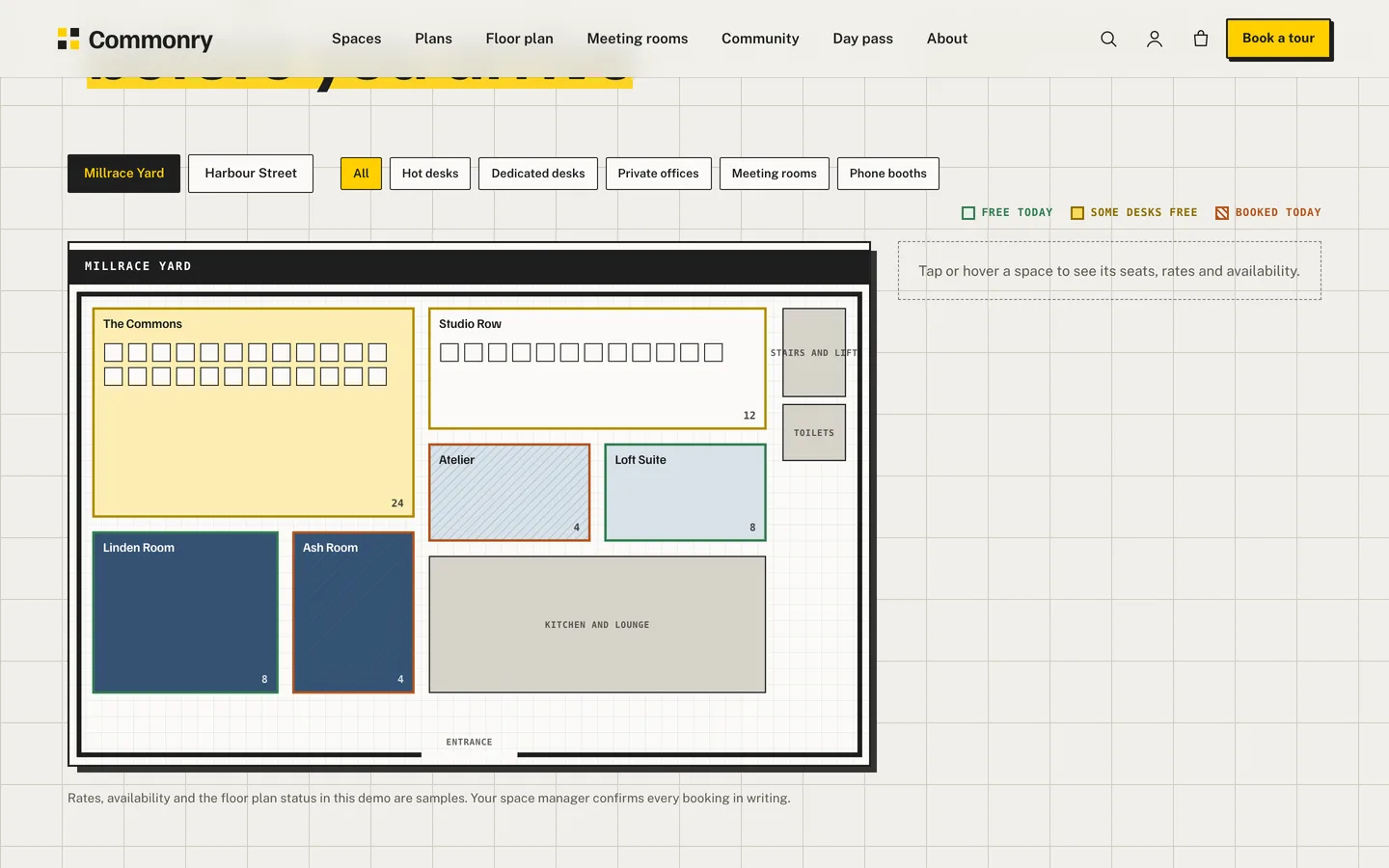
The interactive floor plan with location tabs, type chips and a legend for free, partly free and booked spaces

  • Hover, focus or tap a space to see seats, hourly, day and monthly rates and its availability.
  • Every shape is a link to the space page, so the plan works without JavaScript, and a table lists every space for screen readers.
  • Availability is a status you set on each space. It is sample data in the demo; connect your own booking system when you are ready.
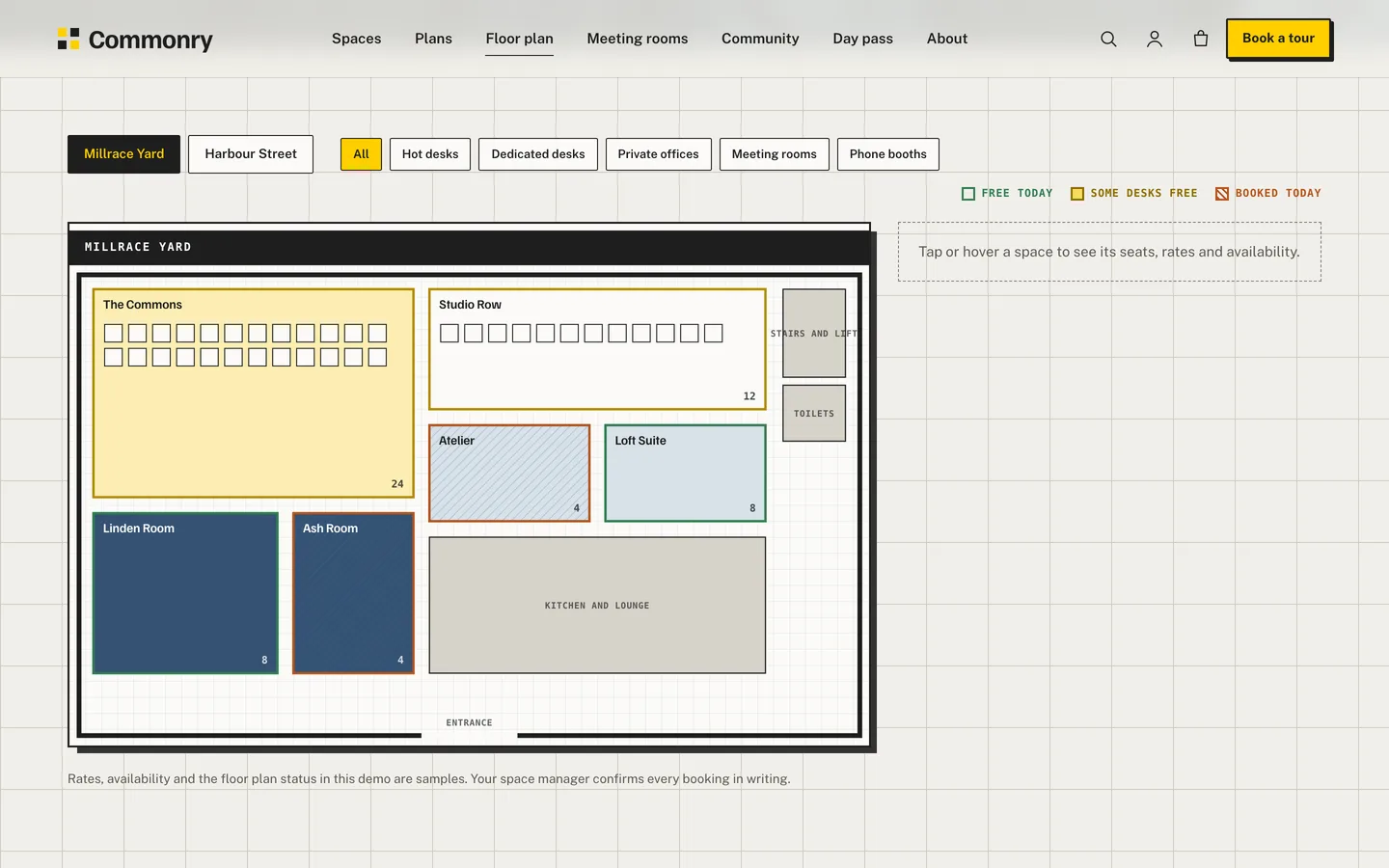
The floor plan page with location tabs, filter chips and a details card

Plans with a billing switch

The Pricing Table widget has a Monthly and Yearly switch. Set the yearly price on each plan and the card updates when visitors flip it.
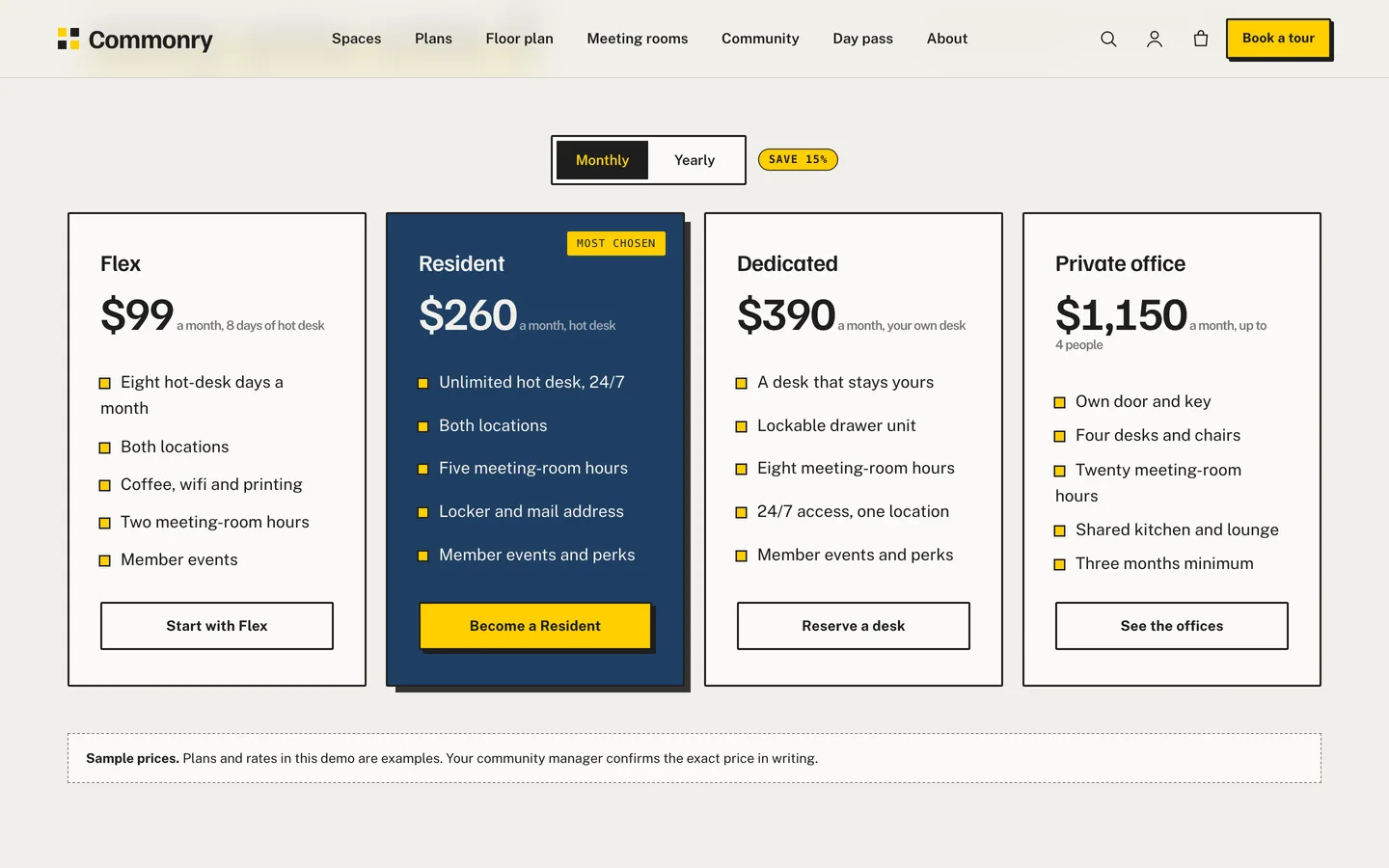
Four plans with a Monthly and Yearly switch and a Most chosen badge

Day passes with a date

The home hero ends with a day-pass bar: a date and a location. It leads to a page that lists the passes for that date. Products in the day-passes and meeting-room-hours categories ask for a date on the product page, and the date follows the order through the cart and checkout.
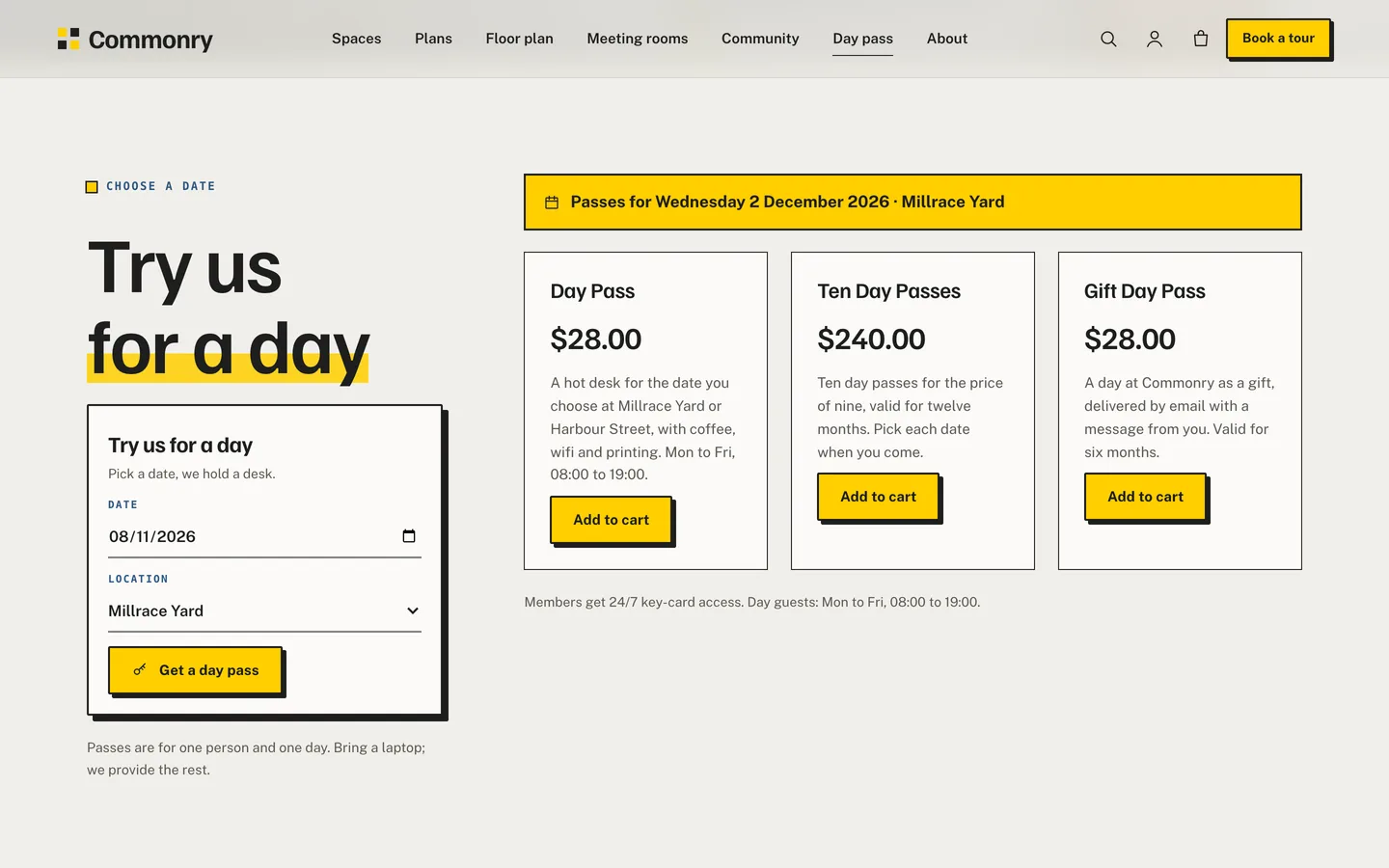
The day pass page with passes for a chosen date

Meeting-room rates at a glance

A rate table lists every meeting room and pod with seats, hourly, half-day and day rates, and what is in the room.
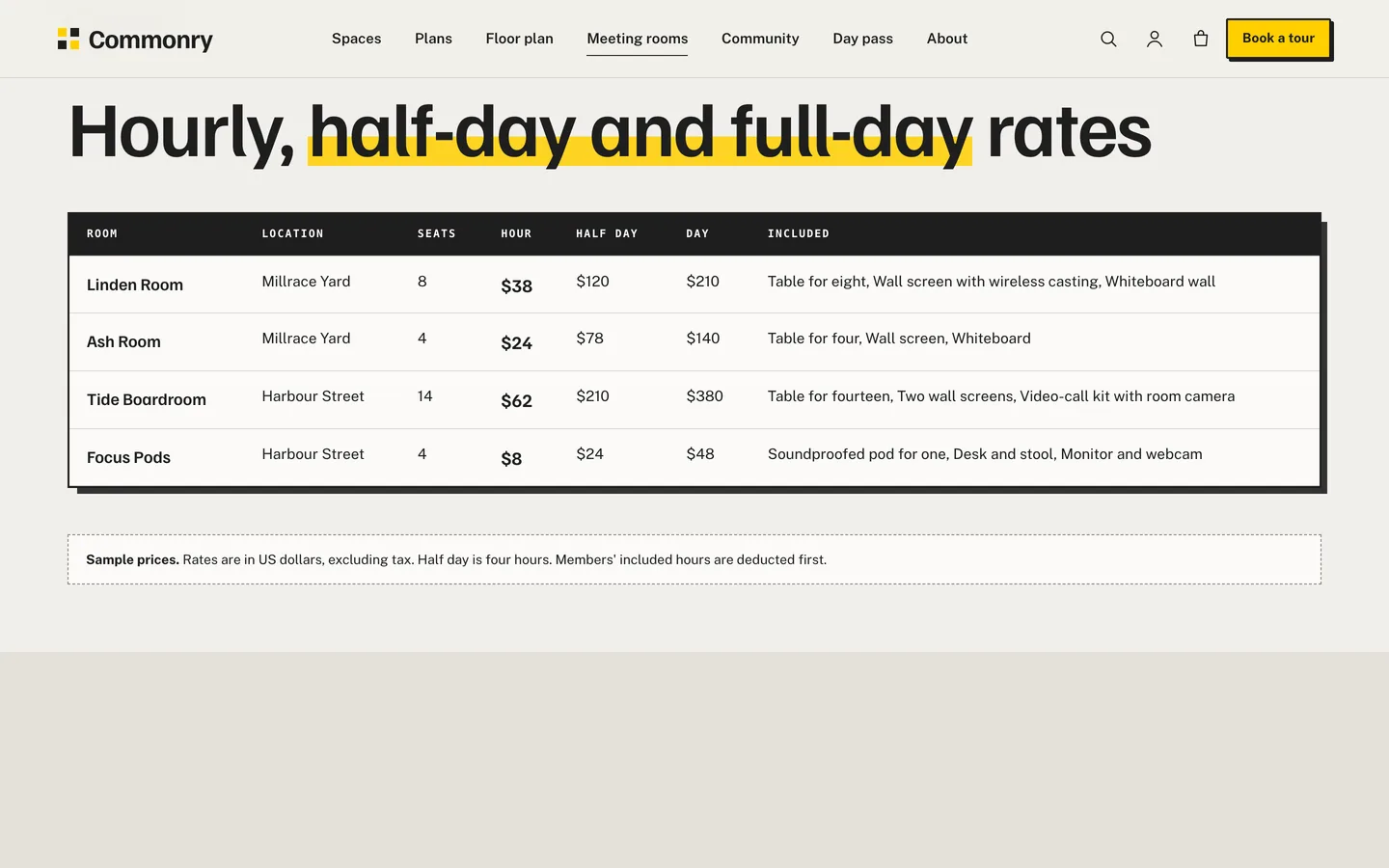
The meeting-room rate table with hourly, half-day and day rates

Community, members and tours

Events appear as date-tile cards, member businesses as text-badge cards (no logos needed) and community managers with their portraits. Visitors book a tour with a form that saves a request and emails the team.
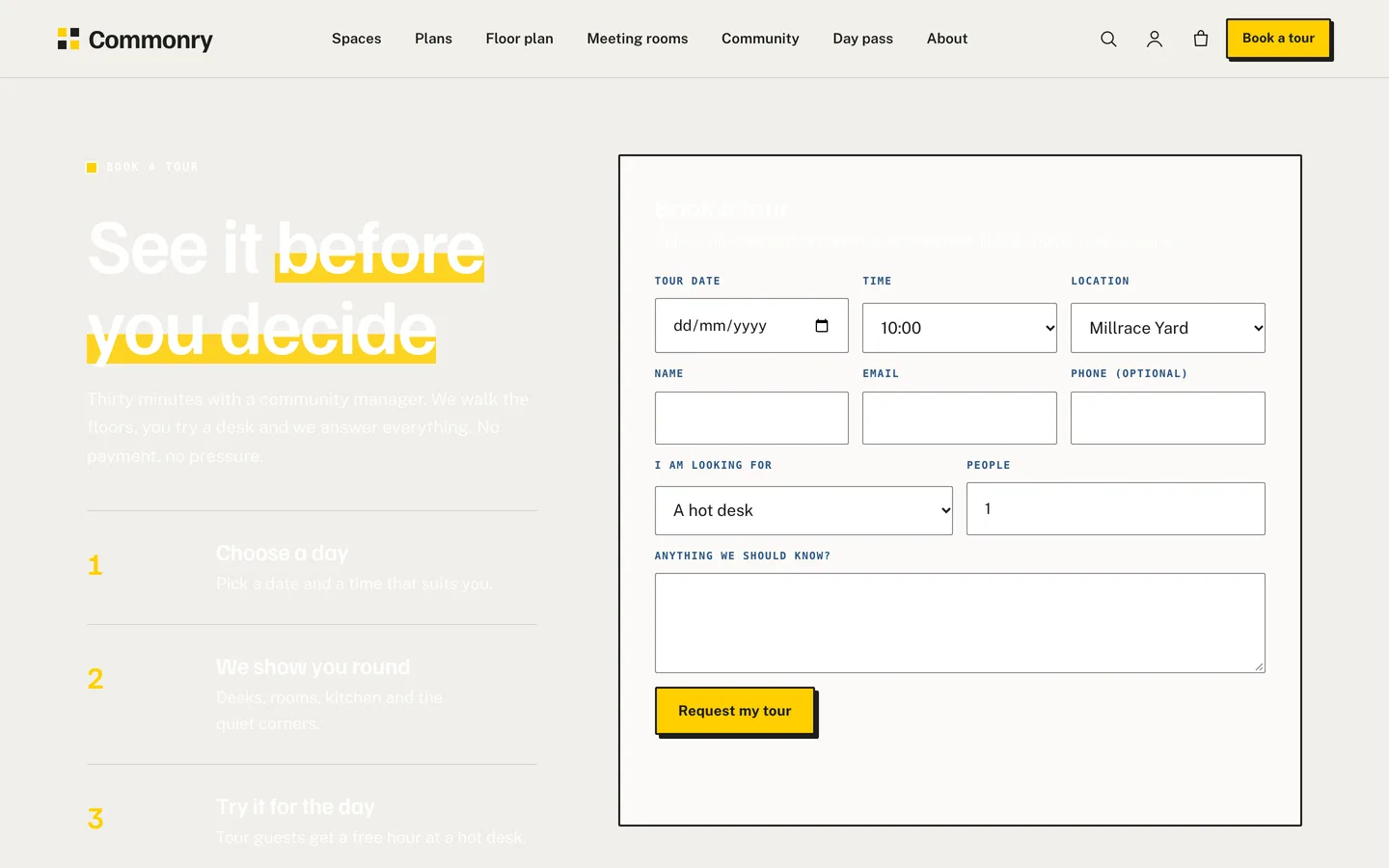
The tour request form beside three steps

Set it up

  1. Install the theme and the DEV3 Theme Toolkit, then import the demo from Appearance → DEV3 Demo.
  2. Replace the demo spaces with your own, with a location and a floor plan box for each.
  3. Put your passes in the right WooCommerce categories.
  4. Set the phone, tour link and access note in the Customizer.

Commonry works on its own. If you add a booking or membership plugin, the theme ships compatible styling and a class map in the documentation. All names, prices and availability in the demo are fictional samples.


Frequently asked questions

The complete source code (version 1.0.0) as a download from your account, with the setup and usage guides shown on this page. You can modify the code to suit your product.

Buying guides: 3D and motion WordPress themes for Elementor and WooCommerce

Questions about this product (6)

Answers from the DEV3 team and the community.

Ask a question

More from this author

View all

Related in CMS Extensions

View all