DEV3 Technologies home

DEV3 Sitewarden – Inspections & Safety SaaS with Offline Checklists, Incidents, Permits & Gemini AI Admin Tools

Self-hosted inspections and workplace-safety SaaS on Next.js 16 and MongoDB: template builder with scoring, offline phone app, schedules, corrective actions with SLAs, incidents, permits to work, compliance calendar, reports. Setup wizard and demo data included.
by DEV3 TechnologiesVerified AuthorUpdated 26 Nov 2026

Black Friday: up to 30% off

This item is 30% off: $69.30 instead of $99

Ends in
--
Days
--
Hrs
--
Min
--
Sec

Video tour. Pick a section below to browse 39 screenshots in 15 sections.

App & phone tours

Tap play to watch each app. Nothing downloads until you do.

  • Mobile web0:07

Sitewarden is an inspections and workplace-safety platform you run yourself, built by DEV3 Technologies on Next.js 16, React 19, TypeScript, Tailwind 4 and MongoDB. Construction firms, retail and restaurant chains, hotels, factories, facilities managers and safety consultancies build checklists, send inspectors out with an installable phone app that works offline, score the results, raise corrective actions, log incidents, run permits to work and keep a compliance calendar. One organisation can have many sites, areas and assets, or you can run it for your clients as a consultancy. The demo data is fictional: a logistics firm, a food retailer and a hotel group, with a regional site tree and months of inspection history.

Live demo with demo accounts: open the hosted demo and sign in with one click as the owner, admin, safety manager, site manager, inspector, contractor, viewer or platform support (the accounts are on the sign-in page). About 40 screenshots (web and phone) and two video tours show the dashboard, inspections, template builder, actions, incidents, permits, compliance, reports and the field app.

Templates and inspections

  • Template builder: sections, 18 question types (yes/no, scales, numbers with limits, photos, signatures, dates, assets and more), conditional logic, repeating sections, weights, critical items that fail the whole inspection, and grading bands. Every publish is a new version; running inspections stay on the version they started with, and a diff shows what changed.
  • Library of 30 templates: fire doors, extinguishers, forklifts, emergency lighting, kitchen hygiene, scaffold checks and more. Import in one click, or import and export your own as JSON. The public site shows every question of each starter without signing in.
  • Scoring on the server: the score and band are computed by the server, never trusted from the phone. Not-applicable answers leave the maths, and a failed critical item fails the inspection.
  • Reports and sharing: a branded printable report per inspection, share links, reopen with amendments, and QR posters for sites, areas and assets that open the right checklist.

Offline field app

  • Installable PWA at /field for inspectors: today's work, start, answer, photograph, sign and submit with no signal. Answers are sealed in the phone's local store and sent when the connection returns.
  • Safe sync: each item is merged on the server with a conflict record when two people edited the same answer, photos upload in chunks and resume, and a retry never creates a duplicate inspection.
  • Offline incident report: anyone can report an incident or hazard from the phone, and sites can switch on an anonymous public report page behind a QR code, with a case code for follow-up and a rate limit.

Schedules and corrective actions

  • Schedules: recurring inspections per site, asset or area in the site's own time zone, created 60 days ahead, with done, late and missed states and a calendar.
  • One action lifecycle: actions raised from a failed item or by hand, with priority, owner, due date, SLA clocks that pause and count business hours, escalation levels that fire once, recurring preventive actions, and independent verification (the person who fixed it cannot verify it).
  • Inbox: everything assigned to you today across inspections, actions and permits.

Incidents, permits and compliance

  • Incidents and investigations: injuries, near misses, hazards and property damage with severity, confidential injury details kept apart and shown only to roles that may see them, a 5-whys and root-cause tool, close checklists and linked actions. TRIR, LTIFR and days since the last lost-time injury on the safety KPI page.
  • Permits to work: hot work, confined space and any type you define, with per-role approvals, extensions, expiry and an exclusive claim on the asset so two permits cannot overlap.
  • Compliance register: certificates and obligations with 60, 30 and 7 day reminders, a contractor paperwork block, a training matrix and hours worked.

Analytics and reports

  • Dashboards: a safety overview, a site manager view and a personal day view, all narrowed to each person's sites.
  • Seven reports with filters and CSV (formula-safe), a client report pack, and scheduled reports that email the figures once each time they are due.
  • Settings: company branding, grading defaults, notification channels with per-member mute, member scope editor, role matrix, webhooks for inspection, action, incident and permit events, API keys and an audit log.

AI admin tools

  • AI panels in the main pages: draft a template from a description, suggest and translate questions, summarise an inspection, suggest actions from failed items, find a root cause and 5 whys, structure an incident, suggest permit hazards and method statements, explain a report and answer plain-English questions about your data. Answers are previews; nothing is saved until you accept it.
  • Bring your own key: the product ships with every key blank and a built-in deterministic driver that answers in the demo, labelled as a sample. Add your own Google Gemini, OpenAI or Anthropic key after purchase and the provider bills it.
  • What the AI sees: only the text and aggregate numbers on the page you ask about. Names are scrubbed and confidential injury details are never sent.

Safe by design

  • Every query is scoped to the organisation by a guard that fails closed, and again to each member's sites and clients. Writes that must not race (submits, action transitions, claims) are conditional updates or MongoDB transactions.
  • 719 automated tests cover the scoring and logic engine, offline sync, action and permit rules, reports and a 403 matrix across roles. Five independent reviews found issues that were fixed before release.

Good to know

  • Payments are simulated until you configure a gateway. Stripe and Razorpay drivers are included; live calls need your own keys.
  • AI needs your own key. Without one the AI buttons use the labelled sample driver.
  • Email is stored in the admin Outbox until you set an SMTP driver. Scheduled report emails carry the figures as text, no attachment.
  • Web and installable phone app (PWA), no native store apps. Regulator-specific formats (OSHA 300, RIDDOR) and sensor integrations are not included; there is a generic incident register and CSV export.
  • You need Node.js 20.9+, MongoDB 6+ as a (single-node) replica set, HTTPS, and a cron or systemd timer for the scheduled job.

What you get

The application source with the core under packages/next-core, a setup wizard, demo data, .env.example, scripts (seed, tick, billing renewal), tests, the buyer documentation, START-HERE.txt and the licence. Setup wizard and demo data included.

How it's built

Architecture, stack, key decisions and the quality gates DEV3 Sitewarden passed before release.

The engineering behind Sitewarden: sealed offline answers merged item by item, scores computed on the server, one action lifecycle for web and phone, and per-site scope on every query.

The problem it solves

An inspection app fails in three places: the phone loses signal halfway through a checklist, two people edit the same answer, and a score is trusted from the client. Incident data adds a fourth: an injury detail must never reach someone who should not see it.

Architecture and approach

Sitewarden is a Next.js 16 application on MongoDB. Inspectors work in an installable PWA: answers are sealed in IndexedDB and sent through an idempotent sync endpoint that merges each item and records a conflict when two edits collide. Photos upload in chunks and resume. The server recomputes every score from the pinned template version, so a modified phone cannot change a result.

Corrective actions have one state machine used by the web, the API and the sync path: SLA clocks pause and count business hours, escalation levels fire once through a conditional claim, and the person who fixed an action cannot verify it. Every query passes a tenancy guard, then a member's site and client scope. Confidential injury details live in their own collection and are shown only to roles that hold the confidential permission; they are never put in an email or an AI prompt.

Quality gates and results

The release passed seven gates: static checks, 719 automated tests (scoring and logic vectors, offline sync races, a 403 matrix across eight roles), a build with a JavaScript budget, seed, a headless smoke run over more than 170 routes, a clean install from the zip and a secret scan. Opus reviews after each stage found and fixed scope leaks, race conditions and notification leaks before release.

Tech stack

Area Technologies
Application Next.js 16, React 19, REST API, Installable PWA
Data MongoDB (replica set), Mongoose
Quality Vitest, Playwright smoke run

Inside the build

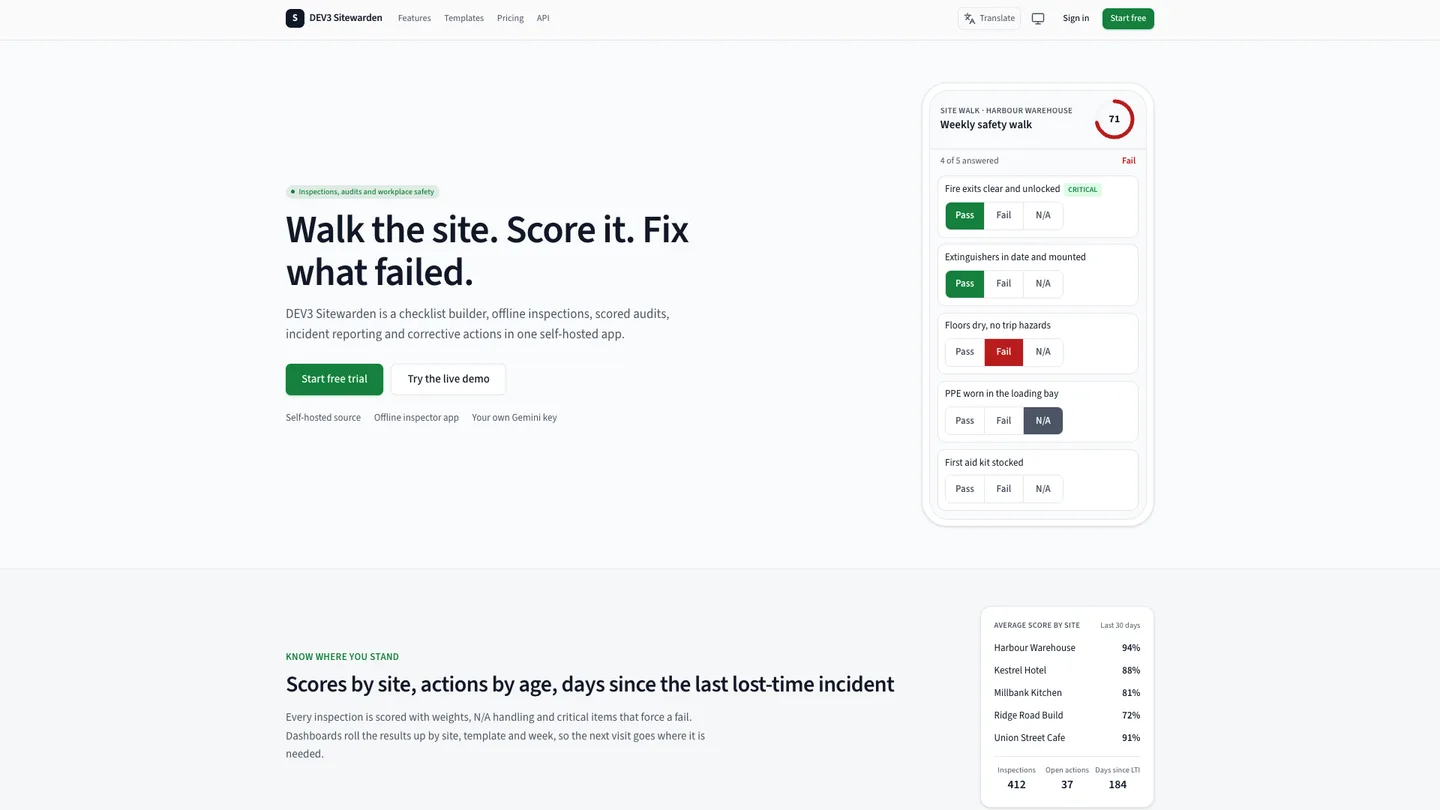
Landing: Run inspections on a phone, even offline, and see scores, actions and incidents in one place. Landing — Run inspections on a phone, even offline, and see scores, actions and incidents in one place.
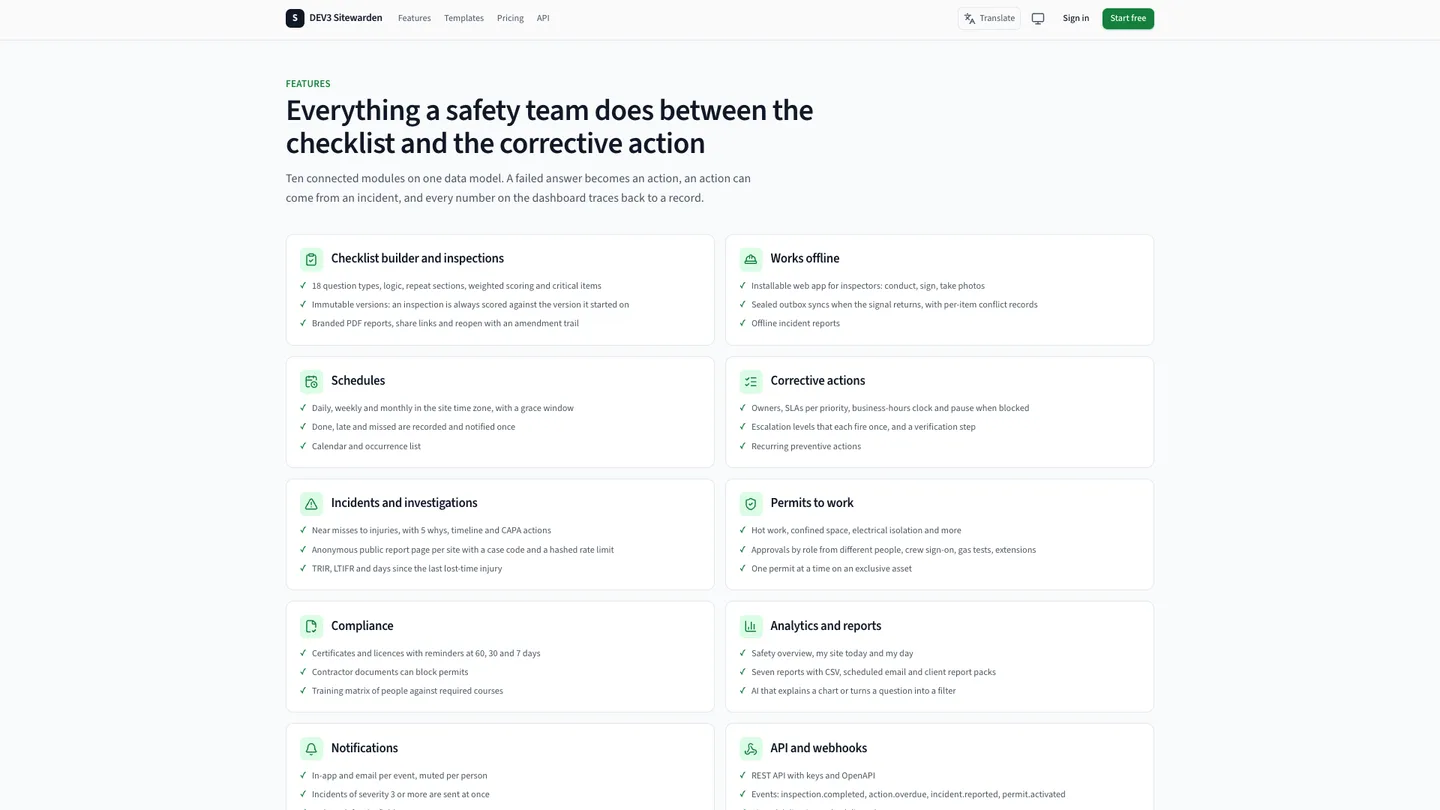
Features: Templates, offline inspections, corrective actions, incidents, permits and compliance. Features — Templates, offline inspections, corrective actions, incidents, permits and compliance.

Guides & articles

Practical guides and engineering write-ups for DEV3 Sitewarden.

Inspection and safety software: 6 things to check before you pick one

Last updated
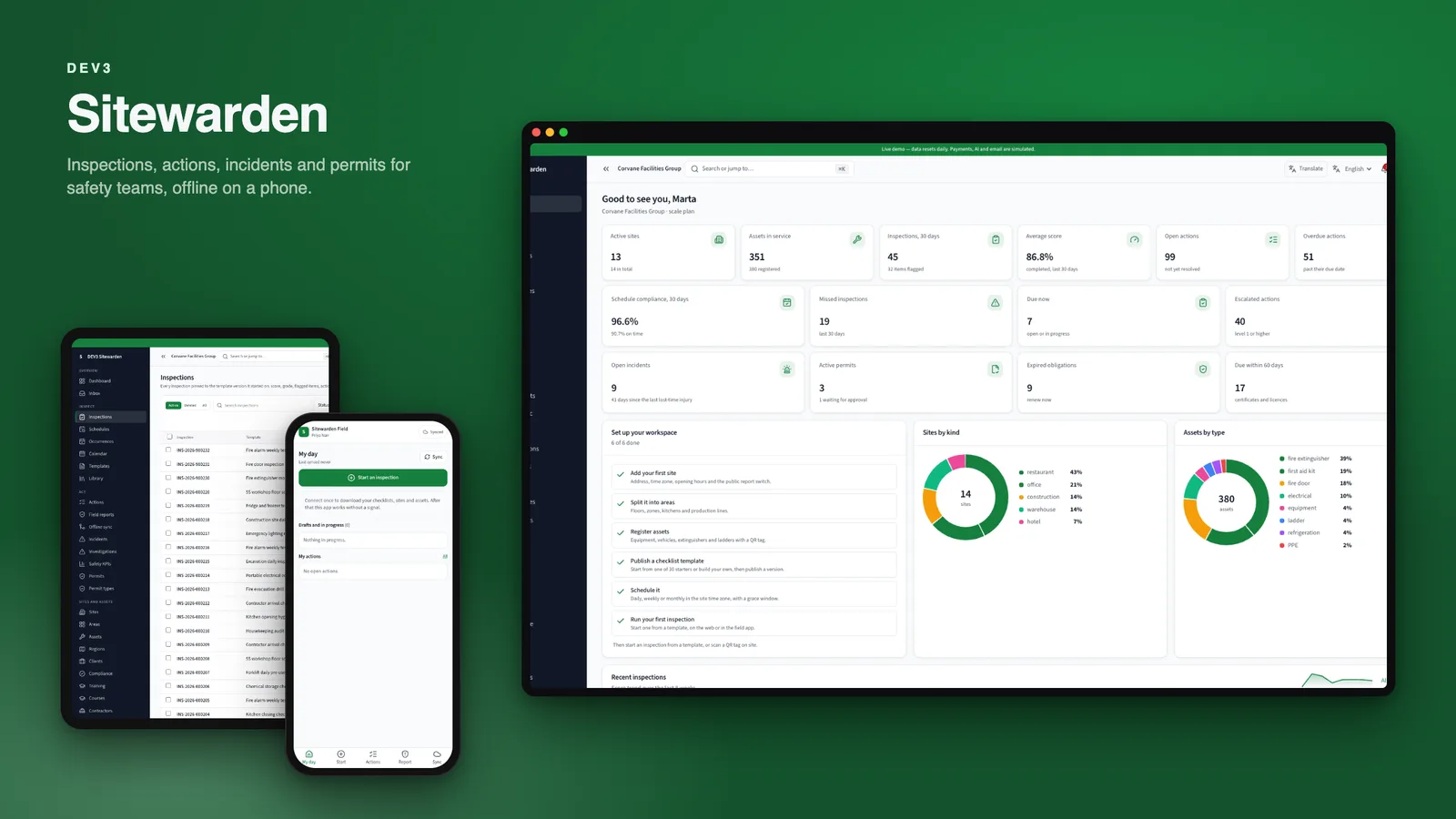
Inspection and safety software: 6 things to check before you pick one: DEV3 Sitewarden

Inspection software looks the same in a feature list until you ask the awkward questions: what happens when the phone loses signal halfway through, who decides the score, and who can see an injury report. Here are six things to check, with DEV3 Sitewarden as the worked example.
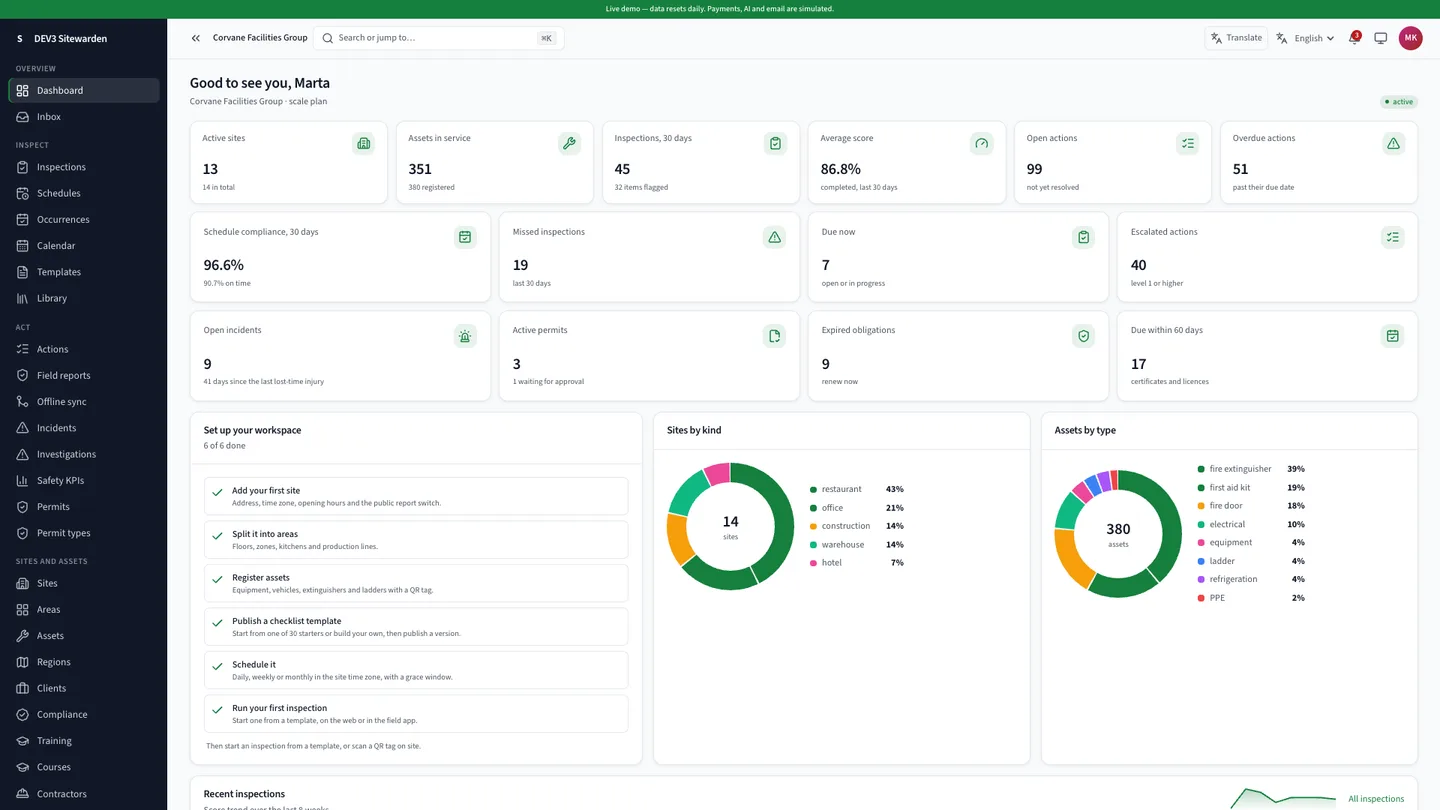
The dashboard with open actions, overdue inspections and scores by site

A walk through the dashboard, inspections, actions, incidents and permits

1. Does it work with no signal?

Basements, plant rooms and remote sites have no coverage. Sitewarden's field app is an installable PWA: answers and photos are kept on the phone and sent when the connection returns, each item merged on the server so a retry never creates a second inspection.
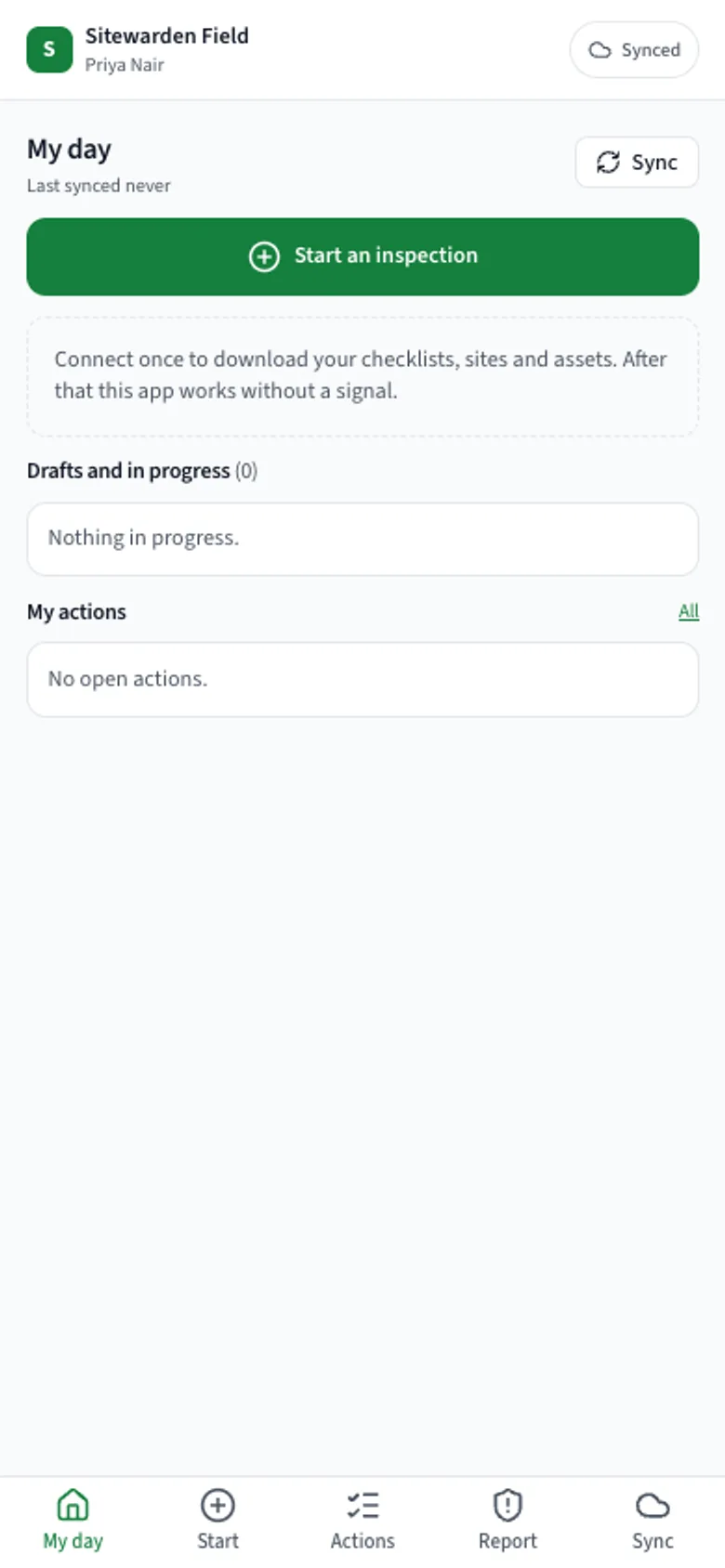
The inspector's field app on a phone

2. Who computes the score?

If the phone sends the score, anyone can change it. Sitewarden recomputes every score on the server from the template version the inspection started with, leaves not-applicable answers out and lets a failed critical item fail the whole inspection.
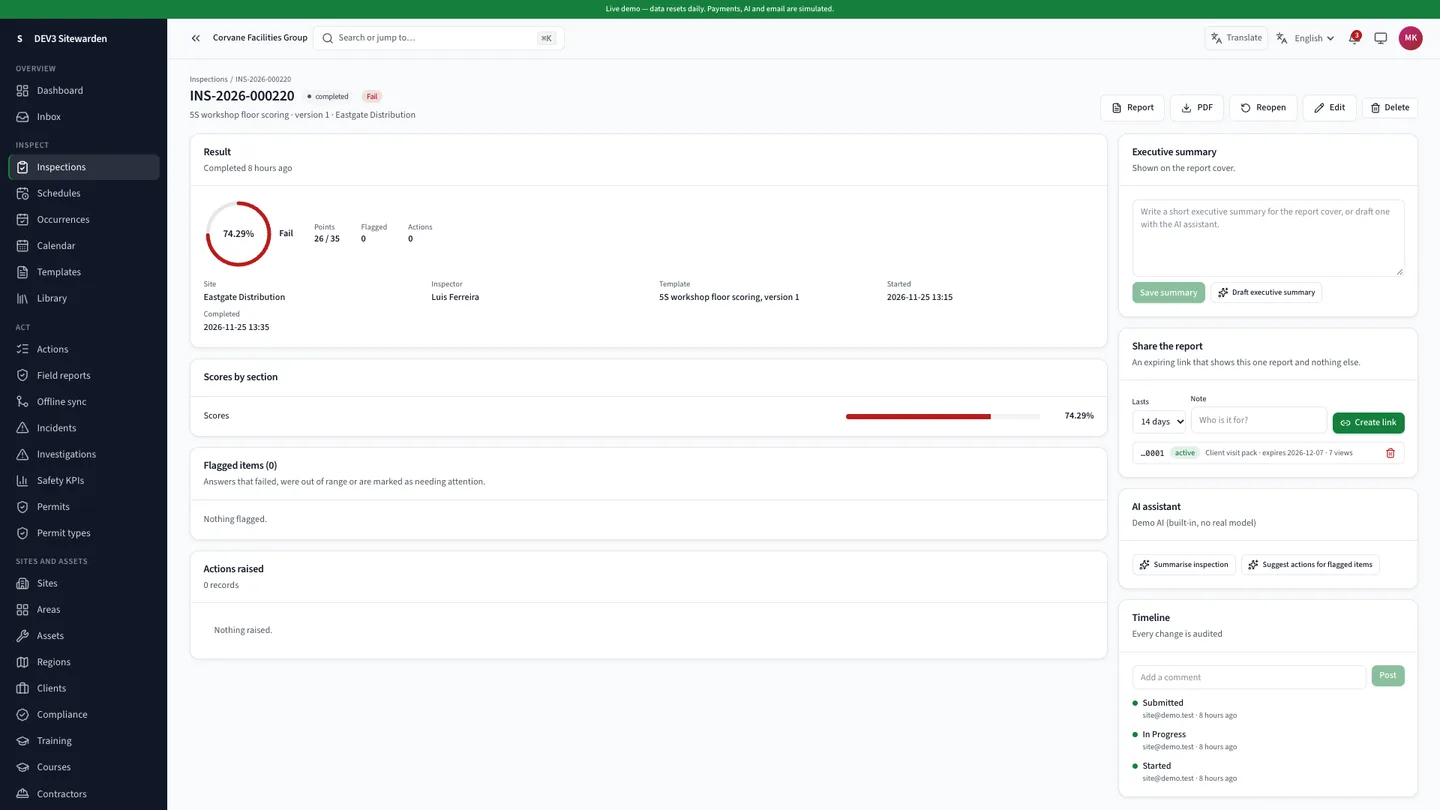
A failed inspection with its score band, failed items and timeline

3. Can you change a template without breaking running inspections?

Each publish is a new version and open inspections stay on theirs. A diff shows what changed between versions.
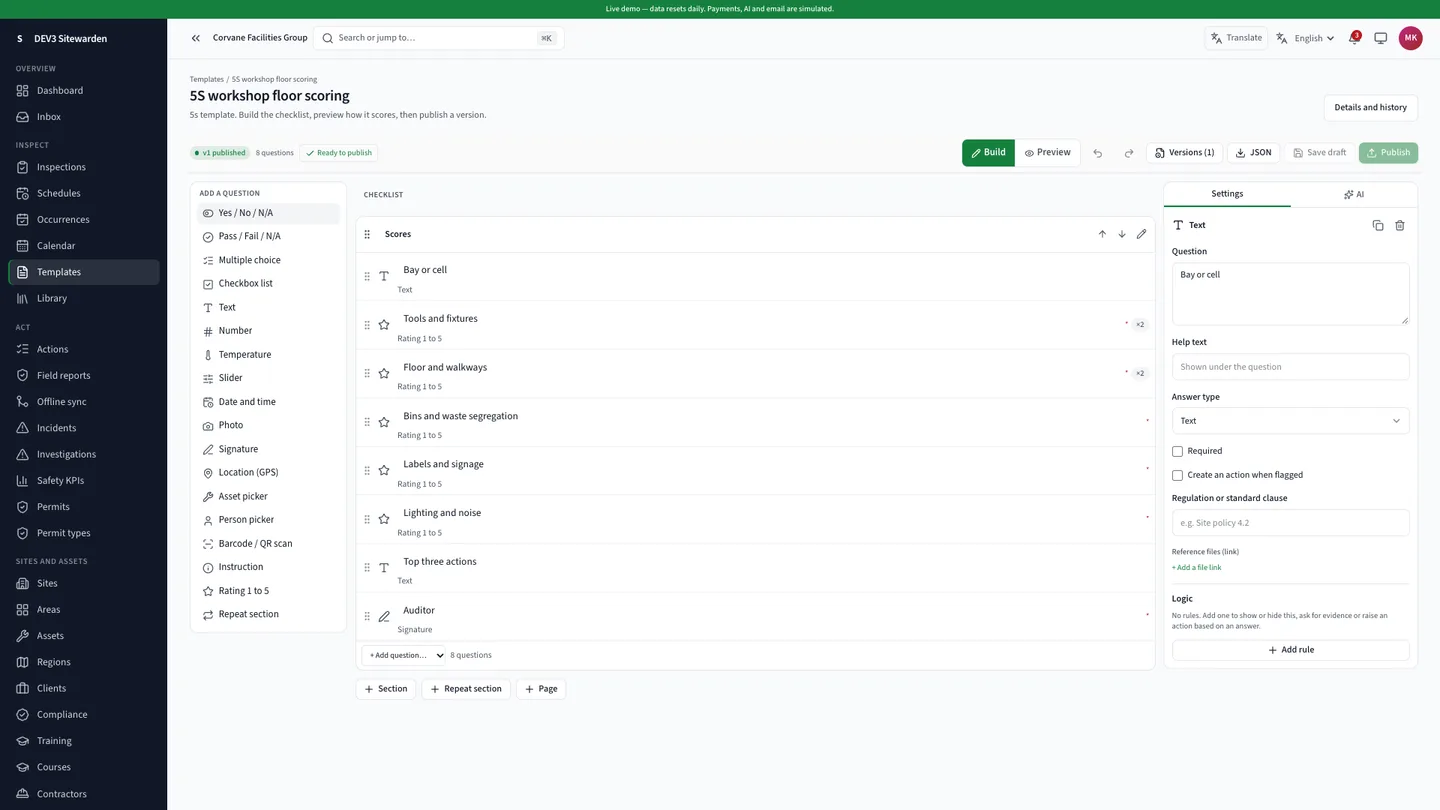
The template builder

4. Does a failed item turn into a tracked action?

A finding with no owner and no date is a complaint. Actions here carry priority, owner, SLA clock and escalation, and the person who fixed it cannot verify it.
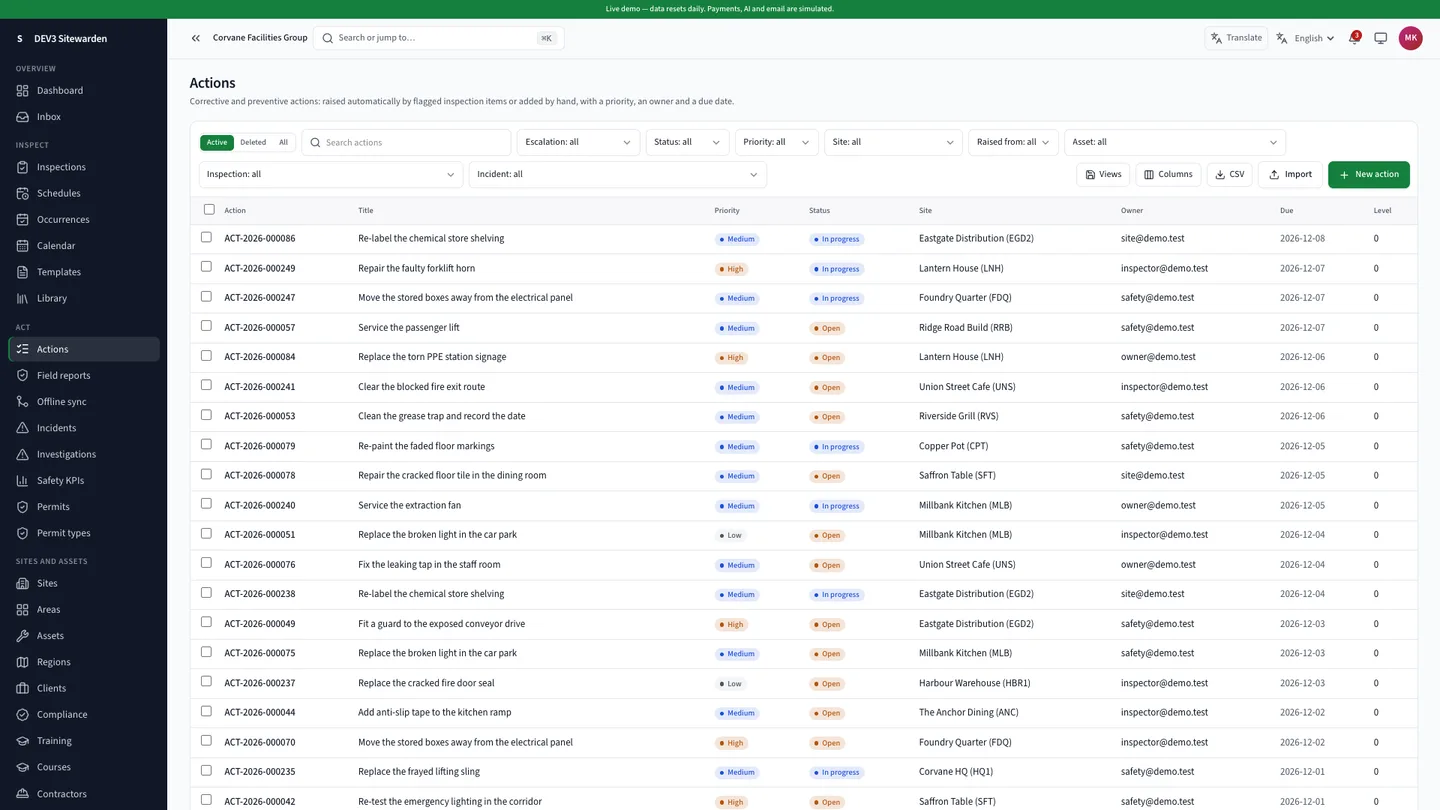
Corrective actions with SLAs

5. Who can see an injury report?

Confidential injury details are stored apart and shown only to roles that hold that permission. They are never emailed or sent to an AI prompt.
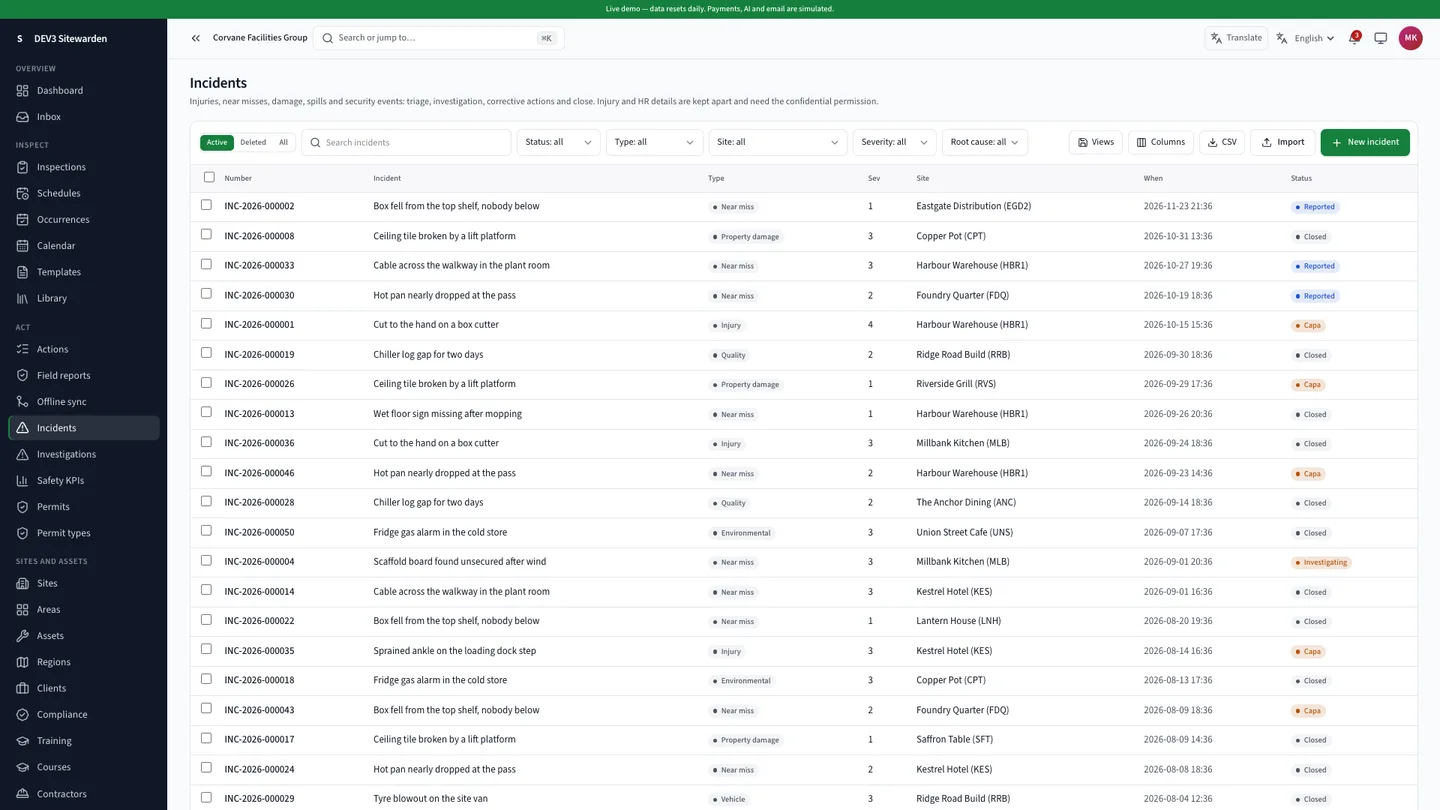
Incidents with severity and status

6. What is honestly missing?

Sitewarden is web plus an installable phone app, not a store app. It has a generic incident register with CSV export, not OSHA or RIDDOR forms, and it does not read sensors. AI and payments need your own keys.

See Sitewarden and its live demo.

Frequently asked questions

The complete source code (version 1.0.0) as a download from your account, with the setup and usage guides shown on this page. You can modify the code to suit your product.

Questions about this product (0)

Answers from the DEV3 team and the community.

Ask a question

No questions yet.

Wondering about setup, licensing or customisation? Ask, and the DEV3 team will help.

More from this author

View all

Related in Enterprise SaaS Starters

View all