DEV3 Technologies home

DEV3 Vestrio – Church & Ministry Management SaaS with Giving, Check-in, Rotas & Gemini AI Admin Tools

Self-hosted church management on Next.js 16 and MongoDB: people and households, giving with statements and UK Gift Aid, groups, service planning, volunteer rotas, offline child check-in, events and a member portal. Gemini AI admin tools, setup wizard and demo data included.
by DEV3 TechnologiesVerified AuthorUpdated 26 Nov 2026

Black Friday: up to 30% off

This item is 30% off: $69.30 instead of $99

Ends in
--
Days
--
Hrs
--
Min
--
Sec

Video tour. Pick a section below to browse 40 screenshots in 13 sections.

App & phone tours

Tap play to watch each app. Nothing downloads until you do.

  • Mobile web0:08

Vestrio is a church and ministry management platform you run yourself, built by DEV3 Technologies on Next.js 16, React 19, TypeScript, Tailwind 4 and MongoDB. Each tenant is one congregation or charity: it keeps its people and households, runs groups and volunteer rotas, plans services, checks children in, takes and reports giving, and sends year-end statements. The demo data is fictional: a two-campus church with about 1,250 people, a UK charity in Gift Aid mode and a small mosque community.

The wording is faith-neutral. Church is the default; mosque, temple, synagogue and nonprofit packs rename every label per tenant. Web only, plus installable PWAs for the check-in kiosk and the member portal (every page works at 390 px). The look is calm and compact: warm gray surfaces, one burgundy accent, Source Serif headings and Inter, light theme.

People and care

  • People and households: profiles with timeline, custom fields, relationships, campuses, saved views, bulk actions with a per-item report and audited CSV export. Pastoral notes, medical notes and custody notes are kept apart and shown only to roles that may see them.
  • Smart lists and workflows: a rule builder for lists, plain-English search, and step workflows (new visitor follow-up, membership class) as boards with assignees and due dates.
  • Merge and dedupe: find likely duplicates, pick fields one by one, merge households and undo within a window.
  • Consent and minors: consent records with wording, children visible to guardians and cleared leaders only, and an erasure flow that scrubs registrations, prayer requests and messages.

Giving, pledges and statements

  • Funds and gifts: restricted and general funds, split gifts, cash and cheque batches that balance before they lock, deposits, refunds and voids, and an online giving page with a simulated checkout.
  • Recurring giving: plans with retries, pauses and a failed-run queue.
  • Pledges: campaigns and pledges with progress against what was actually given.
  • Statements: year-end statements per person or household, corrected reissues with a version number, resumable bulk runs and a print layout.
  • Receipts and Gift Aid: US and Canada receipt mode, UK Gift Aid declarations and claims with adjustments, or a generic mode.

Groups, services and rotas

  • Groups: leaders, roster, capacity, join requests, meetings and attendance, a health view and a public group finder.
  • Service planning: service types, plans with a run sheet and live clock, a song library with keys and CSV import, and a licence usage report.
  • Volunteer rotas: teams, positions and slots with blackout dates, overlap, monthly limit and safeguarding rules; swaps approved by a leader; a deterministic auto-fill that explains each choice.

Check-in, events and communication

  • Child check-in: rooms with age, capacity and ratio, stations and sessions, security labels with allergy and pickup code, custody blocks, and a kiosk PWA that keeps working offline and replays when the network returns.
  • Events and rooms: registrations with a seat counter, waitlist promotion, payment holds, refunds and discount codes; room and equipment booking with conflict checks and approval.
  • Messages: email and SMS composer with consent, minors sent to guardians, scheduled sends and a suppression list. Prayer requests inbox.
  • Member portal: profile with a change review queue, giving history and statements, groups, serving, events and kids QR.
  • Nonprofit mode: appeals, donor moves, major donors and soft credits.

Reports, AI and the platform

  • Reports: eleven reports (attendance trends, visitor retention, group health, volunteer coverage, giving by fund, month and method, lapsed givers, pledge progress, event revenue) with CSV export; leaders see only their own groups and teams.
  • Gemini AI actions: natural-language people search, follow-up drafts, pledge letters, duplicate hints, explain this chart and a monthly ministry summary. Prompts carry figures only, never names. You add your own key; in the demo a labelled sample driver answers.
  • Platform: multi-tenant with Small, Growing and Multi-site plans, nine roles with server-side permissions and campus scope, a REST API under /api/v1 with keys, an audit log, a setup wizard, an onboarding checklist, English, Spanish and Arabic, and a public site with a mini-site per church.

Safe by design

  • Every tenant query goes through a guard that fails closed. Money is stored as whole minor units; seats, funds, locks and refunds are claimed with conditional writes and transactions, so parallel requests cannot oversell an event, double-refund or lose an edit.
  • 498 app tests pass, including races and a 403 test for every role; a headless smoke run covers 226 routes and 77 happy paths from a Sunday gift to a statement, a check-in and a rota swap. First-load JavaScript stays inside the DEV3 budget.
  • Independent reviews of the giving, statements, check-in, events and privacy logic were done at each stage and their findings fixed.

Good to know

  • Simulated services. Payments, email, SMS and AI run on simulated drivers until you add your own keys.
  • Scheduled work (recurring gifts, reminders, scheduled messages, holds) runs when you call the cron endpoint or press Run housekeeping in Settings.
  • Gift Aid claims are prepared as a file; nothing is sent to a tax authority.
  • No stock photos in the demo (UI and text only). AI needs your own key.
  • You need Node.js 20.9+, MongoDB 6+ as a (single-node) replica set and HTTPS.

What you get

The application source with the core under packages/next-core, a setup wizard, demo data, .env.example, scripts (seed), tests, the buyer documentation, START-HERE.txt and the licence. Setup wizard and demo data included.

How it's built

Architecture, stack, key decisions and the quality gates DEV3 Vestrio passed before release.

The engineering behind Vestrio: split gifts and batches that cannot drift, statements that are reissued with a version instead of edited, Gift Aid claims that lock what they cover, seats and rota slots claimed with conditional writes, and a kiosk that checks children in offline and replays safely, with the known limits written down.

The problem it solves

A congregation looks simple until two treasurers edit the same gift while a claim is prepared, a statement goes out before a late refund, two volunteers take the last seat at a popular event, or a kiosk loses its network during Sunday check-in. Each must end with one correct state, for many congregations that share one install, with children's data that must never leak.

Architecture and approach

Vestrio is a Next.js 16 application on MongoDB. Every tenant-owned model passes through a guard that requires an organisation id on each query and throws when a filter has none; a test lists the models so a new one cannot skip it, and campus-scoped roles are filtered in the same layer. Money is whole minor units with half-up rounding. Gifts are split lines on a fund; a batch must balance before it locks and a deposited batch is read-only. Statements are generated from locked gifts and are reissued with a new revision when something changes, never edited in place; Gift Aid claims lock the gifts they cover and bump their version, so an edit and a claim cannot both win. Event seats, waitlist promotion, rota slots and room bookings are claimed with conditional updates, and a cancel uses the pre-image of the document to decide the refund. Check-in codes are unique per campus and day, and the kiosk PWA queues check-ins offline, then replays them against a block of codes issued to that station, reissuing and logging any that clash. Children are visible only to guardians and cleared leaders, AI prompts carry figures with names replaced, and an erasure scrubs registrations, prayer requests and message rows in one transaction.

Quality gates and results

The release passed seven gates (static checks, 498 app tests with parallel-request races and a 403 test for every role, build with a JavaScript budget, seed, a headless smoke run over 226 routes with 77 happy paths, an install from the zip and a secret scan), and independent reviews after the giving, statements, check-in and events stages, whose findings (including high-severity refund, erasure and seat bugs) were fixed before release. The known limits are written in the listing: simulated payment, mail and SMS drivers until you add your own keys, Gift Aid claims prepared as a file only, and scheduled work that runs from a cron call.

Tech stack

Area Technologies
Application Next.js 16, React 19, REST API
Data MongoDB (replica set), Mongoose
Offline Installable PWA, Check-in queue with replay
Frontend Tailwind CSS 4, Source Serif 4 and Inter fonts
Quality Vitest, Headless smoke run

Inside the build

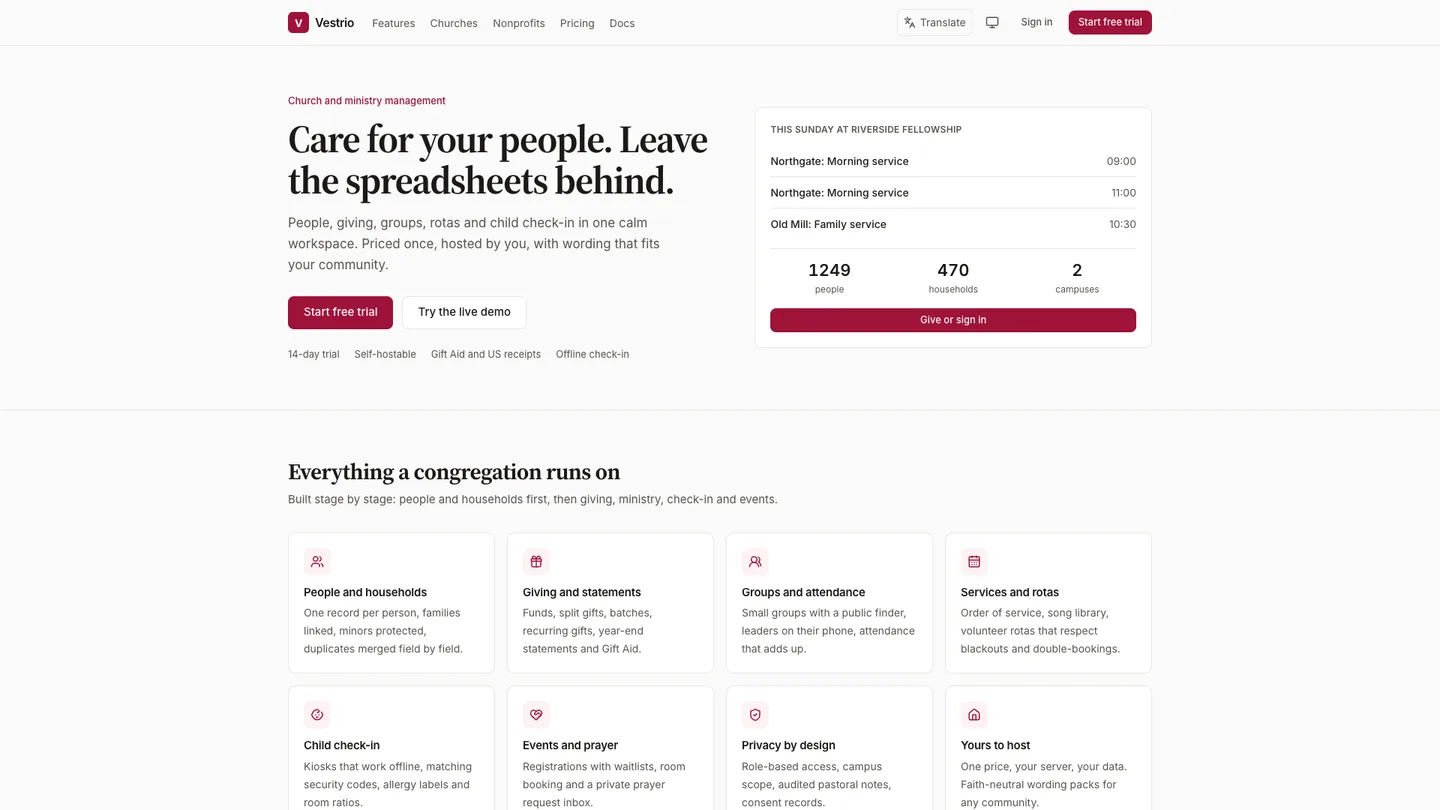
Landing: A real This Sunday widget, features and plans for congregations. Landing — A real This Sunday widget, features and plans for congregations.
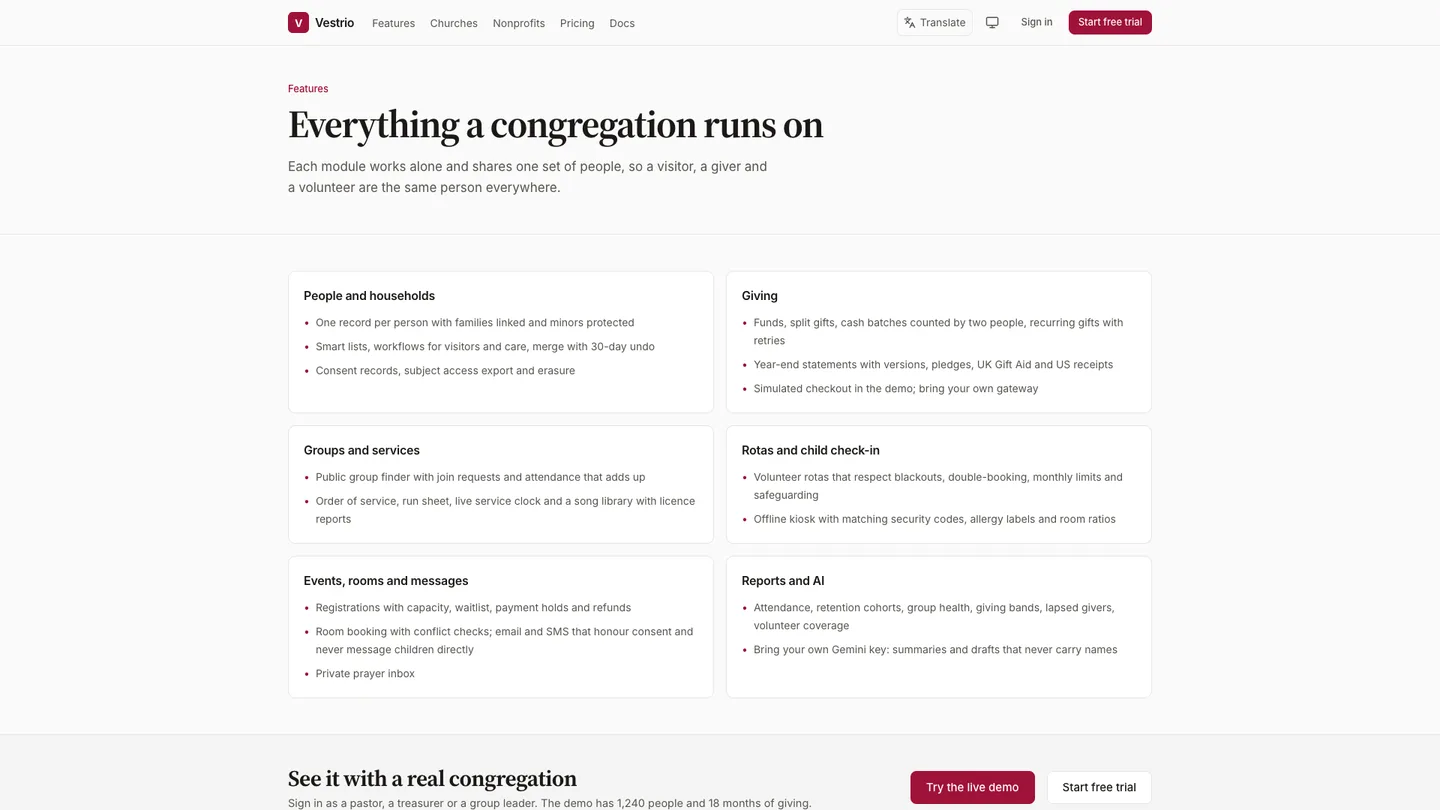
Features: Every module and what it does for a congregation. Features — Every module and what it does for a congregation.

Guides & articles

Practical guides and engineering write-ups for DEV3 Vestrio.

Church management software: 6 things to check before you pick one

Last updated
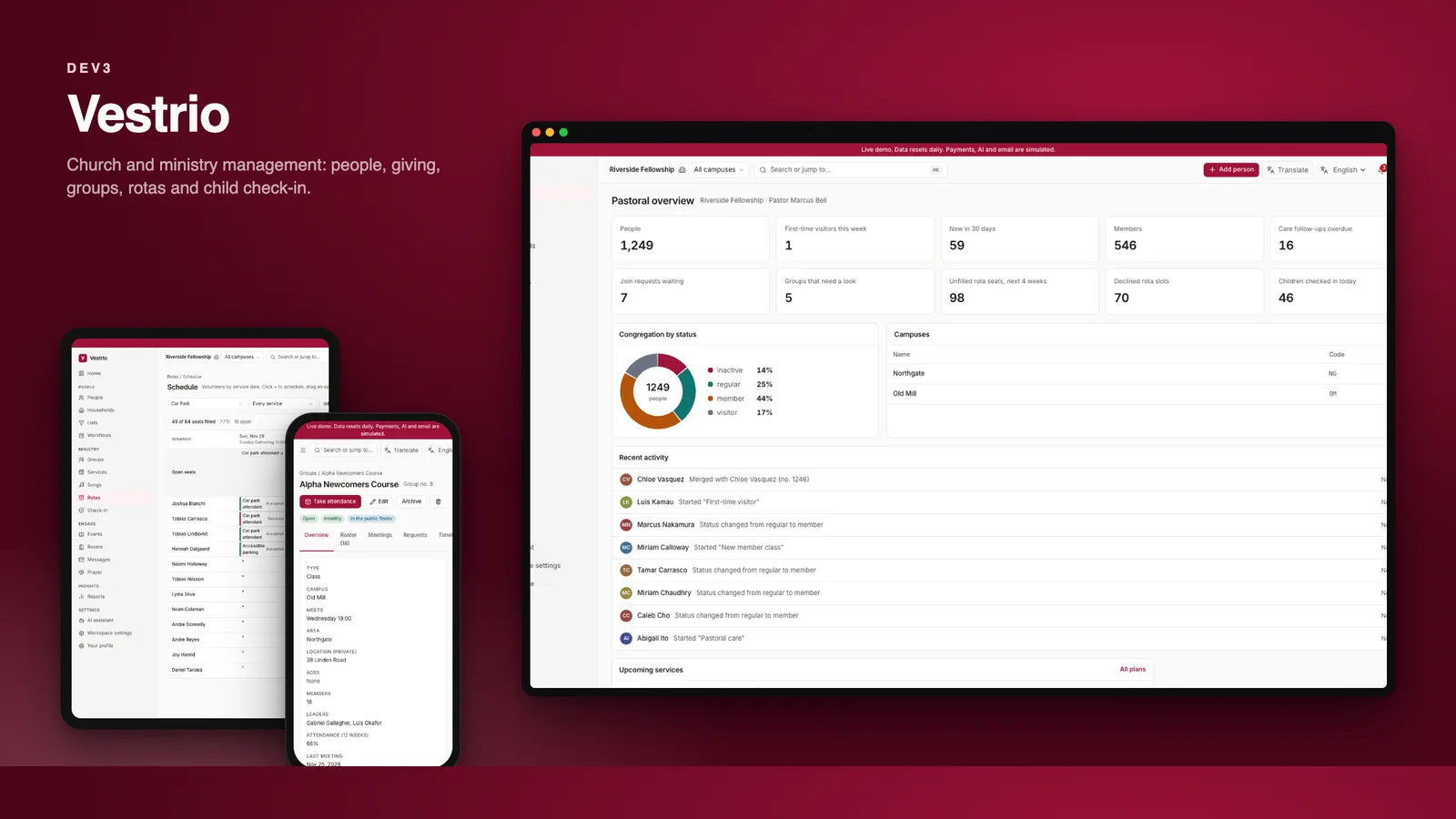
Church management software: 6 things to check before you pick one: DEV3 Vestrio

Church software looks alike in a feature list until you ask the awkward questions: what happens when a gift is edited after a statement went out, how does a kiosk behave when Sunday's Wi-Fi drops, and who can see a child's allergy record. Here are six things to check, with DEV3 Vestrio as the worked example.
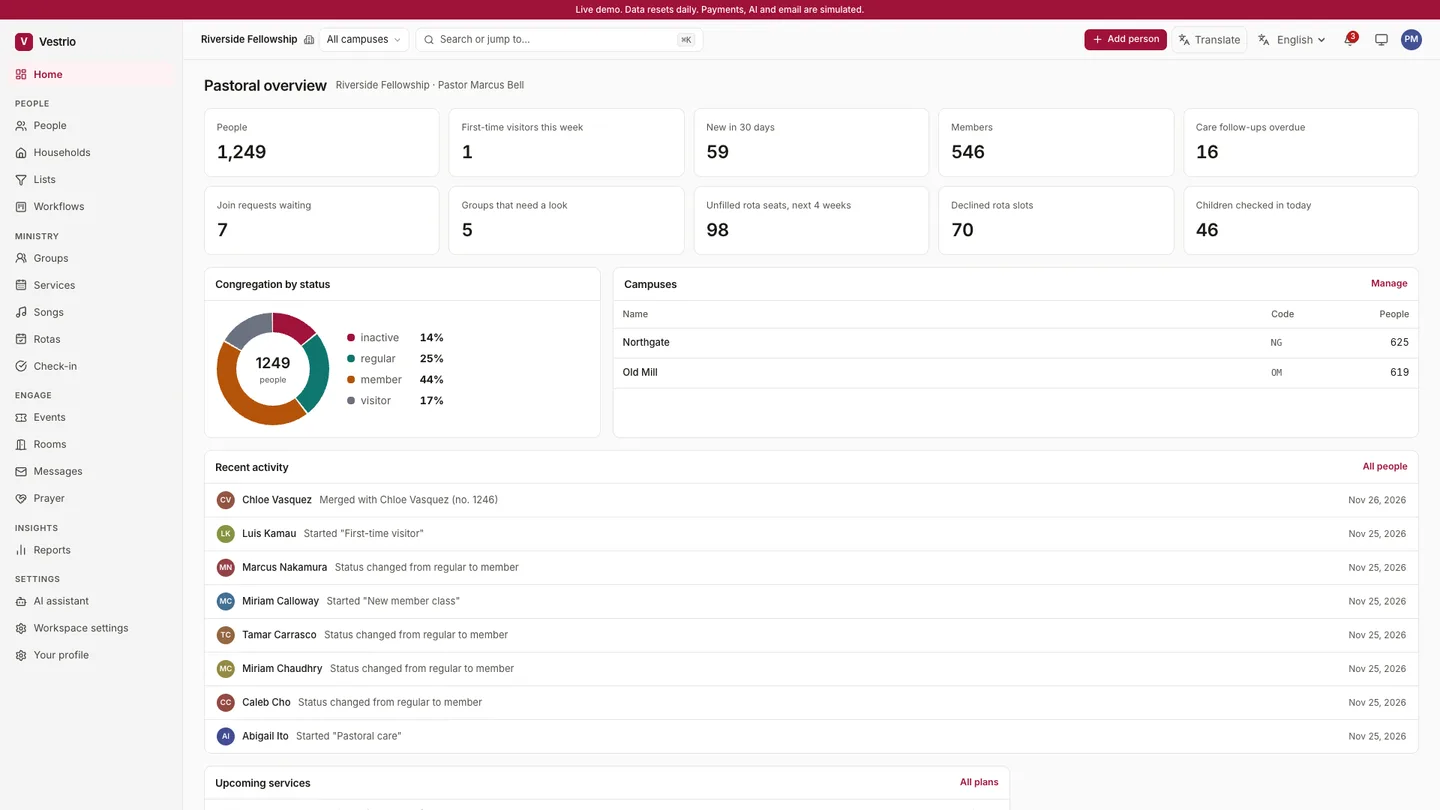
The pastoral overview with first-time visitors and rota gaps

A walk through the overview, people, rota, attendance report and giving

1. Do statements survive corrections?

A statement that cannot be corrected gets edited by hand. Look for versions: a late refund should reissue the statement with a revision number and show which one is out of date. Vestrio generates statements from locked gifts and keeps every revision.
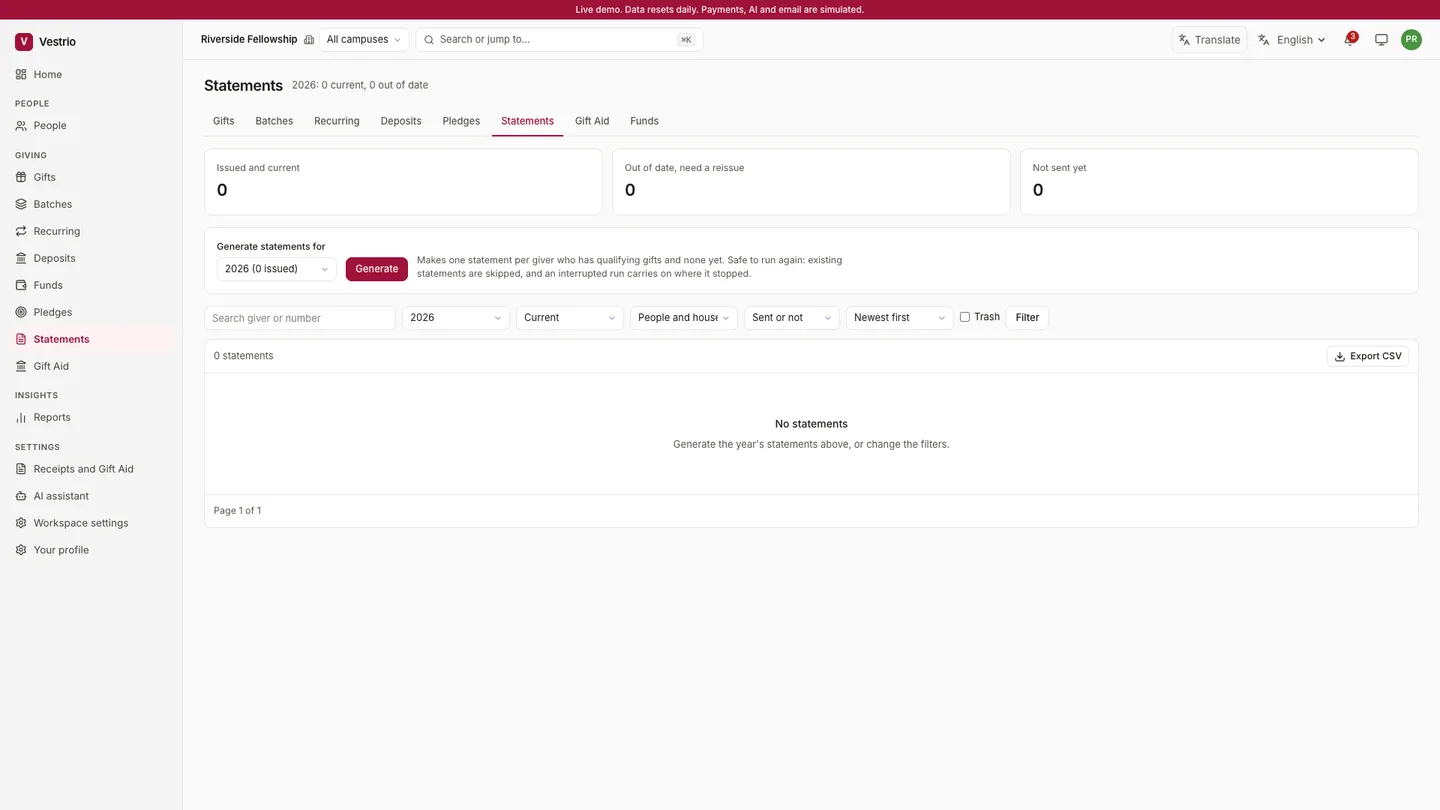
Year-end statements with reissues

2. Does it handle your tax rules?

US and Canada receipts, UK Gift Aid declarations and claims, or neither. Vestrio has a mode per tenant, locks the gifts a claim covers and keeps adjustments separate.
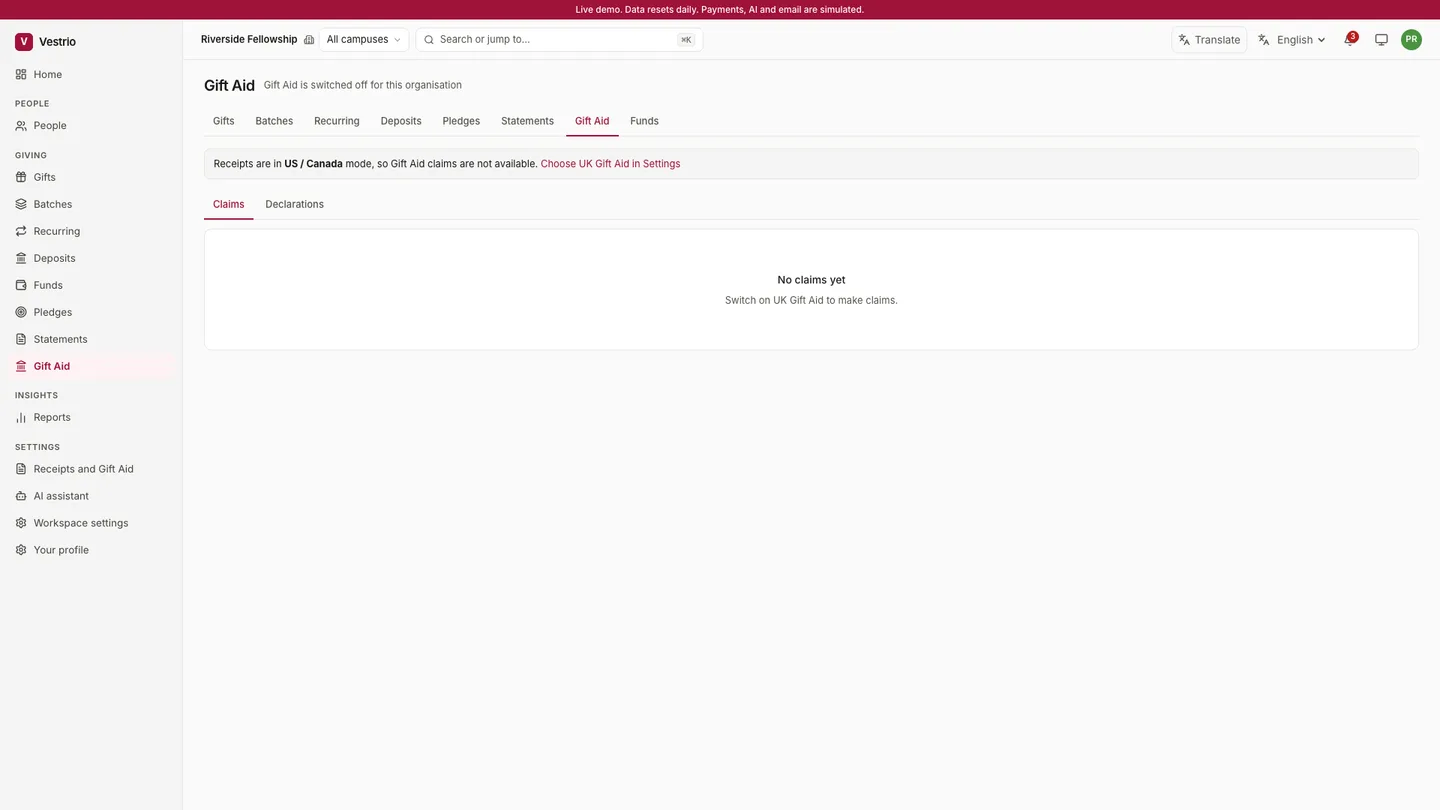
Gift Aid claims

3. Does child check-in work offline?

Sunday networks fail. Check that the kiosk keeps working, prints a label with the allergy and a matching pickup code, and replays safely when it reconnects. Vestrio's kiosk is an installable PWA with an offline queue.
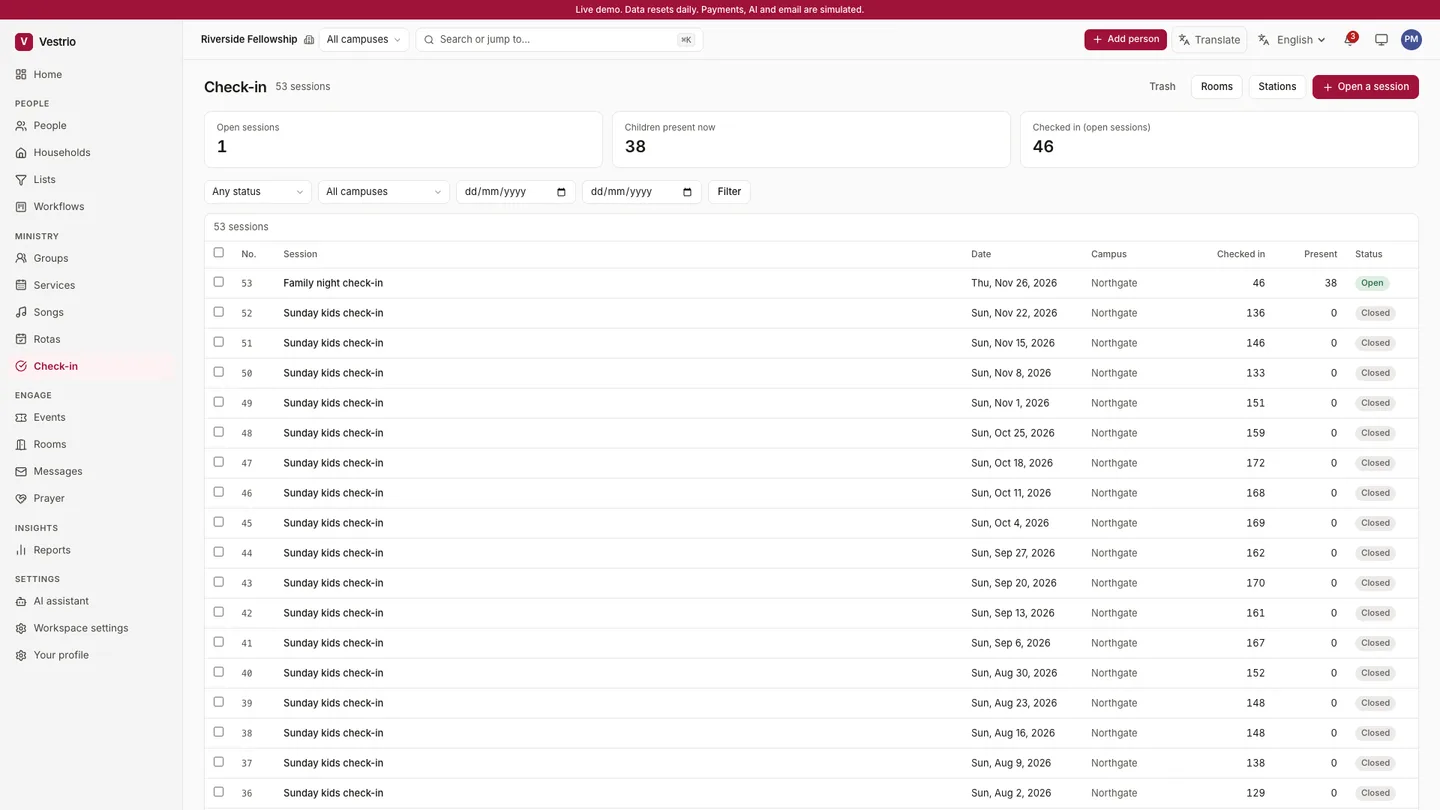
Check-in rooms and sessions

4. Are volunteer rotas conflict-aware?

Blackout dates, double bookings, monthly limits and safeguarding rules should be checked before someone is scheduled, with an override that asks for a reason. Vestrio explains each auto-fill choice.
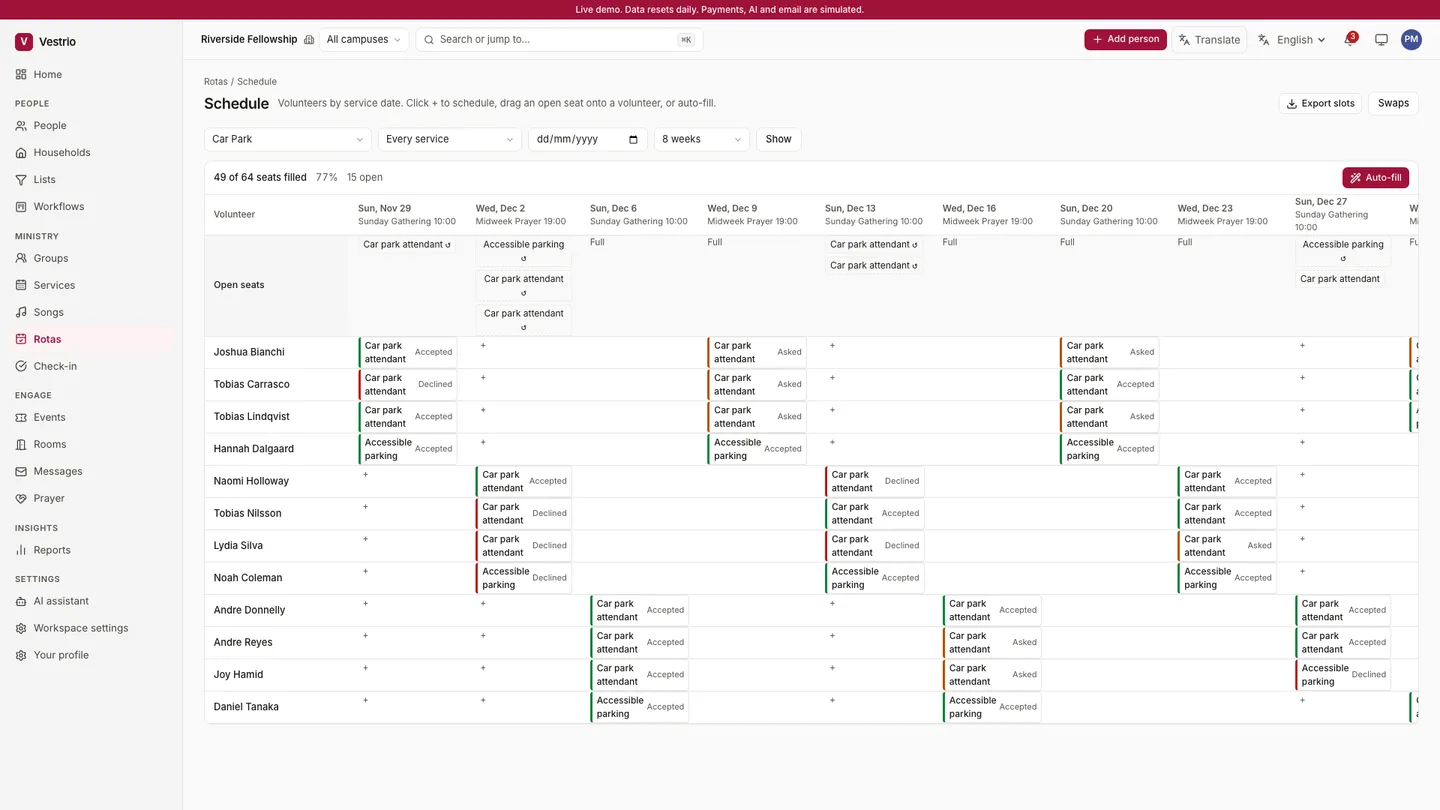
The rota schedule

5. Are minors' records private?

Children should be visible to guardians and cleared leaders only, and erasure should reach registrations, prayer requests and messages. Vestrio keeps pastoral, medical and custody notes apart and scrubs them in one transaction.

6. Can you own the data?

Per-module and percentage pricing adds up. A self-hosted install on your own MongoDB with a REST API and CSV export on every list means your records stay yours.
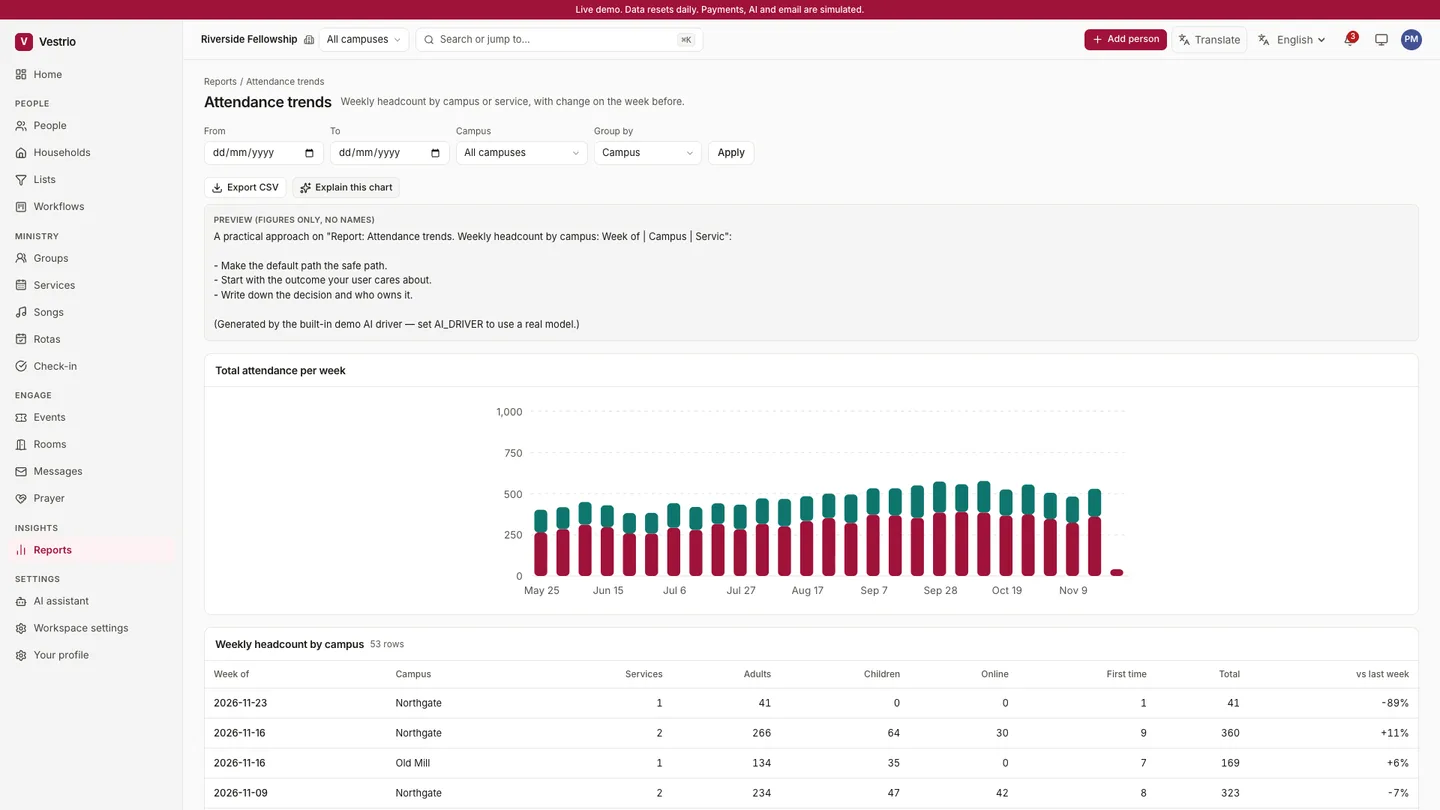

Reports with an AI explanation

Frequently asked questions

The complete source code (version 1.0.0) as a download from your account, with the setup and usage guides shown on this page. You can modify the code to suit your product.

Questions about this product (0)

Answers from the DEV3 team and the community.

Ask a question

No questions yet.

Wondering about setup, licensing or customisation? Ask, and the DEV3 team will help.

More from this author

View all

Related in Enterprise SaaS Starters

View all