DEV3 Technologies home

DEV3 Negrona – Cocktail Bar, Pub and Gastropub Management SaaS: POS, Bar Tabs and Events with Gemini AI admin tools

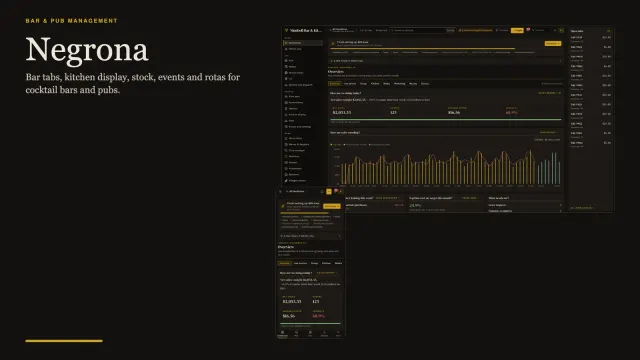
Self-hosted management for cocktail bars, pubs and gastropubs: bar-tab POS, kitchen and bar display, recipe costing, stock, events, rotas and an editorial public site. Brass on ink, dark by default, with a Daylight mode.
by DEV3 TechnologiesVerified AuthorUpdated 22 Nov 2026

Black Friday: up to 30% off

This item is 30% off: $69.30 instead of $99

Ends in
--
Days
--
Hrs
--
Min
--
Sec

Video tour. Pick a section below to browse 41 screenshots in 10 sections.

Similar products · 2 more designs

Same features, a different design. Each is its own product: pick one and buy it on its own.

App & phone tours

Tap play to watch each app. Nothing downloads until you do.

  • Mobile web0:16

Negrona is a bar, pub and gastropub management system that you host yourself, built by DEV3 Technologies on Next.js and MongoDB. It looks like a printed cocktail menu: brass on ink, serif headings, hairline rules and dotted leaders from every drink to its price, in a dark default with a cream Daylight mode. One deployment runs many venues, each with its own public website, staff, menu and books.

Video tour of Negrona: the website, the bar-tab dashboard, the till and reports

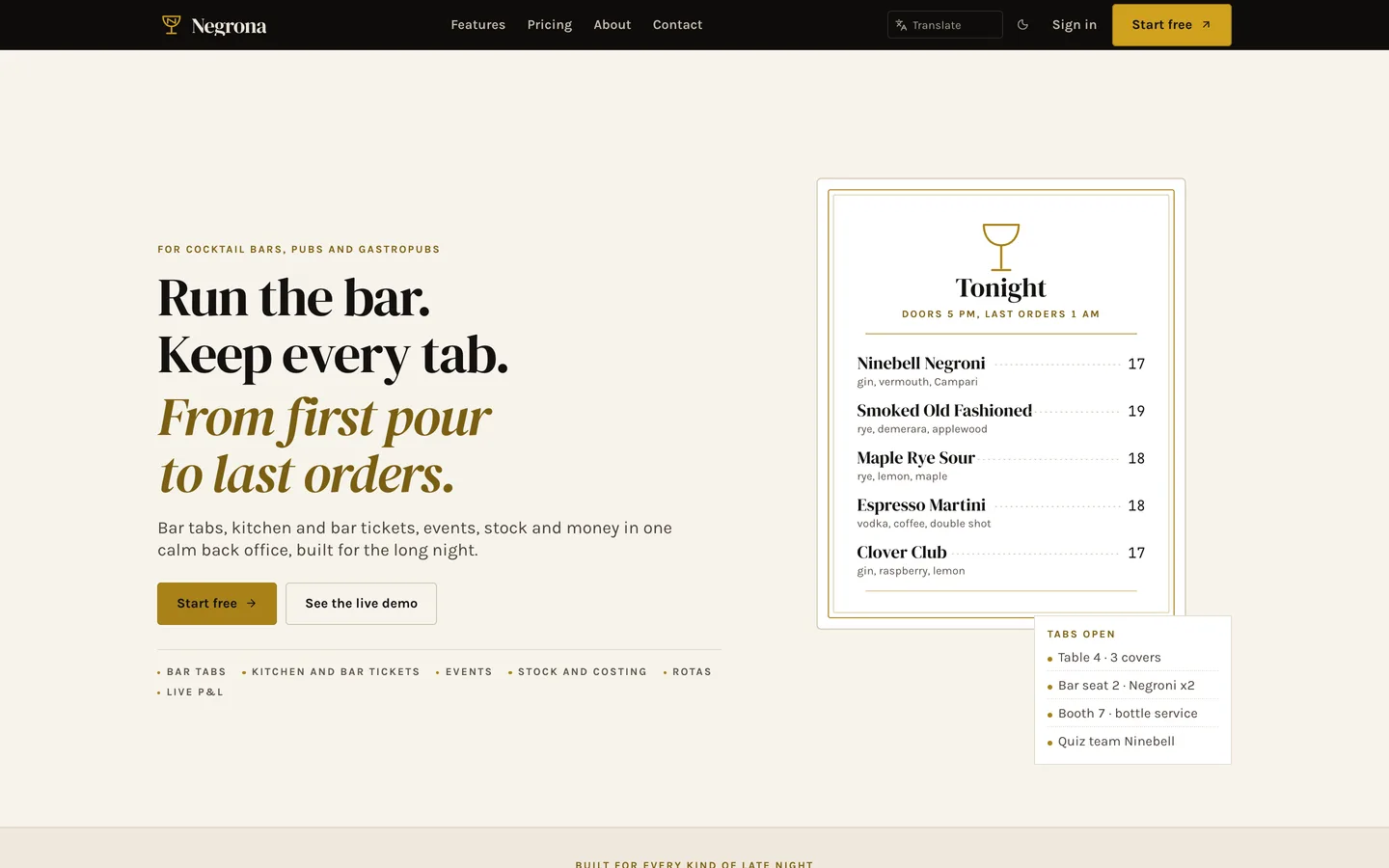
The Negrona home page

What it does

  • Bar tabs and point of sale. A touch POS with the menu on the left and a bar-tab ticket on the right. Seats, held tabs, split checks, notes, discounts, cash, card and points, printable receipts, voids and manager-only refunds. An open-tabs list sits beside the dashboard so the floor is always in view.
  • Kitchen and bar display. Ticket cards on a rail with timers that warn at 8 minutes and again at 12, plus an expo screen, prep lists and routing by station.
  • Menu, recipes and stock. Menus by daypart, allergens, location prices, 86 board and promotions such as happy hour. Recipes give a cost per serve that stays live when supplier prices change. Supplier catalogues, purchase orders, receiving, transfers, counts, waste and production.
  • Reservations and events. Bookings with pacing and a waitlist, a weekly what's-on calendar on the venue site, private hire from enquiry to run sheet and invoice, and a kiosk mode.
  • Guests. Profiles merged across the web, the POS and events, loyalty tiers, gift cards, campaigns and feedback.
  • Team. Rota planner that flags clashes and short rest, timeclock, timesheets, tips, labour cost against sales, leave and payroll export, plus a hiring pipeline.
  • Money. Day close with cash-up, budgets, bills, invoices, expenses with approval limits, and an accounting export.
  • Online ordering and website. Pickup and delivery ordering, table booking, a block-based site editor with SEO fields, banners and review moderation.
  • Reports and AI. 35 reports with CSV, Excel and PDF export. Optional Gemini AI admin tools handle imports, receipt scanning and written briefings, and stay hidden until you add your own key.

The typeset cocktail menu on the venue site

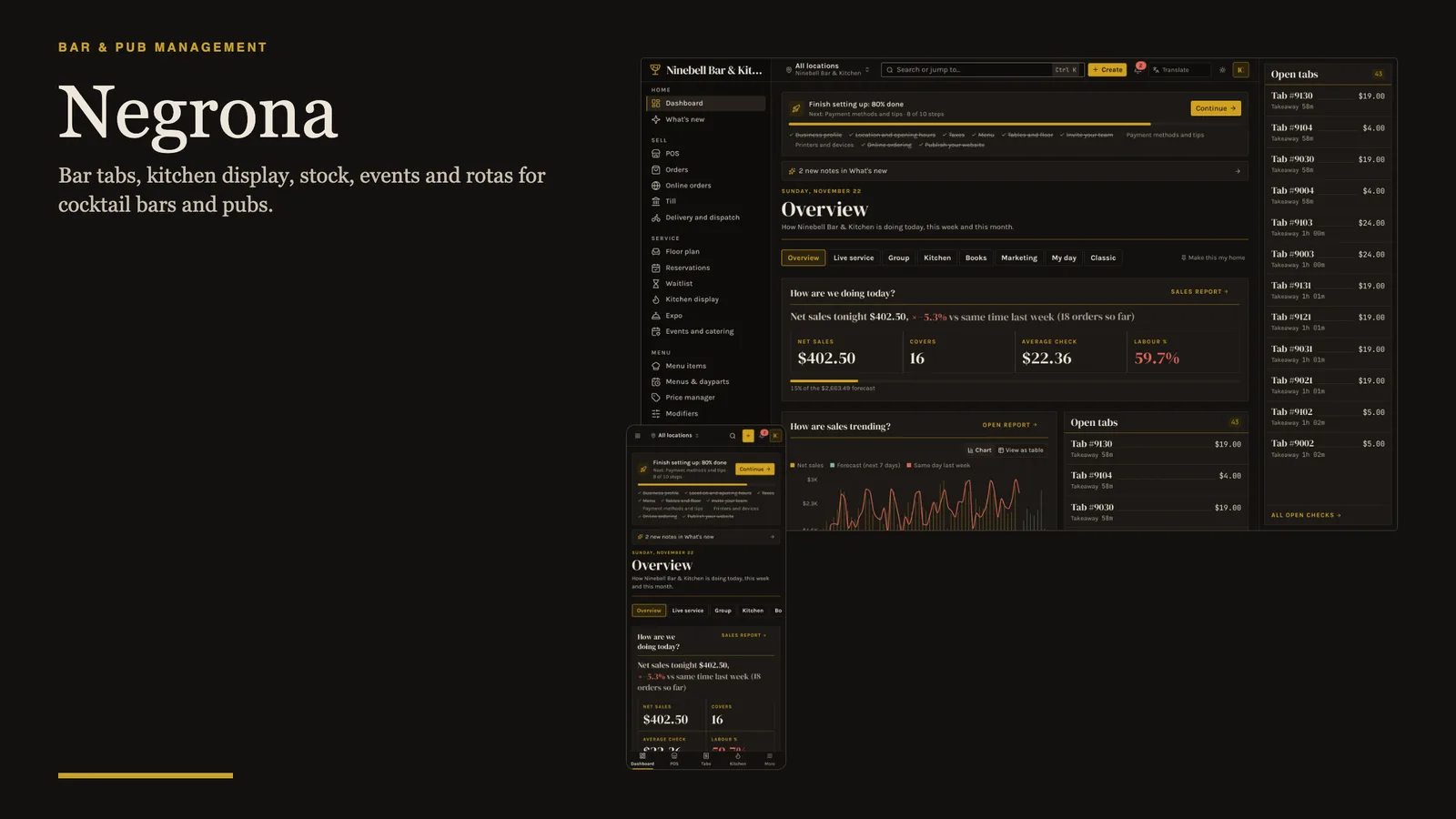
The owner home with open tabs

The point of sale

The kitchen and bar display

Built to be used on a phone

Every public page and every admin screen has a 390 px layout with large touch targets, and the admin shell switches to a bottom tab bar. Text meets WCAG AA contrast in both colour modes, and the public pages score 90 or more on Lighthouse mobile.

Negrona on a phone

What you should know before buying

  • Email, card payments and file uploads need your own providers. Without them the app runs and logs outgoing mail, and the online-ordering demo takes simulated payments only.
  • Gemini AI admin tools are optional and use your own Google API key.
  • Needs Node.js 20.9 or newer and MongoDB 5 or newer. A replica set is required for transactions, and a hosted cluster works.
  • Demo data is included. npm run seed creates a Super Admin and a New York demo bar with staff, a menu, bookings and sales history. Run it on a fresh database only.

Included

Full source code, a buyer guide (overview, installation guide and project documentation), a Docker setup, the demo seed and six months of support.

How it's built

Architecture, stack, key decisions and the quality gates DEV3 Negrona passed before release.

A brass-on-ink management system for cocktail bars and pubs: bar tabs, kitchen display, stock, events and an editorial public site.

The problem it solves

Give bars one back office that feels like a printed cocktail menu and still runs tabs, tickets, stock and payroll under pressure on a phone.

Architecture and approach

Design tokens in two colour modes, a dark sidebar with an open-tabs list, a split-pane till, a ticket rail for the kitchen and a menu-first venue site, on a multi-tenant Next.js and MongoDB core.

Quality gates and results

  • Public pages score 100 on Lighthouse mobile performance and accessibility
  • WCAG AA contrast in dark and Daylight modes
  • 390 px layouts for every public page and admin screen

Tech stack

Area Technologies
Frontend Next.js 15, React 19, Tailwind CSS 4
Backend Server Actions, Mongoose 9, next-auth 5

Inside the build

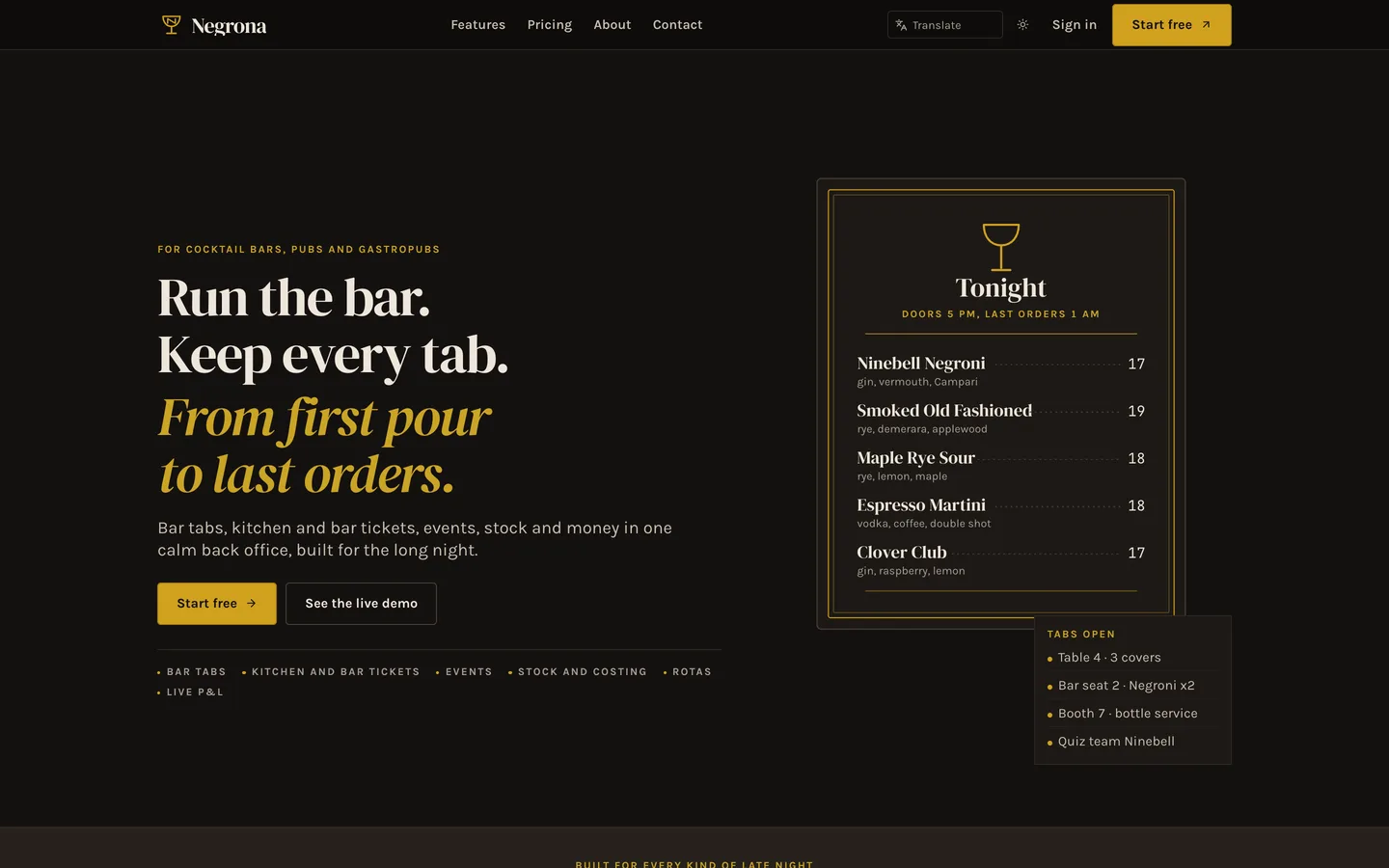
Home: The after-hours first screen: run the bar, keep every tab. Home — The after-hours first screen: run the bar, keep every tab.

Daylight mode: The same site on cream paper, for daytime and print. Daylight mode — The same site on cream paper, for daytime and print.

Guides & articles

Practical guides and engineering write-ups for DEV3 Negrona.

Negrona: bar-tab POS and management for cocktail bars and pubs

Last updated
Negrona: bar-tab POS and management for cocktail bars and pubs: DEV3 Negrona

Choosing bar and pub software is easy to demo and harder to live with at 1 a.m. Here are three things to check before you pick a self-hosted system, with DEV3 Negrona as the worked example.
Video tour of Negrona: the website, the dashboard and the till

The Negrona home page

1. Can you see every open tab at a glance?

A bar runs on tabs, not tables. Negrona keeps an open-tabs list beside the owner home, with the server, time open and running total on each row.
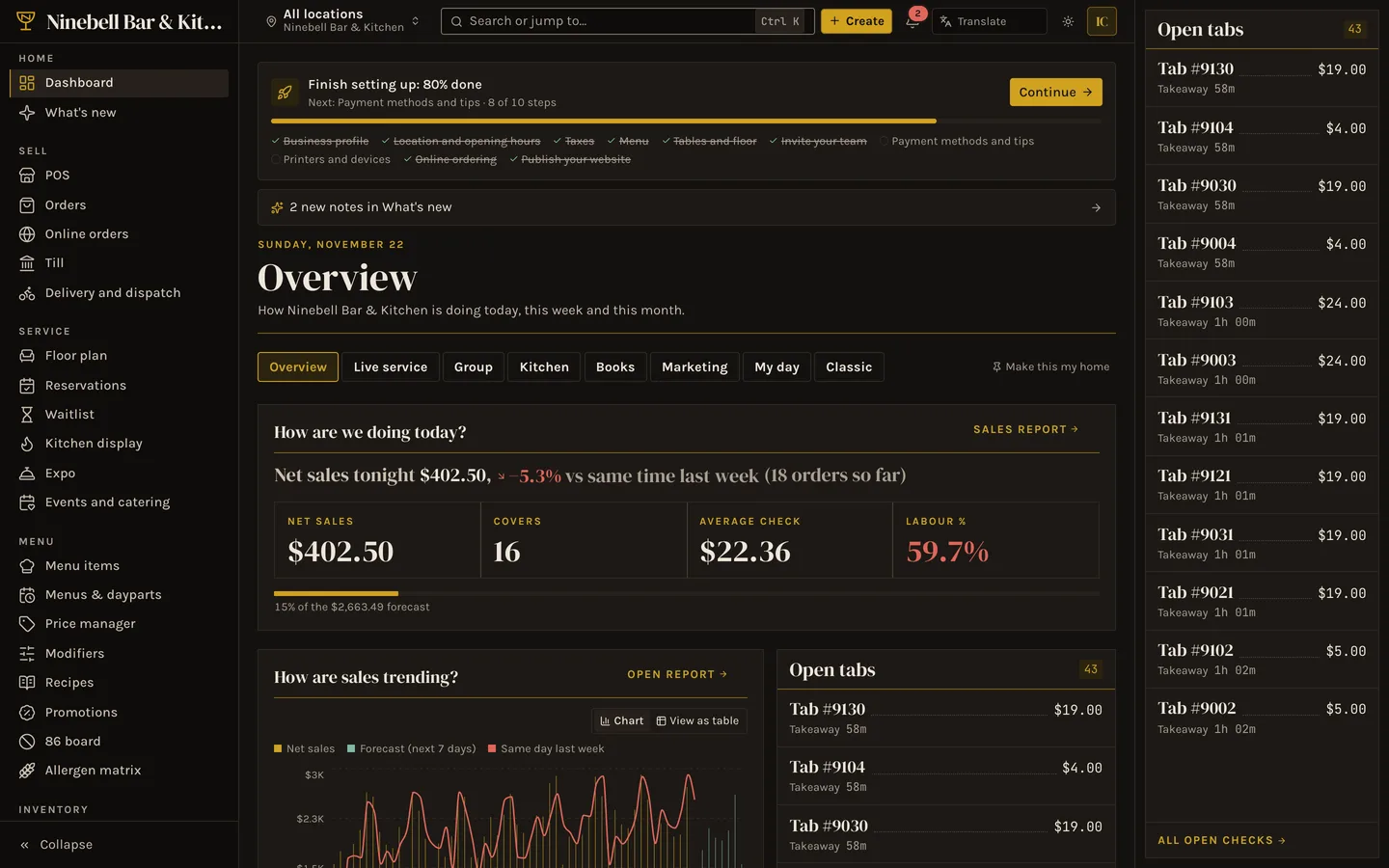
The owner home with the open-tabs list

2. Does the till work with one hand?

A split screen puts the menu on the left and the tab on the right, with large touch targets for a busy bar.
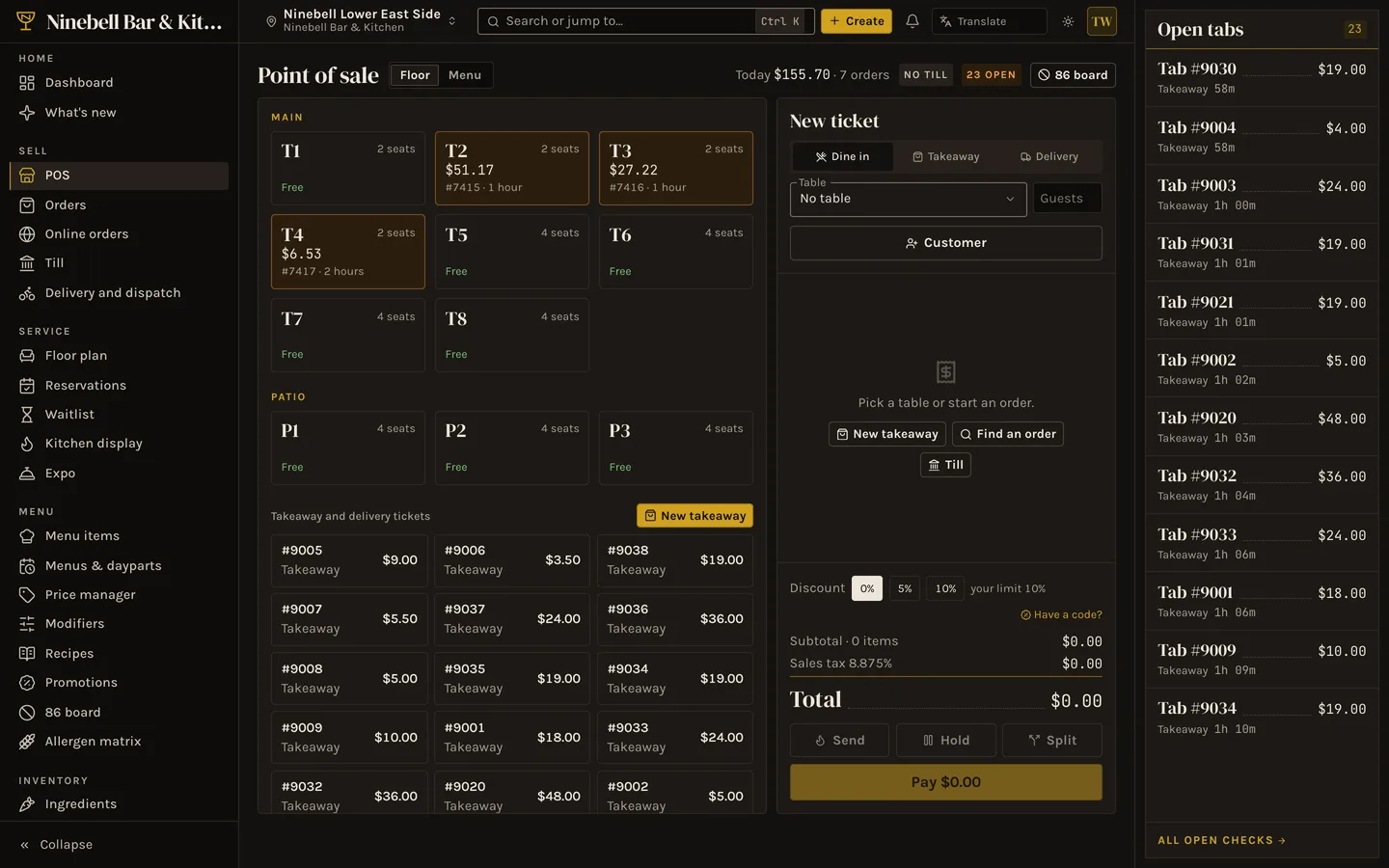
The point of sale

3. Does the menu read like a menu?

The public menu is typeset like a printed cocktail card, with dotted leaders from each drink to its price.
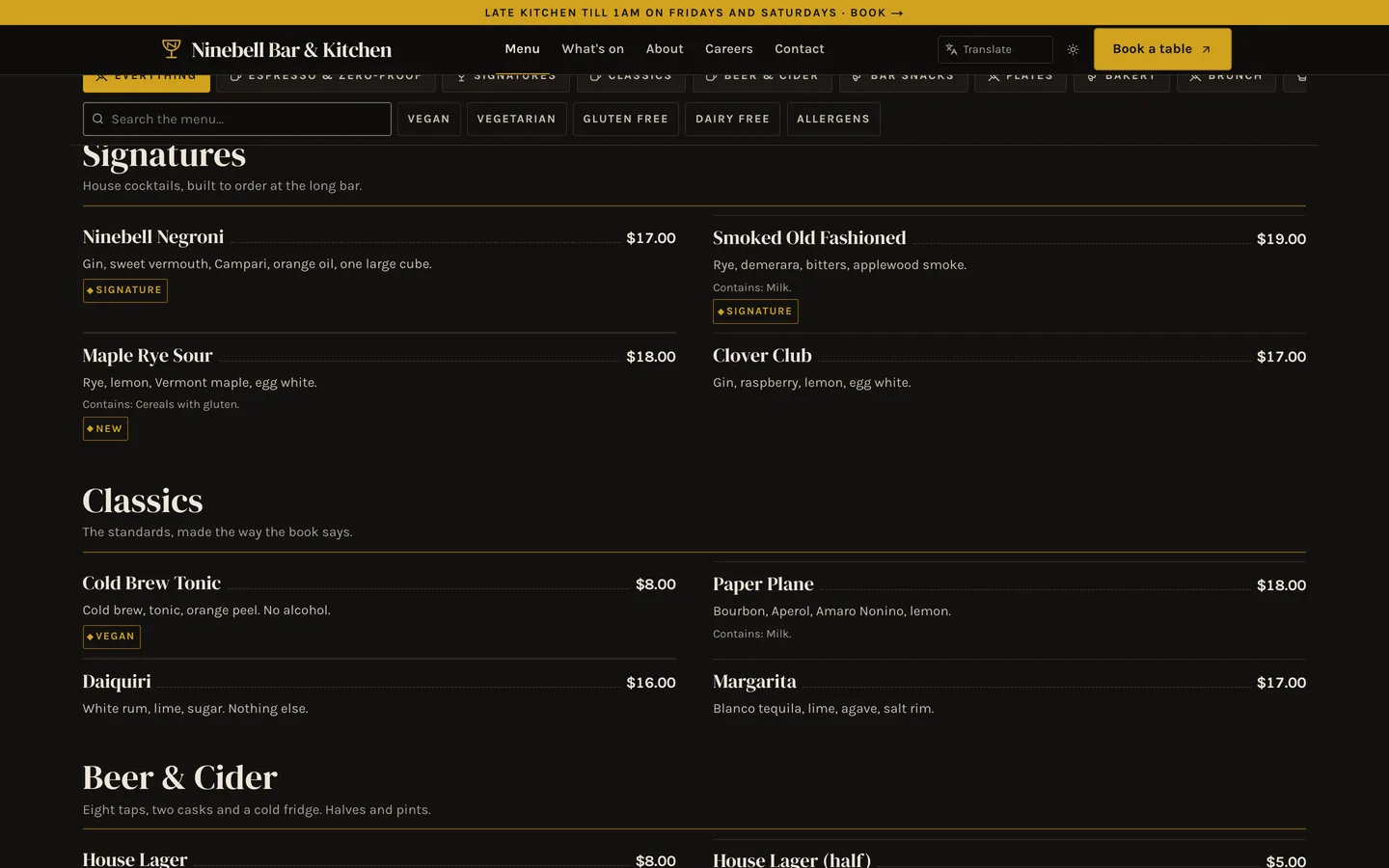

The venue menu

Frequently asked questions

The complete source code (version 1.1.0) as a download from your account, with the setup and usage guides shown on this page. You can modify the code to suit your product.

Questions about this product (0)

Answers from the DEV3 team and the community.

Ask a question

No questions yet.

Wondering about setup, licensing or customisation? Ask, and the DEV3 team will help.

More from this author

View all

Related in Enterprise SaaS Starters

View all