DEV3 Technologies home

DEV3 Chartlore – Trading Academy & Market Education Platform with Gemini AI admin tools

Run a trading academy online: a course-catalogue website, a student market classroom with practice trading, competitions, a journal and AI explanations, and a faculty admin console. Next.js and MongoDB, light and dark.
by DEV3 TechnologiesVerified AuthorUpdated 24 Nov 2026

Black Friday: up to 30% off

This item is 30% off: $69.30 instead of $99

Ends in
--
Days
--
Hrs
--
Min
--
Sec

Video tour. Pick a section below to browse 34 screenshots in 7 sections.

Similar products · 2 more designs

Same features, a different design. Each is its own product: pick one and buy it on its own.

App & phone tours

Tap play to watch each app. Nothing downloads until you do.

  • Mobile web0:13

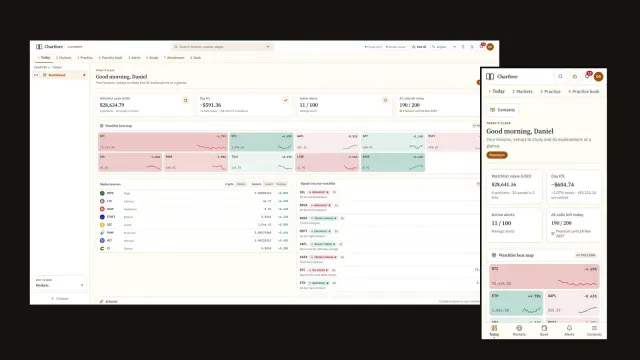
Chartlore is a web app for trading academies, finance educators and market-education communities. It pairs a course-catalogue website with a student market classroom (live charts, practice trading, competitions, a journal and AI explanations) and a faculty admin console. Version 1.1.0 is designed for 1920 px screens first: a warm paper look with a serif headline, compact controls and dense dashboards that use the full width.

What visitors and students get

  • Public website: home with a live class board, course catalogue with level and format filters, course syllabus pages, instructors, features, markets, learn centre, glossary, pricing and legal pages
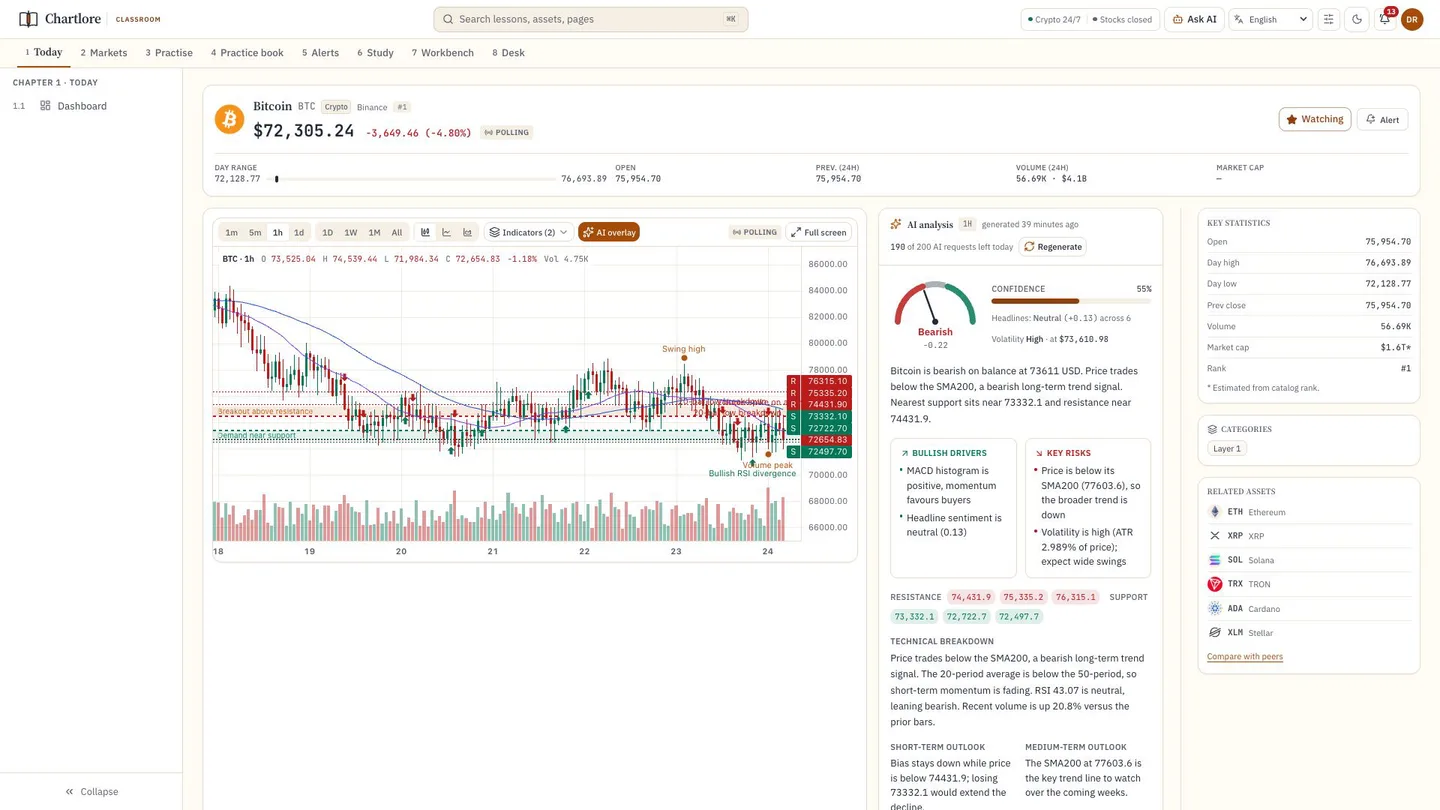
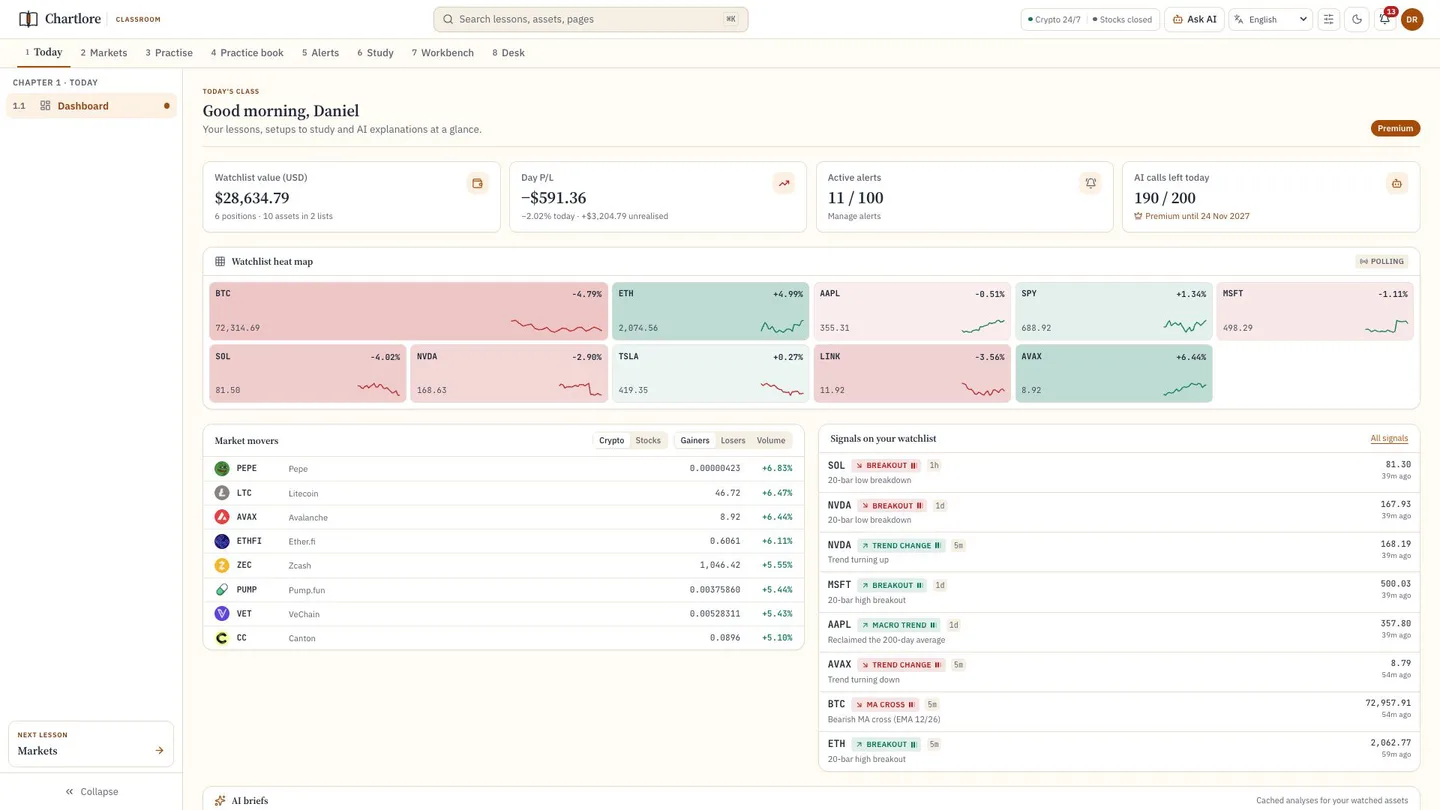
  • Student classroom with chapter tabs and a numbered lesson outline: Today's class dashboard, markets, asset workspace with indicators and AI analysis, watchlists, alerts, practice book and journal
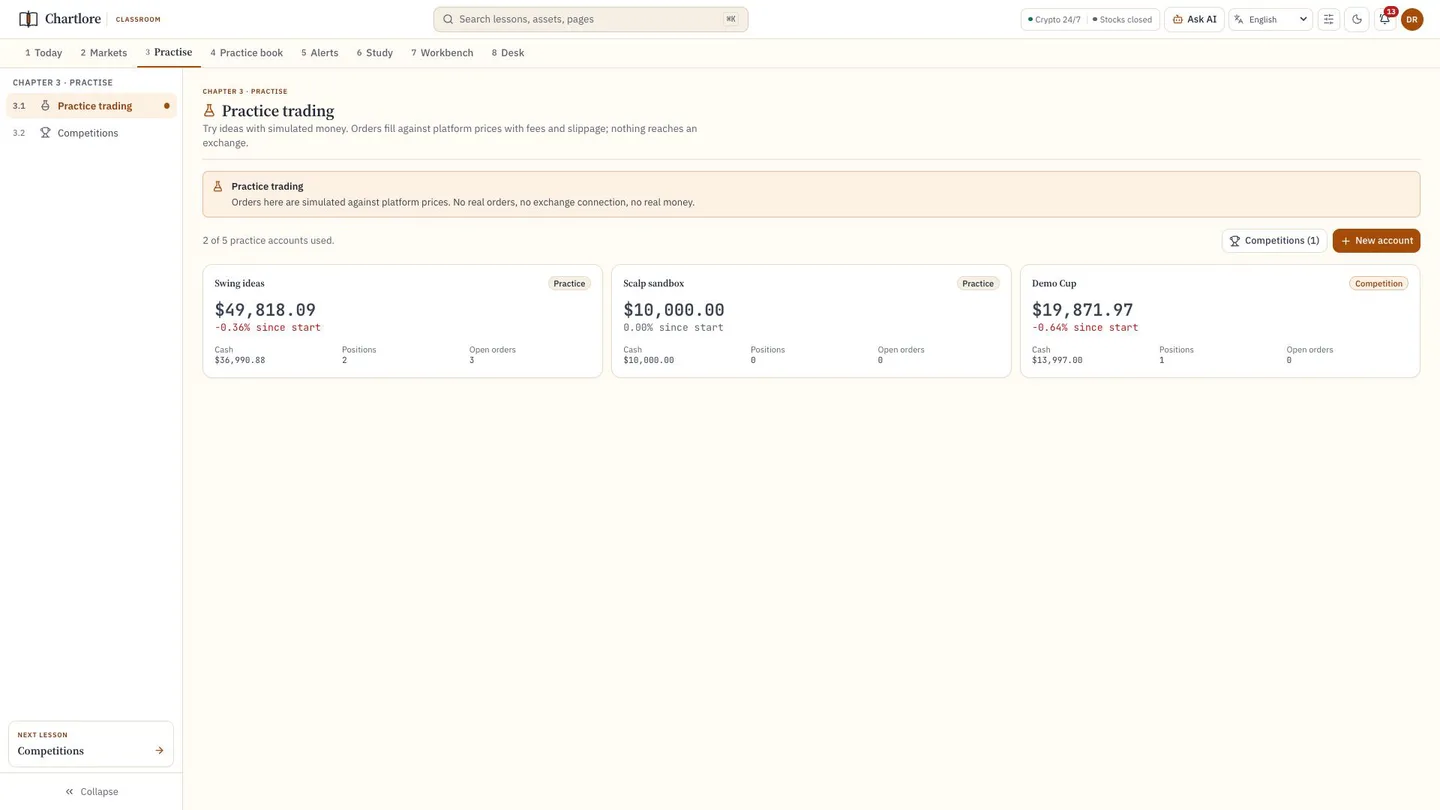
  • Practice trading with simulated accounts and competitions; orders fill against platform prices and nothing reaches an exchange
  • AI explanations with confidence, drivers, risks and support and resistance levels

What faculty and admins get

  • Faculty admin console with an attention list, live counters and telemetry charts
  • Users and access with roles, plans, saved views and CSV export; support, billing, content and market-operations roles
  • Plans, quotas, announcements, site content, provider and catalogue management

Your academy, your content

Courses, syllabus weeks, instructors and glossary terms live in one file, design/academy.ts, so a new academy is a content edit rather than a rebuild of the app. Chartlore is a catalogue and classroom, not an LMS: there are no enrolment records, video hosting, quizzes or grading.

Gemini AI admin tools with your own key

AI explanations and the admin tools run on your own Gemini key. The key is blank by default; without it the app uses deterministic mock analyses and nothing is sent anywhere.

Design and platform

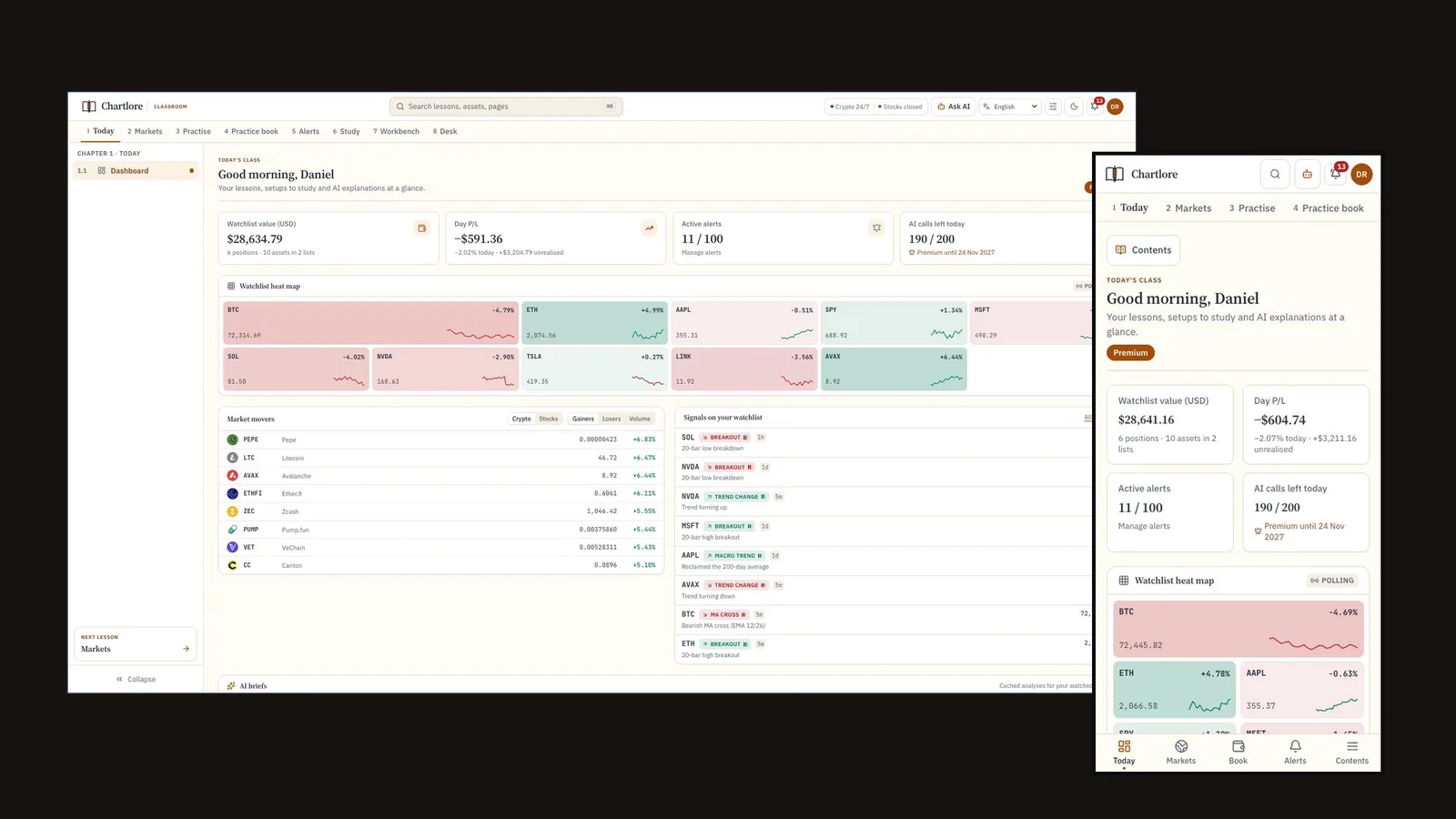
Light and dark modes, right-to-left layouts, comfortable and compact density, a colour-blind up/down option, and 390 px phone layouts with a bottom tab bar.

What you should know

  • Next.js 15, React 19 and MongoDB (replica set; managed services work). Three processes: web, realtime and worker, or one cron endpoint on serverless.
  • Market data comes from public crypto and stock sources, or a built-in simulator when you prefer. Payments, mail and push are optional and run in simulated mode until you add keys.
  • Demo logins are included for seven roles.
  • This is a web app; it does not include a native mobile app.
  • The live demo link is on this item page.

How it's built

Architecture, stack, key decisions and the quality gates DEV3 Chartlore passed before release.

How a trading academy web app pairs a static course catalogue with a live market classroom, practice trading and a faculty admin console on Next.js and MongoDB.

The problem it solves

Trading academies need a public catalogue that sells courses and a classroom where students work on live charts, practice orders and a journal. Staff need a console to run it, while market data, practice-trading maths and AI output stay correct and clearly labelled as education, not advice.

Architecture and approach

Chartlore is a Next.js and MongoDB app with three processes: the web app, a realtime server and a background worker. The public site is a static course catalogue whose courses, syllabus weeks and instructors live in one content file. Students get chapter tabs, a numbered lesson outline, an asset workspace with indicators and an AI analysis, practice trading with competitions, a journal, watchlists and alerts. Faculty get a console with telemetry, users, plans and roles.

Design lives in tokens: warm paper and amber ink, a serif display face, self-hosted fonts, flat surfaces and a dark scheme. Practice orders fill against platform prices with fees and slippage, and nothing reaches an exchange.

Quality gates and results

  • Typecheck, lint, the unit tests and the production build all passing
  • Light and dark modes, right-to-left layouts and 390 px phone layouts
  • A fresh install that runs without any external key

Tech stack

Area Technologies
Frontend Next.js 15, React 19, Tailwind CSS 4, lightweight-charts
Backend Server Actions, Mongoose, MongoDB, Socket.io realtime

Inside the build

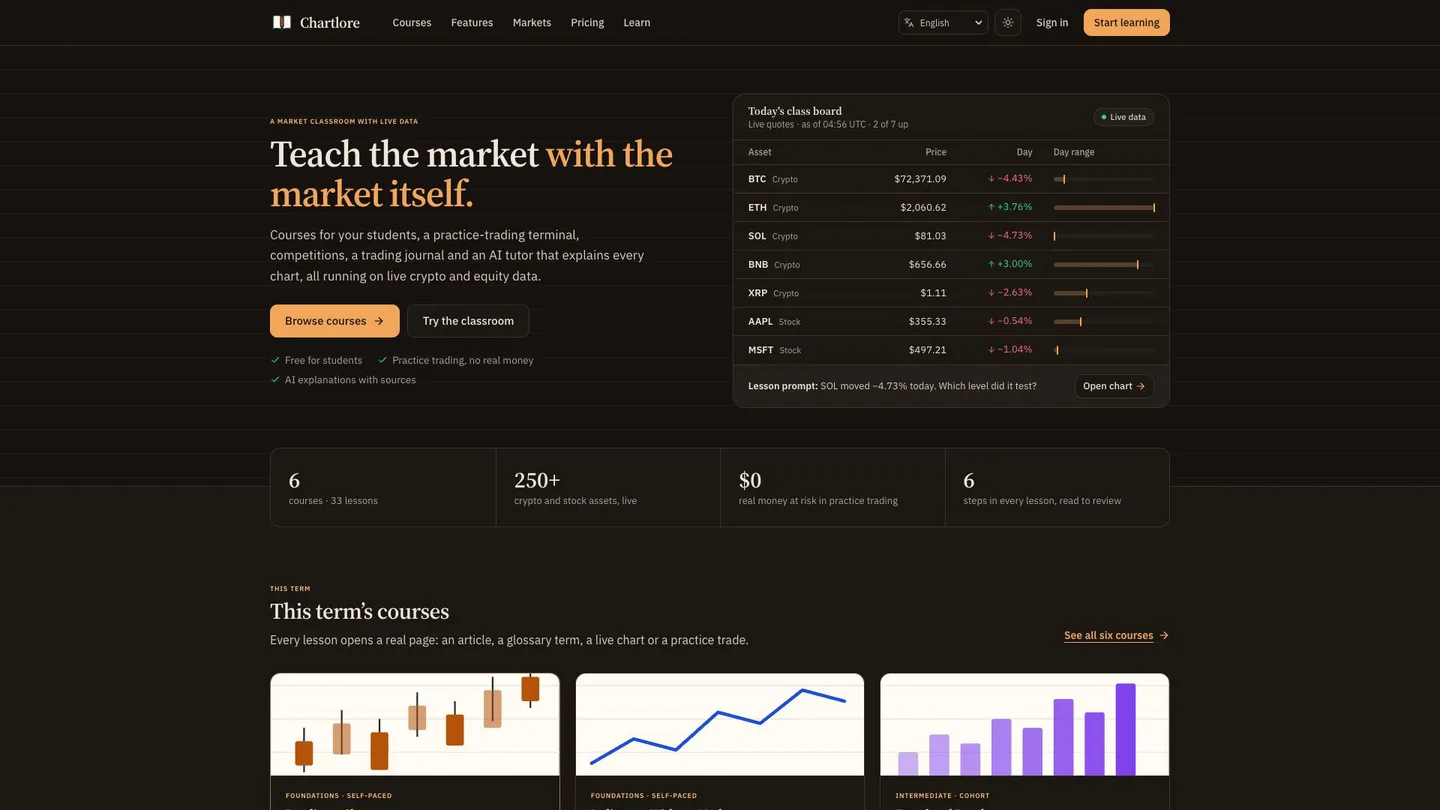
Course catalogue home: A serif headline, a live class board of crypto and equity prices and a term of courses on warm paper. Course catalogue home — A serif headline, a live class board of crypto and equity prices and a term of courses on warm paper.

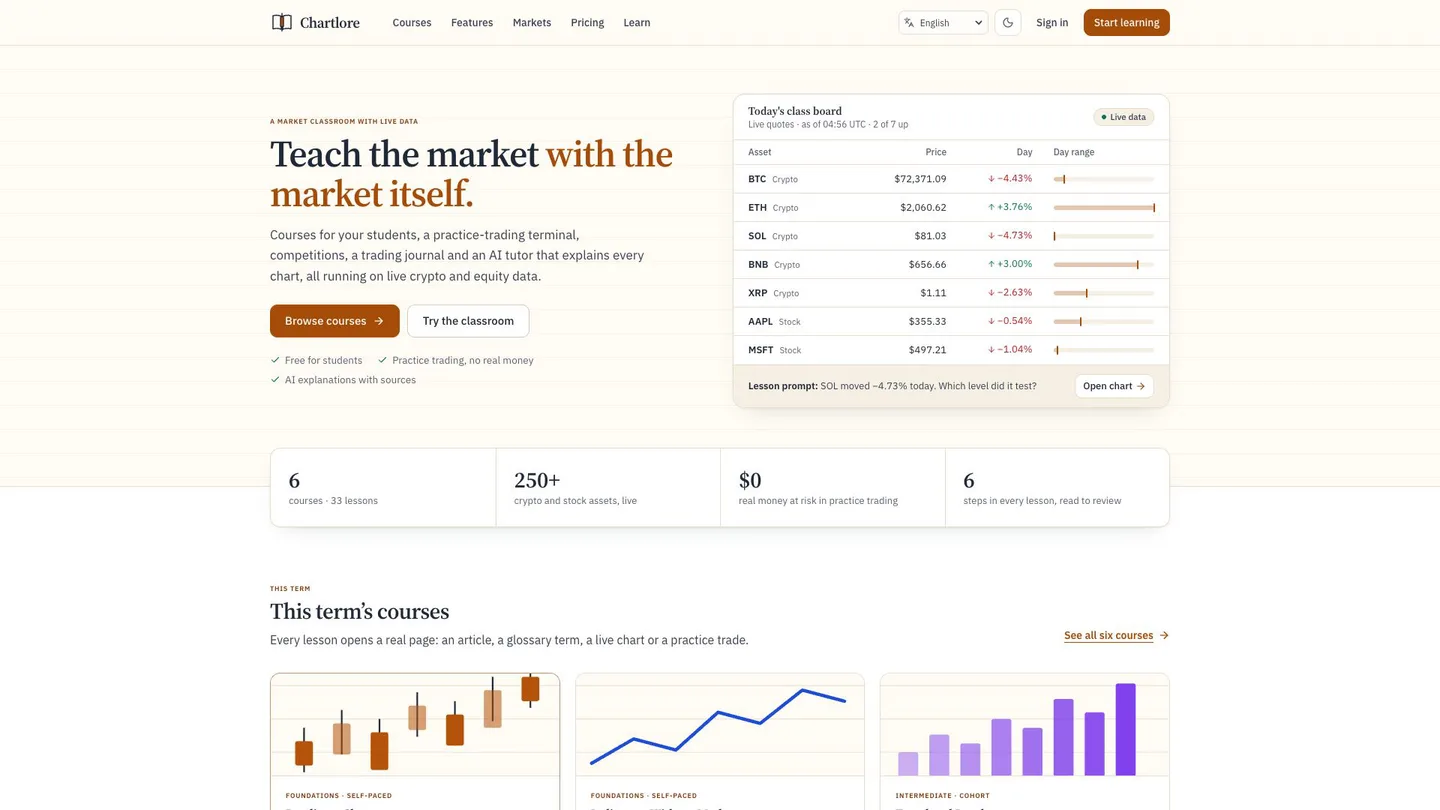
Home in dark mode: The same landing page on a deep brown canvas with amber accents, switchable from the header. Home in dark mode — The same landing page on a deep brown canvas with amber accents, switchable from the header.

Guides & articles

Practical guides and engineering write-ups for DEV3 Chartlore.

Trading academy and market education platform software: 6 things to check

Last updated
Trading academy and market education platform software: 6 things to check: DEV3 Chartlore

Teaching the markets online needs more than a video library. Students want a classroom that runs on live data, and academies want a public site that sells the courses. This checklist covers six things to check before you pick self-hosted trading academy software, with DEV3 Chartlore as the worked example.
Video tour of Chartlore: the course catalogue, the classroom and the faculty console

The Chartlore home page with a live class board

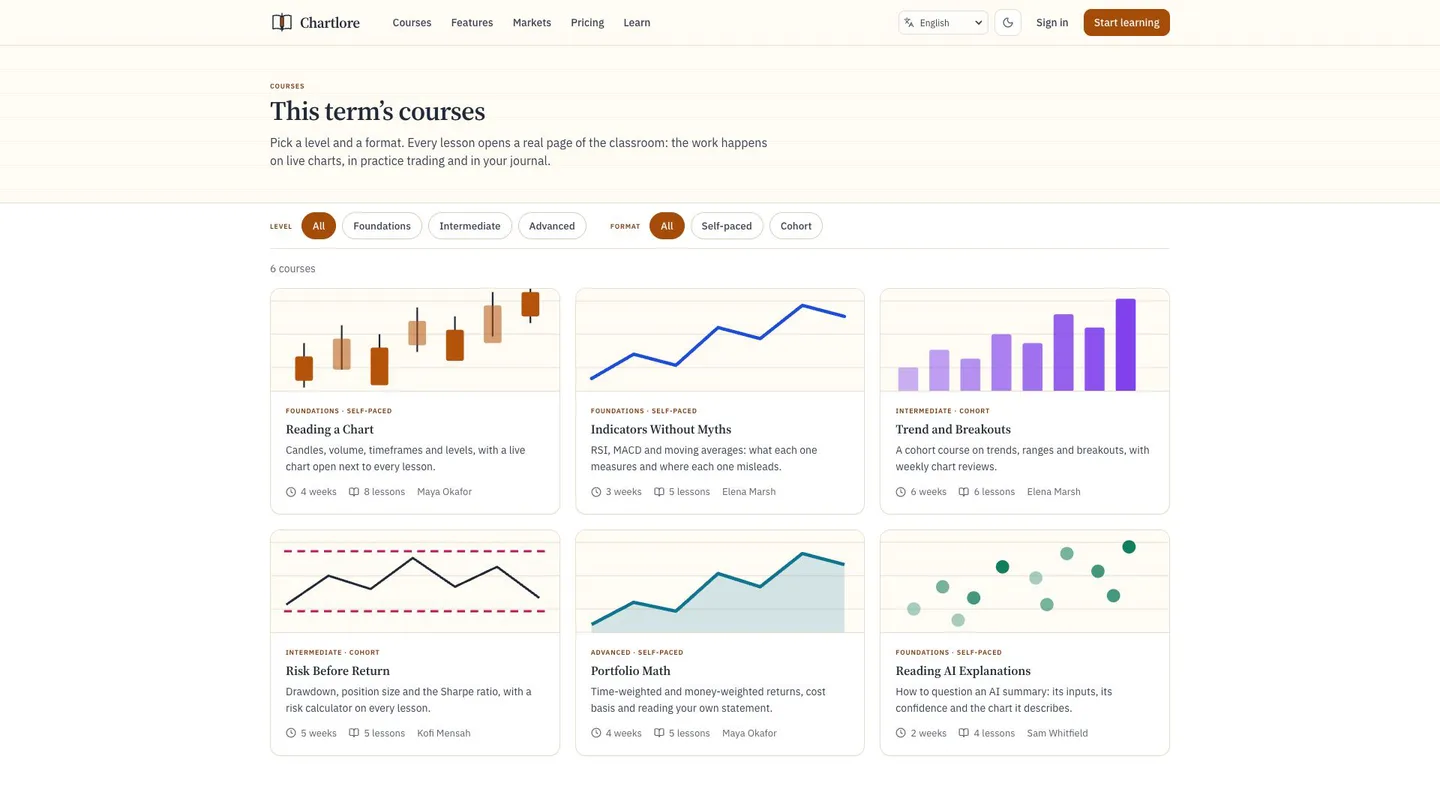
  1. A course catalogue you can edit in minutes. Level and format filters, syllabus pages and instructor profiles should come from one place. Course catalogue
  2. A classroom on live data. Students should open an asset, see the chart and read an AI explanation with its drivers and risks. Asset workspace
  3. Practice trading with no real money. Simulated accounts and competitions that fill against platform prices. Practice trading
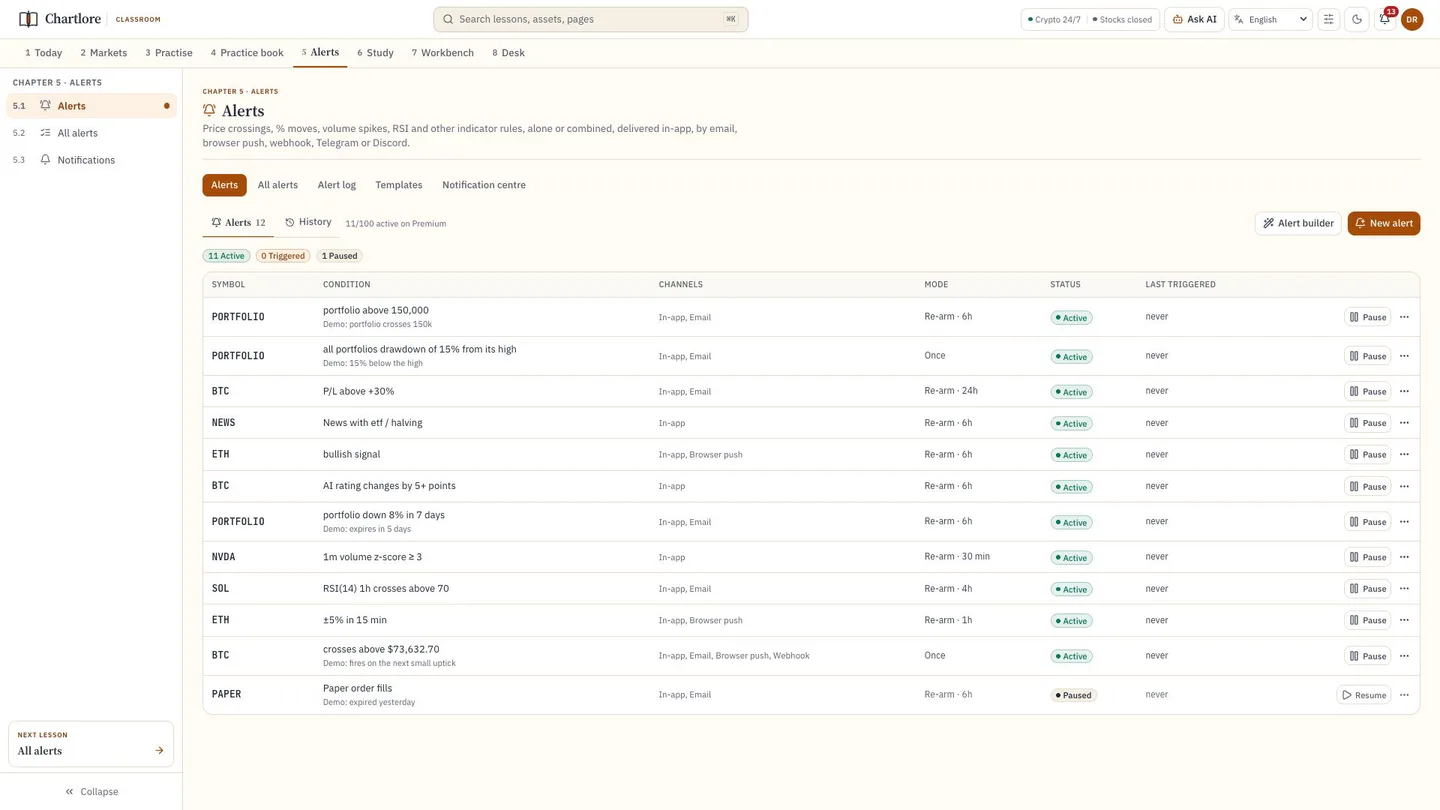
  4. A journal and alerts. Notes with results, and price or RSI alerts by email, browser or webhook. Alerts
  5. A dashboard that shows what matters today. Watchlist value, day change, alerts and signals at a glance. Student dashboard
  6. A faculty console. Attention list, telemetry, users, plans and roles for the staff who run the academy. Faculty console
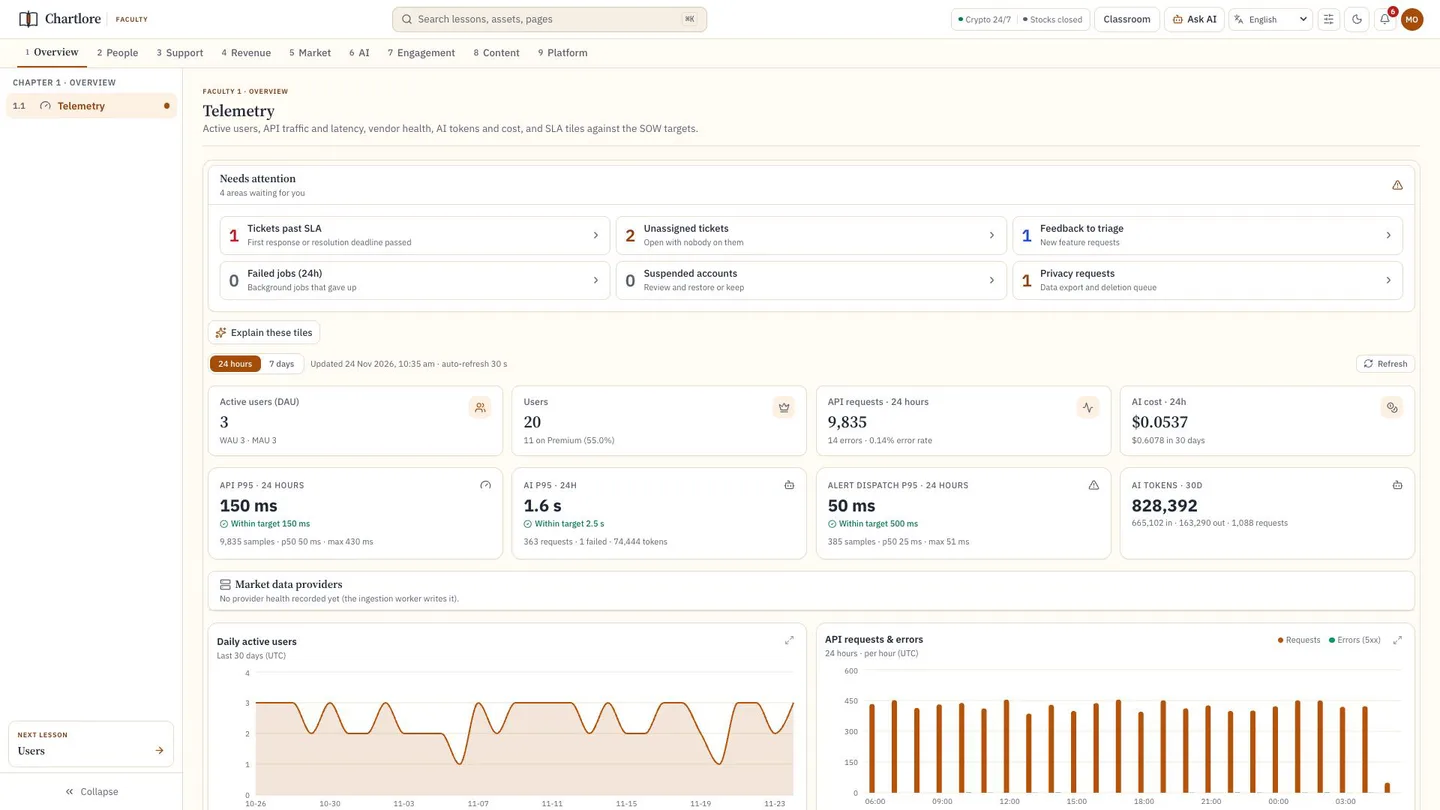
Chartlore is a Next.js and MongoDB web app that covers all six, with dark and light modes, right-to-left layouts and 390 px phone layouts. It is a catalogue and classroom, not an LMS: there is no enrolment, video hosting or grading.


Frequently asked questions

The complete source code (version 1.1.0) as a download from your account, with the setup and usage guides shown on this page. You can modify the code to suit your product.

Questions about this product (0)

Answers from the DEV3 team and the community.

Ask a question

No questions yet.

Wondering about setup, licensing or customisation? Ask, and the DEV3 team will help.

More from this author

View all

Related in Enterprise SaaS Starters

View all