Most real estate WordPress sites end up as a stack of plugins: one for listings, one for search, one for forms, a maps API key, and a theme that tries to hold it all together. It works until something updates. DEV3 Domus takes the opposite approach. Listings, search, agents, neighbourhoods and viewing requests are built into the theme and its companion plugin as ordinary WordPress content, and every page is laid out in Elementor. This post covers who Domus is for, how to set up an agency site with it, and how the property pages, requests and motion work.
Who a real estate theme like this is for
Domus was designed around businesses that sell or let homes and want the site to do some of the work:
- Independent estate agencies that list sales and lettings and want viewing requests to reach the right agent.
- Property developers marketing a new development alongside resale stock, with "New development" and "Under offer" badges.
- Rental and holiday-let businesses that show a monthly price and a rental note instead of a mortgage estimate.
- Agencies and freelancers building property sites for clients who will add listings themselves after launch.
If you need a live MLS or IDX feed, Domus works alongside one: listings are a normal post type with plain meta fields, so an importer that writes post meta can fill them. If you only need a one-page brochure for a single house, a simpler theme will do.
A modern look, motion, and one small 3D object
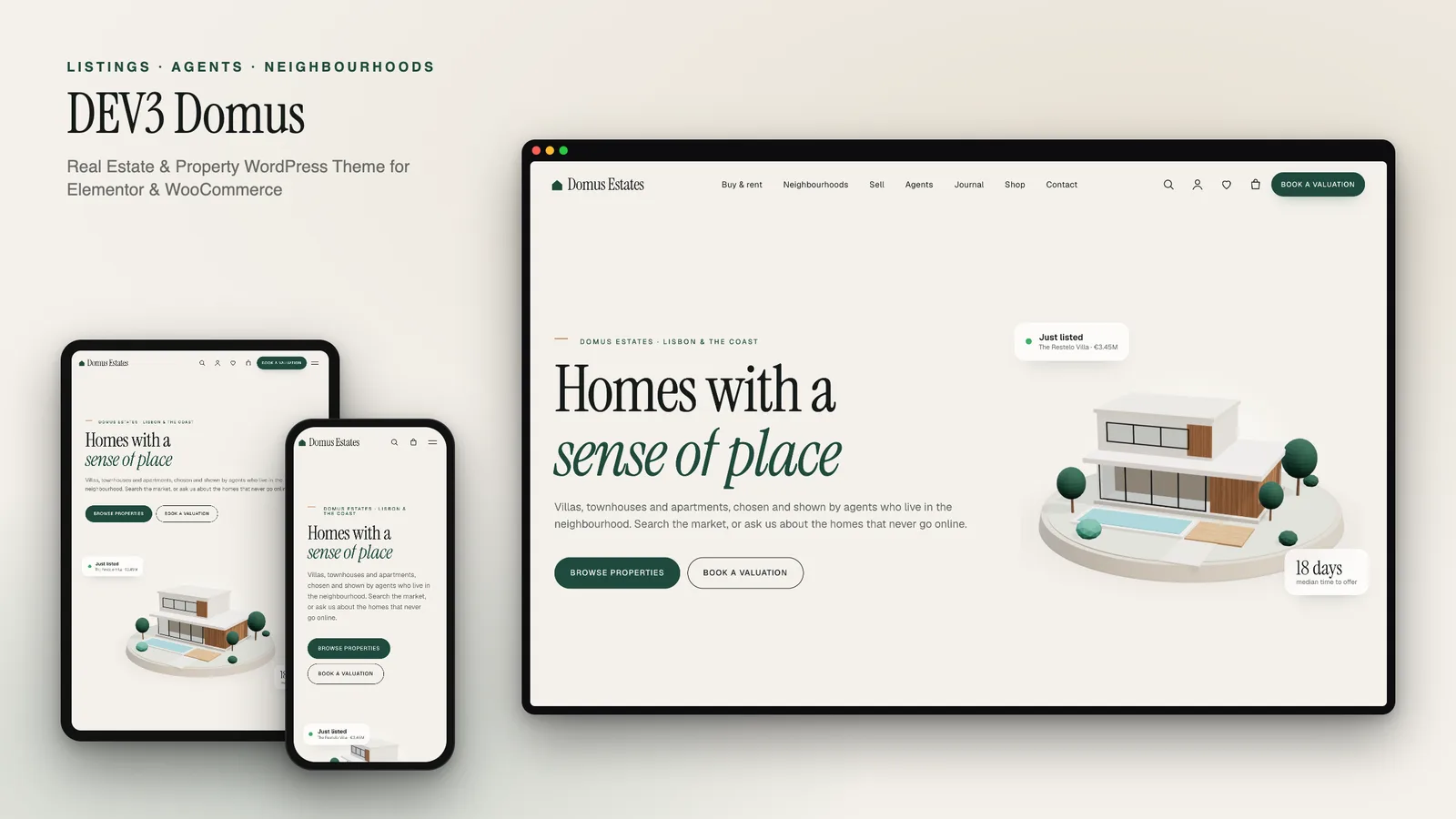
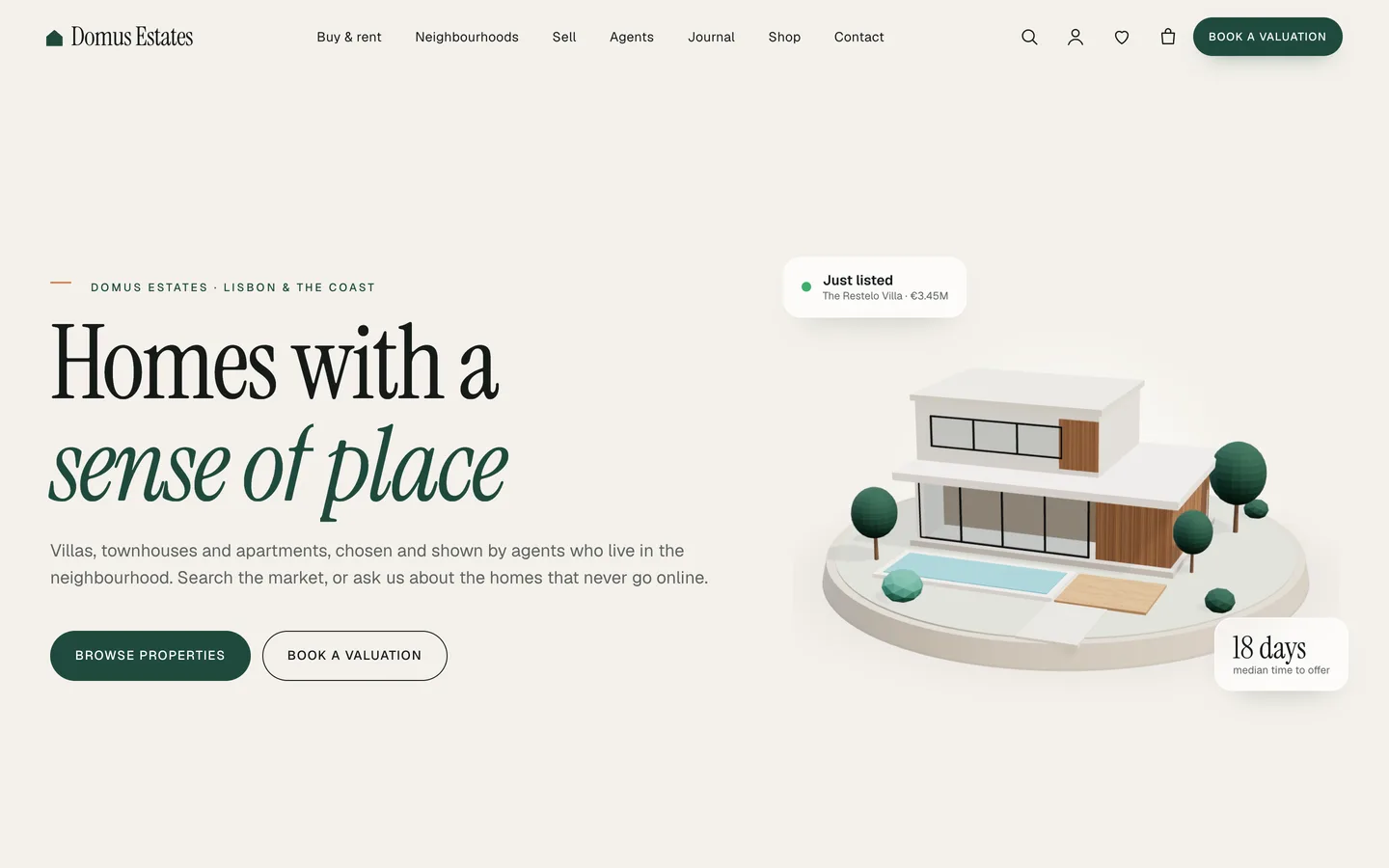
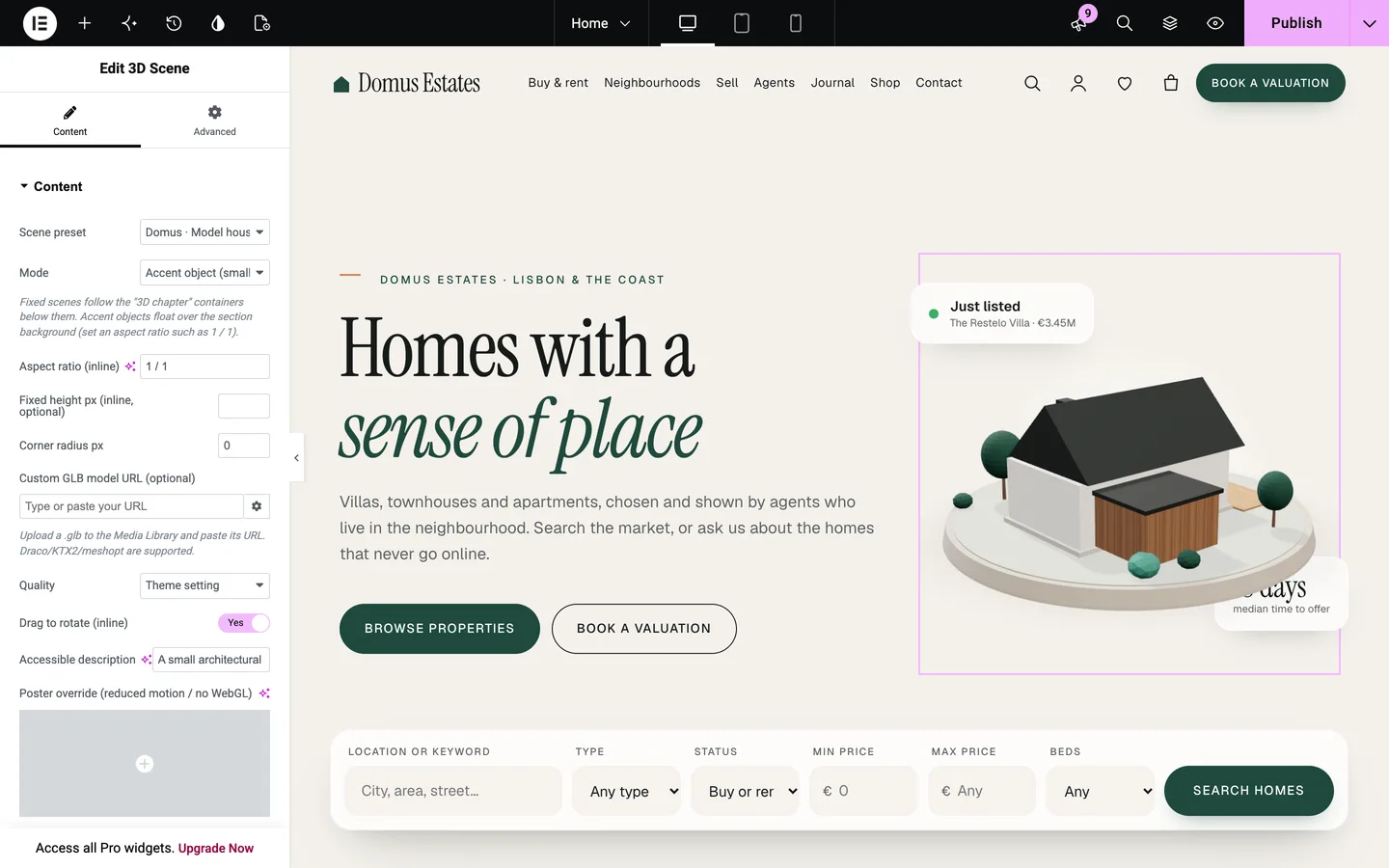
Domus is part of DEV3's newer theme style. Instead of a full-screen 3D story, it uses a calm editorial design (large serif headlines, warm paper tones, deep green accents) with rich scroll motion, and a single 3D accent: a model house in the hero that turns slowly as you scroll. You can switch it between a modern villa with a pool and a gabled family house, turn the lights on for a dusk look, or delete the widget entirely. Nothing else depends on it.
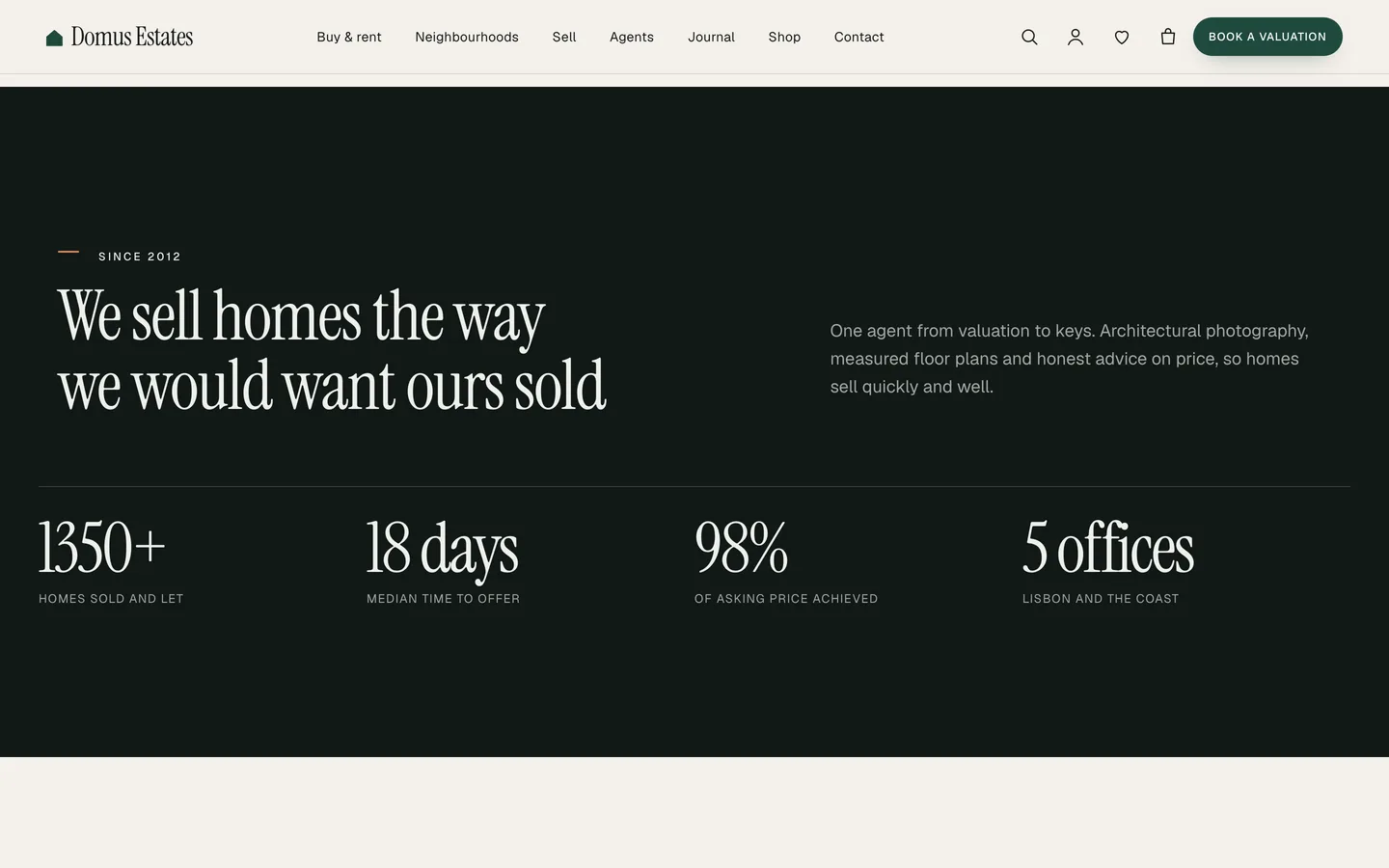
The motion does the heavier lifting. Headings split and rise into place, counters count up as they enter, and the neighbourhood guides glide past in a pinned horizontal rail. On the Sell page, the process steps stack on top of each other as you scroll. Visitors who ask their system for reduced motion see everything in its final state, and the 3D house is replaced by a still image.
Setting up an agency site with Domus
1. Install the theme and the toolkit
Upload dev3-domus.zip under Appearance → Themes → Add New → Upload Theme and activate it. Then upload dev3-theme-toolkit.zip under Plugins → Add New → Upload Plugin. The toolkit is required: it adds the property, agent and neighbourhood post types, the property search, the request forms, the Elementor widgets and the demo importer. A notice then offers Elementor, WooCommerce and Contact Form 7. Save Settings → Permalinks once so the /properties/, /agents/ and /neighbourhoods/ addresses work.
2. Import the demo
Go to Appearance → DEV3 Demo and click Import demo. You get "Domus Estates", a fictional agency on a stretch of coast, with:
- the Home, Neighbourhoods, Sell, Agents, About, Journal, Contact and shop pages
- 14 listings (villas, townhouses, apartments, penthouses and country houses) across every status, each with images, facts, features, coordinates and an agent
- 5 agents, 6 neighbourhood guides, 4 services, 4 sample testimonials and 6 journal posts
- 6 WooCommerce products for seller services and guides
Every image in the demo is rendered by the theme's own 3D renderer, so there are no stock photos to replace before launch. Reset removes only what the import added.
3. Add your first property
Go to Properties → Add new and fill the Details box: the price as you want it shown (add "/ month" as the suffix for rentals), the status, bedrooms, bathrooms, floor area, parking, year built, the address and coordinates, one feature per line, the gallery and the agent. Use Property categories for types such as Villa or Apartment. A numeric copy of the price is stored automatically, so price searches and sorting work without any extra step.
What the property search does
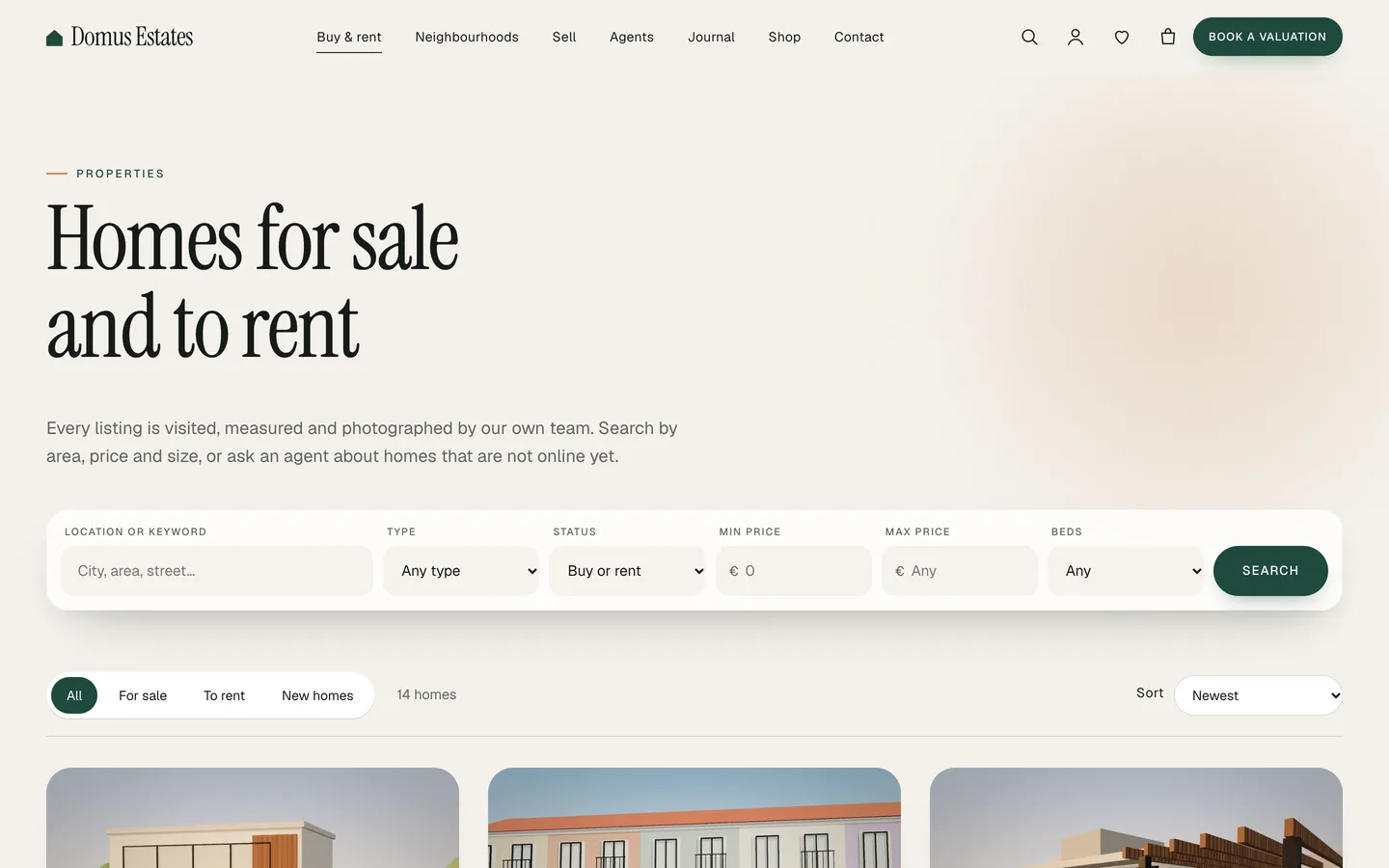
The Property Search widget (and its block twin) filters by keyword or area, type, status, minimum and maximum price, bedrooms and bathrooms. On the demo home page it sits under the hero as a single row; on the archive it sits above the results. Set Show results to "Below this form" and you can drop a search onto any page, such as a neighbourhood landing page.
The archive itself adds quick tabs (All, For sale, To rent, New homes), a price sort, type filters and a grid/list toggle. Cards show the status badge, the price, the area and a short "beds · baths · area" line.
The property page
single-property.php builds each listing page from the fields you filled in, so there is nothing to lay out per property:
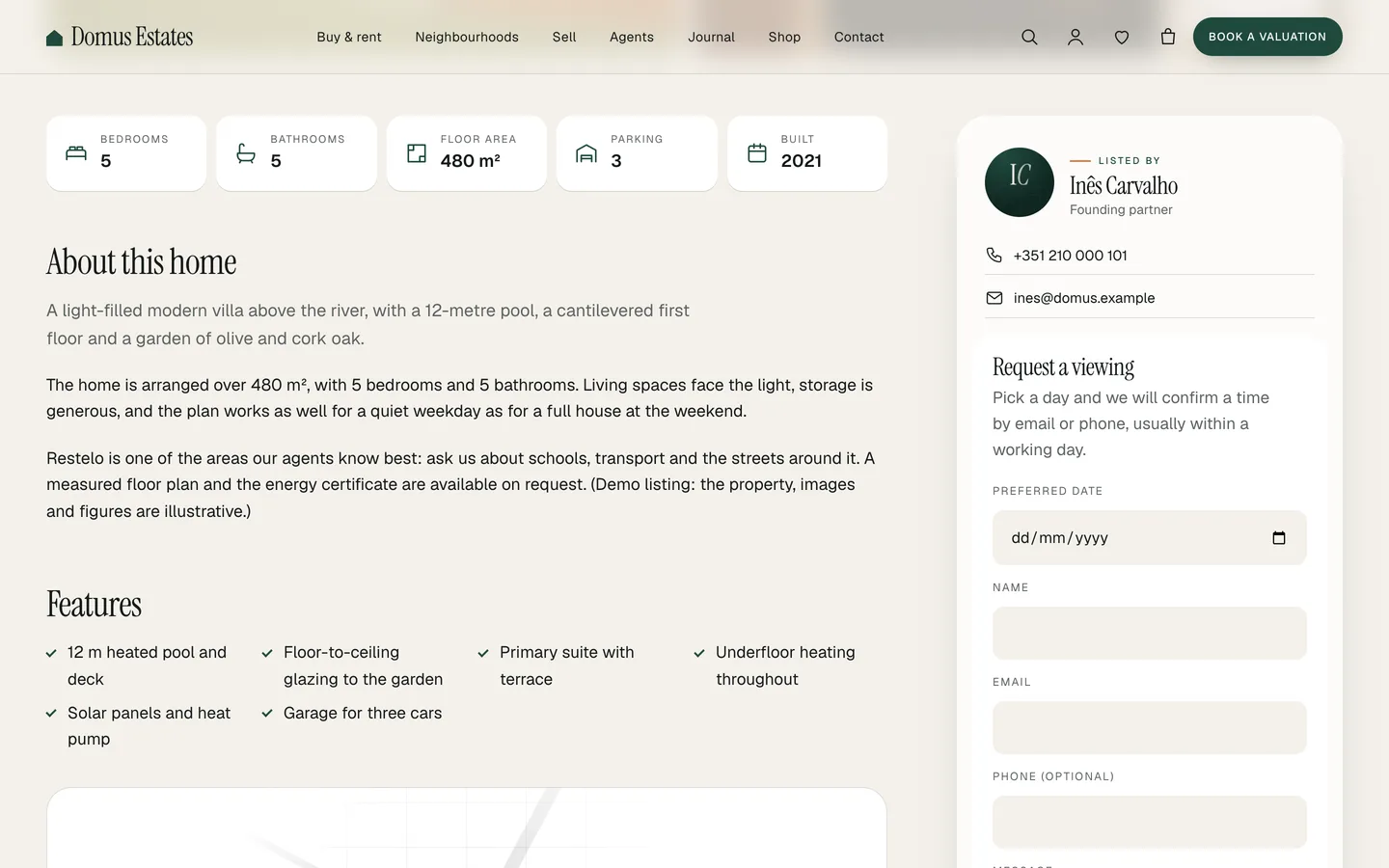
- Breadcrumbs, status, title, address and price, above a photo mosaic with a lightbox you can use with the keyboard.
- Key facts with icons, the description and the features list.
- A map that loads from OpenStreetMap only after the visitor clicks, so the page makes no map requests until someone asks for one.
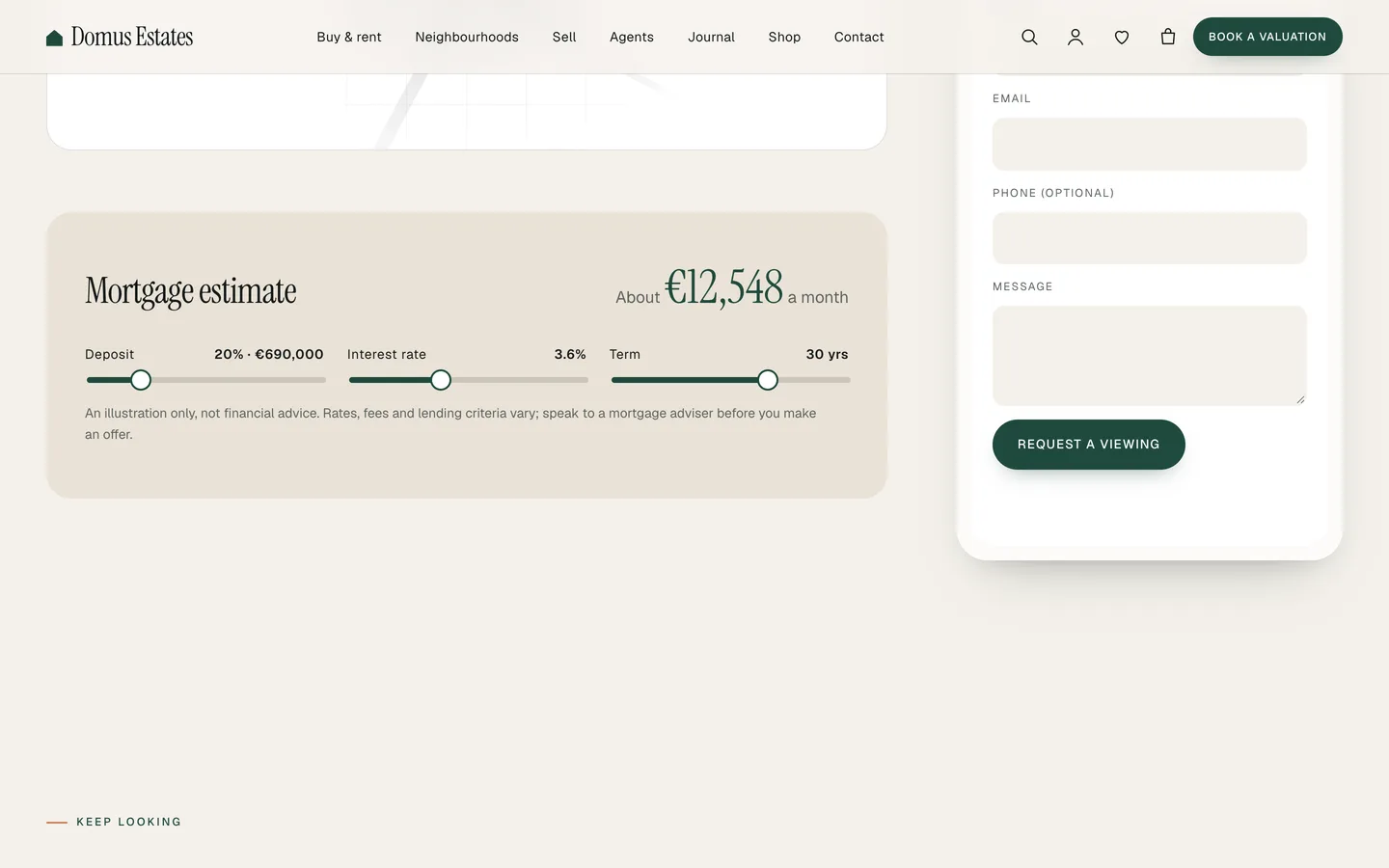
- A mortgage estimate with sliders for deposit, interest rate and term, or a rental affordability note for lettings.
- A sticky side card with the agent and a viewing request form, then similar homes.
The mortgage estimate is labelled as an illustration, not financial advice. You can set its default rate, deposit and term, or turn it off, under Customizer → Domus listings.
Viewing requests that reach the right agent
The Request Form widget handles viewing, valuation and contact requests without a separate forms plugin. Each request is stored privately under Requests in the dashboard and emailed to the site admin. A viewing request from a property page also goes to that listing's agent. Every form has a security nonce, a honeypot field and a rate limit against spam. If you already use Contact Form 7 or WPForms, paste its shortcode into the widget instead.
Editing in Elementor
Every demo page is built with the free Elementor plugin. Besides the property widgets, the DEV3 category includes Team Grid, Testimonials, Counter, Pricing, Timeline, FAQ, Contact / Map, Marquee, Magnetic Button, Kinetic Heading and the 3D Scene. Select any widget or container and open Advanced → DEV3 Motion to give it a reveal, a split heading, a mask wipe, parallax, a counter, hover tilt, stacked cards or a horizontal scroll.
Prefer the block editor? Every widget has a block twin, and Patterns → DEV3 Domus holds 24 patterns, from featured listings and stats bands to an open-house call to action.
A shop for seller services
Domus styles WooCommerce for the things an agency can sell online: listing packages and photography as variable products with label swatches, a valuation report, and printed or PDF guides for buyers and sellers. The mini-cart drawer, quick view and saved items come from the toolkit, and both the classic and block checkouts are styled.
See it in motion
There is no public live demo, because the motion is best judged moving. The video tour walks through the demo from the home page to a property page and checkout.
Before you launch
- Replace the demo agents' monogram portraits with real photos, and check each agent's email so viewing requests reach them.
- Write an Accessible description on the 3D Scene widget, or remove the widget if you prefer a static hero.
- Review the mortgage estimate defaults, or turn the estimate off if it does not suit your market.
Domus is on the DEV3 marketplace. The case study covers the design decisions in more depth.