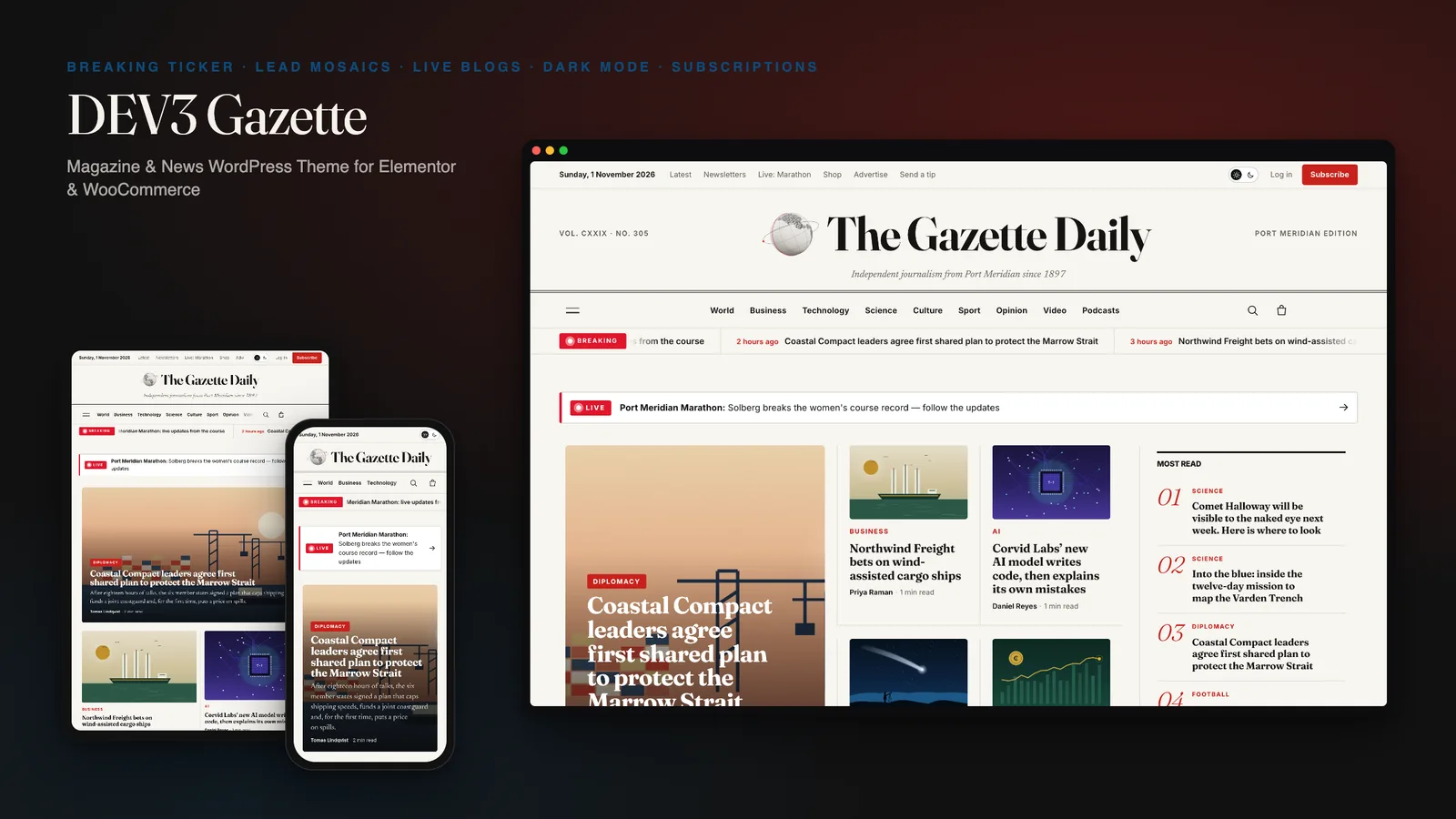
News sites are judged in the first second and then read for minutes. The front page has to look current every hour, breaking stories need a place to update in real time, and articles have to be comfortable to read at midnight on a phone. Most magazine themes get one of those right: they look sharp but are hard to reshuffle, or they read well but look a decade old. DEV3 Gazette is a news and magazine WordPress theme built around how a newsroom works: a front page made of widgets, a live blog template with key updates, reading tools on every article and a true dark mode. This post covers who it is for, how the live blog and dark mode work, and how to set up a newspaper with it.
Who Gazette is for
- Local and independent newspapers that publish across sections every day.
- Magazines and newsletters moving long reads, columns and explainers onto their own site.
- News blogs and niche publications (technology, science, sport, business) that want to look like a real masthead.
- Agencies building publishing sites where editors, not developers, run the front page.
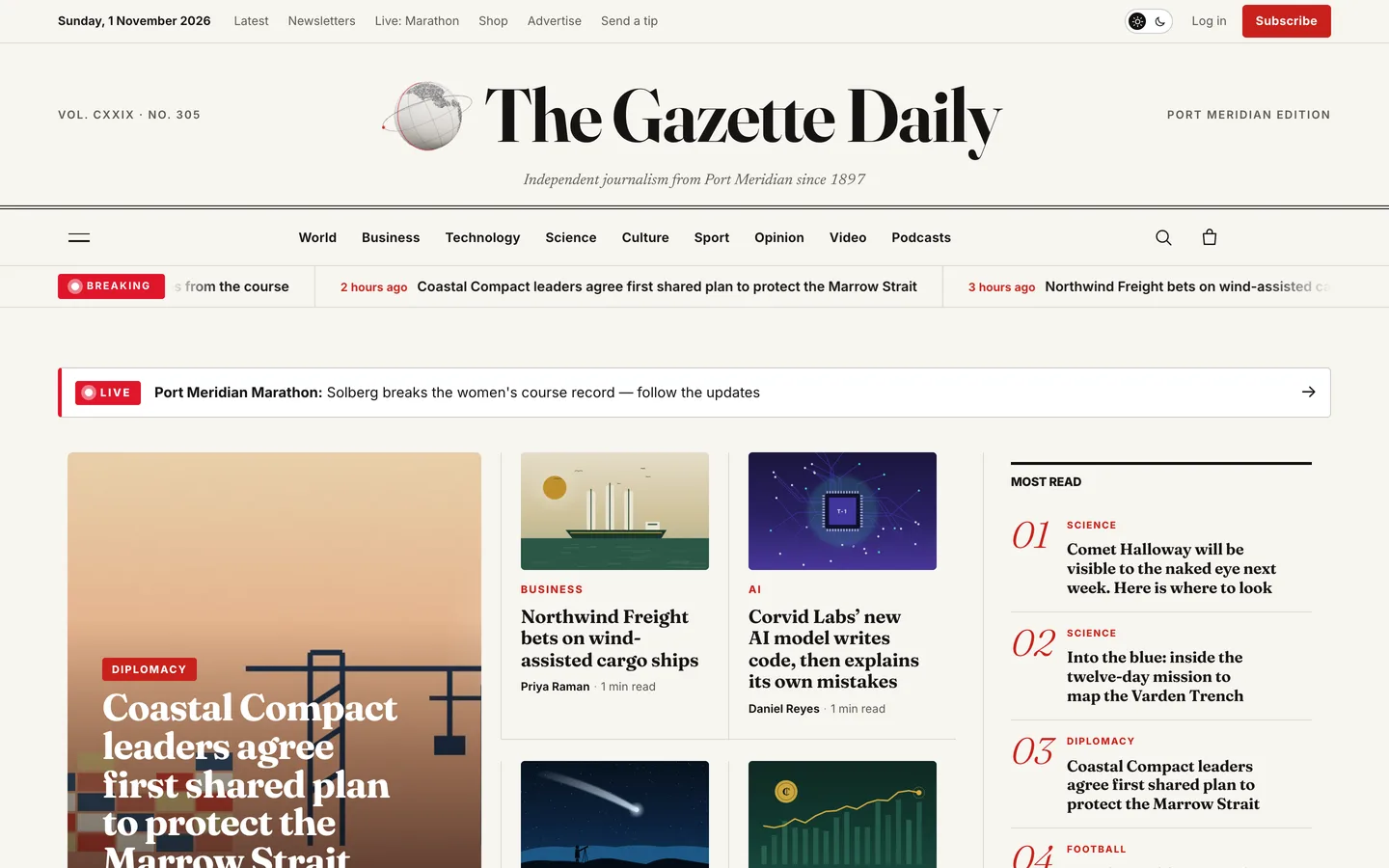
The look is a modern broadsheet: a classic nameplate with the date and edition line, Fraunces headlines over Newsreader body copy, hairline rules, a strict grid and a newsprint palette with red accents.
A front page editors can reshuffle
The demo front page is built entirely from widgets, so every block can be moved, swapped or deleted in Elementor:
- Lead mosaic reads sticky posts. To change the top of the page, tick "Stick to the top of the blog" on the five stories you want there.
- Most read is ranked by a built-in view counter: one view per reader session, with bots ignored.
- Section blocks pair a coloured section header with sub-section links and a split, trio, grid or lead layout. "Skip posts already shown above" stops a story appearing twice.
- Breaking-news ticker shows the latest stories or only those tagged breaking, with "2 hours ago" stamps.
- Watch & listen, opinion columnists, a markets strip of badged sample data and ad slots complete the page.
If you prefer not to use Elementor, set the front page to "Your latest posts" and the theme builds one automatically: a lead mosaic beside most read, then one block per section.
Live blogs without a plugin
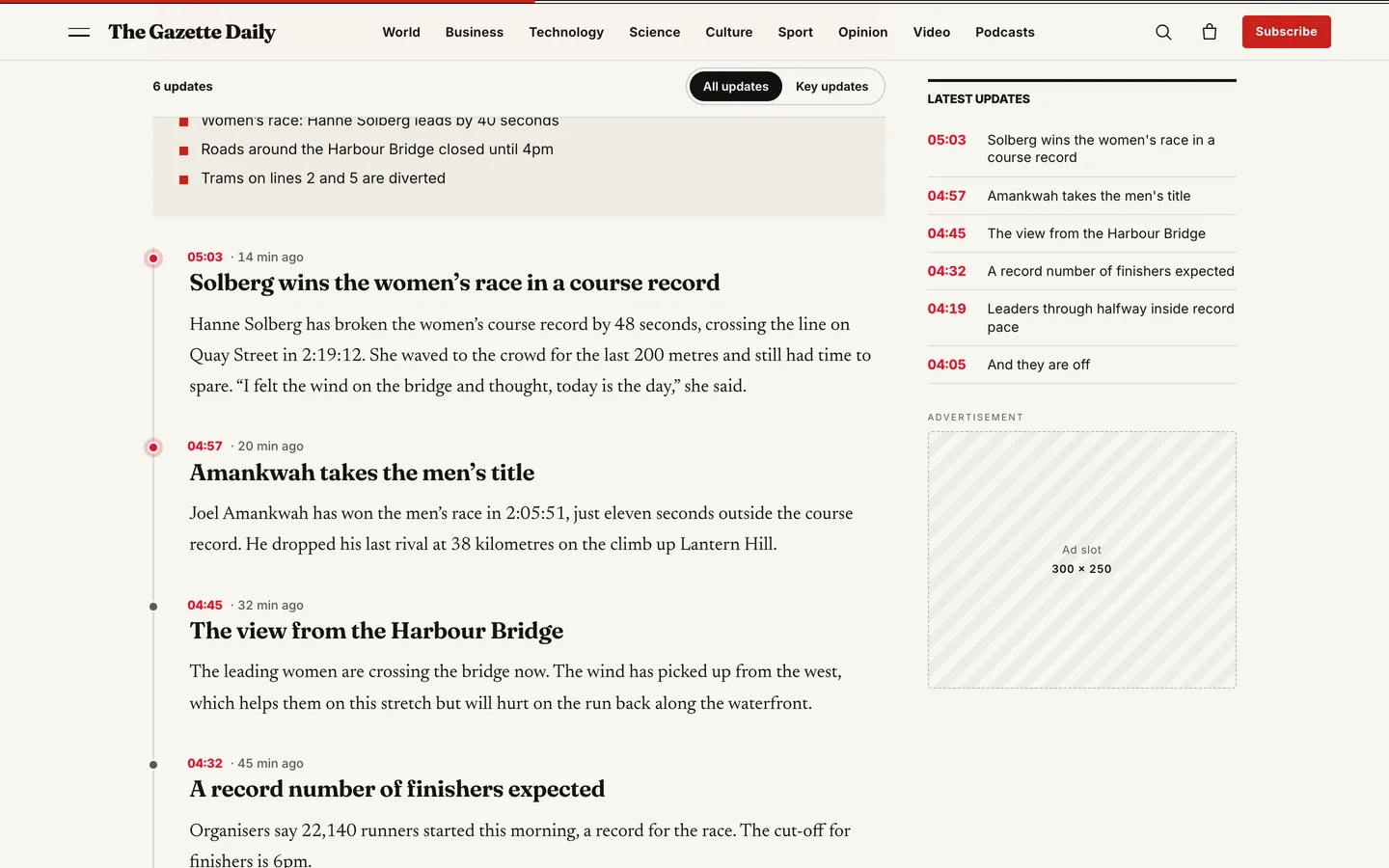
Live coverage is where a news WordPress theme earns its place. In Gazette, set any post's template to Live blog, insert the Live blog starter pattern, then add a Live update pattern for each update, newest first. Each update is just a time, a headline and text.
The template does the rest: a pulsing LIVE badge, relative "14 min ago" stamps next to each time, a key updates filter (add the is-key class to an update), a latest-updates rail that jumps to each update, and LiveBlogPosting structured data so search engines understand the page is live. Link the front page's live banner to it and readers find it from anywhere.
Articles built for reading
Every article gets the tools readers expect from a serious publication:
- a standfirst from the excerpt and a label such as Analysis or Explainer over the headline
- a byline with role, the updated time, reading time and read count
- a reading progress bar, a text-size button and share links that are plain links, with no third-party scripts
- an automatic drop cap, key-points and fact boxes, pull quotes, image captions with credits and galleries with a lightbox
- a numbered contents list in the left rail for long reads with three or more H2 headings
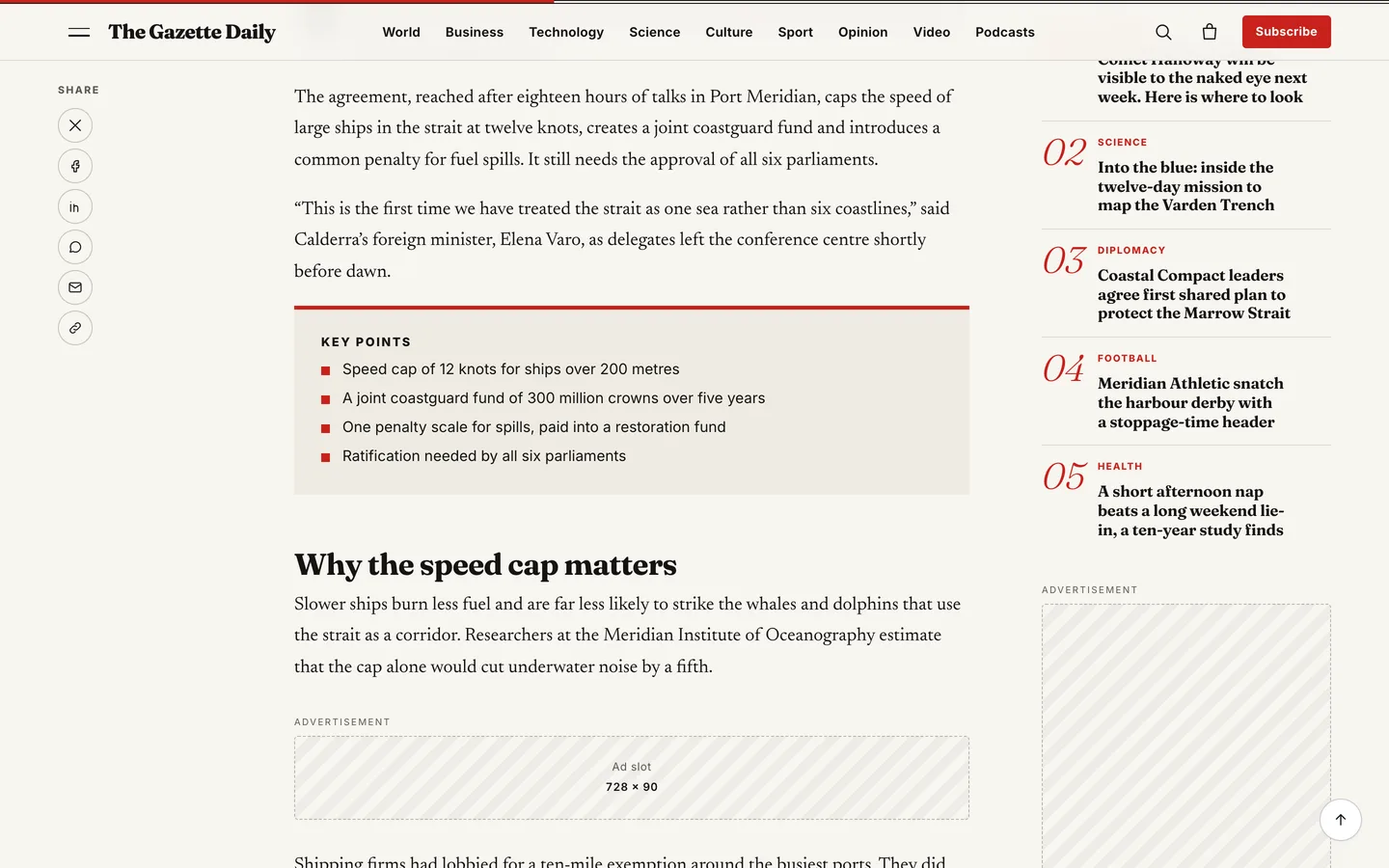
Longer stories get an ad slot and a newsletter card after paragraphs 4 and 9 automatically; change the positions or turn them off in the Customizer.
A true dark mode
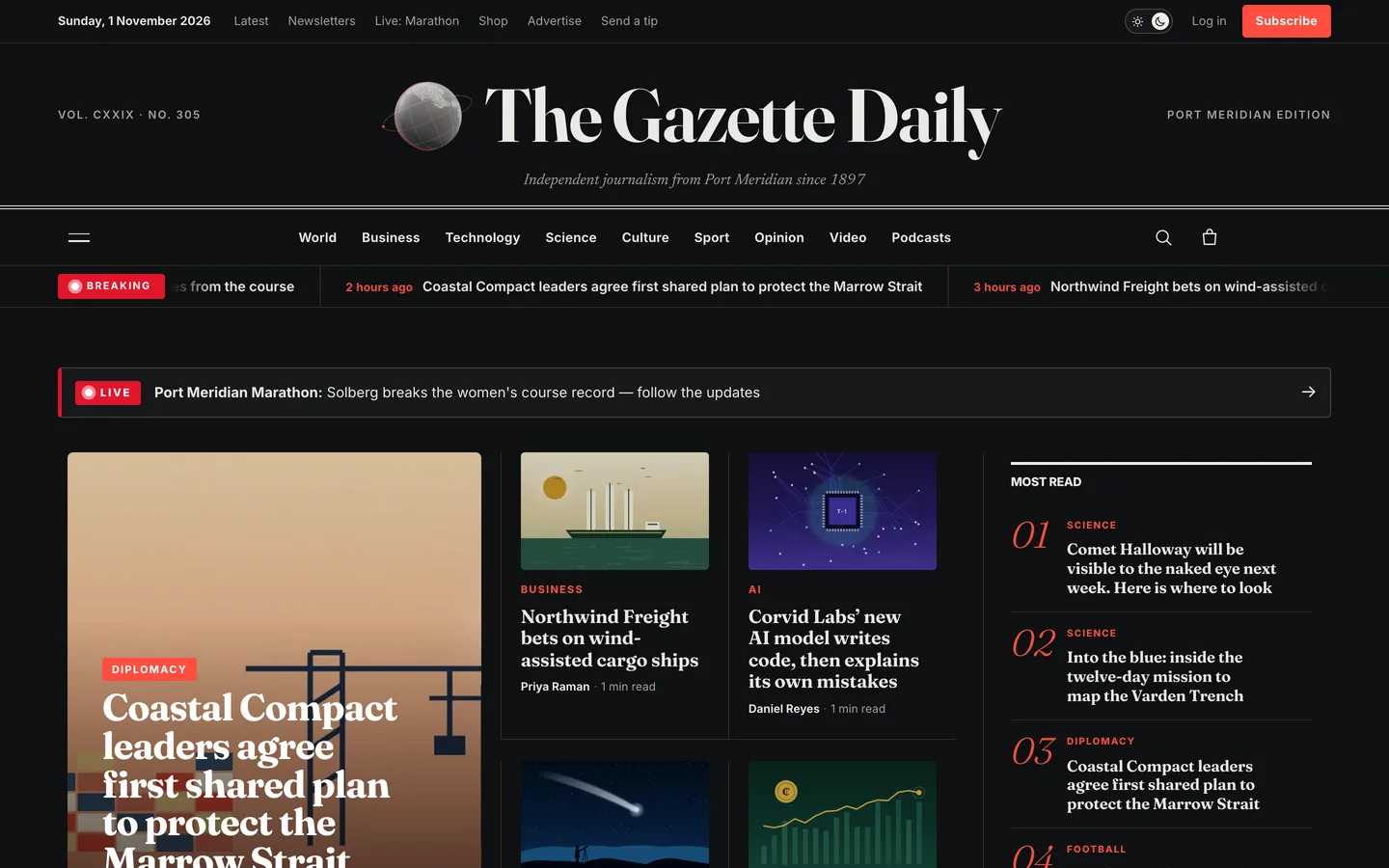
Gazette's dark mode is a full second palette, not an inverted filter. You choose the default (light, dark or the reader's system setting) and whether readers see the switch in the top bar. A reader's choice is remembered in their browser, and every page, from the front page to checkout, has its own dark styles at WCAG AA contrast. Even the 3D globe beside the nameplate re-inks itself to match.
Setting up a newspaper with Gazette
1. Install the theme and the toolkit
Upload dev3-gazette.zip under Appearance → Themes → Add New → Upload Theme and activate it. Then upload dev3-theme-toolkit.zip under Plugins → Add New → Upload Plugin; it is required and adds the news widgets, the view counter, the reading bar, structured data and the demo importer. Install Elementor and WooCommerce from the notice, and set Settings → Permalinks to "Post name".
2. Import the demo
Go to Appearance → DEV3 Demo → Import. You get a fictional newspaper, The Gazette Daily:
- 38 stories across nine sections, 11 authors with bylines and bios, and reader comments
- a live blog, three video explainers and three podcast episodes
- About & masthead, Contact & tips, Subscribe, Newsletters and Advertise pages, and seven WooCommerce products
Story dates are set relative to the import time, so the front page looks fresh whenever you import it. Every illustration, video and audio bed is an original render. Reset removes only the demo content.
3. Set up sections and bylines
Sections are categories. Give each a description and a section image, and its archive gets a hero with the story count, last update and sub-section chips, then a river of stories with Load more. Under Users → Profile → Gazette byline, add each writer's role, beat, social links and an optional photo; without one, the theme draws a monogram and never calls Gravatar.
4. Masthead and ticker
Use your logo or the site title as the nameplate, then set the edition line, volume label and motto in Customizer → Gazette: masthead & articles. Choose where the ticker appears and whether it shows the latest stories or only tagged ones.
5. Subscriptions, newsletters and ads
The Subscribe page has plans behind a monthly / yearly billing toggle that add WooCommerce products to the basket. They are one-off payments for the period; add a subscriptions extension if you need automatic renewals. Newsletter cards store signups on the site, post to Mailchimp or Brevo, or use your provider's form shortcode. Ad slots come in standard IAB sizes and stay clearly labelled placeholders until you add an image and link or an ad-plugin shortcode.
Motion, with one small 3D accent
Gazette is one of DEV3's newer themes: a modern look, rich but restrained motion and only a little 3D. Stories reveal quietly as you scroll, images zoom slightly on hover, section rules draw themselves in and pages transition softly. Under reduced motion the ticker stops and everything shows at once.
The 3D accent is a small newsprint globe beside the nameplate, with half-tone continents, a red meridian band and optional pulsing bureau pins. You can show it on the front page, every page or nowhere, change its colours and pins in Elementor, or turn it into a still image with the 3D quality setting.
See it in motion
There is no public live demo. The video tour runs from the front page through an article, the live blog and dark mode to the shop checkout.
Before you launch
- Replace the demo stories, authors and illustrations with your own; everything in The Gazette Daily is fictional.
- Set up a real payment method under WooCommerce → Settings → Payments before selling subscriptions.
- Decide which stories are sticky each morning, because the lead mosaic follows them.
Gazette is on the DEV3 marketplace. The case study explains the design decisions behind the front page, the live blog and dark mode.