All case studies

DEV3 Technologies · own product

DEV3 Gazette: a magazine and news WordPress theme with live blogs, dark mode and a 3D globe

Our own WordPress theme for newspapers, magazines and news blogs: a classic masthead, breaking-news ticker, lead-story mosaics and section blocks, most read by real views, live blogs, reading tools, true dark mode, subscriptions, newsletters and ad slots, with reading-first motion and one small 3D globe.

Industry
News and publishing (WordPress theme)

Live project preview

Client systems are private — screenshots shown where permitted.

DEV3 Technologies · own product — screenshots
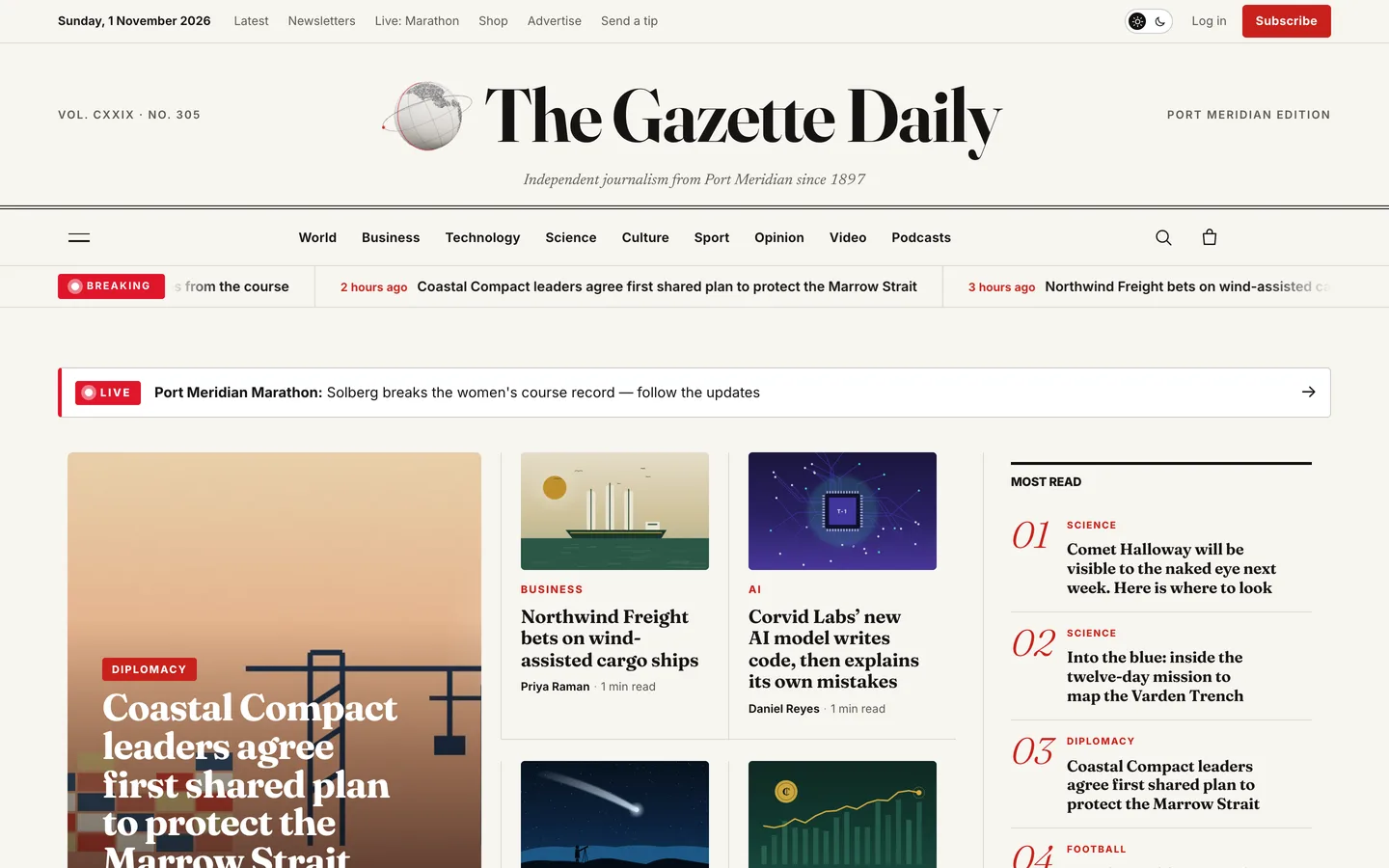
Front page — a classic nameplate with the date, edition line and a small spinning 3D globe, the section bar, a breaking-news ticker, a live banner, the lead-story mosaic and most read.

Front page — a classic nameplate with the date, edition line and a small spinning 3D globe, the section bar, a breaking-news ticker, a live banner, the lead-story mosaic and most read.

The challenge

A news site is read more than it is looked at. Editors need a front page they can reshuffle every hour without a developer, live coverage that updates in place, sections and author pages that make an archive browsable, and room for the things that pay for journalism: subscriptions, newsletters and ads. Readers need fast, legible articles, a dark mode for late-night reading and no tracking scripts hiding behind share buttons. Many magazine themes either look dated or chase motion that gets in the way of reading. We wanted a modern broadsheet where the motion supports the reading, the 3D is a small detail beside the nameplate, and a demo newspaper that is believable without borrowing any real outlet's stories, people or photos.

Our solution

Gazette is a classic PHP theme with theme.json, built on DEV3's shared theme core and the DEV3 Theme Toolkit plugin. The theme owns presentation, the masthead, the article, live blog and archive templates, dark mode and its 3D preset. The toolkit owns functionality: the News Ticker, Post Hero Grid, Post List, Newsletter Signup and Ad Slot widgets with block twins, the view counter, the reading progress bar, structured data, the DEV3 Motion controls, WooCommerce extras and the demo importer.

Key design decisions

  • A front page made of widgets. The lead mosaic reads sticky posts, so editors change the top of the page by ticking "Stick to the top of the blog". Section blocks can skip stories already shown above, so nothing repeats down the page.
  • Most read from real views. A built-in view counter records one view per reader session and ignores bots, and the numbered Most read list and article read counts use it.
  • Live blogs as plain blocks. Each update is a group block with a time, a headline and text. The template adds anchors, relative "min ago" stamps, a key-updates filter, a latest-updates rail and LiveBlogPosting structured data, so a reporter only ever adds one pattern.
  • A true dark mode. Light, dark or the reader's system setting, with the reader's choice remembered in the browser. Every page has its own dark palette and the globe re-inks to match, at WCAG AA contrast in both modes.
  • Privacy by default. Fonts are self-hosted, share buttons are plain links, and authors get a local photo or a drawn monogram, so the theme makes no CDN, Gravatar or social requests.
  • A small 3D globe. Half-tone continents on a paper sphere with a red meridian band and optional bureau pins spin beside the nameplate. It loads only when visible, pauses offscreen and becomes a still image under reduced motion.
  • A believable, original demo. The fictional Gazette Daily has 38 stories with relative dates, 11 bylined authors and reader comments; every illustration, explainer video and podcast audio bed was rendered for the theme.
Results

Gazette ships as a complete theme with a one-click demo newspaper: 38 stories across nine sections, 11 authors, a live blog, three video explainers, three podcast episodes, the about, contact, subscribe, newsletters and advertise pages and seven WooCommerce products, plus 23 block patterns.

  • Theme Check: 0 required-level failures in the WordPress Theme Check plugin.
  • Coding standards: phpcs with WPCS 3 and PHPCompatibilityWP 7.4+ at 0 errors and 0 warnings.
  • Flows tested: a WooCommerce flow from a product page through checkout to the order-received page, and an Elementor editor test where the globe's controls update the 3D accent live.
  • Browser QA: all 25 demo pages at 1440 px and 390 px with 0 console errors and about 60 fps, no horizontal overflow at 390, 820 or 1440 px, and a reduced-motion pass.
  • Loading: three.js loads only when the globe is on screen; no CDN, Gravatar or social scripts.

Gazette is on the DEV3 marketplace. Watch its video tour there.

Setup guide

Requirements

  • WordPress 6.0 or newer and PHP 7.4 or newer
  • The DEV3 Theme Toolkit plugin (included and required)
  • Recommended: Elementor (free) and WooCommerce (subscriptions and the shop). Elementor Pro is supported but not required. Contact Form 7 or WPForms are optional if you prefer them for forms.

What's in the download

Unzip the download from your DEV3 account first. Do not upload the download itself to WordPress.

  • dev3-gazette.zip: the theme. Install this one.
  • dev3-gazette-child.zip: an optional child theme for your own CSS and PHP.
  • dev3-theme-toolkit.zip: the companion plugin (news widgets for Elementor and blocks, view counter, reading bar, structured data, motion controls, WooCommerce extras, demo importer).
  • dev3-gazette-demo-content.zip: the demo package for reference. The importer already has a copy inside the theme.
  • Documentation/index.html: the full guide. Open it in a browser.

Install the theme

  1. Go to Appearance → Themes → Add New → Upload Theme, choose dev3-gazette.zip, click Install Now, then Activate.
  2. The theme shows a notice until the DEV3 Theme Toolkit is active. Go to Plugins → Add New → Upload Plugin, choose dev3-theme-toolkit.zip and activate it.
  3. Install and activate Elementor and WooCommerce from the notice.
  4. Go to Settings → Permalinks and choose Post name.
  5. Optional: if you plan to change code, upload dev3-gazette-child.zip the same way and activate DEV3 Gazette Child. The parent theme must stay installed.

Import the demo

  1. Make sure you are logged in as an administrator. Elementor keeps every widget setting only when an administrator runs the import.
  2. Go to Appearance → DEV3 Demo and click Import.
  3. The import adds:
    • The Gazette Daily, a fictional newspaper: 38 stories across nine sections, 11 authors with bylines and bios, and reader comments
    • a live blog, three video explainers and three podcast episodes
    • the front page, About & masthead, Contact & tips, Subscribe, Newsletters and Advertise pages, menus, footer widgets and seven WooCommerce products
  4. Story dates are set relative to the import time, so the front page always looks current.

Imported items are tagged, so Reset on the same screen removes only them. With WP-CLI you can run wp dev3tk demo import --user=admin.

After the import

  • Replace the demo stories, authors, illustrations, videos and audio with your own. The newspaper, its staff, places and companies are fictional.
  • Set up your real payment methods in WooCommerce → Settings → Payments before selling subscriptions.
  • Add your logo under Appearance → Customize → Site Identity and your edition line under Customizer → Gazette: masthead & articles.

Updates

Download the new version from your DEV3 account and upload dev3-gazette.zip again. WordPress offers to replace the installed version. Changes you made in the child theme, the Customizer and your pages are kept.

How to use

Run the front page

  1. Open the front page with Edit with Elementor. Every block is a widget.
  2. Lead mosaic (Post Hero Grid → Mosaic, source "Sticky posts"): tick Stick to the top of the blog on the five stories you want at the top.
  3. Most read (Post List → Numbered, source "Most read") is ranked by the built-in view counter.
  4. Section blocks pair Gazette · Section Header with a Post Hero Grid in split, trio, grid or lead layout. Turn on Skip posts already shown above to avoid repeats.
  5. The live banner is an HTML widget: link it to your live blog or delete it.
  6. Without a static front page (Settings → Reading → Your latest posts), the theme builds one automatically: a lead mosaic beside most read, then one block per section.

Write an article

  • The excerpt is the standfirst under the headline. The custom field dev3gz_label adds a label such as Analysis, Explainer, Review or Opinion.
  • The drop cap is automatic on the first paragraph. The featured image caption comes from the image's caption; add dev3gz_credit on the attachment for a credit line.
  • Stories with three or more H2 headings get a numbered contents list in the left rail (force it with dev3gz_toc set to 1 or 0).
  • Block styles: Quote → Pull quote or Margin quote; Paragraph → Standfirst or Editor's note; Group → Fact box, Key points or Ink panel; List → Big numbers.
  • An ad slot and a newsletter card are inserted after paragraphs 4 and 9 of longer stories. Change or turn them off (0) in Customizer → Gazette.

Run a live blog

  1. Create a post and set Post → Template to Live blog.
  2. Insert the Live blog starter pattern, then add a Live update pattern for each update, newest first: a time paragraph (for example 14:05), an H3 headline and text.
  3. Add the class is-key to an update to include it in Key updates.
  4. The theme adds anchors, "min ago" stamps, the key-updates filter, the latest-updates rail and LiveBlogPosting structured data.

Sections, authors, video and podcasts

  • Sections are categories. Add a description and a Section image under Posts → Categories → Edit. Tags use the same layout as topics.
  • Authors: Users → Profile → Gazette byline holds the role, beat, X, LinkedIn and Instagram links and a photo (Media Library ID). Without a photo the theme draws a monogram.
  • Video and podcasts: use the Video and Audio post formats. Put a Video block at the top of a video story, or the toolkit Audio Player block with your MP3 for a podcast. The featured image becomes the poster.

Masthead, ticker and dark mode

  • The nameplate uses your logo or the site title. Set the edition line, volume label and motto in Customizer → Gazette: masthead & articles.
  • The breaking ticker shows the latest stories or only those with given tags (for example breaking), on every page, the front page only, or off.
  • Dark mode: choose light, dark or the reader's system setting as the default, and show or hide the switch. Readers' choices are remembered in their browser.

Subscriptions, newsletters and ads

  • The Subscribe page uses the Pricing widget with a billing toggle; its buttons link to ?add-to-cart=ID for each WooCommerce product. For automatic renewals, install a subscriptions extension.
  • Newsletter Signup: card, inline or banner; store signups on the site, post to Mailchimp or Brevo, or use a form shortcode.
  • Ad Slot: IAB sizes, a placeholder, an image and link, or an ad-plugin shortcode, with per-device visibility.

Change the 3D globe

  1. Choose where it shows in Customizer → Gazette → 3D globe badge (front page, every page or off).
  2. To place it elsewhere, add the 3D Scene widget with the preset Gazette · newsprint globe badge in Accent object mode.
  3. Set the accent, ink and paper colours, pins, ring, "turn to a bureau", spin and scroll turn. Changes show live in the editor.
  4. Customizer → 3D quality → Off shows a still image instead.

Motion and styling

  • Select any widget or container and open Advanced → DEV3 Motion for reveals, stagger, split headings and more.
  • Appearance → Customize: colour mode, ticker, globe, share, related stories, read counts, local avatars, colours, fonts, motion, shop and footer notes.
  • Without Elementor, insert patterns from Patterns → DEV3 Gazette (23 of them); every DEV3 widget has a block twin.

Related case studies

DEV3 Technologies · own product · Legal services (WordPress theme)

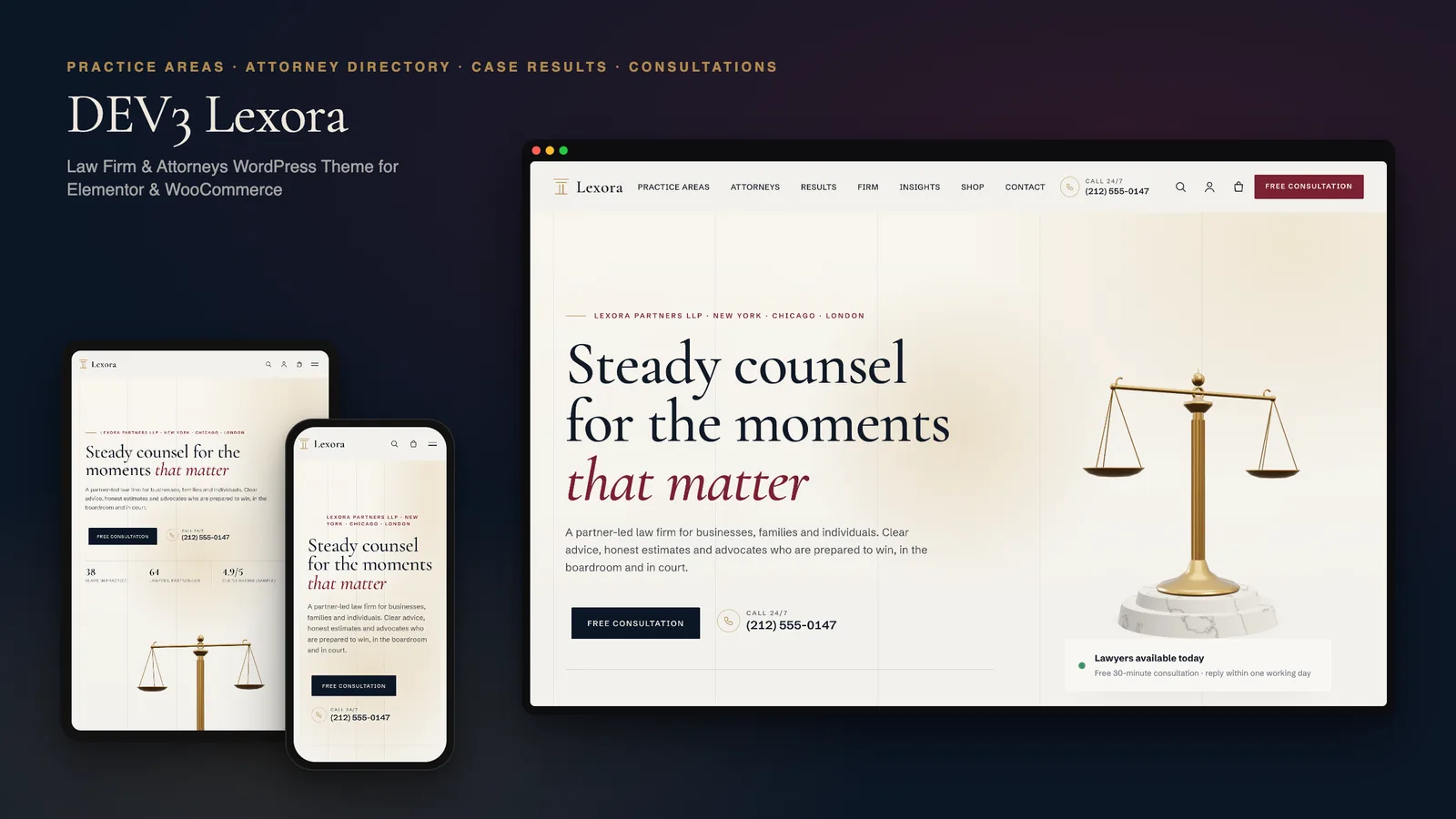
DEV3 Lexora: a law firm WordPress theme with an attorney directory, case results and brass 3D scales

Our own WordPress theme for law firms and attorneys: practice-area pages that build themselves from short fields, a filterable attorney directory with vCards, case results that always carry their disclaimer, and consultation booking, with rich motion and one small 3D accent of brass scales.

DEV3 Technologies · own product · SaaS and startups (WordPress theme)

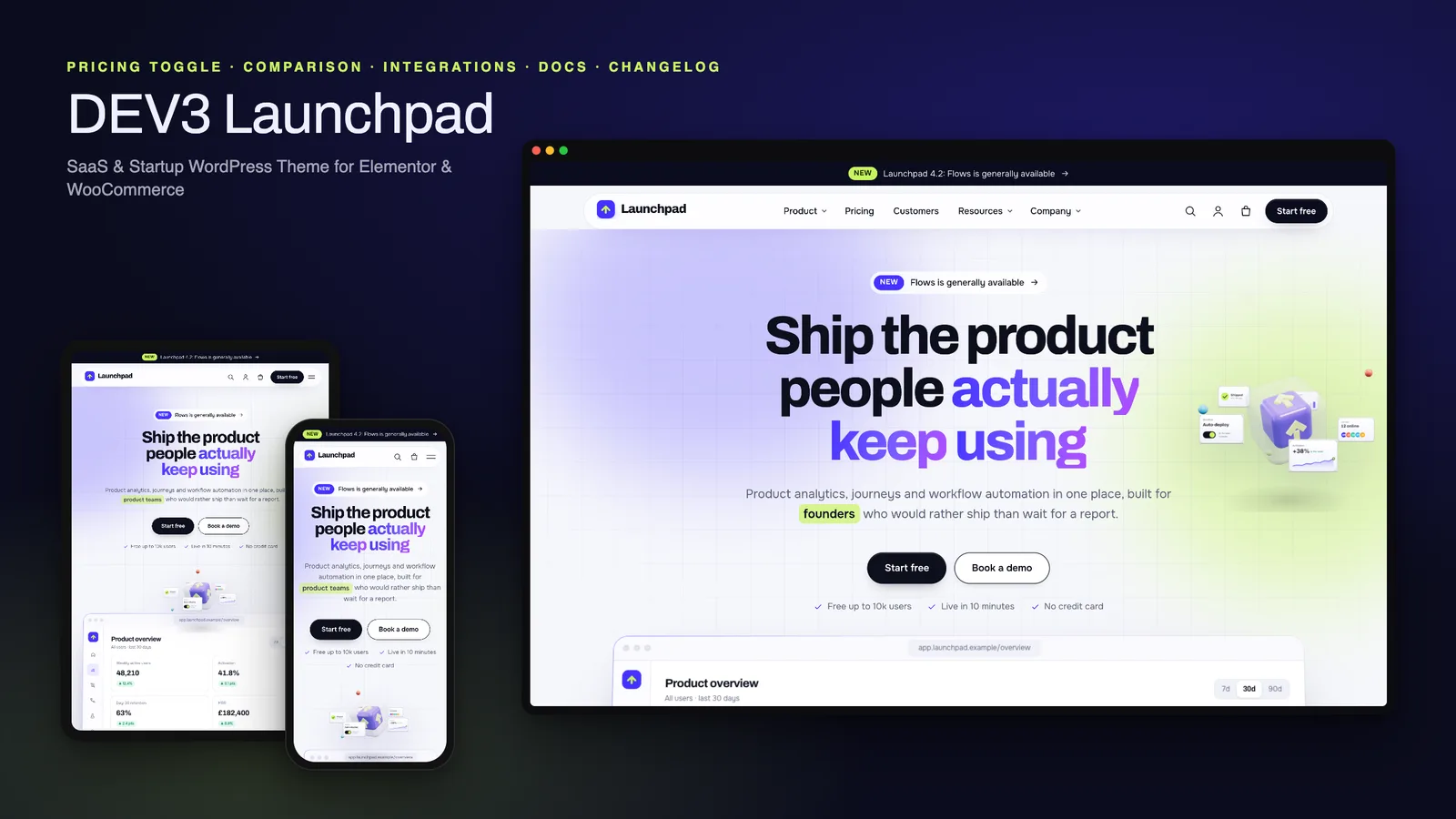
DEV3 Launchpad: a SaaS and startup WordPress theme with live product UI, pricing, docs and a 3D app cube

Our own WordPress theme for SaaS products and startups: a hero with a live HTML product mockup, a feature tour, pricing with a monthly / yearly toggle and a comparison matrix, integrations, customer stories, a changelog and a docs / help centre, with rich motion and one small 3D app cube.