All case studies

DEV3 Technologies · own product

DEV3 Nexa: a crypto, Web3 and fintech WordPress theme with honest sample data and a 3D coin

Our own WordPress theme for fintech products, wallets and Web3 protocols: a product-UI hero, a sample-data ticker with live prices off, tokenomics, roadmap, pricing with a fee estimator, a security centre and a store, with rich motion, light mode and one small 3D coin.

Industry
Fintech and Web3 (WordPress theme)

Live project preview

Client systems are private — screenshots shown where permitted.

DEV3 Technologies · own product — screenshots
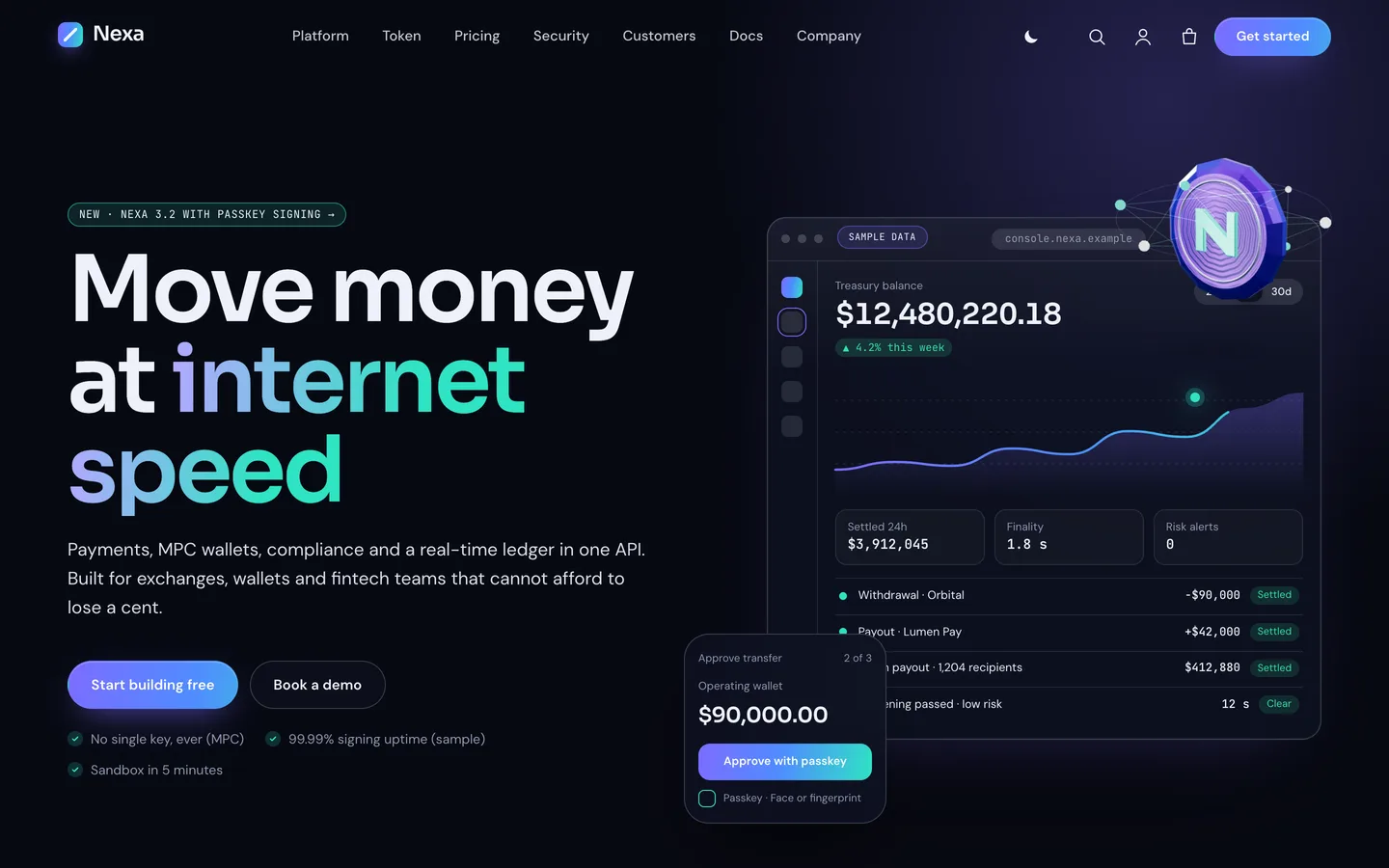
Product hero — a split gradient headline beside a live console mockup that counts up and streams sample transactions, with a faceted 3D coin orbited by network nodes.

Product hero — a split gradient headline beside a live console mockup that counts up and streams sample transactions, with a faceted 3D coin orbited by network nodes.

The challenge

Crypto and fintech landing pages share a look (dark gradients, glowing numbers, a coin somewhere) and a problem: the demo content that sells a theme is exactly the content that gets a real company in trouble. Live prices, yield figures, partner logos and audit badges copied from a demo can read as claims or advice. We wanted a theme that looks like a serious product company, with motion and product screens rather than stock photos, while shipping honest by default: every number clearly sample data, live prices off until the owner opts in, a risk notice on every page and a token page that says plainly it is fictional. It also had to be fast, because a 3D hero on a fintech site cannot delay the first screen.

Our solution

Nexa is a classic PHP theme with theme.json, built on DEV3's shared theme core and the DEV3 Theme Toolkit plugin. The theme owns presentation, the dark and light palettes and its 3D preset. The toolkit owns functionality: post types for solutions, case studies, team and quotes, the Ticker, Allocation Donut, Roadmap and Pricing widgets with block twins, the DEV3 Motion controls, WooCommerce extras and the demo importer.

Key design decisions

  • Sample data is labelled, live data is opt-in. The ticker ships with a Sample data badge and gentle sample drift. Live mode needs a CoinGecko id per row and is off by default, so a fresh install makes no third-party price requests.
  • Compliance as theme settings. A risk notice prints above the footer on every page and is edited in the Customizer. The demo adds a risk disclosure page, labels audits and partners as samples, and marks the fee estimator as illustrative.
  • Product UI instead of photos. The hero console, platform tabs, billing switch and fee estimator are lightweight HTML widgets with a small lazy script, so they stay editable text and render crisply at any size.
  • Dark first, light on request. A header switch flips the whole palette and remembers the visitor's choice; inverted paper bands keep contrast in both modes.
  • One 3D accent, loaded late. The coin (or chain block) with its node orbit is a procedural three.js object on a transparent canvas. The engine loads only on pages with a scene, after the hero is visible, pauses offscreen and falls back to a poster.

Results

Nexa ships as a complete theme with a one-click demo of a fictional platform: 9 Elementor pages plus legal and risk pages, 6 solutions, 6 case studies, 8 team members, 6 customer quotes, 8 blog posts and 9 store products, plus 24 block patterns. All brands, tokens, people and figures in the demo are fictional.

  • Theme Check: 0 required-level failures and 0 warnings in the WordPress Theme Check plugin.
  • Coding standards: phpcs with WPCS 3 and PHPCompatibilityWP 7.4+ at 0 errors and 0 warnings.
  • Flows tested: the WooCommerce add-to-cart to order-received flow, and an Elementor editor test where changing the coin's colour updates the 3D accent live.
  • Frame rate: about 60 fps on the demo pages in browser QA at 1440 px.
  • Weight: the 3D engine is about 207 KB gzip and loads only on pages that use it; the motion module is a 6 KB chunk loaded on demand.

Nexa is on the DEV3 marketplace. Watch its video tour there.

Setup guide

Requirements

  • WordPress 6.0 or newer and PHP 7.4 or newer
  • The DEV3 Theme Toolkit plugin (included and required)
  • Recommended: Elementor (free) and WooCommerce. Contact Form 7 is optional. Elementor Pro is supported but not required.

What's in the download

Unzip the download from your DEV3 account first. Do not upload the download itself to WordPress.

  • dev3-nexa.zip: the theme. Install this one.
  • dev3-nexa-child.zip: an optional child theme for your own CSS and PHP.
  • dev3-theme-toolkit.zip: the companion plugin (post types, Ticker, Allocation Donut, Roadmap and Pricing widgets and blocks, motion controls, WooCommerce extras, demo importer).
  • dev3-nexa-demo-content.zip: the demo package for reference. The importer already has a copy inside the theme.
  • Documentation/index.html: the full guide. Open it in a browser.

Install the theme

  1. Go to Appearance → Themes → Add New → Upload Theme, choose dev3-nexa.zip, click Install Now, then Activate.
  2. Go to Plugins → Add New → Upload Plugin, choose dev3-theme-toolkit.zip, then Activate.
  3. A notice offers the recommended plugins (Elementor, WooCommerce, Contact Form 7). Click Begin installing plugins, then install and activate them.
  4. Go to Settings → Permalinks and click Save once, so /solutions/ and /case-studies/ work.
  5. Optional: if you plan to change code, upload dev3-nexa-child.zip the same way and activate DEV3 Nexa Child. The parent theme must stay installed.

Import the demo

  1. Make sure you are logged in as an administrator. Elementor keeps every widget setting only when an administrator runs the import.
  2. Go to Appearance → DEV3 Demo and click Import demo.
  3. The import adds:
    • 9 Elementor pages (Home, Platform, Token, Pricing, Security, Company, Careers, Docs & FAQ, Contact) plus Blog, Terms, Privacy and Risk disclosure
    • 6 solutions, 6 case studies, 8 team members, 6 customer quotes and 8 blog posts
    • 9 WooCommerce products (hardware signers, merch and plan add-ons), with Cash on delivery enabled for testing
    • the menus, footer widgets and theme settings
  4. Open the home page and scroll through it.

Imported items are tagged, so Reset on the same screen removes only them. On a server with WP-CLI you can run wp dev3tk demo import --user=admin and wp dev3tk demo reset.

Read before you launch

  • Nexa Protocol, the NXA token, the partners, customers, auditors and every figure in the demo are fictional sample content. Nothing in the demo is investment advice.
  • The ticker shows sample values with a Sample data badge. Live prices are off by default; if you switch them on (Ticker widget → Live prices), visitors' browsers call a third-party API, so mention it in your privacy policy.
  • Rewrite the risk notice under Appearance → Customize → Nexa: mode & disclaimer and the Risk disclosure page with the wording your legal and compliance team require.
  • Only list audits, certifications and partners you actually have.
  • Set up real payment methods in WooCommerce → Settings → Payments and turn off Cash on delivery.

Updates

Download the new version from your DEV3 account and upload dev3-nexa.zip again. WordPress offers to replace the installed version. Changes you made in the child theme, the Customizer and your pages are kept.

How to use

Dark and light mode, risk notice

  • Appearance → Customize → Nexa: mode & disclaimer sets the default colour mode (dark, light or the visitor's system setting), shows or hides the header switch, and edits the risk notice printed above the footer on every page.
  • The header switch remembers each visitor's choice. Sections with the class nexa-paper invert (a light band in dark mode, a dark band in light mode).

Ticker, tokenomics, roadmap and pricing

  • Ticker: rows of symbol, name, value, change and direction; style strip, cards with sparkline or table; badge text (default Sample data); gentle sample drift and pause on hover. Live mode needs a CoinGecko id per row and is off by default. Keep the badge unless live prices are on.
  • Allocation Donut: slices with percentage and colour, a centre value and caption, and an optional badge such as "Fictional demo token".
  • Roadmap: phases marked done, in progress (with a percentage) or planned, each with milestones; horizontal or vertical.
  • Pricing Table and billing switch: the HTML widget above the table holds a data-nexa-billing JSON map of monthly and yearly prices, one row per plan in order. Edit it together with the plans.
  • Fee estimator: each row has data-calc-rate (basis points) and data-calc-base (monthly fee). Keep the "illustrative" label.

Hero console and other HTML widgets

The hero console mockup, logo marquee, platform tabs, billing switch, fee estimator and comparison table are Elementor HTML widgets. Edit their text directly. The console counts up, draws its chart and adds four sample transactions, then stops.

Solutions, case studies, team and blog

  • Solutions (/solutions/): price, time to go live and a call-to-action link.
  • Case studies (/case-studies/): client, year, sector, products used and Results, one per line as value | label. Archives sort by Order.
  • Team and Customer quotes feed the Team Grid and Testimonials widgets. Quotes can carry a "Sample review" badge.
  • Blog: posts list as a changelog with a date rail and reading time. The categories Release, Engineering, Security, Research and Company get their own pill colours.

Change the 3D coin

  1. Open the home page with Edit with Elementor and select the 3D Scene widget in the hero.
  2. It uses the preset Nexa protocol coin in Accent object mode with a 1 / 1 ratio.
  3. Choose the Object (faceted coin or chain block), Body colour, Mark and node colour, Network orbit, idle speed and scroll turn.
  4. Write an Accessible description. To remove the 3D, delete the widget; nothing else depends on it.

Add motion

  • Select any widget or container and open Advanced → DEV3 Motion, or type classes such as dev3-m-split-words, dev3-m-reveal, dev3-m-stagger, dev3-m-stack, dev3-m-tilt, dev3-m-parallax-8, dev3-m-counter or dev3-m-progress.
  • Useful layout classes: nexa-card (glass card), nexa-step (stacked steps inside a dev3-m-stack parent), nexa-cta (gradient panel), nexa-kicker (mono pill label) and nexa-shot (framed screenshot).
  • Visitors who prefer reduced motion see the final state; the marquee and ticker stop.

Style the site

  • Appearance → Customize → DEV3 Nexa Options holds the header style, sticky header, header button, 3D quality, smooth scrolling, footer text and newsletter, shop options and blog layout. Colours and fonts (Sora, DM Sans, JetBrains Mono, self-hosted) are synced to Elementor's globals.
  • Without Elementor, insert patterns from Patterns → DEV3 Nexa (24 of them) and use the block styles Glass card, Gradient panel, Gradient text, Kicker and Glow.

Related case studies

DEV3 Technologies · own product · Legal services (WordPress theme)

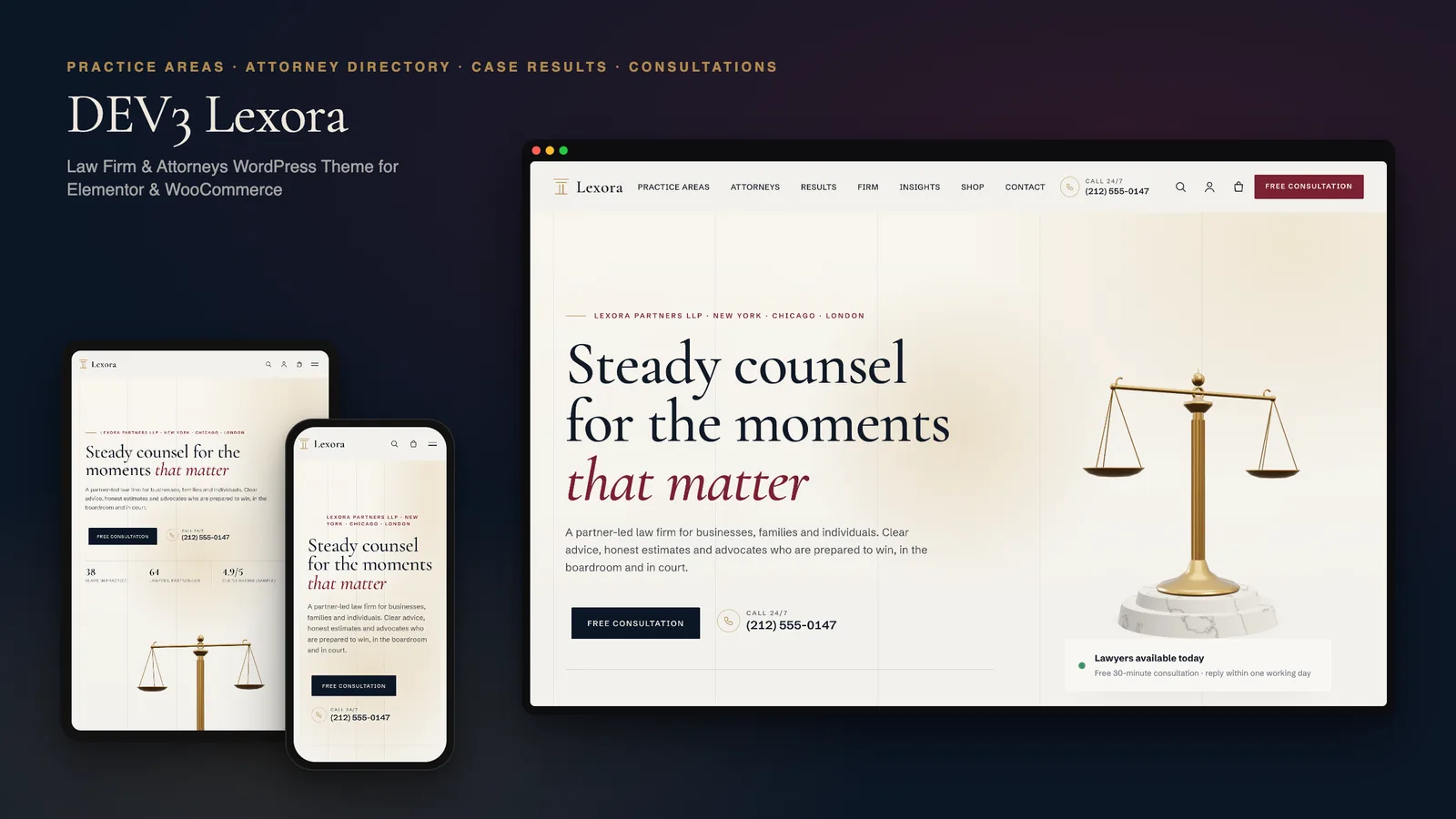
DEV3 Lexora: a law firm WordPress theme with an attorney directory, case results and brass 3D scales

Our own WordPress theme for law firms and attorneys: practice-area pages that build themselves from short fields, a filterable attorney directory with vCards, case results that always carry their disclaimer, and consultation booking, with rich motion and one small 3D accent of brass scales.
DEV3 Technologies · own product · News and publishing (WordPress theme)

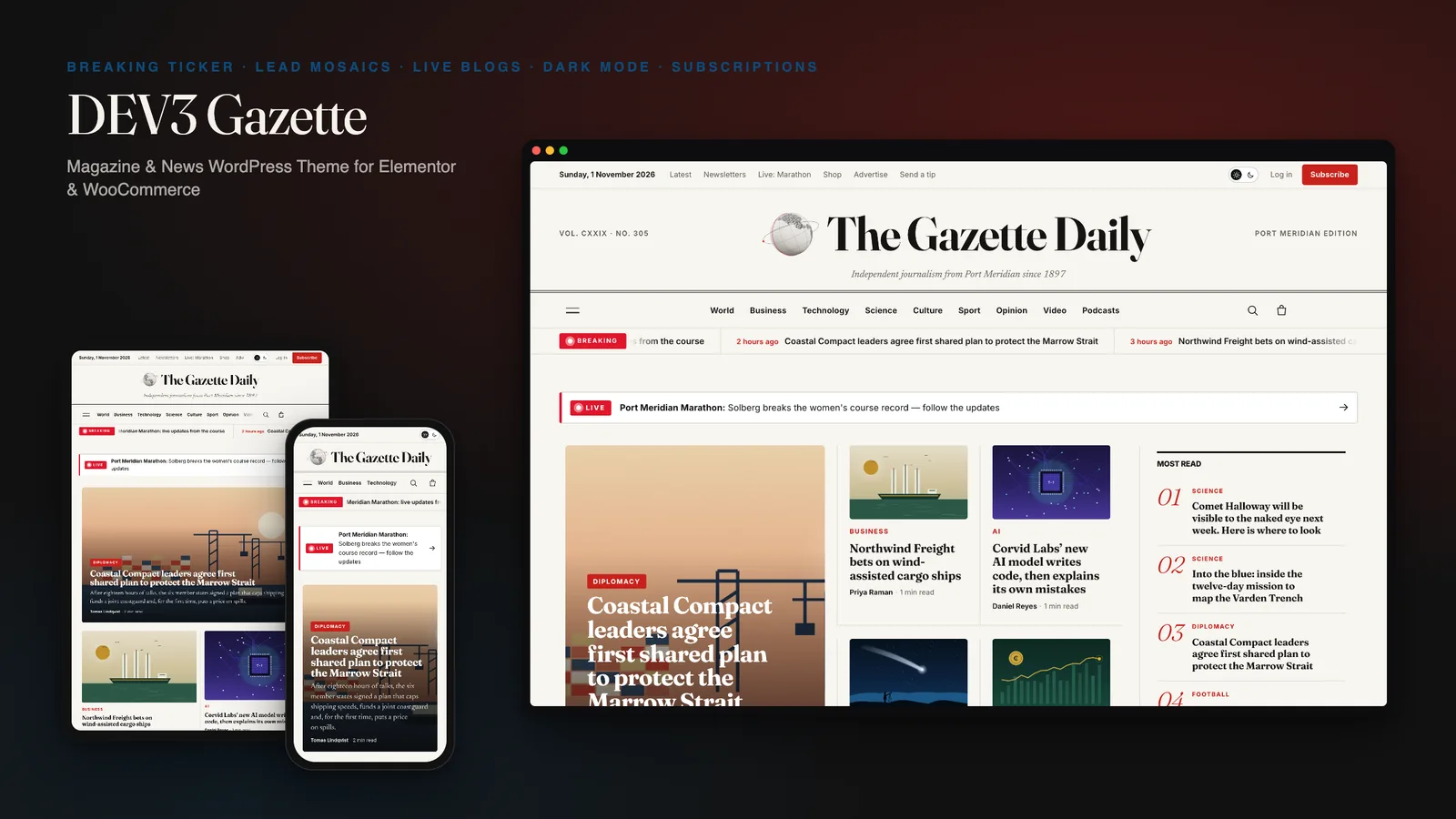
DEV3 Gazette: a magazine and news WordPress theme with live blogs, dark mode and a 3D globe

Our own WordPress theme for newspapers, magazines and news blogs: a classic masthead, breaking-news ticker, lead-story mosaics and section blocks, most read by real views, live blogs, reading tools, true dark mode, subscriptions, newsletters and ad slots, with reading-first motion and one small 3D globe.

DEV3 Technologies · own product · SaaS and startups (WordPress theme)

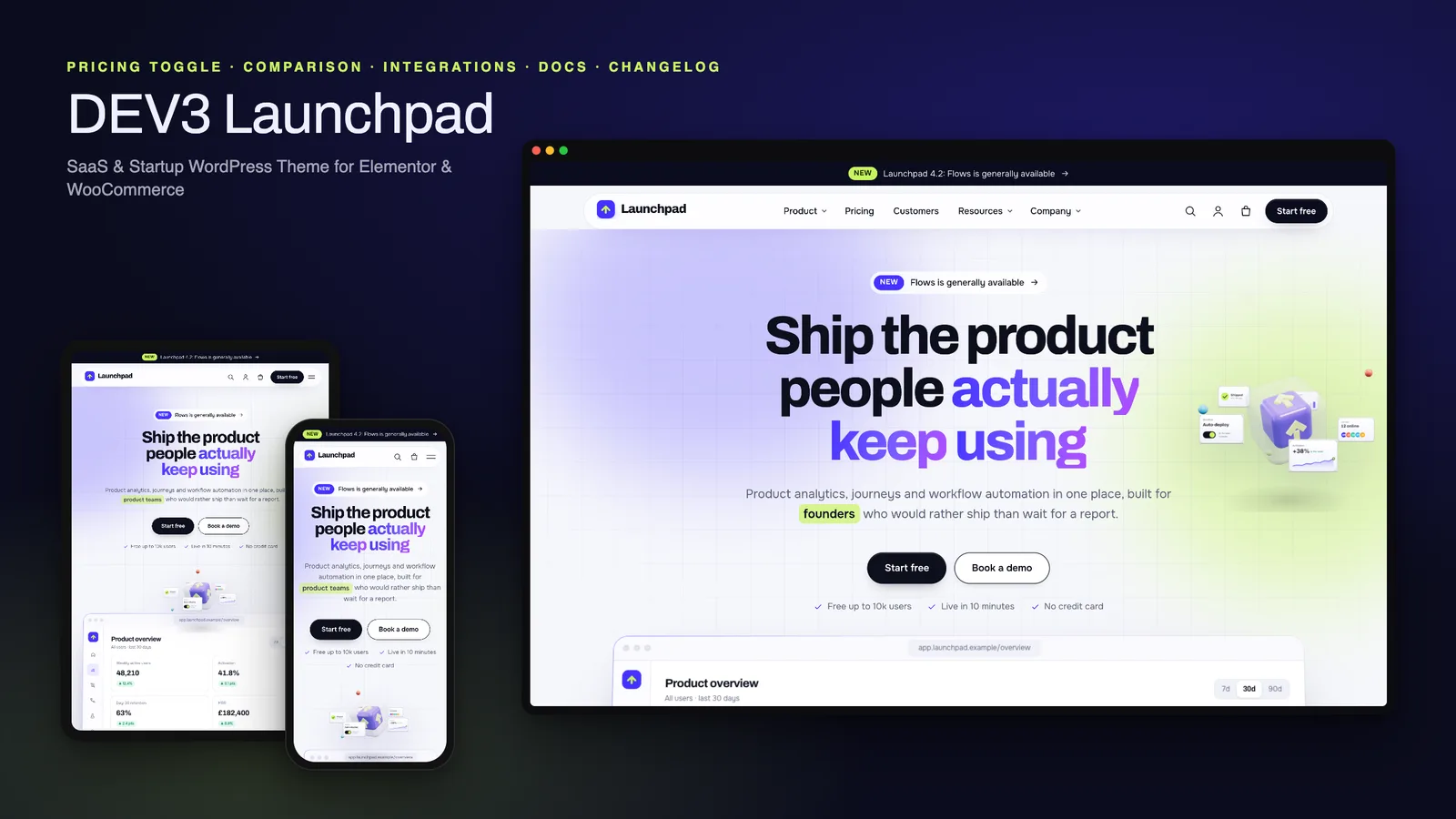
DEV3 Launchpad: a SaaS and startup WordPress theme with live product UI, pricing, docs and a 3D app cube

Our own WordPress theme for SaaS products and startups: a hero with a live HTML product mockup, a feature tour, pricing with a monthly / yearly toggle and a comparison matrix, integrations, customer stories, a changelog and a docs / help centre, with rich motion and one small 3D app cube.