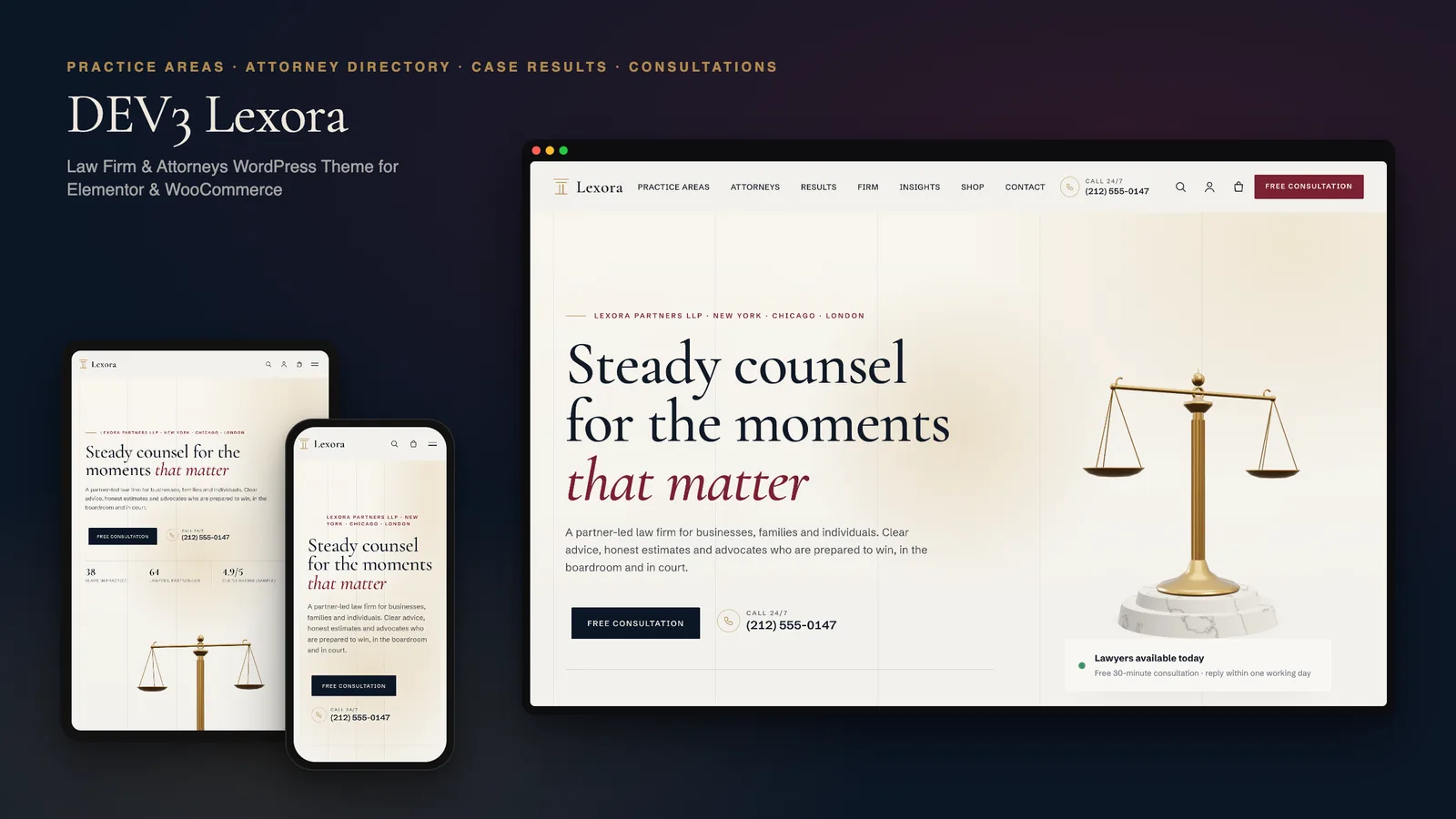
A law firm's website is often the first conversation a client has with the firm, usually at a difficult moment. It has to answer three questions quickly: does this firm handle my kind of matter, who would I actually work with, and how do I speak to someone? DEV3 Lexora is a law firm WordPress theme built around those questions, with practice-area pages, an attorney directory and consultation booking, all editable in Elementor. This post covers who it is for, how the pieces fit together, and how to set up an attorney website with it.
Who Lexora is for
- Law firms with several practice areas that want each area to have its own page with results, FAQs and the right attorneys.
- Multi-office firms that need visitors to find a lawyer by office, practice or language.
- Solo attorneys and small practices: keep one attorney, hide the directory link and use the profile as your About page.
- Agencies building legal sites for clients who will add attorneys, practice areas and articles themselves.
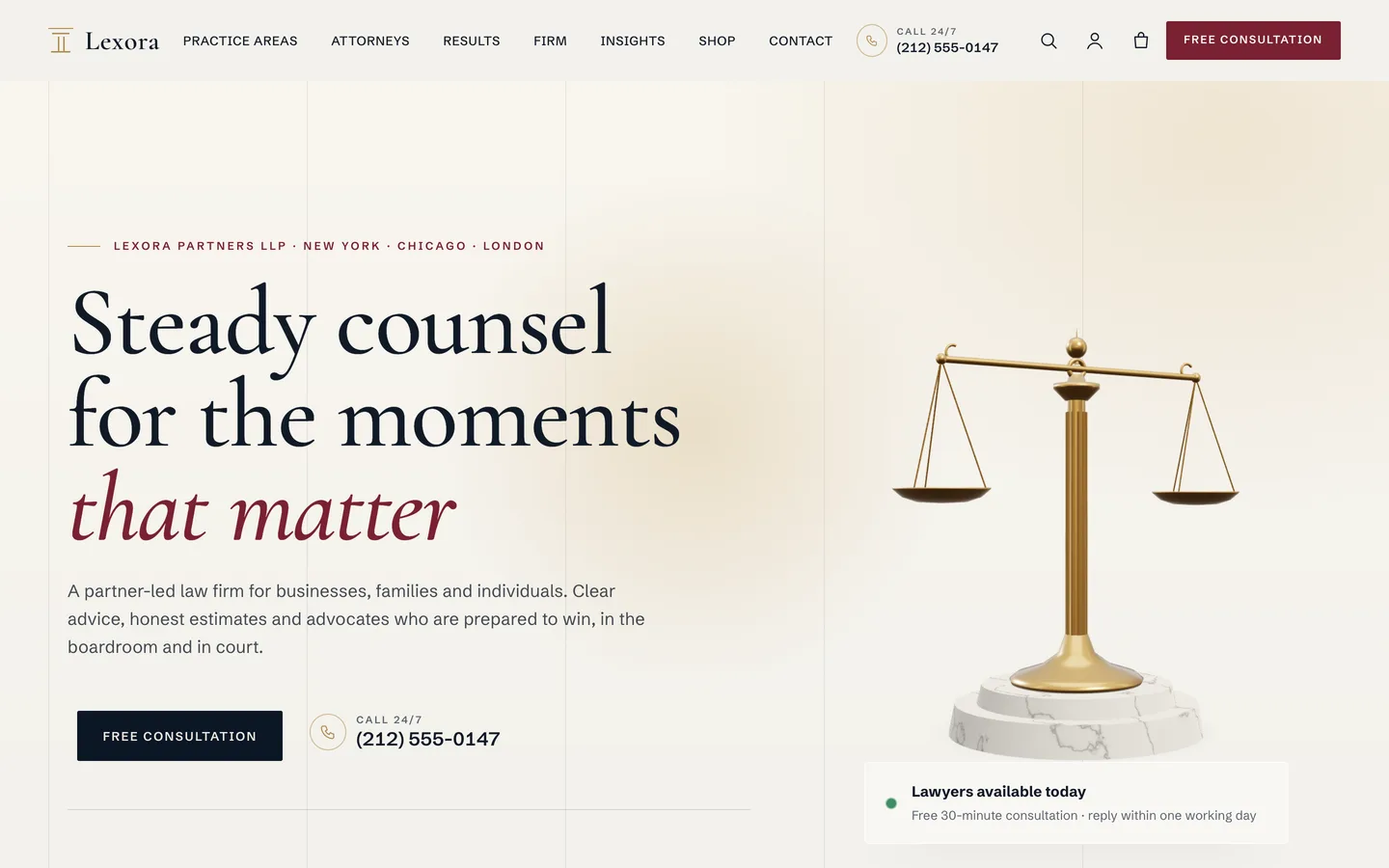
The look is modern and authoritative: a paper background, navy and oxblood, brass details, a large serif for headings and a clean sans for reading. There are no stock gavels; every image in the demo is an original 3D render or typographic art.
Practice areas that build themselves
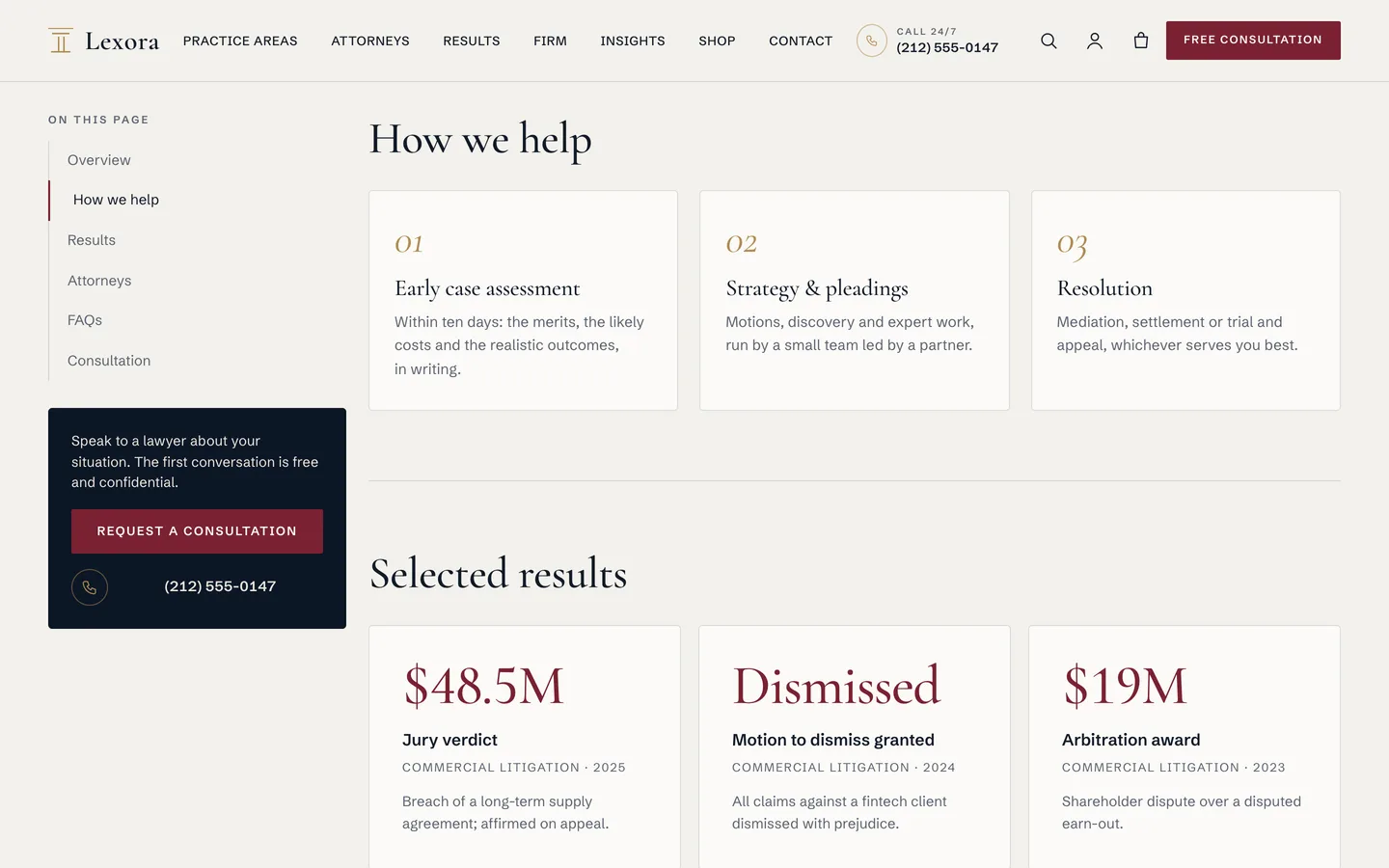
Most attorney websites need the same structure on every practice page, and most themes leave you to rebuild it by hand each time. In Lexora, a practice area is a post type with a few short fields:
- a fee model and typical timeline, shown in the hero and on cards
- how we help, one step per line:
Early case assessment | Within ten days, the merits, likely costs and realistic outcomes, in writing. - case results, one per line:
$48.5M | Jury verdict | 2025 | Breach of a supply agreement - FAQs, one per line:
Question? | Answer.
The single template turns those into a page with a sticky On this page navigation: overview, how we help, selected results, the attorneys who list that practice, FAQs and a consultation form. Any section you leave empty is simply not shown. FAQs also print FAQPage structured data. The archive groups areas by practice group, such as Business & transactions, Disputes & litigation and Private clients.
An attorney directory people can actually use
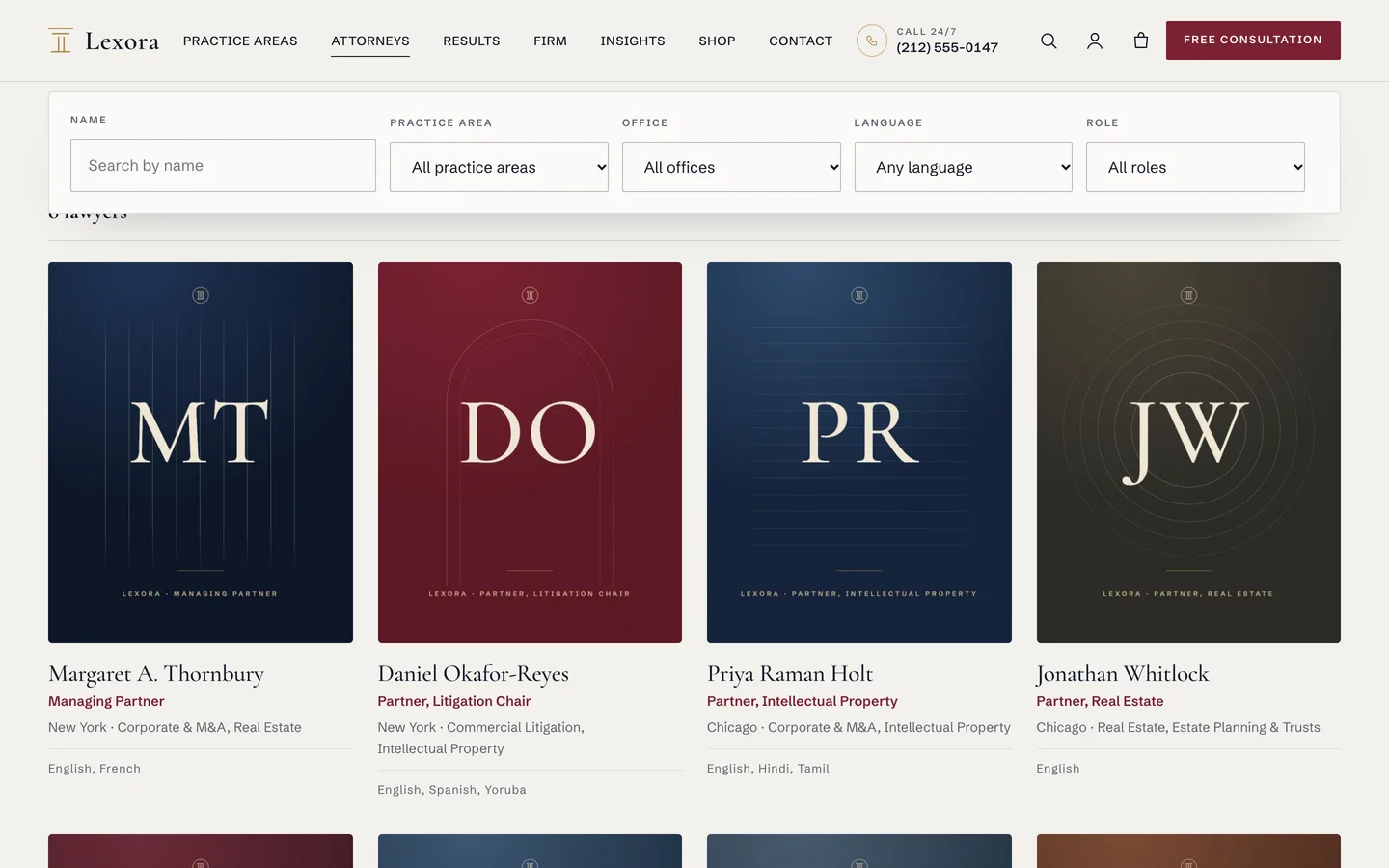
Visitors rarely want "all lawyers". They want someone in their city who handles their kind of matter, sometimes in their own language. The Lexora attorney directory filters by name, practice area, office, language and role, instantly and with a live result count. It also works without JavaScript, as an ordinary form.
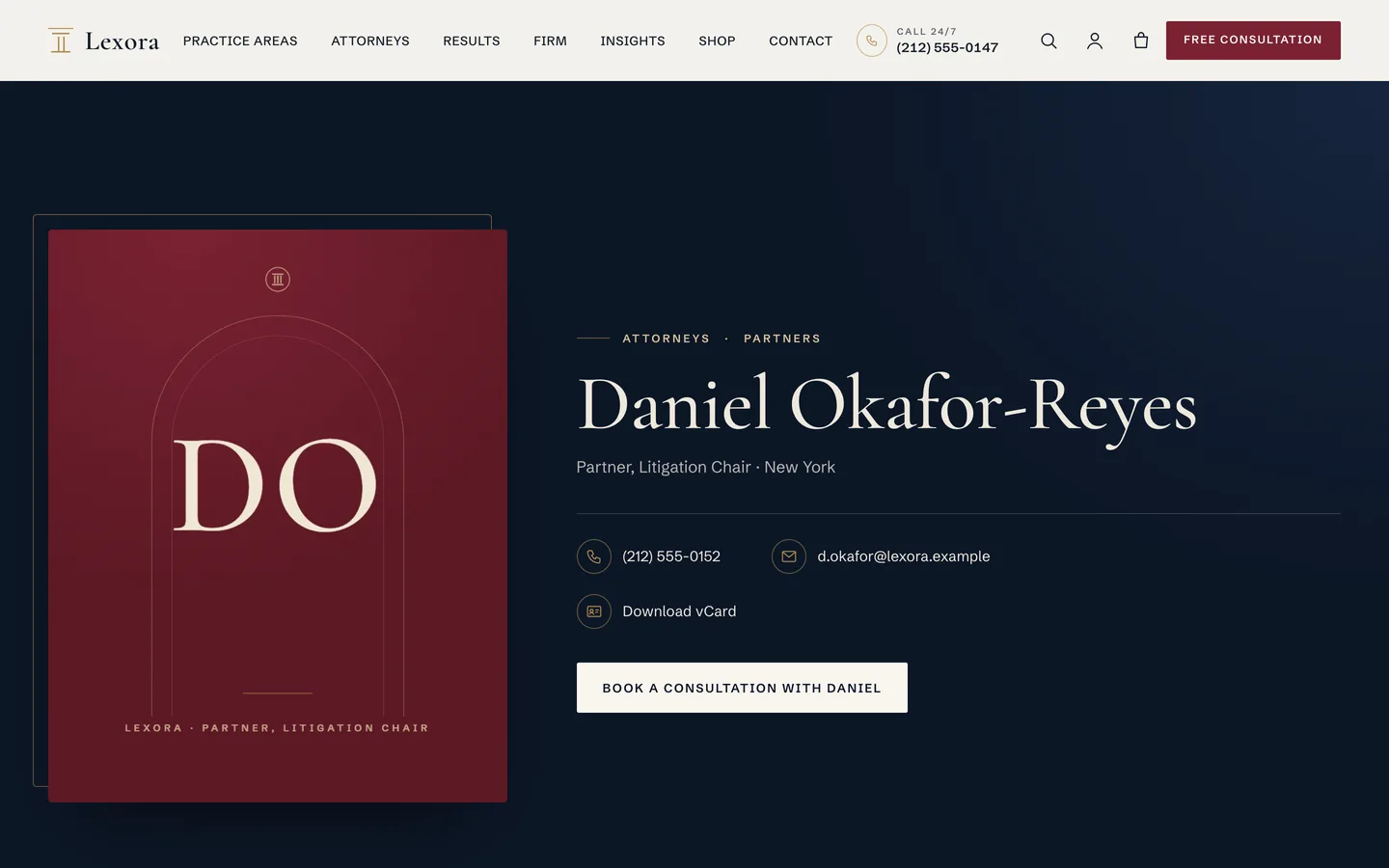
Each attorney has a title, office, practice areas, direct phone, email, languages, the year first admitted, focus areas, bar admissions, education and LinkedIn. The profile opens on a navy hero with the portrait, contact details, a Download vCard link that saves the attorney to a phone's contacts, and a Book a consultation button with the attorney's first name on it.
Attorneys are linked to practices by slug, so typing corporate-ma, real-estate into an attorney's Practice areas field puts them on both practice pages and into the directory filter.
Case results, with the disclaimer always attached
Results are persuasive, and in many jurisdictions they are also regulated. Lexora treats the disclaimer as part of the component, not an afterthought:
- The Results widget has a disclaimer field that defaults to "Prior results do not guarantee a similar outcome".
- Practice pages print the same note under their own results.
- A footer disclaimer line, such as "Attorney advertising", is set once in the Customizer and appears on every page.
- Every Insights article ends with an automatic note that it is general information, not legal advice.
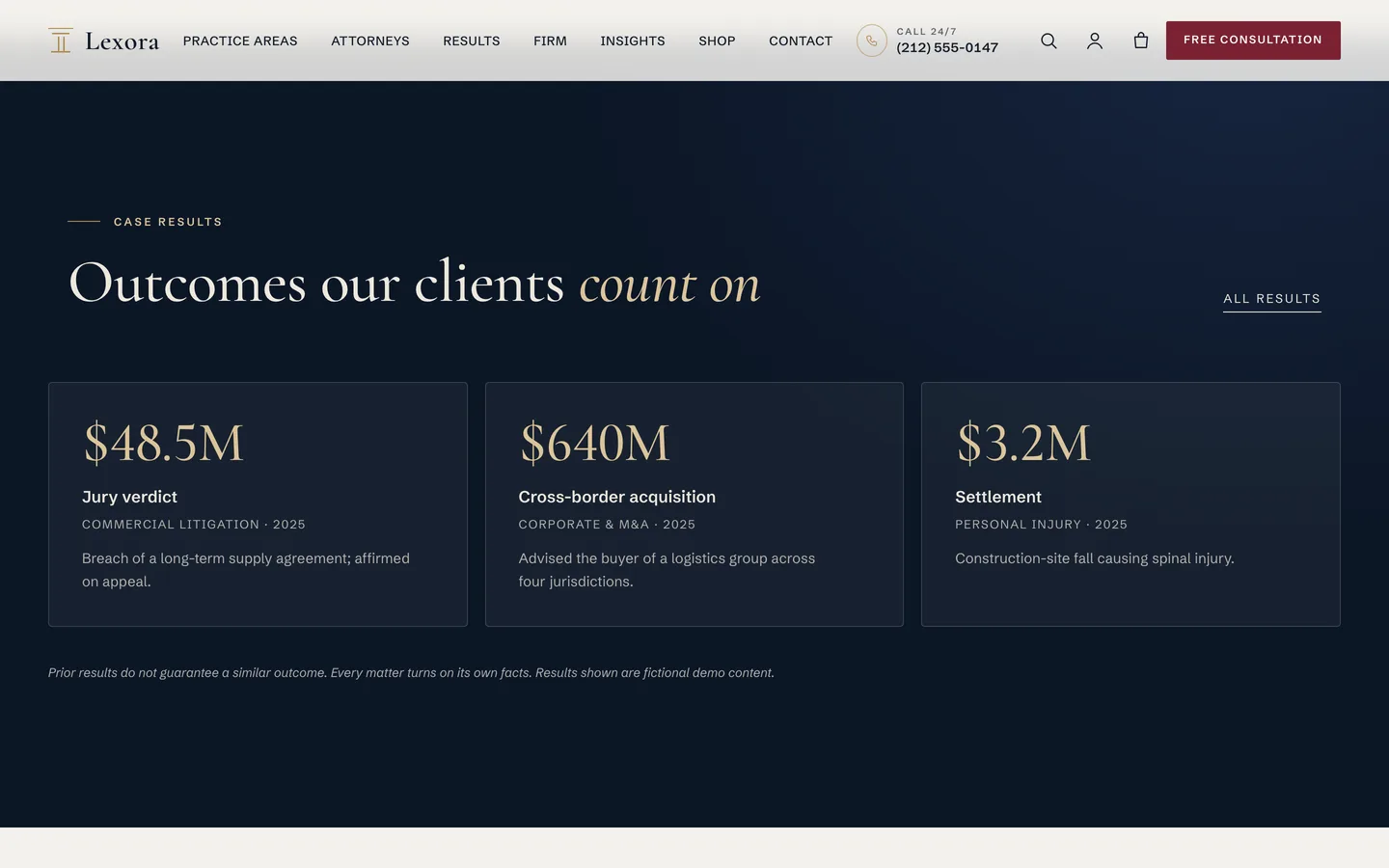
The theme gives you the places to put this wording. It does not decide what your bar or regulator requires; check those rules before you publish results, testimonials or awards.
Setting up an attorney website with Lexora
1. Install the theme and the toolkit
Upload dev3-lexora.zip under Appearance → Themes → Add New → Upload Theme and activate it. The theme asks for the DEV3 Theme Toolkit, which is required: it adds the practice areas, attorneys and client stories, the Elementor widgets and the demo importer. Install Elementor, WooCommerce and Contact Form 7 from the same prompt.
2. Import the demo
Go to Appearance → DEV3 Demo → Import demo. You get "Lexora Partners LLP", a fictional firm with offices in three cities: 8 practice areas in 3 groups, 8 attorneys, 6 client stories, 6 insight articles, 9 products and pages for the firm, results, consultation, offices, careers, FAQ and the legal notices. Reset removes only the demo content.
3. Set your firm details
Under Appearance → Customize → Lexora: firm details, set the phone number and its label (shown in the header, the mobile menu and on practice pages), the page every Free consultation button links to, and the footer disclaimer.
4. Replace the practice areas and attorneys
Edit each practice area's overview, steps, results and FAQs, then each attorney's details and portrait. The demo uses monogram cards in place of photos; swap in your own 4:5 portraits.
5. Check the consultation form
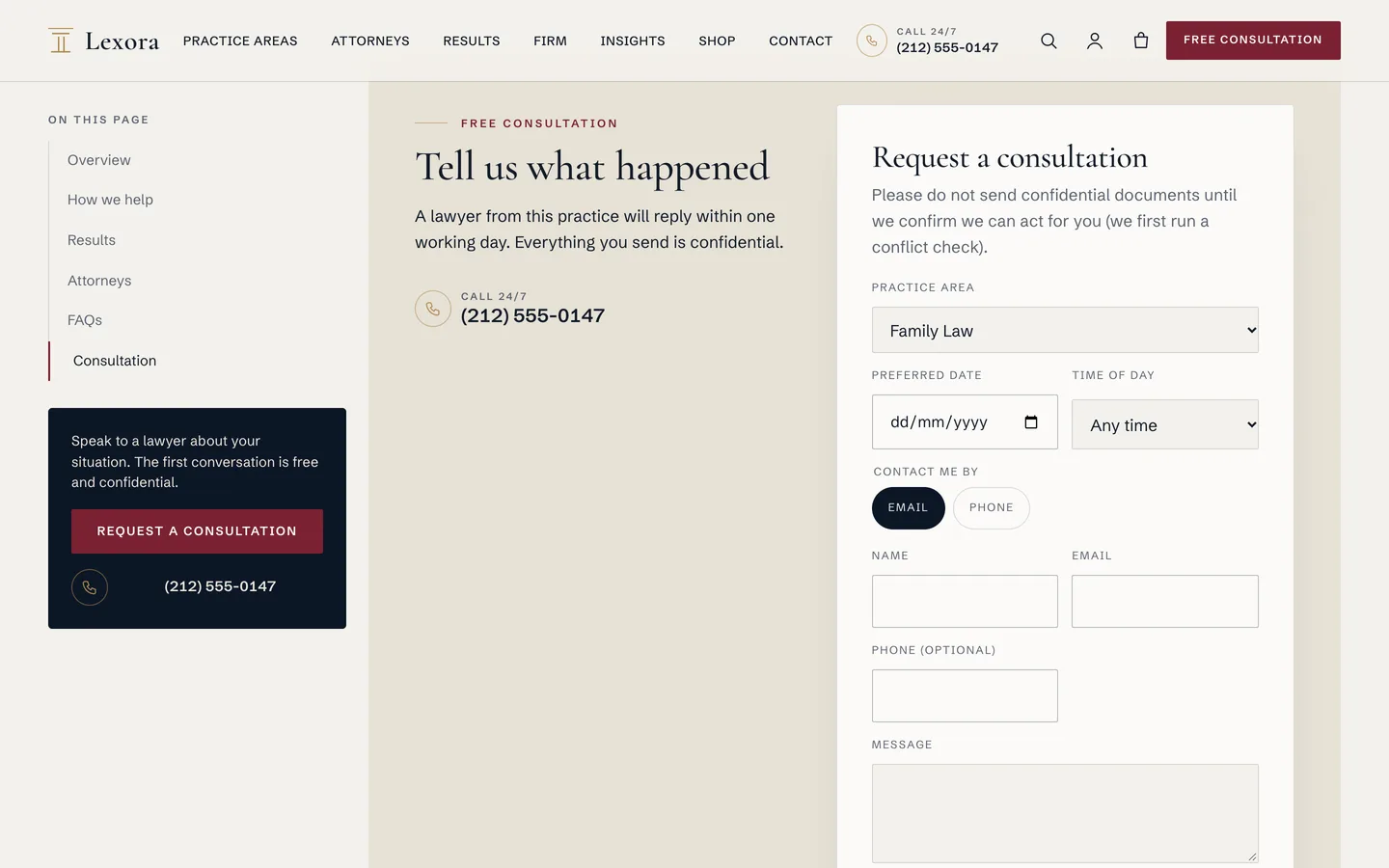
The consultation form asks for the practice area, preferred date, time of day, contact preference, name, email, phone and message. On a practice page, that practice is already selected. Requests are saved under Requests in the dashboard and emailed to the site admin, protected by a nonce, a honeypot and a rate limit. If you prefer Contact Form 7 or WPForms, paste its shortcode into the widget instead.
Fixed fees and paid consultations
Some firms sell fixed-fee work online. The demo shop shows how: paid consultations, a contract review with Standard or Express turnaround, a lease review, a will and estate package, and downloadable guides. All products are virtual, so checkout skips shipping. Set your real payment methods in WooCommerce, and check your professional rules (conflict checks, engagement letters) before you sell legal services this way.
Motion that stays measured
Lexora has rich motion, used with restraint. The hero draws its ruled "ledger" lines on load, headings split and settle, results count up, "how we work" is four cards that stack as you scroll, and directory cards re-stagger when you filter. Every effect comes from the Advanced → DEV3 Motion panel on any Elementor widget or container.
There is one small 3D accent: the brass scales in the hero. As you scroll or move the pointer, the beam tips slightly and then settles level again. You can change the brass, marble, veins and plinth, and how far the beam sways, in Elementor, or delete the widget; nothing else depends on it, and the 3D engine is then not loaded. Visitors who prefer reduced motion see the final state of every effect and a still image of the scales.
See it in motion
There is no public live demo. The video tour runs from the hero and its scales through a practice page and the attorney directory to checkout.
Before you launch
- Replace every demo result, client story, award and quote with your own verified material; the demo firm and its people are fictional.
- Set the footer disclaimer and review the legal disclaimer, attorney advertising and privacy pages with your own wording.
- Turn off Cash on delivery, which the demo enables for testing, and set real payment methods if you sell consultations.
- Check what your bar or regulator requires on results, testimonials and titles such as "specialist"; the theme gives you the pages and disclaimer slots, not the legal wording, and nothing in the demo is legal advice.
Lexora is on the DEV3 marketplace. The case study explains how the practice pages, directory and disclaimers were designed.