A gym or yoga studio website gets two kinds of visitors. New people want to feel the energy of the place and find an easy way to try a class. Members want one thing, fast: what is on today, and when. DEV3 Pulse is a gym, fitness and yoga studio WordPress theme built for both, with bold motion up front and a class timetable that builds itself from your class data, all editable in Elementor. This post covers who it is for, how the classes and timetable work, and how to set up a studio site with it.
Who Pulse is for
- Gyms and fitness clubs with a gym floor, group classes and more than one location.
- HIIT, boxing and indoor cycling studios that sell on energy and a busy class schedule.
- Yoga and Pilates schools that want a calmer palette, low-intensity classes, workshops and retreats.
- Personal trainers and small coaching teams who need trainer profiles, packs and a free-trial form.
- Developers and freelancers building studio sites that the owner will keep up to date.
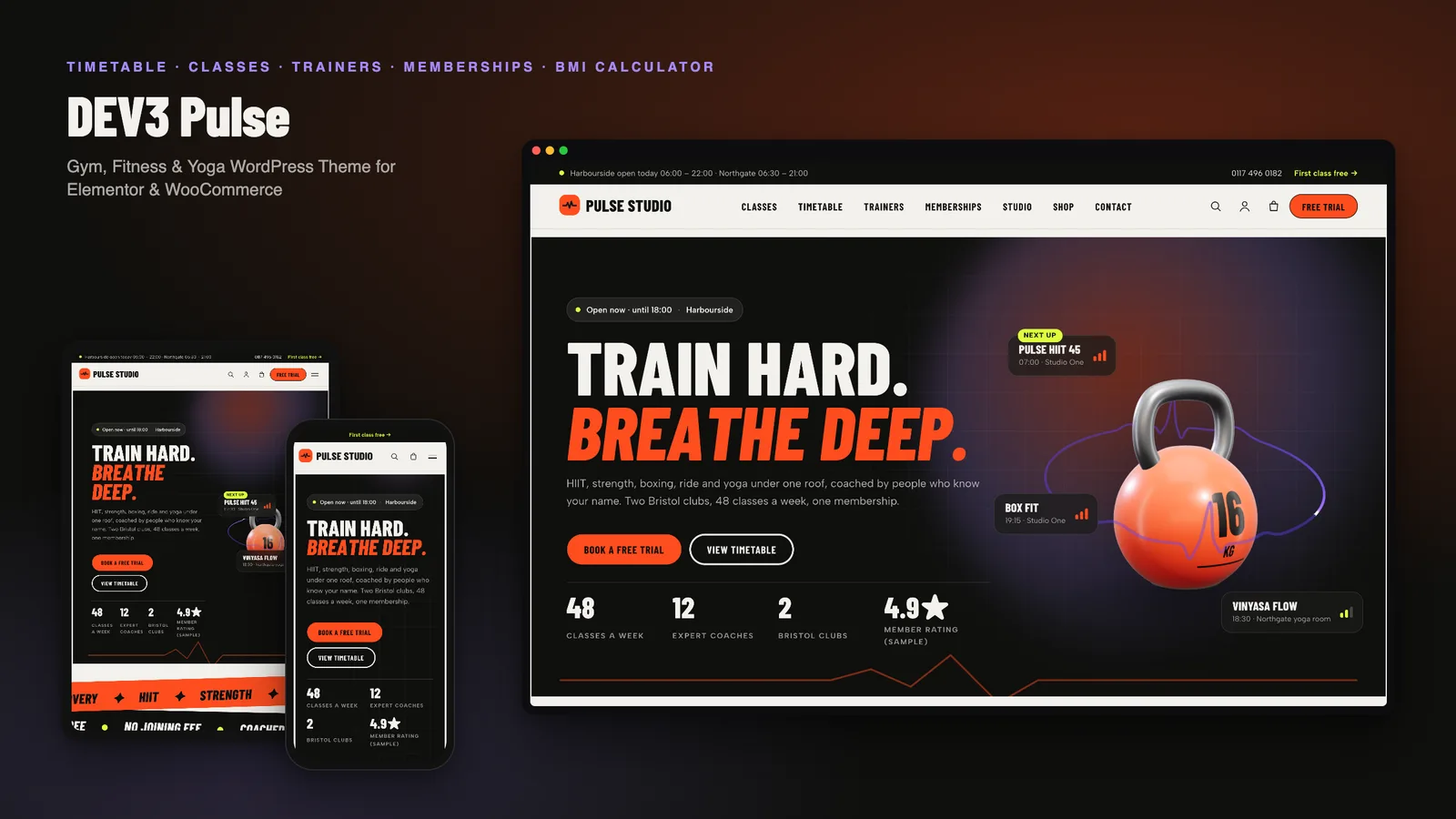
The look is energetic: uppercase condensed headlines, a heat-orange accent with lilac and volt highlights, warm chalk backgrounds and ink panels. The demo images are original: class posters with pictogram athletes, illustrated trainer cards and 3D studio renders of the equipment and facilities. There are no stock photos.
Energy first: the hero and the one 3D accent
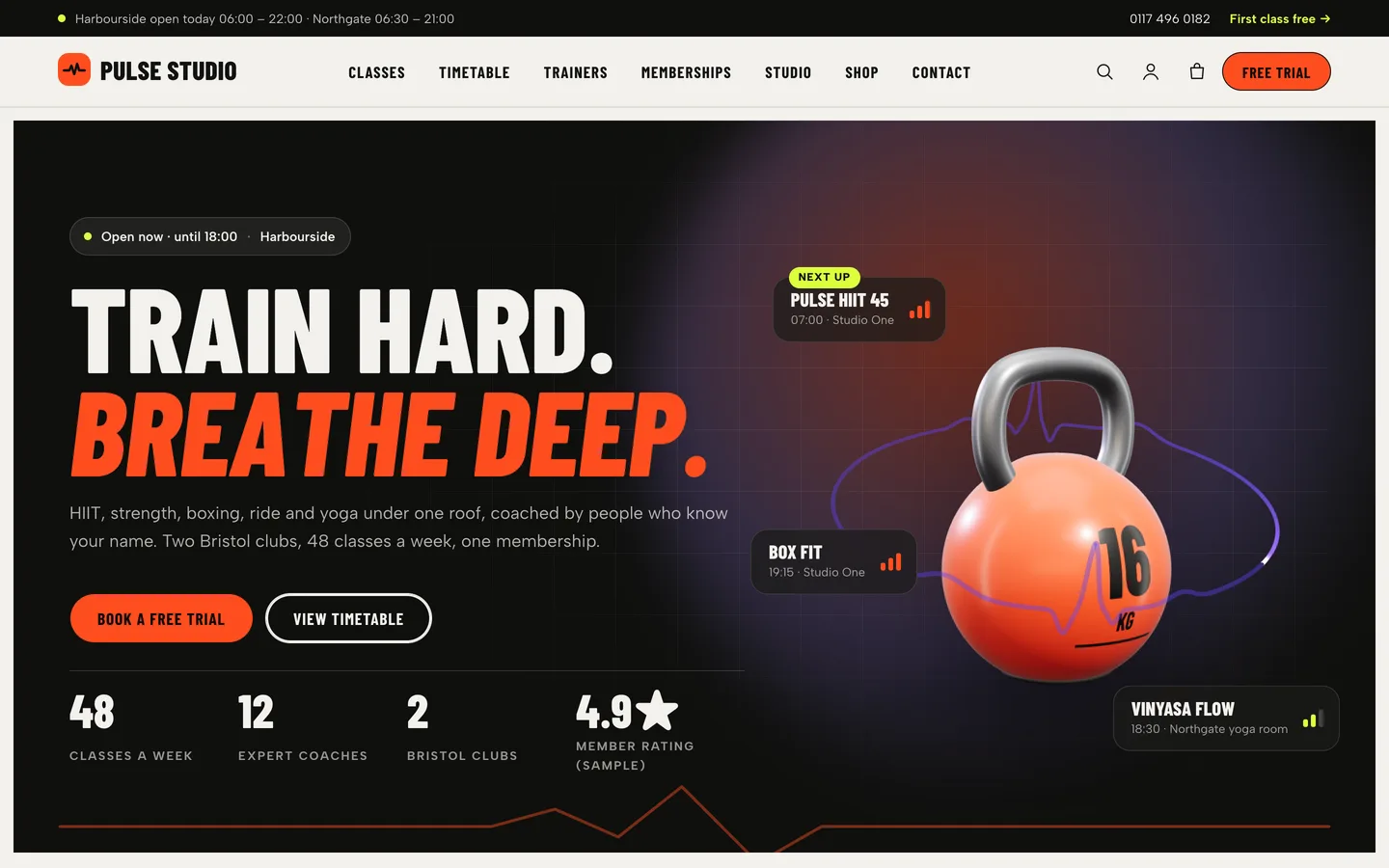
The hero is an ink panel with a split headline that letters in on load, two clear buttons (Book a free trial and View timetable) and counters for classes a week, coaches and clubs. An open-now chip reads your opening hours and says "Open now · until 18:00", "Opens today at 06:30" or that you open tomorrow. A top bar above the header repeats each club's hours with a phone number and a trial link.
Beside the headline sits the theme's only 3D element: a kettlebell on a slow turntable, circled by a heartbeat line, with floating "next up" class tickets. It is an accent, not a scene. It loads only when it is near the viewport, pauses offscreen, and shows a still image on devices without WebGL or when the visitor prefers reduced motion. In Elementor you can swap it for a hex dumbbell, change the paint colour and the weight printed on the bell, or delete it; nothing else depends on it.
Classes with intensity
Every class is a post with short fields: a weekly schedule, duration, level, intensity (low, medium or high), the coach, the room, approximate calories, places per session and a drop-in price. Intensity is data, not decoration, so one value drives the badge on the timetable, the bars on posters and hero tickets, and the meter on the class page.
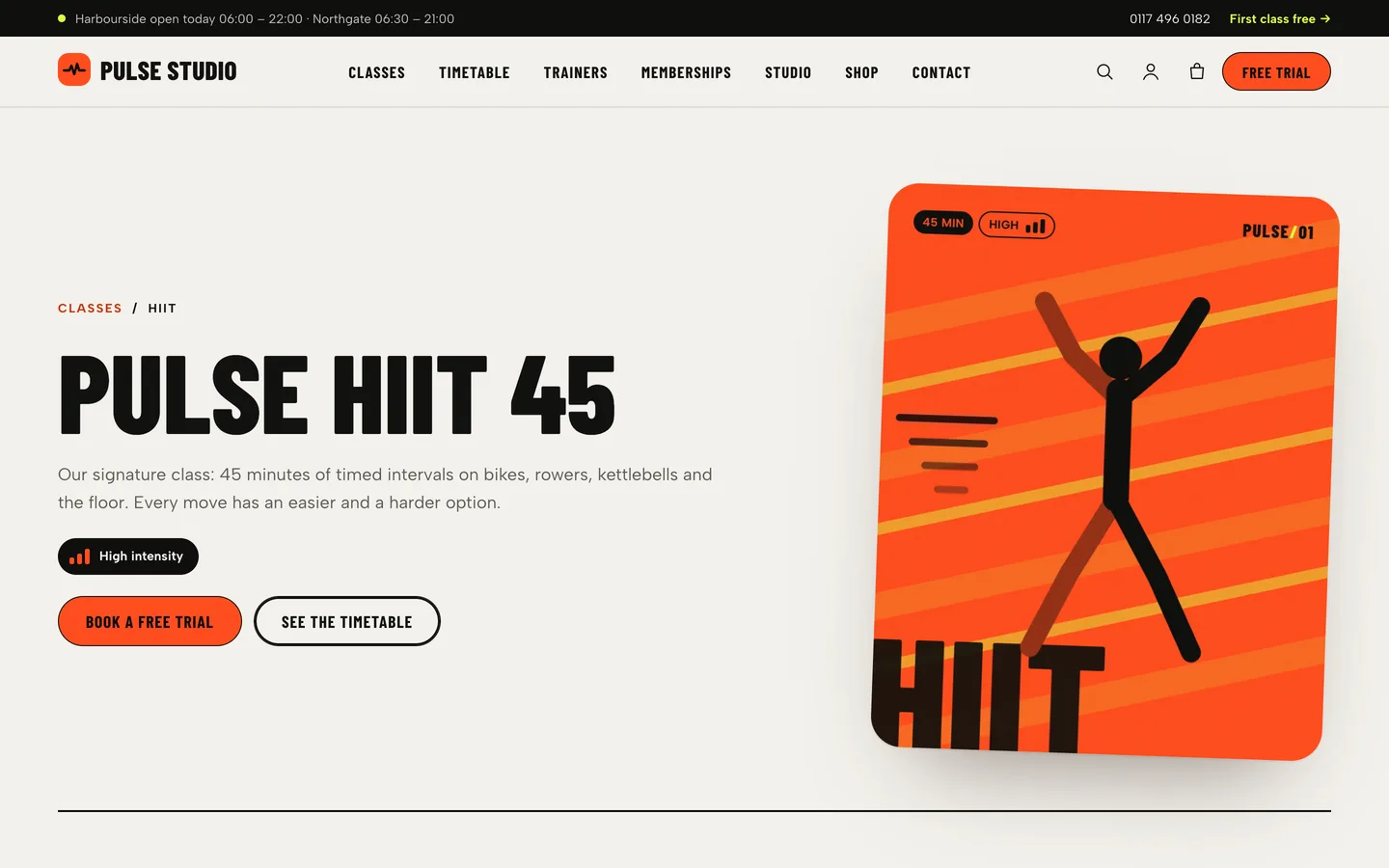
The single class page puts that to work: a tilted class poster, the intensity meter, a facts band, what to expect and what to bring, the weekly sessions, the coach card, a health note and a free-trial panel.
A weekly timetable that builds itself
In most gym themes the timetable is a table somebody retypes whenever a class moves. In Pulse it is generated. You write each class's sessions once, one per line:
Mon, Wed 07:00-07:45 | Studio One
Sat 09:00-09:45 | Studio One
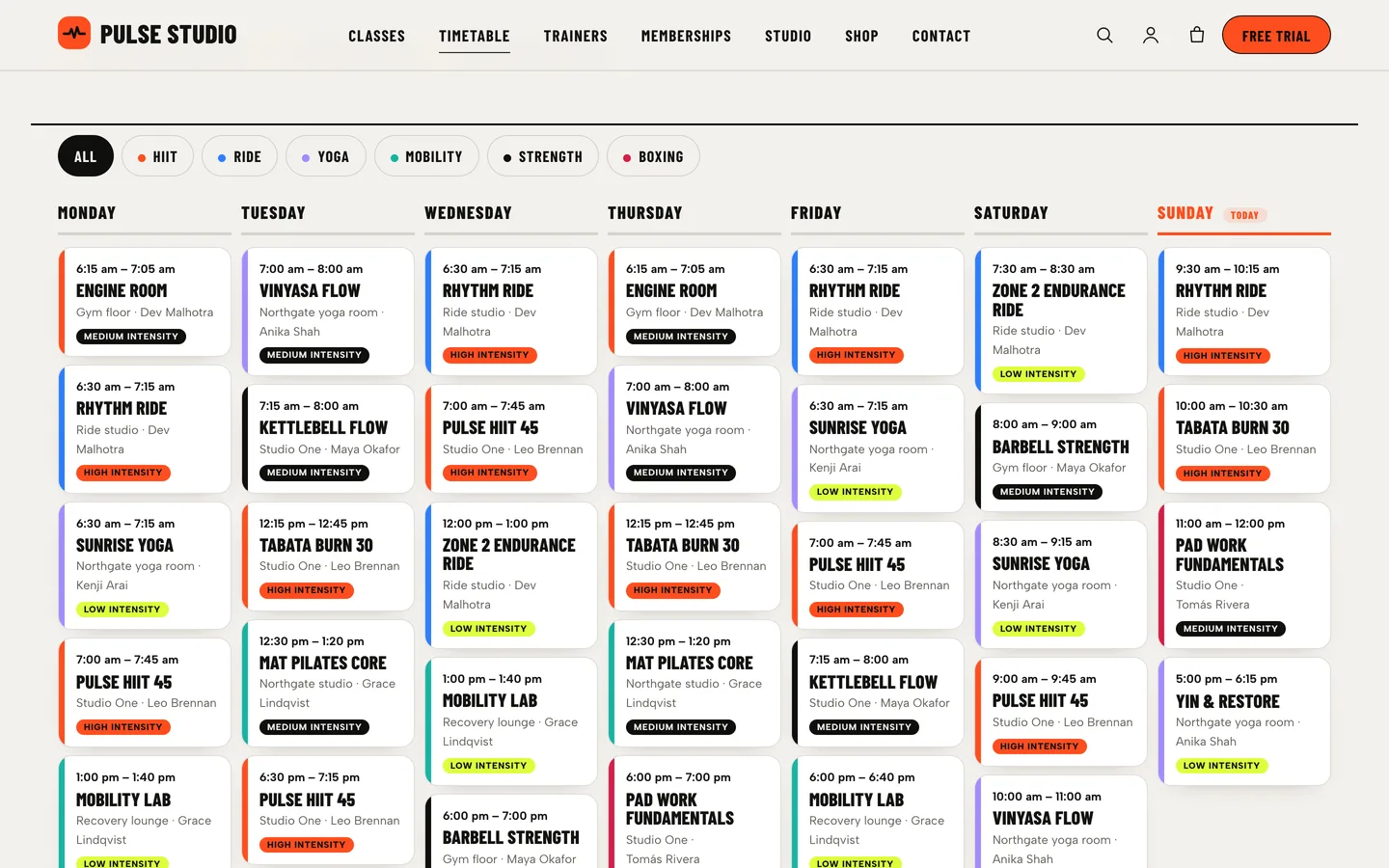
Weekdays, Daily, Weekends and ranges like Mon-Fri also work. The Weekly Timetable widget reads every class, sorts the sessions into day columns with times, room, coach and an intensity badge, and highlights today in your site's time zone. Category filters (HIIT, Ride, Yoga, Mobility, Strength, Boxing in the demo) each get their own colour, and the same colour marks the session's edge, so members can scan for their kind of class.
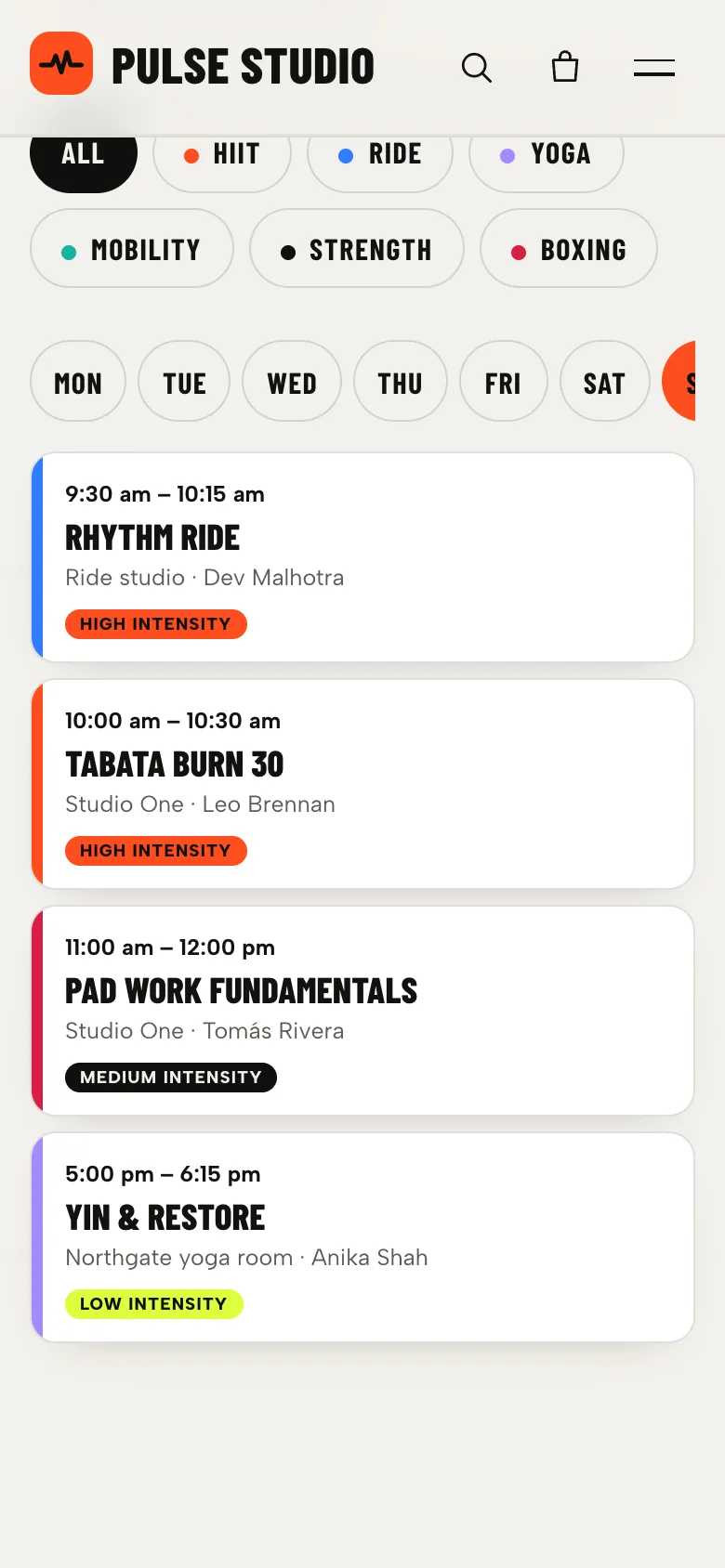
Seven columns do not fit a phone, so when the widget is narrower than 700 px it switches to day tabs and shows one day at a time, with the filters above. The timetable is rendered on the server with every day in order, so without JavaScript it is still a complete, readable list.
Because the timetable comes from the classes, changing a time in one place updates the timetable page, the home page teaser and the class page together.
Memberships people can compare
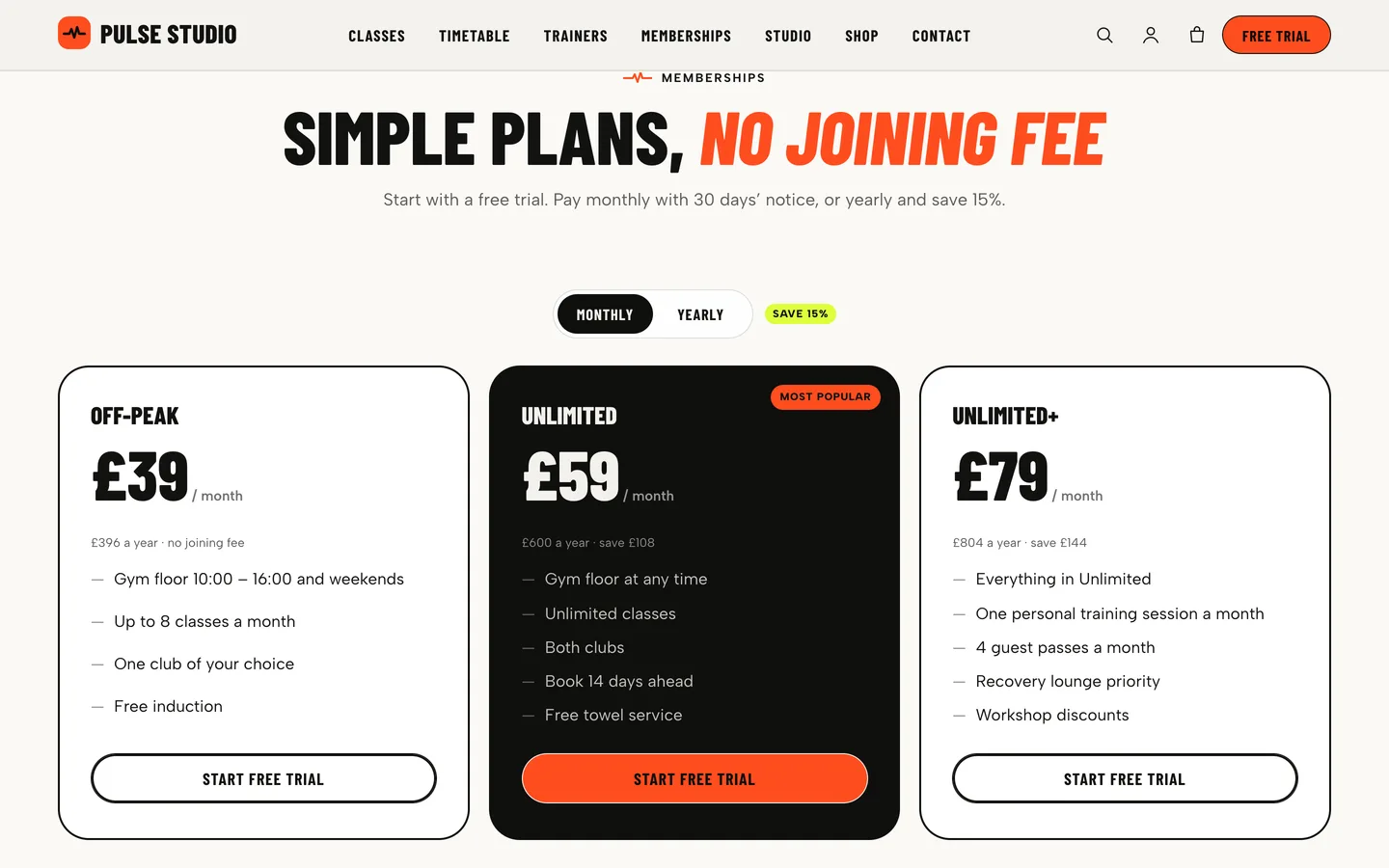
The memberships section has a monthly / yearly switch: each plan gets a second price and period, a savings badge and small print, and the featured plan sits on an ink card.
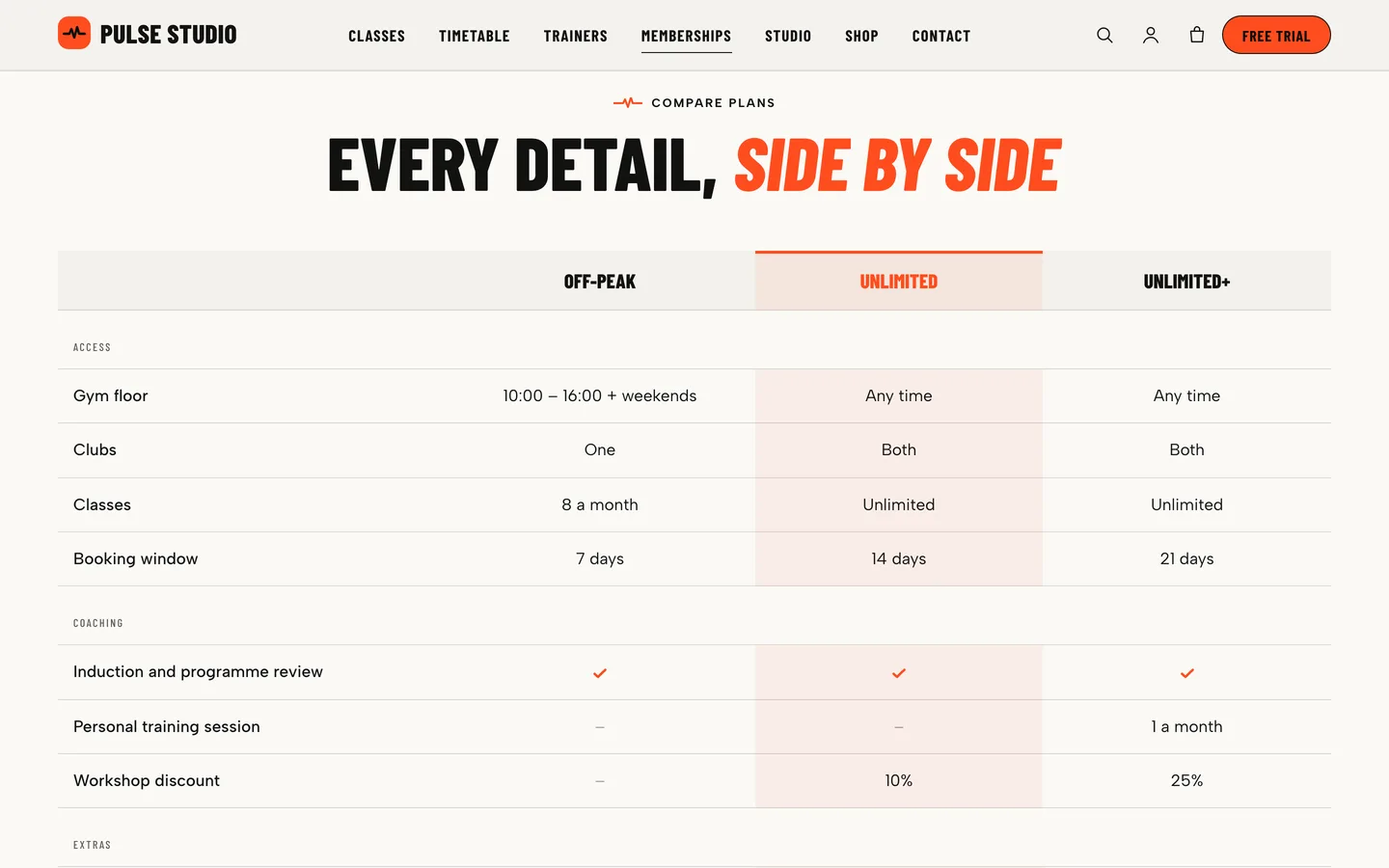
Below it, the plan comparison answers the questions people ask at the front desk: gym-floor hours, clubs, classes, booking window, coaching and extras. You write plain rows (yes, no or text, separated by |), and a row with only a heading becomes a group. On phones the table shows one plan at a time instead of scrolling sideways.
Calculators, framed responsibly
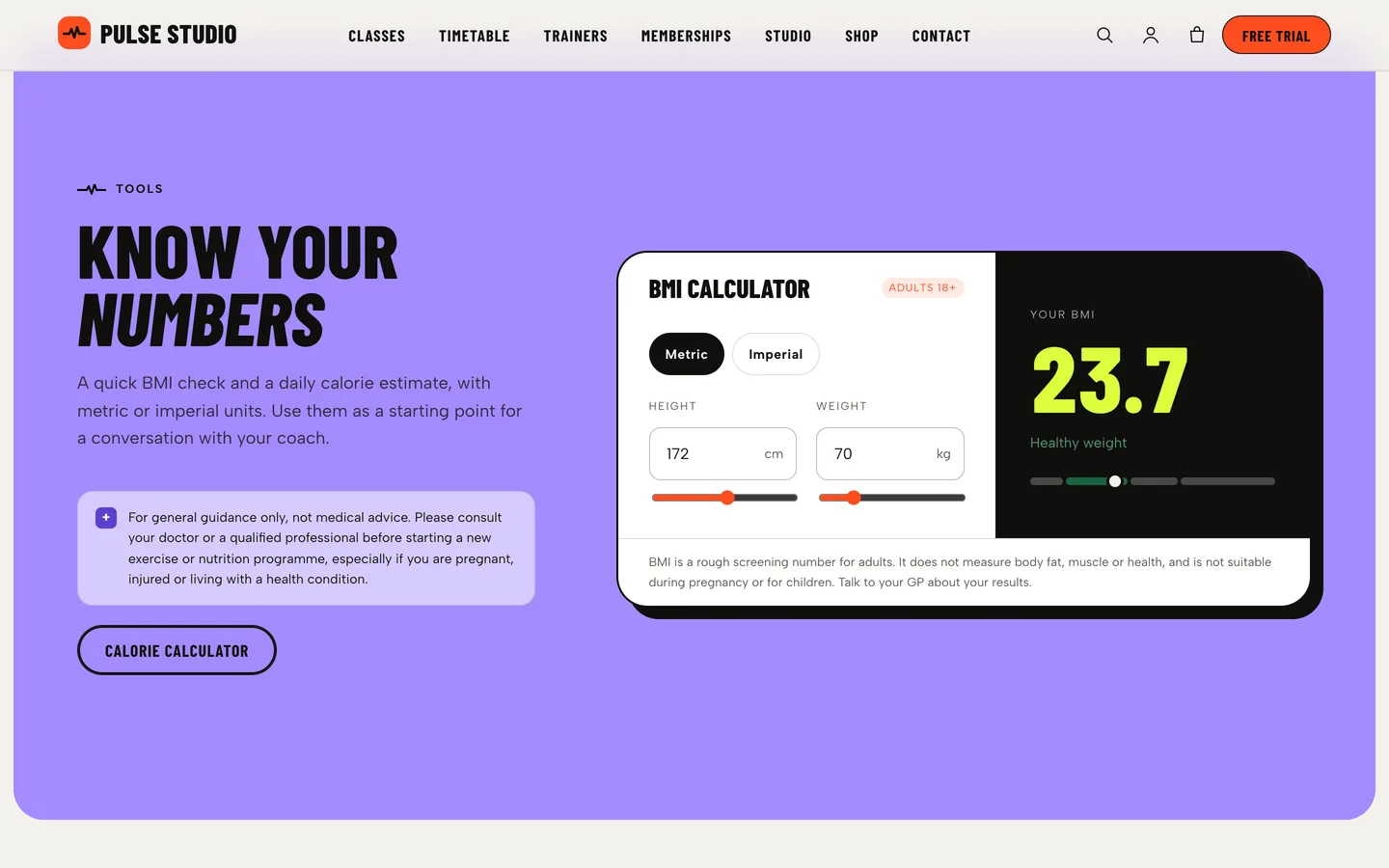
Studios like to offer a BMI calculator and a calorie estimate, and visitors use them. Pulse includes both: BMI with metric or imperial units and WHO adult bands, and a daily calorie estimate using the Mifflin–St Jeor equation times an activity level. Each result has a short, plain explanation of what the number can and cannot tell you.
The theme treats these as conversation starters, not advice. A health note set in the Customizer ("For general guidance only, not medical advice. Please consult your doctor or a qualified professional…") prints beside the calculators and on every class page, and the demo copy avoids health claims. Keep that note when you edit the pages.
Workshops, retreats and the free trial
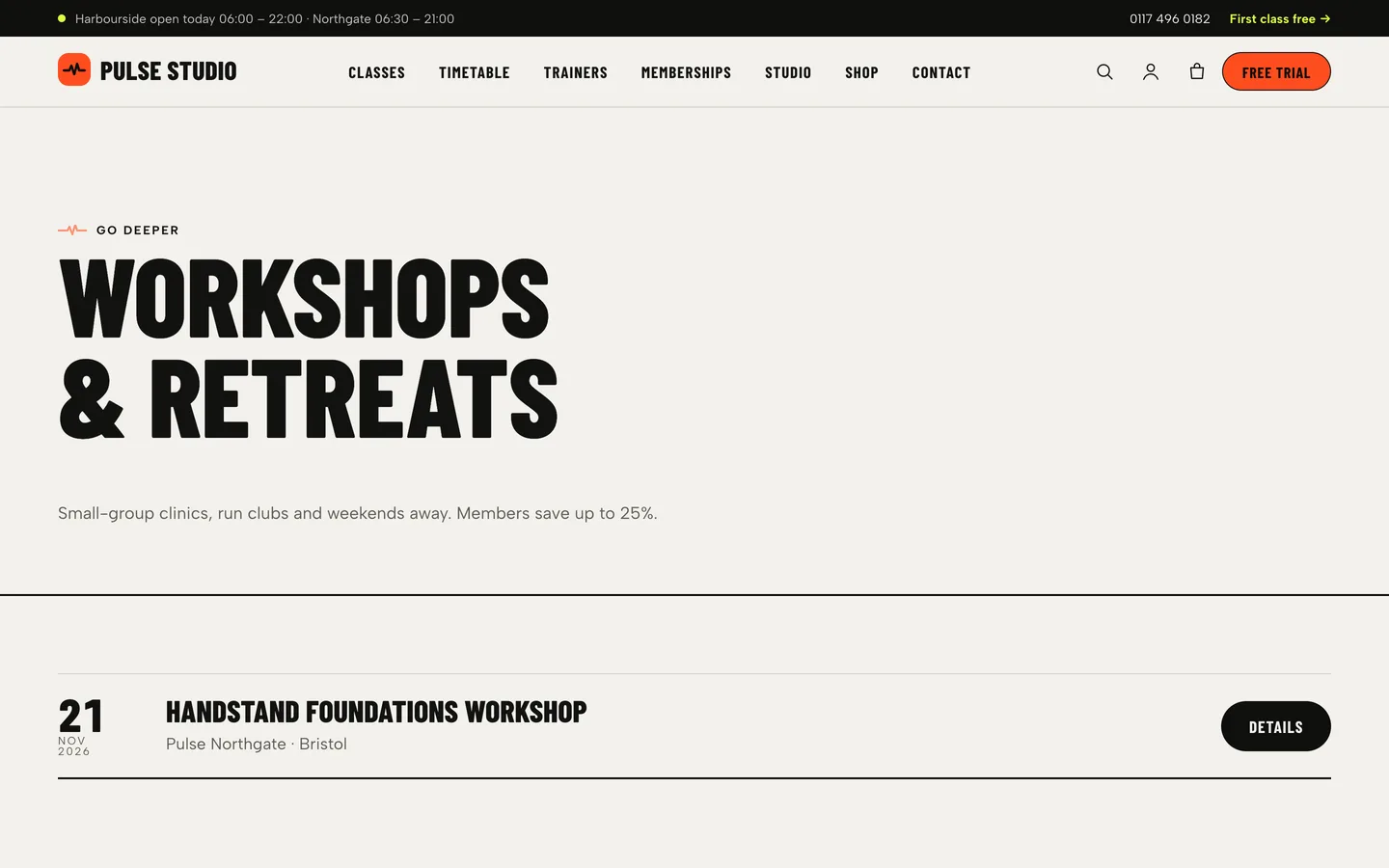
Workshops & retreats have start and end dates, a venue, the coach who leads them, a price and a places badge: booking open, few places left, fully booked, cancelled or postponed. The archive shows upcoming dates as a list, then poster cards with filters.
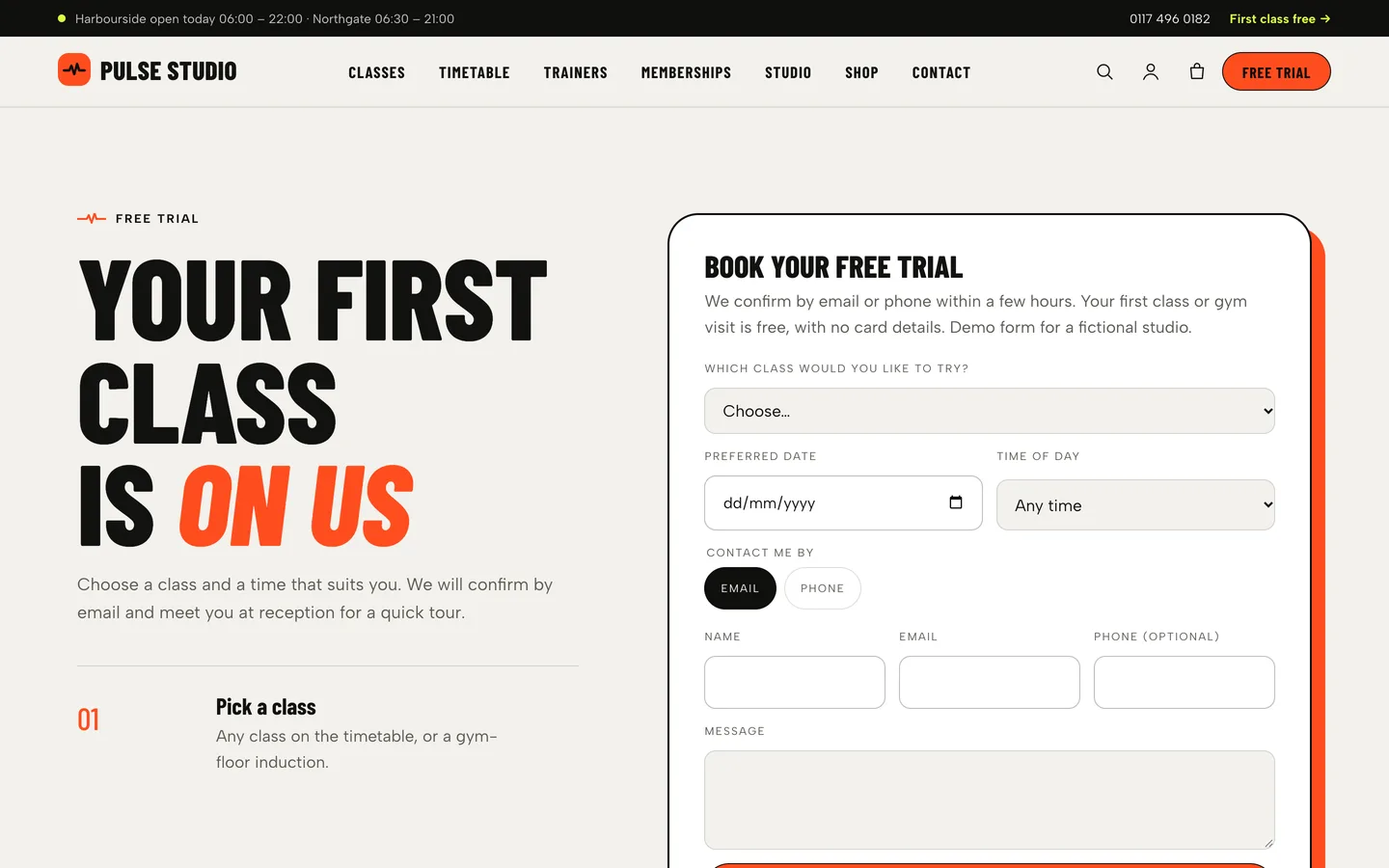
The free trial page turns interest into a visit. Three short steps explain what happens, and the booking form lists your classes, then asks for a preferred date, time of day and how to get in touch. Requests are saved under Requests in the dashboard and emailed to the site admin, so a small studio does not need a booking platform to start. If you already use one, point the trial buttons at it.
A small shop
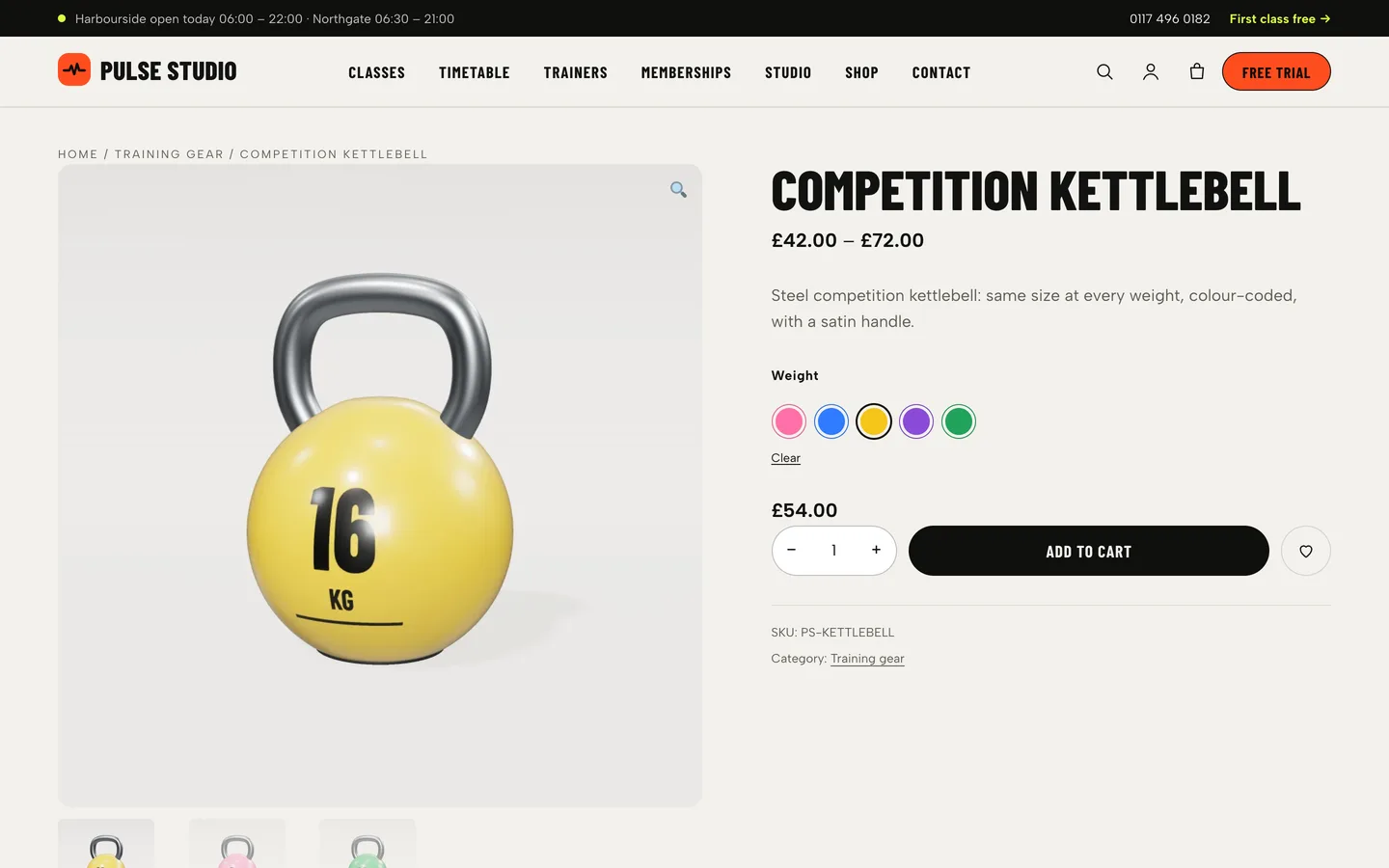
The demo shop sells class packs, a day pass and personal training as virtual products, plus gear and apparel. The competition kettlebell is a variable product with weight swatches, each with its own colour-coded render, and the slide-out cart, quick view, checkout and account pages are styled to match.
Setting up a studio site with Pulse
1. Install the theme and the toolkit
Upload dev3-pulse.zip under Appearance → Themes → Add New → Upload Theme and activate it. The theme asks for the DEV3 Theme Toolkit, which adds the Classes, Trainers, Workshops and Member stories post types, the Elementor widgets and the demo importer. Install Elementor, WooCommerce and Contact Form 7 from the same prompt, then set Settings → Permalinks to "Post name".
2. Import the demo
Go to Appearance → DEV3 Demo → Import demo. You get "Pulse Studio", a fictional two-club studio, with 10 pages, 14 classes in 6 categories, 8 trainers, 6 workshops and retreats, 6 member stories, 8 journal posts, 13 shop products and the menus. Reset removes only the demo content.
3. Set your hours and health note
Under Appearance → Customize → Pulse: top bar & studio, set the top bar text, phone and trial link, and review the health note. The open-now chip in the hero reads its hours from the data-ps-open attribute in the hero's HTML widget.
4. Replace the classes and coaches
Edit each class: description, a 4:5 poster, a category, the weekly schedule, intensity and the coach's trainer ID. Add your coaches under Trainers with their certifications. The timetable fills itself.
5. Set up memberships and the shop
Edit the plans in the Pricing Table and the rows in the Feature Comparison, and replace the demo products with your class packs and gear. Turn off Cash on delivery and set up a real payment method.
See it in motion
There is no public live demo. The video tour runs from the hero and the kettlebell through the classes, the timetable, memberships and the calculators to the free trial and checkout.
Before you launch
- Replace every demo coach, member story, review, figure and price with your own; the demo studio and its people are fictional, and its reviews and figures are labelled as samples.
- Keep the health note next to the calculators and review it with a qualified professional.
- Check that each class has a category and a schedule, or it will not appear in the filters and the timetable.
- Turn off Cash on delivery, which the demo enables for testing, and set real payment methods.
Pulse is on the DEV3 marketplace. The case study explains how the timetable, the intensity data and the motion fallbacks were designed.