All case studies

DEV3 Technologies · own product

DEV3 Pulse: a gym, fitness and yoga WordPress theme with a self-building class timetable and a 3D kettlebell

Our own energetic WordPress theme for gyms, fitness and yoga studios: classes with intensity, a weekly timetable built from class schedules, trainers, memberships with a yearly toggle and comparison, calculators with a health note, workshops and free-trial booking.

Industry
Gyms, fitness and yoga studios (WordPress theme)

Live project preview

Client systems are private — screenshots shown where permitted.

DEV3 Technologies · own product — screenshots
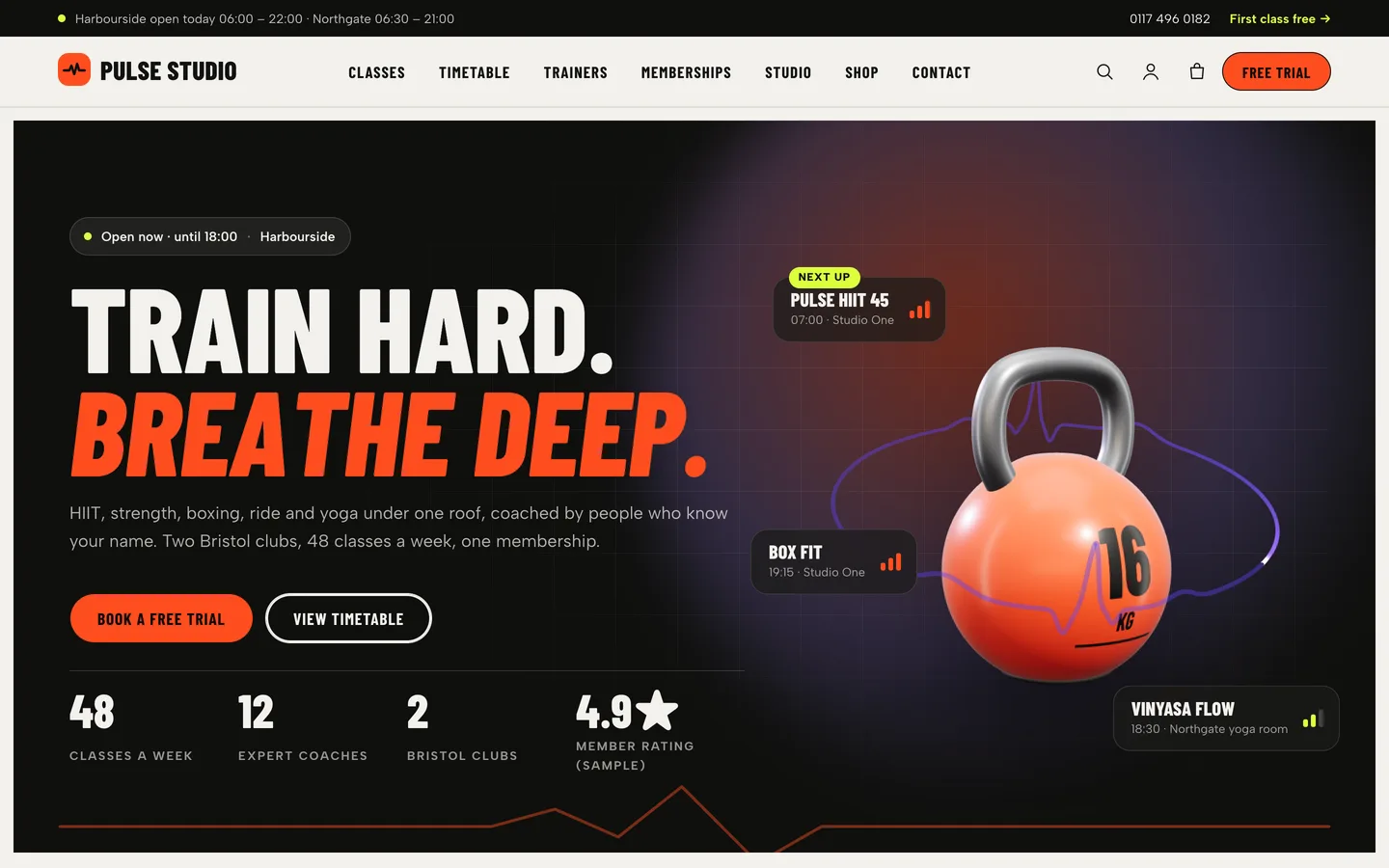
Energetic hero — an ink panel with an open-now chip, a split “Train hard. Breathe deep.” headline, free-trial buttons, counters and a small 3D kettlebell with “next up” class tickets.

Energetic hero — an ink panel with an open-now chip, a split “Train hard. Breathe deep.” headline, free-trial buttons, counters and a small 3D kettlebell with “next up” class tickets.

The challenge

A gym or yoga studio website has two jobs that pull in different directions. It has to feel like the studio: loud, fast and full of energy for a HIIT box, calmer for a yoga school. And it has to answer practical questions quickly: what classes are on today, how hard they are, who teaches them, what a membership includes and how to book a first visit. The timetable is the page members open most, and in most gym themes it is a table someone retypes every time a class moves, so it drifts out of date. Studios also want BMI and calorie calculators, which come with a responsibility: they must be framed as rough estimates with a clear note to consult a professional, never as health advice. Pulse had to build the timetable from the class data itself, keep it readable on a phone, make membership choices easy to compare, carry heavy motion without hurting usability or reduced-motion users, and use 3D only as a small accent.

Our solution

Pulse is a classic PHP theme with theme.json, built on DEV3's shared theme core and the DEV3 Theme Toolkit plugin. The theme owns presentation, the class, trainer and workshop templates, the top bar and health note settings, its UI layer and the kettlebell preset. The toolkit owns functionality: the Classes, Trainers, Workshops and Member stories post types, the Weekly Timetable, Calculator, Feature Comparison, Pricing Table, Before / After and Request Form widgets with block twins, the DEV3 Motion controls, WooCommerce extras and the demo importer.

Key design decisions

  • One schedule field, one source of truth. Each class has a weekly schedule written one session per line (Mon, Wed 07:00-07:45 | Studio One; Weekdays, Daily and ranges like Mon-Fri also parse). The Weekly Timetable widget reads every class, sorts the sessions into day columns with room, coach and intensity badges, and highlights today in the site's time zone. Move a class and the timetable, the home teaser and the class page all change together.
  • A timetable that works on a phone and without JavaScript. The timetable is server-rendered with every day in order. Script adds category filters (real buttons with aria-pressed) and, when the widget is narrower than 700 px, day tabs so one day stays readable. Category colours are derived from the category slug, so filters, dots and session stripes always match.
  • Intensity as data. Intensity is a low / medium / high field, so the same value drives the badge on timetable sessions, the bars on hero tickets and posters, and the meter on the class page. Calmer studios can lean on lilac panels and low-intensity classes without changing the layout.
  • Calculators with guard rails. The Calculator widget offers BMI (metric or imperial, WHO adult bands) and a daily calorie estimate (Mifflin–St Jeor × activity). Each result comes with a plain-language explanation, and a Customizer health note ("consult your doctor or a qualified professional") prints beside the calculators and on every class page. The demo copy avoids health claims.
  • Memberships you can compare. The Pricing Table has a billing toggle with a second price per plan and a savings badge. The Feature Comparison widget takes plain rows (yes, no or text, separated by |), turns heading-only rows into groups and shows one plan at a time on phones.
  • Bookings without a booking platform. The free-trial form is the toolkit Request Form in appointment mode, with its class list taken from your classes; requests are stored under Requests and emailed to the admin. The open-now chip and top bar read club hours from a simple attribute and say whether the club is open, when it opens today or that it opens tomorrow.
  • One quiet 3D accent. The kettlebell (or a hex dumbbell) is a lit turntable object with a shader heartbeat ring and a printed weight. It loads only near the viewport, pauses offscreen and shows a poster without WebGL or with reduced motion; the same model code renders the shop's equipment stills.

Results

Pulse ships as a complete theme with a one-click demo of a fictional two-club studio: 10 Elementor pages, 14 classes in 6 categories, 8 trainers, 6 workshops and retreats, 6 member stories, 8 journal posts and 13 products, plus 22 block patterns and 71 original images rendered from code.

  • Theme Check: 0 required-level failures in the WordPress Theme Check plugin.
  • Coding standards: php -l and phpcs with WPCS 3 and PHPCompatibilityWP 7.4+ report 0 errors and 0 warnings.
  • Flows tested: the WooCommerce flow through the slide-out cart and checkout to order received, and an Elementor editor test where changing a kettlebell control updates the 3D accent live.
  • Browser QA: 25 pages at 1440 px and at 390 px with no console errors, at about 60 fps in both runs; also checked at 820 px, with no horizontal scroll at any width, and with reduced motion on.
  • Weight: the 3D engine is about 207 KB gzip and is fetched only when the kettlebell is near the viewport; fonts are self-hosted.

Pulse is on the DEV3 marketplace. Watch its video tour there.

Setup guide

Requirements

  • WordPress 6.0 or newer and PHP 7.4 or newer
  • The DEV3 Theme Toolkit plugin (included and required for the widgets, post types and demo)
  • Recommended: Elementor (free), WooCommerce (the shop) and Contact Form 7 (the contact form). Elementor Pro is supported but not required.

What's in the download

Unzip the download from your DEV3 account first. Do not upload the download itself to WordPress.

  • dev3-pulse.zip: the theme. Install this one.
  • dev3-pulse-child.zip: an optional child theme for your own CSS and PHP.
  • dev3-theme-toolkit.zip: the companion plugin (classes, trainers, workshops, member stories, request forms, Elementor widgets and blocks, motion controls, WooCommerce extras, demo importer).
  • dev3-pulse-demo-content.zip: the demo package for reference. The importer already has a copy inside the theme.
  • Documentation/index.html: the full guide. Open it in a browser.

Install the theme

  1. Go to Appearance → Themes → Add New → Upload Theme, choose dev3-pulse.zip, click Install Now, then Activate.
  2. The theme asks for the DEV3 Theme Toolkit (required). Go to Plugins → Add New → Upload Plugin, choose dev3-theme-toolkit.zip and activate it.
  3. Install and activate Elementor, WooCommerce and Contact Form 7 from the same prompt.
  4. Go to Settings → Permalinks and choose Post name. The class, trainer and workshop pages (/classes/, /trainers/, /workshops/) need it.
  5. Optional: if you plan to change code, upload dev3-pulse-child.zip the same way and activate DEV3 Pulse Child. The parent theme must stay installed.

Import the demo

  1. Make sure you are logged in as an administrator. Elementor keeps every widget setting only when an administrator runs the import.
  2. Go to Appearance → DEV3 Demo and click Import demo.
  3. The import adds:
    • the Home, Timetable, Memberships, Tools, Facilities, Member stories, Free trial, About, Contact and FAQ pages, plus the Journal with 8 posts
    • 14 classes in 6 categories, 8 trainers, 6 workshops and retreats and 6 member stories
    • 13 shop products (class packs, a day pass, personal training, a kettlebell by weight, a mat by colour, gear and apparel), menus, footer widgets, the Customizer settings and the WooCommerce pages, with Cash on delivery enabled for testing
  4. Open the home page and scroll through it, then open the Timetable page.

Imported items are tagged, so Reset on the same screen removes only them. With WP-CLI you can run wp dev3tk demo import --user=admin.

After the import

  • Go to Appearance → Customize → Pulse: top bar & studio and set the top bar text (your opening hours), phone, trial link and the health note.
  • In the home hero, edit the open-now chip's hours (the data-ps-open attribute, Monday to Sunday, HH:MM-HH:MM, comma separated).
  • Replace the fictional studio, coaches, member stories, reviews, figures and plans with your own. Every demo image is a placeholder.
  • Keep the health note next to the BMI and calorie calculators.
  • If you sell class packs or gear, set up real payment methods in WooCommerce → Settings → Payments and turn off Cash on delivery.

Updates

Download the new version from your DEV3 account and upload dev3-pulse.zip again. WordPress offers to replace the installed version. Changes you made in the child theme, the Customizer and your pages are kept.

How to use

Top bar, hours and health note

Go to Appearance → Customize → Pulse: top bar & studio:

  • Show the top bar, its Text (for example each club's opening hours), Phone, and the Link text and Link (for example "First class free" to the free-trial page).
  • Health note: shown on single class pages; the demo also places it beside every calculator. Keep a "consult a professional" note near the calculators.

The open-now chip in the hero reads its hours from data-ps-open in the hero's HTML widget: seven comma-separated HH:MM-HH:MM ranges from Monday to Sunday. It shows "Open now · until …", "Opens today at …" or that the club opens tomorrow. The header button text ("Free trial") is under DEV3 Pulse Options → Header.

Add a class

  1. Go to Classes → Add New. Add a title, the description (content), an excerpt for cards, a featured image (a 4:5 poster) and a class category (HIIT, Strength, Yoga or your own).
  2. Fill the details box:
    • Weekly schedule: one session per line, days start-end | room, for example Mon, Wed 07:00-07:45 | Studio One. Weekdays, Daily, Weekends and ranges such as Mon-Fri also work.
    • Duration, Level and Intensity (low, medium or high badge).
    • Trainer: the post ID of a trainer.
    • Room / studio, Calories (approximate), Places per session and Drop-in price.
  3. Publish. The class page shows the poster, intensity meter, facts band, weekly sessions, coach card, what to expect and bring, the health note and a free-trial panel. Category pages live at /classes-category/<slug>/.

The weekly timetable

  • The Timetable page uses the Weekly Timetable widget with source Classes. It builds itself from every class's weekly schedule.
  • Options: only some categories (slugs), Monday to Sunday or Monday to Friday or only days with sessions, category filters, highlight today and the text for a rest day. A Manual rows source is there for sessions that are not classes.
  • When the widget is narrower than 700 px it switches to day tabs. Category colours come from your theme colours.

Trainers, workshops and member stories

  • Trainers → Add New: role, languages, specialities, certifications and education (one per line), years coaching and a motto. Each trainer page lists the classes they teach. Certifications show on cards when the Team widget's Details option is on.
  • Workshops & retreats → Add New: start and end, venue, city, the leading trainer's ID, a price and Places (booking open, few places left, fully booked, cancelled or postponed).
  • Member stories are testimonials; tick Sample content to show a sample badge. The progress cards are the Before / After widget with two images.

Memberships and comparison

  • Pricing Table widget: turn on Billing toggle, then give each plan a second price and period, a badge and small print.
  • Feature Comparison widget: the columns are plan names; each row is a feature with values separated by | (yes, no or text). A row with only a heading becomes a group row. Phones show one plan at a time.

Calculators and the free trial

  • The Calculator widget offers BMI (metric or imperial, WHO adult bands) and Daily calories (Mifflin–St Jeor × activity). Each has its own note field. The results are general estimates, not medical advice.
  • The Free trial page uses the Request Form widget, kind appointment, with topics from Classes. Requests are saved under Requests and emailed to the site admin. To use your own booking system, point the trial buttons to it.

Change the 3D kettlebell

  1. Open the home page with Edit with Elementor and select the 3D Scene widget in the hero.
  2. It uses the preset Pulse kettlebell / dumbbell in Accent object mode, aspect ratio 1 / 1.
  3. Set the object (kettlebell or hex dumbbell), paint colour, the weight printed on the bell, the heartbeat line colour or turn it off, idle spin and turn while scrolling.
  4. To remove the 3D, delete the widget or swap in an image. Nothing else depends on it, and the 3D engine is then not loaded.

Motion and styling

  • Select any widget or container and open Advanced → DEV3 Motion for reveal, stagger, split headings, mask, parallax, counter, marquee, tilt, sticky stack and progress.
  • The hero tickets, the app phones and the opening hours are HTML widgets: edit the text in place and keep the class names.
  • Appearance → Customize → DEV3 Pulse Options: colours, fonts, header button, search, smooth scrolling, 3D quality, footer and newsletter, and shop columns.
  • With reduced motion set in the operating system, every effect shows its final state and the kettlebell shows a still image.
  • Without Elementor, insert patterns from Patterns → DEV3 Pulse (22 of them), including heroes, class types, a day schedule, plans, a comparison table, the health note, opening hours and locations. Block styles include Ink, Heat and Lilac panels, Mega condensed headings, Tilted poster and Heat button.

The shop

The demo sells class packs, a day pass and personal training as Virtual products (no shipping), a kettlebell with Weight variations shown as swatches, a mat by colour, gear and apparel. Make your own the same way. The shop, product, slide-out cart, quick view, cart, checkout and account pages are already styled.
Related case studies

DEV3 Technologies · own product · Creative agencies and portfolios (WordPress theme)

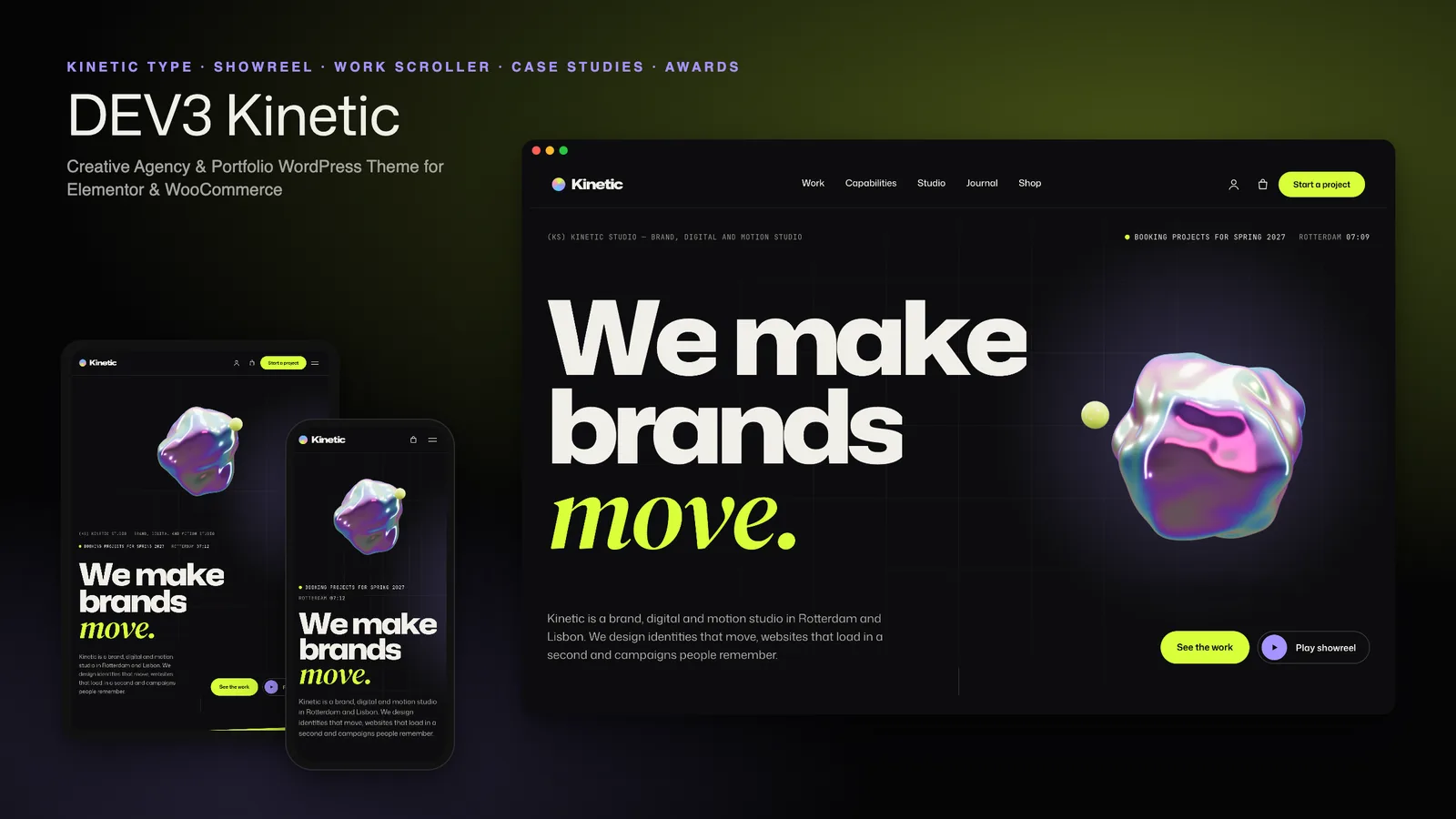
DEV3 Kinetic: a type-led creative agency WordPress theme with a work scroller, case studies and a 3D blob

Our own dark, type-led WordPress theme for creative agencies and portfolios: kinetic variable-font type, cursor labels, a pinned horizontal work scroller, self-building case studies, work filters with a list view, a showreel player and a project brief, with one small 3D accent.