All case studies

DEV3 Technologies · own product

DEV3 Kinetic: a type-led creative agency WordPress theme with a work scroller, case studies and a 3D blob

Our own dark, type-led WordPress theme for creative agencies and portfolios: kinetic variable-font type, cursor labels, a pinned horizontal work scroller, self-building case studies, work filters with a list view, a showreel player and a project brief, with one small 3D accent.

Industry
Creative agencies and portfolios (WordPress theme)

Live project preview

Client systems are private — screenshots shown where permitted.

DEV3 Technologies · own product — screenshots
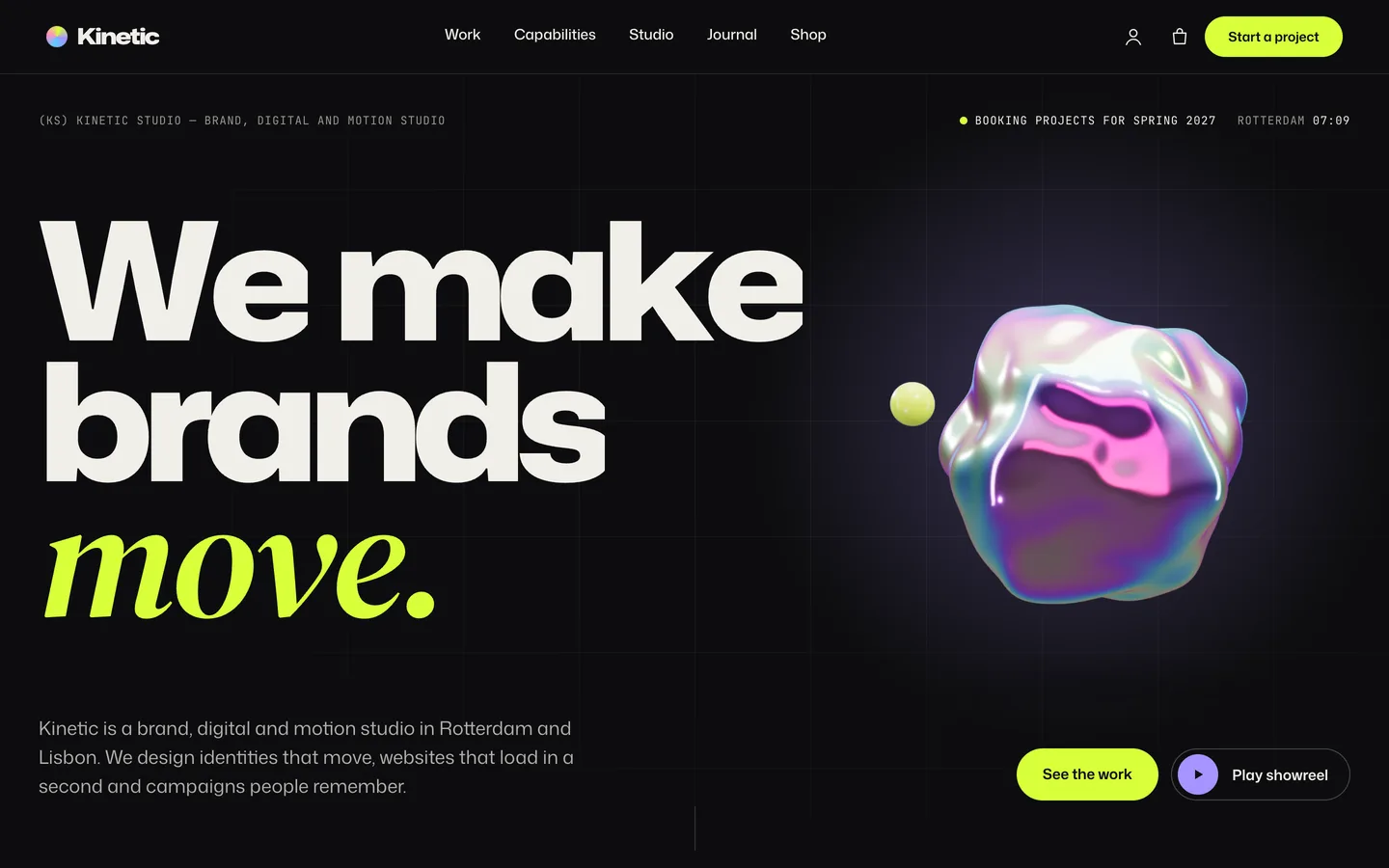
Kinetic hero — huge variable-font type with a serif accent word, a morphing iridescent 3D blob, a studio clock and the work and showreel buttons.

Kinetic hero — huge variable-font type with a serif accent word, a morphing iridescent 3D blob, a studio clock and the work and showreel buttons.

The challenge

An agency's website is a portfolio piece in its own right. Visitors judge the studio by how the site moves before they read a word, so the motion has to feel crafted rather than bolted on. At the same time the content is surprisingly structured: every case study needs the same parts (client, services, the challenge, the approach, results, a gallery, credits and a way to the next project), the work archive needs filters by discipline, and a prospective client needs a brief form that asks about services, budget and timeline. Most agency themes deliver one side: either a striking hero with nothing behind it, or a generic portfolio grid with an animation plugin on top. Kinetic had to do both, keep heavy effects such as a pinned horizontal scroller and a custom cursor usable on phones, with touch and with reduced motion, and use 3D only as a small accent so it never competes with the work.

Our solution

Kinetic is a classic PHP theme with theme.json, built on DEV3's shared theme core and the DEV3 Theme Toolkit plugin. The theme owns presentation, the case-study and work templates, the studio and showreel settings, its UI motion layer and the blob preset. The toolkit owns functionality: the Work, Capabilities and People post types, the Request Form, Hover-Reveal List, Logo Wall, Awards and other widgets with block twins, the DEV3 Motion controls, WooCommerce extras and the demo importer.

Key design decisions

  • Type as the hero. Mona Sans ships with width and weight axes, so the headline's characters rise in and stretch toward the pointer with no images or video. One class, kn-flex-title, applies the same effect to any Kinetic Heading.
  • Case studies from short fields. Results are one line each (+64% | app sessions) and credits are Role: names. The single template builds the facts row, cover, challenge, approach, counted-up results, gallery, credits and next-project link, and a hex case colour tints the results band, reveals and cursor.
  • Filters that stay linkable. Work categories drive animated FLIP filters with counts; each filter has its own URL, and the grid / list choice is stored per visitor (?view=list also works). List view adds a preview image that follows the cursor.
  • Heavy motion with a fallback for each effect. The horizontal scroller pins on desktop and becomes a native swipe row with snap on phones, touch and reduced motion. The custom cursor is off on touch screens and can be turned off in the Customizer. Page transitions use cross-document View Transitions where available and a fade elsewhere.
  • A showreel without a video service. The reel is a native <dialog> player fed by a Media Library MP4 set in the Customizer; any link with data-kn-reel opens it, focus returns on close, and without JavaScript the link opens the file.
  • A brief that qualifies the lead. The project brief is a Contact Form 7 form with service chips, budget chips and a timeline select; intro calls use the toolkit Request Form, saved under Requests and emailed to the admin.
  • One quiet 3D accent. The blob is a GPU noise-displaced sphere with a thin-film iridescent tint and a small satellite. It loads only near the viewport, pauses offscreen and shows a poster without WebGL or with reduced motion.

Results

Kinetic ships as a complete theme with a one-click demo of a fictional two-city studio: 10 case studies, 6 capabilities, 8 studio members, client quotes, 6 journal posts and 8 products, plus 23 block patterns and a code-rendered 19-second showreel.

  • Theme Check: 0 required-level failures in the WordPress Theme Check plugin.
  • Coding standards: php -l and phpcs with WPCS 3 and PHPCompatibilityWP 7.4+ report 0 errors and 0 warnings.
  • Flows tested: the WooCommerce flow from choosing a print size through the mini-cart drawer and cart to order received, and an Elementor editor test where changing the blob's tint updates the 3D accent live.
  • Browser QA: 20 pages with no console errors, at about 60 fps in the phone-width run; also checked at 820 px and with reduced motion on.
  • Weight: the 3D engine is about 207 KB gzip and is fetched only when the blob is near the viewport; the motion layer loads on demand.

Kinetic is on the DEV3 marketplace. Watch its video tour there.

Setup guide

Requirements

  • WordPress 6.0 or newer and PHP 7.4 or newer
  • The DEV3 Theme Toolkit plugin (included and required for the widgets, post types and demo)
  • Recommended: Elementor (free), WooCommerce (the shop) and Contact Form 7 (the project brief form). Elementor Pro is supported but not required.

What's in the download

Unzip the download from your DEV3 account first. Do not upload the download itself to WordPress.

  • dev3-kinetic.zip: the theme. Install this one.
  • dev3-kinetic-child.zip: an optional child theme for your own CSS and PHP.
  • dev3-theme-toolkit.zip: the companion plugin (case studies, capabilities, people, client quotes, request forms, Elementor widgets and blocks, motion controls, WooCommerce extras, demo importer).
  • dev3-kinetic-demo-content.zip: the demo package for reference. The importer already has a copy inside the theme.
  • Documentation/index.html: the full guide. Open it in a browser.

Install the theme

  1. Go to Appearance → Themes → Add New → Upload Theme, choose dev3-kinetic.zip, click Install Now, then Activate.
  2. The theme asks for the DEV3 Theme Toolkit (required). Go to Plugins → Add New → Upload Plugin, choose dev3-theme-toolkit.zip and activate it.
  3. Install and activate Elementor, WooCommerce and Contact Form 7 from the same prompt.
  4. Optional: if you plan to change code, upload dev3-kinetic-child.zip the same way and activate DEV3 Kinetic Child. The parent theme must stay installed.

Import the demo

  1. Make sure you are logged in as an administrator. Elementor keeps every widget setting only when an administrator runs the import.
  2. Go to Appearance → DEV3 Demo and click Import demo.
  3. The import adds:
    • the Home, Work, Capabilities, Studio, About, Careers, Start a project, Journal and Shop pages
    • 10 case studies in Work categories (Brand, Campaign, Digital, Motion), 6 capabilities, 8 studio members, client quotes and 6 journal posts
    • 8 shop products (prints with A3, A2 and A1 sizes, digital templates and kits, studio goods), the project brief form, menus, footer widgets, the Customizer settings and the WooCommerce pages, with Cash on delivery enabled for testing
  4. Open the home page and scroll through it.

Imported items are tagged, so Reset on the same screen removes only them. With WP-CLI you can run wp dev3tk demo import --user=admin.

After the import

  • Go to Appearance → Customize → Kinetic: studio & showreel and set the availability line, the clock city and time zone, and your showreel video and poster.
  • Replace the fictional studio, clients, case studies, people, awards, quotes and figures with your own. Every demo image and the demo showreel are placeholders for your work.
  • Edit the services, budget and timeline options in Contact → Contact Forms → Project brief.
  • If you sell prints or templates, set up real payment methods in WooCommerce → Settings → Payments and turn off Cash on delivery.

Updates

Download the new version from your DEV3 account and upload dev3-kinetic.zip again. WordPress offers to replace the installed version. Changes you made in the child theme, the Customizer and your pages are kept.

How to use

Studio details and showreel

Go to Appearance → Customize → Kinetic: studio & showreel:

  • Availability line: the mono status above the hero, for example "Booking projects for spring 2027".
  • Clock city and time zone: the live studio clock in the hero and on the Start a project page.
  • Showreel video and poster: upload an MP4 to the Media Library and paste its URL. Any link with data-kn-reel, the class kn-reel-btn or a block button with the Showreel style opens it in a full-screen player (Esc or the close button exits). Without JavaScript the link opens the video file.

Add a case study

  1. Go to Work → Add New. Add a title, the story (content), an excerpt for cards and a featured image (the cover).
  2. Fill the fields:
    • Client, Year, Location and Services (comma separated).
    • The challenge and Our approach.
    • Results: one per line, value | label, for example +64% | app sessions. They count up on the case colour.
    • Gallery: Media Library image IDs, comma separated.
    • Credits: one per line, Role: names.
    • Live project link (optional) and Case colour (hex). The colour tints the cursor, the image reveals, the results band and hover states.
  3. Assign Work categories (Brand, Digital, Motion, Campaign or your own) so the filters show the project, and set the position with Page attributes → Order.
  4. Publish. The page shows the title and facts, the cover, challenge and approach, results, gallery, story, credits and a link to the next project.

The work archive and home scroller

  • The Work page (/work/) lists every case study with animated filters, a grid / list switch (remembered per visitor) and a cursor-following preview in list view. Work categories use the same layout.
  • The home horizontal scroller is an Elementor HTML widget with links and images: duplicate a card and change its link, image and text. For an automatic grid, use the Post Type Grid widget with Work and filters on.

Capabilities, people and the brief

  • Capabilities → Add New: a title, description, typical timeline, starting budget and a brief link. The Capabilities page shows them as an accordion beside the process cards, engagement models and FAQ.
  • People → Add New: a studio member with a portrait; they appear in the Team widget on the Studio page.
  • The project brief is a Contact Form 7 form (Contact → Contact Forms → Project brief) with services checkboxes, budget chips and a timeline select; edit the options in the form tags.
  • The intro-call form is the toolkit Request Form (type appointment, topics from Capabilities). Requests are saved under Requests and emailed to the site admin.

Change the 3D blob

  1. Open the home page with Edit with Elementor and select the 3D Scene widget in the hero.
  2. It uses the preset Kinetic morphing blob in Accent object mode, aspect ratio 1 / 1.
  3. Set the tint colour, satellite colour, morph amount, morph speed, satellite on or off, idle spin and turn while scrolling.
  4. To remove the 3D, delete the widget or swap in an image. Nothing else depends on it, and the 3D engine is then not loaded.

Motion and styling

  • Select any widget or container and open Advanced → DEV3 Motion for reveals, split text, masks, parallax, stagger, stacked cards, horizontal scroll, counters and tilt.
  • Theme classes (Advanced → CSS classes): kn-paper (light paper section), kn-flex-title (on a Kinetic Heading: characters rise in and stretch toward the cursor), kn-kicker (mono label with a dot) and kn-btn-acid (acid button on a dev3-btn link).
  • Attributes: data-kn-scrub on a paragraph in an HTML widget lights up words as you scroll; data-cursor-label="View" on any link turns the cursor into a labelled disc.
  • Appearance → Customize → DEV3 Kinetic Options: colours, fonts, header style, sticky header, header button, search, custom cursor, grain, smooth scrolling, 3D quality, footer and newsletter, and shop columns.
  • With reduced motion set in the operating system, every effect shows its final state, the scroller becomes a swipe row and the reel does not autoplay.
  • Without Elementor, insert patterns from Patterns → DEV3 Kinetic (23 of them), including a kinetic hero, featured project, process, awards, open roles and big acid calls to action.

The shop

The demo sells prints with Size variations (A3, A2, A1) shown as swatches, digital templates and kits as Virtual products (no shipping), and studio goods. Make your own the same way (tick Downloadable for digital files). The shop, product, mini-cart drawer, quick view, cart, checkout and account pages are already styled.
Related case studies

DEV3 Technologies · own product · Gyms, fitness and yoga studios (WordPress theme)

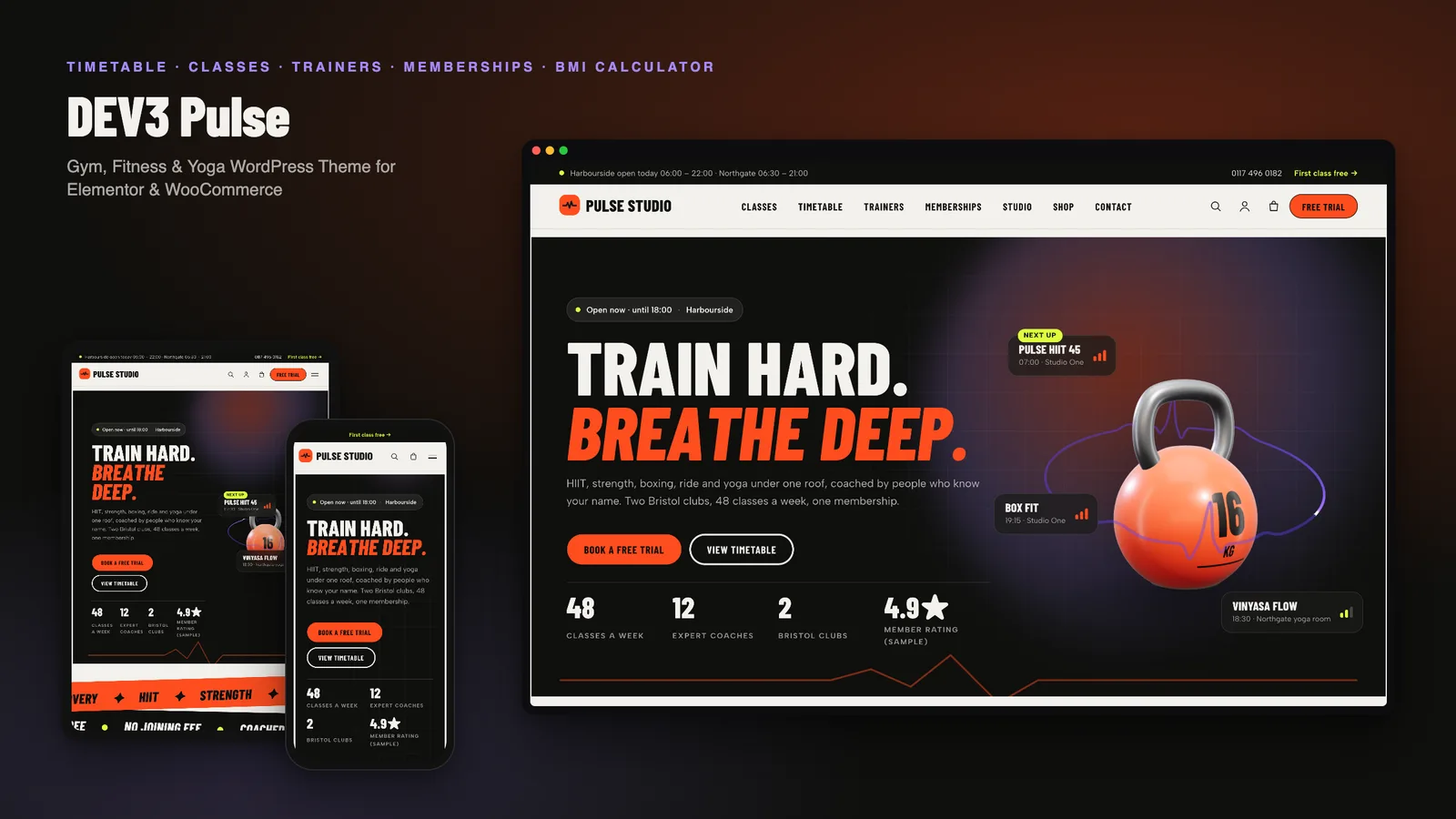
DEV3 Pulse: a gym, fitness and yoga WordPress theme with a self-building class timetable and a 3D kettlebell

Our own energetic WordPress theme for gyms, fitness and yoga studios: classes with intensity, a weekly timetable built from class schedules, trainers, memberships with a yearly toggle and comparison, calculators with a health note, workshops and free-trial booking.