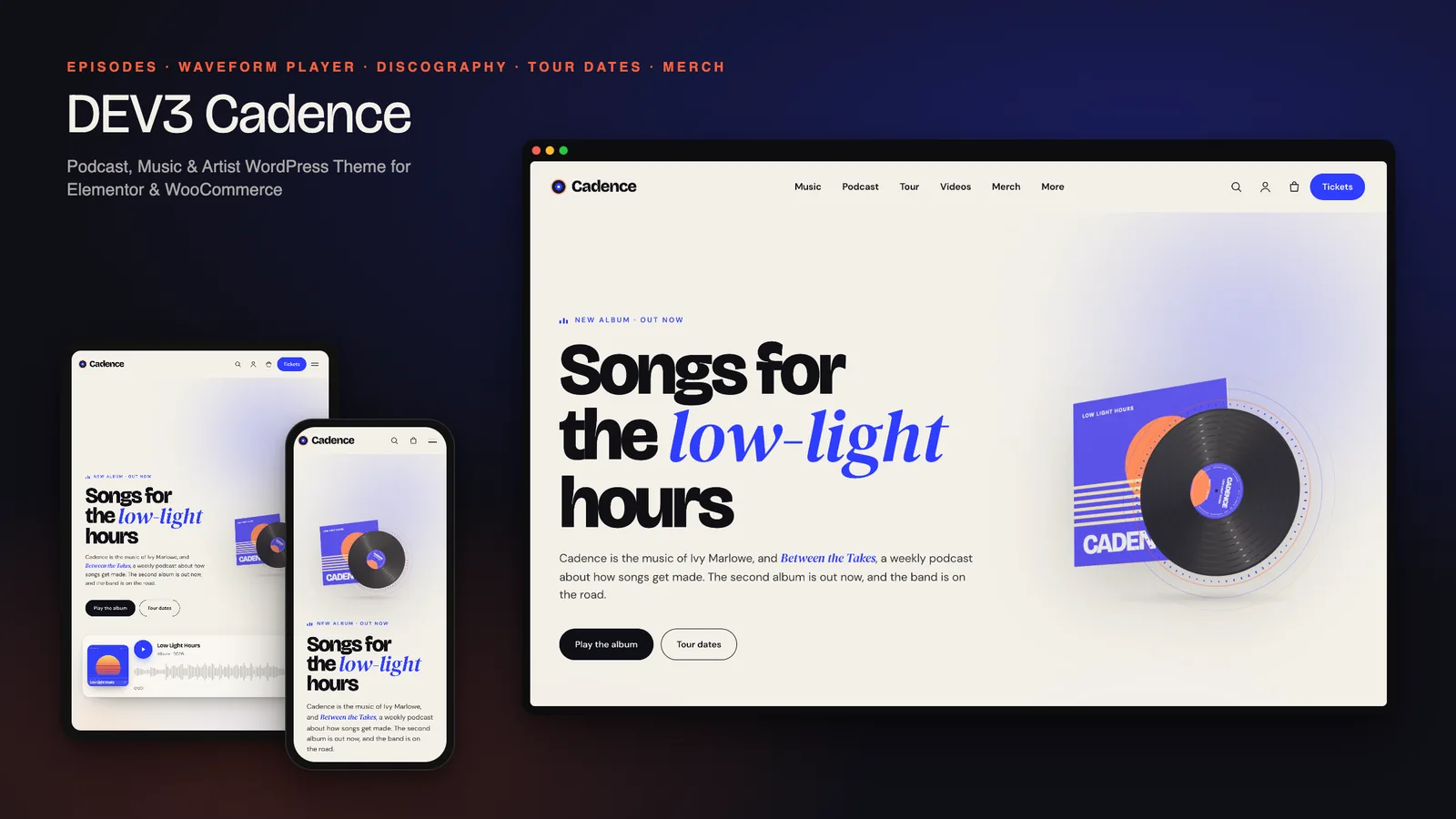
The most common frustration on a podcast or band website is simple: you press play, click through to the tour dates or the shop, and the music stops. Embedded players live on one page, so every click is a choice between listening and browsing. DEV3 Cadence is a podcast WordPress theme with an audio player built to keep going: when the player scrolls away, a mini dock takes over and follows the listener from page to page. Around it sits everything a musician WordPress theme needs, from a discography with track lists to tour dates with tickets and a merch shop. This post covers who Cadence is for, how the player works, and how to set up episodes, releases and tour dates.
Who Cadence is for
- Podcasters who want episode pages with chapters, transcripts, guests and links to every listening platform.
- Musicians, bands and solo artists who need releases, track lists, tour dates, videos and a press kit in one place.
- Creators who do both: an artist with a show about how songs get made, which is exactly what the demo shows.
- Labels, managers and agencies building artist sites that the artist's team will update.
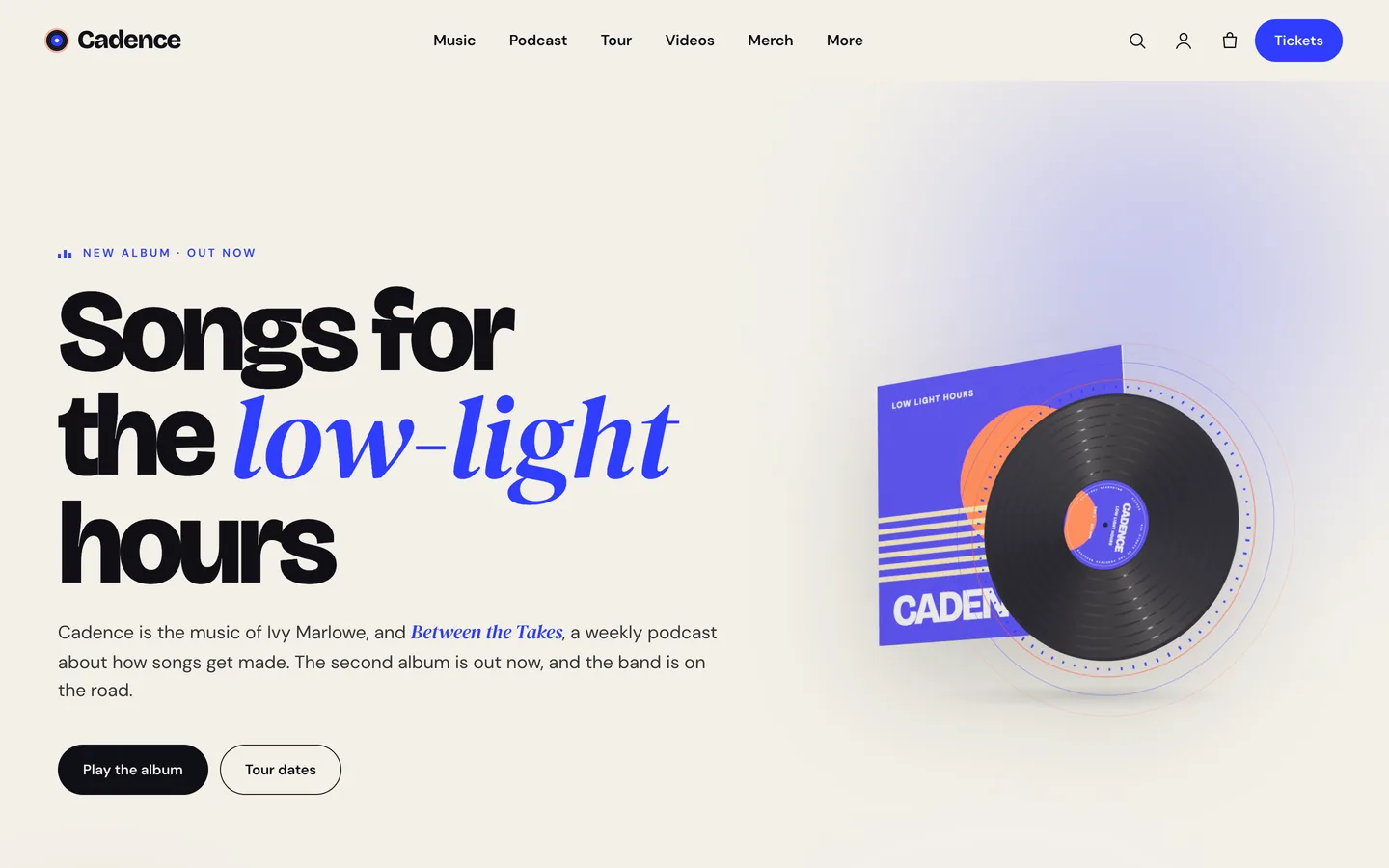
The look is editorial and bold: oversized type, a serif italic accent, and paper, ink, cobalt and coral colour slabs. It reads like a music magazine rather than a template.
The audio player, and why it keeps playing
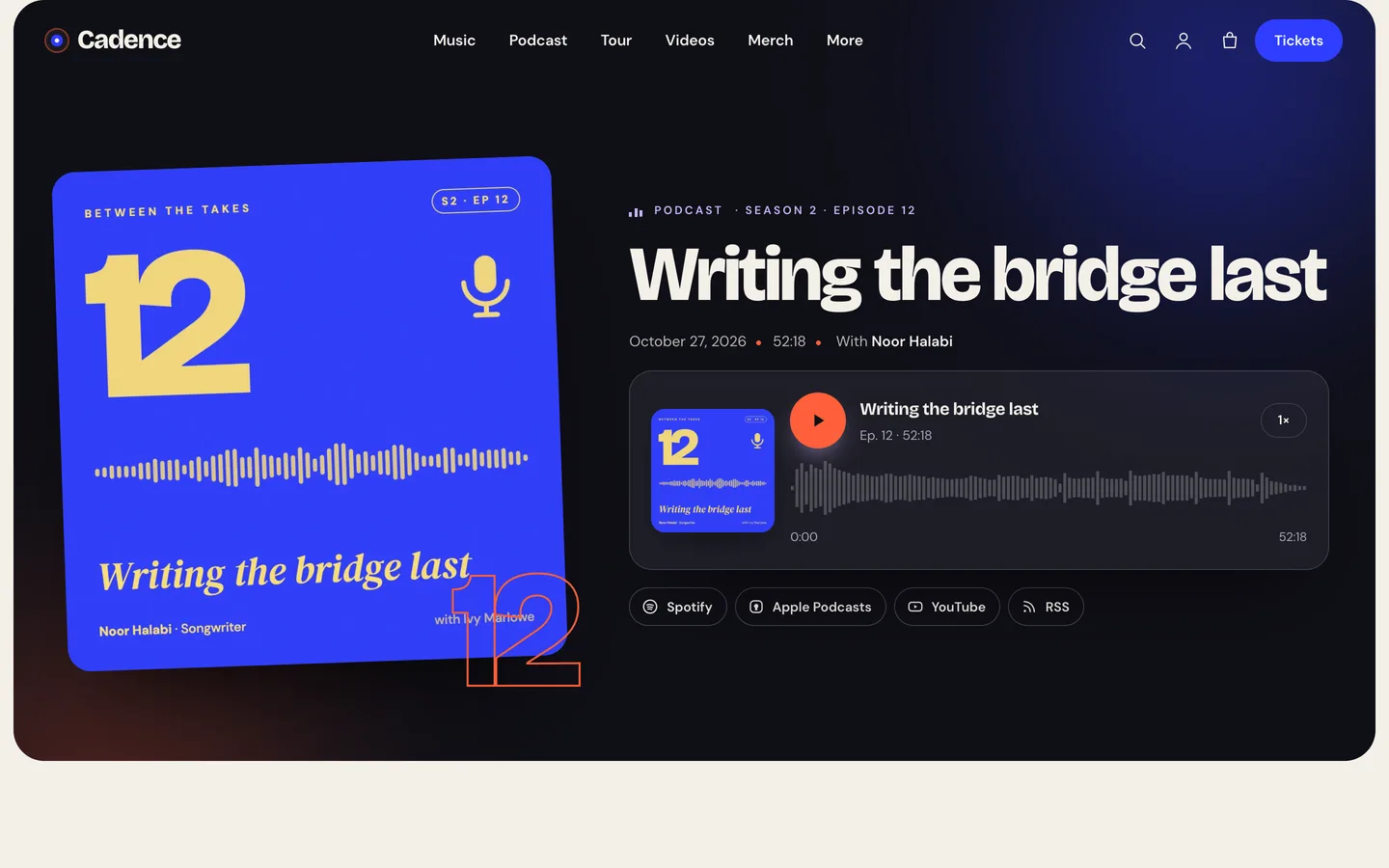
Every player in Cadence is the same waveform audio player. It can play the current episode or release, a post by ID, the latest episode or any MP3 URL. The waveform is seekable by clicking, dragging or using the arrow keys, there is a speed button, and only one audio plays at a time across the page.
The part listeners notice is the mini player dock. When audio is playing and its player scrolls out of view, a dock slides in at the bottom of the screen with play and pause, ±15 seconds, a seek bar and a link back to the episode. It remembers the position across pages, so a listener can open the tour dates or the shop and pick up with "Continue listening". Episode and release cards also get a play button that plays straight through the dock without leaving the page.
Podcast hosted on another service? Paste the MP3 URL from your host. Playback, seeking and the dock all work the same way.
Setting up a podcast or music site with Cadence
1. Install the theme and the toolkit
Upload dev3-cadence.zip under Appearance → Themes → Add New → Upload Theme and activate it. Then upload dev3-theme-toolkit.zip under Plugins → Add New → Upload Plugin; it is required and adds the episodes, releases and tour dates, the audio player, the Elementor widgets and the demo importer. Install Elementor, WooCommerce and Contact Form 7 from the notice.
2. Import the demo
Go to Appearance → DEV3 Demo → Import. You get a fictional artist, Cadence, and her weekly podcast Between the Takes:
- 9 pages: Home, Podcast, Music, Tour, Videos, About & Press, Contact & Booking, Journal and Merch
- 12 episodes, 4 releases, 10 tour dates, the band and press quotes
- 13 products, from vinyl and tees to a digital album and e-tickets
The demo audio clips and visualiser videos are original, synthesized offline for this theme, with no samples. Replace them with your own files. Reset removes only the demo content.
3. Publish episodes
Under Episodes → Add Episode, add the title, show notes and square artwork, then fill the episode details: episode number, season, duration, the MP3 URL, guests and their role, and links to Spotify, Apple Podcasts, YouTube and RSS.
Two fields make the episode page useful rather than just playable:
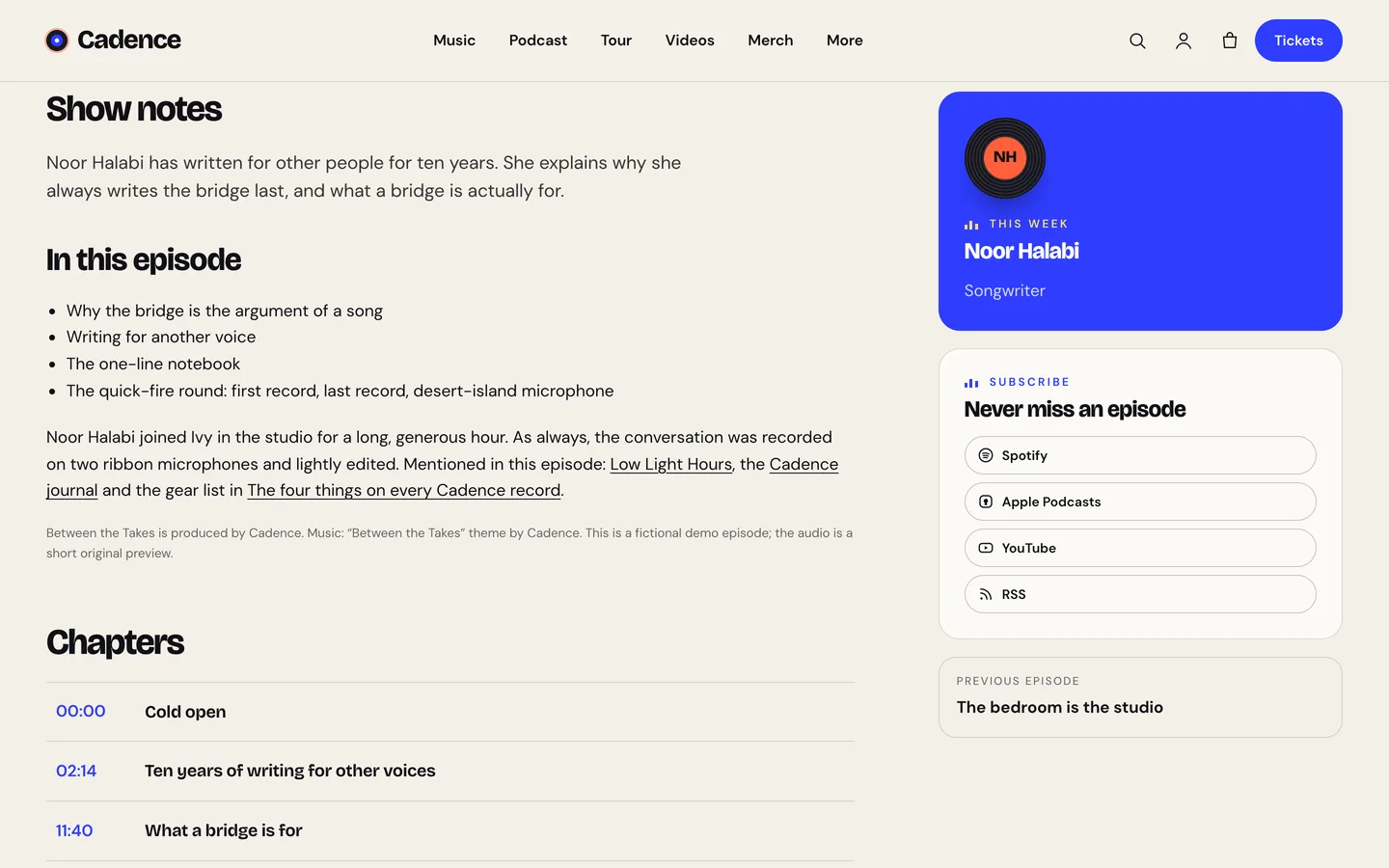
- Chapters, one per line, as a timestamp and a title (
12:40 | What a bridge is for). Each becomes a button that seeks the player, and the current chapter lights up while it plays. If you upload a short trailer, the chapters map proportionally onto the file. - Transcript, as plain text. Start a paragraph with a name and a colon to label the speaker. It appears in an open/close panel, which helps listeners skim and gives search engines real text to index.
Episodes are listed newest first. The archive has topic filters from your episode categories, a grid/list switch and a play button on every card.
4. Add releases
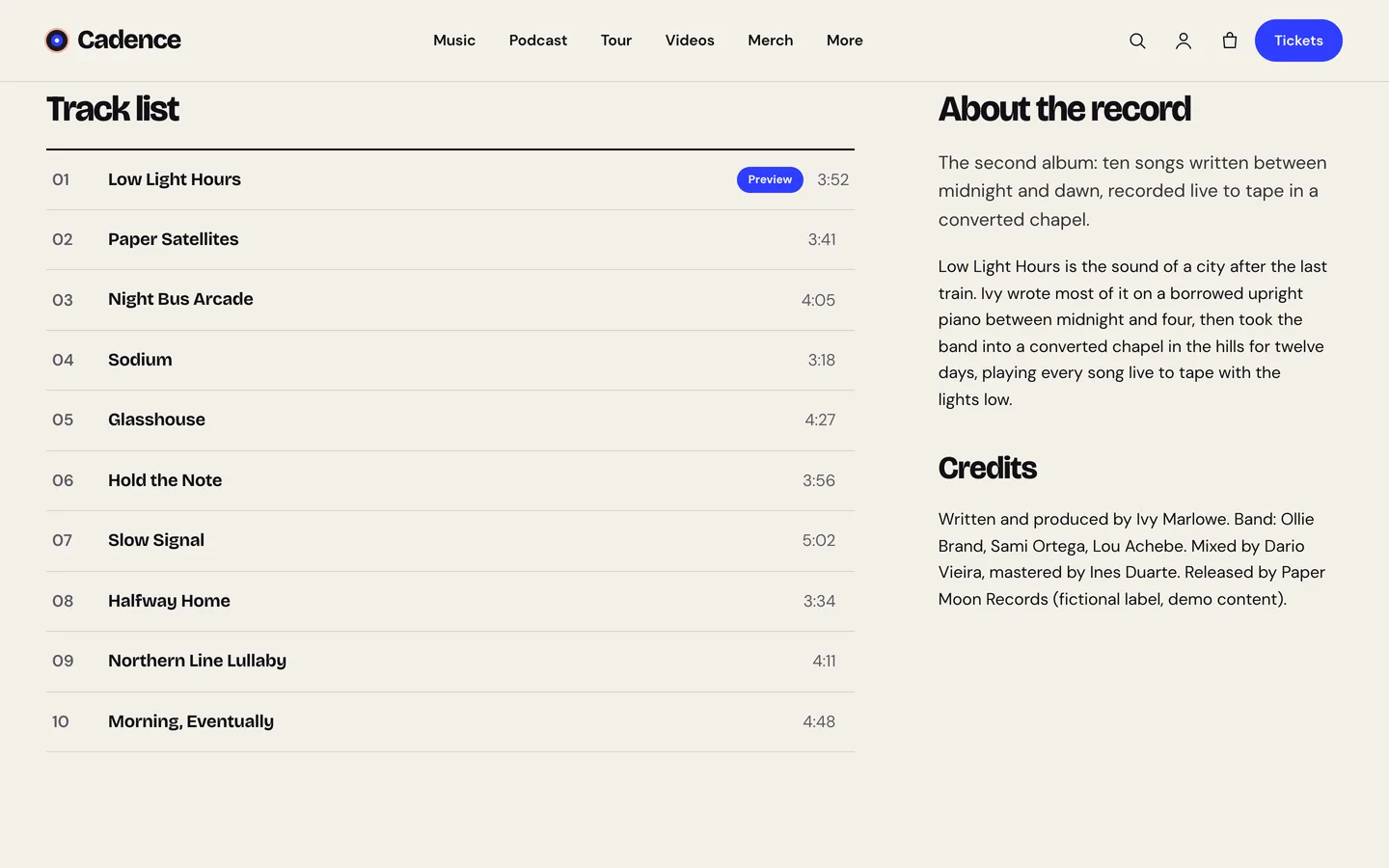
Under Discography → Add Release, set the cover, type (album, EP, single, live or mixtape), release date, label, the tracks (one per line, Title | 3:41), a preview MP3, streaming links and, if you sell it, a WooCommerce product for the Buy the record button. The release page slides the record out of its sleeve, where it spins while audio plays, and shows the track list with running times beside the story and credits.
5. Add tour dates
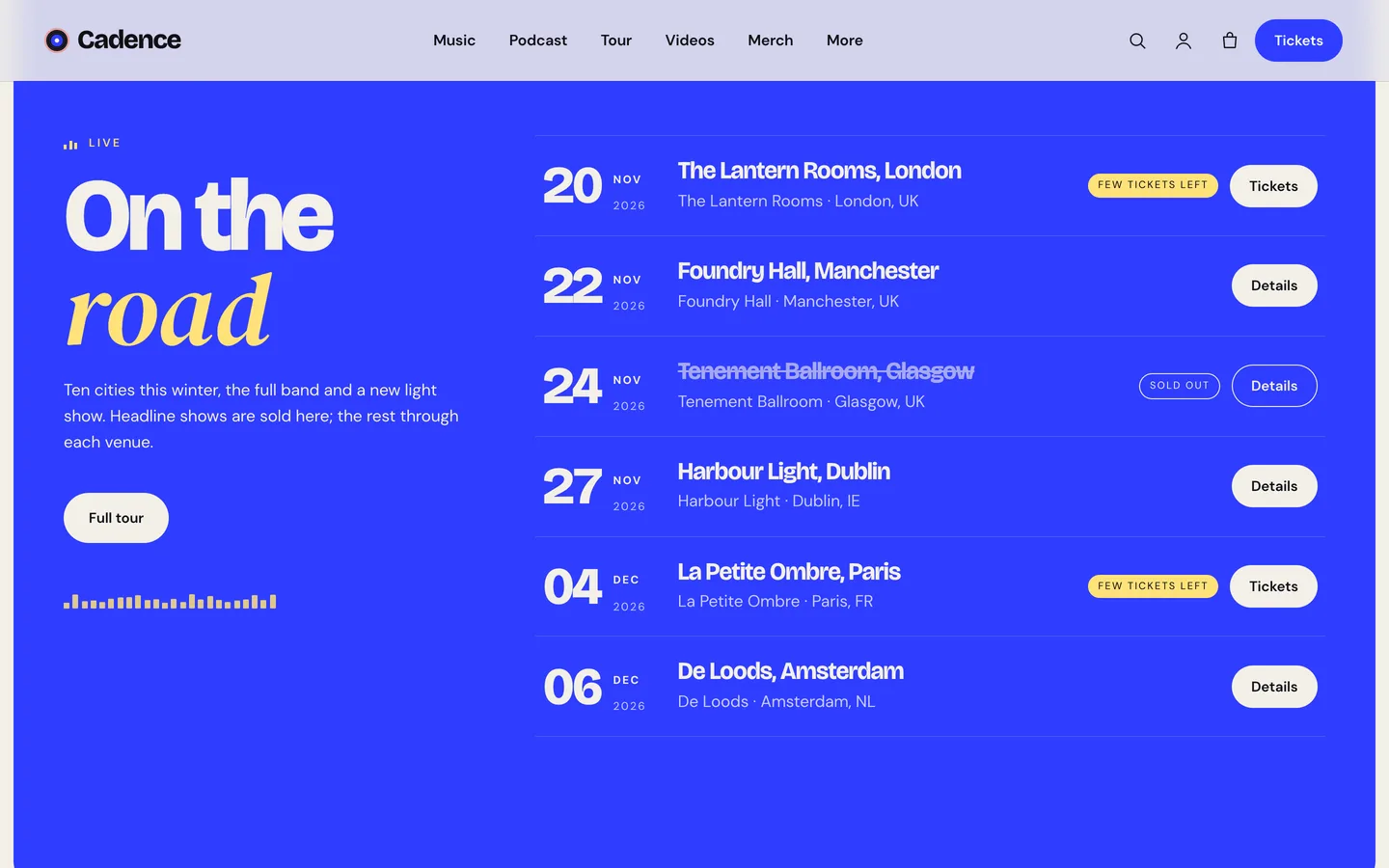
Tour dates are where a musician WordPress theme earns its keep. Each date has a date and time, venue, city, address, lineup, doors, age policy, price and a ticket status: on sale, few tickets left, sold out, cancelled or postponed. Tickets can be sold two ways:
- as a WooCommerce virtual product, so the list shows a Tickets button that opens it
- through an external ticket seller, by pasting the link
The tour widget lists upcoming dates soonest first, and it can print MusicEvent structured data with the performers from the lineup and the ticket offers. Each date page has a Buy tickets button and an add-to-calendar file.
6. Merch, press and bookings
The merch shop is ordinary WooCommerce: vinyl editions with colour swatches, tees with colour and size swatches, prints, a cassette, a CD, a downloadable digital album, totes, pins and e-tickets. The About & Press page has a press kit block, so upload your EPK as a PDF and point Download the EPK at it. Booking enquiries (subject, date, city and budget), guest pitches and the newsletter are Contact Form 7 forms, and you can swap in your mailing-list provider's shortcode.
Motion that listens
Cadence is one of DEV3's newer themes: a modern look, rich motion and only a little 3D. Headings split into place, sleeves glide sideways in a pinned rail, grids stagger in, and every widget has an Advanced → DEV3 Motion panel.
What sets it apart is that the motion responds to sound. While audio plays, the theme publishes its levels as CSS variables, and glows, small equalisers, kickers and play buttons move with the music. Audio hosted on your own site is analysed live; audio on another host follows its waveform instead, so it never plays silent.
The 3D accent is a vinyl record with sound rings that pulse while music plays. You can change the label text, vinyl colour and ring colours in Elementor, or delete the widget. It loads only near the screen, pauses offscreen and shows a still poster for visitors who prefer reduced motion.
See it in motion
There is no public live demo. The video tour runs from the album hero through an episode and the tour dates to the merch checkout.
Before you launch
- Replace the demo audio and artwork with your own, and add your real platform links to each episode.
- Set up real payment methods under WooCommerce → Settings → Payments; the demo uses Cash on delivery for testing.
- Check each tour date's ticket status after every sell-out, so the badges stay honest.
Cadence is on the DEV3 marketplace. The case study explains how the persistent player and the audio-reactive visuals work.