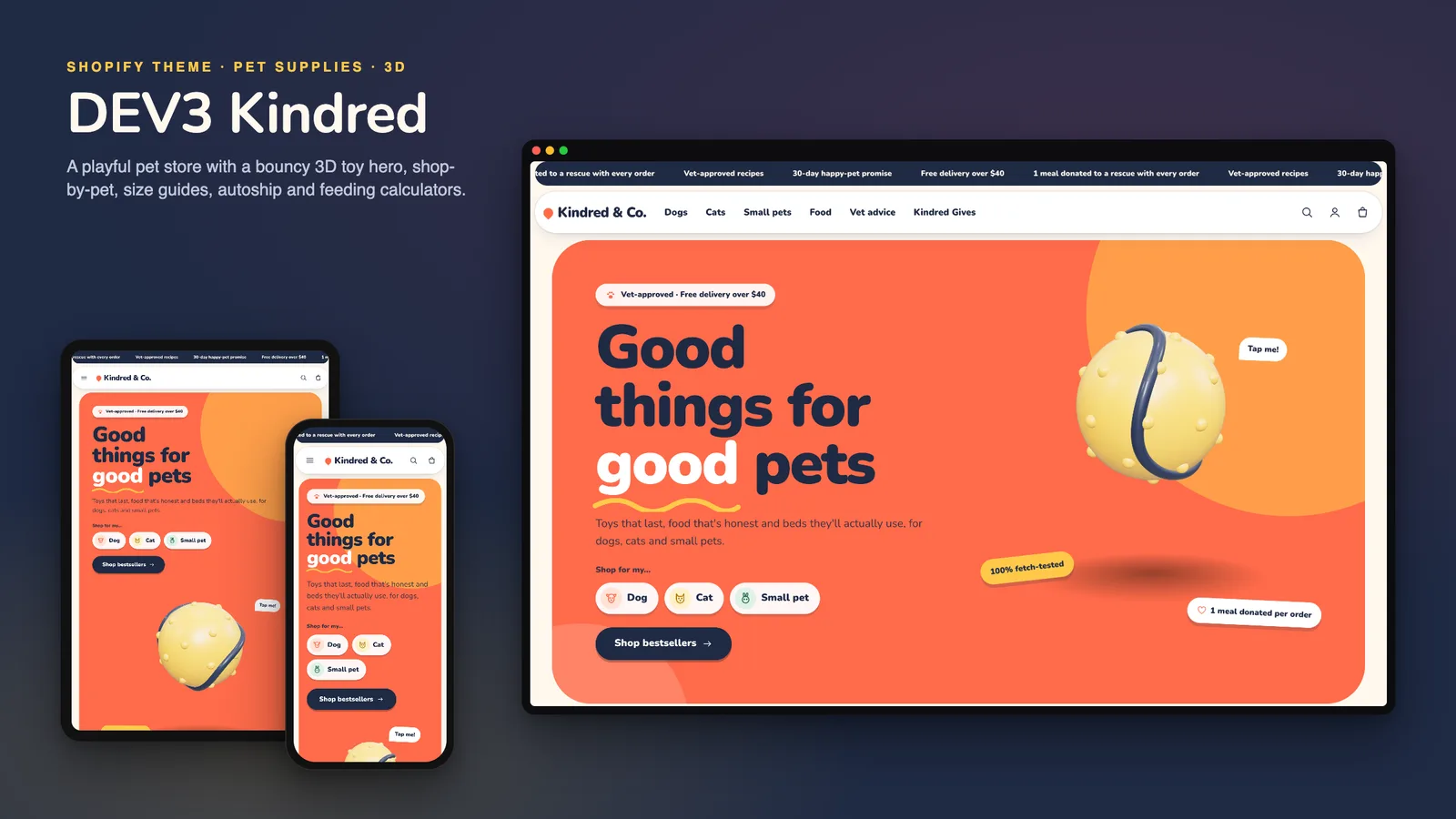
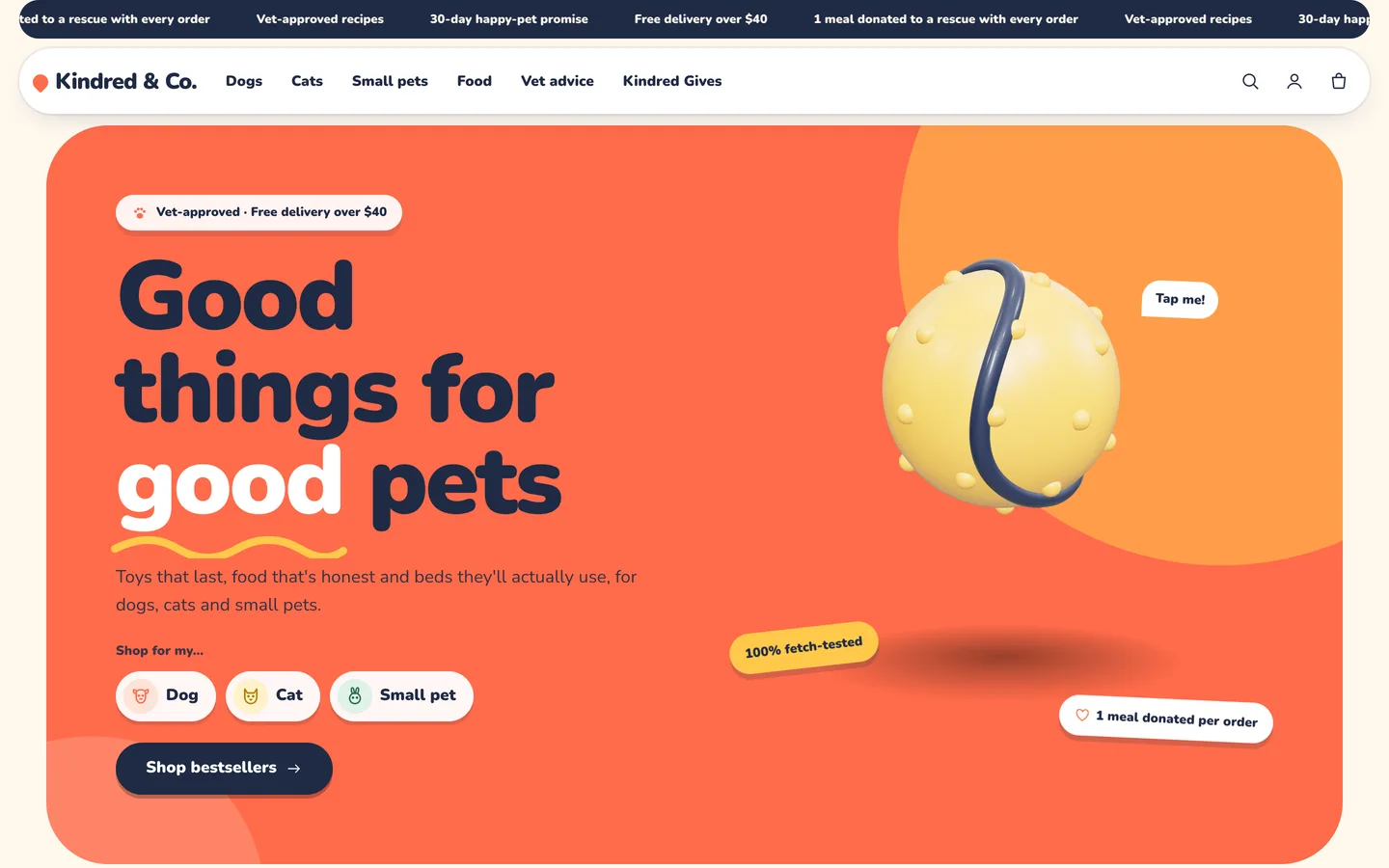
Pet owners shop in a particular order. First the animal (is this for the dog or the cat?), then the need (food, play, sleep, walks), then the worry: is this the right size, and how much should I feed? A pet store also lives on repeat orders of food and treats, but plenty of small stores do not run a subscription app, and a "subscribe" button that does nothing is worse than none. DEV3 Kindred is a pet store Shopify theme built around that order: shop by pet and by need, a size finder and feeding guide that answer the worry, and repeat delivery that works honestly with or without a subscription app. This post covers who Kindred is for and how each of those pieces works.
Who a pet store Shopify theme like this is for
Kindred was designed for stores that sell to pet owners:
- Independent pet supply shops with food, treats, toys, beds and walking gear for several kinds of pet.
- Pet food and treat brands whose customers reorder on a rhythm.
- Toy and accessory makers that want a friendly, premium look rather than a discount-warehouse feel.
- Agencies building pet stores for clients who will keep adding products themselves.
The demo is the fictional Kindred & Co. store: 16 products (35 variants) in 8 collections, 6 pages and a vet-advice blog, with cartoon pets and product images rendered for the theme.
Shop by pet, then by need
Kindred is an Online Store 2.0 theme built from scratch on DEV3's own base, not a fork of Dawn, so every part of the home page is a section you can move or remove.
- Shop by pet shows up to four big round tiles (dogs, cats, small pets) with product counts. They wobble and change shape slightly on hover.
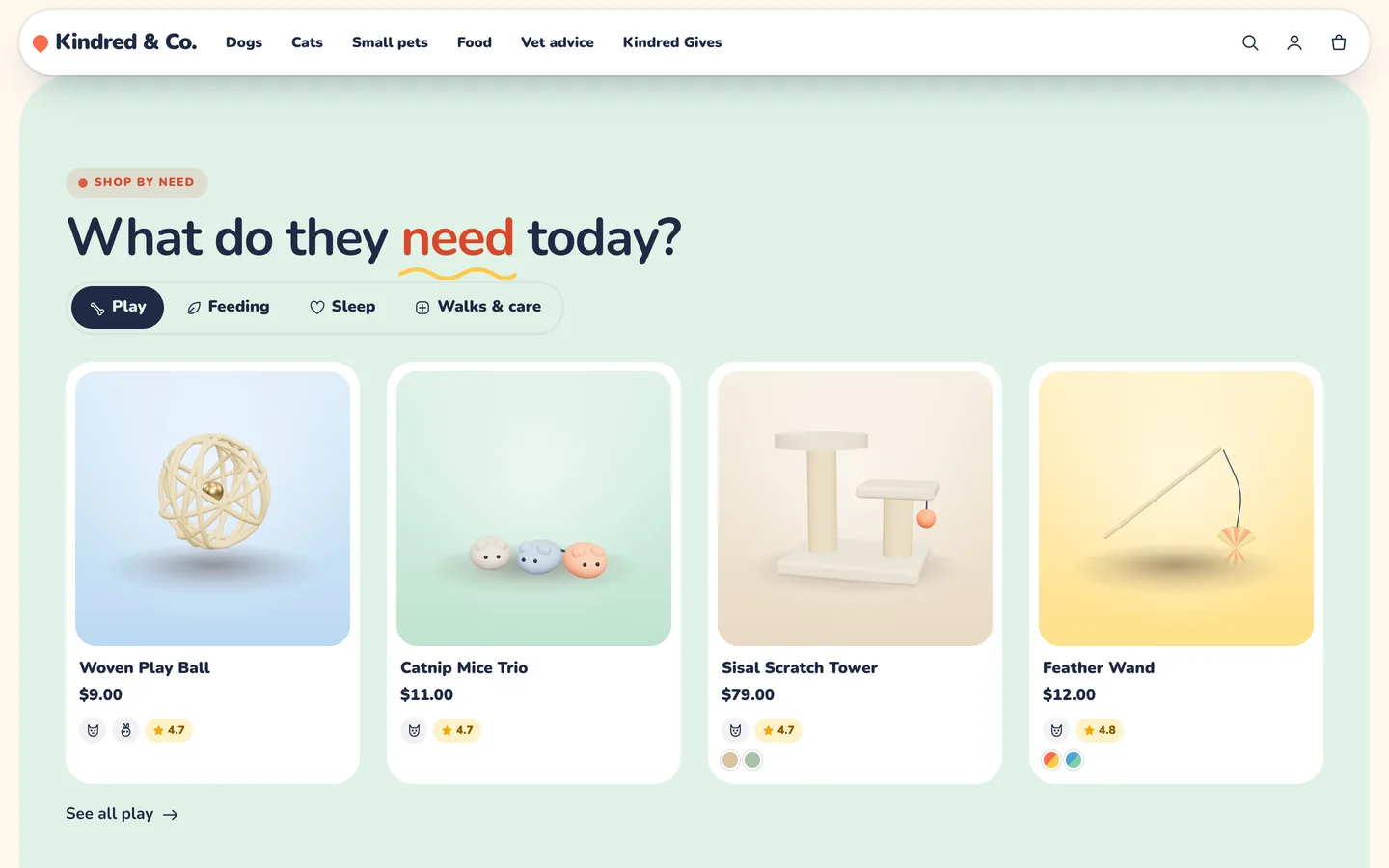
- Shop by need shows up to six tabs, such as play, feeding, sleep and walks, each swapping the product row in place. It is an accessible tablist: arrow keys move between tabs.
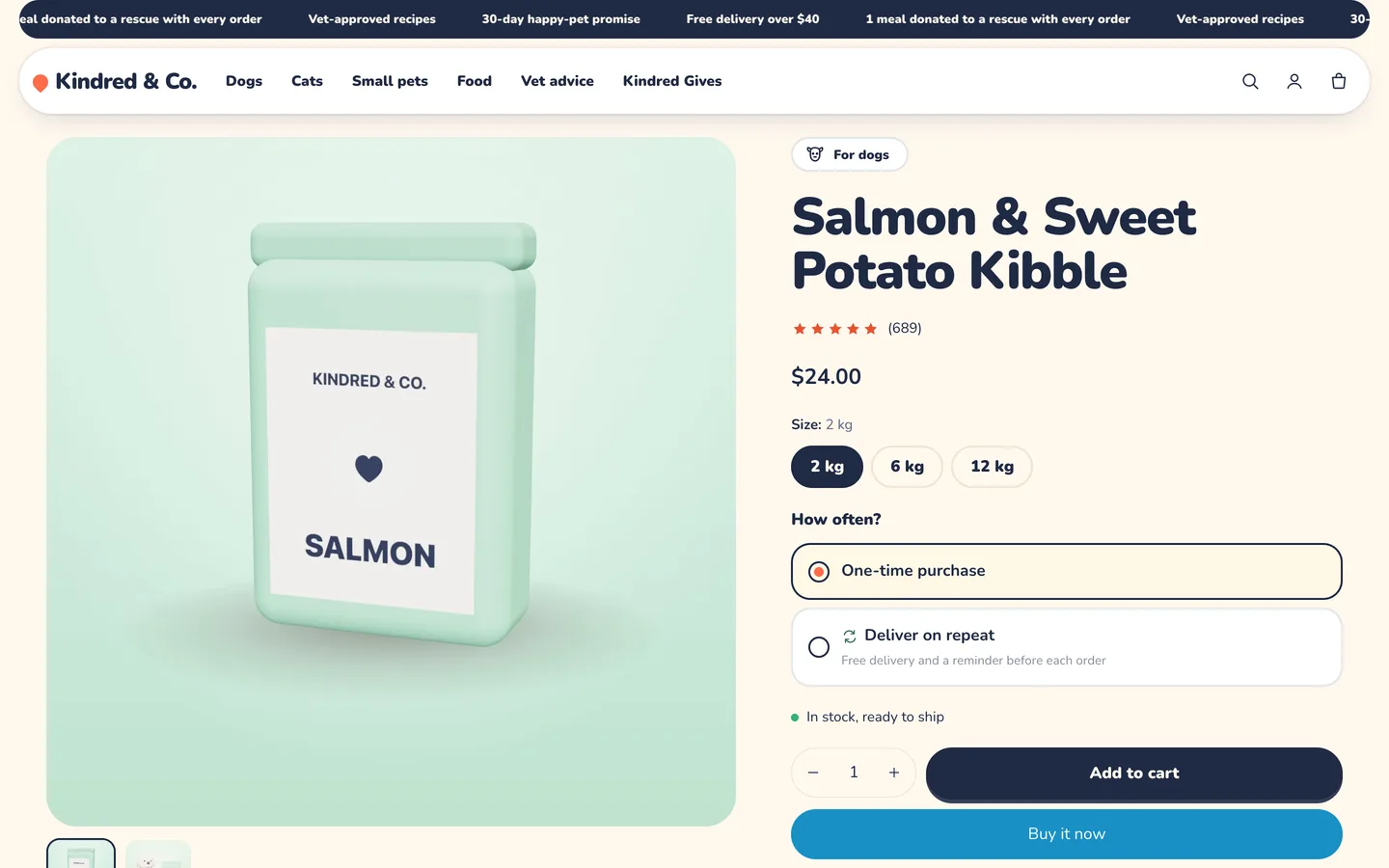
- Pet chips ("For dogs", "For cats", "For small pets") appear on cards and product pages, driven by the tags
pet-dog,pet-catandpet-small.
Answering "which size?" and "how much?"
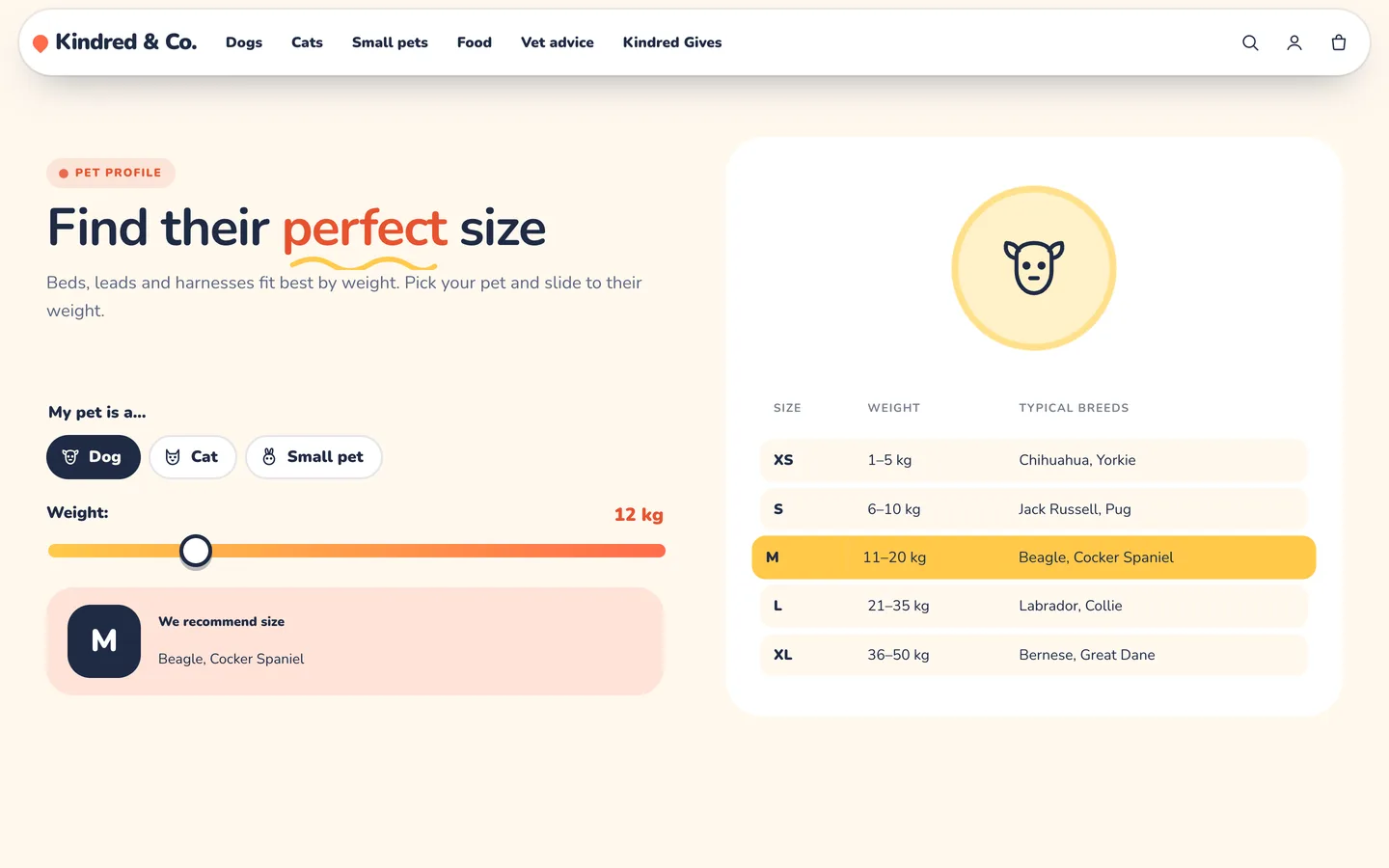
The size finder asks the owner to pick dog, cat or small pet and slide to their pet's weight. The matching size row lights up with a recommendation. Each row is a simple block (pet, size, weight range, note), in kilograms or pounds, so it fits harnesses, beds, collars or crates.
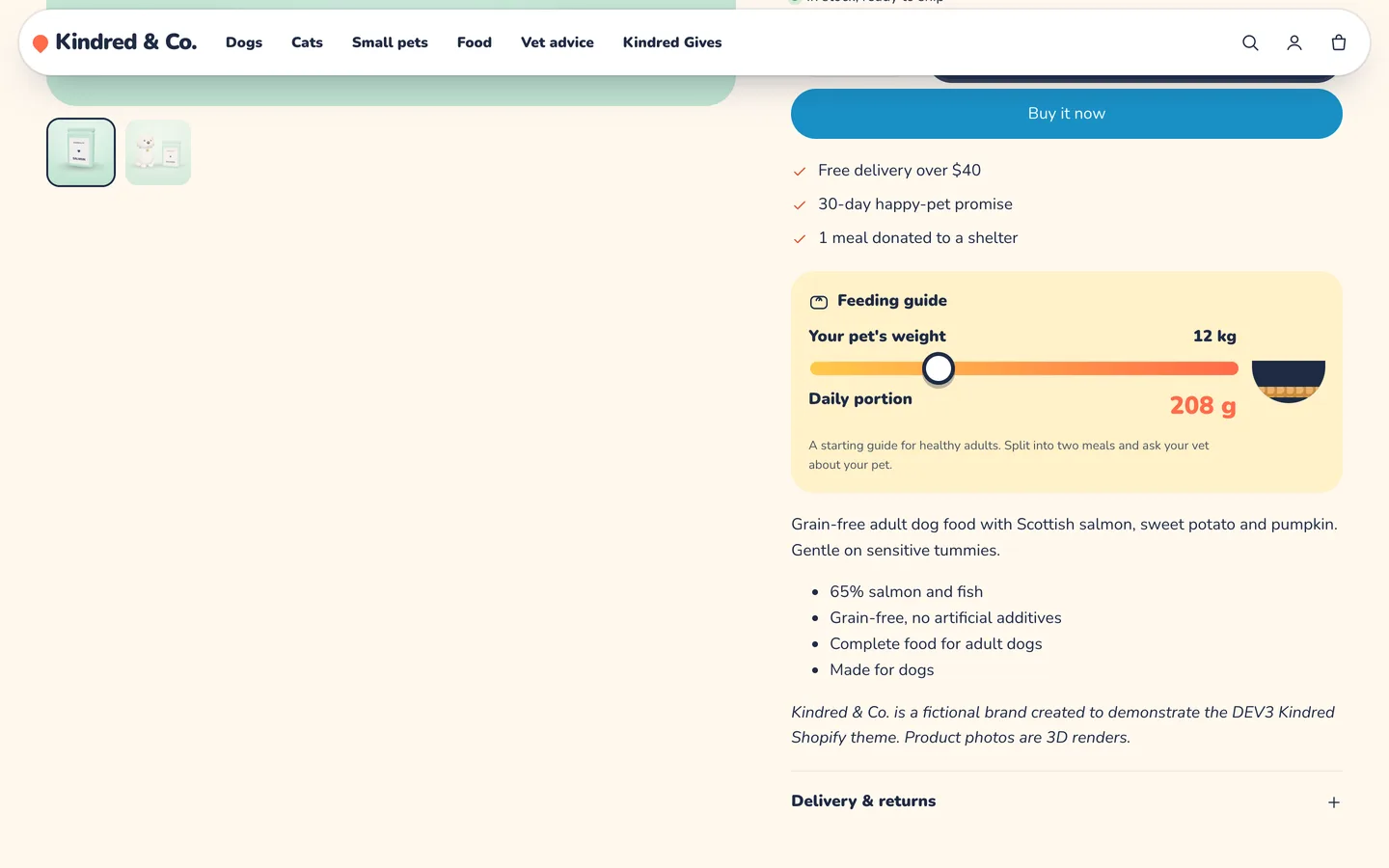
On food pages, the feeding guide does the same for portions: slide to your pet's weight and it shows a daily amount, calculated from two numbers you store per food (grams per kilogram of body weight and a base amount). If those metafields are empty the guide hides, so it never shows a guess. Products tagged sized also get a size table with rows like "M | 10–25 kg | 80 cm".
Repeat delivery, honestly
The Repeat delivery block works in two modes, and the difference matters:
- With a subscription app. If the product has selling plans from any Shopify subscription app, the block shows one-time or deliver-on-repeat with the app's real plans, and the chosen plan is added with the cart line. Billing is handled by the app at checkout.
- Without a subscription app. Customers choose a rhythm (every 2 to 8 weeks), and it is saved on the order as a reorder reminder. There is no repeat billing in this mode. You send the reminder yourself, for example with Shopify Flow or your email tool.
By default the block shows only on products tagged autoship, which also get a small "Repeat" badge on their cards. That way a store can start with reminders and switch to real subscriptions later without changing the theme: install the app and the block picks up its plans automatically.
Reviews, giving back and vet advice
- Pet reviews are polaroid-style cards with the pet's photo, name and breed, a paw rating, the quote and the product they love. They are your own content, so use real customer photos with permission; for verified product reviews, add a reviews app block to the product page.
- Rescue partner shows a partner badge, an animated counter and a progress bar towards a goal, such as meals donated to a shelter. You update the numbers in the editor; nothing is calculated automatically, so the figure is always the one you stand behind.
- Vet advice shows the latest articles from a blog you choose with a "Vet reviewed" badge, on the home page, the FAQ and articles.
A playful look and one bouncing 3D toy
Kindred is playful but premium: Nunito type, cream, navy, mint and coral schemes, pill buttons, and tinted sections that render as rounded colour "islands". The motion is springy (reveals that bounce slightly, squiggle underlines on highlighted words, wobbling cards and stickers) and follows a single Off, Subtle or Full setting.
Its single 3D object is the hero toy: a ball or a bone that bounces with squash-and-stretch. Visitors can tap it to make it jump higher, and because it is a real button, it works from the keyboard too. three.js loads only near the hero and pauses offscreen; without WebGL a poster shows, and with reduced motion the toy rests. Product pages also support Shopify's native 3D model media with a "View in your space" button on supported phones.
Install and import the demo
- Go to Online Store → Themes → Add theme → Upload zip file and choose
dev3-kindred-1.0.0.zipfrom the download. Click Customize, then Publish. - Import
Demo-Content/products.csvunder Products → Import, then add the images, feeding metafields, model, collections, pages and blog articles listed in the demo README. A scripted seed is available from DEV3 support on request.
Kindred passes Shopify Theme Check with 0 errors and 0 warnings, and we tested add to cart, the cart drawer and the checkout handoff on a live development store. The initial JavaScript is about 24 KB gzip.
See it in motion
There is no public live demo, because the demo runs on a password-protected development store. The video tour walks through Kindred & Co. from the bouncing hero to shop by need, a product page and checkout.
Before you launch
- Tag your products for pets,
autoshipandsized, and add feeding metafields to your foods. - Decide on repeat delivery: install a subscription app for real billing, or tell customers clearly that reminders are reminders.
- Replace the sample reviews and rescue numbers with your own.
Kindred is on the DEV3 marketplace. The case study covers the design decisions in more depth.