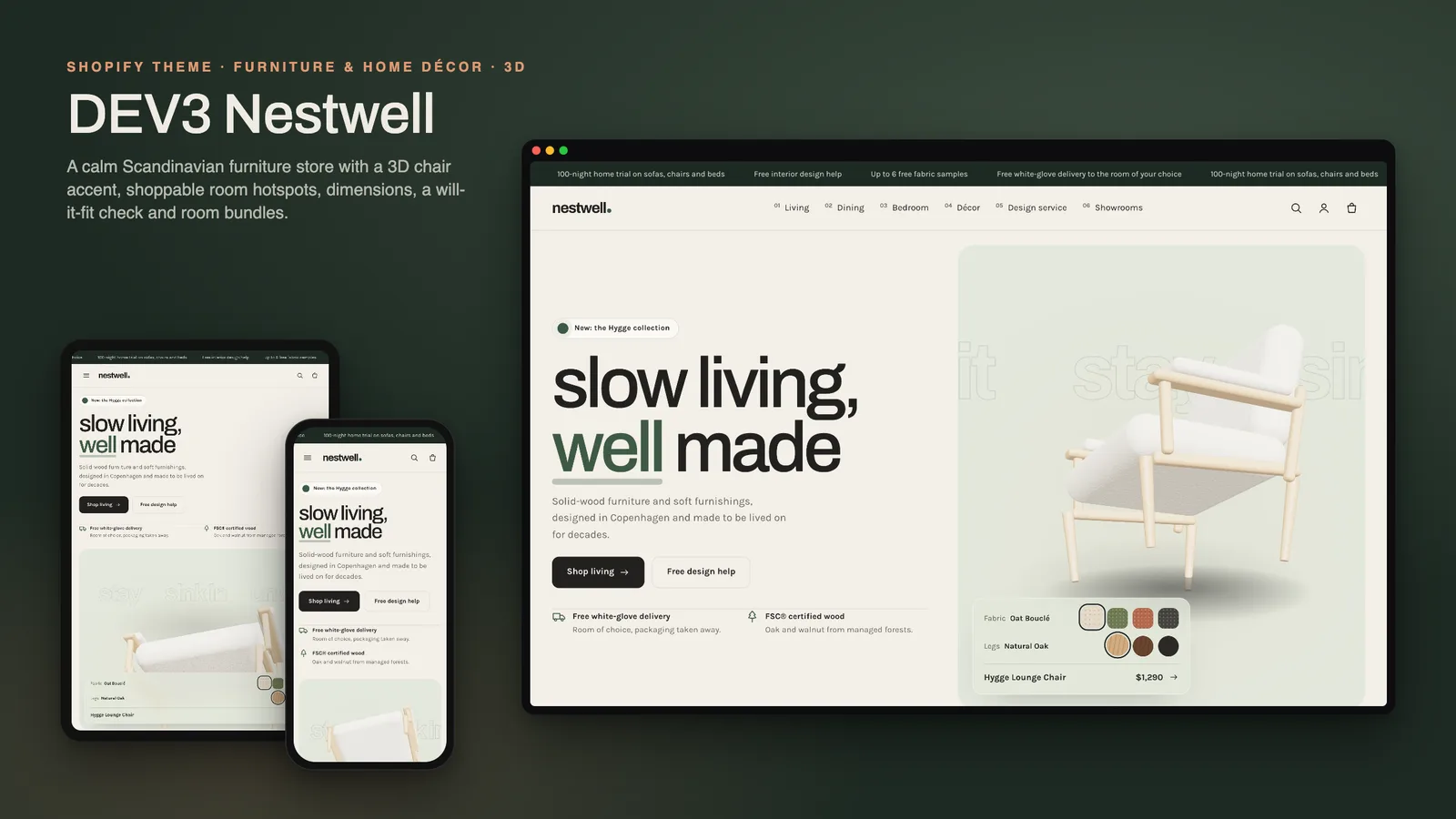
Furniture is bought in rooms, not as single items. A shopper pictures the sofa next to the rug and the lamp, wonders which fabric will survive the dog, and then hits the real worries: will it go through the front door, will it crowd the floor, and when will it actually arrive? Most Shopify themes show furniture the same way as T-shirts, with a gallery and a description, and leave those questions to the FAQ. DEV3 Nestwell is a furniture Shopify theme built around them: shoppable room scenes, bundles that complete a room, a "will it fit" check and a delivery estimate on the product page, and pages for showrooms and trade buyers. This post covers who Nestwell is for and how each of those pieces works.
Who a furniture Shopify theme like this is for
Nestwell was designed for stores that sell pieces people live with:
- Furniture brands selling sofas, chairs, tables, beds and storage in several fabrics and finishes.
- Home décor and lighting shops that sell rugs, throws, vases and lamps alongside furniture.
- Retailers with showrooms who want visitors to book a visit as well as buy online.
- Brands with a trade programme for interior designers, architects and hospitality projects.
The demo is the fictional Nestwell Home brand: 16 pieces across Living, Dining, Bedroom and Décor & Lighting (56 variants by fabric and finish), 3 styled rooms, 7 pages and a journal, with every image rendered for the theme.
Shop the room, then complete it
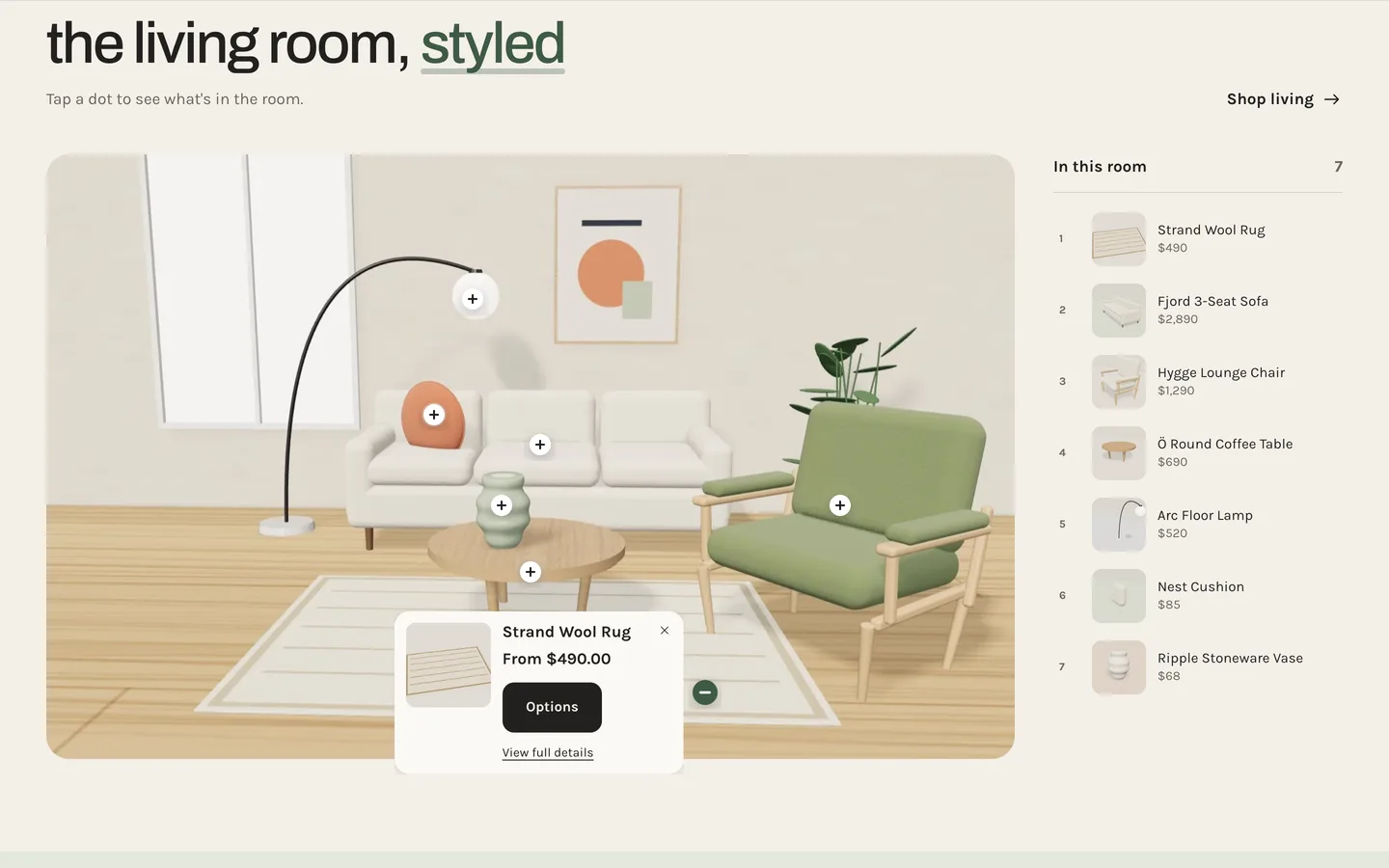
Nestwell is an Online Store 2.0 theme built from scratch on DEV3's own base, not a fork of Dawn. Its Shop the room section takes a room photo and up to ten hotspots, each a product and a position across and down in percent, so the dots stay on the right piece at every screen size. The dots pulse in one after another; a tap opens a product card with the price and quick add (or the options), and an "In this room" list beside the image highlights its dot on hover or focus. On phones, the card opens under the image.
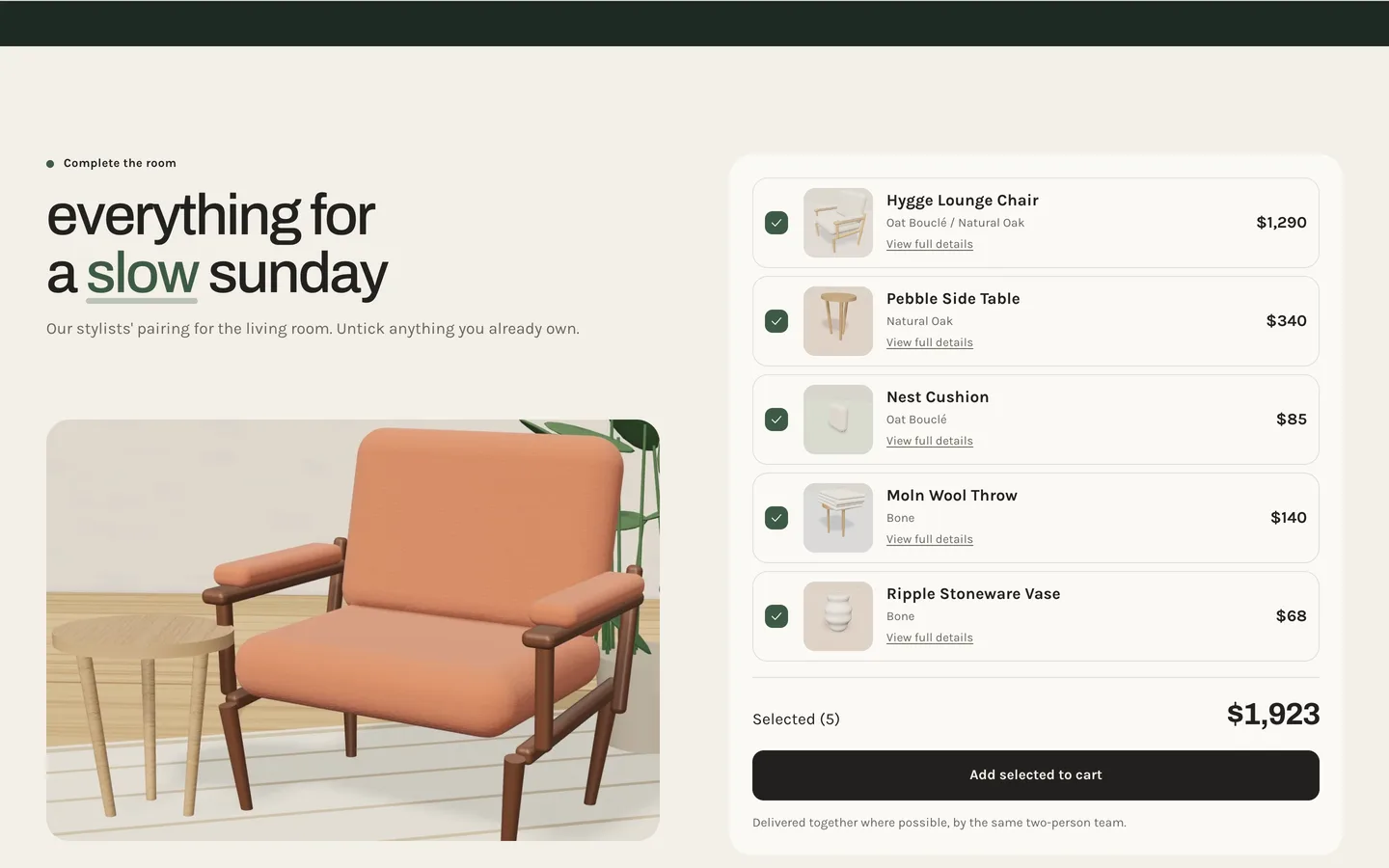
Complete the room turns a set into one decision. It lists up to six products with tick boxes and a live total. A shopper unticks anything they already own and clicks Add selected to cart: every ticked piece is added in one request and the cart drawer opens. On product pages the current product is skipped. There is no automatic bundle discount; if you want one, create it with Shopify discounts.
"Will it fit?" and "when will it arrive?"
The Nestwell product section answers the two questions that cause most furniture returns and support emails, from a handful of metafields:
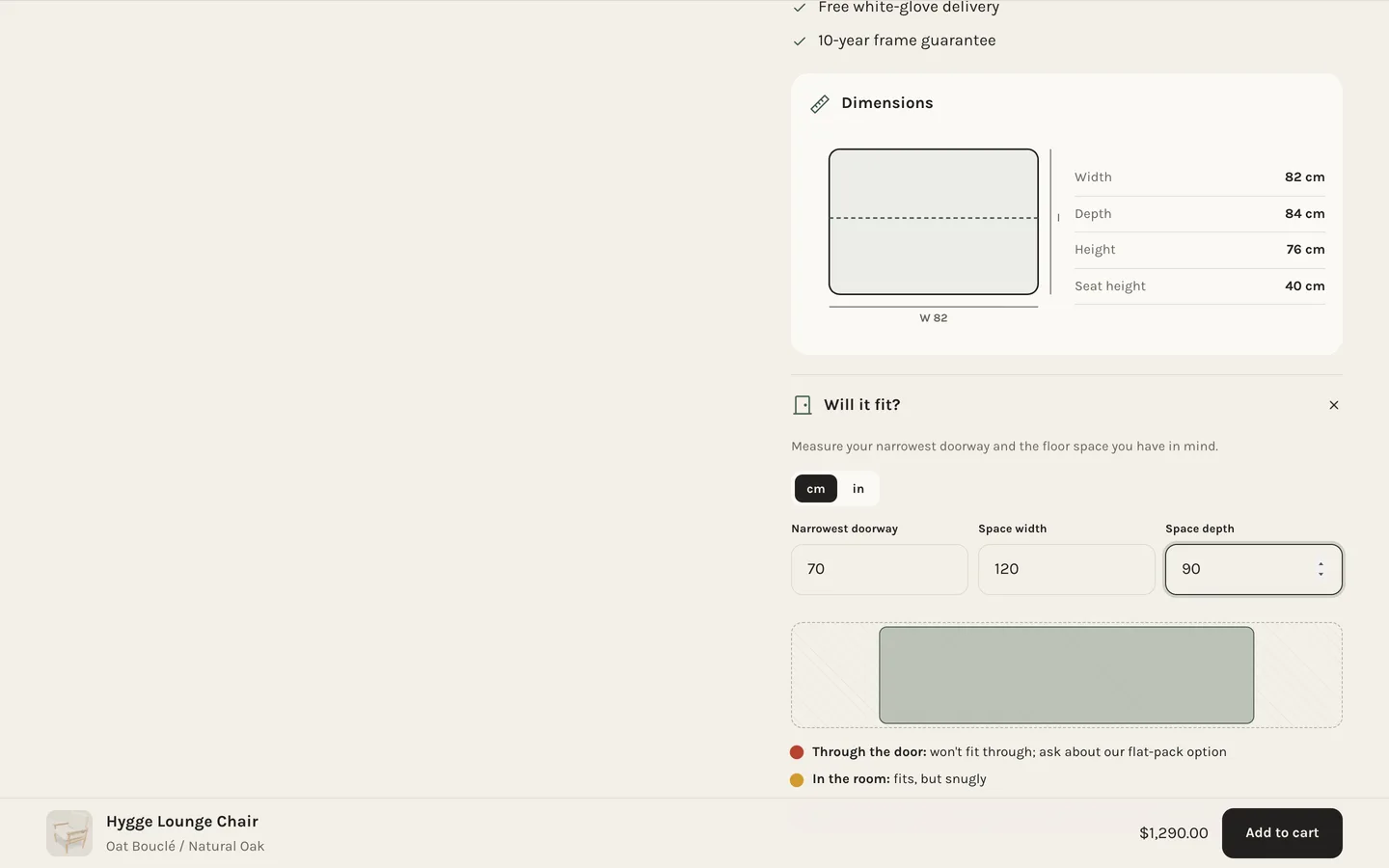
- Dimensions: a drawn width × height diagram with the seat height marked, plus a table and the variant weight. The data comes from four integer metafields in centimetres:
nestwell.width,nestwell.depth,nestwell.heightandnestwell.seat_height. - Will it fit?: customers enter their narrowest doorway and their floor space, in centimetres or inches. The block compares them with the piece (the smaller of its depth and height has to pass through the doorway) and shows fits, tight or won't fit, with a scaled floor plan.
- Delivery estimate: a date window from today plus the product's lead time in working days (
nestwell.lead_minandnestwell.lead_max), skipping weekends, with three white-glove delivery steps. It is an estimate and says so; it does not know your courier's schedule, so set realistic lead times per product.
Products with a Fabric option also get a fabric samples link, and two text metafields fill a Materials & care block. On collection pages, the landscape "spec sheet" cards show the price beside the title, the number of fabrics or finishes and "Ships in…" from the lead time.
Materials, showrooms and trade
- Materials tells the story of up to eight materials (oak, bouclé, linen and so on) with an origin, a text, an image and a stat. On desktop the row pins and scrolls sideways with a progress rule; phones swipe natively.
- Showrooms shows up to six cards with the city, address, hours, phone, an image and a booking link. Hovering a card lifts its pin on a stylised map.
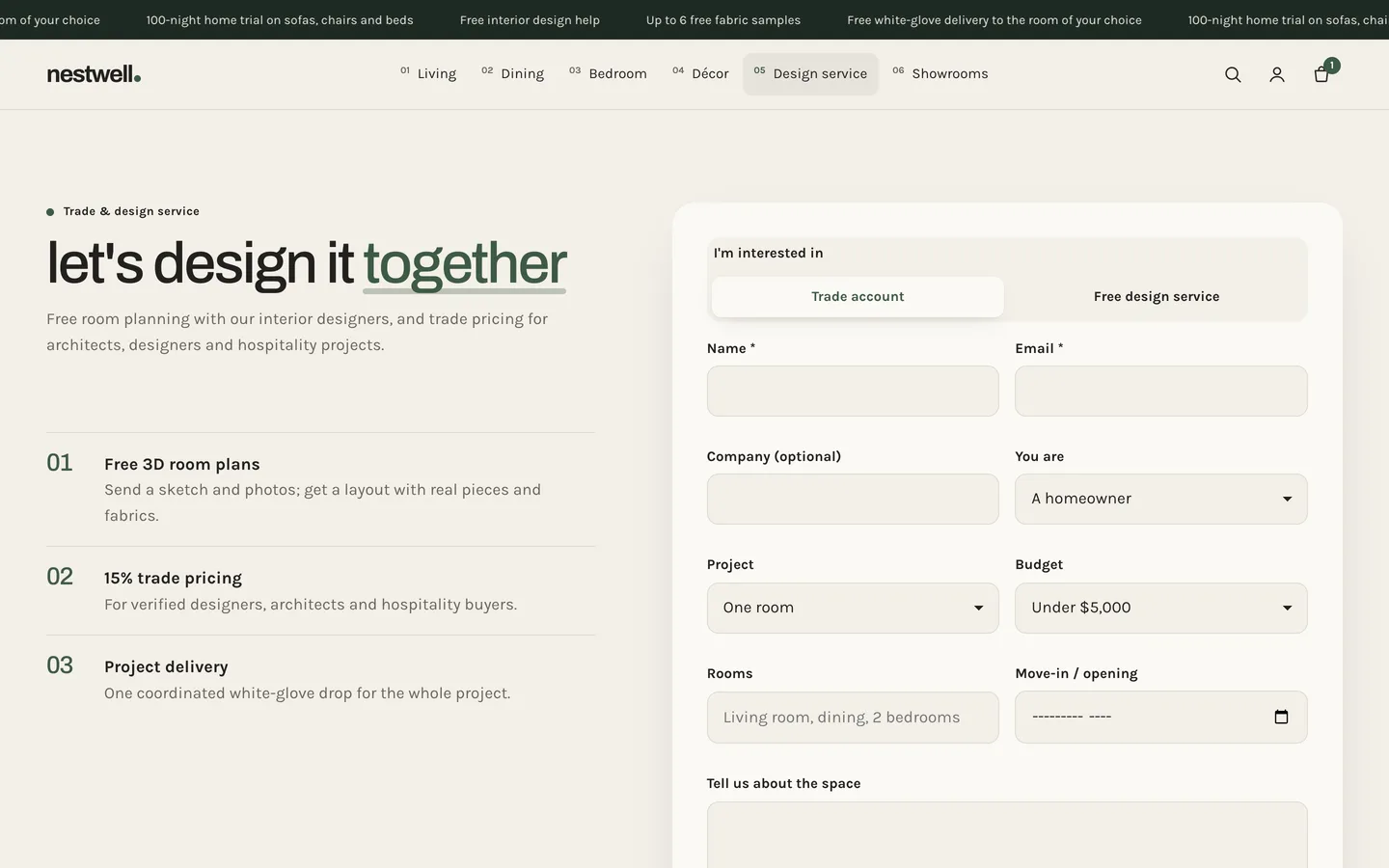
- Trade & design service is an enquiry form for trade accounts or design help (profession, project, budget, rooms, timeline and message), sent through Shopify's contact form, with up to four numbered perks.
A calm look and one 3D lounge chair
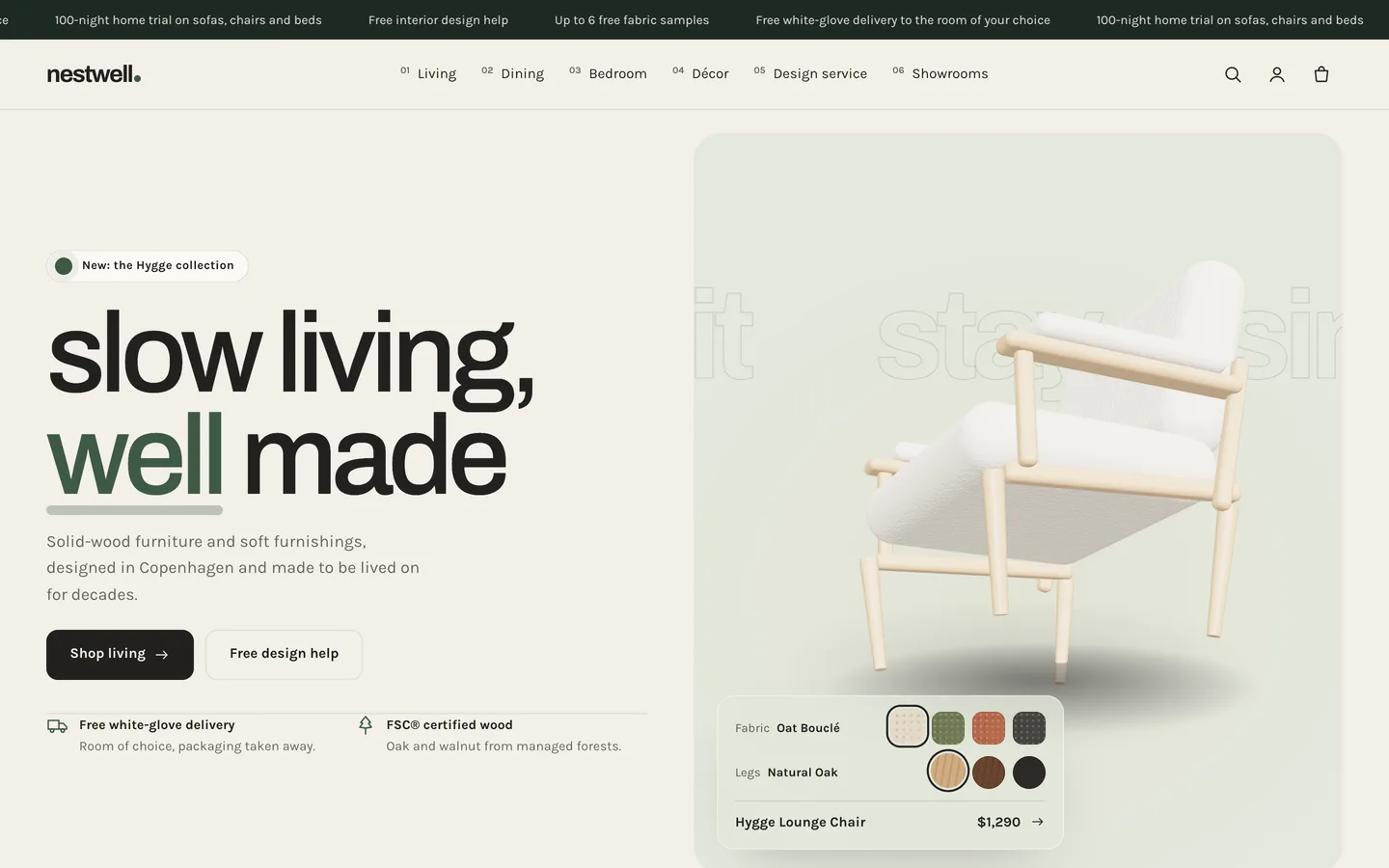
Nestwell's look is quiet and Scandinavian-modern: lowercase grotesk headlines with underlines that draw under highlighted words, 20 px panels, rounded-rectangle buttons and bone, pine, sage and clay colour schemes. Motion is unhurried: images wipe in, hotspot dots pop in one by one, the dimension box draws itself and the delivery bar fills, all under one Off, Subtle or Full setting.
Its single 3D object is the hero's lounge chair, which turns slowly on a rug while outlined words drift behind it. Fabric and leg-finish swatches re-upholster it live and the cushion settles. three.js loads only near the hero and pauses offscreen; without WebGL a poster shows, and with reduced motion the chair stands still. Product pages also support Shopify's native 3D model media with a "View in your space" button on supported phones; the demo lounge chair ships with its model.
Install and import the demo
- Go to Online Store → Themes → Add theme → Upload zip file and choose
dev3-nestwell-1.0.0.zipfrom the download. Click Customize, then Publish. - Import
Demo-Content/products.csvunder Products → Import, add the dimension, lead-time and materials metafields, the images and the chair model, then create the collections, pages, journal and menus from the demo README. A scripted seed is available from DEV3 support on request.
Nestwell passes Shopify Theme Check with 0 errors and 0 warnings, and we tested add to cart, the cart drawer and the cart page on a Shopify development store. The initial JavaScript is about 24 KB gzip.
See it in motion
There is no public live demo, because the demo runs as an unpublished preview on a password-protected development store. The video tour walks through Nestwell Home from the chair hero to a room scene, a product page and the cart drawer.
Nestwell is on the DEV3 marketplace. The case study covers the design decisions in more depth.