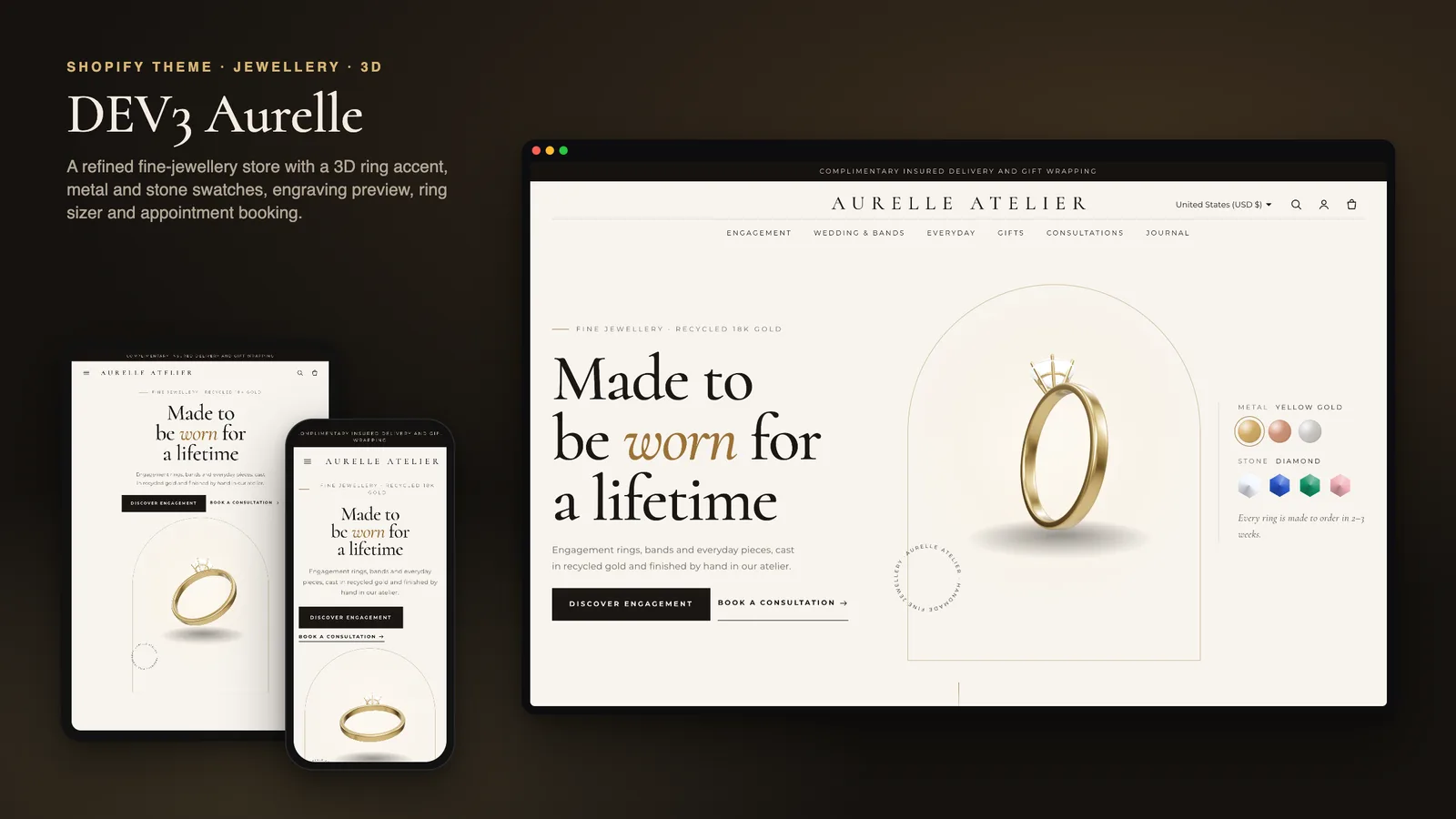
Fine jewellery is one of the hardest things to sell online. The pieces are expensive and personal, the difference between yellow and rose gold is hard to judge on a screen, and the most common worry, ring size, is easy to get wrong. Many buyers also want an engraving or a gift note, and for an engagement ring they often want to talk to someone first. DEV3 Aurelle is a jewellery Shopify theme that handles those steps inside the theme: a 3D ring that changes metal and stone in the hero, a ring-size converter with a true-scale printable sizer, engraving with a live preview, gift wrap that travels with the order, and consultation requests. This post covers who Aurelle is for and how each of those pieces works.
Who a jewellery Shopify theme like this is for
Aurelle was designed for stores where every piece is a considered purchase:
- Fine jewellers selling rings, earrings, pendants and bracelets in several metals.
- Engagement ring and wedding band specialists whose buyers need sizing help and reassurance.
- Jewellery ateliers and goldsmiths who offer engraving and in-person or video consultations.
- Gift-focused jewellery brands that want gift wrap and notes on every order.
The demo is the fictional Aurelle Atelier house: 16 pieces across Engagement, Wedding & Bands, Everyday Fine and Gifts (198 variants by metal, stone and size), 7 pages and a journal, with every image rendered for the theme.
A ring that changes metal and stone in the hero
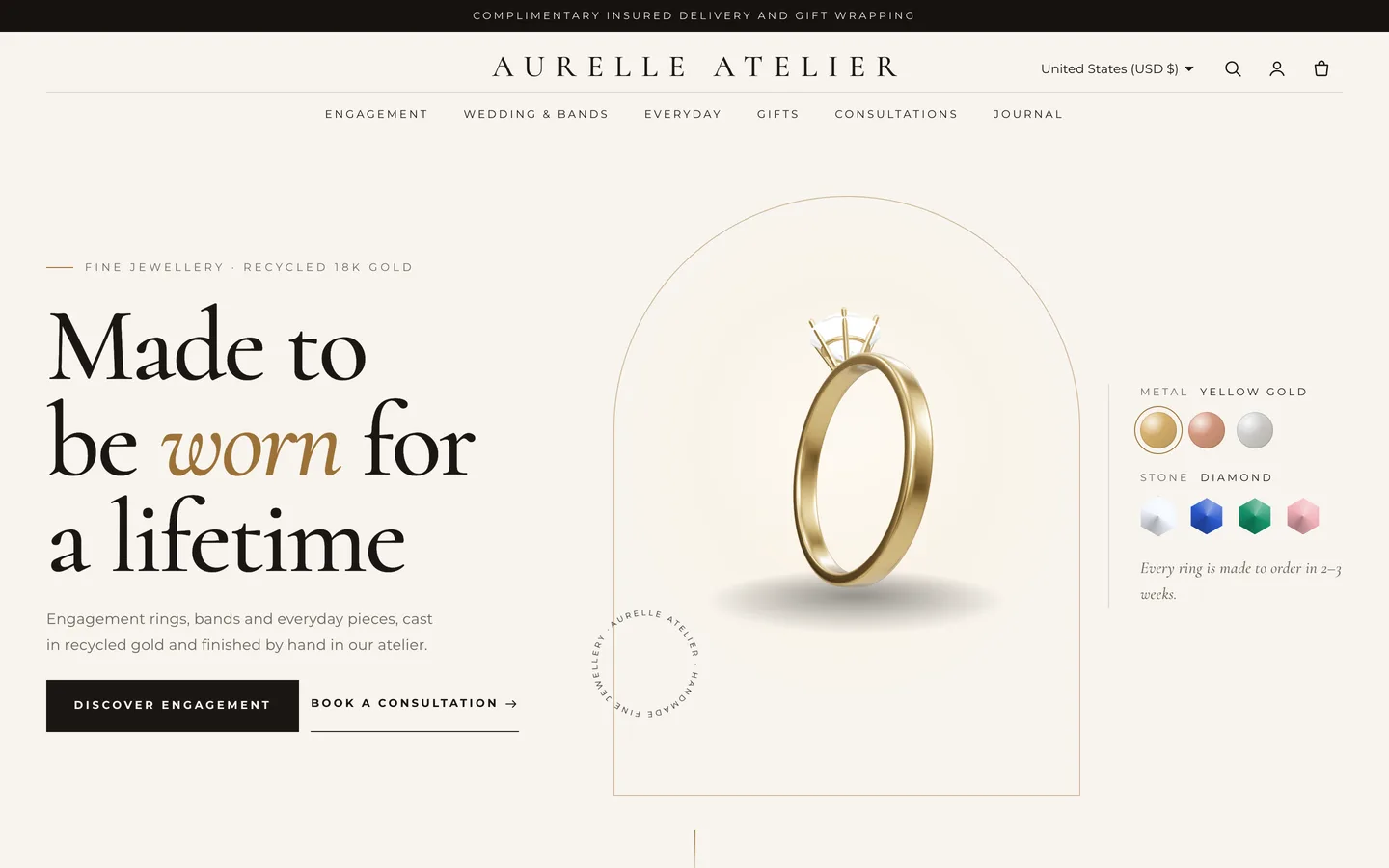
Aurelle is an Online Store 2.0 theme built from scratch on DEV3's own base, not a fork of Dawn. Its hero is a three-column editorial layout: a split-letter serif heading, a 3D ring turning slowly inside an arch with a spinning seal, and swatches.
- Pick the ring style: solitaire, oval, halo, three-stone, pavé, eternity, plain band or signet.
- Metals and stones are lists of
Name: #hexlines that you edit. Clicking a swatch eases the ring's metal or stone to that colour, so a shopper can try a sapphire on rose gold without leaving the home page. - Upload your own GLB to replace the procedural ring, and set a poster image for browsers without WebGL.
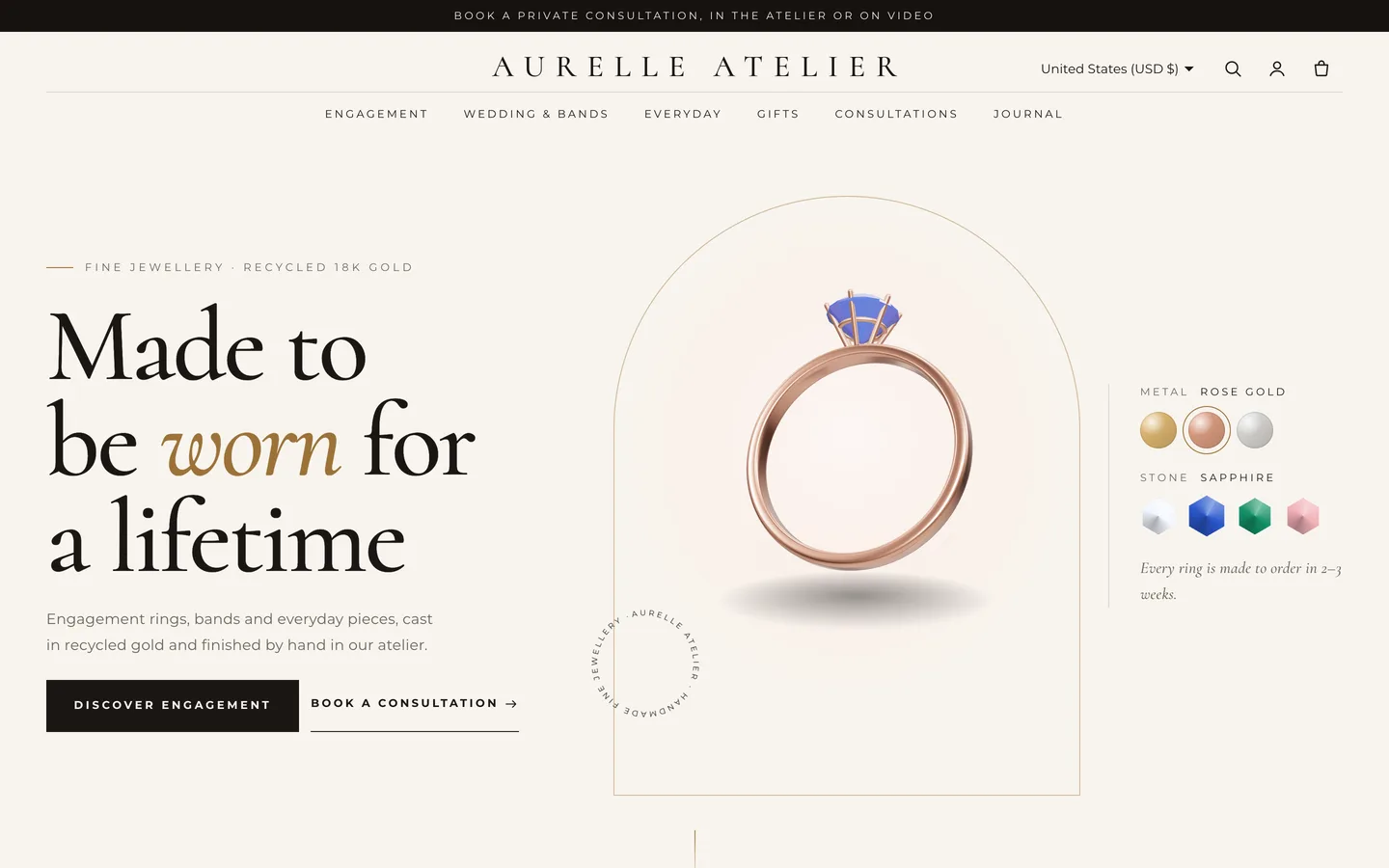
On product pages, options named Metal and Stone render as metallic and faceted gem swatches, and Shopify's native 3D model media adds a "View in your space" button on supported phones. The demo solitaire ships with its model.
Getting the ring size right
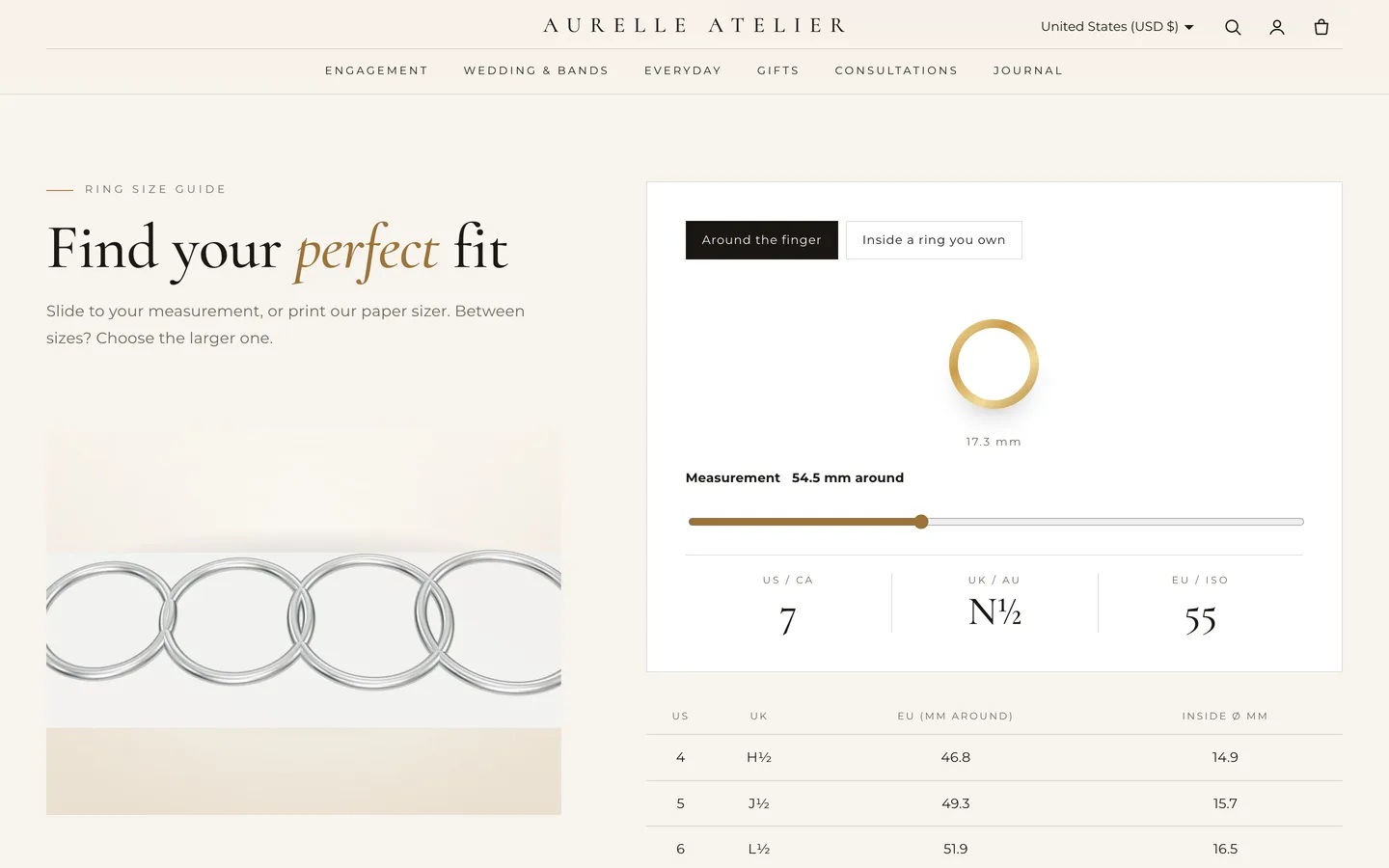
The Ring sizer asks the customer to measure around their finger, or inside a ring they already own. The converter then shows the US/CA, UK/AU and EU sizes and highlights the matching row of your size table, which you edit as rows such as US | UK | EU | inside mm.
Print the paper sizer prints only the sizer strip at true scale, with a 50 mm calibration bar so customers can check that their printer has not shrunk it. The same converter opens in a drawer from the product page whenever a product has a size option, and a Ring size guide page template adds tips and an FAQ.
Engraving, gift wrap and deep zoom
The Aurelle product section adds the details a jewellery order needs:
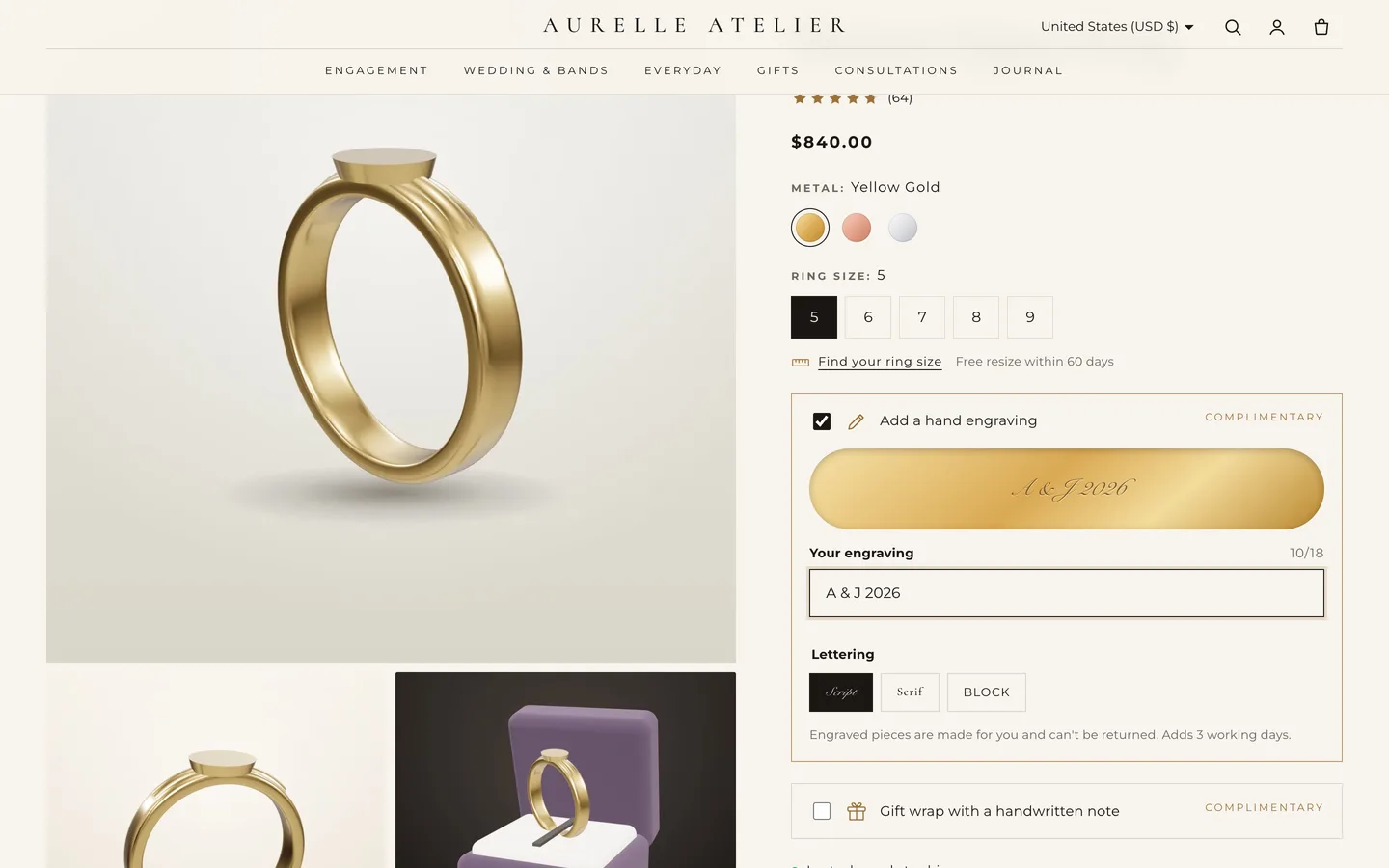
- Engraving: customers type their message and see a live preview on a gold band in one of three lettering styles: Script, Serif or Block. It is saved as the line-item properties Engraving and Engraving font, only when filled in, and is shown on products tagged
engravableby default. - Gift wrap and note: a checkbox and a note with a character counter, saved as Gift wrap and Gift note.
- Specifications: metal, stone, band and setting, from four optional metafields.
- Deep zoom: click any image, pan with the pointer, zoom from 100 to 400% with the buttons or the wheel, or drag on touch.
Line-item properties appear on the cart, the order and the packing slip, so your workshop sees exactly what to engrave. Engraving and gift wrap are complimentary out of the box; to charge for them, use a product options app that adds a fee.
Consultations, provenance and occasions
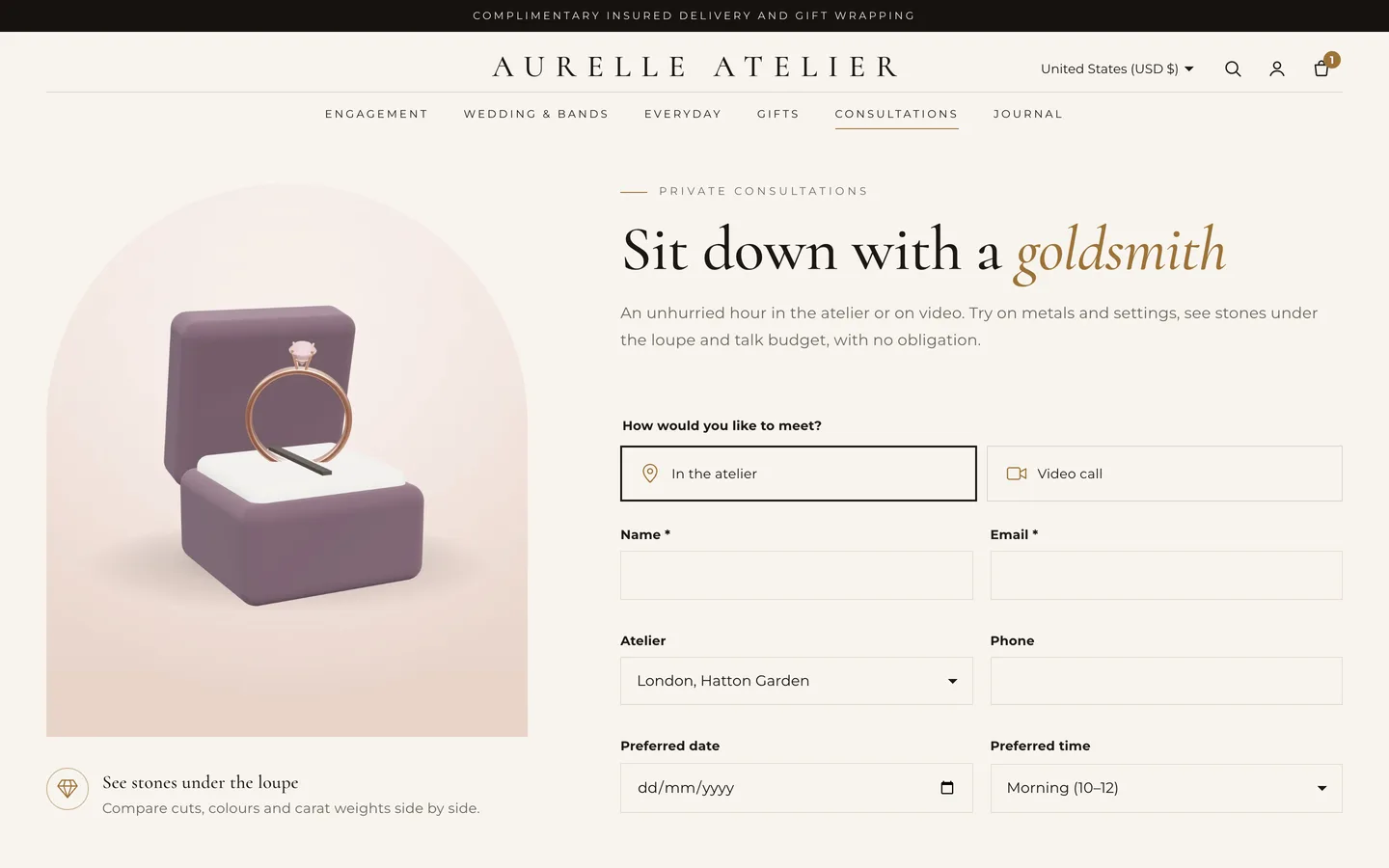
- Consultation booking is a request form with the visit type (atelier or video), the atelier, a preferred date and time, the interest and a budget. It is a standard Shopify contact form, so requests arrive in your store's contact email with every field labelled. No payment is taken and no calendar slot is reserved: you confirm the time by email. If you need live availability, add a booking app block instead.
- Provenance tells your materials and sourcing story in up to five steps and four stats. On desktop the arched image stays pinned and crossfades as each step comes into focus, while a gold line draws down the page. Write only what you can document.
- Occasions shows up to five arched collection tiles in a staggered rhythm, and a swipe row on phones.
A quiet, luxurious look
Aurelle uses a two-tier header with a centred wordmark that condenses on scroll, Cormorant and Montserrat, square buttons with tracked capitals, and portrait product cards with arched tops that catch a slow glint on hover. The colour schemes are ivory, onyx, blush and champagne. Letters rise out of a soft blur and arches unveil from the bottom, all under one Off, Subtle or Full setting. three.js loads only near the hero and pauses offscreen; with reduced motion the ring stands still.
Install and import the demo
- Go to Online Store → Themes → Add theme → Upload zip file and choose
dev3-aurelle-1.0.0.zipfrom the download. Click Customize, then Publish. - Import
Demo-Content/products.csvunder Products → Import, add the specification metafields, the images and the ring model, then create the collections, pages, journal and menus from the demo README. A scripted seed is available from DEV3 support on request.
Aurelle passes Shopify Theme Check with 0 errors and 0 warnings, and we tested add to cart, the cart drawer and the cart page on a Shopify development store. The initial JavaScript is about 25 KB gzip.
See it in motion
There is no public live demo, because the demo runs as an unpublished preview on a password-protected development store. The video tour walks through Aurelle Atelier from the ring hero to a collection, a product page and the cart drawer.
Aurelle is on the DEV3 marketplace. The case study covers the design decisions in more depth.