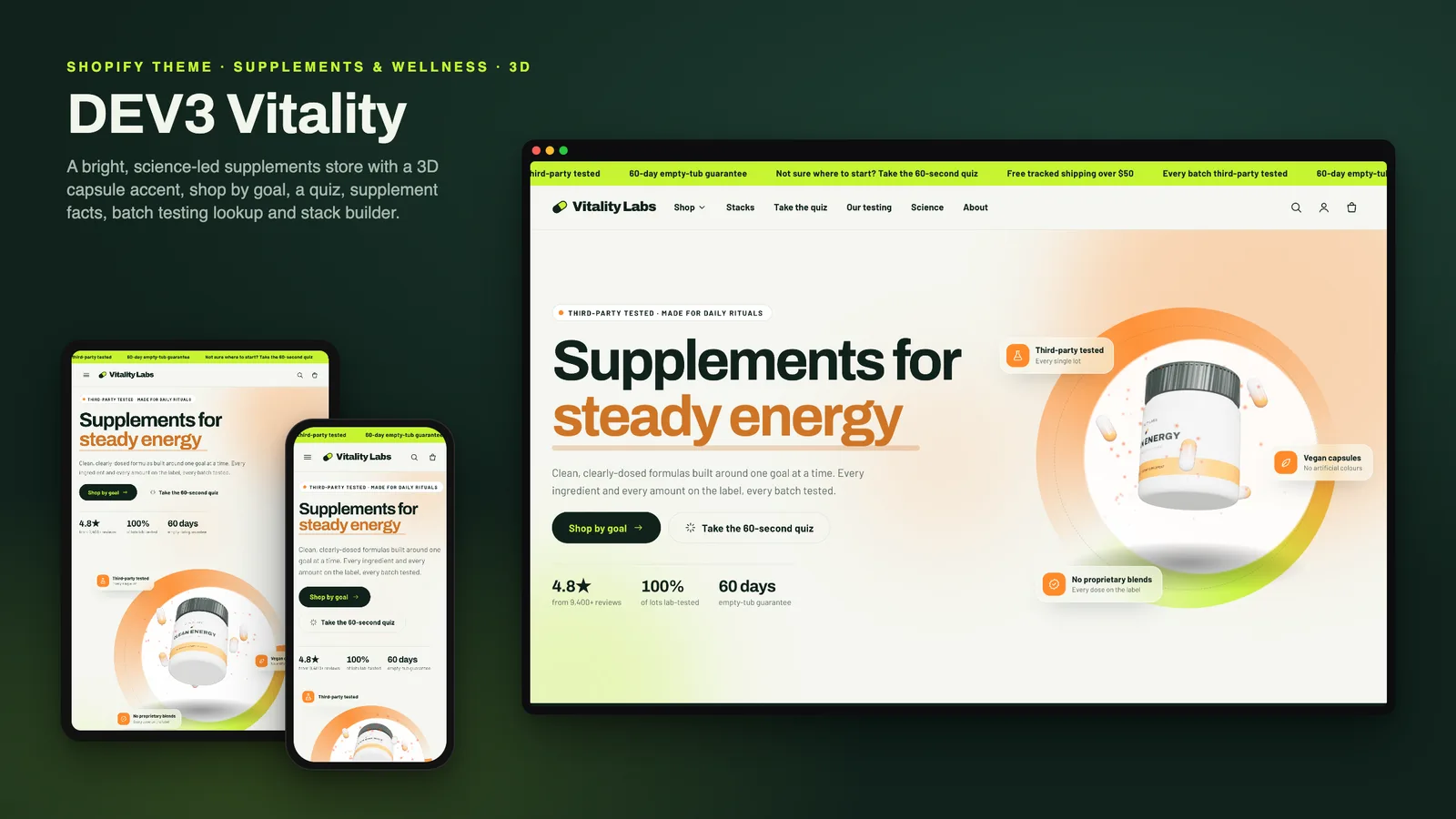
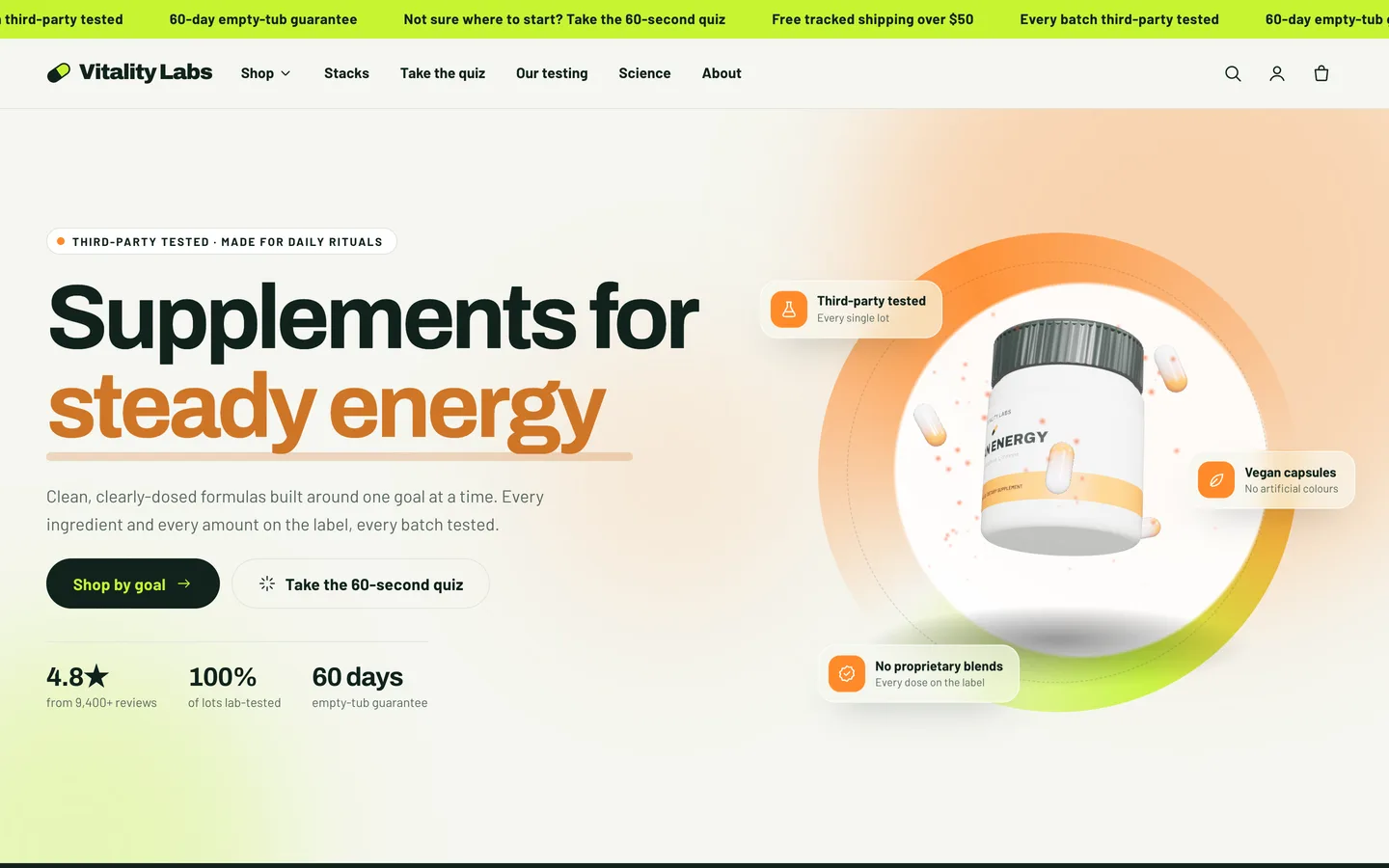
Supplement shoppers are curious and sceptical at the same time. They want to find products by what they are looking for, read the full label before they buy, see how a batch was tested and set up repeat deliveries. Supplement brands, meanwhile, work under strict rules about what they may say, and the right disclaimer has to sit near every claim. Many wellness themes push the other way, with bold promises, facts panels that are just images and "subscribe" toggles that bill nothing. DEV3 Vitality is a supplement Shopify theme that is energetic to look at and careful by construction: shop by goal, a product finder quiz, supplement facts as a real table, a built-in disclaimer, subscribe & save only when real selling plans exist, and a testing story built from the results you actually hold. This post covers who Vitality is for and how each part works.
Who a supplement Shopify theme like this is for
Vitality was designed for brands that sell products with a label on the back:
- Supplement and vitamin brands selling capsules, gummies, powders and drops.
- Sports nutrition brands with flavours, sizes and bundles.
- Wellness shops that curate several brands and want shoppers to browse by goal.
- Agencies building supplement stores for clients who need a compliance-minded starting point.
The demo is the fictional Vitality Labs brand: 16 products (28 variants, 3 of them stacks), 8 collections, 6 pages and a 4-article Science Desk blog, with every image rendered for the theme. Its formulas, amounts, lot numbers and lab results are illustrative samples, not real products or advice.
Shop by goal and a product finder quiz
Vitality is an Online Store 2.0 theme built from scratch on DEV3's own base, not a fork of Dawn. Many supplement shoppers start with a goal rather than an ingredient, so the theme gives them two ways in.
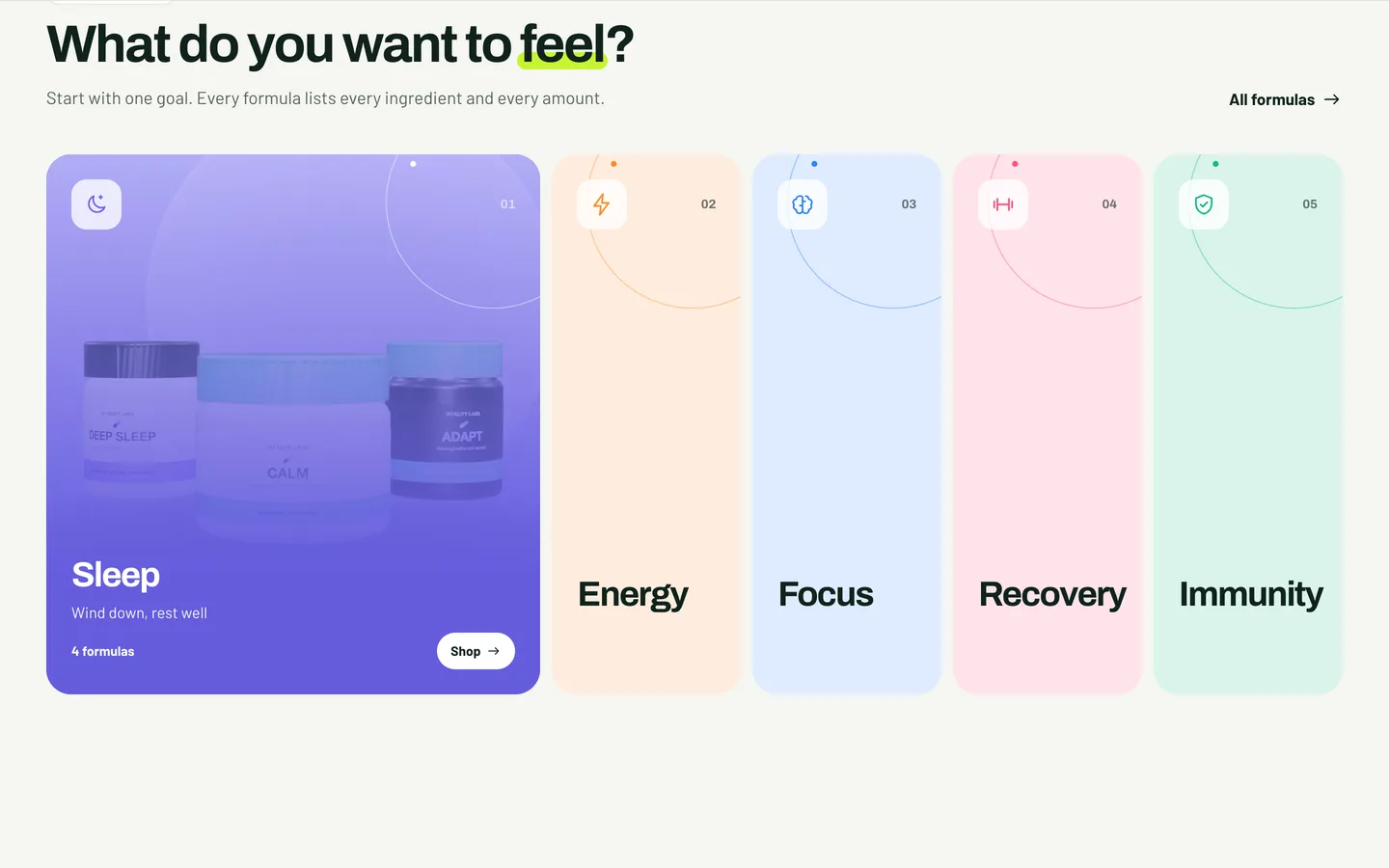
Shop by goal shows up to six colour panels, each linked to a collection with a title, a tagline, a colour and a drawn line icon. The demo uses sleep and calm, energy, focus, recovery and immunity; you choose your own. On desktop the panels expand on hover or keyboard focus; on phones they become swipe cards. Product counts come from the collections.
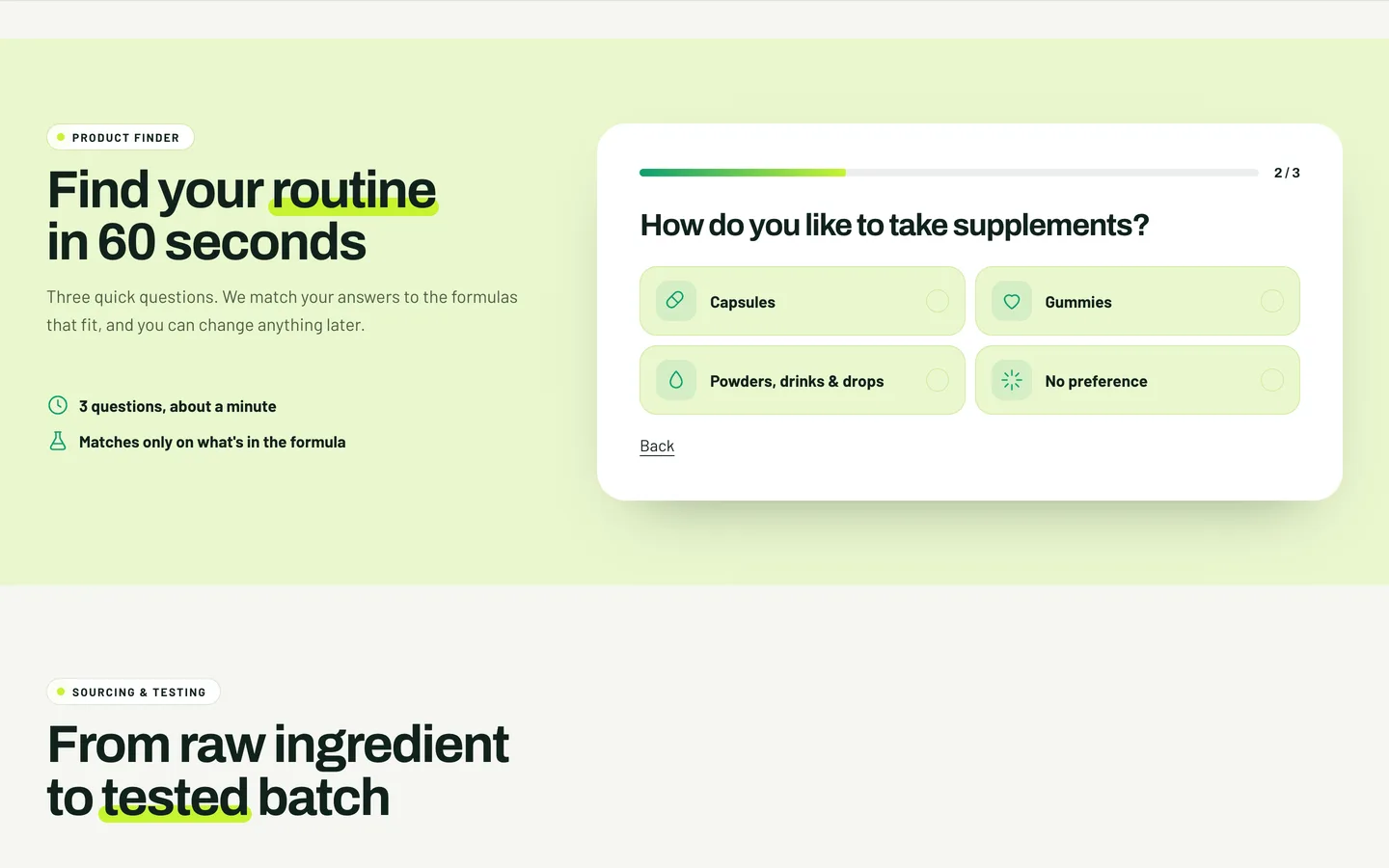
The Product finder quiz asks up to six questions. Each answer is a single line in the editor, such as Powders, drinks & drops | powder,drops | drop: a label, the product tags it matches, an icon and an optional goal name. A product scores the question's weight (1 to 3) when it carries one of the answer's tags, and the quiz shows the best matches with a match percentage and a "See all" link to the tag-filtered collection. It runs entirely in the visitor's browser and stores nothing. Keep its small print: the quiz is general guidance, not medical advice.
Supplement facts as a real table
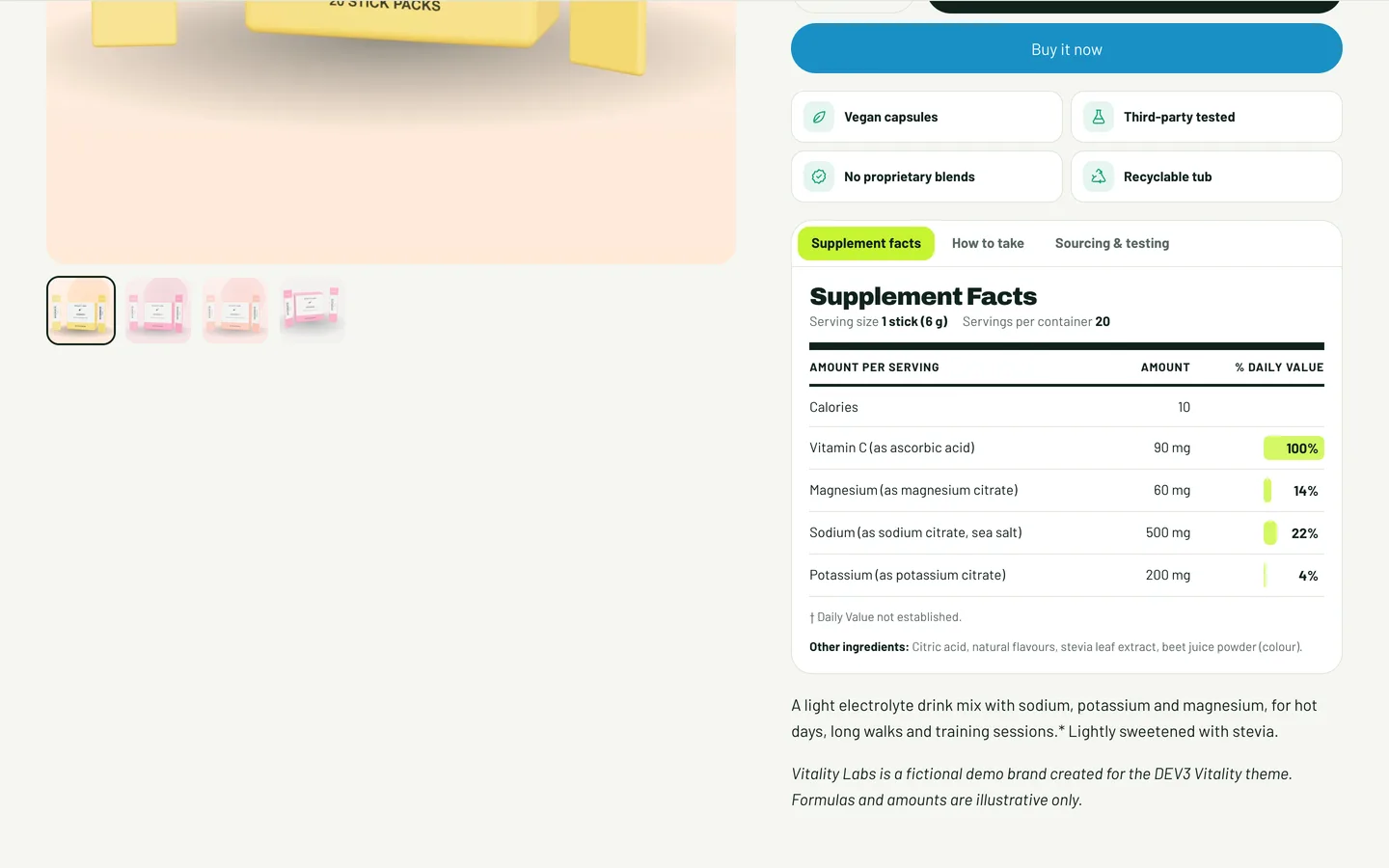
On the product page, the Supplement facts tab is a real HTML <table> with a caption and column and row headers, so screen readers read it properly instead of skipping an image. Fill the JSON metafield custom.supplement_facts with the serving size, servings per container, one row per ingredient (name, amount and %DV), other ingredients and a footnote. No metafield yet? The block has fallback fields, one row per line as Name | Amount | %DV. The %DV values animate as small bars, capped at 100%.
The same tabs hold How to take, from the multi-line custom.how_to metafield, and a free-text tab for sourcing notes. Goal chips come from the custom.goals list metafield, and four highlight tiles carry facts such as vegan or third-party tested, if they are true for your product.
A disclaimer that is built in
Vitality ships with an FDA-style disclaimer in two places: a Disclaimer block for the product section and a Disclaimer section for the footer group or any template. The default text is the standard US dietary-supplement statement: "These statements have not been evaluated by the Food and Drug Administration. This product is not intended to diagnose, treat, cure or prevent any disease." Edit it for each market you sell in.
The theme makes no health claims of its own, and the documentation ends with a compliance checklist: replace every demo formula, amount and claim with your own verified label data, keep the disclaimer near any claim, publish only lab results you hold, show only discounts that exist and have your labels reviewed for each market. The theme is not legal advice.
Subscribe & save, only when it is real
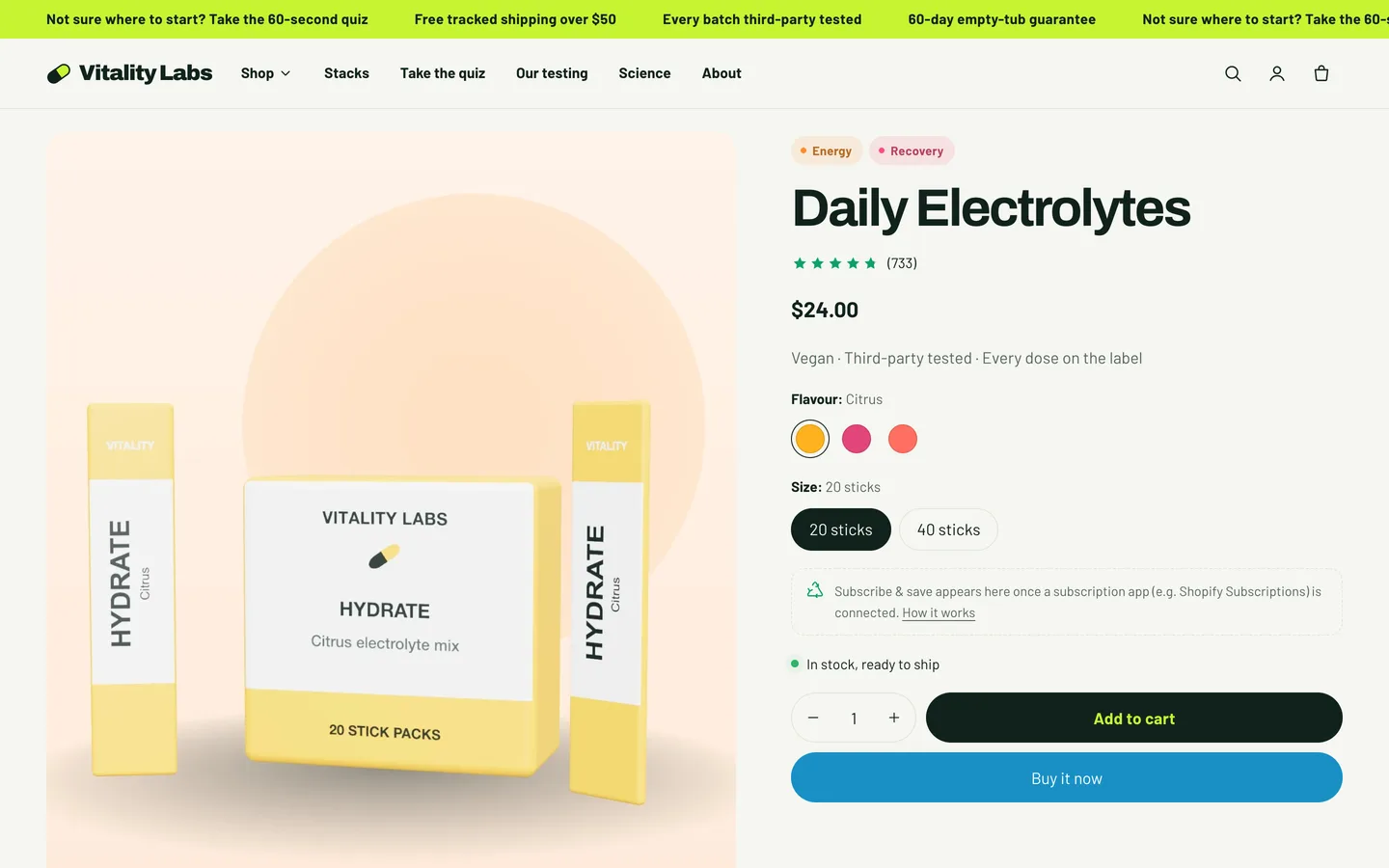
The Subscribe & save block appears only when the product has selling plans, which are created by a subscription app such as the free Shopify Subscriptions app:
- Install a subscription app that uses Shopify selling plans.
- Add your products to a plan in that app.
- The block now offers one-time purchase or subscribe, with a frequency picker. The chosen plan is sent with the cart line, and the prices and "Save x%" badge follow the selected variant.
Without selling plans, the block shows a fallback note that you write instead. The theme never bills and never simulates a subscription, so a shopper never ends up with a "subscribe" toggle that quietly sells a single tub.
Stacks and a testing story
- Stack builder: choose a collection, how many products to show and how many start ticked. Shoppers tick products and add them all to the cart in one request while a tub fills on screen. Prices are the real variant prices and the section invents no discounts; to reward bigger stacks, create an automatic discount in Shopify.
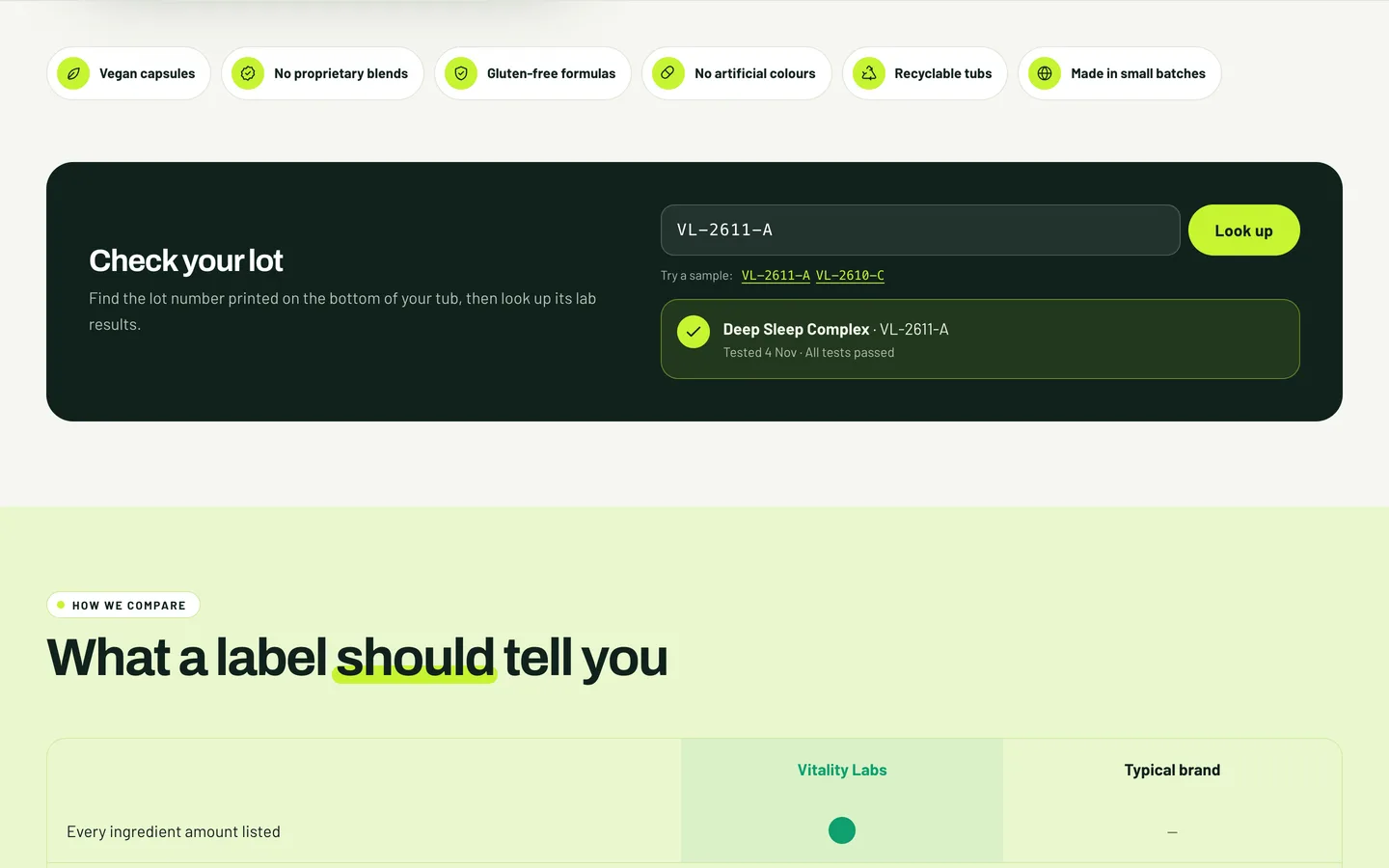
- Sourcing & testing: a timeline that draws as the shopper scrolls, an animated certificate of analysis whose "PASSED" stamp lands when it comes into view, quality badges and a lot-number lookup. You enter each batch (lot code, product, date, result and a link to the certificate PDF), and shoppers type the lot number from their tub to find it. The demo certificate and lot codes are samples; publish only results you actually hold.
A bright look and one 3D tub
Vitality's look is clean and energetic: Archivo and Barlow, an off-white, deep green, pale lime and electric lime palette, drawn line icons and a marquee of ingredients. Its single 3D object is the hero's supplement tub, which turns slowly while two-tone capsules orbit it in soft particles. The headline cycles through goal words you set, and for each one the tub's label, the capsules and the background glow recolour together; hovering the hero pauses the cycle. three.js loads only near the hero and pauses offscreen; without WebGL a poster shows, and with reduced motion the tub shows a still frame. Everything else follows one Off, Subtle or Full setting.
Install and import the demo
- Go to Online Store → Themes → Add theme → Upload zip file and choose
dev3-vitality-1.0.0.zipfrom the download. Click Customize, then Publish. - Import
Demo-Content/products.csvunder Products → Import, add the three metafield definitions, the images and the tub model, then create the collections, pages, blog and menus from the demo README. A scripted seed is available from DEV3 support on request. - Replace every demo formula, amount, lot code and review with your own before you launch.
Vitality passes Shopify Theme Check with 0 errors and 0 warnings, and we tested add to cart, the cart drawer and the cart page on a Shopify development store. The initial JavaScript is about 28 KB gzip.
See it in motion
There is no public live demo, because the demo runs as an unpublished preview on a password-protected development store. The video tour walks through Vitality Labs from the tub hero to shop by goal, a product page and the cart drawer.
Vitality is on the DEV3 marketplace. The case study covers the design decisions in more depth.