Metafields and tags the theme reads
Create the metafields under Settings → Custom data → Products. All are optional.
custom.supplement_facts (JSON): the Supplement facts table, e.g. { "serving_size": "3 capsules", "servings": "30", "rows": [{ "name": "…", "amount": "…", "dv": "…" }], "other": "…", "footnote": "…" }.custom.goals (list of single-line text): goal chips on cards, the stack builder and the product page. Colours exist for Sleep, Calm, Energy, Focus, Recovery and Immunity.custom.how_to (multi-line text): the How to take tab.reviews.rating and reviews.rating_count: stars (written by most review apps).- Product tags: quiz matching and the tag-filtered "See all" links.
Vitality product section
The standard product section (variant picker with flavour swatches, buy buttons, collapsible tabs, app blocks, sticky add-to-cart bar) plus:
- Goal chips and four Highlights tiles.
- Supplement facts tabs: Supplement facts, How to take and a free-text tab. Without the metafield, use the fallback rows (
Name | Amount | %DV, one per line).
- Subscribe & save: appears only when the product has selling plans from a subscription app; otherwise your fallback note shows. The theme never bills.
- Disclaimer: the standard US dietary-supplement statement by default. Edit it for each market.
Home page sections
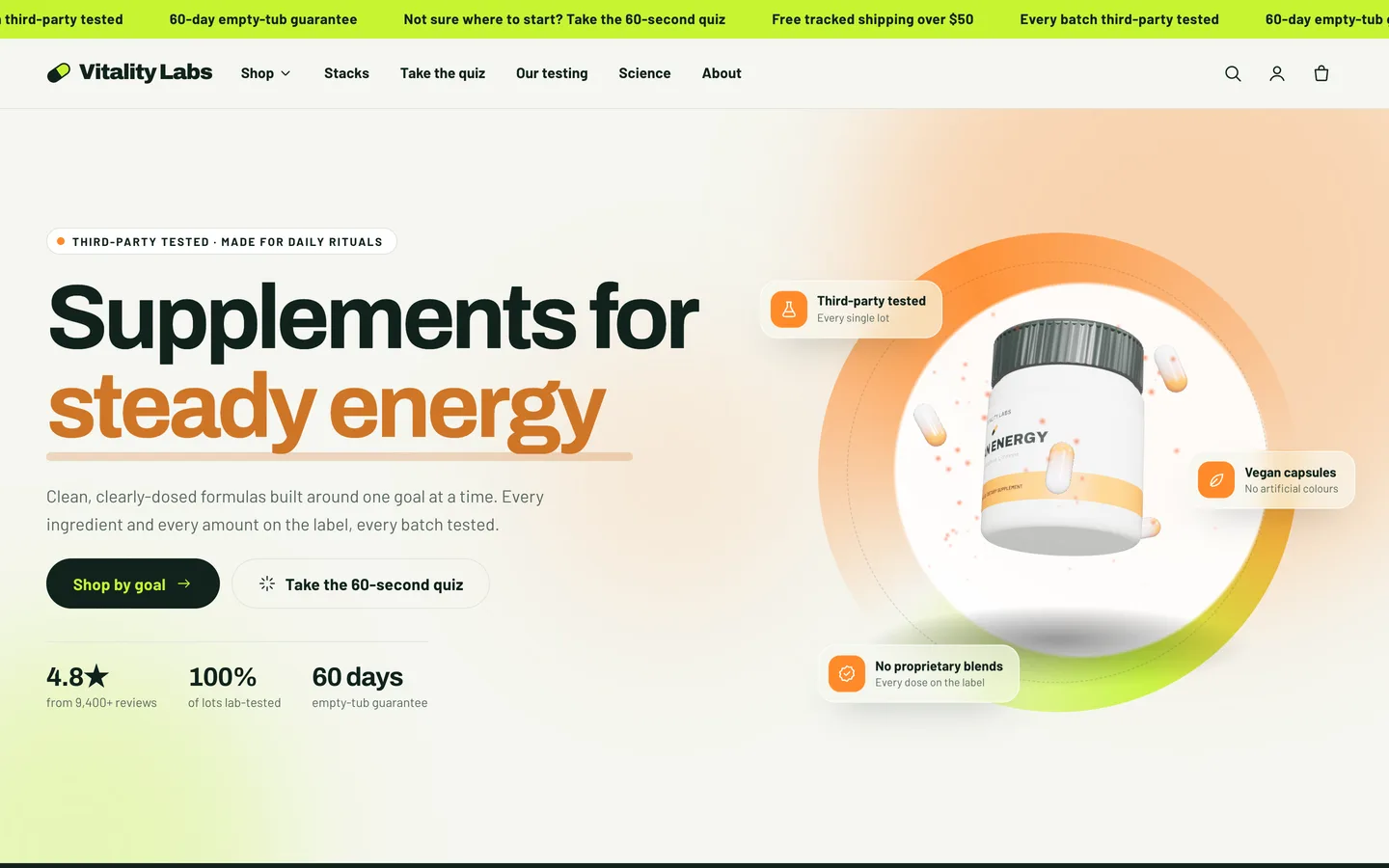
- Vitality hero: "Supplements for" plus a cycling Goal word (each with a word, a colour and the tub's label text), up to 3 Floating chips, up to 3 Stats and the Supplement tub (3D) with tub and lid colours, a poster and an optional GLB URL.
- Shop by goal: up to 6 Goal blocks (collection, title, tagline, colour, icon, optional image).
- Product finder quiz: pick the collection, then up to 6 Question blocks with a weight (1–3). Each answer line is
Label | tags | icon | goal name; use * for "no preference". Keep the small print.
- Sourcing & testing: Timeline step, Certificate test, Quality badge and Batch (COA) blocks; turn on Show batch lookup. Upload certificate PDFs under Content → Files. Publish only results you hold.
- Stack builder: a collection, how many products to show and how many start ticked. Real prices; no discounts are invented.
- Disclaimer: add it to the footer group or any template.
Page templates: assign page.about, page.testing, page.quiz, page.faq or page.contact under Online Store → Pages → Theme template.
Motion
A word-swap headline, split text, drawn icons, expanding panels, a timeline, a stamp, a filling tub, %DV bars and counters. Set the animation level (Off, Subtle or Full) and reveal style under Theme settings → Motion. With reduced motion, the page is static and fully visible and the tub shows a still frame.