All case studies

DEV3 Technologies · own product

DEV3 Nestwell: a furniture Shopify theme with shop-the-room, a "will it fit" check and a 3D chair

Our own Online Store 2.0 theme for furniture and décor stores: a 3D lounge chair that recolours from fabric and leg swatches, shop-the-room hotspots, complete-the-room bundles, dimensions with a doorway and floor-space check, delivery estimates, showrooms and trade enquiries.

Industry
Furniture and home décor (Shopify theme)

Live project preview

Client systems are private — screenshots shown where permitted.

DEV3 Technologies · own product — screenshots
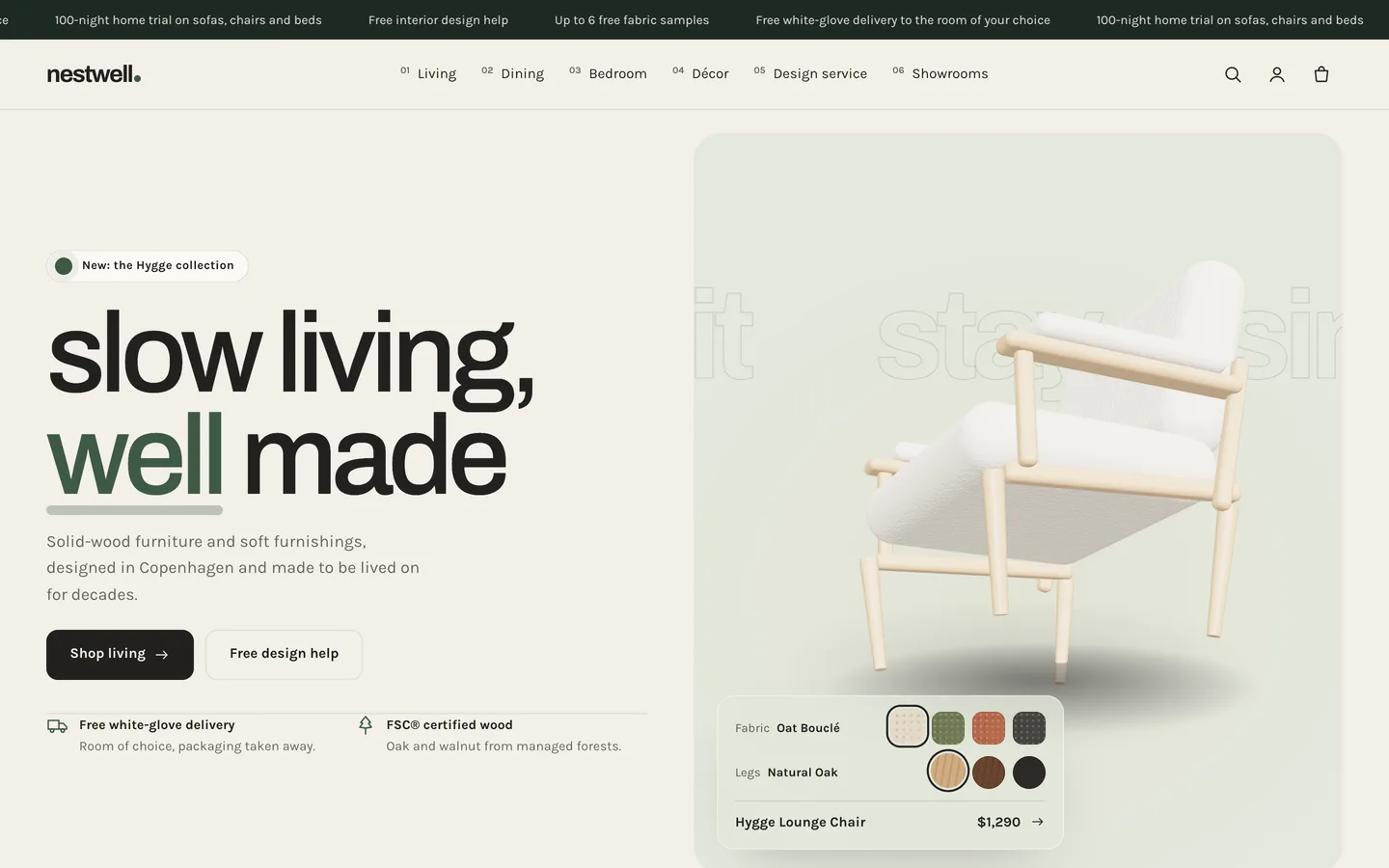
3D chair hero — A turning 3D lounge chair beside a calm headline and fabric swatches.

3D chair hero — A turning 3D lounge chair beside a calm headline and fabric swatches.

The challenge

Furniture is bought in rooms, not as single items, and the biggest risks come after checkout: a sofa that will not go through the door, a table that crowds the floor, or a delivery that arrives weeks later than the buyer expected. Fabric and finish choices are hard to picture from a dropdown, and many furniture businesses also sell to designers and run physical showrooms. Generic themes show a large gallery and a description, and leave dimensions, lead times and trade buyers to the merchant's workarounds. We wanted a theme that shows furniture in styled rooms, lets shoppers check the fit and the delivery window on the product page from simple metafields, keeps every estimate honest, and serves the showroom and trade side too, in a calm look with one small 3D detail.

Our solution

Nestwell is an Online Store 2.0 theme built from scratch on DEV3's own Shopify theme base, not a fork of Dawn. The base supplies the standard templates, the cart drawer, predictive search, filters, swatches, the motion system and a lazy 3D accent engine; Nestwell adds its own sections, product blocks and 3D preset on top.

Key design decisions

  • Rooms you can shop. Hotspots are placed as percentages so they stay on the product at every screen size, and a linked "In this room" list makes the same products reachable without hovering.
  • Fit checked from four numbers. Width, depth, height and seat height metafields drive the drawn diagram and the will-it-fit check, which tests the smallest of depth and height against the doorway.
  • Estimates, labelled as estimates. The delivery window adds working days from per-product lead times to today and never claims to know the courier's schedule.
  • Bundles without invented savings. Complete the room adds the ticked pieces in one request; any discount is a real Shopify discount.
  • A calm 3D accent. The lounge chair turns on a rug and re-upholsters from swatches; it loads lazily, rests under reduced motion and falls back to a poster.

Results

Nestwell ships with the fictional Nestwell Home brand: 16 pieces with 56 variants, 5 collections, 7 pages, 3 journal articles, 3 styled rooms with hotspots, 121 rendered images and a GLB chair model, as a product CSV with images.

  • Theme Check: 0 errors and 0 warnings in Shopify Theme Check.
  • Store test: tested on a Shopify development store, from add to cart to the cart drawer and cart page.
  • Browser QA: an automated harness at desktop and phone sizes confirmed the 3D accent renders, reduced motion turns animation off, and the console shows 0 errors.
  • Weight: about 24 KB gzip of initial JavaScript; three.js loads only near the hero.

Nestwell is on the DEV3 marketplace. Watch its video tour there.

Setup guide

Requirements

  • A Shopify store with the Online Store sales channel
  • No app is required. Optional: the free Shopify Search & Discovery app for collection filters, and a reviews app that writes the standard rating metafields.

What's in the download

Unzip the download from your DEV3 account first. Do not upload the download itself to Shopify.

  • dev3-nestwell-1.0.0.zip: the theme. Upload this zip as it is; do not unzip it.
  • Documentation/index.html: the full guide. Open it in a browser.
  • Demo-Content/: products.csv, seed.json, images/, room-spots.json, models/nestwell-hygge-lounge-chair.glb and a README for the manual import.
  • LICENSE.txt and START-HERE.txt.

Install the theme

  1. In Shopify admin go to Online Store → Themes.
  2. Click Add theme → Upload zip file and choose dev3-nestwell-1.0.0.zip.
  3. When the upload finishes, click Customize to preview it in the theme editor.
  4. Click Publish when you are ready. Your current theme stays in the theme library.

Import the demo content (optional)

The demo brand Nestwell Home is fictional; every product, review, showroom, person and image is sample content rendered for this theme.

  1. Go to Products → Import and upload Demo-Content/products.csv. The CSV has no image URLs.
  2. Add each product's images from Demo-Content/images/, following the file names in the demo README (<handle>-<option>-1.jpg and -2.jpg).
  3. Content → Files: upload the nestwell-* theme images listed in the README (the templates refer to them by name).
  4. Settings → Custom data → Products: add nestwell.width, nestwell.depth, nestwell.height, nestwell.seat_height, nestwell.lead_min and nestwell.lead_max (integer), and nestwell.materials and nestwell.care (single-line text).
  5. Upload nestwell-hygge-lounge-chair.glb as media on the Hygge Lounge Chair for the 3D/AR gallery view.
  6. Create the 5 collections, the pages with their templates (About, Trade & design, Showrooms, Materials, FAQ, Contact, Delivery & returns), the journal articles and the menus listed in the README. room-spots.json lists the hotspot positions used in the three room scenes.

A scripted seed that does all of this in one command is available from DEV3 support on request. It runs against your own store with your own Admin API token, and it tags everything it creates so it never touches your other products.

After the import

  • Enter real dimensions (in centimetres) and lead times (in working days) on every product: the fit check and the delivery estimate depend on them.
  • Replace the showrooms, addresses and hours with your own, and set your store's contact email so trade enquiries reach you.
  • Set up payments, shipping and taxes in Shopify's own settings; checkout is Shopify's.

Updates

Download the new version from your DEV3 account and upload the new theme zip under Online Store → Themes → Add theme. It arrives as a new theme in your library: copy your settings across in the theme editor or re-apply your changes, then publish it.

How to use

Options and metafields the theme reads

  • Option names Fabric, Finish, Colour and Legs: swatches (Theme settings → Products → Swatch colours; add a Name: colour or gradient line for new values) and "4 fabrics" on cards.
  • nestwell.width, nestwell.depth, nestwell.height, nestwell.seat_height (integer, cm): the Dimensions and Will it fit? blocks.
  • nestwell.lead_min, nestwell.lead_max (integer, working days): the Delivery estimate and "Ships in…" on cards.
  • nestwell.materials, nestwell.care (single-line text): the Materials & care block.
  • reviews.rating and reviews.rating_count: stars on the product page (written by review apps).

Nestwell product section

  • Dimensions: a drawn W × H diagram with the seat height marked, plus a table and the variant weight.
  • Delivery estimate: a date window from today plus the lead time in working days (weekends skipped), with three delivery steps. It is an estimate only.
  • Will it fit?: customers enter their narrowest doorway and floor space in cm or inches; the result is fits, tight or won't fit, with a scaled floor plan.
  • Fabric samples link (shown when the product has a Fabric option) and Materials & care.

Home page sections

  • Nestwell hero: a lowercase heading, up to 3 Fact blocks and the 3D lounge chair. Edit Fabrics and Leg finishes as Name: #hex lines, link the card to a product, upload a GLB to replace the chair (swatches then change only the panel tint) and set a poster.
  • Shop the room: a room image plus up to 10 Hotspot blocks. Select a hotspot and drag its two sliders until the dot sits on the product.
  • Materials: up to 8 Material blocks (icon, origin, title, text, image, stat) and an optional end card.
  • Complete the room: up to 6 Product blocks. Add selected to cart adds each ticked product's first available variant. No discount is created.
  • Showrooms: up to 6 Showroom blocks with a map pin position.
  • Trade & design service: the enquiry form and up to 4 perks. Turn off Show the enquiry form to use it as a teaser.

Page templates: assign page.about, page.trade, page.showrooms, page.materials, page.faq or page.contact under Online Store → Pages → Theme template.

Motion

Words rise with drawn underlines, images wipe in, hotspot dots pop in, the materials row scrolls sideways, the dimension box draws itself and the delivery bar fills. Set the animation level (Off, Subtle or Full), reveal style, duration and stagger under Theme settings → Motion. With reduced motion or animation off, everything is static and the chair stands still.
Related case studies

DEV3 Technologies · own product · Supplements and wellness (Shopify theme)

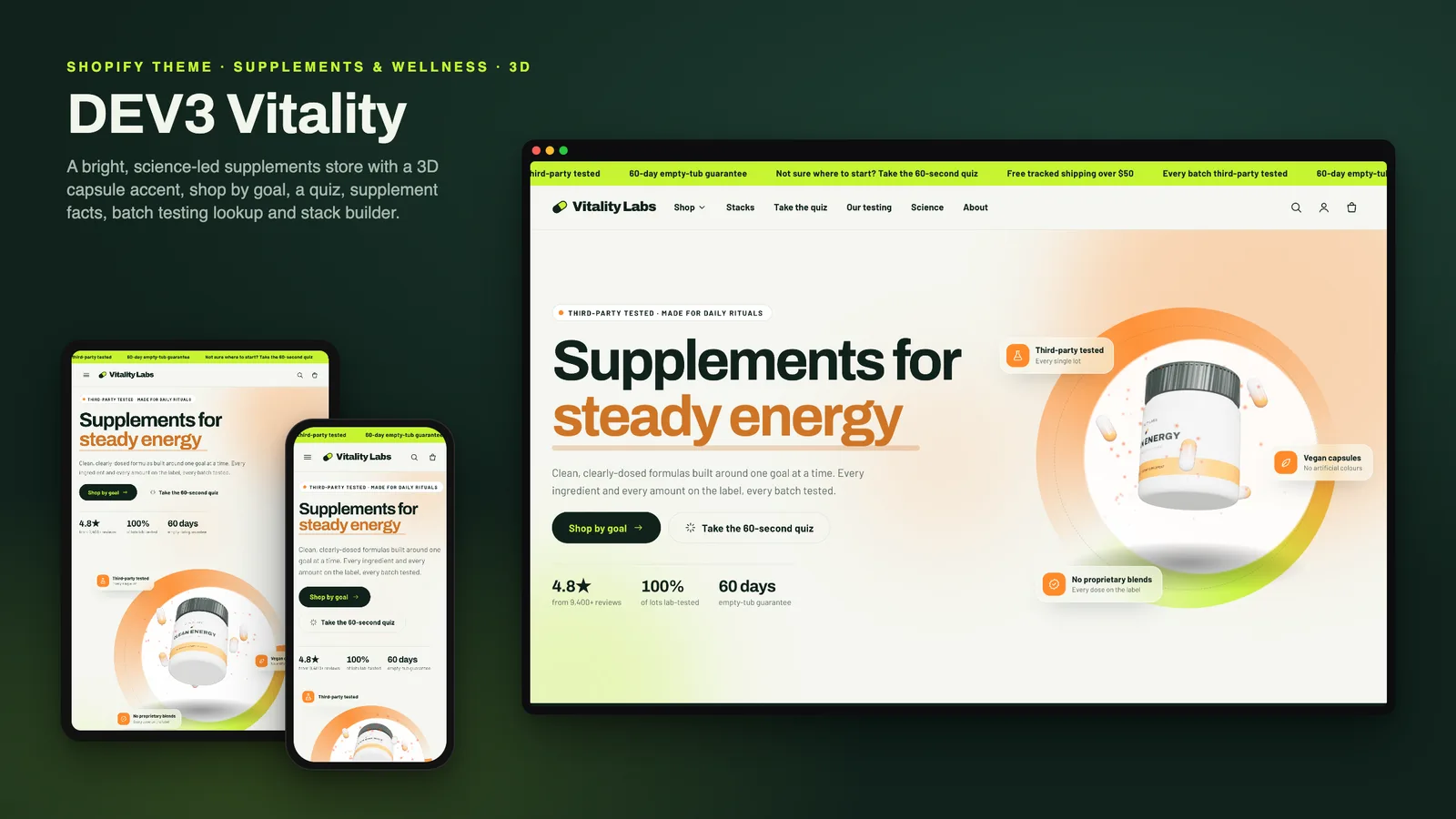
DEV3 Vitality: a supplements Shopify theme with supplement facts, a goal quiz and honest subscriptions

Our own Online Store 2.0 theme for supplement and wellness brands: shop by goal, a tag-matched product finder quiz, accessible supplement facts tables, subscribe & save that appears only with real selling plans, stacks, a testing story with lot lookup, a disclaimer block and a 3D tub hero.