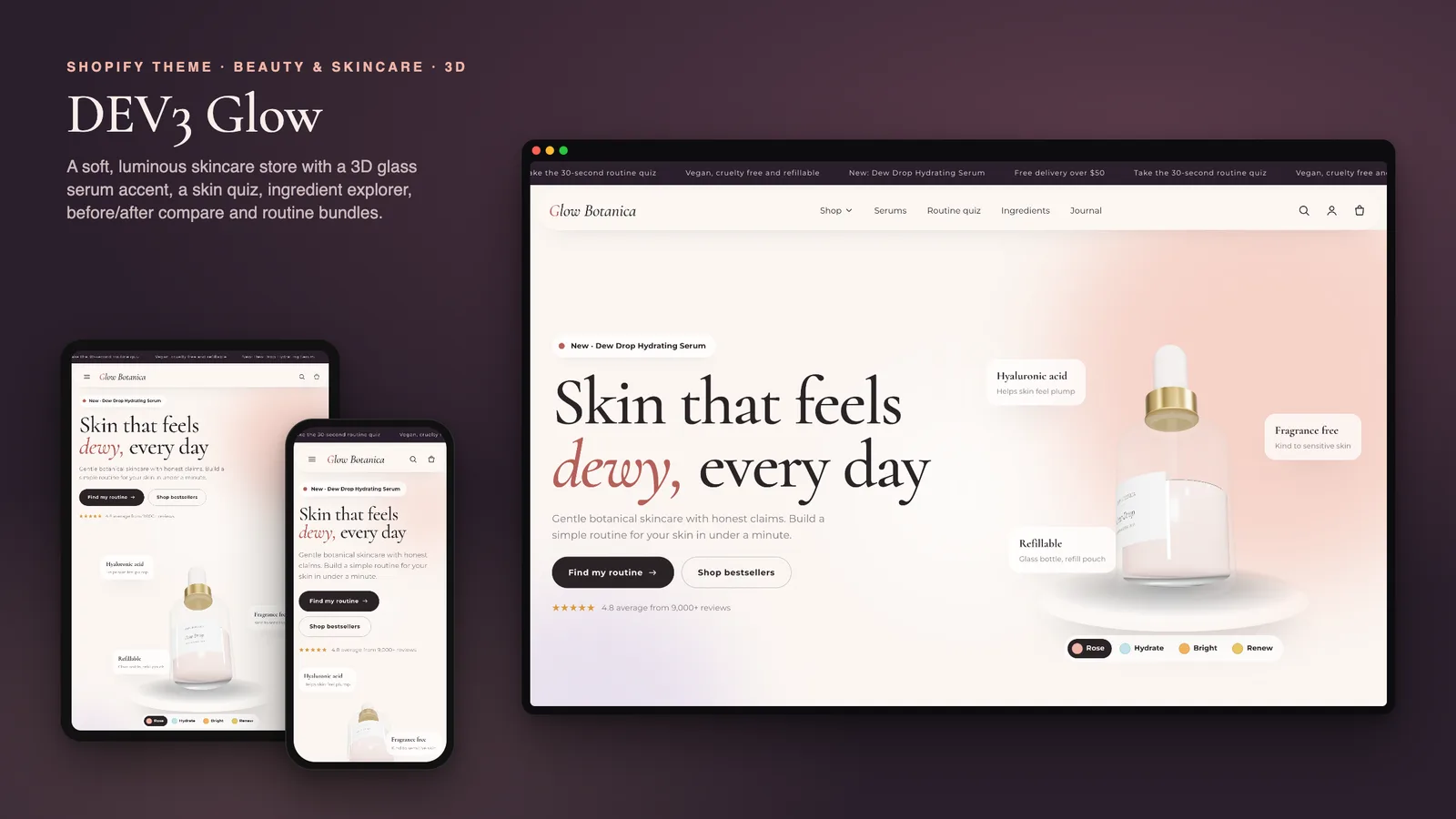
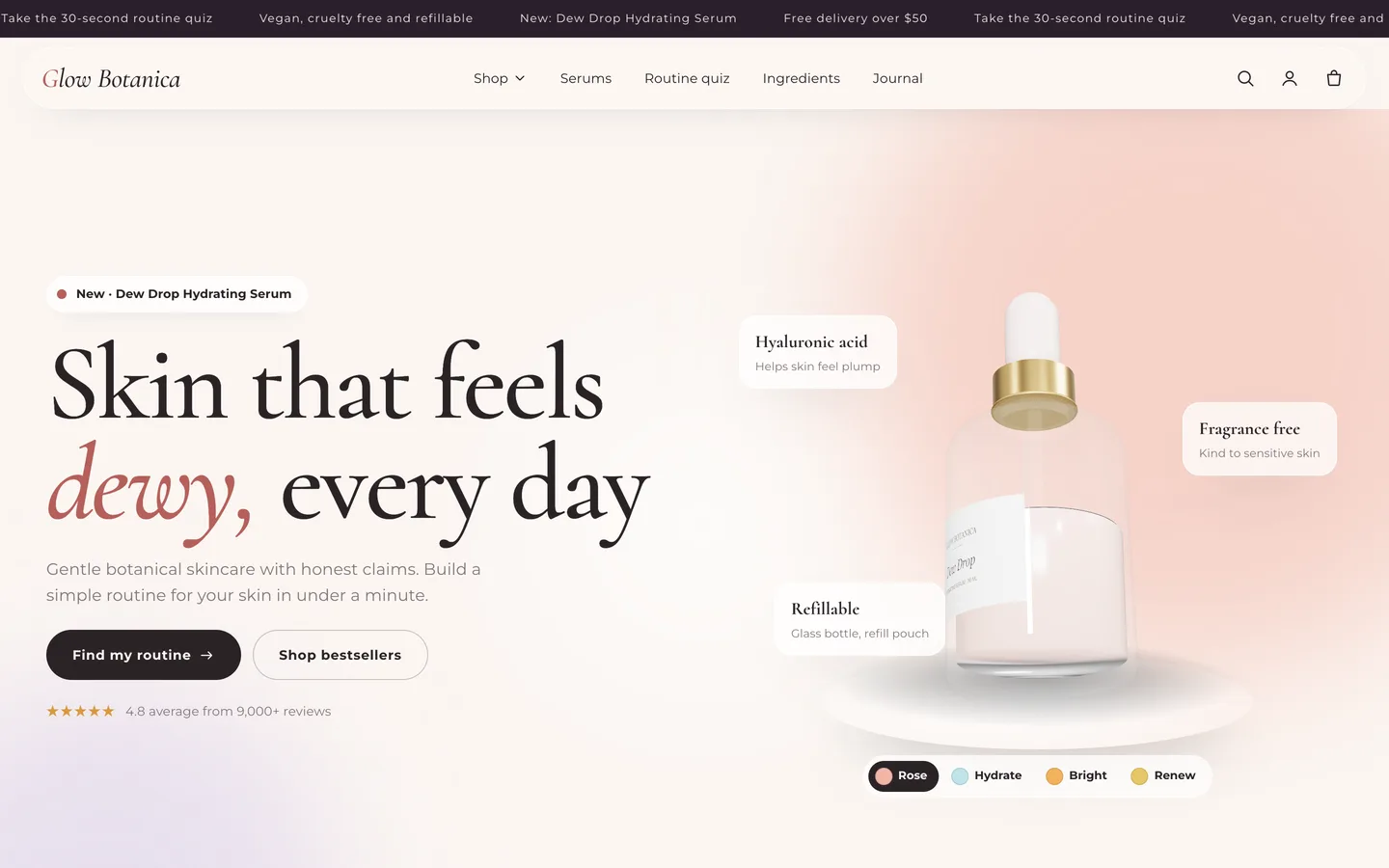
Skincare shoppers rarely buy a single product. They buy a routine, and before they do they want to know which products suit their skin, what each formula contains and in what order to use them. Beauty stores also have to be careful with proof: a dramatic before/after or an overconfident line of copy quickly becomes a claim nobody can stand behind. DEV3 Glow is a skincare Shopify theme built around both of those facts. A three-question skin quiz builds a routine from your own catalogue, an ingredient explorer explains each formula, routines add to the bag in one tap, and the proof sections are honest by default. This post covers who Glow is for, how the quiz and routines work, and how the theme keeps claims modest.
Who a skincare Shopify theme like this is for
Glow was designed for brands that sell routines rather than single products:
- Independent skincare brands with cleansers, serums, moisturisers and treatments.
- Clean beauty and cosmetics labels that also sell tints, balms and shades.
- Beauty boutiques curating several brands around skin types and concerns.
- Agencies building beauty stores for clients who keep adding products themselves.
The demo is the fictional Glow Botanica brand: 16 products across cleanse, treat, moisturise and glow (29 variants with sizes and shades), 6 collections, 6 pages and a Skin Journal, with every image rendered for the theme.
A skin quiz that builds a routine from your catalogue
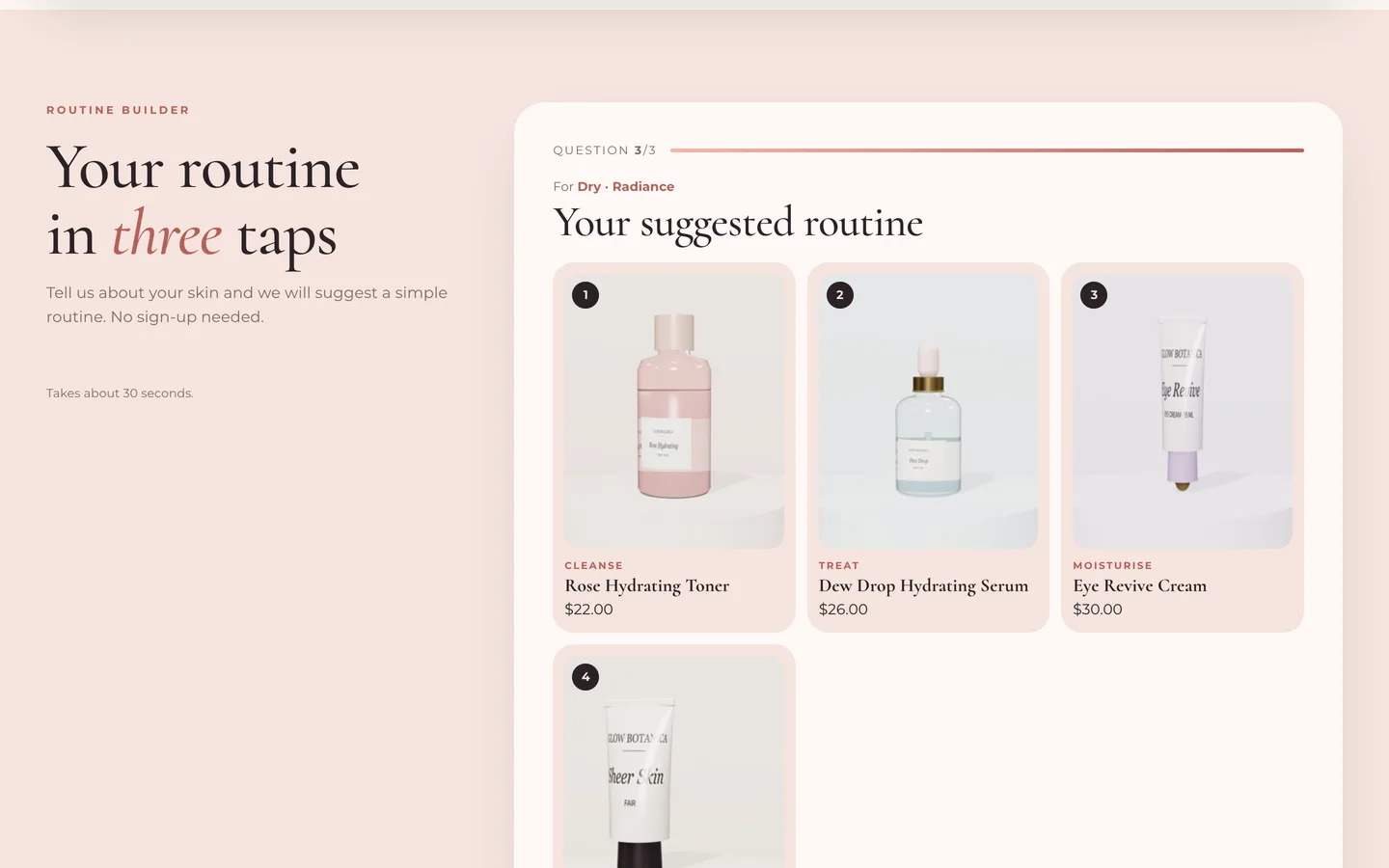
Glow is an Online Store 2.0 theme built from scratch on DEV3's own base, not a fork of Dawn. Its Routine quiz asks three questions, one at a time with a progress bar:
- Skin type: dry, oily, combination, sensitive or normal.
- Main focus: hydration, radiance, smoother texture or a calm, even tone.
- Routine size: essentials (cleanse, treat, moisturise) or the full ritual with a glow step.
It then suggests a routine of 3 or 4 products, with a total and an Add routine to bag button. There is no quiz app and no external service: the products come from a collection you choose and are matched by tags. Each product carries a step tag (step-cleanse, step-treat, step-moisturise, step-glow), skin-type tags such as skin-dry, and concern tags such as concern-dullness. For each step, the theme prefers products that match the skin type, then the focus, then products tagged bestseller. The question titles and the small-print disclaimer are editable; keep the disclaimer.
Routine bundles in one tap
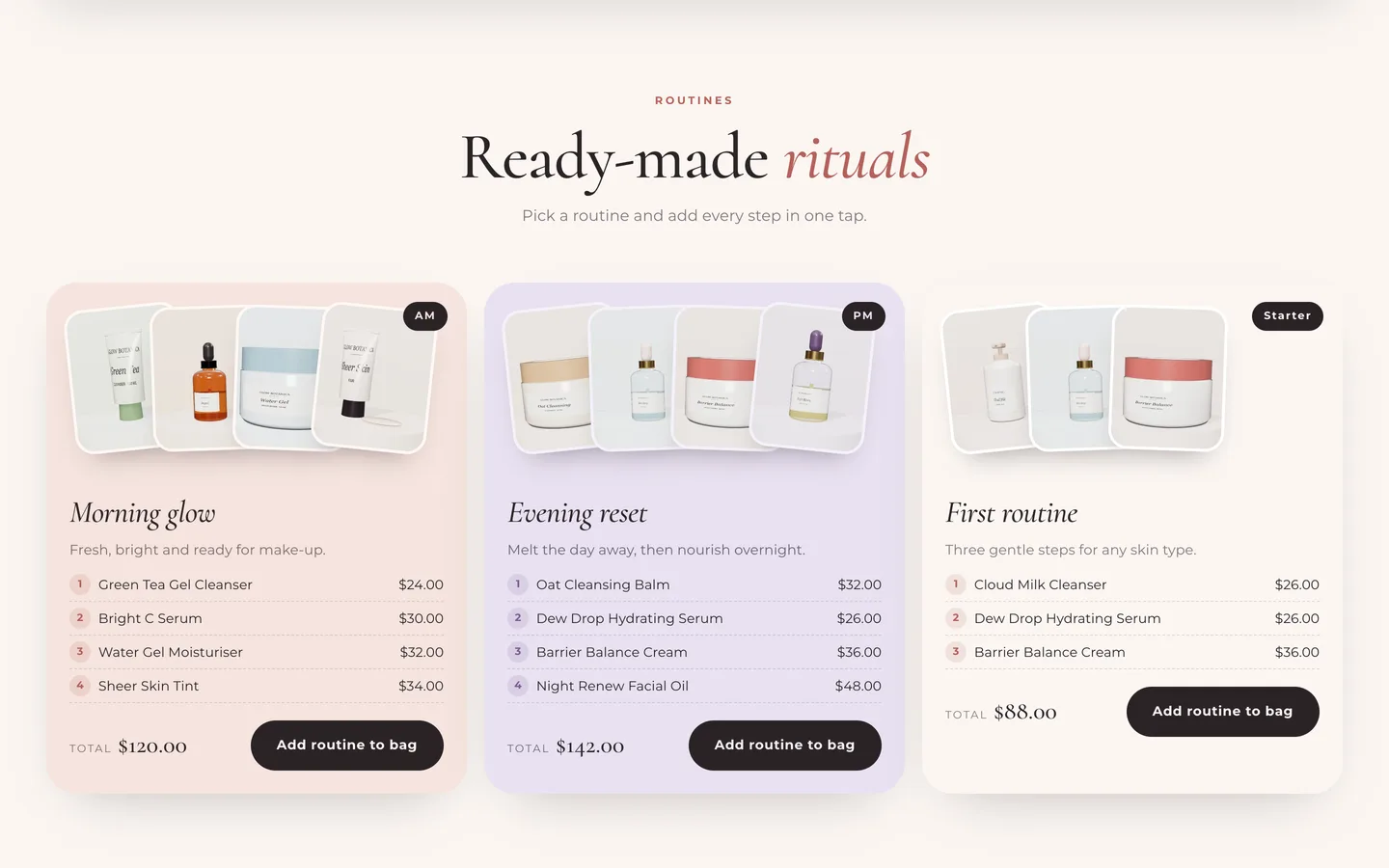
The Routine bundles section shows up to four ready-made routines, such as morning and evening, each with up to four products. The card stacks the product shots, lists each step with its price and shows the total. Add routine to bag adds every available product to the cart at once.
It does not invent a discount. If you want routine pricing, create an automatic discount in Shopify (for example, buy three, get 10% off) and mention it in the section text.
An ingredient explorer and a skincare product page
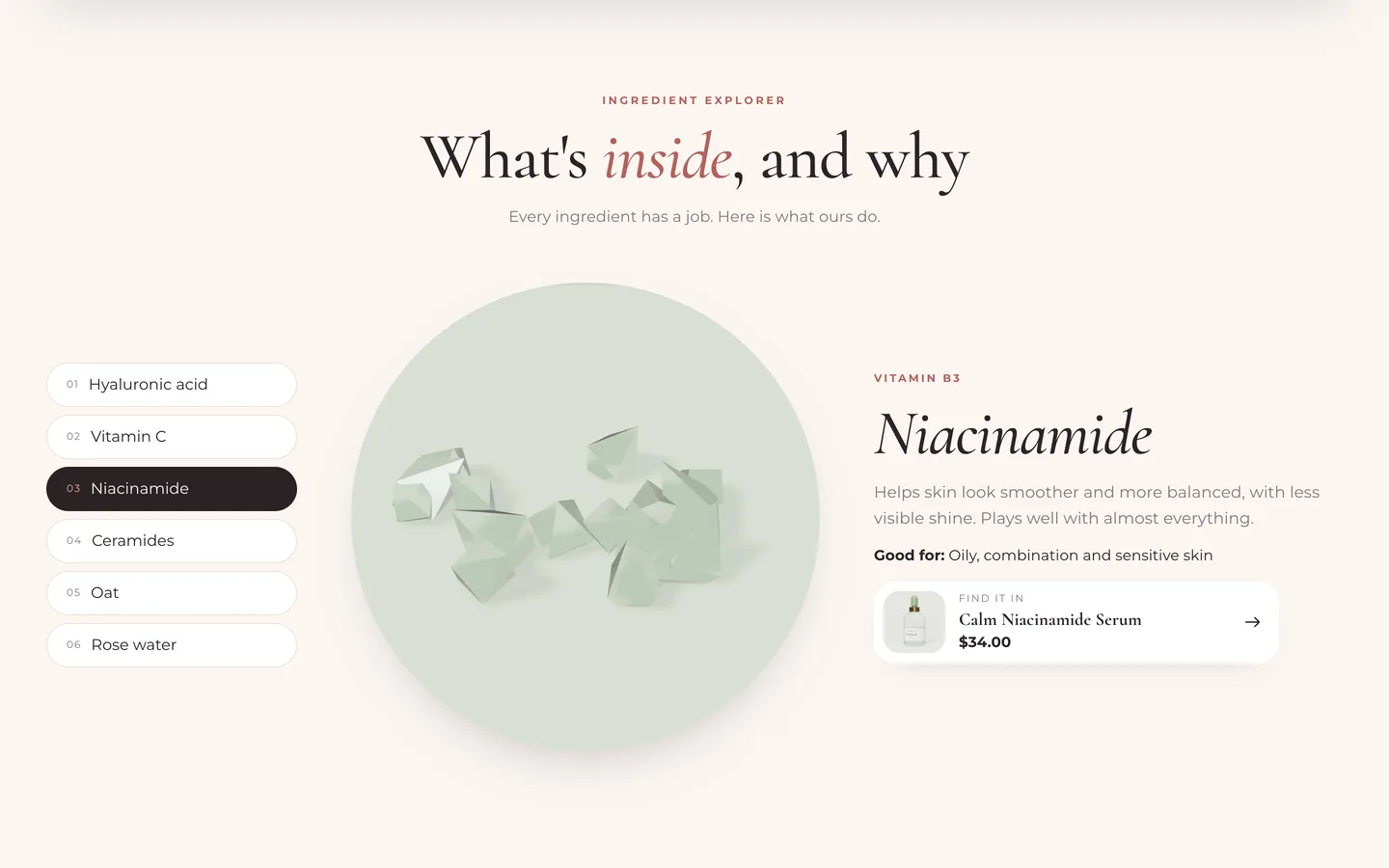
The Ingredient explorer holds up to eight ingredients. Each one has a family, an image, what it does, who it suits and a "find it in" product link. The tabs are an accessible tablist (arrow keys move between them) and each panel opens with a circular image reveal. An optional auto-cycle stops as soon as a visitor interacts. A ready-made Ingredient glossary page template lists them all.
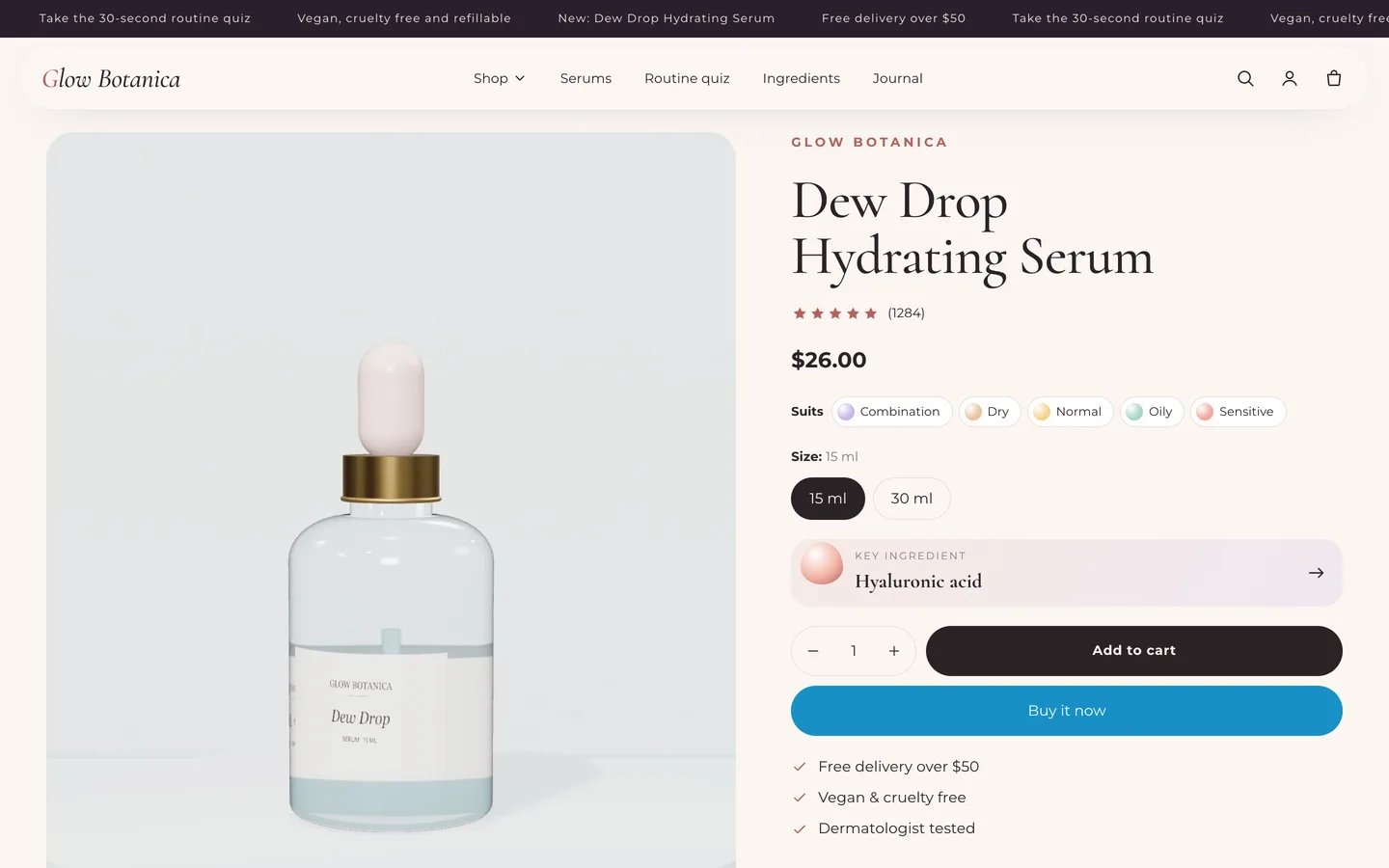
The product page adds four skincare blocks to the standard product section:
- Skin type chips: one chip per
skin-*tag. - Key ingredient: from the
glow.key_ingredientmetafield, linked to your ingredient page. Cards show it too. - How to use: numbered steps from the multi-line
glow.how_tometafield, one step per line. - Claims note: a short "cosmetic product, results vary" line.
Options named Shade, Colour or Color show as round swatches, and as mini dots on cards; size options show as pills.
Keeping claims honest
Glow treats honesty as a default rather than an afterthought:
- The Before / after slider shows two images with a draggable divider. It is a real range input, so it works from the keyboard. The demo images are illustrative 3D renders and the caption says so. If you show real results, use real, unretouched photos with consent and keep the "results vary" caption.
- Reviews show an average that counts up, an animated star distribution and cards with skin type and the product. They are typed in the editor, so mark sample reviews as samples, or add your reviews app's block for verified reviews.
- The demo copy uses phrases like "helps skin feel" and "looks". Cosmetic products should not claim to treat or cure anything; follow the rules for your market when you write your own.
A soft look and one small 3D serum bottle
Glow's look is luminous and calm: a frosted pill header, drifting aura gradients, Cormorant display headings with real italics, dewy cards with a rating and key ingredient, and glowing pill buttons on milk, aubergine, blush and lilac colour schemes.
Its single 3D object is the hero's glass dropper bottle, which turns slowly with bubbles rising through the serum. Serum colour chips recolour the serum and the aura live, and you can swap in your own model. three.js loads only near the hero and pauses offscreen; without WebGL a poster shows, and with reduced motion the bottle stands still. Product pages also support Shopify's native 3D model media with a "View in your space" button on supported phones; the demo serum ships with its model.
Install and import the demo
- Go to Online Store → Themes → Add theme → Upload zip file and choose
dev3-glow-1.0.0.zipfrom the download. Click Customize, then Publish. - Import
Demo-Content/products.csvunder Products → Import, keep the product tags (the quiz uses them), add the two metafield definitions and the images, then create the collections, pages, journal and menus from the demo README. A scripted seed is available from DEV3 support on request.
Glow passes Shopify Theme Check with 0 errors and 0 warnings, and we tested add to cart, the cart drawer and the cart page on a Shopify development store. The initial JavaScript is about 25 KB gzip.
See it in motion
There is no public live demo, because the demo runs as an unpublished preview on a password-protected development store. The video tour walks through Glow Botanica from the serum hero to the quiz, a product page and the cart drawer.
Glow is on the DEV3 marketplace. The case study covers the design decisions in more depth.