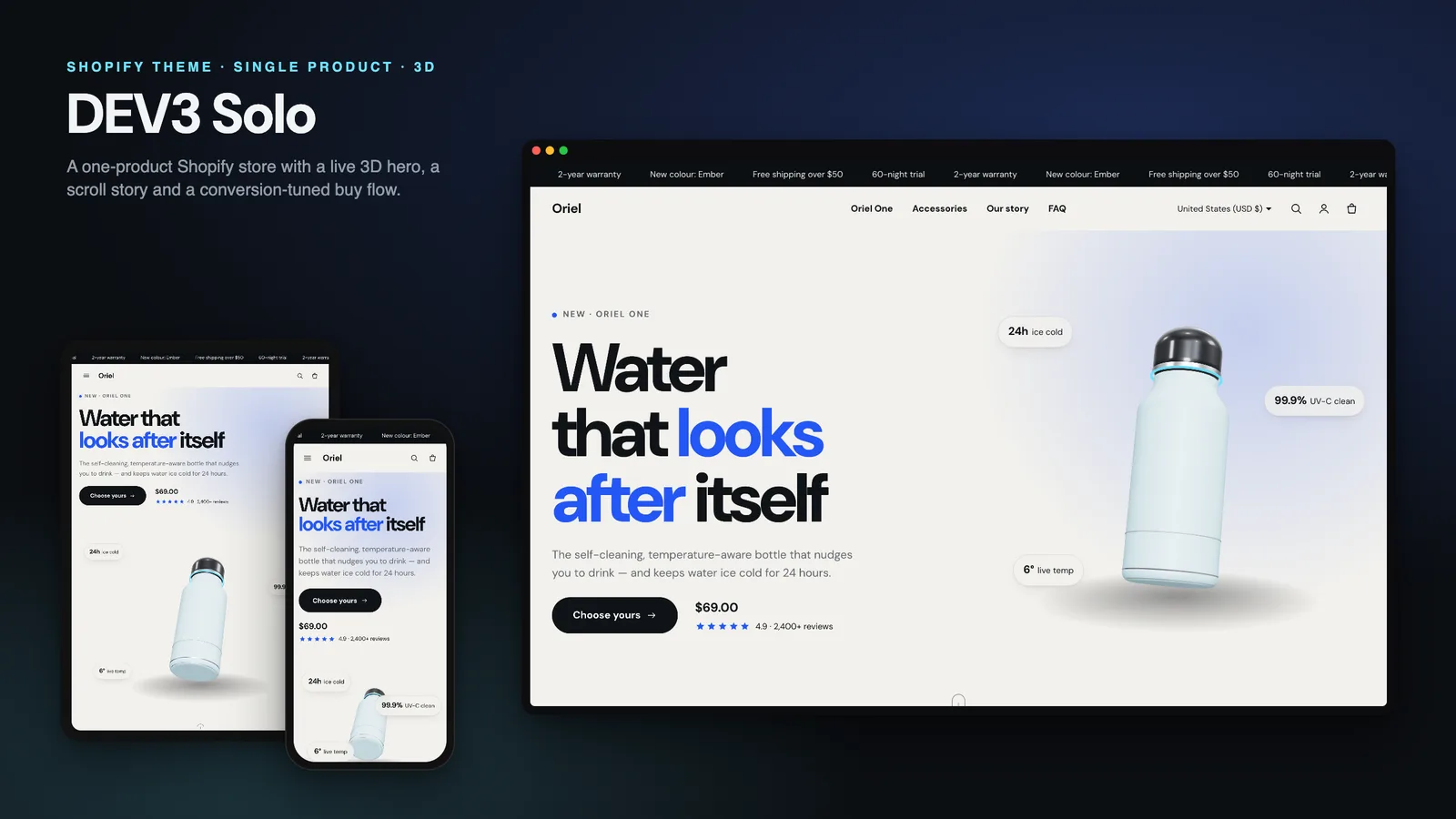
If your brand sells one product, your store is really one long product page. The visitor arrives from an ad or a post, wants to understand the product in a minute, see it from every side, compare it with what they already use, pick a colour and a quantity, and buy without hunting through menus. Most Shopify themes are built for catalogues, so one-product brands end up adding a landing-page app, a bundle app and a sticky-cart app, and lose the theme editor along the way. DEV3 Solo is a one product Shopify theme built around that single long page. This post covers who it is for, how the landing page is put together, and how its bundle offers work from your own variants.
Who a one product Shopify theme is for
Solo was designed for brands where one product does most of the selling:
- Direct-to-consumer hardware and gadgets: a smart bottle, a lamp, a speaker, a kitchen tool.
- Hero-product brands in skincare, supplements or accessories, with a few add-ons around the main item.
- Crowdfunding graduates moving from a campaign page to their own store, who want the same story-first layout.
- Agencies and freelancers building launch stores for clients who will edit the page themselves afterwards.
Solo still styles every standard template (collections with filters, search, cart, blog, accounts), so accessories, refills and spare parts live comfortably next to the hero product. It is simply designed around one product first.
The landing page, in sections
Solo is an Online Store 2.0 theme built from scratch on DEV3's own base, not a fork of Dawn. Every part of the home page is a normal section you can reorder, hide or duplicate in the theme editor, so the story stays editable without code:
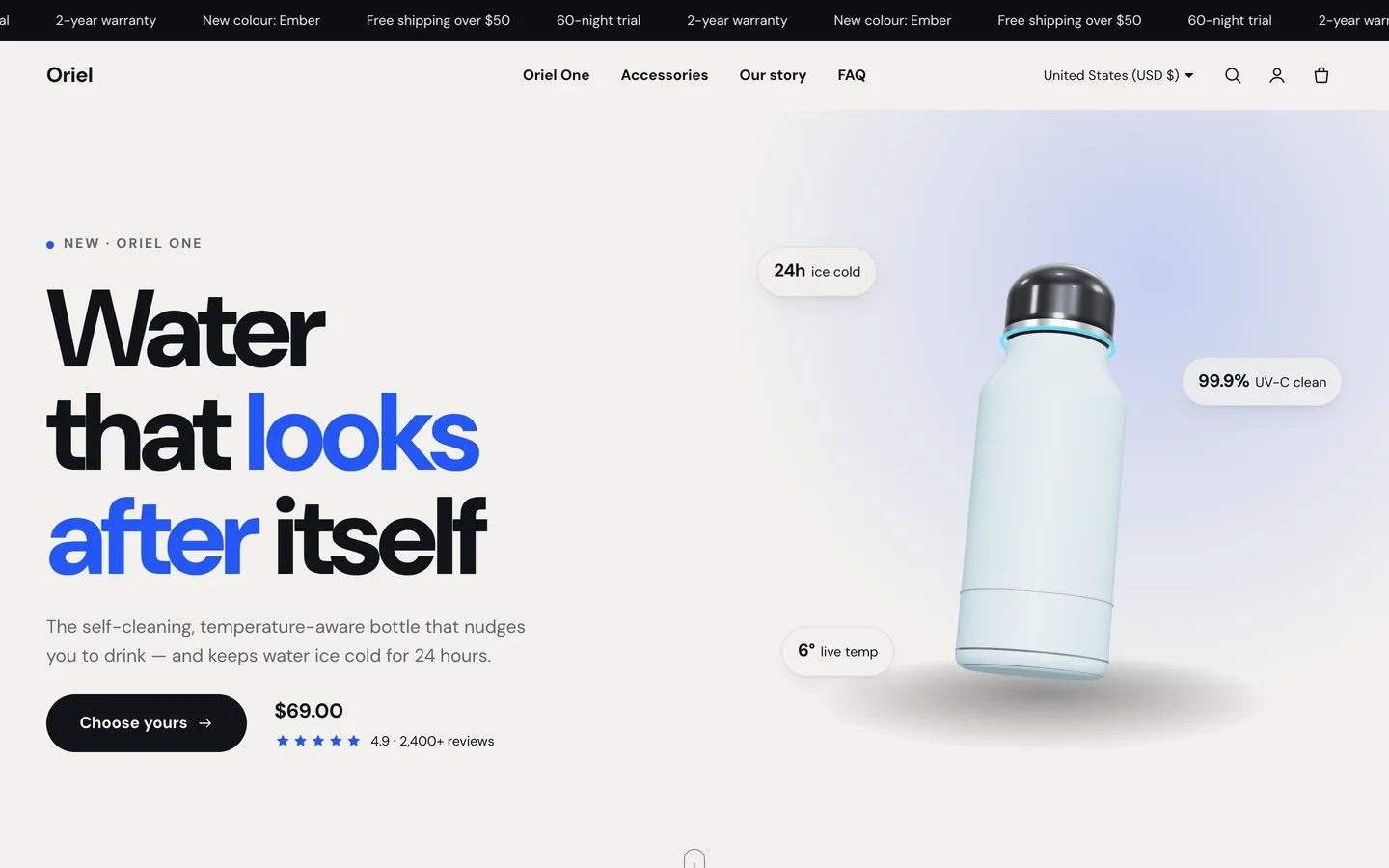
- Solo hero: the product, an animated headline, price, rating and up to four floating spec chips.
- Marquee for press quotes or benefits, which speeds up slightly while the visitor scrolls.
- A manifesto heading that lights up word by word as the visitor scrolls (a scroll-scrubbed highlight).
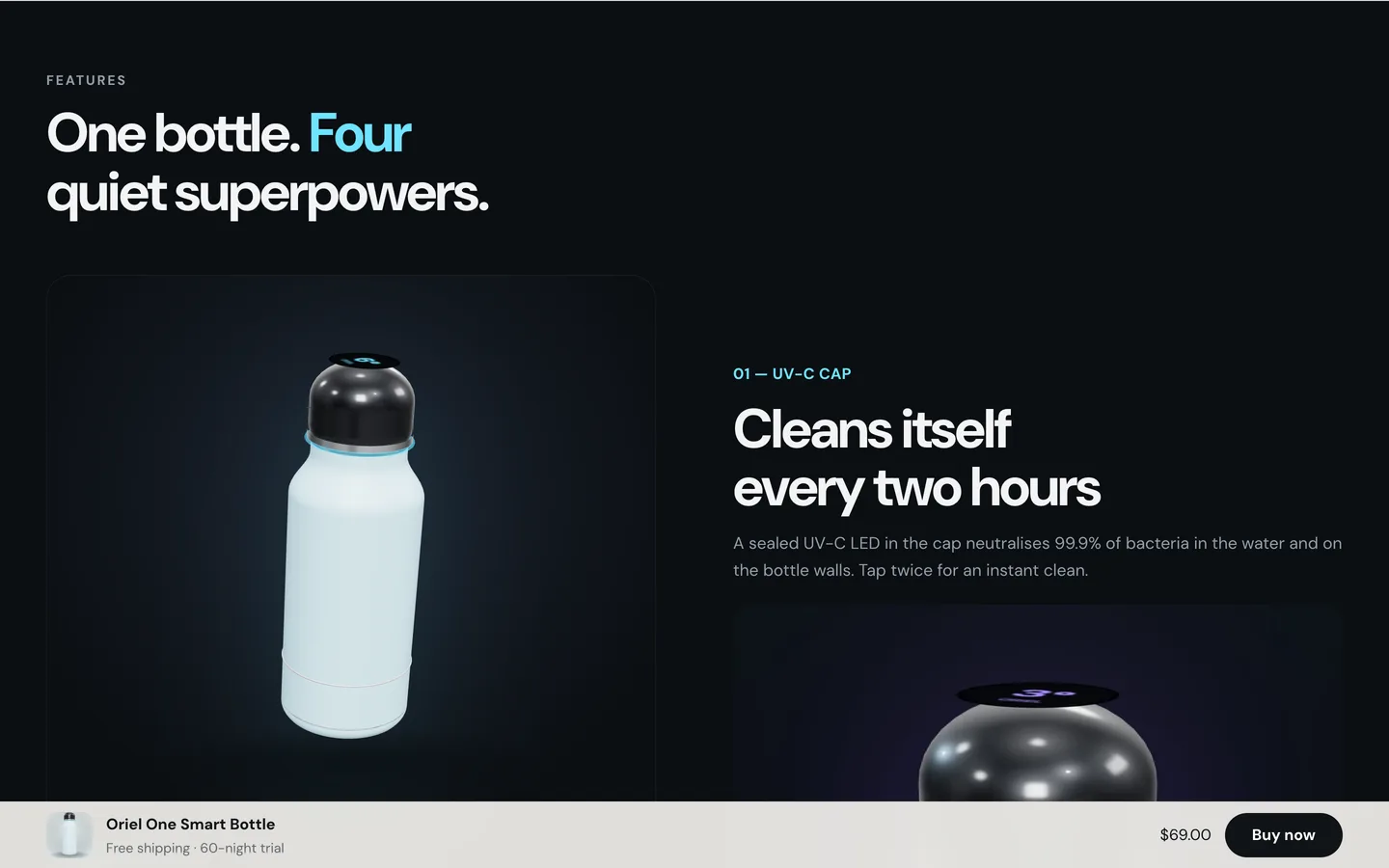
- Scroll story: a pinned visual with feature chapters that swap copy and imagery as the visitor moves through them.
- Animated stats that count up as they come into view.
- Spec callouts: a product image with labelled hotspots, each placed with X and Y sliders.
- Stacked cards for use cases, which pin and stack over each other.
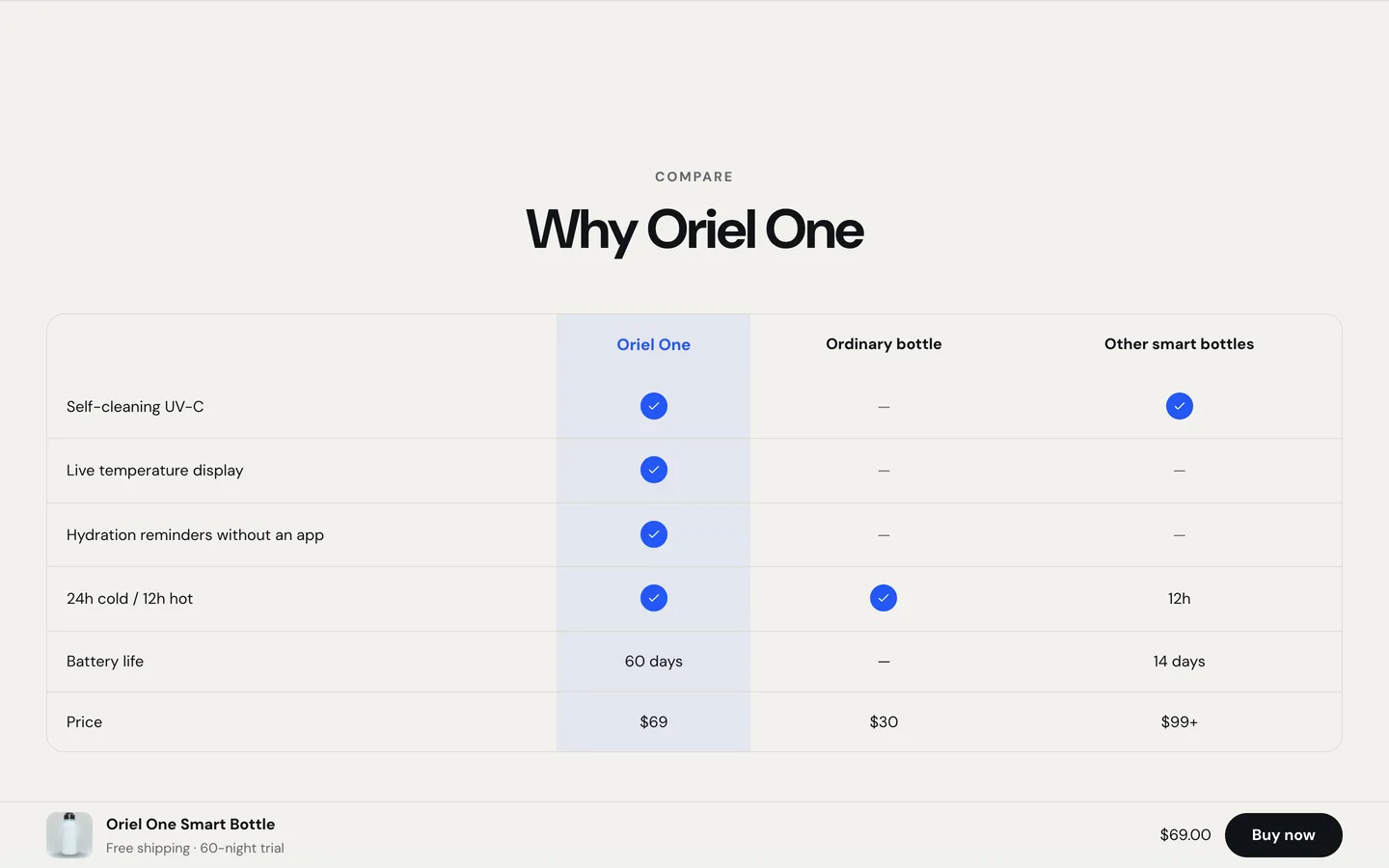
- A comparison table against up to two alternatives.
- How it works, testimonials, the bundle offer and an FAQ with FAQ structured data.
The comparison table deserves a mention, because it is the section that does the most selling for a single product. Type your rows, put your product in the first column and up to two alternatives (the ordinary option, a rival) beside it, and type yes or no to get icons. It is plain section content, so you can change the argument for each campaign.
One 3D object, used well
Solo includes a single 3D object: the product itself, rendered in the browser. The demo uses a built-in bottle preset; you can replace it with your own .glb model. It turns slowly in the hero, turns to each chapter of the scroll story, and recolours when a shopper picks a colour in the offer, so they see the colour they are buying.
It is deliberately light. The 3D engine is not part of the first page load: it downloads only when the object is close to the screen, stops rendering when it scrolls away or the tab is hidden, and shows a poster image without WebGL or when you turn 3D off. Visitors who ask their system for reduced motion get a still frame and static content everywhere. The rest of the motion (split headlines, reveals, the marquee, counters, stacked cards) follows a single Off, Subtle or Full setting in Theme settings.
On the product page, Solo also supports Shopify's native 3D model media: upload a .glb or .usdz to the product and the gallery shows it in Shopify's viewer with a "View in your space" button on supported phones.
Bundle offers from your own variants
Bundles are where one-product stores make their margin, and where many themes fall back on apps that show a "save" badge nobody can verify. Solo builds bundles from the variants you already have:
- Give your product a Pack option whose values start with a quantity:
1 bottle,2 bottles,3 bottles. - Price each pack variant the way you want to sell it.
- Add the Solo bundle offer section.
The section shows one card per pack with a short tagline, works out the "Save X%" badge by comparing each pack with buying single units, and updates the price and the add-to-cart button for the chosen colour. Because the saving is calculated from your real prices, it is always true. If your option has a different name, change Pack option name in the section.
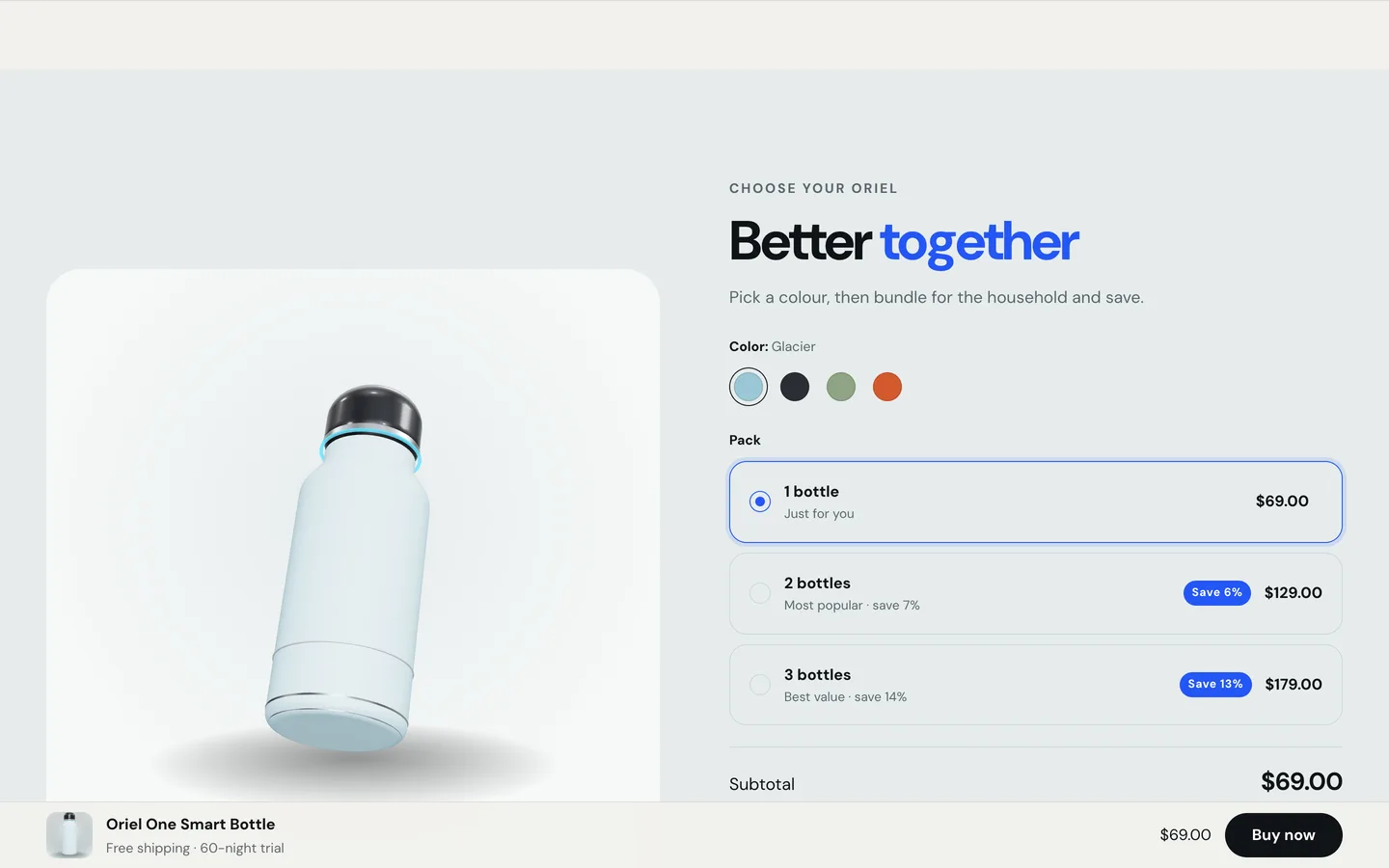
Colour swatches come from Shopify's native swatches first, then a simple colour map in Theme settings (Glacier: #9cc7d6), then the value name read as a colour. The sticky buy bar appears once the hero scrolls away and hides again at the offer and the footer, so a buy button is always in reach without covering the offer itself.
The product page and cart
Solo's product page has a large gallery (stacked or with thumbnails), colour swatches, pack pills, trust points and Shopify's dynamic checkout buttons. A rating block reads the standard reviews metafields that most review apps fill in, and any app can add its own block. Two alternate templates are included: product.landing, which adds the story, FAQ and recommendations to a product page, and product.minimal.
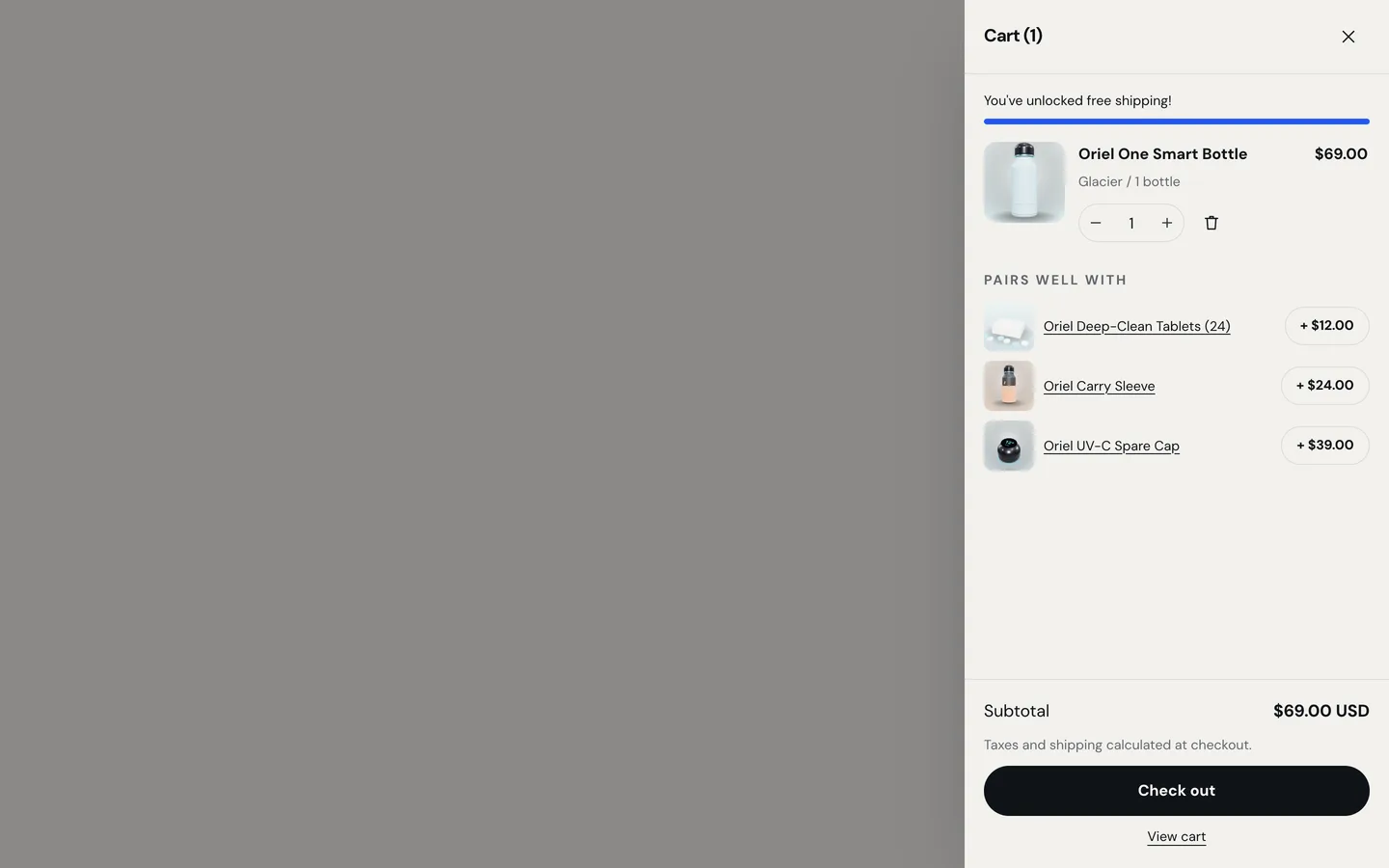
The cart drawer updates in place, with a free-shipping meter and "pairs well with" upsells from a collection you choose. We tested the full path on a live Shopify development store: add to cart, the drawer, and the handoff to Shopify's own checkout.
Install Solo and import the demo
- In Shopify admin go to Online Store → Themes → Add theme → Upload zip file and choose
dev3-solo-1.0.0.zipfrom the download. Upload the theme zip itself, not the whole download. - Click Customize to preview it, and Publish when you are ready.
- For the demo, go to Products → Import and upload
Demo-Content/products.csv, then add the images and the 3D model and create the collection and pages listed in the demo README.
The demo is the fictional Oriel One smart bottle store: 4 products, 26 rendered images, a 3D model, 2 collections and 4 pages. A scripted seed that does the whole import in one command is available from DEV3 support on request; it runs against your own store with your own Admin API token.
Quality and performance
Solo passes Shopify Theme Check with 0 errors and 0 warnings. The initial JavaScript is about 23 KB gzip, all scripts are deferred, images are responsive and lazy below the fold, and the hero image is preloaded. Drawers and dialogs trap focus, close with Escape and return focus to the button that opened them.
See it in motion
There is no public live demo, because the demo runs on a password-protected development store. The video tour walks through the Oriel One store from the hero to the offer, the cart drawer and checkout.
Before you launch
- Replace the hero headline, spec chips and comparison rows with your own claims, and check every one.
- Set up your Pack option and prices, then look at the savings the offer calculates.
- Upload your own
.glb(under about 3 MB, uncompressed) or keep the poster-only hero.
Solo is on the DEV3 marketplace. The case study covers the design decisions in more depth.