A club's website has two jobs, and they pull in different directions. It has to feel like the night: lights, bass, a crowd. It also has to be a practical tool that tells people what is on this Friday, who is playing when, and lets them buy a ticket before it sells out. Most nightclub WordPress themes manage the first with a heavy looping video and hand the second to a poster image and a link to a ticketing site.
DEV3 Nocturne tries to do both inside WordPress. The atmosphere is a live three.js scene that is light enough for a phone in a queue. The programme is structured content that a venue can update every week. This post covers how the club, the arcade and the beat are built, why the sound is opt-in, and how events, lineups, games, tickets and merch fit together. It also makes Nocturne a gaming WordPress theme for arcades and e-sports bars, not only clubs.
A club built in code
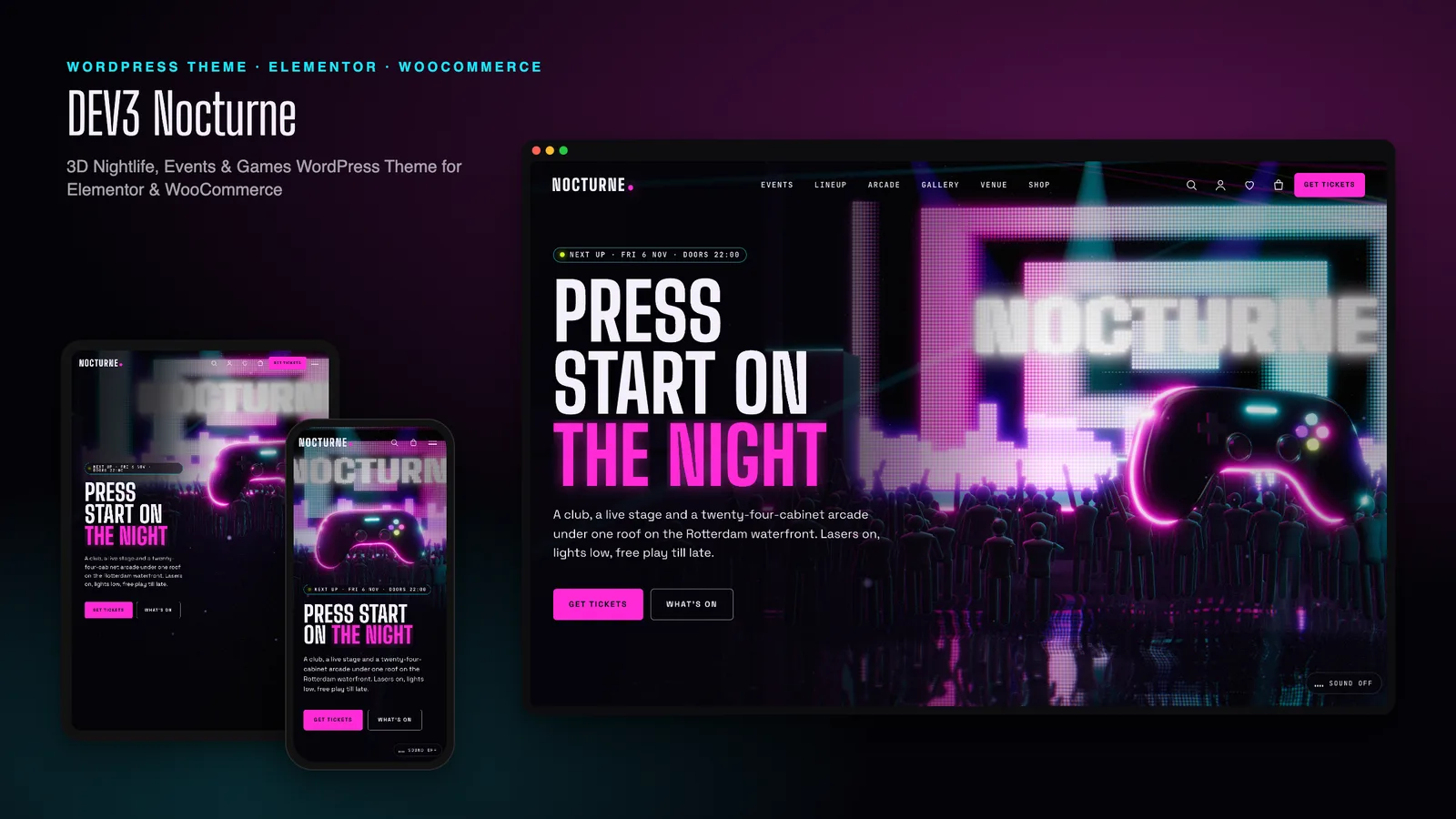
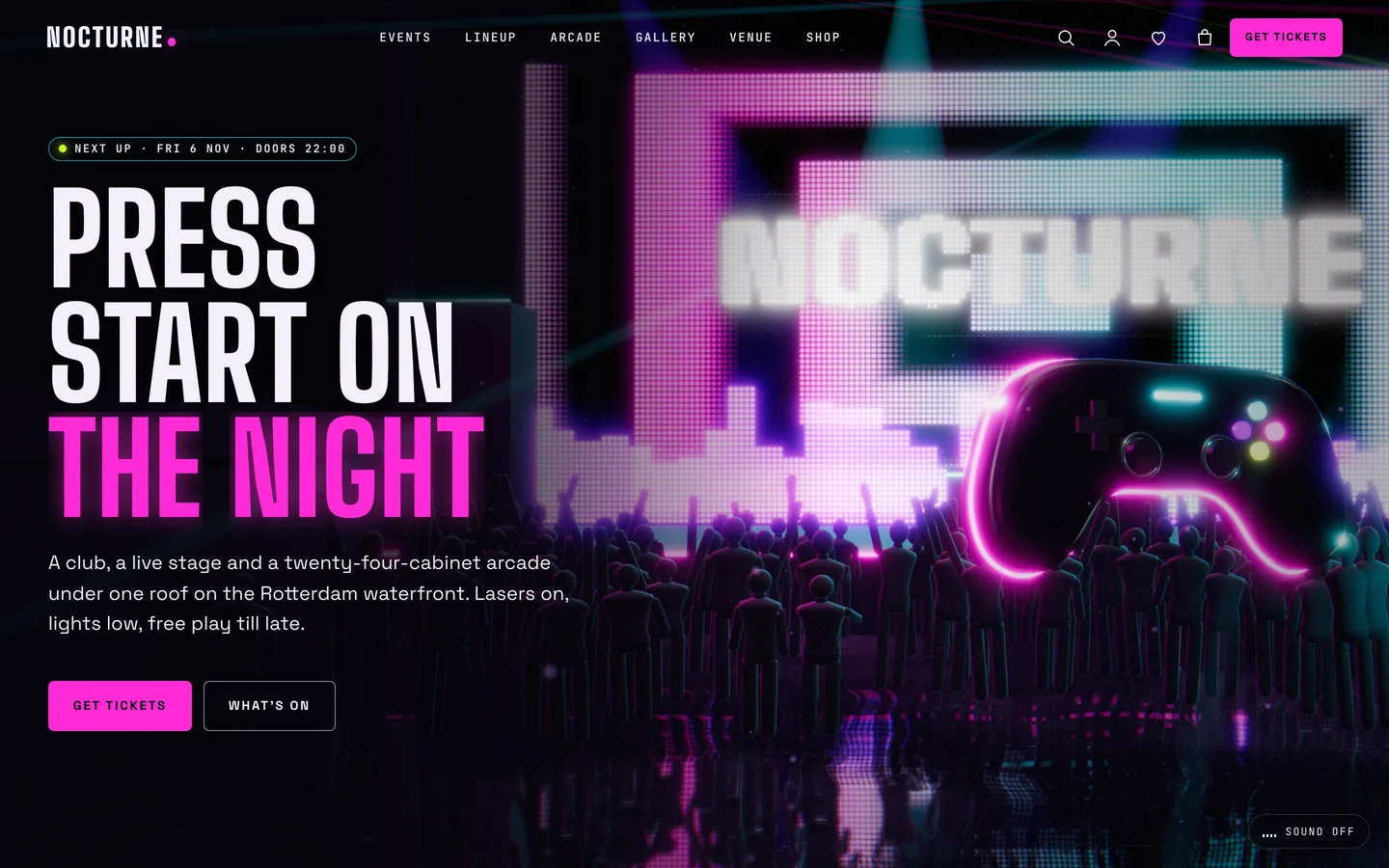
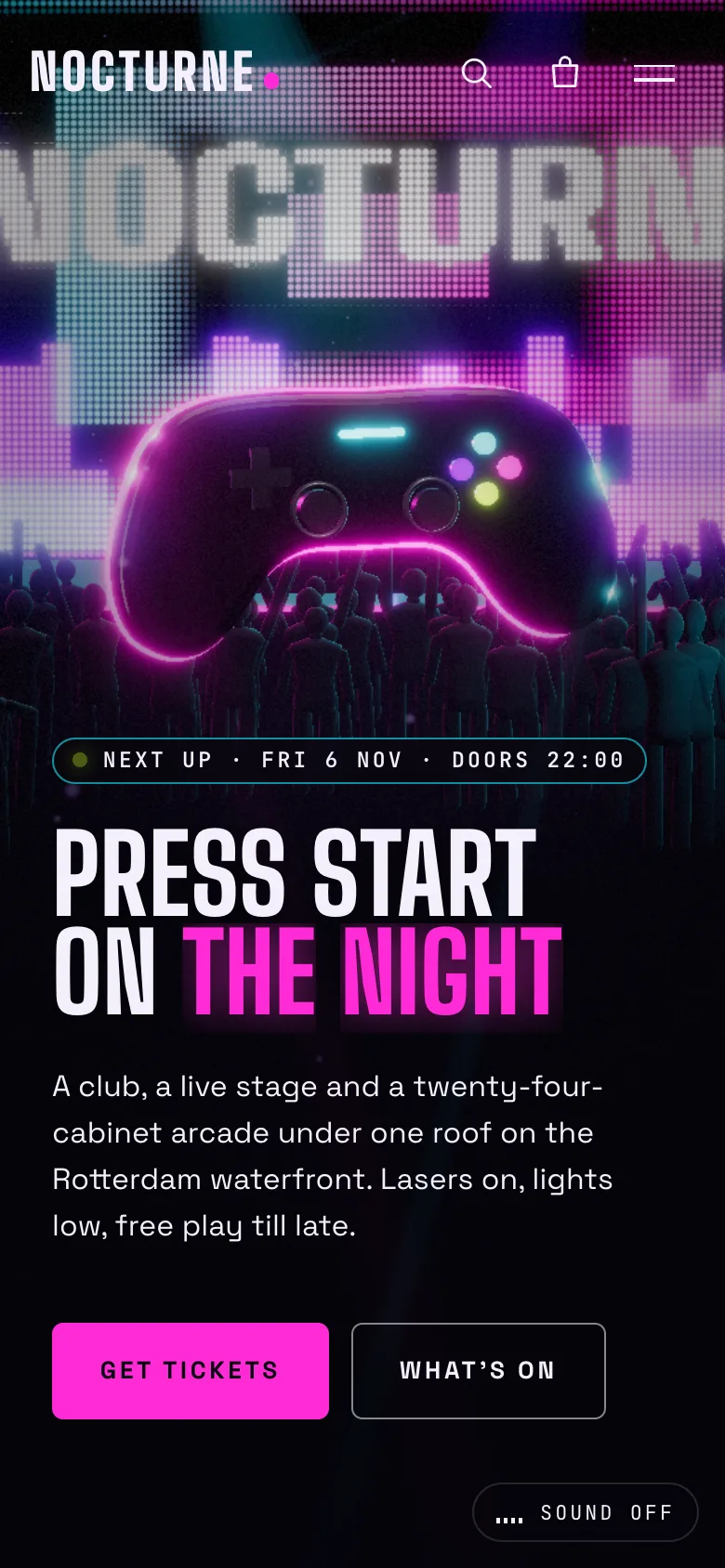
The home page is one fixed 3D scene with five chapters. It opens on the dance floor. A glossy black game controller with a neon edge floats over a crowd, laser fans sweep through haze, and a pixel LED wall behind the stage spells out the venue name. All of it is mirrored in a wet floor. The headline sits to the left, with a "Next up" badge showing the date and doors time of the next event.
As the visitor scrolls, the camera moves through five stops:
- Dance floor and controller. The opening shot.
- Stage and lasers. The camera pushes toward the LED wall while counters show artists, lasers and nights a week.
- Arcade aisle. The camera dives through the LED wall into a neon corridor of arcade cabinets.
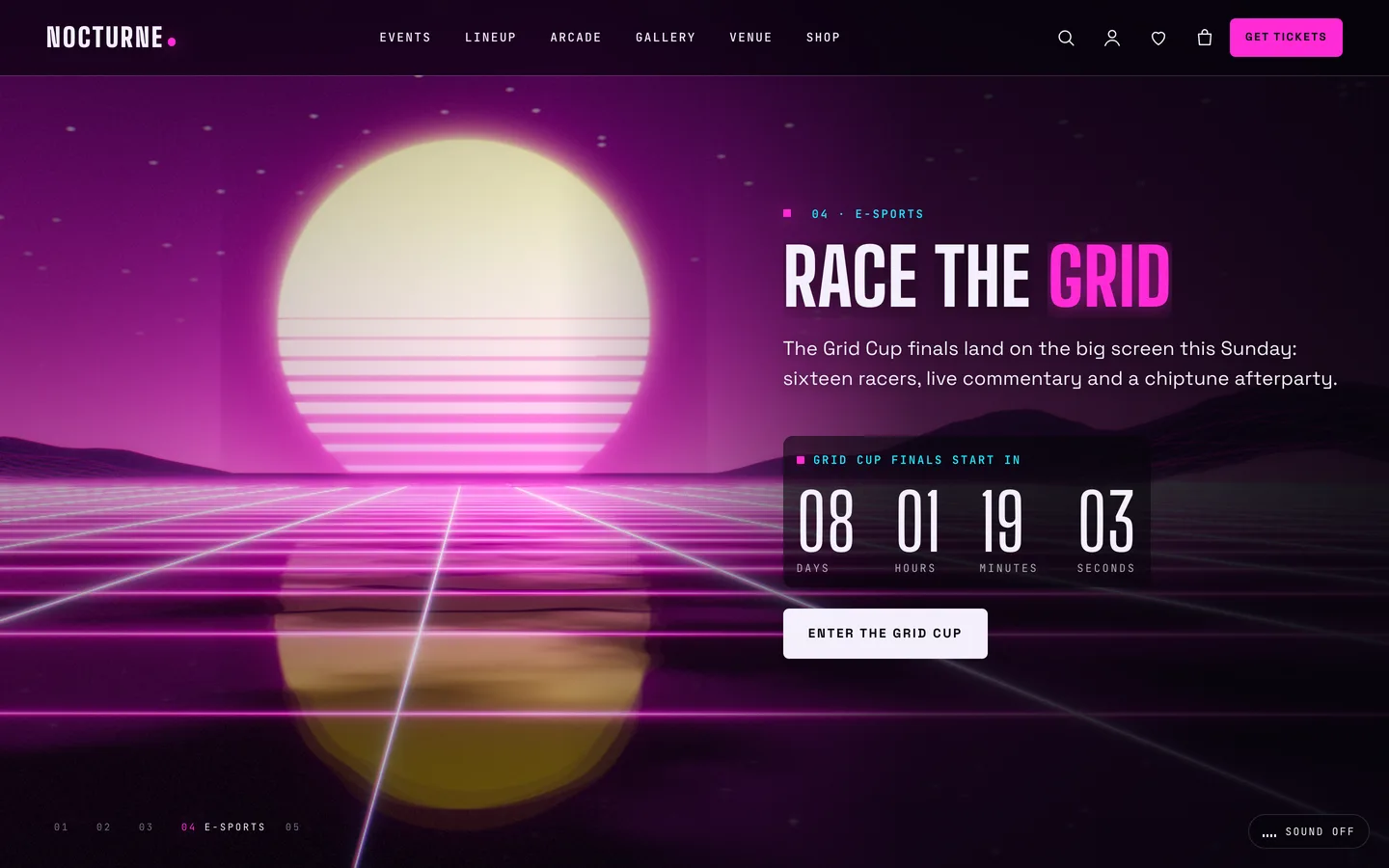
- Synthwave grid. It comes out onto a laser grid under a striped sun, with a live countdown to an e-sports final.
- The horizon. The story closes on a call to action.
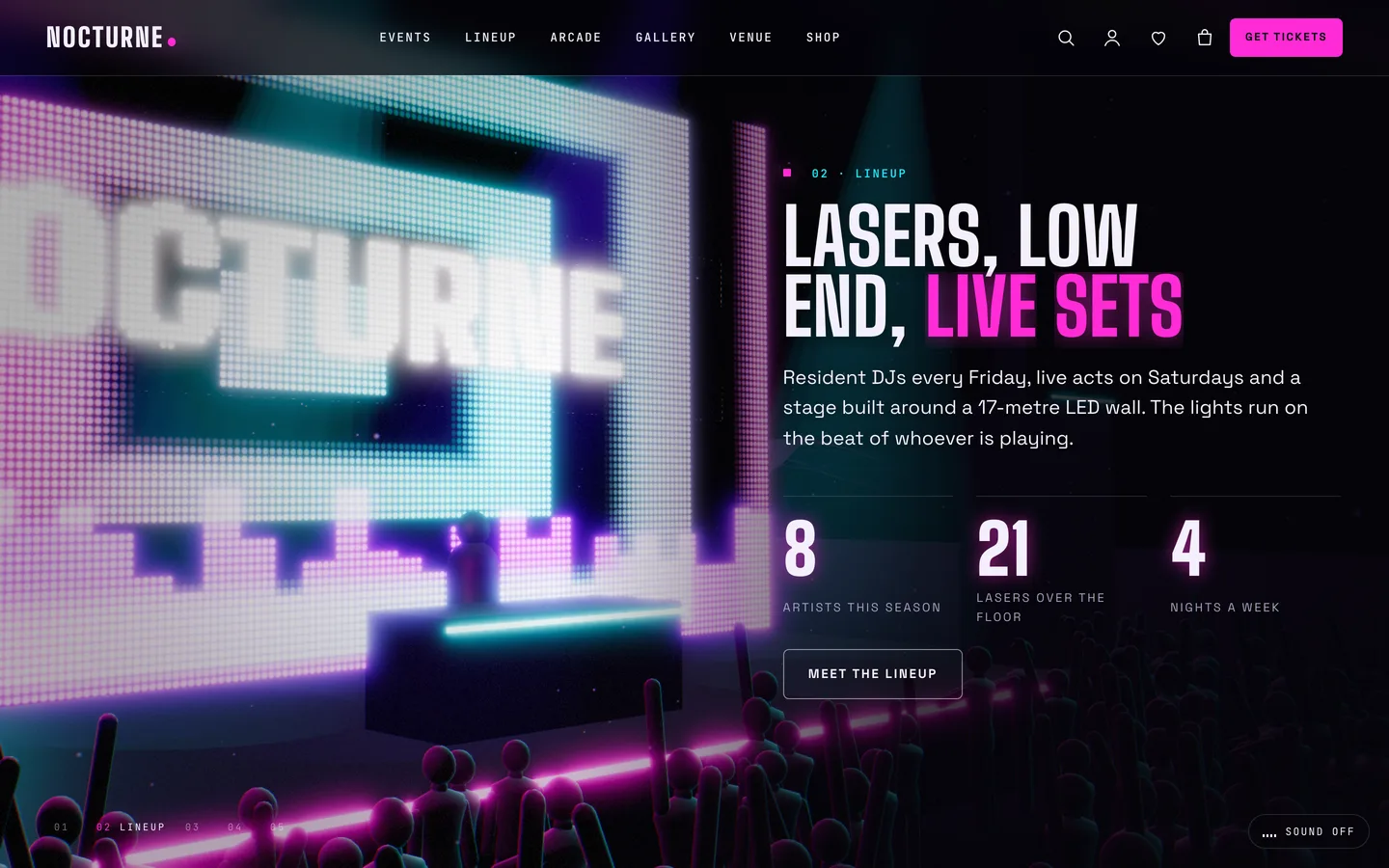
None of this comes from image, model or video files. The crowd, lasers, haze, LED wall, controller, cabinets and grid are generated in code, so nothing needs licensing and there is no large file to download before the headline appears. The engine is about 209 KB gzip and loads only on pages that have a scene. The scene code itself is one lazy-loaded chunk.
Cabinets that look playable
The arcade chapter was the most fun to build. Each cabinet's screen runs a small procedural game: a shooter, a racer, a maze, a tunnel, a brick breaker or a rhythm game. They are not playable, but they move like attract-mode screens in a real arcade, and the "Nocturne: arcade cabinet" preset lets you put any of them on a single cabinet. You can set its marquee title, hue and level seed, and choose whether the camera frames the whole cabinet or only the screen.
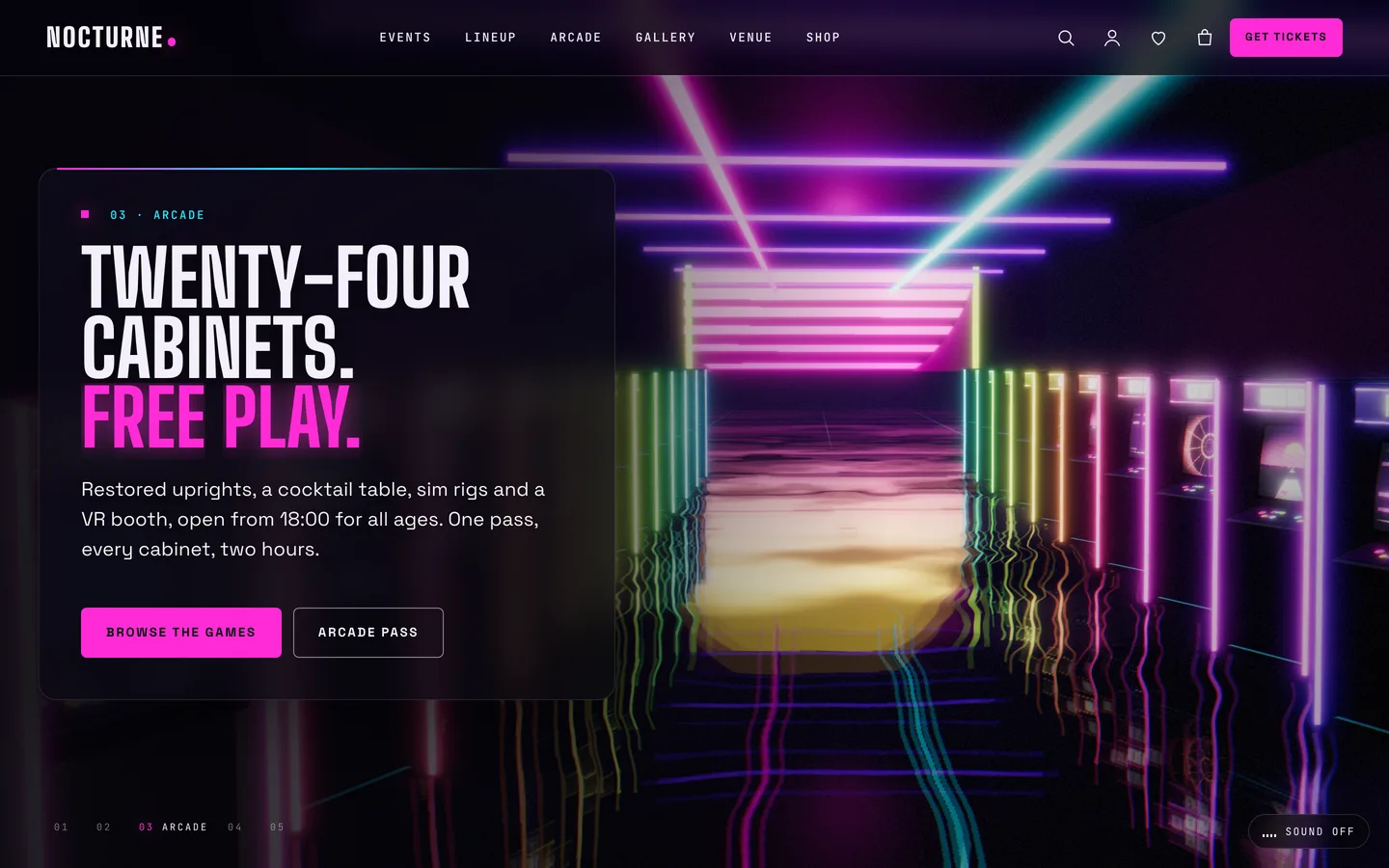
We added a dark glass panel behind the copy in this chapter. The cabinets are bright and busy, and without a scrim the text lost contrast. On a dark theme that is easy to get wrong, and Nocturne keeps AA contrast across the palette.
The beat, and why sound is opt-in
A club scene that does not move with music feels flat, but a website that starts playing sound is one of the fastest ways to lose a visitor. Nocturne separates the two.
By default, the lights pulse to a simulated beat at the BPM set in the scene widget. Nothing plays. On pages with the club scene, a small "Sound off" button sits in the bottom-left corner. Only a click on that button starts audio: a short synth loop of kick, bass and hats generated with the Web Audio API, with no audio files at all. Once it plays, the lights follow its real levels instead of the simulated beat.
There are rules around that button:
- It never autoplays.
- It stops when the tab is hidden.
- It is not shown to visitors who prefer reduced motion.
- A venue can turn it off entirely in Customizer → Venue & night.
The programme is data, not a poster
The most practical part of the theme is the Events post type from the bundled DEV3 Theme Toolkit. Each event has:
- start and end times, and a doors time
- the room
- a lineup, one artist per line written as
Name | set time - an age policy and a price line
- the ID of a linked WooCommerce ticket product
Genres are event categories. Adding the categories low-tickets or sold-out puts a "Low tickets" or "Sold out" badge on the event's cards. The Events page features the next night with a 3D stage preview and a live doors-open countdown, and the rest of the programme is listed below it.
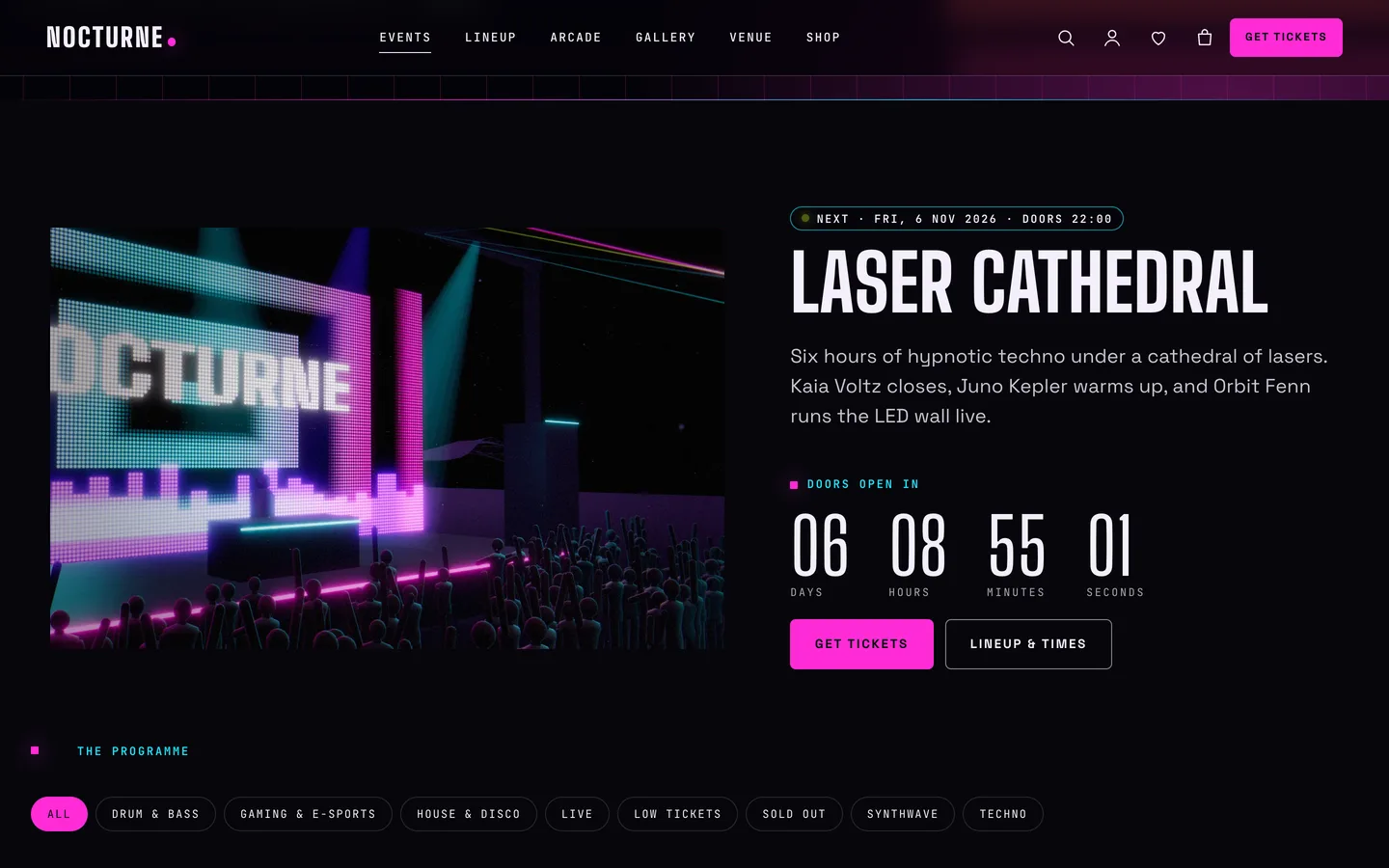
Because events are structured, a venue does not redesign anything each week. It adds the event, fills in the lineup and links the ticket, and the event cards, badges, listings and the event's structured data follow from that one entry. Nocturne outputs NightClub structured data for the venue.
Artists & DJs is a second post type. Each artist has their sound (for example "Techno · DJ"), a booking contact, and a Residents or Guests category. The demo shows them as glowing neon monograms rather than photos of invented people.
A games catalogue for arcades and e-sports bars
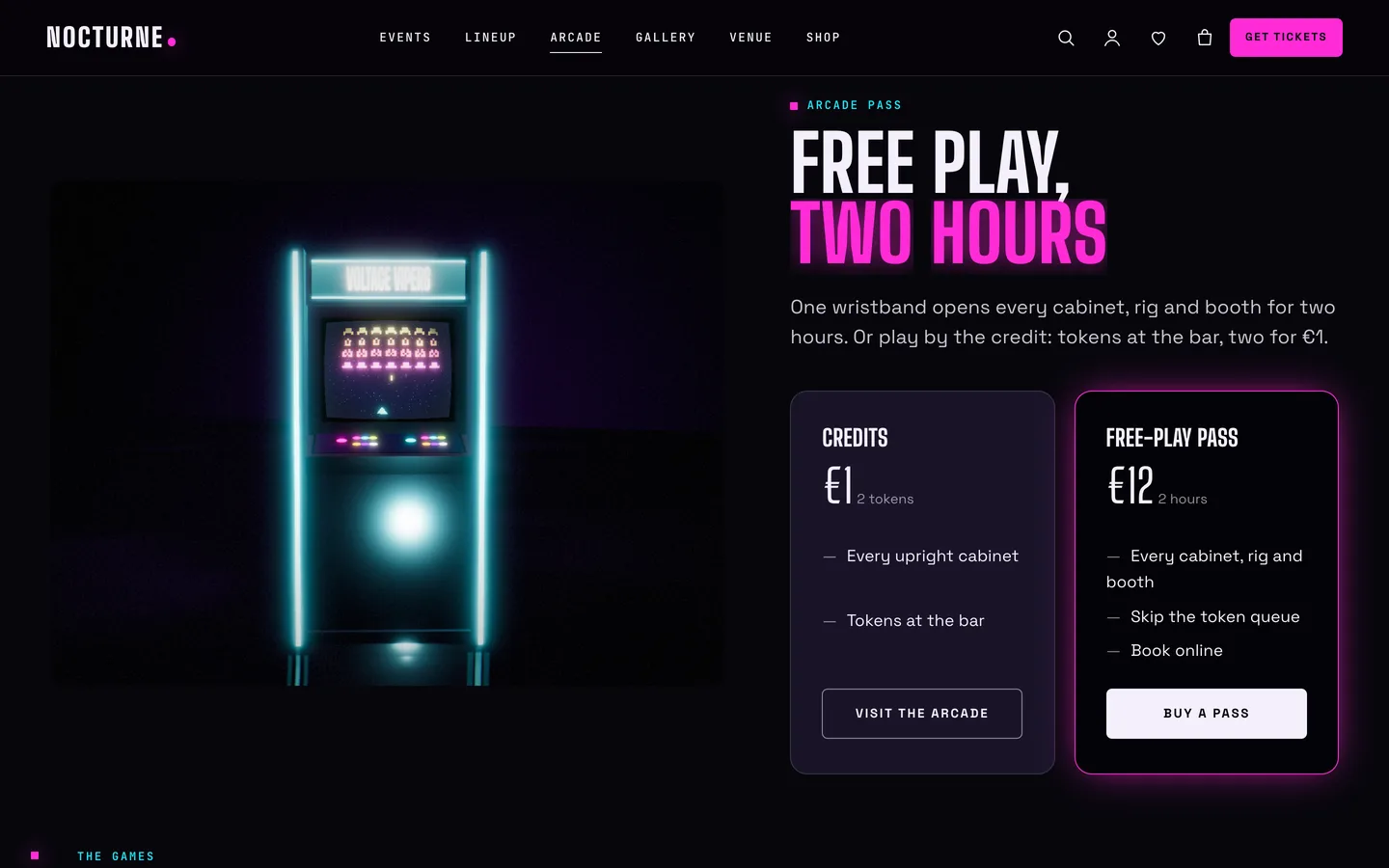
The third post type is Games, for arcade bars and e-sports venues. Each game has a genre, a platform (cabinet, sim rig, VR), a player count and a studio or price-per-play line. Categories drive the filters on the Arcade page, which pairs a 3D arcade cabinet with pricing cards for credits and free-play passes.
Tickets and merch
WooCommerce runs both tickets and the merch shop. Tickets are variable, virtual products with a Ticket attribute: General admission, VIP and a VIP table for six guests. Being virtual, they skip the shipping step. The demo also sells an arcade pass, tees, caps and vinyl.
Merch uses Colour and Size attributes, and this is where the 3D shows up a second time. In a product's DEV3 3D panel, choose the "Nocturne: merch viewer" preset with parameters such as {"object":"tee","design":"logo"}. The viewer renders a tee with your print, a cap with a patch, a vinyl LP with its own record title and artist, or a controller. When a buyer clicks a colour swatch, the 3D item is recoloured live.
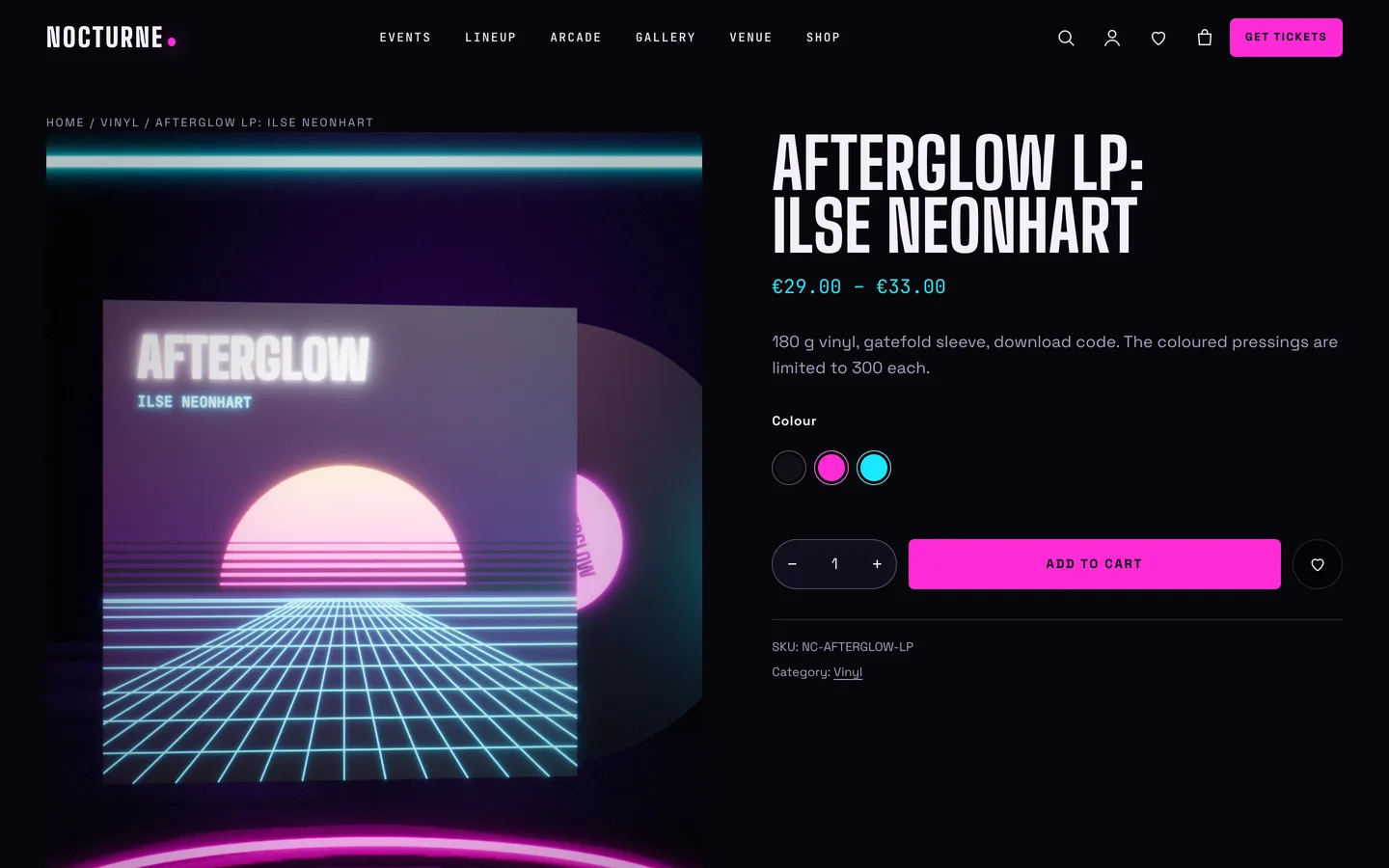
The toolkit adds an AJAX mini-cart drawer, quick view, a wishlist and a size guide. Cart, checkout and My Account are restyled for the dark palette with neon pink buttons.
Venue forms use Contact Form 7. The demo creates a VIP table request form (night, table type, guests and an 18+ confirmation), a newsletter form and a contact form. WPForms works the same way.
The 18+ notice
Nocturne includes an 18+ notice with a title, text and a "leave" link, remembered per browser. It is a courtesy notice and not an age verification system, and the documentation says so. Venues still check ID at the door as their licence requires.
Editing it every week
Every demo page is an Elementor container layout. The home page has one 3D Scene widget set to "Nocturne: neon club & arcade" in "Fixed background" mode, and five containers with the 3D chapter setting switched on. Each chapter has a label for the chapter rail, a copy side (left, right or centre) and an optional state JSON such as {"laser":1.4,"haze":1.2} for brighter lasers at that stop.
The scene widget exposes the beat (BPM), the light pulse, two neon colours, laser intensity, haze, the LED wall text and whether the controller floats. Changes show live in the editor. Venues that prefer the block editor get block twins of every widget and 26 patterns, including the next event, set times, ticket tiers, VIP tables, a games grid and an 18+ notice.
Phones get a lighter quality preset, and the pixel ratio steps down if the frame rate falls below 40 fps. Visitors with reduced motion, Save-Data or no WebGL see a still poster, and every word of the programme stays in the HTML.
See it in motion
Lasers and a beat do not survive a screenshot. The tour runs through the demo from the dance floor to checkout.
Get the theme
Nocturne is on the DEV3 marketplace with the theme, a child theme, the DEV3 Theme Toolkit plugin, the one-click demo and HTML documentation. The case study covers the design decisions in more depth.