A creative agency's website is judged the way its work is judged: in the first few seconds, mostly on how it feels. It also has a practical job: show the right projects to the right client, explain how the studio works and turn interest into a brief. DEV3 Kinetic is a creative agency and portfolio WordPress theme built for both jobs, with type-led motion, a case-study template, work filters and a project brief form, all editable in Elementor. This post covers who it is for, what moves and why, and how to set up an agency portfolio with it.
Who Kinetic is for
- Brand, digital and motion studios that want their site to show craft before anyone reads a word.
- Independent designers, directors and animators building a portfolio that reads like an agency site.
- Small agencies with several disciplines that need visitors to filter work by Brand, Digital, Motion or Campaign.
- Developers and freelancers building agency sites for clients who will add case studies themselves.
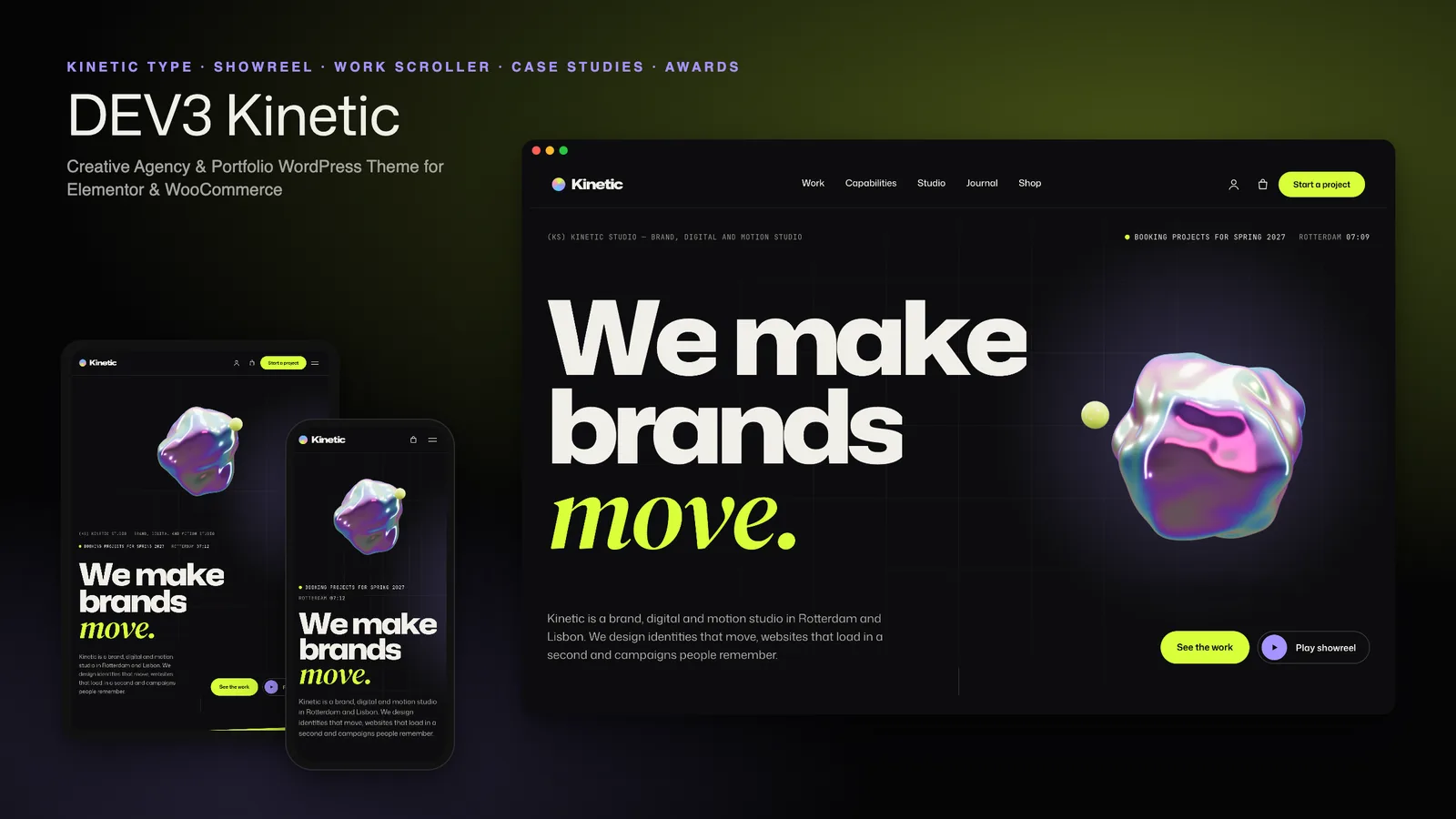
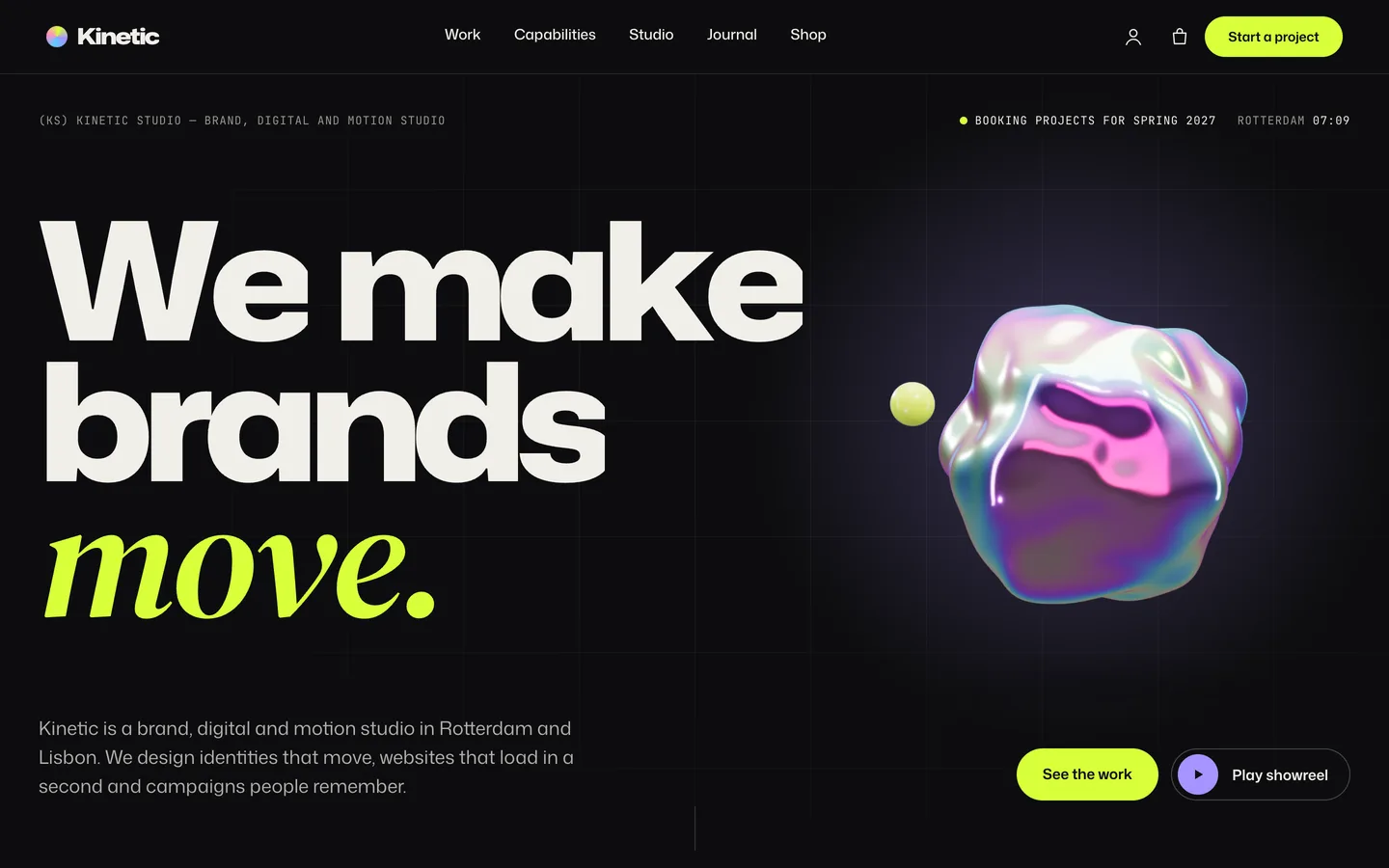
The look is dark and type-led: a near-black canvas, bone-white headlines in a variable font, serif italic accent words, acid green and lilac highlights, and light paper panels for contrast. Every image in the demo is an original render made from code; there are no stock photos.
Type does the heavy lifting
Most agency themes lead with a full-screen video. Kinetic leads with type. The headline uses Mona Sans, a variable font with width and weight axes, so the characters rise in on load and stretch toward the cursor. That gives the hero real motion without a heavy video file, and the text stays text: selectable, translatable and readable by search engines and screen readers.
Next to it sits the theme's one 3D element, a small iridescent blob that slowly morphs, with a satellite sphere orbiting it. It is an accent, not a scene. It loads only when it is near the viewport, pauses offscreen, and shows a still poster on devices without WebGL or when the visitor prefers reduced motion. In Elementor you can change its tint, satellite colour, morph amount and speed, or delete it; nothing else depends on it.
Above the headline, a mono line shows your studio's availability ("Booking projects for spring 2027") and a live clock for your city, both set in the Customizer.
Showing the work
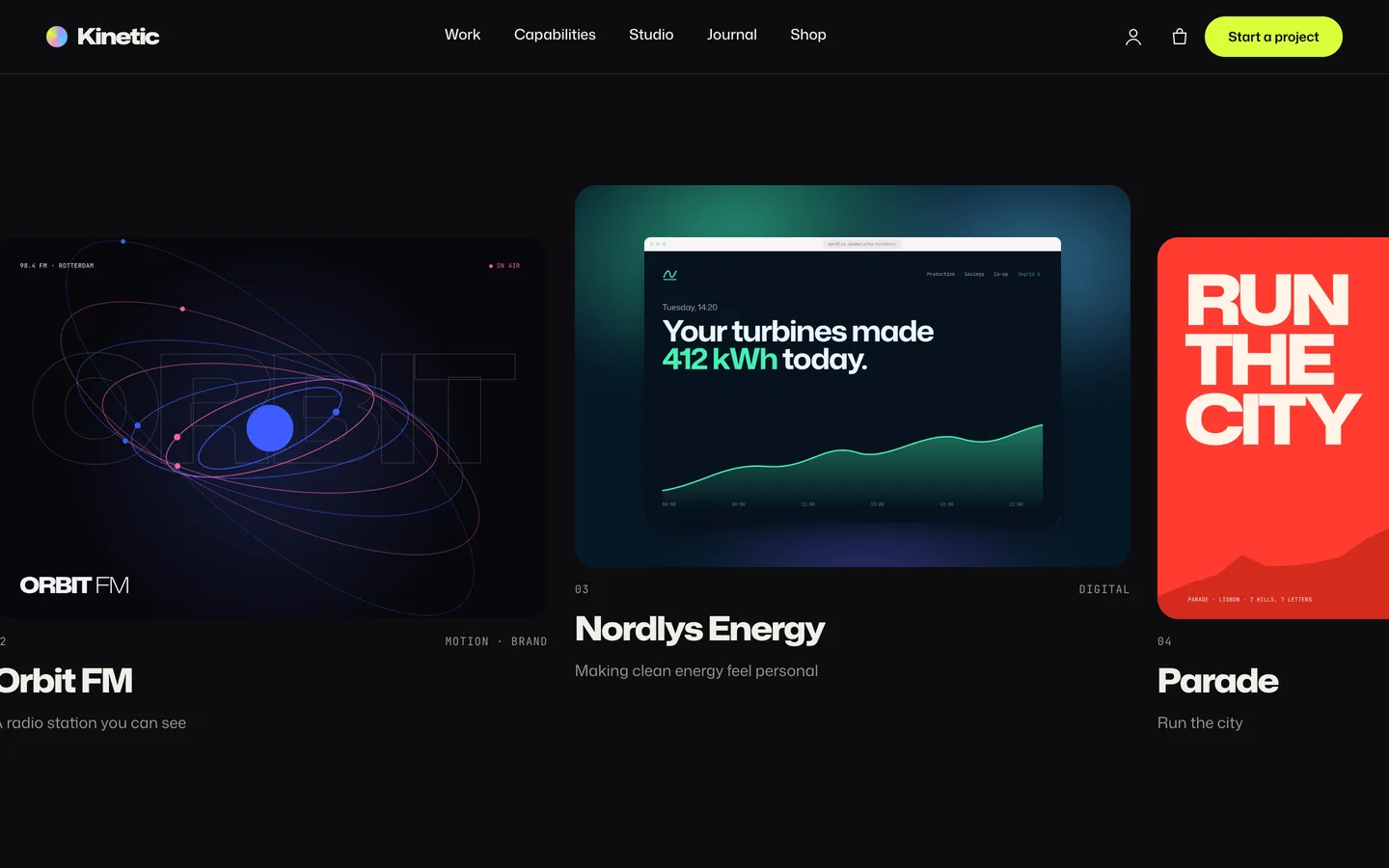
A horizontal work scroller
On the home page, the selected-work section pins in place and the case studies glide sideways as you scroll, each cover revealed with a colour wipe. It is the effect people expect from award-style agency sites, with a fallback: on phones, with touch input or with reduced motion, it becomes a native swipe row with snap points, so nobody gets stuck in a pinned section.
Filters, grid and list
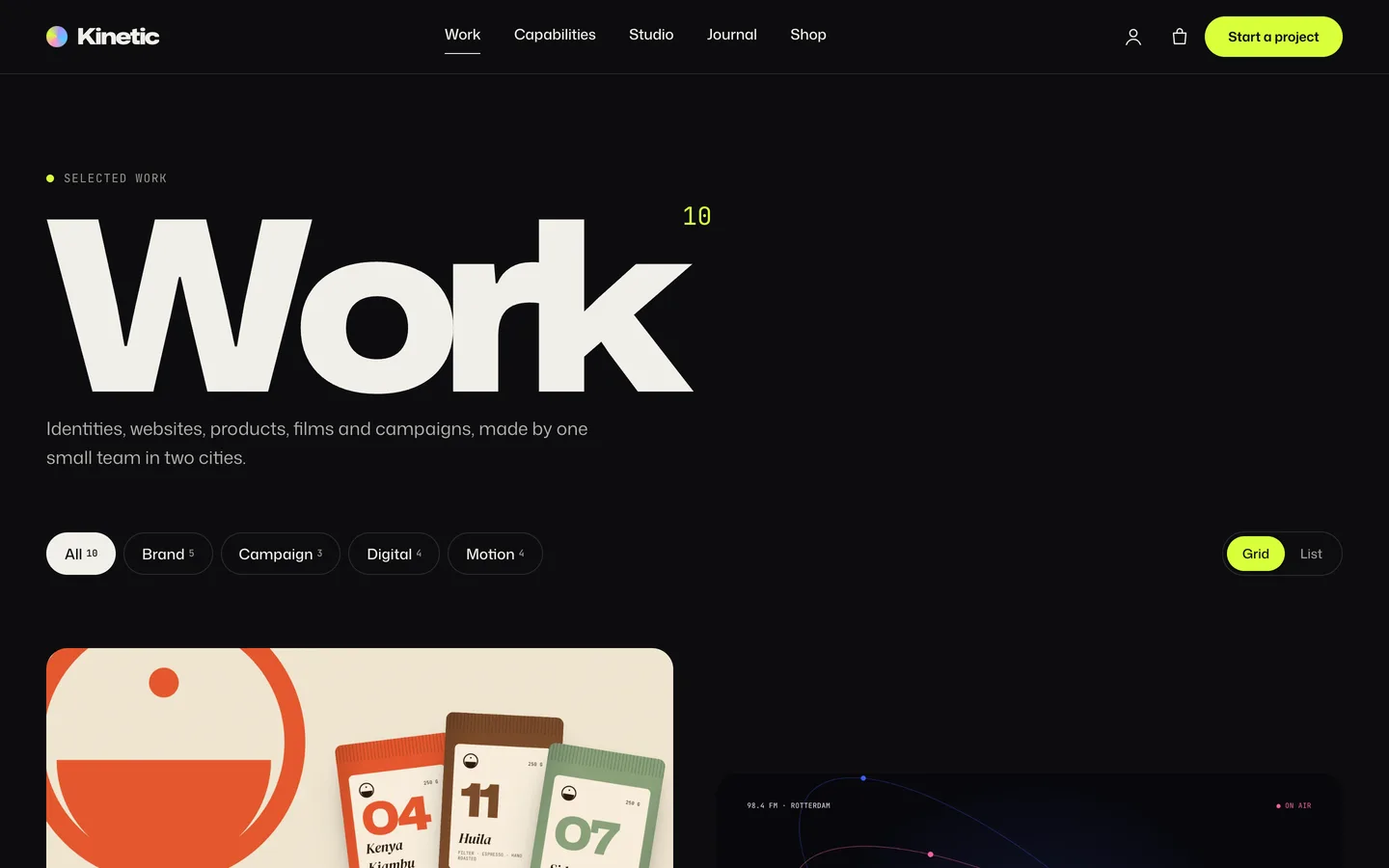
The work archive opens with a huge title and a project count, then service filters with counts that animate the grid as you switch. Each filter is linkable, so you can send a prospective client straight to your motion work. A grid / list switch sits on the right, and the browser remembers each visitor's choice.
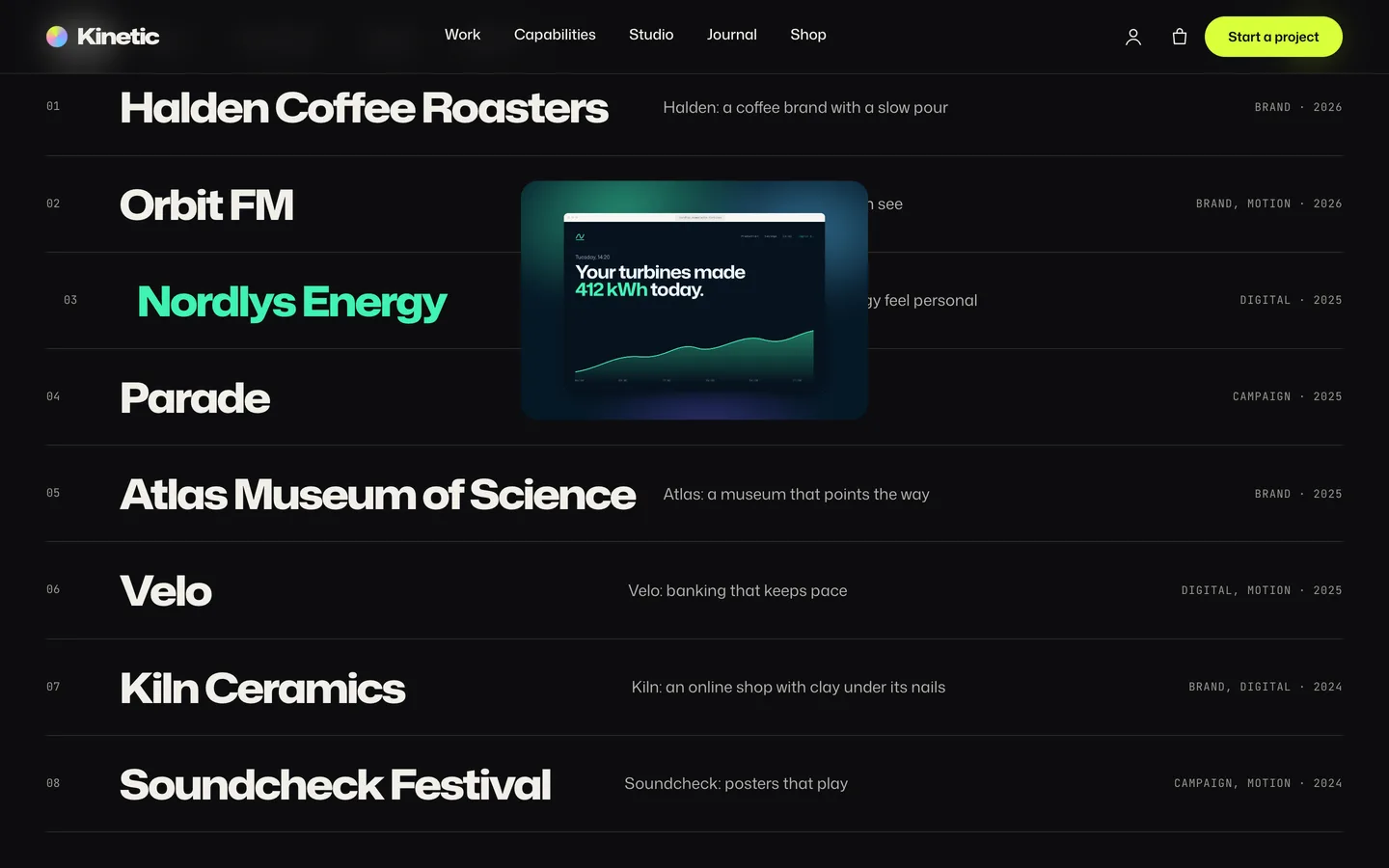
List view turns the archive into big client rows. Hover a row and a preview of the cover follows the cursor, which is a fast way to scan ten projects without a wall of thumbnails.
A case-study template that builds itself
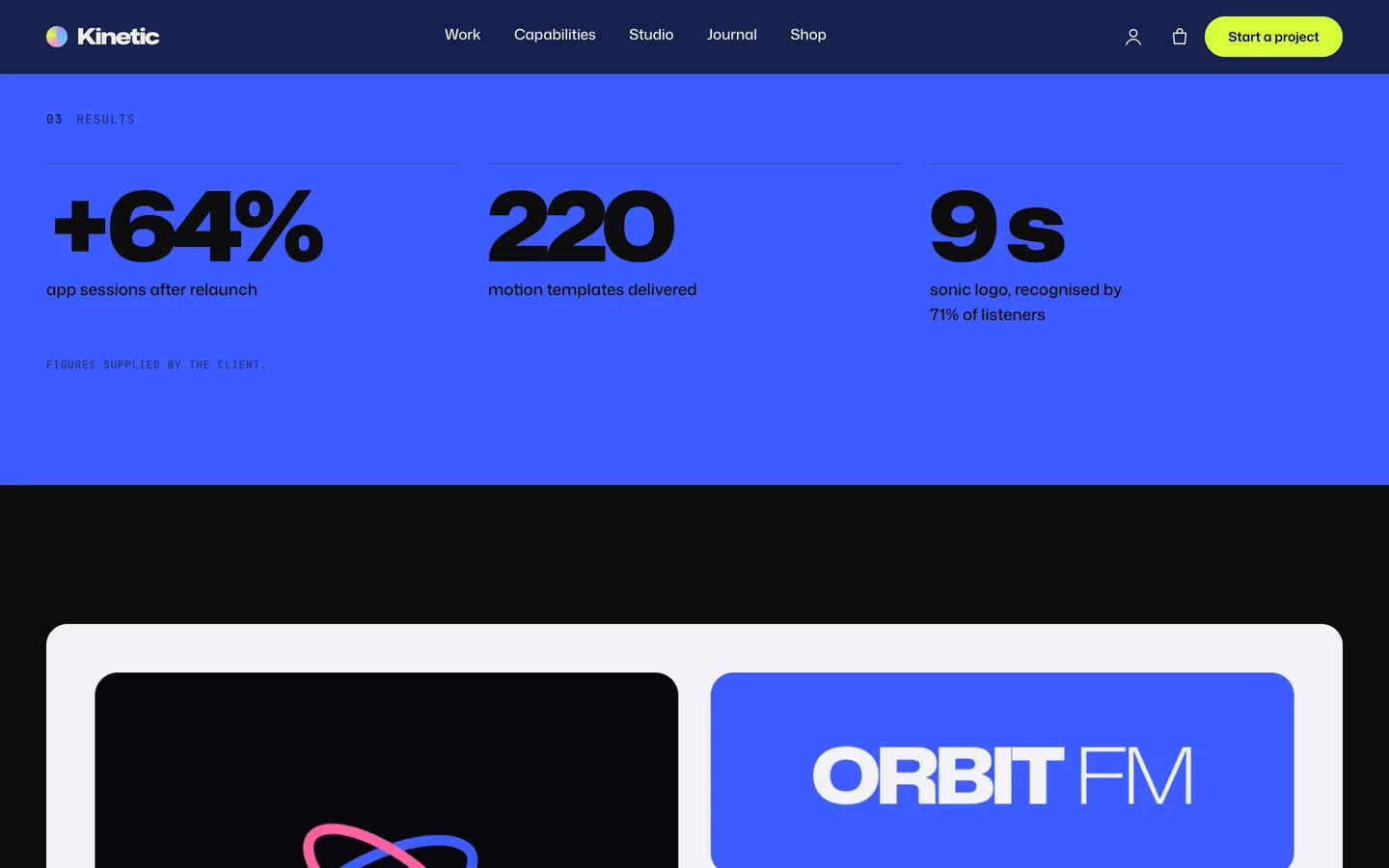
Writing case studies is the part studios postpone, so Kinetic keeps it to short fields. A case study has a client, year, location, services, the challenge, your approach, results, a gallery, credits, a live link and a case colour. Results are one per line, +64% | app sessions, and credits are Direction: names.
The template turns those into a full page: the kinetic title with service pills, a summary and a facts row, a full-bleed cover with parallax, the challenge and approach, results that count up on the case colour, a gallery that masks in, your editable story, the credits, and a big link to the next project.
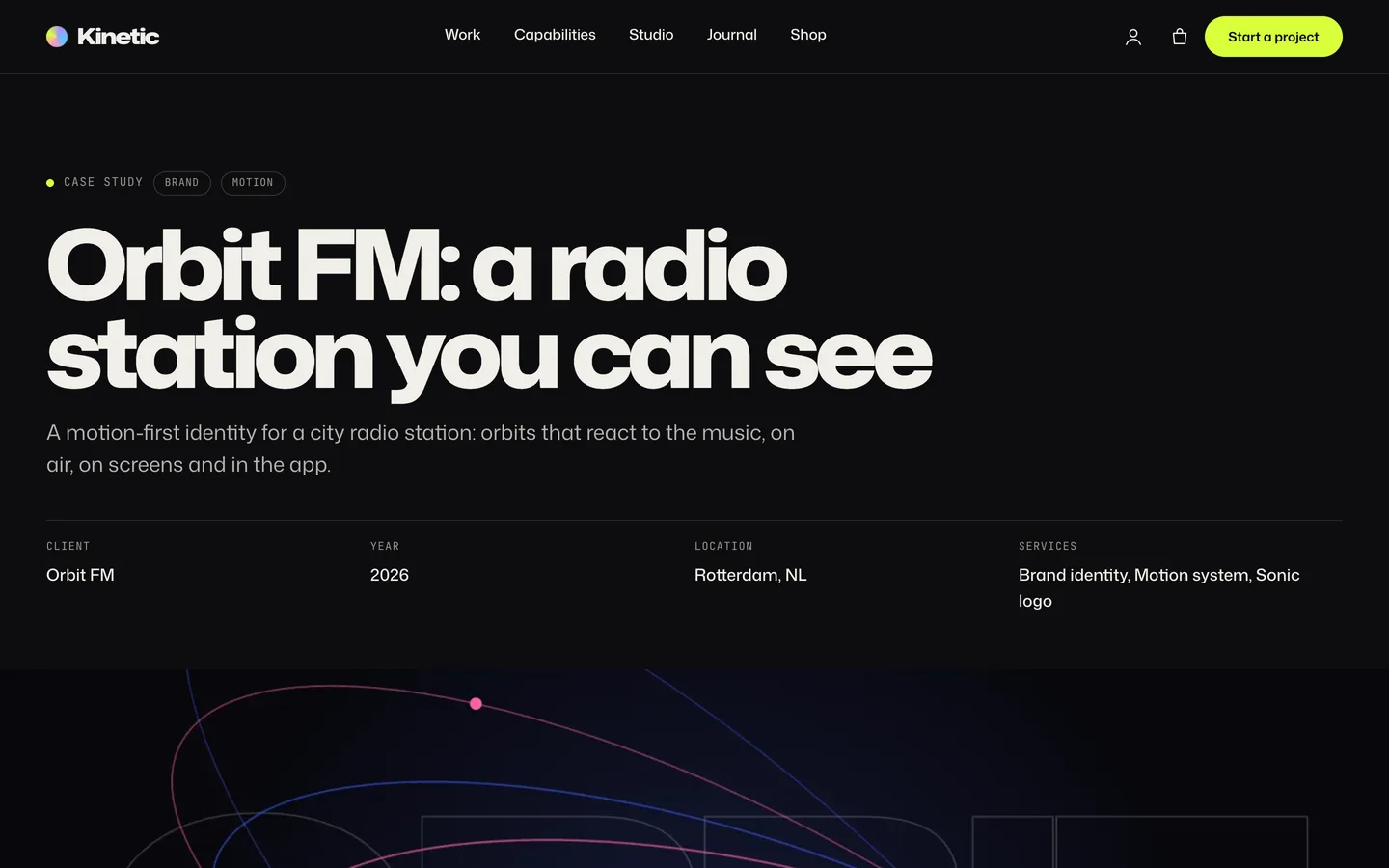
The case colour is the detail that makes a portfolio feel curated. It tints the results band, the image reveals and the cursor on that page, so a coffee brand, a radio station and an energy company each keep their own identity inside one theme.
Motion that respects the visitor
Kinetic has a lot of motion, so every effect has a rule for when it should not run:
- Custom cursor: a ring and dot that grow into an acid disc with a label such as "View" over a project. It is off on touch screens and can be switched off in the Customizer. Add
data-cursor-label="View"to any link to give it a label. - Magnetic buttons pull gently toward the pointer.
- Scroll-scrubbed statements: words light up as you scroll through a paragraph.
- Velocity skew: images lean slightly when you scroll fast.
- Page transitions: a wipe between pages using cross-document View Transitions in Chrome and Safari, and a fade elsewhere.
With reduced motion turned on in the operating system, everything is visible and static, the scroller becomes a swipe row, the blob shows a still image and the showreel does not autoplay. Every Elementor widget and container also has an Advanced → DEV3 Motion panel, so you can add reveals, split text, masks, parallax, stacked cards or counters to your own sections without code.
From interest to a brief
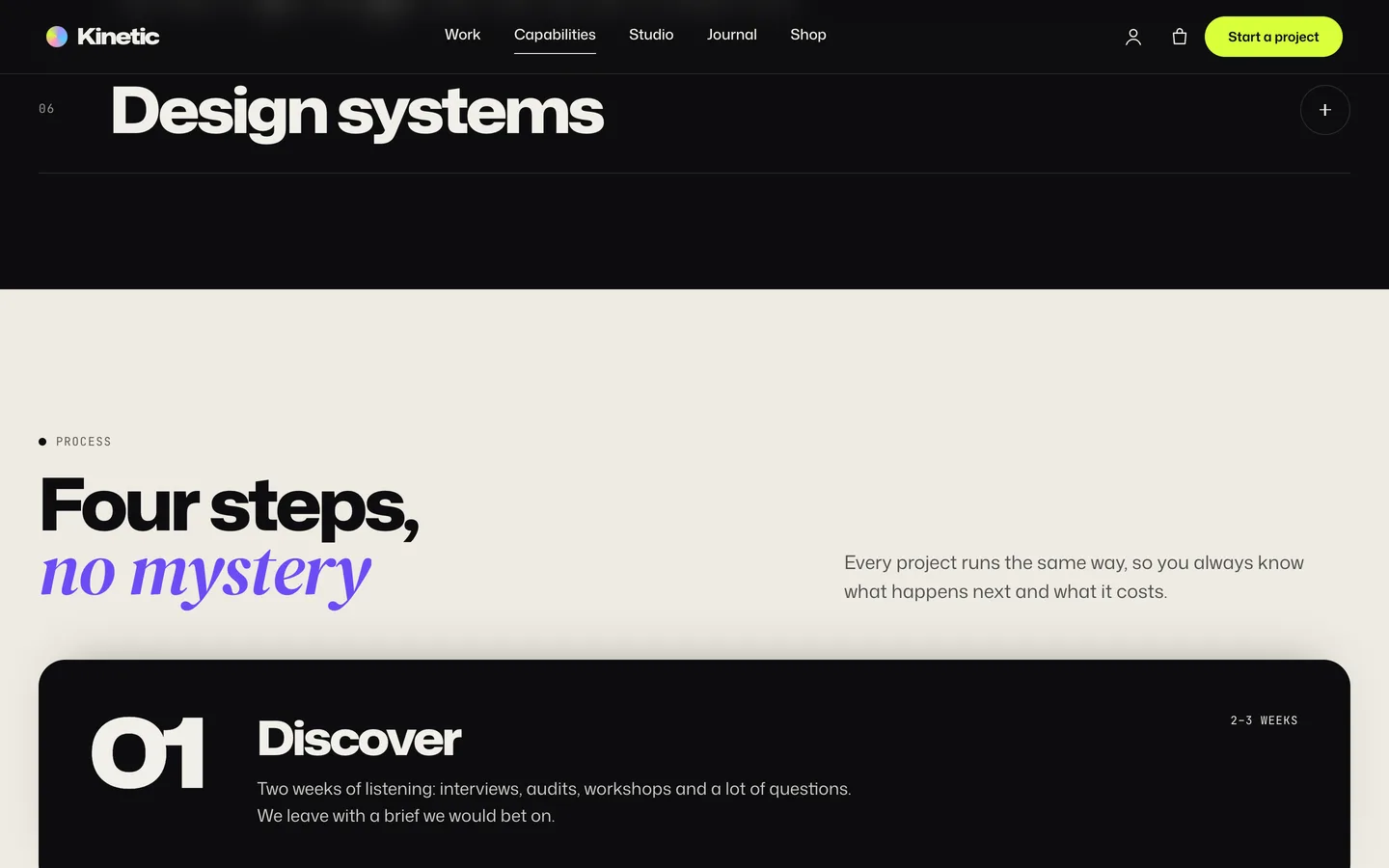
The capabilities page pairs an accordion with a process section: four sticky cards that stack as you scroll, each with its timeline. It answers "how do you work?" before anyone has to ask.
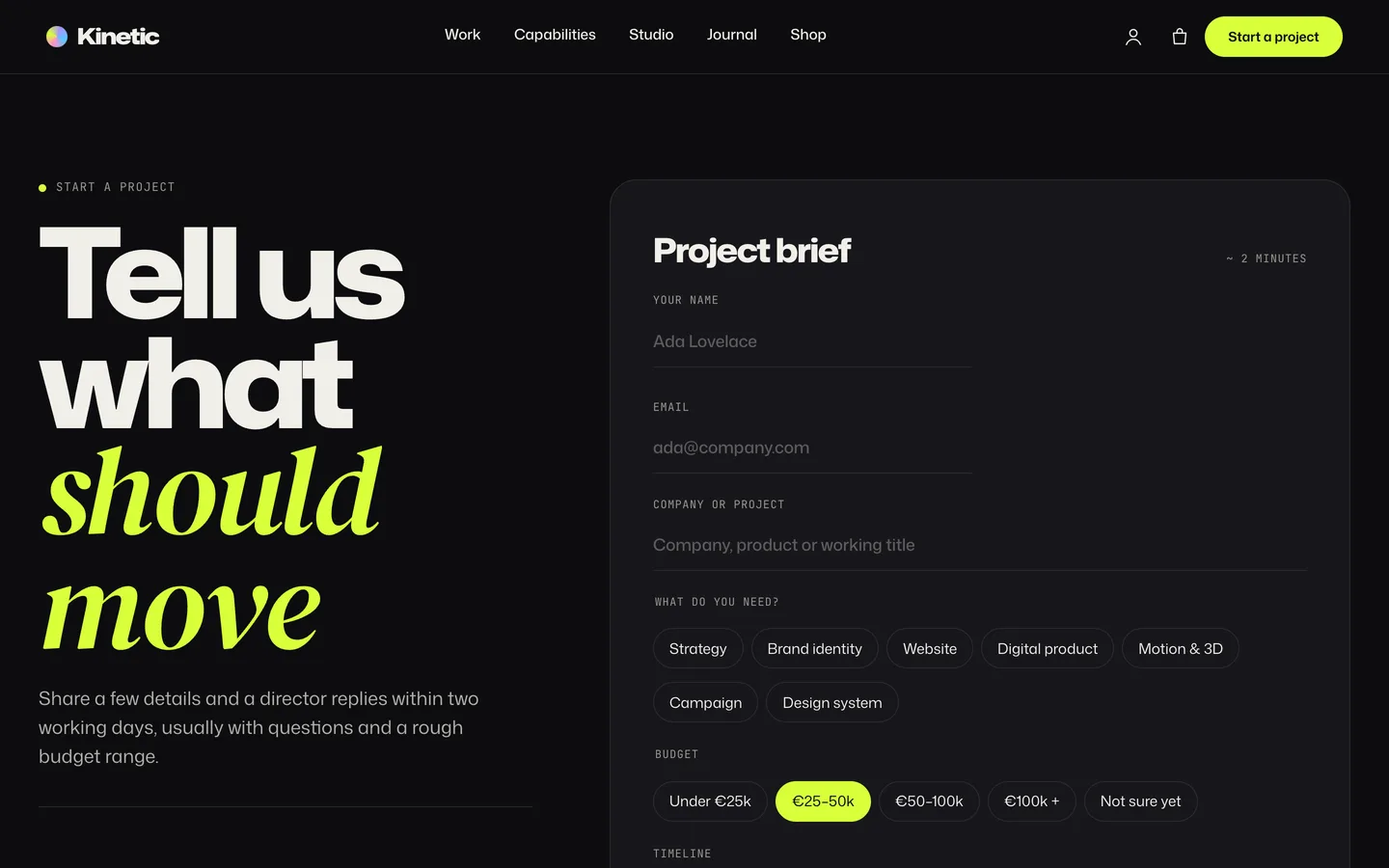
The Start a project page carries two live studio clocks and a project brief form built in Contact Form 7: name, email, company, service chips (strategy, brand identity, website, digital product, motion and 3D, campaign, design system), budget chips and a timeline. Prospective clients answer the questions you would otherwise ask on the first call. An intro-call request form sits beside it; requests are saved under Requests in the dashboard and emailed to the site admin.
Setting up an agency portfolio with Kinetic
1. Install the theme and the toolkit
Upload dev3-kinetic.zip under Appearance → Themes → Add New → Upload Theme and activate it. The theme asks for the DEV3 Theme Toolkit, which adds the Work, Capabilities and People post types, the Elementor widgets and the demo importer. Install Elementor, WooCommerce and Contact Form 7 from the same prompt.
2. Import the demo
Go to Appearance → DEV3 Demo → Import demo. You get "Kinetic Studio", a fictional studio in two cities, with 10 case studies, 6 capabilities, 8 studio members, client quotes, 6 journal posts, 8 shop products, the menus and the project brief form. Reset removes only the demo content.
3. Set the studio details and showreel
Under Appearance → Customize → Kinetic: studio & showreel, set the availability line, the clock city and time zone, and upload your showreel MP4 and poster. Every Play showreel button opens it in a full-screen player.
4. Replace the work
Edit each case study's fields, cover and gallery, assign Work categories so the filters show your disciplines, and pick a case colour per project. Order projects with Page attributes → Order. The home scroller is an Elementor HTML widget; duplicate a card and change its link, image and text.
5. Tune the brief
Edit the service, budget and timeline options in Contact → Contact Forms → Project brief so the form asks what your studio actually needs to know.
See it in motion
There is no public live demo. The video tour runs from the kinetic hero and the blob through the work scroller, a case study and the project brief to checkout.
Before you launch
- Replace every demo case study, client logo, award, quote and figure with your own; the demo studio and its clients are fictional.
- Add your own showreel and poster in the Customizer, or remove the Play showreel buttons.
- Check that each case study has a Work category, or the filters will not show it.
- Turn off Cash on delivery, which the demo enables for testing, and set real payment methods if you sell prints or templates.
Kinetic is on the DEV3 marketplace. The case study explains how the case-study template, the work filters and the motion fallbacks were designed.