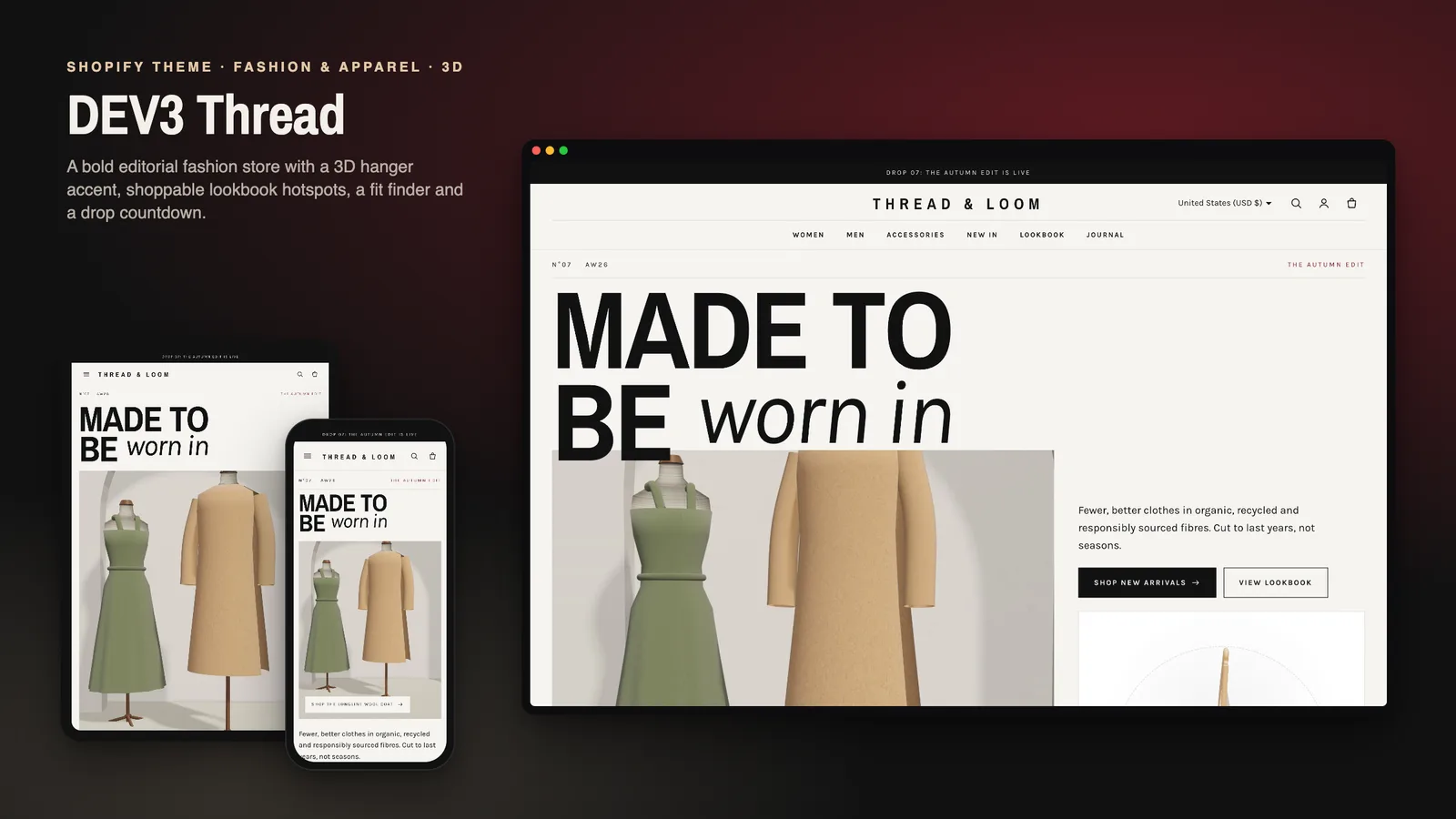
Fashion is the category where shoppers hesitate the longest. They want to see the piece styled, pick the colour they like, and above all know whether their usual size will fit. A label also wants its store to feel like its lookbook rather than a generic product grid. Many Shopify themes manage one or the other: editorial and slow, or quick and forgettable. DEV3 Thread is a fashion Shopify theme built to do both. It reads like a magazine, but a shopper can choose a colour and a size straight from a card, see how a piece fits before buying, and shop a whole look from a campaign image. This post covers who Thread is for, how the cards, fit tools and lookbooks work, and how to launch a limited drop with it.
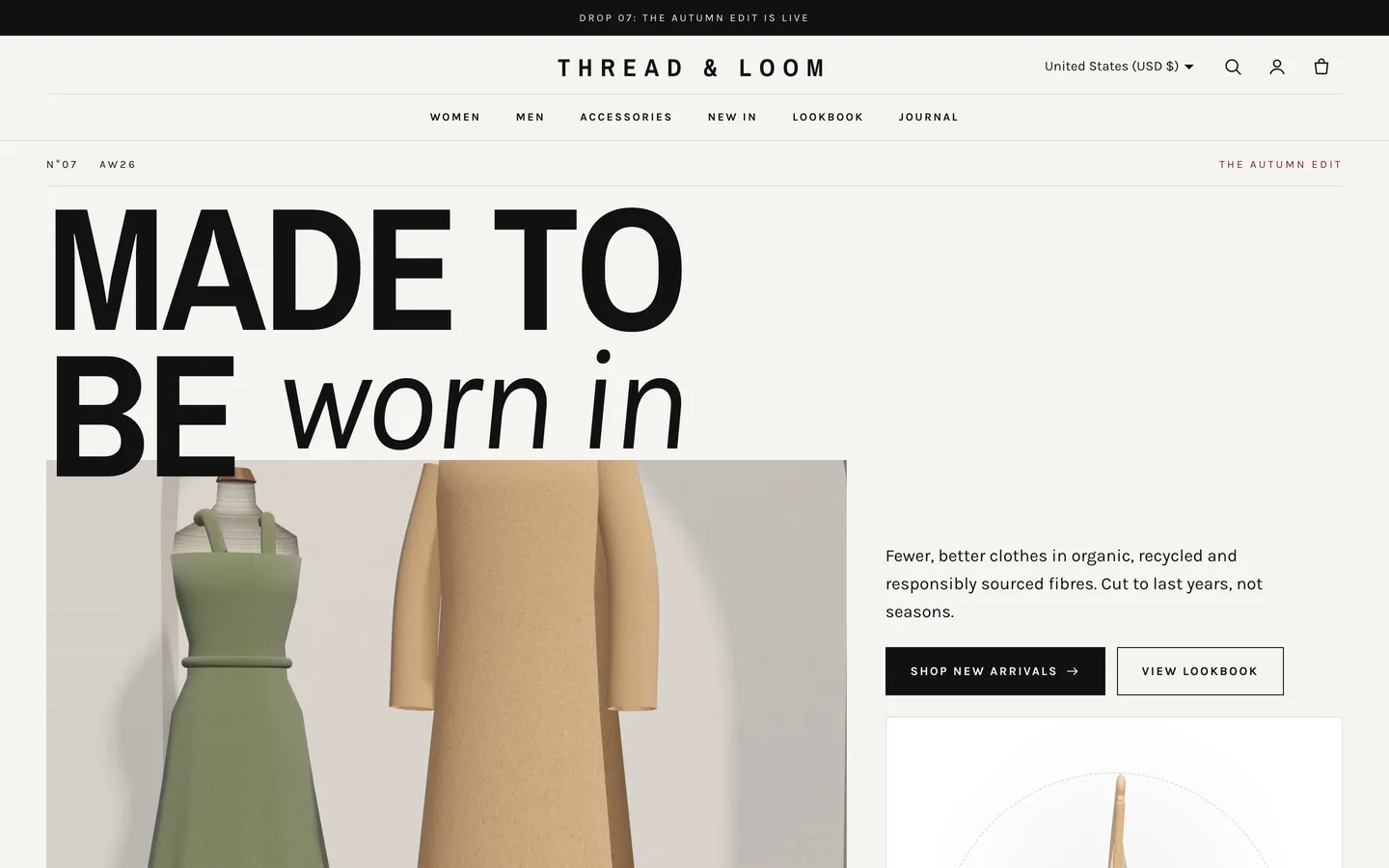
Who a fashion Shopify theme like this is for
Thread was designed for stores that sell clothing and accessories under their own name:
- Independent fashion labels with seasonal collections and a strong visual identity.
- Apparel brands selling the same piece in several colours and many sizes.
- Boutiques that mix womenswear, menswear and accessories in one store.
- Streetwear and capsule brands that launch in limited drops.
The demo is the fictional Thread & Loom label: 16 products for women, men and accessories (157 variants), 5 collections, 6 pages, a journal, 3 lookbooks and a community grid, with every image rendered for the theme.
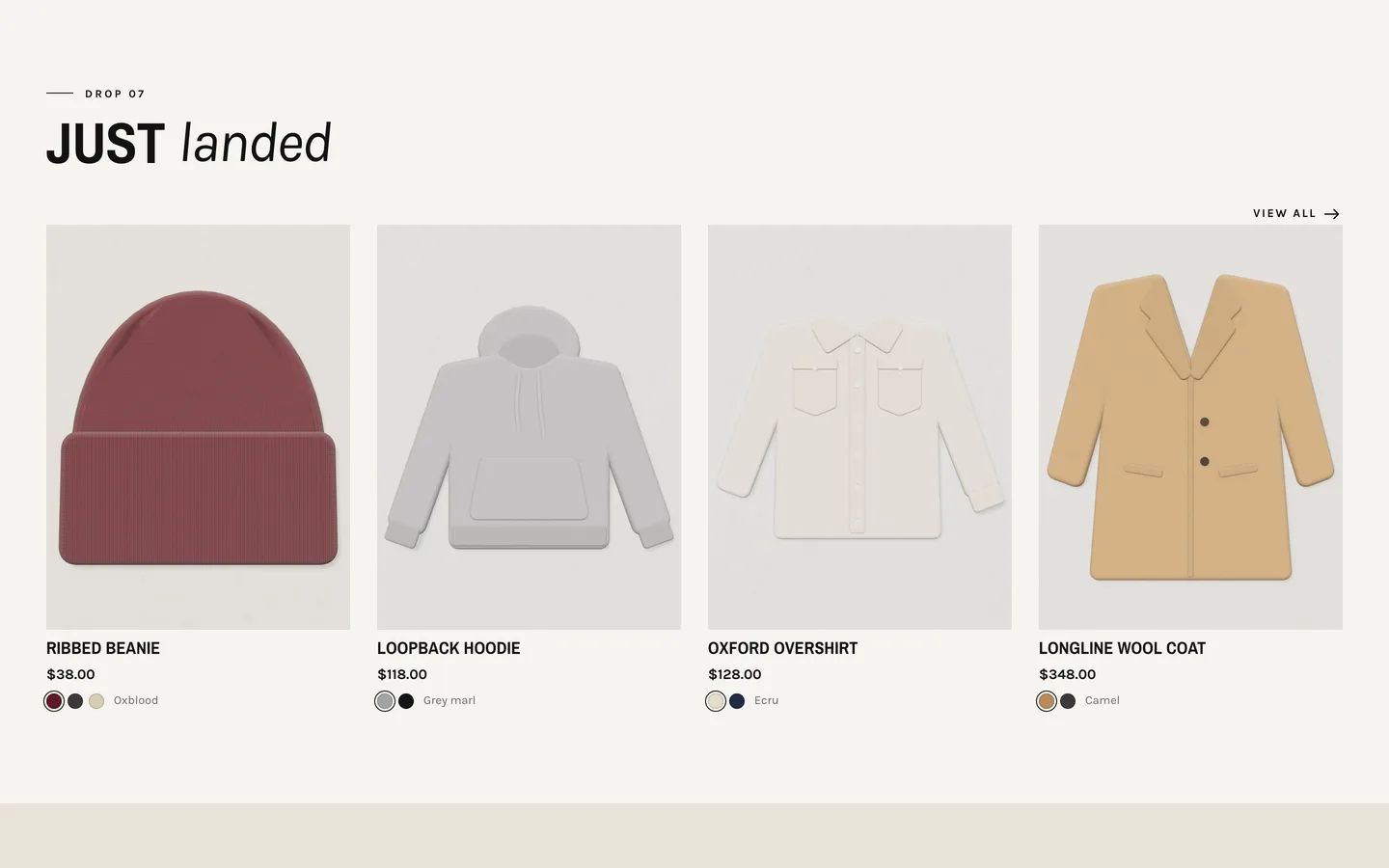
Cards that let shoppers choose colour and size
Thread is an Online Store 2.0 theme built from scratch on DEV3's own base, not a fork of Dawn. Its product cards are tall (3:4), plain and uppercase, and they do two jobs most cards leave to the product page:
- Colour swatches appear for any product with a Colour option. Clicking a swatch swaps the card image, and hovering previews it.
- A hover size bar appears on desktop for any product with a Size option. One click adds that size, in the selected colour, to the cart. Sizes that are sold out are struck through.
On touch screens the standard quick-view button takes over, so phones never depend on hover. Swatch colours come from Shopify's native option swatches or from a swatch map in the theme settings.
Fit scale and a size guide drawer with a fit finder
Fit is where most clothing returns start, so Thread puts it on the product page as data rather than a line of description text.
- Add a single-line text metafield,
thread.fit, with one of four values:slim,true,relaxedoroversized. The product page shows an animated fit scale with advice for that fit. - The size guide link opens a drawer with the women's or men's size table (men's for products tagged
men) and a cm/in toggle. - Inside the drawer, the fit finder asks two things shoppers actually know: their usual size and how they like things to fit. It suggests a size, taking the piece's fit into account, and can select it on the product for them.
- A
thread.materialmetafield adds a fabric chip, alongside up to three chips such as "Free returns".
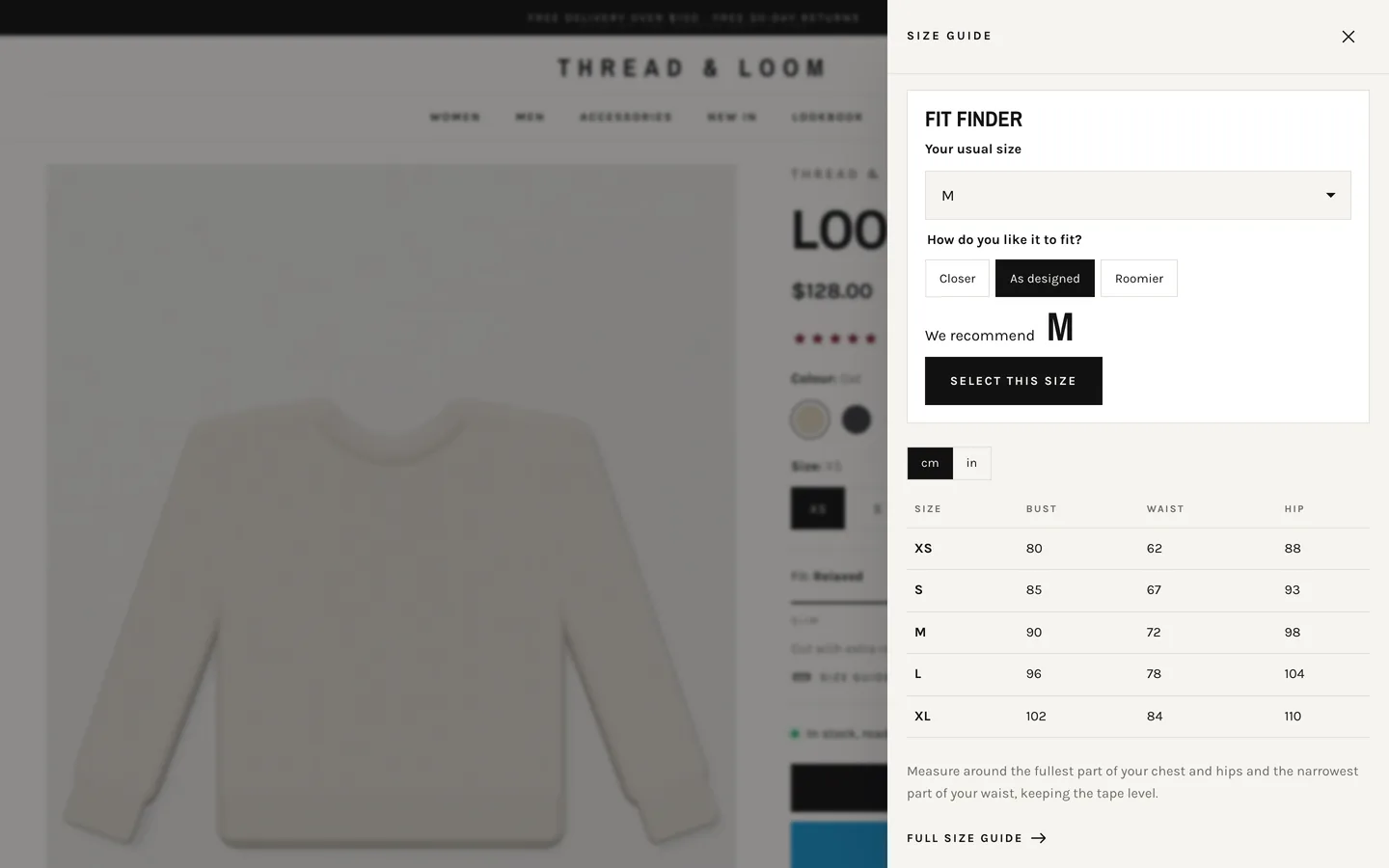
The same size tables power a full Size guide page template, where each table block takes rows such as Size | Bust | Waist | Hip.
Shoppable lookbooks
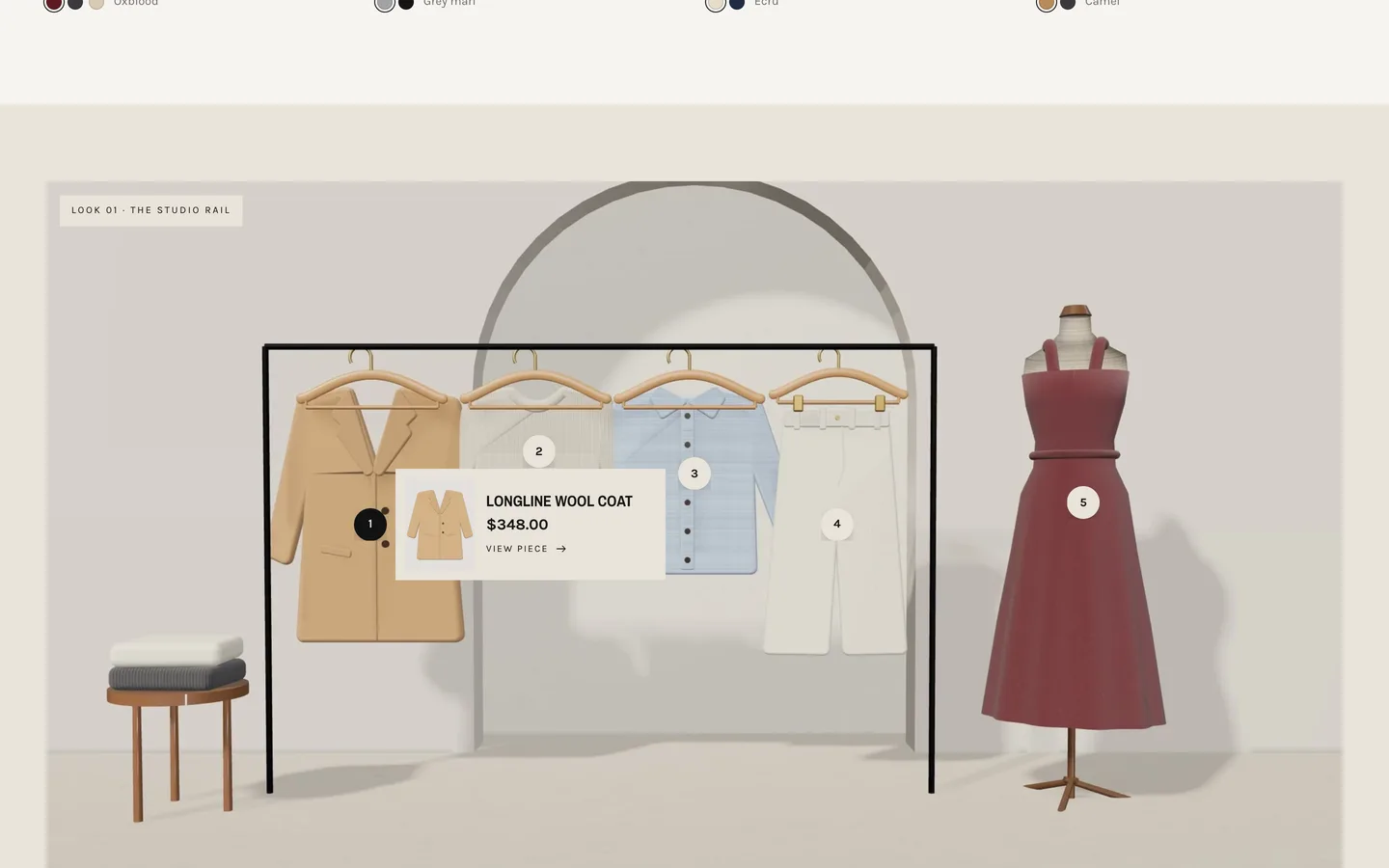
The Shop the look section turns an editorial image into a shoppable one. Each hotspot block picks a product and a position (0 to 100% across and down). Pins pop in one by one, pulse softly and open a small product card; the numbered list beside the image highlights the matching pin when a shopper hovers it. Pins and pop-ups are real buttons with aria-expanded, and they close with Escape. A ready-made Lookbook page template shows a full campaign.
Launch a limited drop
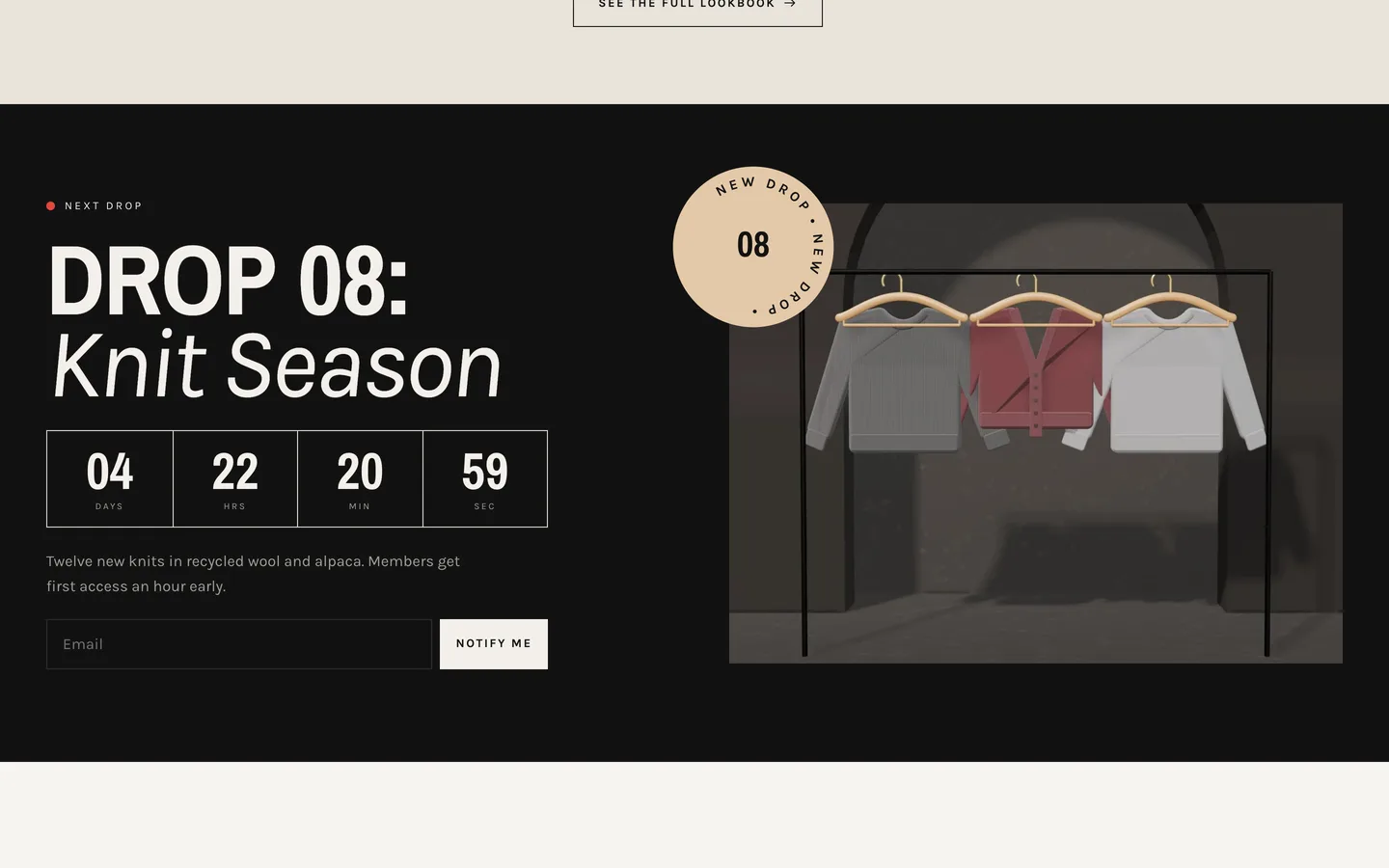
The Drop banner is made for launches: a live dot, a big heading, a flip-in countdown, a sign-up form that adds subscribers to your Shopify customer list, and an image with a spinning text badge. Enter the drop date as an ISO date and time. If it is empty or in the past, the timer counts to the next Friday at 10:00 so the demo never shows zeros, so set a real date before you launch. The countdown is display only: it never hides products, so schedule their availability in Shopify as usual.
An editorial look, confident motion and one 3D hanger
Thread's look comes from a two-tier header with a centred logo, uppercase condensed headlines with italic accents, square corners and hairline rules on a paper, ink, stone and oxblood palette. The Shop by section lists categories as huge numbered rows; on desktop an image follows the cursor for the hovered row. The header's mega menu opens full-width panels for Women and Men, with category links built on Shopify tag filtering.
Its single 3D object sits in the hero's fabric of the season card: a wooden hanger with a draped cloth that turns slowly, sways and follows the pointer. Up to five fabric colour dots recolour the cloth live, or you can load your own model. three.js loads only near the hero and pauses offscreen; without WebGL a poster shows, and with reduced motion the hanger rests. Everything else (letter-by-letter headings, mask reveals, slide-fill buttons) follows a single Off, Subtle or Full setting.
Install and import the demo
- Go to Online Store → Themes → Add theme → Upload zip file and choose
dev3-thread-1.0.0.zipfrom the download. Click Customize, then Publish. - Import
Demo-Content/products.csvunder Products → Import, add the fit and material metafield definitions and the images, then create the collections, pages, journal and menus from the demo README. A scripted seed is available from DEV3 support on request.
Thread passes Shopify Theme Check with 0 errors and 0 warnings, and we tested add to cart, the cart drawer and the cart page on a Shopify development store. The initial JavaScript is about 25 KB gzip.
See it in motion
There is no public live demo, because the demo runs as an unpublished preview on a password-protected development store. The video tour walks through Thread & Loom from the hero to a collection, a product page with the fit finder and the cart drawer.
Thread is on the DEV3 marketplace. The case study covers the design decisions in more depth.