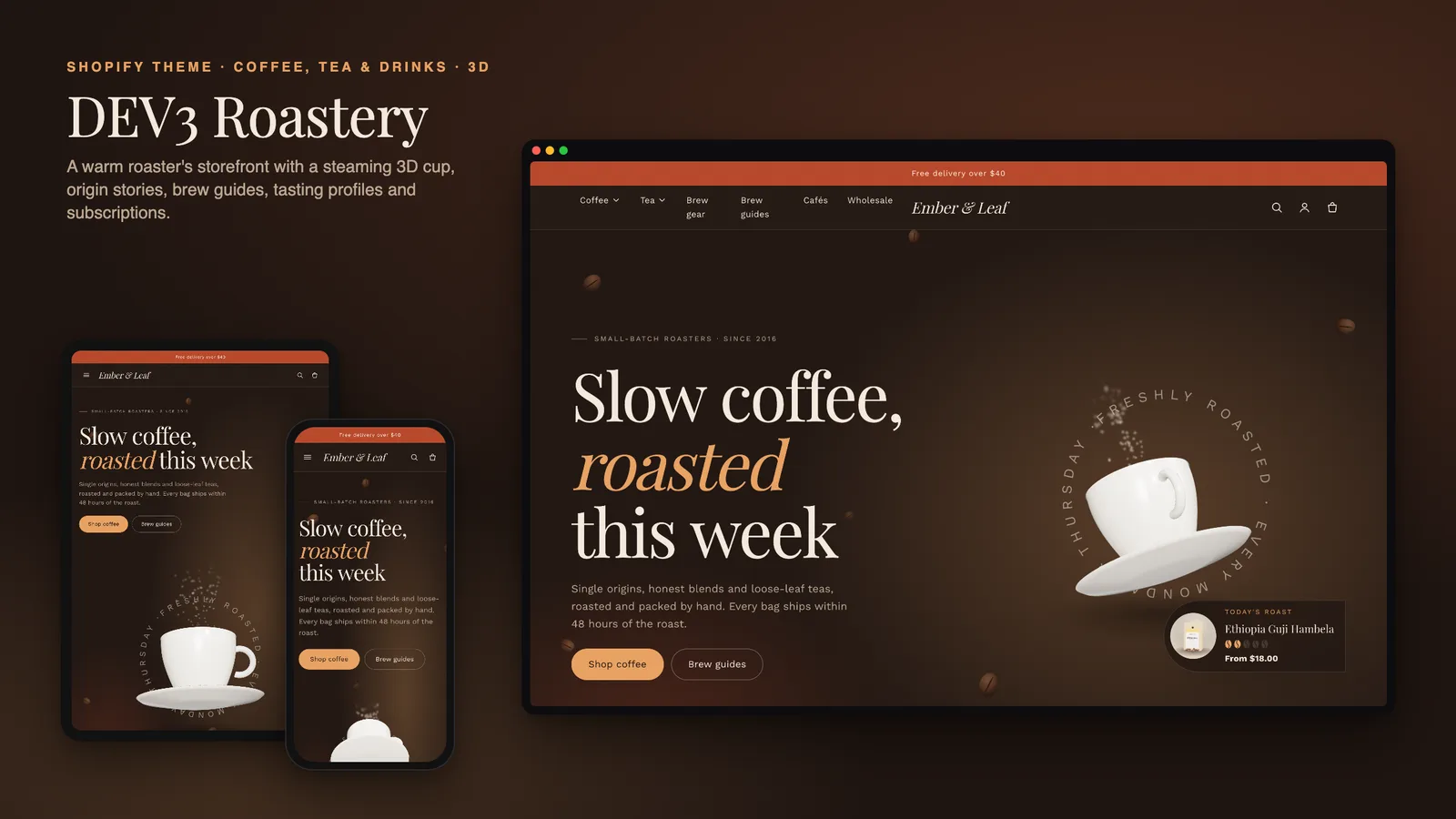
Specialty coffee sells on detail. A buyer wants to know how dark the roast is, what it tastes like, where it was grown and how to brew it, and the best customers want it delivered every few weeks without thinking about it. Generic Shopify themes put all of that into one block of description text and leave subscriptions to whatever the app happens to inject. DEV3 Roastery is a coffee shop Shopify theme built the other way round: roast level, tasting notes and origin are structured data the theme displays well, and purchase options are ready for subscriptions through Shopify's own selling plans. This post covers who Roastery is for, how to set up a coffee product, how subscriptions work (and what the theme deliberately does not do), and the brew guides, cafés and wholesale pages around them.
Who a coffee Shopify theme like this is for
Roastery was designed for businesses that sell what they roast, blend or brew:
- Small-batch coffee roasters selling beans and ground coffee by size and grind.
- Tea merchants with loose-leaf teas that share the same tasting and origin story.
- Cafés with an online shop, which also need opening hours and locations on the site.
- Specialty drink brands that sell brew gear and accessories next to the drink itself.
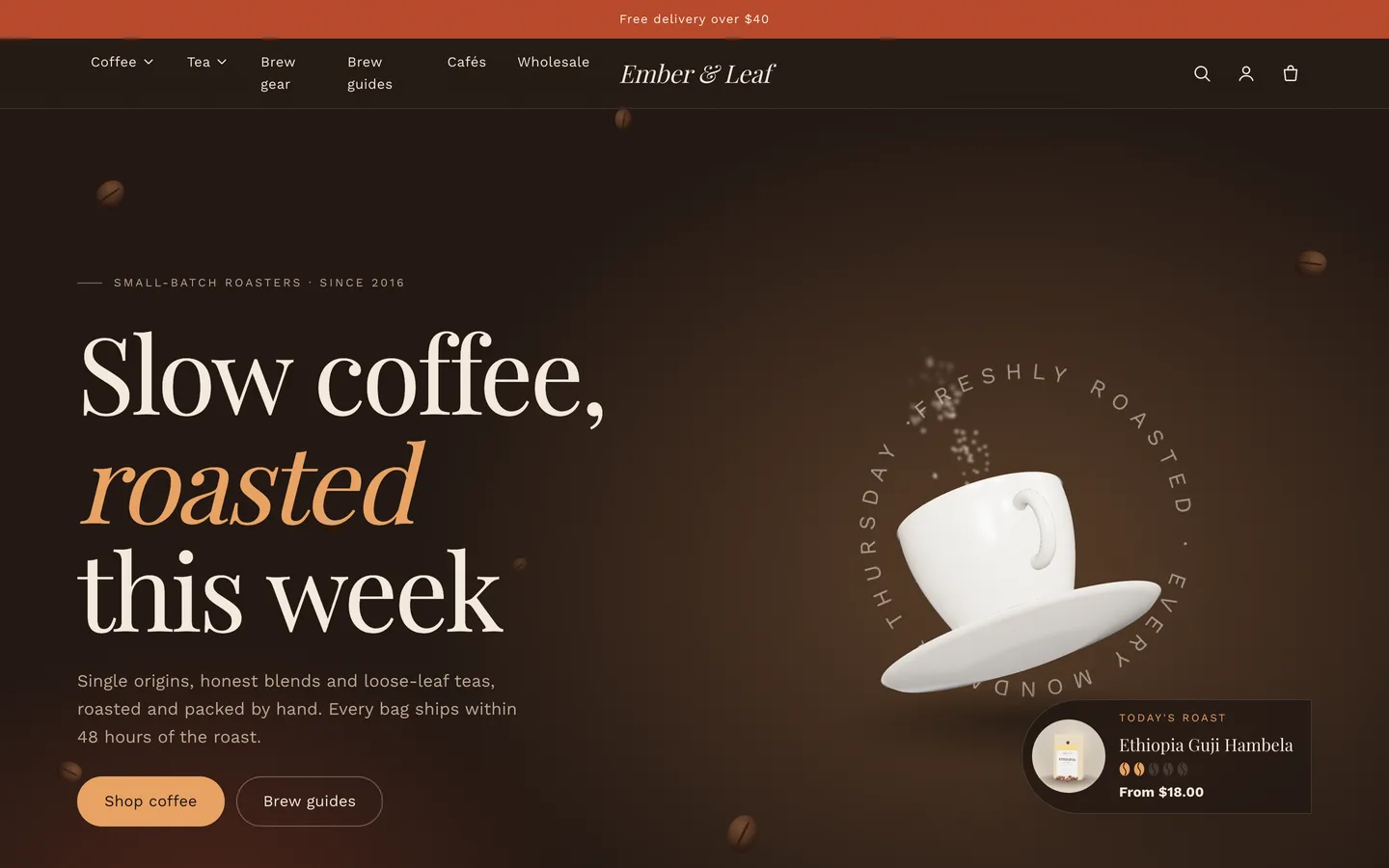
The demo is the fictional Ember & Leaf roastery: 6 coffees, 4 teas and 4 pieces of brew gear (51 variants in all), with 5 pages and a Brew Journal blog.
A coffee-first product page
Roastery is an Online Store 2.0 theme built from scratch on DEV3's own base, not a fork of Dawn. Its product section is the standard one (gallery, variant pills, sticky add-to-cart, pickup availability and native 3D model media) plus three coffee blocks.
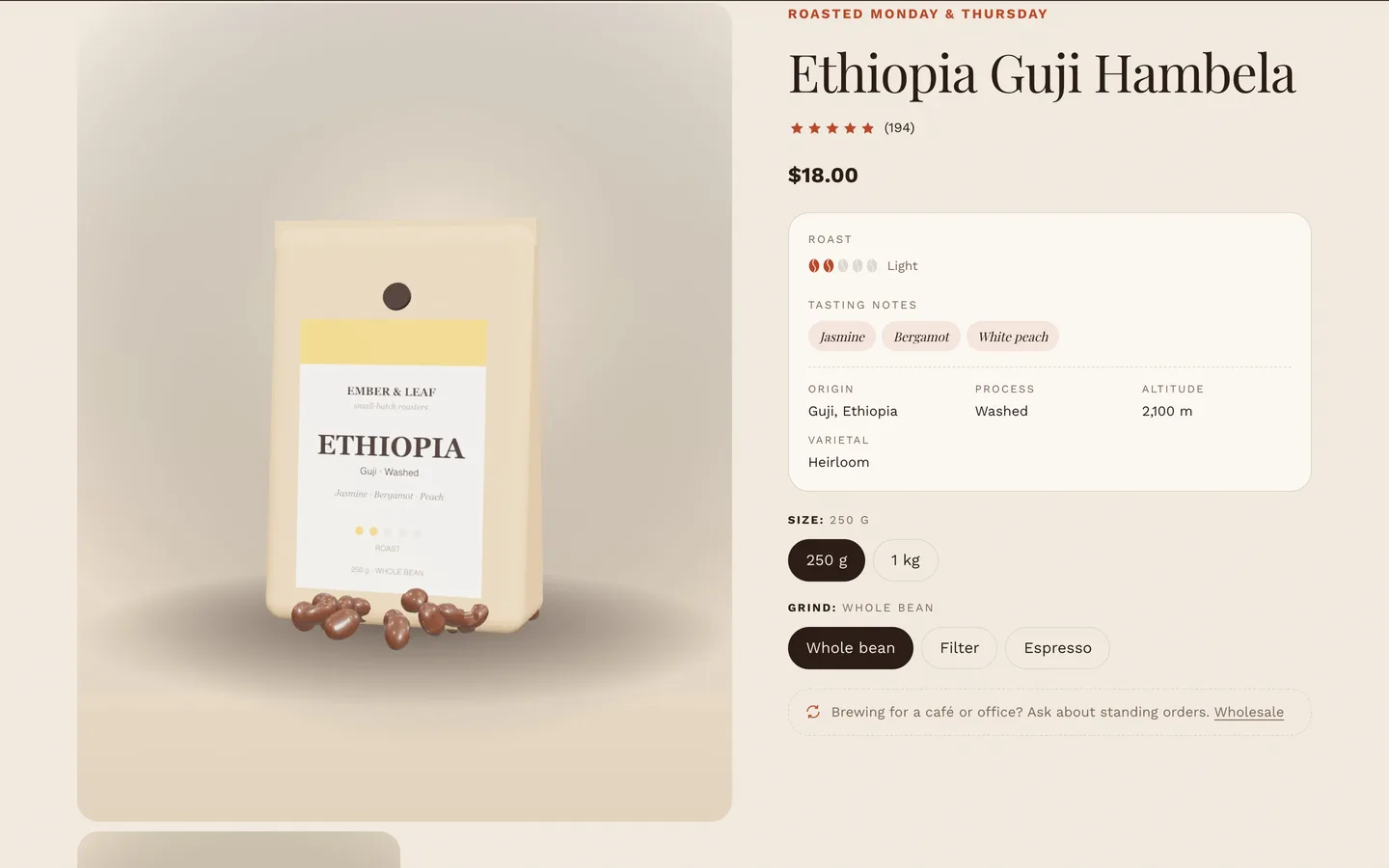
The Coffee profile block shows a roast meter of five beans, the tasting notes as chips, and a facts grid with origin, process, altitude and varietal. Each value comes from an optional product metafield:
custom.roast_level: an integer from 1 (very light) to 5 (dark)custom.flavour_notes: a list such as Jasmine, Bergamot, White peachcustom.origin,custom.process,custom.altitude,custom.varietal: single lines of textcustom.brew: a suggestion such as "Pour-over · 1:16 · 94 °C", shown as a chip
Anything you leave empty is hidden, so teas leave the roast level blank and the meter disappears, and brew gear shows none of it. Size and grind work best as normal variant options (250 g or 1 kg; whole bean, filter or espresso), and Shopify's unit pricing shows the price per kilogram.
On collection pages, each card shows the roast meter and the first two tasting notes, and a roast-level filter works well as a metafield filter in Shopify's free Search & Discovery app.
Subscriptions-ready purchase options
This is the part most coffee shops ask about first. Roastery's Purchase options block is built on Shopify selling plans, the same mechanism every Shopify subscription app uses:
- Install a subscription app, such as the free Shopify Subscriptions app.
- In the app, add your coffees to a plan (for example, every 2 or 4 weeks with a discount).
- On those products, the block now shows One-time purchase or Subscribe & save, with a delivery-frequency picker.
The selected plan is sent with the add-to-cart request, cart lines show the plan's name, and billing, discounts and subscriber management are all handled by the subscription app at checkout.
What Roastery does not do is just as important: the theme has no billing of its own, and it never fakes a subscription. If a product has no selling plans, the block shows a fallback line you write instead. In the demo it reads "Brewing for a café or office? Ask about standing orders." with a link to the wholesale page. Leave the fallback empty and the block hides. You never end up with a "subscribe" toggle that quietly sells a one-off bag.
Origin stories
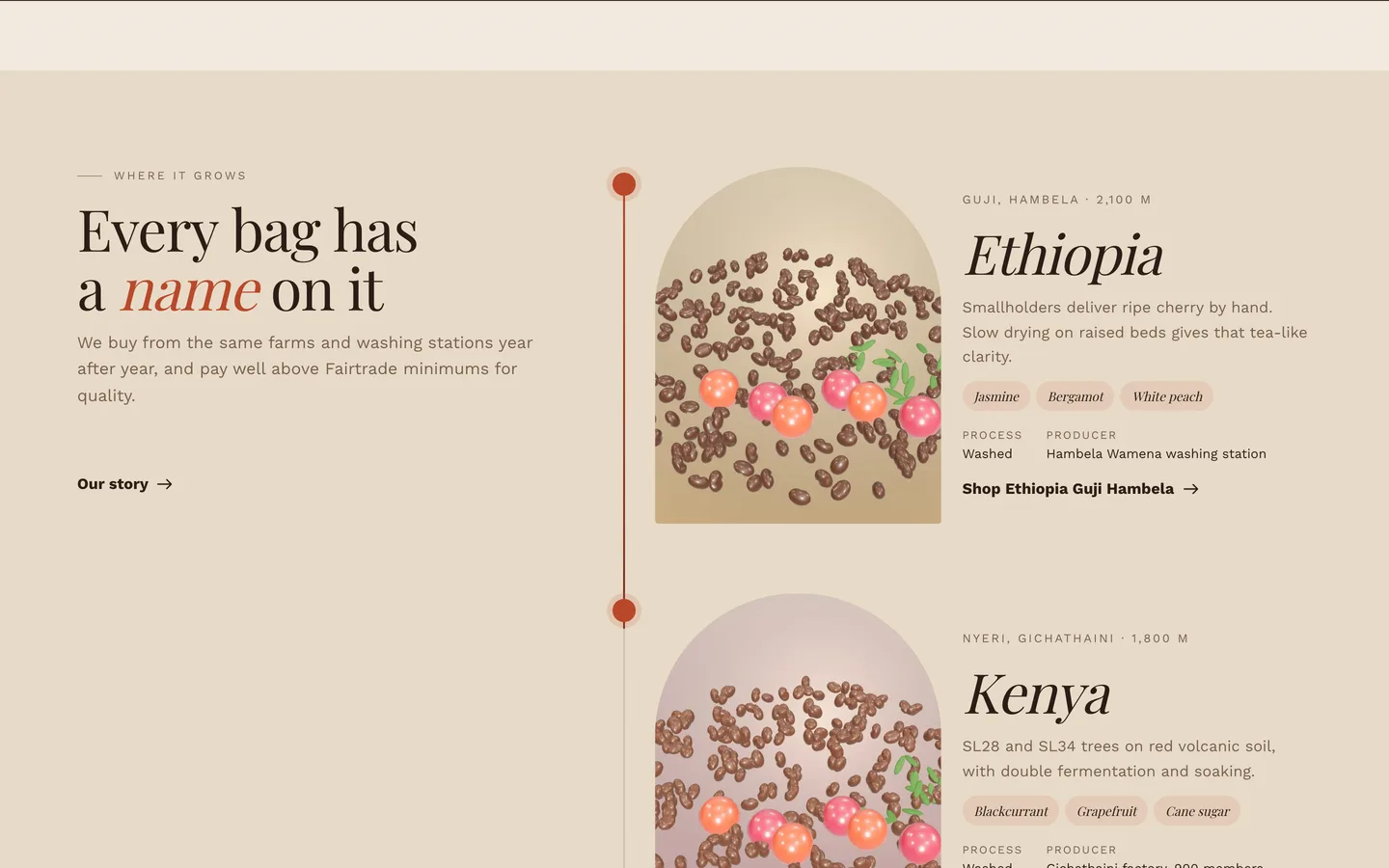
The origin stories section gives each farm or origin a card with an arched image, country, region, altitude, producer, process, tasting notes and a short story, with an optional link to the coffee. A journey line draws itself down the page as the shopper scrolls, and each pin lights up as its card comes into view.
Brew guides with a timer
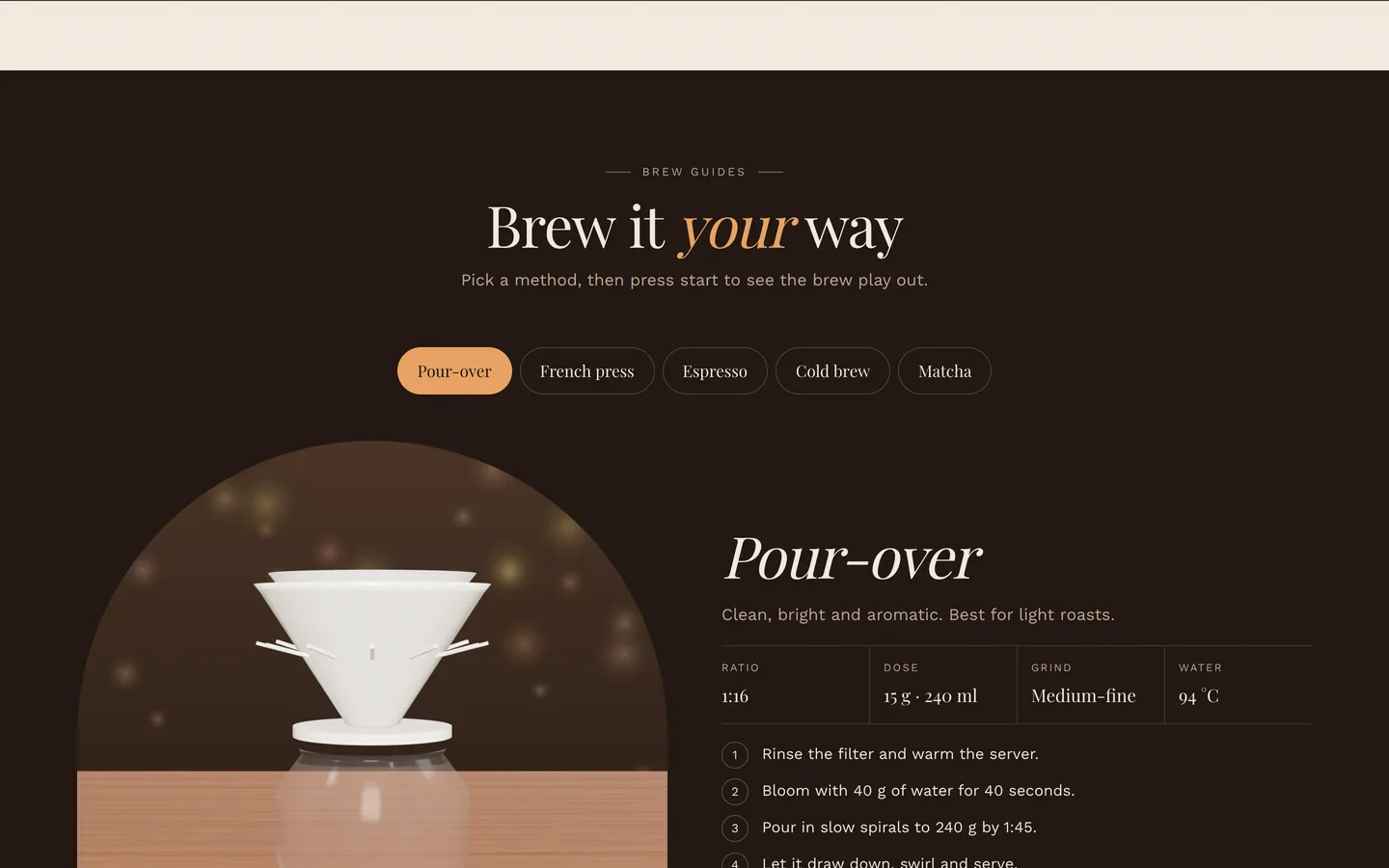
The brew guide turns each method (pour-over, French press, AeroPress, cold brew) into a tab with an image, the ratio, dose, grind and water temperature, up to five steps and a link to a product. Start brew timer fills a ring and highlights each step in turn as a short preview; shoppers who prefer reduced motion get a plain real-time timer without the animation. Set the brew time to zero to hide the timer for methods like cold brew.
Cafés and wholesale
- Cafés: location cards with an address, weekday and weekend hours, phone, a map link and a note. An Open now or Closed now badge is worked out in the visitor's own browser from the hours you enter.
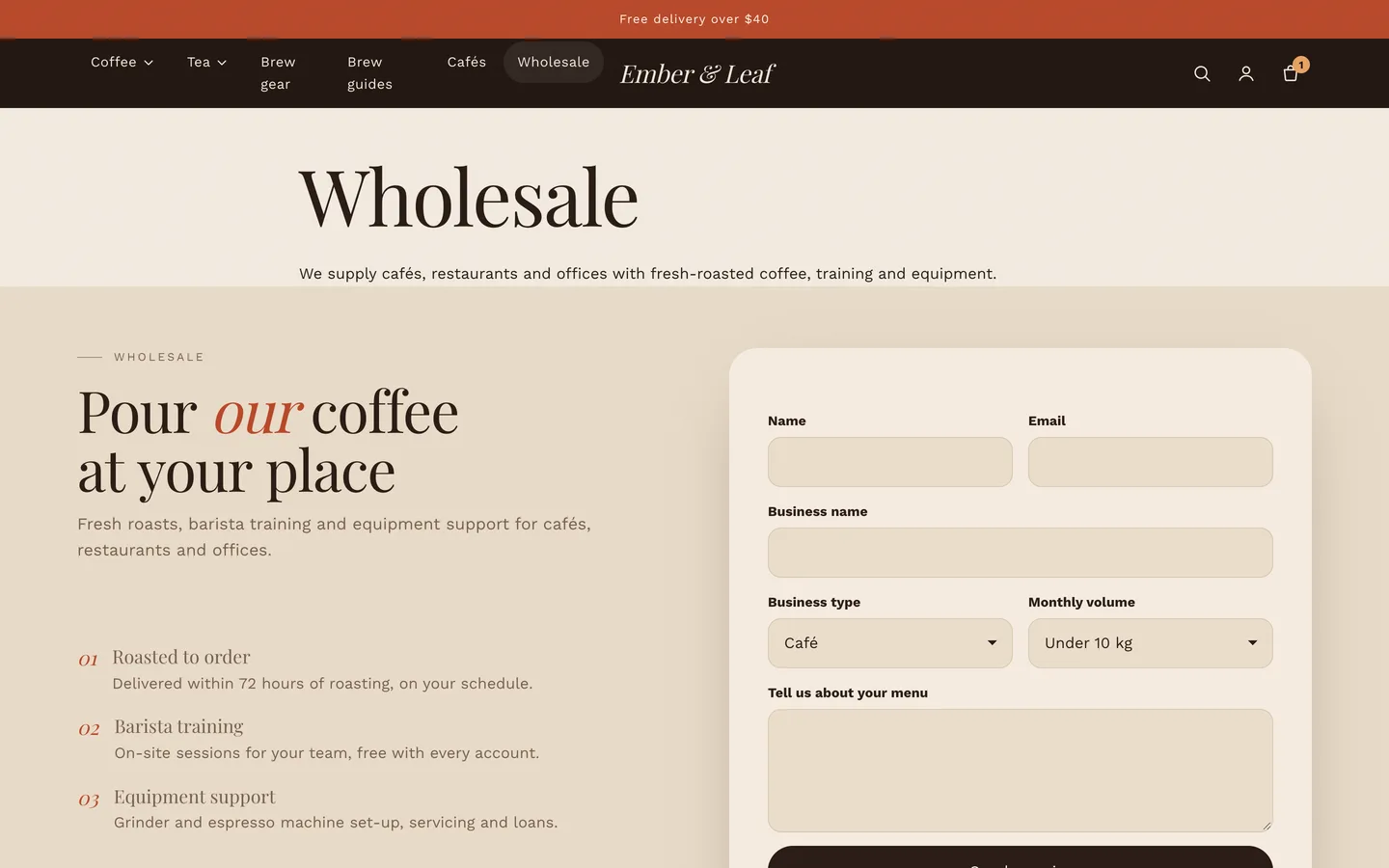
- Wholesale: a Shopify contact form with business name, business type and monthly volume fields and a list of benefits. Enquiries arrive in your store's contact email marked as wholesale.
Ready-made page templates cover About, FAQ, Contact (form and cafés), Wholesale and Cafés.
A warm look, slow motion and one small 3D cup
Roastery's single 3D object is a glazed cup and saucer with latte art and soft rising steam, in the hero. You can change the glaze and clay colours, or paste in your own model. It loads only when it nears the screen, pauses offscreen and falls back to a poster without WebGL. The rest of the motion is deliberately slow and soft: long reveals, split serif headlines, beans that pop into the roast meters and a few drifting beans in the hero. Everything follows a single Off, Subtle or Full setting, and visitors who prefer reduced motion get static content.
Install and import the demo
- Go to Online Store → Themes → Add theme → Upload zip file and choose
dev3-roastery-1.0.0.zipfrom the download. Click Customize, then Publish. - Import
Demo-Content/products.csvunder Products → Import, add the metafield definitions and images, then create the collections, pages and menus from the demo README. A scripted seed is available from DEV3 support on request.
Roastery passes Shopify Theme Check with 0 errors and 0 warnings, and we tested add to cart, the cart drawer and the checkout handoff on a live development store. The initial JavaScript is about 24 KB gzip.
See it in motion
There is no public live demo, because the demo runs on a password-protected development store. The video tour walks through Ember & Leaf from the hero to a coffee page, the brew guide and checkout.
Roastery is on the DEV3 marketplace. The case study covers the design decisions in more depth.