Roast and flavour metafields
Create these under Settings → Custom data → Products. All are optional; empty fields are hidden.
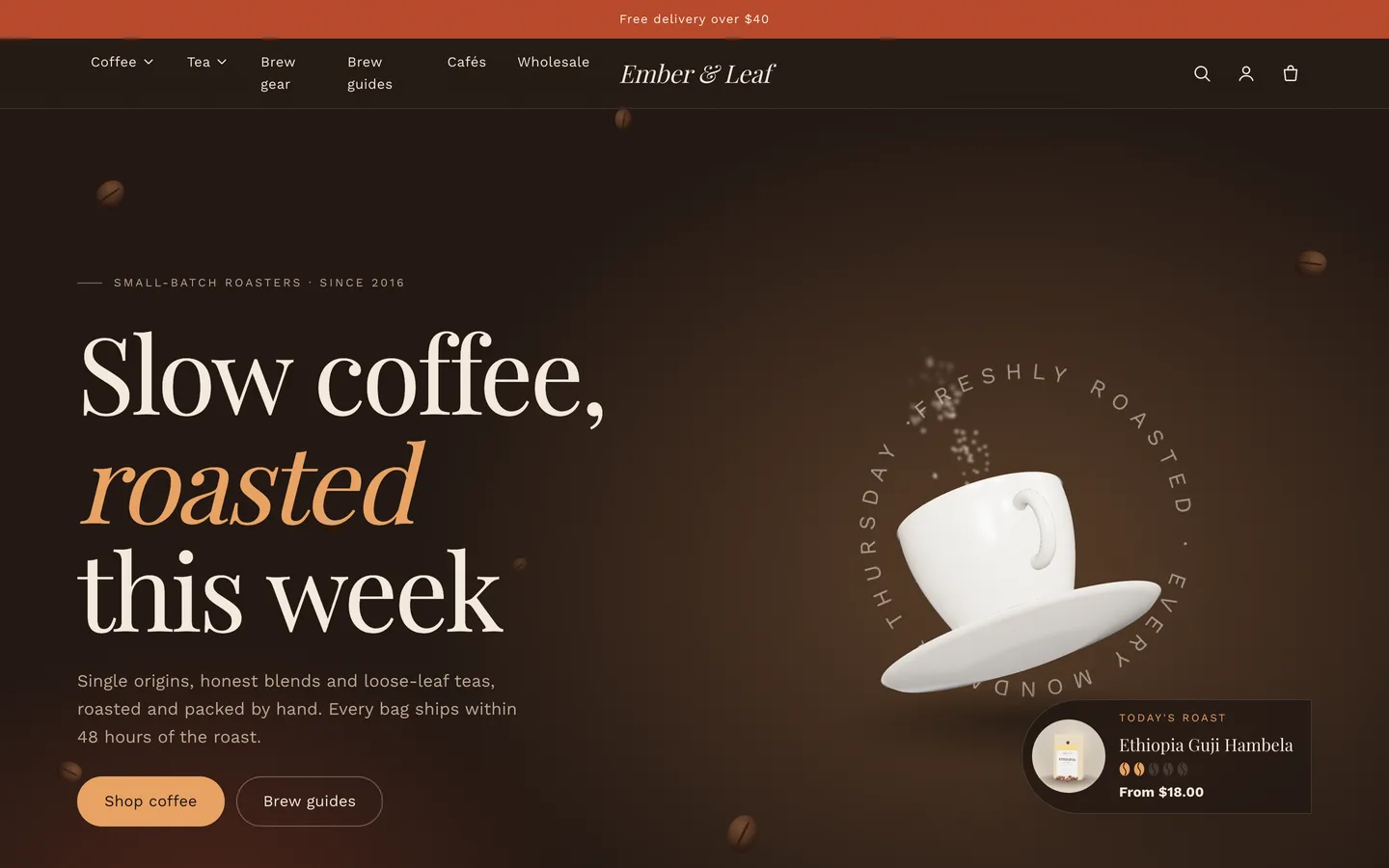
custom.roast_level: integer, 1 (very light) to 5 (dark). The bean meter on cards, the product profile and the hero's "today's roast" card.custom.flavour_notes: list of single-line text. Notes on cards (first 2) and chips on the product page.custom.origin, custom.process, custom.altitude, custom.varietal: single-line text. The facts grid in the coffee profile.custom.brew: single-line text, e.g. Pour-over · 1:16 · 94 °C. The Brew it chip.
Teas use the same fields; leave roast_level empty and the meter disappears.
Product page
- The Roastery product section is the standard product section plus three blocks: Coffee profile, Purchase options and Brew suggestion.
- Sell grind and size as normal variant options (Size: 250 g / 1 kg, Grind: Whole bean / Filter / Espresso). Use Shopify unit pricing to show the price per kg.
Subscriptions (Purchase options)
- Install a subscription app that uses Shopify selling plans (for example the free Shopify Subscriptions app).
- Add your coffees to a plan in that app.
- The Purchase options block now shows One-time purchase or Subscribe & save with a delivery-frequency picker. The chosen plan is sent with the add-to-cart request, and cart lines show the plan name.
Billing, discounts and subscriber management are handled by the app at checkout. If a product has no selling plans, the block shows your fallback text (or nothing if you leave it empty). The theme never fakes a subscription.
Origins, brew guides, cafés and wholesale
- Roastery origin stories: one card per origin with an arch image, country, region, altitude, producer, process, notes, story and an optional product link. The journey line draws itself on scroll.
- Roastery brew guide: each Method block becomes a tab with an image, ratio, dose, grind, water temperature, up to 5 steps and a product link. Set the brew time to 0 to hide the timer.
- Roastery cafés: cards with address, weekday and weekend hours (24-hour
HH:MM), phone, map link and note. Open now / Closed now is worked out in the visitor's browser.
- Roastery wholesale form: business name, type and monthly volume (comma-separated lists you can edit) and a benefits list. Enquiries arrive in your store's contact email.
- Page templates: assign page.about, page.faq, page.contact, page.wholesale or page.cafes under Online Store → Pages → Theme template.
The 3D cup
- The Roastery hero shows the procedural cup and saucer with latte art and steam. Set Glaze colour, Clay colour and options such as
{"tilt":0.34,"steam":true}. Steam shows best on dark schemes.
- Paste a
.glb link into GLB file URL to use your own model. Without WebGL, the poster image shows.
Motion
Roastery uses slow, soft reveals, split serif headlines and drifting beans. Change the animation level (Off, Subtle or Full), reveal style, duration and stagger under Theme settings → Motion. Reduced motion is always respected.