Most car launch pages are a video with a headline on top. It looks expensive, but it is heavy to download, it cannot show the colour a visitor actually wants, and on a phone the car ends up cropped at the edge of a portrait screen. A real-time car fixes all three, but only if it holds up: glossy paint needs believable reflections, camera moves have to stay smooth while the page scrolls, and the configurator has to feel like part of the story rather than a widget bolted on at the end.
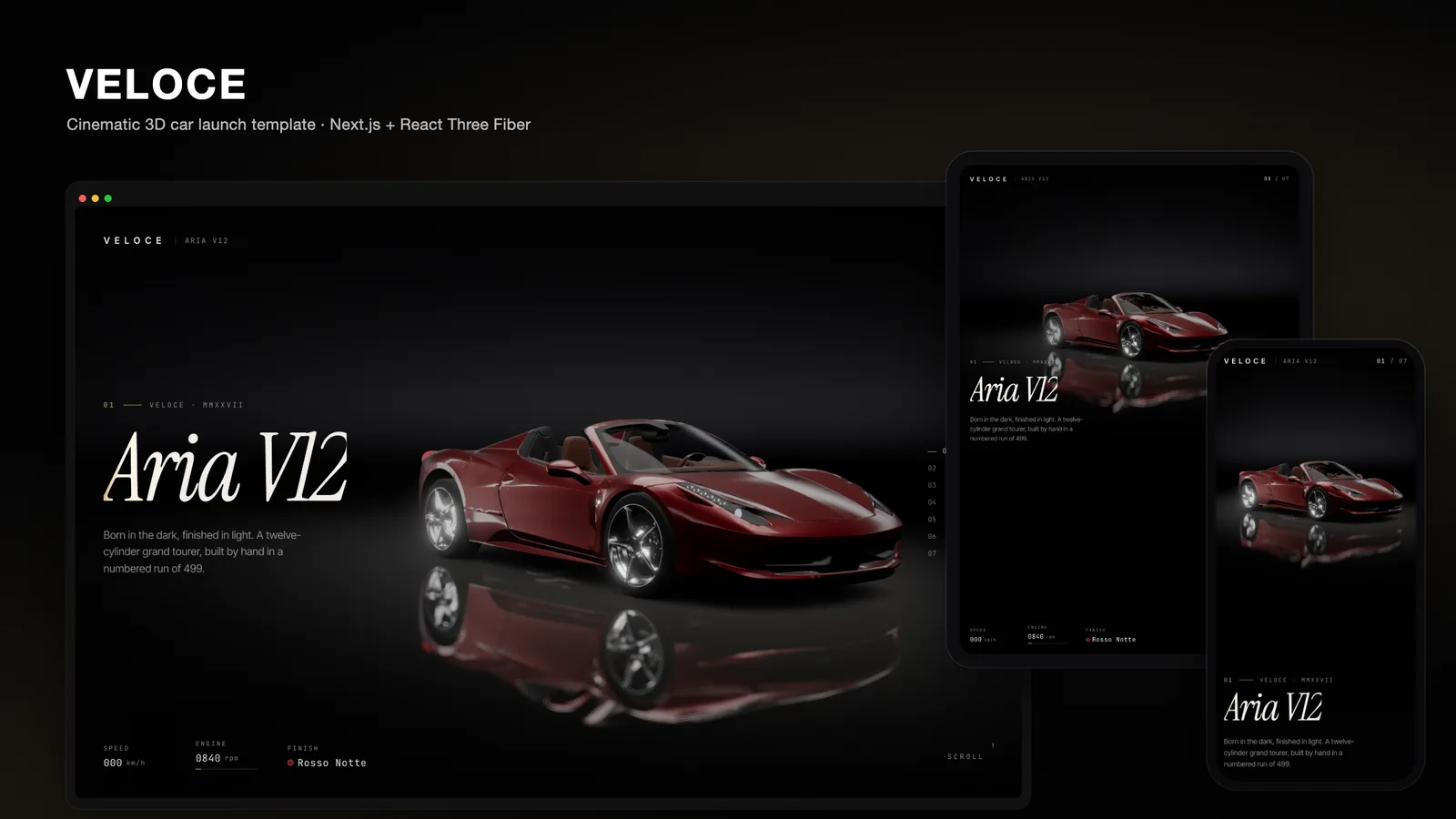
VELOCE is our attempt at a 3D car website template that gets those details right. It is a Next.js 16 project built with React Three Fiber, three.js, postprocessing and Lenis, and it presents a fictional marque's twelve-cylinder grand tourer, the Aria V12, as a seven-chapter film. This post walks through how it works and how you can make it yours.
One car, seven shots
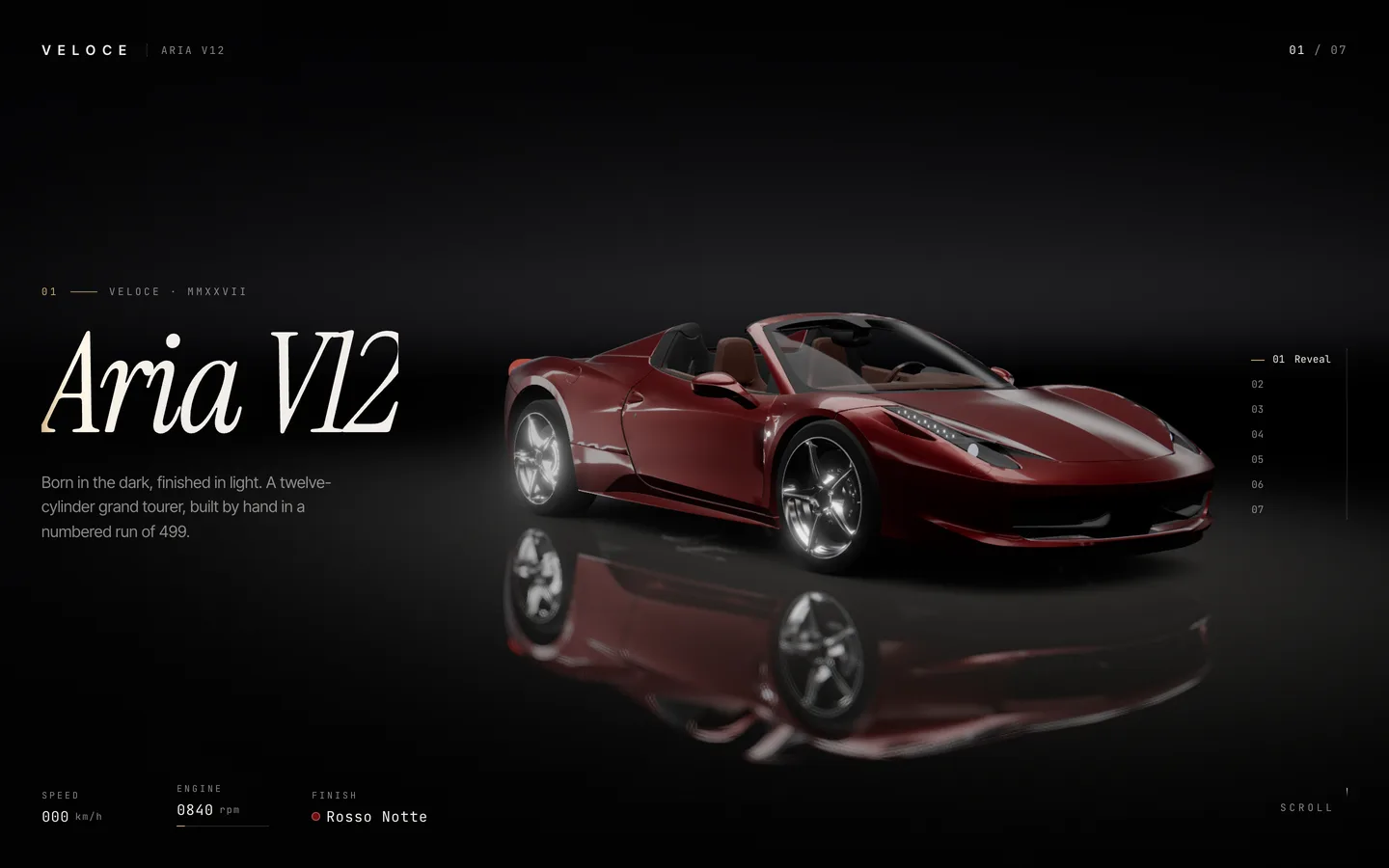
The page is one fixed WebGL canvas with seven screens of scroll space behind it. Each screen is a chapter, and each chapter is a shot of the same car:
- Reveal. The car emerges from black as the environment light rises, a soft panel light sweeps the flank and the lamps flicker on.
- Silhouette. A long-lens side profile in near darkness, with a strip light tracing the roofline from nose to tail.
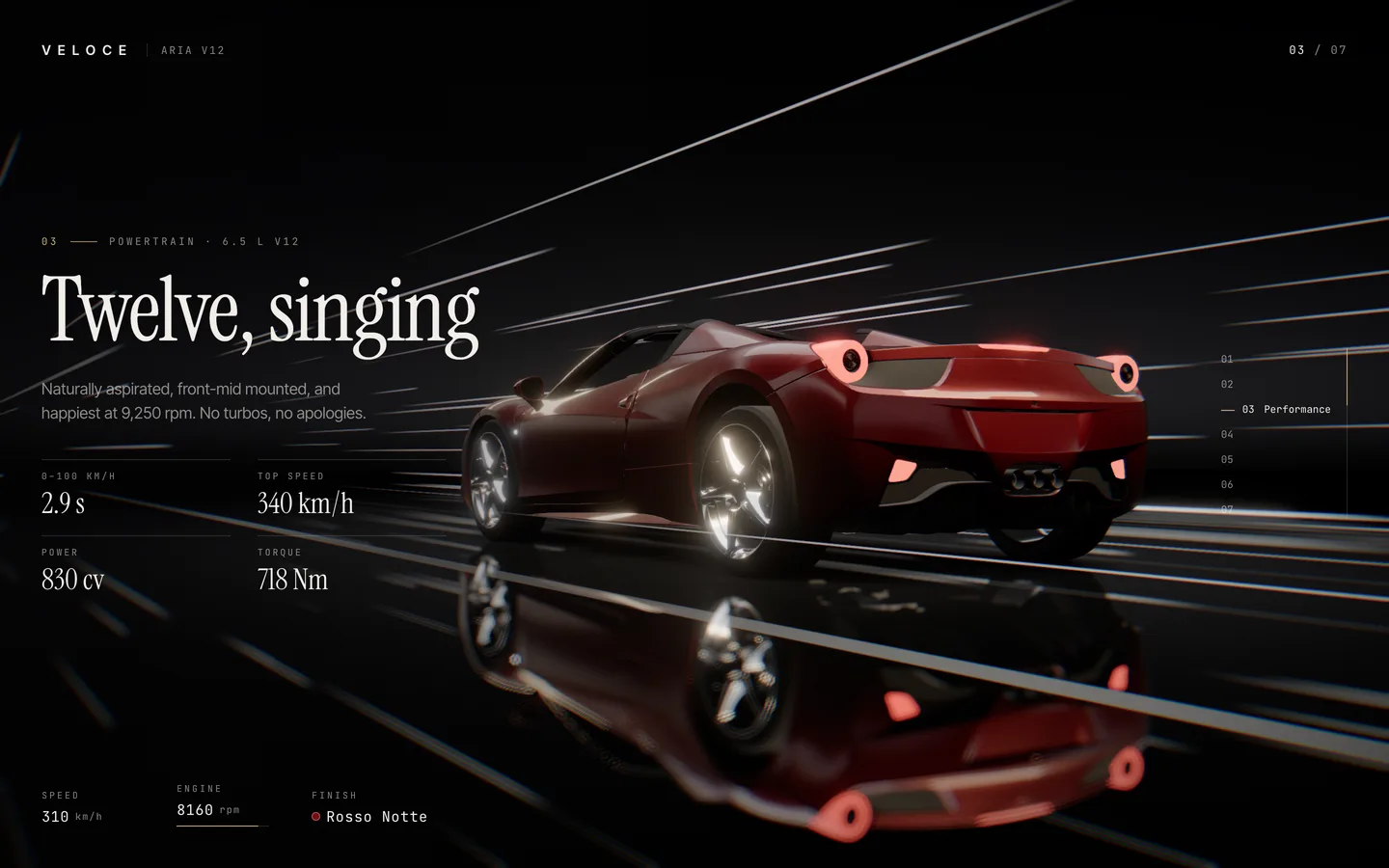
- Performance. The car "drives". Wheels spin, lane markings smear under the floor, light streaks rush past and the HUD speedo climbs.
- Details. A close-up on the forged wheel and brake.
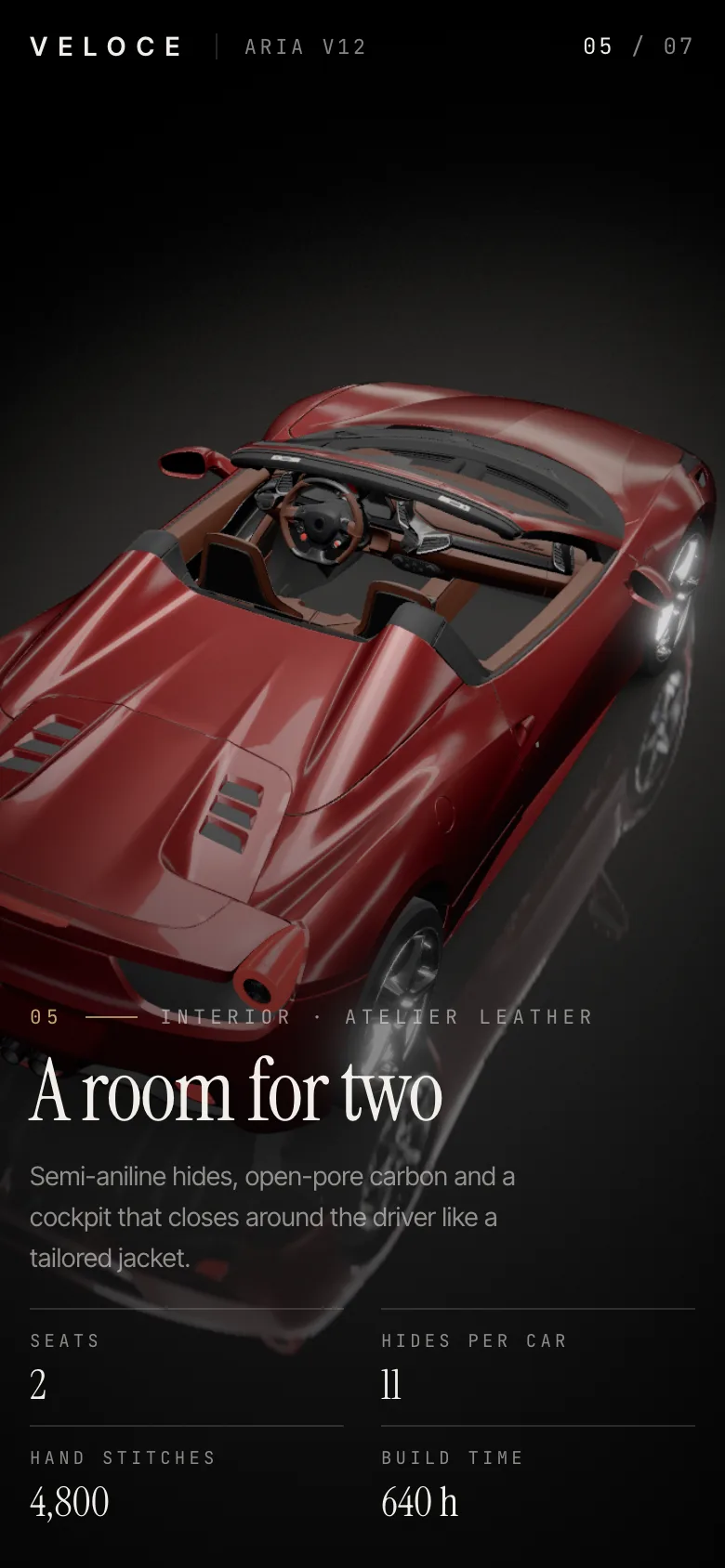
- Cabin. An overhead look into the two-seat cockpit.
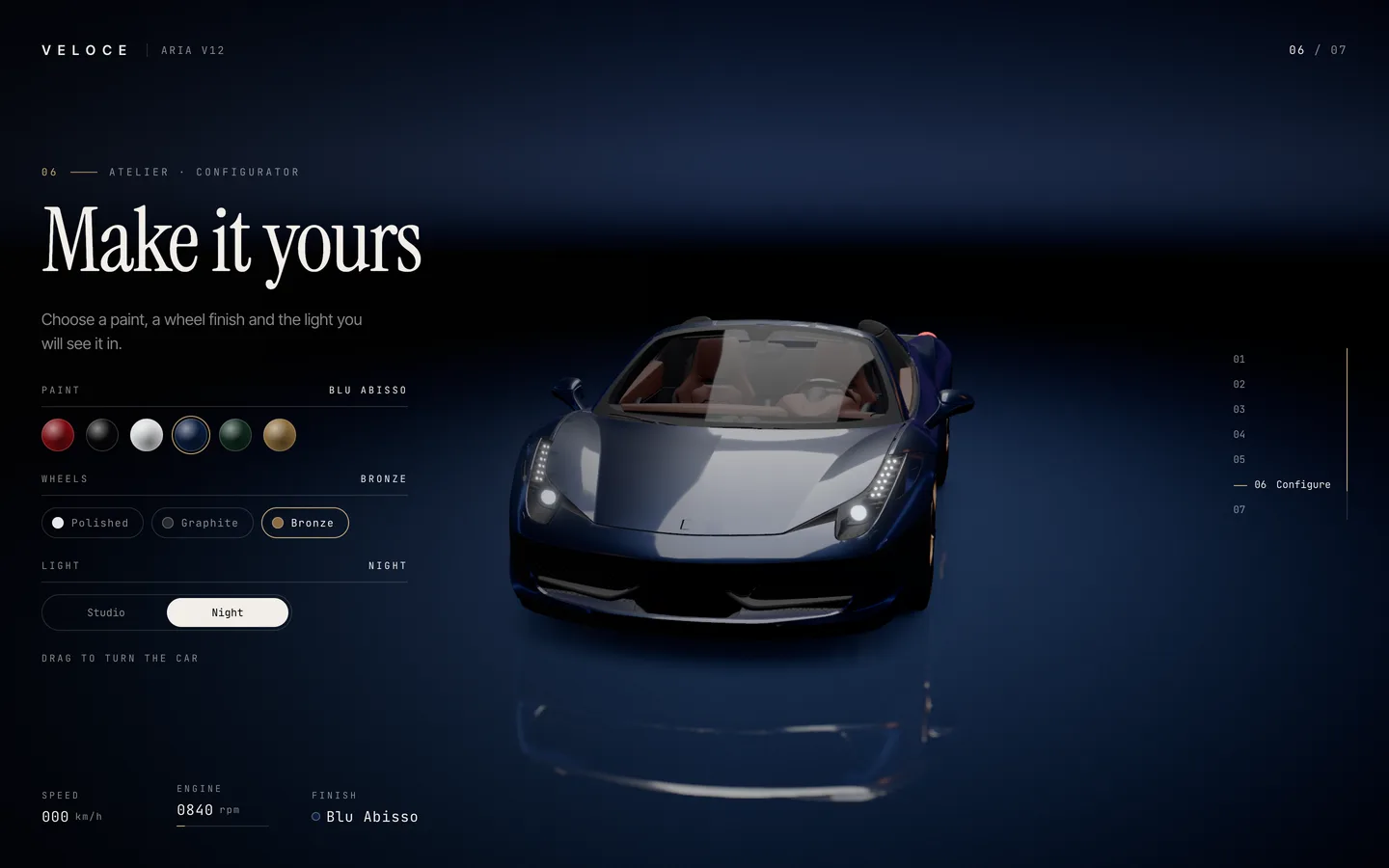
- Configure. A live configurator for paint, wheels and lighting.
- Reserve. A head-on hero shot with the call to action and the credits.
When the visitor stops scrolling, the page glides to the nearest chapter, so every screenshot a visitor takes (and every frame they pause on) is a composed shot rather than a half-way state.
A single file directs the film
Everything that makes a chapter a chapter lives in lib/content.ts. Each entry has its copy (kicker, title, tagline and up to four stats) and its staging: a camera position, a look-at point, a field of view and a shift value that pushes the car sideways so the copy has room. A matching list of lighting "looks" sets six values per chapter: environment intensity, the side-light sweep, the roofline trace, the driving effects, the lamps and the floor light pool.
The scene interpolates between neighbouring looks as you scroll, so lighting changes arrive with the camera instead of snapping. To re-stage the film you edit numbers in one file, not shader code.
Camera moves on curves, not keyframes
CameraRig.tsx turns the chapter stops into two centripetal Catmull-Rom curves, one for the camera position and one for the point it looks at. Scroll progress picks a point on each curve, with a smootherstep ease per leg, so the camera slows into every shot and leaves it gently.
Portrait screens get their own stops. When the viewport is taller than it is wide, the rig backs the camera away from the subject (a little more for the cabin and wheel close-ups), widens the lens, and aims below the car so it sits in the upper half of the screen above the copy. A phone gets the same seven shots, framed for a phone.
Making a parked car drive
The performance chapter is the one people remember, and nothing in it actually moves the car. Instead, a shared value called travel (metres of virtual road) increases while the chapter is active. A road shader on a plane over the mirror floor draws dashed lane markings whose blur widens with speed; streak lines and two overhead tunnel lights are positioned from the same value; the wheels spin at a matching rate. Because they all read one number, they stay in sync whatever the frame rate.
On top of that, the post-processing stack does a lot of quiet work. Bloom catches the lamps and the streaks. Chromatic aberration is tied to scroll velocity and driving speed, so a fast flick or the drive chapter splits the colour channels slightly, then it settles back to almost nothing. AgX tone mapping keeps the deep red from clipping, and fine noise and a vignette give the frame its film look.
Paint that behaves like paint
The body uses three.js's MeshPhysicalMaterial with a full clear coat, which is what makes the reflections sit on top of the colour like real lacquer. VELOCE extends it with onBeforeCompile rather than writing a new material. The vertex shader passes each fragment's position along the car's length; the fragment shader mixes an old and a new colour across a moving edge, and adds a narrow bright band at the edge.
The result is that picking a new paint does not swap the colour. A fresh coat wipes from nose to tail in about 1.7 seconds with a warm sheen line riding the boundary. Change your mind halfway and the wipe starts again from whatever is showing. Wheel finishes cross-fade, and the Studio/Night switch swaps the environment map and turns the lamps on.
Studio light without HDR files
Reflections are only as good as what they reflect. Rather than download a large HDR image, the stage builds two small scenes of glowing panels in code (a studio set and a night set) and bakes each into an environment map with PMREMGenerator when the page loads. A rect-area light rig provides the sweeps and the roofline trace, and the floor is a planar Reflector with a custom shader: a nine-tap blur that widens away from the car, so the floor reads polished up close and satin further out, fading into black.
Smooth from the first scroll
Two things usually make 3D landing pages stutter: React re-rendering on scroll, and shaders compiling the first time something appears. VELOCE avoids both.
Scroll progress, velocity, pointer position and driving speed live in a plain mutable object in lib/journey.ts. The scene reads it inside useFrame; the HUD writes its readouts straight to the DOM. React only subscribes, through useSyncExternalStore, to the values that change the layout: the current chapter, whether the loader is finished and the configuration. Scrolling through all seven chapters re-renders React only when the chapter number changes.
For shaders, the loader holds at 99 until the glTF is decoded and compileAsync has compiled every material, then renders one real frame so the reflector and post-processing targets exist. Only then does it hand over to the fly-in and let Lenis start scrolling.
Respecting reduced motion
A cinematic page should still be usable for people who switch motion off. With prefers-reduced-motion, chapter navigation jumps instantly, there is no fly-in, text scramble or parallax, camera shake and chromatic aberration are off, the road is near-static and paint changes are instant. The copy itself is ordinary HTML over the canvas, so it is selectable, translatable and readable by screen readers.
Making it yours
The template is a fictional brand on purpose, so you can rename it without untangling anyone else's identity:
- Copy, stats and shots: edit
lib/content.ts. - Paints and wheels: each paint is a name, a colour, a metalness and a roughness; add or remove entries and the swatches follow.
- Type and colour: three
next/fontfamilies inapp/layout.tsxand a handful of CSS variables, including the champagne accent, inapp/globals.css. - Your own vehicle or product: swap
public/models/car.glbfor a Draco-compressed glTF and map its mesh names to the paint, glass, leather, carbon, lamp and wheel materials inCar.tsx.
The car in the demo is a CC BY 4.0 model from the three.js examples, re-materialed and with its maker's emblems removed in code. The credit appears in the final chapter, and you should keep an attribution if you keep the model.
Where it fits
VELOCE works as-is for a car launch, a limited edition, a dealership's flagship model page or a motorsport team. There are no environment variables, databases or API keys: deploy it to Vercel or export it as static files.
You can try the live demo and get the full source on the VELOCE template page, or read the case study for the design decisions behind it.