A product configurator is the moment a luxury product page stops being a brochure. The visitor picks a metal, picks a dial, and sees their watch. Most configurators on the web still fake that moment with a grid of pre-rendered photos, because real-time 3D has a reputation for heavy model files, plastic-looking metal and a visible stutter every time a swatch is clicked. MERIDIAN is our attempt to show that a 3D product configurator in Next.js can feel as considered as the product it sells.
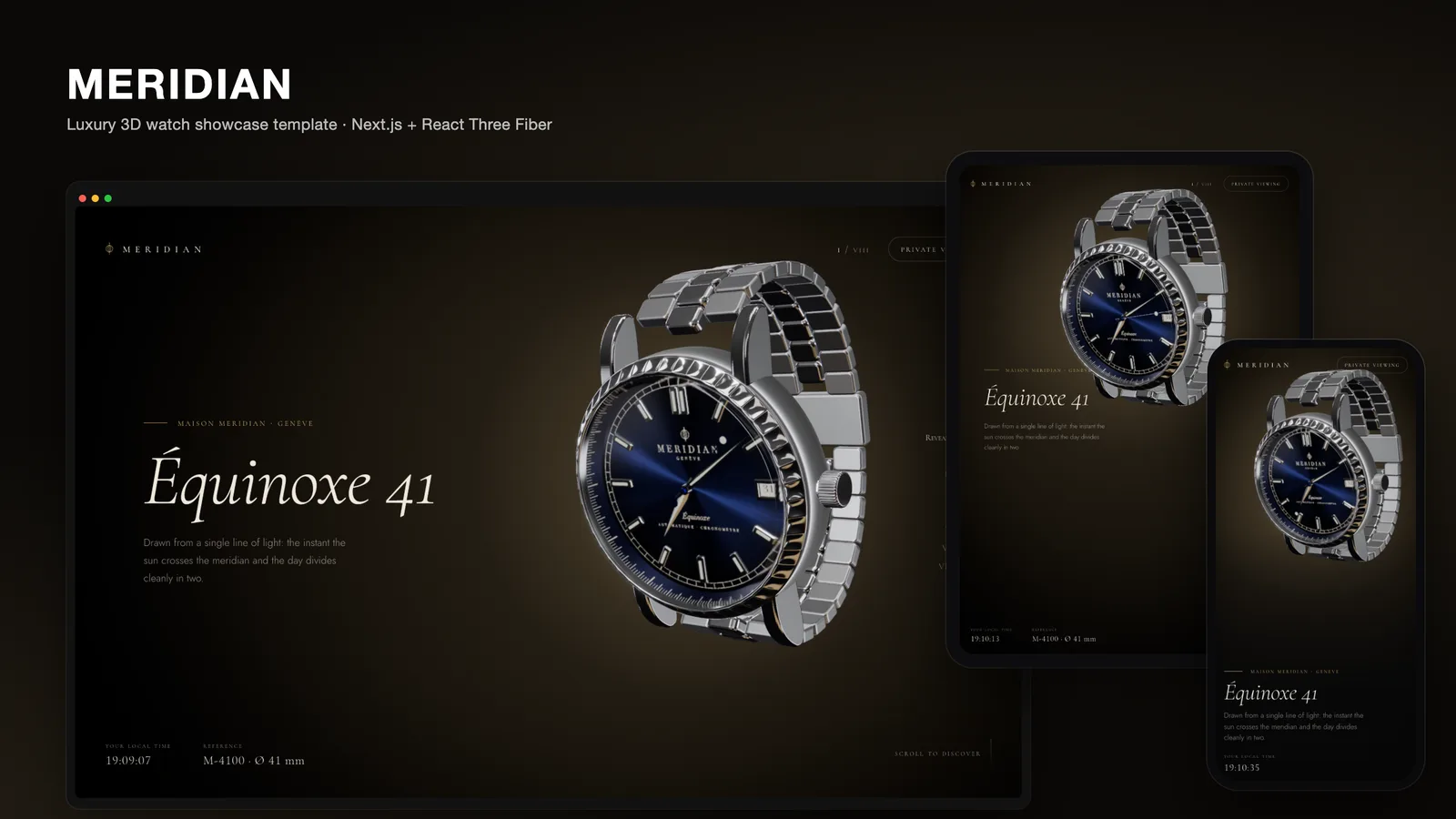
MERIDIAN is a Next.js 16 template for a fictional watch maison. One watch, the Équinoxe 41, is rendered live with React Three Fiber while the visitor scrolls through eight chapters, and the story ends in a configurator with three case metals and four dials. This post covers the decisions that make it work: building the product in code, changing materials without recompiling shaders, keeping scroll out of React, and lighting metal so it reads as metal.
Why a configurator belongs inside a story
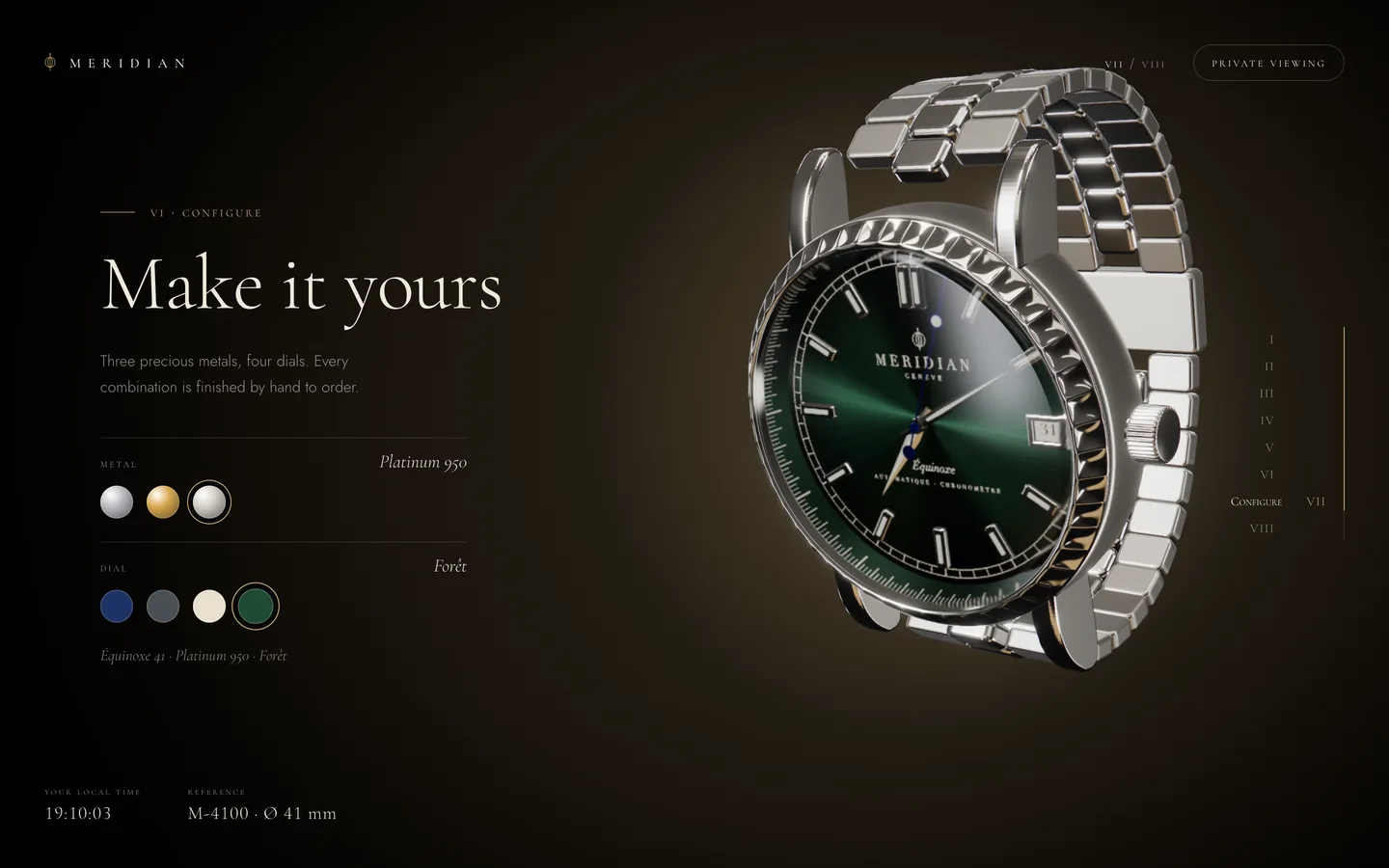
A configurator on its own is a form. A visitor who lands directly on a row of swatches has no reason to care which one they pick. So MERIDIAN earns the configurator first. The page is a scroll story in eight chapters, each a camera stop with its own pose for the watch:
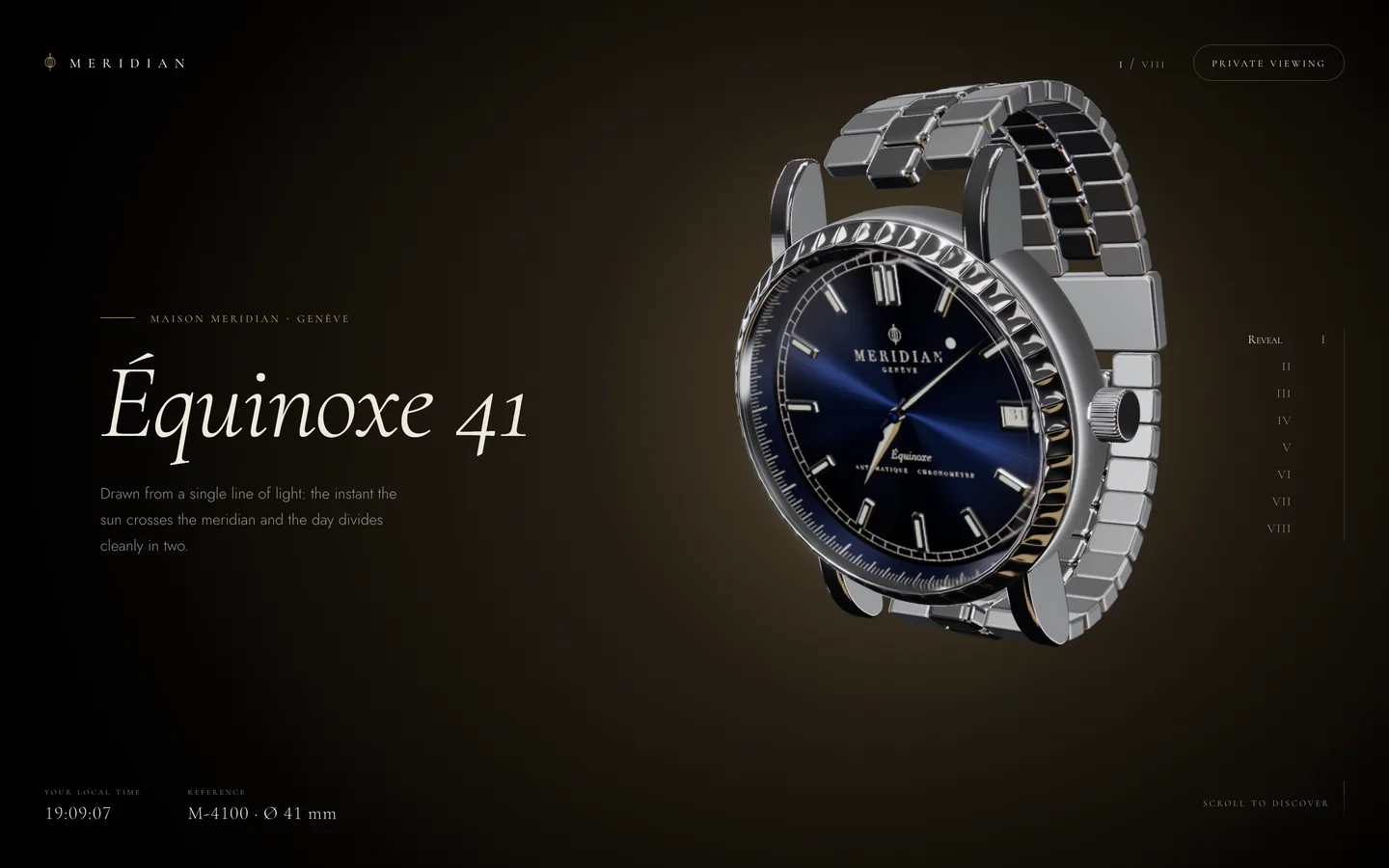
- Reveal – the studio light swings round from behind and the watch settles at a three-quarter angle.
- The Case – a macro across the 48-flute bezel and knurled crown.
- The Dial – a frontal view whose hands show the visitor's real local time.
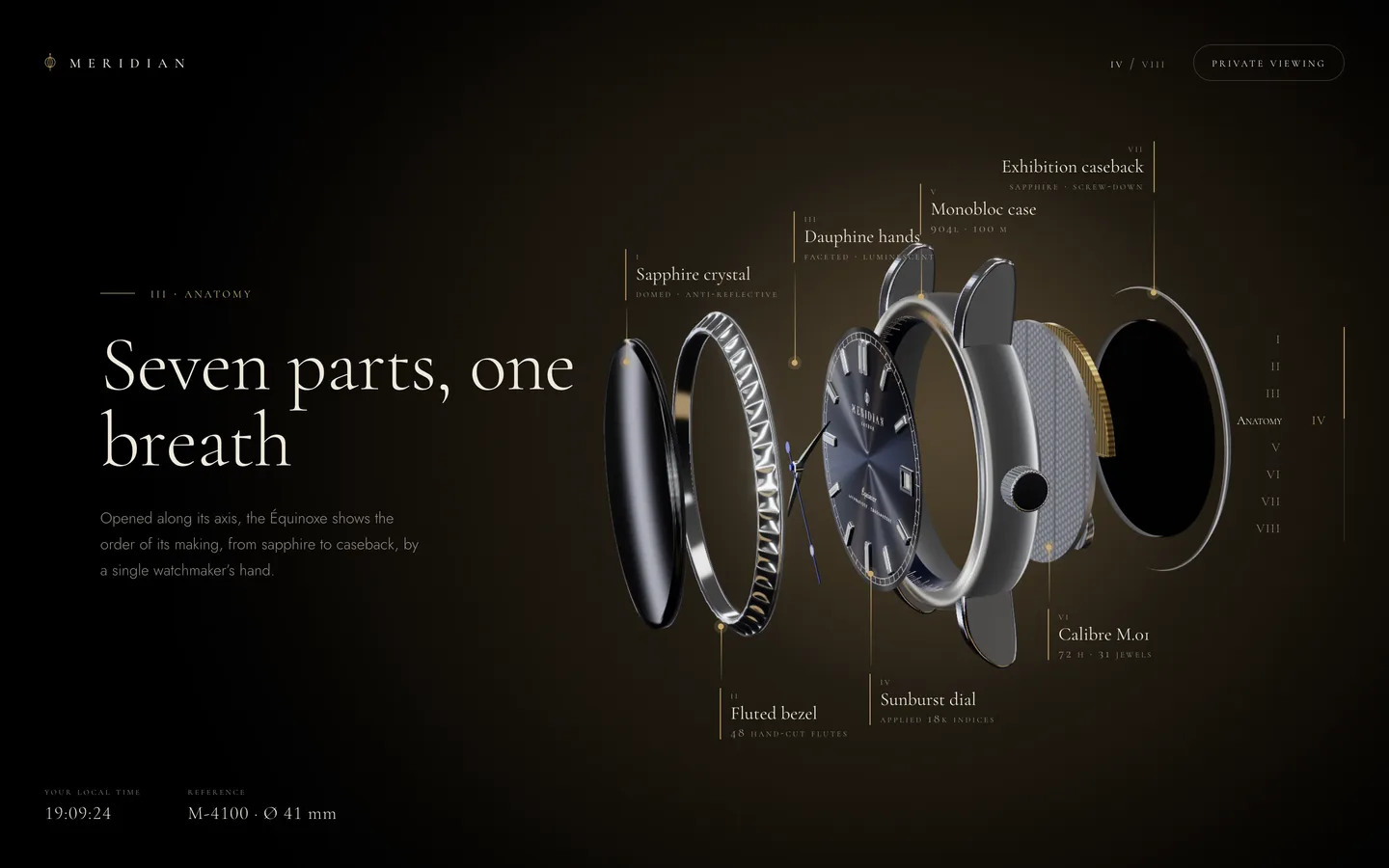
- Anatomy – an exploded view of seven parts with labelled callouts.
- Calibre – the watch turns over to show the movement through a sapphire caseback.
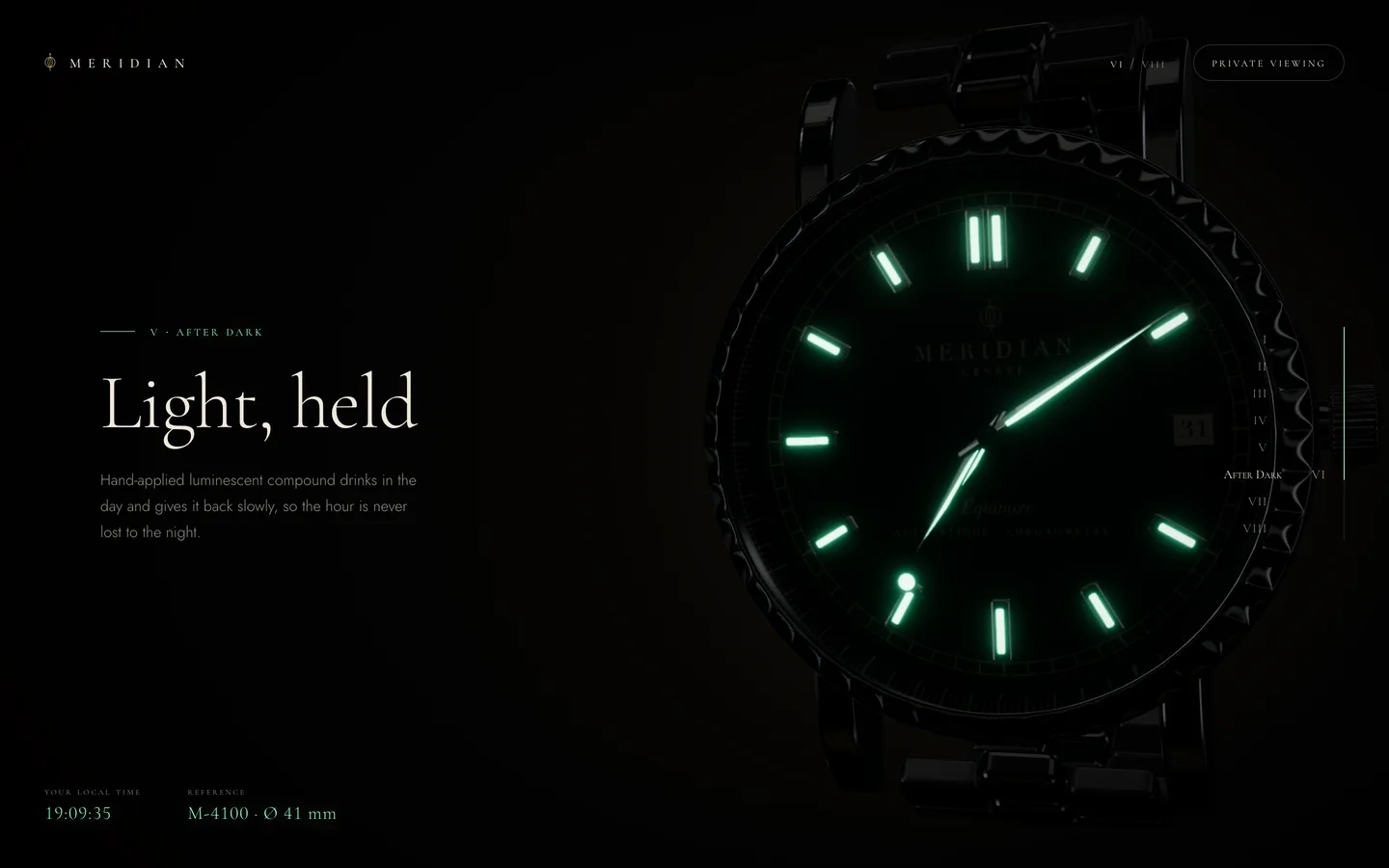
- After Dark – the lights drop and the lume glows.
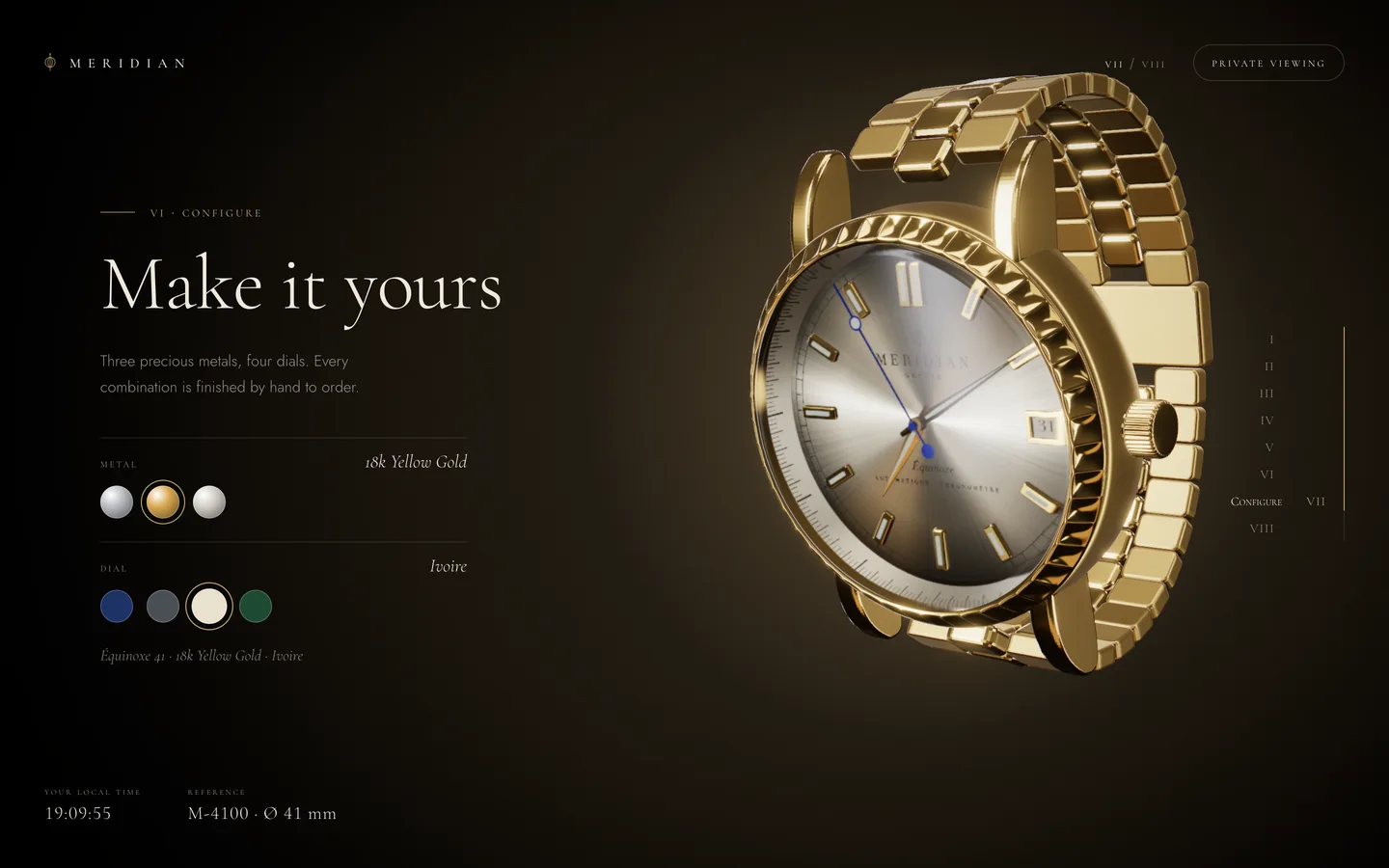
- Configure – metals and dials.
- Viewing – a private-viewing request.
By the time the swatches appear, the visitor has seen the bezel up close, watched the balance wheel beat and seen the dial tell their own time. Choosing a gold case with an ivory dial now means something.
Building the product in code
The first decision was to ship no model files at all. Every part of the watch is generated at load time:
- The case middle is a lathe of a hand-tuned profile, and the bezel's 48 flutes are displaced along the profile normal, so the scallops catch light like a cut bezel rather than a bump map.
- The crown is knurled with 36 ridges, the lugs are chamfered extrusions, and the dauphine hands are faceted and flat-shaded so each half catches light differently.
- The gears of the movement, the bracelet links and the date frame all come from small functions in
lib/geometry.ts. - The dial print, rehaut ticks, date wheel, perlage, Côtes de Genève and caseback engraving are canvas textures drawn in
lib/textures.ts.
This has practical benefits for a template. The download contains no binary assets beyond a favicon, there is no third-party model licence to track, and every dimension is a number you can change.
Changing materials without a stutter
The classic configurator bug is a hitch on the first click of every new option. In three.js, assigning a new material, or changing something that alters a material's shader program, forces a shader compile on the next frame. On a watch with physically based materials, transmission and post-processing, that compile is long enough to see.
MERIDIAN never swaps a material. The whole watch shares one set of MeshPhysicalMaterials, and the configurator only writes the chosen ids into a store. Each frame, the scene eases the existing materials toward the target colour and roughness:
// components/scene/materials.ts (condensed)
export function morphMaterials(m: Mats, dt: number, lume: number) {
  const metal = METALS[journey.config.metal];
  const dial = DIALS[journey.config.dial];
  const k = journey.reducedMotion ? 1 : 1 - Math.exp(-dt * 3.2);

  tmp.metal.set(metal.color);
  m.polished.color.lerp(tmp.metal, k);
  m.brushed.color.lerp(tmp.metal, k);
  m.polished.roughness += (metal.polish - m.polished.roughness) * k;
  m.brushed.roughness += (metal.brush - m.brushed.roughness) * k;

  tmp.dial.set(dial.color);
  m.dial.color.lerp(tmp.dial, k);
  tmp.print.set(dial.print);
  m.print.color.lerp(tmp.print, k);
}
Colour and roughness are uniforms, not shader defines, so this costs nothing beyond a few multiplications per frame. The exponential factor makes the change frame-rate independent, and visitors who prefer reduced motion get an instant switch instead of a fade. The options themselves are plain data in lib/watch.ts: each metal has a colour plus separate polish and brush roughness (gold and platinum are slightly smoother than steel), and each dial has a base colour and a print colour, so the ivory dial flips its printing to near-black automatically.
All shaders are also compiled once, up front, with gl.compile(scene, camera) before the loader releases. Together these mean the first scroll and the first click behave like the hundredth.
Keeping scroll out of React
A scroll story updates every frame, and React re-rendering on every frame is the fastest way to lose smoothness. MERIDIAN keeps scroll in a plain mutable object in lib/journey.ts: progress, velocity, the configurator choice and a table of per-chapter poses. Each pose holds the watch rotation, how far it is exploded, how much lume is showing, whether the bracelet is worn or laid flat, and the studio light intensity. samplePose() eases between neighbouring poses with smootherstep, so the watch lingers at each stop and travels between them.
React only hears about coarse changes, the current chapter, readiness and the configuration, through useSyncExternalStore. The HUD that shows the live local time writes to the DOM directly each frame. Lenis provides the smooth scroll and snap-to-chapter, and keyboard paging with the arrow keys, Page Up/Down and Space moves one chapter at a time.
The camera follows the same idea. CameraRig.tsx has one stop per chapter and two tables: one for wide screens, with the watch beside the copy, and one for portrait screens, with the watch framed above it. That is why the configurator works on a phone without a separate layout for the 3D.
Lighting metal so it reads as metal
Polished metal is almost entirely reflection, so a configurator is only as good as its environment. MERIDIAN builds a photographic studio in code: strip softboxes, an overhead box, rim strips and a warm bounce card, baked once with PMREM into scene.environment. Because reflections depend on the view, highlights sweep across the bezel and links as the camera moves, which is what makes the metal choice legible.
The dial gets special treatment. A sunburst dial is brushed radially, so its highlight should fan out from the centre. The dial material uses an anisotropy map with a per-pixel brush direction, a radial roughness map and a clearcoat, and the sapphire crystal uses transmission with an IOR of 1.77. The post-processing chain adds bloom with an HDR threshold, so only lume and the hottest glints glow, plus ACES tone mapping, a little grain and a vignette. Chromatic aberration is driven by scroll velocity: fast scrolling splits the channels a hair, and it is off entirely for reduced motion.
Small touches that sell the product
A few details exist purely to make the watch feel alive. The hands read the device clock and sweep continuously, and the dial chapter prints the visitor's time zone. In the calibre chapter the balance oscillates at 4 Hz with a breathing hairspring, the escape wheel steps and the gold rotor swings. Reduced motion slows the escapement to 0.5 Hz but keeps the time-telling hands running, because the time is information, not decoration.
The closing chapter opens a "Book a private viewing" dialog that carries the chosen configuration. It confirms locally and sends nothing, which keeps the template honest and gives you one obvious place to connect a CRM, an email service or a checkout.
Adapting it to your product
Although MERIDIAN is a watch, the structure carries over to any premium single product. The content, options and part names live in lib/watch.ts; poses and camera stops are small tables; colours are CSS variables and fonts are set with next/font. Swap the procedural watch for your own GLB model and the configurator pattern stays the same: one set of materials, morphed toward data.
You can try it from the MERIDIAN item page, and the case study covers the design decisions in brief.