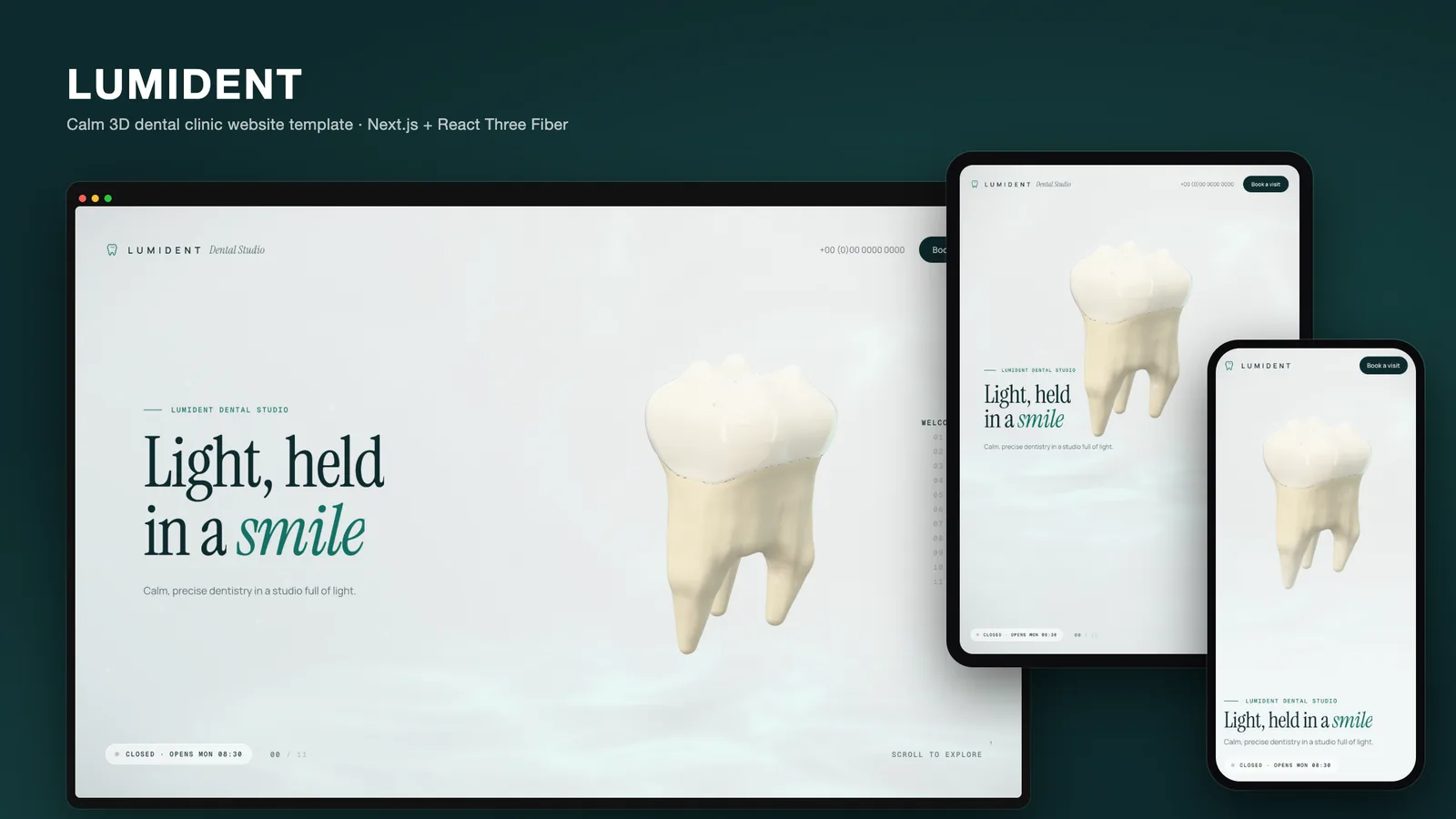
Most dental clinic websites look the same. A hero photo of a smiling patient, a grid of treatment icons, a page of text about implants that few visitors read to the end, and a "Book now" button. The treatments are the most interesting thing a clinic offers, and they are also the hardest to explain in a photo. With LUMIDENT we set out to build a 3D dental clinic website template where each treatment is shown, not described: the implant threads into the jaw, the shade guide steps the tooth from dark to light, the aligner seats and the teeth straighten.
This post covers why the page is a scroll story, why every tooth is generated in code, how the template stays calm on a health website, and how a clinic rebrands it from one file.
Why a scroll story suits a dental clinic
A visitor on a dental site usually has one question: "What would happen to me?" An implant patient wants to know what goes where; someone considering whitening wants to see what "a few shades lighter" means.
A scroll story answers those questions in order. LUMIDENT has twelve chapters, and each one fills the screen:
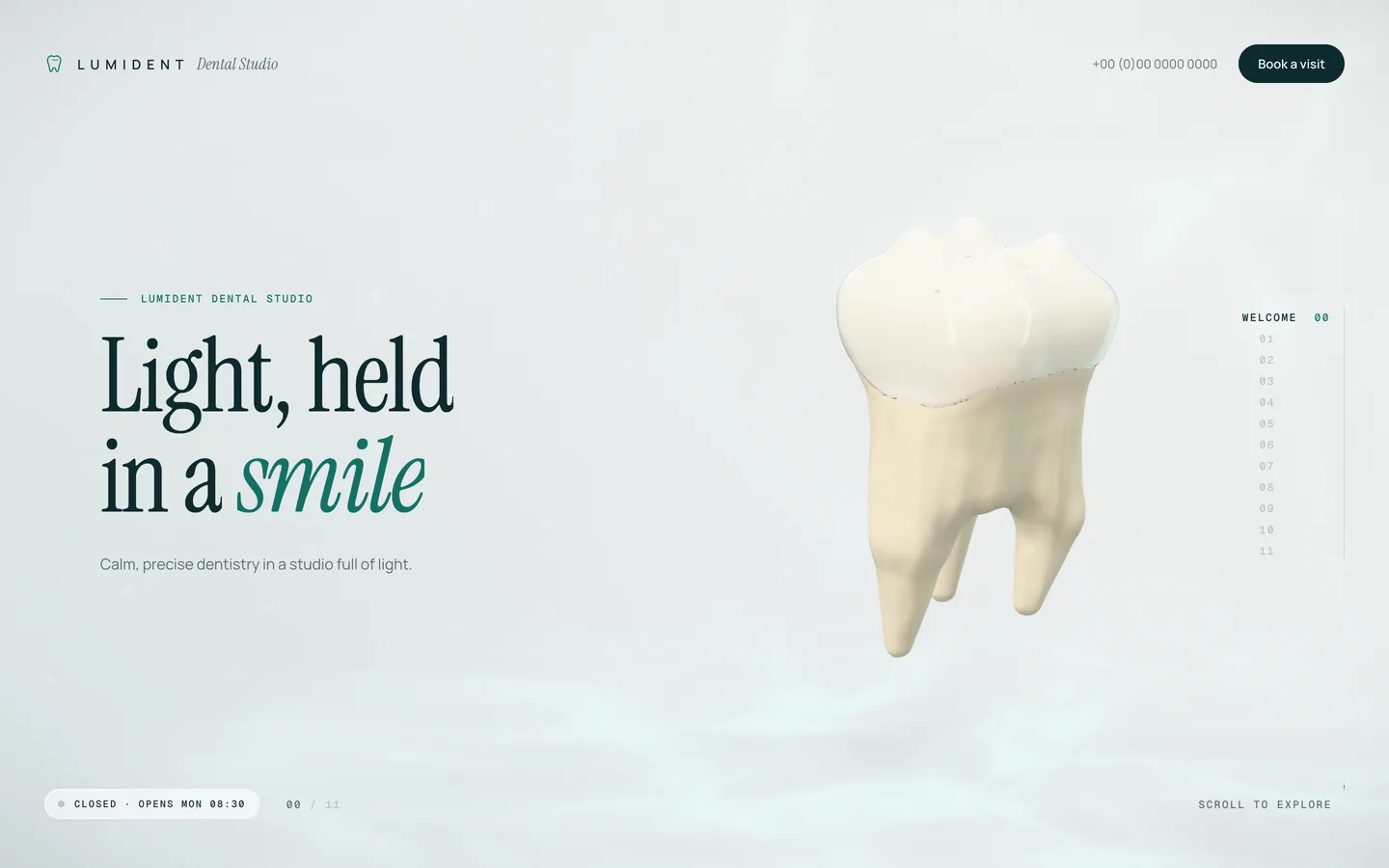
- Welcome – a molar turns slowly in an airy studio with caustic light on the floor.
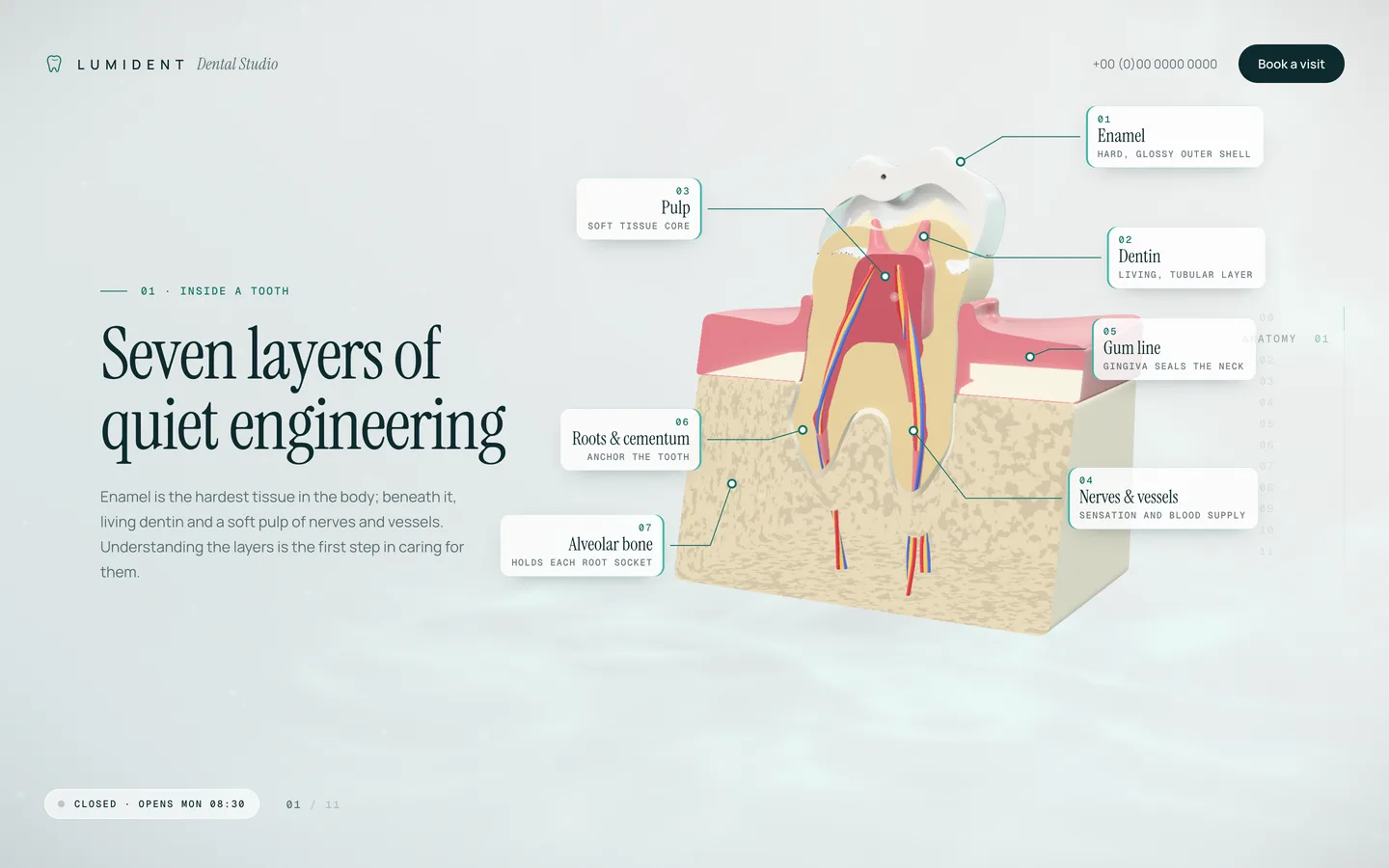
- Anatomy – a section sweeps through the tooth, gum and bone rise around it, and seven labelled callouts name the layers.
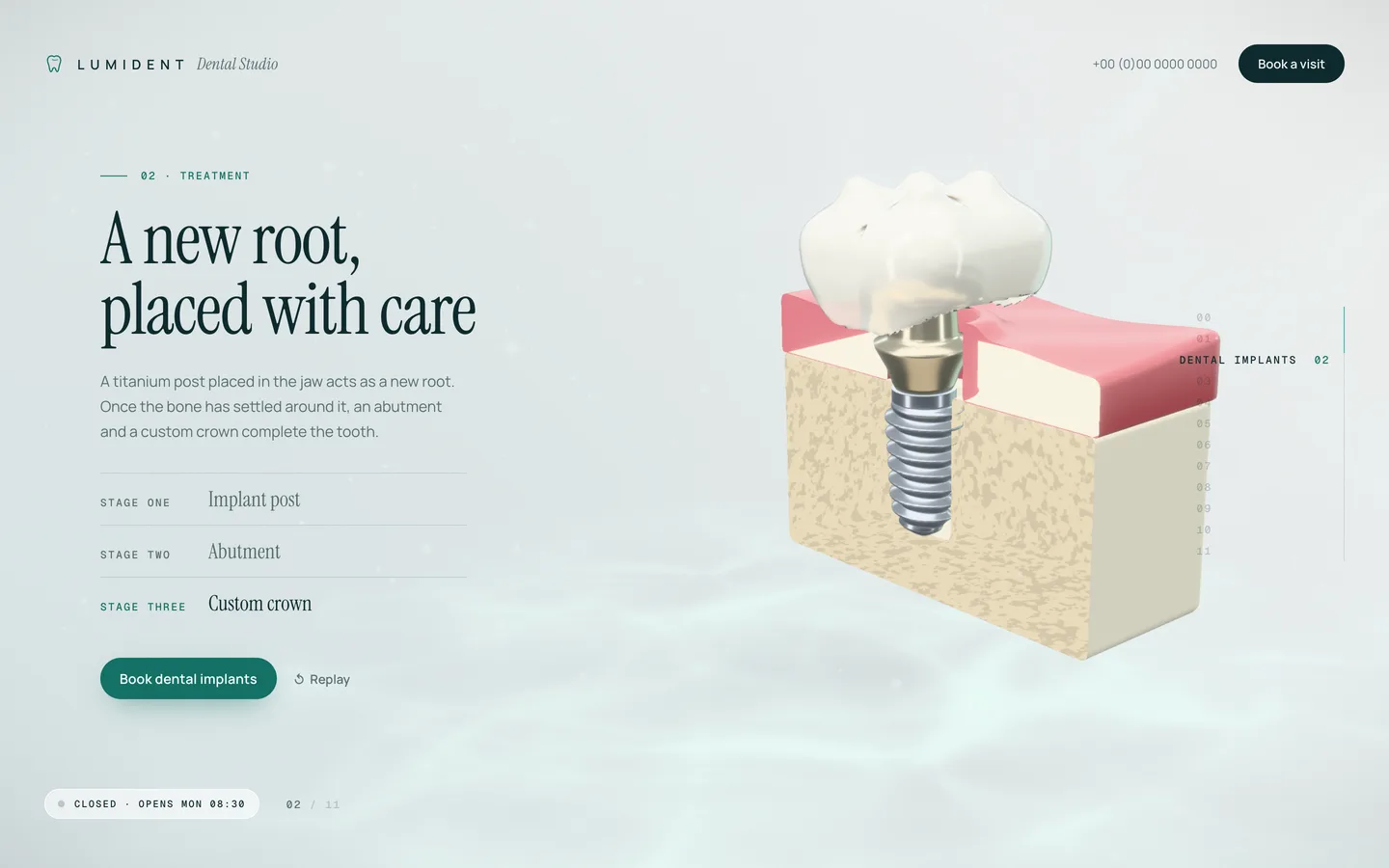
- Implants – a titanium post, an abutment and a crown arrive in three stages.
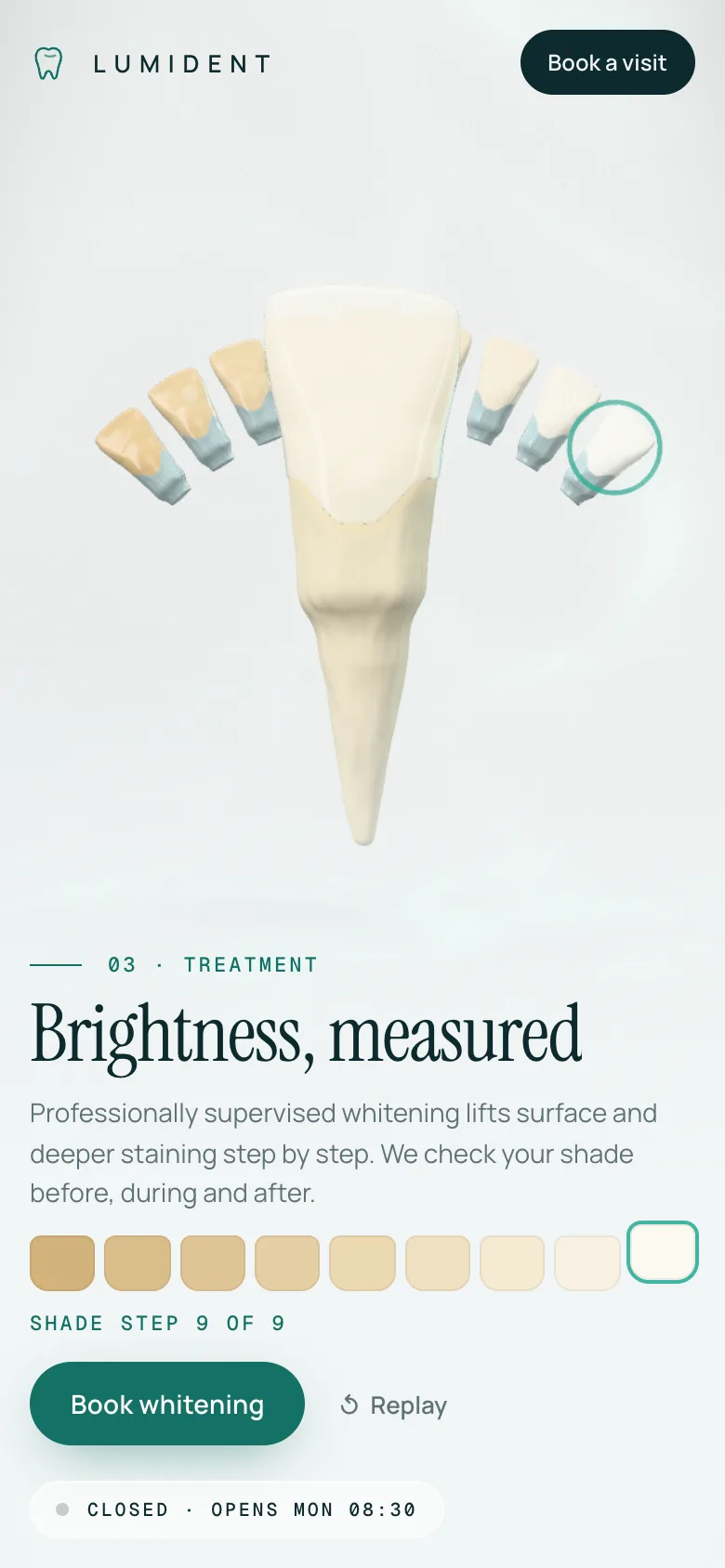
- Whitening – a shade guide fans out behind an incisor and a selector sweeps from dark to light.
- Clear aligners – a tray seats over crowded lower teeth, and the teeth straighten.
- Hygiene – plaque at the gum line and in the fissures lifts off and dissolves.
- Veneers – porcelain shells glide onto the four upper front teeth one by one.
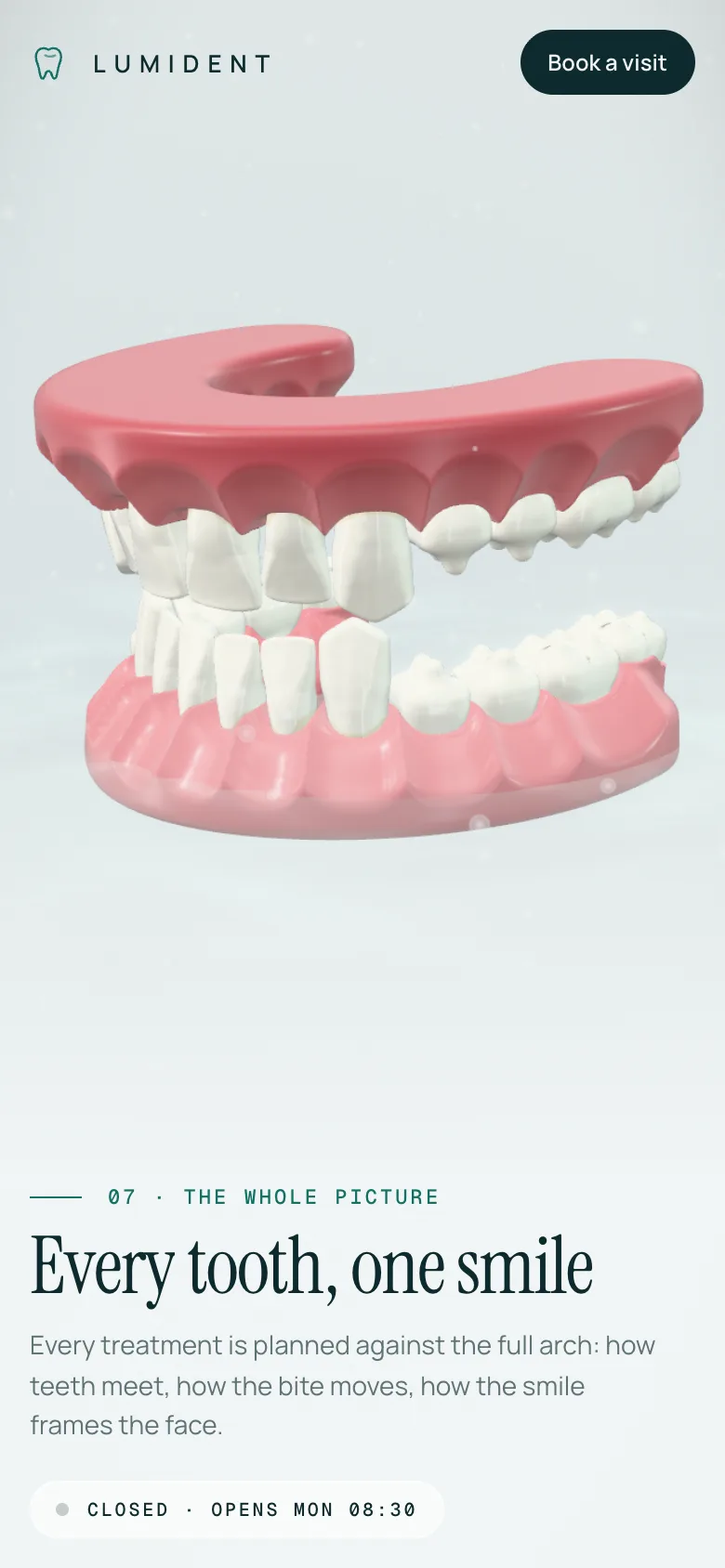
- The smile – both arches, with a slow camera fly-over.
- Technology – an intraoral-scan reveal leaves a point cloud and then a solid model.
- Studio & team, 11. Patient voices and 12. Book – the practical part of the page.
The treatment chapters only start their animation once the chapter has settled on screen, and each has a Replay button. The visitor controls the pace.
Teeth generated in code, not loaded from files
The obvious route is to buy anatomy models and load them as glTF files. We did not, for three reasons. Licensed medical models are expensive and often cannot be redistributed in a template. Detailed scans are heavy, which hurts the first load on a phone. And a fixed mesh cannot be cut, layered and dissolved the way the treatment chapters need.
Instead, every tooth in LUMIDENT is a signed-distance field: a function that returns, for any point in space, how far it is from the surface. The molar has four cusps with triangular and oblique ridges, fissures and three fluted roots. The incisor has a shovel-shaped crown with a lingual fossa, and there is a canine and a premolar for the arches. Separate fields describe the enamel shell, the dentin core, the pulp, the gum block, the bone, the arch gums, the aligner tray and the veneer shells.
A narrow-band marching-cubes mesher turns those fields into triangle meshes in the browser. While it does so, it bakes in the surface normals, a per-vertex ambient-occlusion term and a mask that tells the shader which part of the tooth is crown and which is root. That is 17 mesh jobs, so they run in a small Web Worker pool sized to the device's cores, and the loader shows real progress instead of a spinner.
The result: the template ships with no models, no textures and no image assets for the scene. There is nothing to license, nothing to compress and nothing to replace when you rebrand.
Materials that read as real teeth
A tooth is not a white plastic shape. Enamel is slightly translucent, and the warmer dentin shows through it. LUMIDENT layers a translucent physical enamel material over a dentin core, which gives the crown real depth under the studio lights.
On top of that, one shader patch adds everything the story needs:
- a noise dissolve with a mint glow on the edge, which is how plaque leaves in the hygiene chapter and how pieces enter and leave the scene
- ambient occlusion and fissure staining from the baked mesh data
- the gum gradient and the pores of cancellous bone on cut faces
The anatomy and implant chapters cut the solids open with clipping planes. A cut mesh normally looks hollow, so LUMIDENT draws back-face "caps" to make the sections read as filled, like a textbook cross-section.
Post-processing is light: soft bloom, chromatic aberration that grows only with scroll speed, neutral tone mapping, fine grain and a gentle vignette, so the page feels like a bright studio rather than a sci-fi demo.
Calm motion on a health website
A healthcare page has to stay readable and trustworthy. LUMIDENT keeps the copy in the HTML, on top of a single fixed canvas, so screen readers and search engines get the real text. Lenis gives smooth scrolling and snaps to the nearest chapter, and the camera flies along a centripetal Catmull-Rom path through stops set per chapter, with separate tables for desktop and portrait screens. On a phone the tooth sits above the copy instead of beside it.
Visitors who ask their system for reduced motion get a different page. prefers-reduced-motion turns off smooth scrolling, snap animation, idle spin, drift, autoplay and text animation, and every treatment moment jumps straight to its final state. They still see the implant in place, the whitened tooth and the straightened arch, without the movement.
The treatment text is general and educational, with no outcome claims or prices, and testimonials are badged as sample placeholders.
The practical chapters
The last three chapters do the work a clinic site has to do. Studio & team shows sample team cards next to an opening-hours card with a live "open now" status, calculated in the clinic's own time zone, so a visitor abroad still sees the right answer. Patient voices is a testimonial carousel. Book has the address, phone and email and opens a booking dialog.
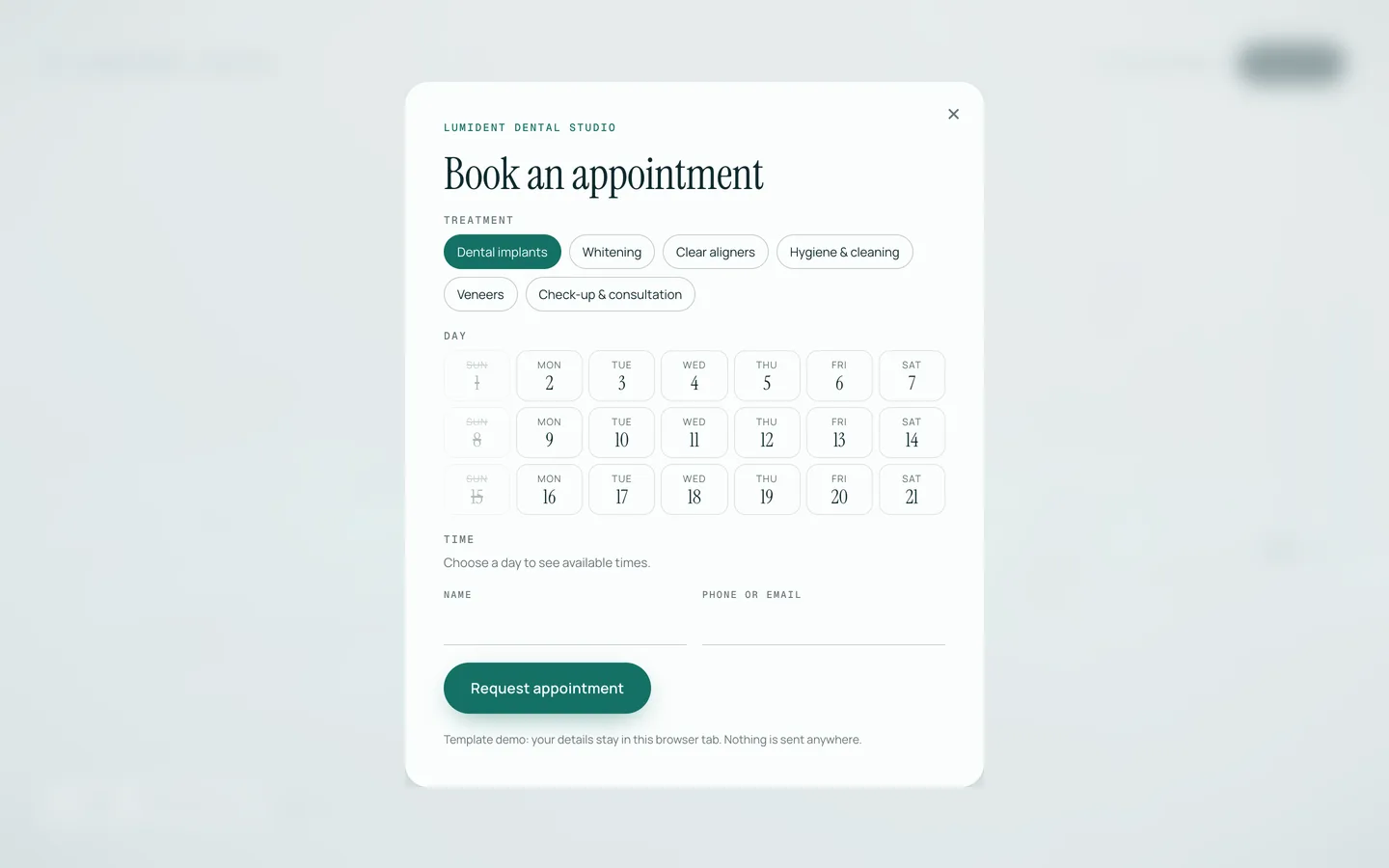
The dialog lets the visitor pick a treatment, a day from a date grid and a time slot, then confirms locally and offers an .ics calendar file. It sends nothing. That is on purpose: every clinic uses a different booking system. To go live you replace one onSubmit handler with a call to your booking system or a server action.
Rebranding from one file
Most clinics will only edit lib/clinic.ts. It holds the name, tagline, phone, email, address and directions; the IANA time zone and opening hours for each weekday; the services with their blurbs and typical visit length; the team; the testimonials; the booking rules (slot length, days shown, lead time); and six colour tokens.
The colour tokens are the clever part. paper, paperDeep, ink, accent, accentDeep, accentSoft and gum are injected as CSS custom properties on the page, and the 3D materials read the same values. Change the accent from mint to a clinic's own blue and the buttons, callout lines, scan beam and dissolve glow all follow, with no shader edits.
Chapter kickers, titles, anatomy labels and the whitening shade ladder live in lib/chapters.ts, and the fonts (Instrument Serif, Manrope and Geist Mono) are set in the layout file.
Watch it in motion
Screenshots only show the end of each moment; the video tour shows the whole story.
Stack and requirements
LUMIDENT is a Next.js 16 App Router project in TypeScript with React 19, React Three Fiber 9, three.js, postprocessing and Lenis. It needs Node.js 20.9 or newer and npm and needs no environment variables, API keys or database. It deploys to Vercel or any Node host, and it can be exported as static files, which is how the live demo is served.
LUMIDENT Dental Studio and all its figures are fictional placeholders. You can try the live demo and download the template from the LUMIDENT item page, and the case study covers the build in more detail.