Web Scripts & Software
DEV3 Add Music to Video & Mute Video — Source Code (React + Tailwind)
from $20$29
Loading…
Design tool
Free, no sign-up. Runs in your browser; nothing is uploaded. Buy the source code: $29 Regular / $69 Extended
Need Add Music to Video & Mute Video as a complete website or app for your brand? We design and build it end to end. Built in about a week, from $99. Send your requirements or SOW; you get a fixed quote and a delivery date.
The add music to video & mute video stays free to use online. If you want the code to run, edit and ship in your own project, get the full source from the DEV3 Marketplace. Instant download, 6 months of support.
Launch the full site, not just the asset. Buy once, own the source, and try each one live first.
Web Scripts & Software
from $20$29
Enterprise SaaS Starters
from $69$99

Web Scripts & Software
from $69$99
Web Scripts & Software
from $20$29
Web Scripts & Software
from $20$29
Web Scripts & Software
from $20$29
Web Scripts & Software
from $20$29
Web Scripts & Software Mobile app
from $69$99
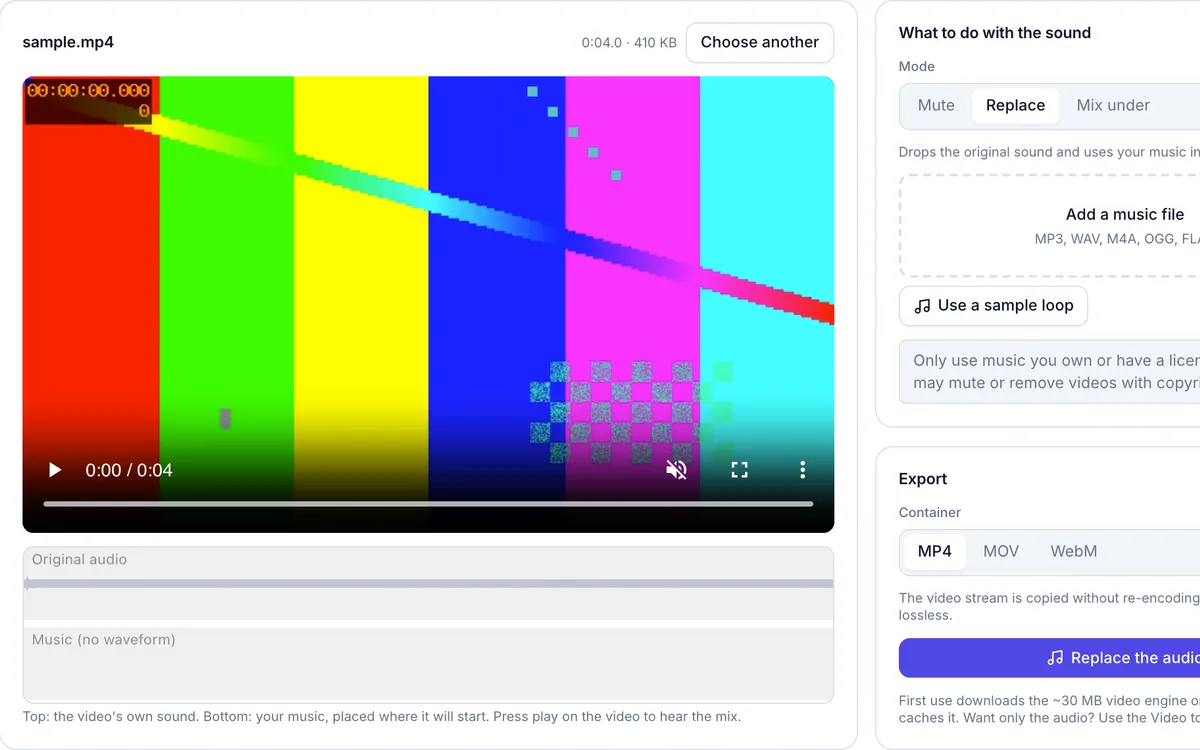
Three common jobs share one tool: taking the sound off a clip, swapping the soundtrack, and laying music under the voice that is already there.
In Mix mode the original track and the song are blended with the volumes you set. A good starting point for talking-head video is original 100 percent and music 20 to 30 percent. For b-roll with ambient sound, try original 35 percent and music 100 percent. Volumes above 100 percent boost the track and can clip, so listen before you share.
When the output container matches the source and you only mute or replace audio, the picture stream is copied bit for bit and only the soundtrack is rebuilt. That is why a long MP4 can finish in seconds. A different container such as WebM needs the picture re-encoded.
Use tracks you made, bought or that are released under a licence that allows video use. Music libraries and royalty free sources usually say so on the download page.
Browsers hold a file in memory while it is processed, so keep sources under about 500 MB. Trim long videos first with the video trimmer.
Add the video, choose Mute and export. All audio tracks are dropped. For MP4 and MOV files the picture is copied without re-encoding, so the result is instant and keeps full quality.
Yes, choose Mix under. Lower the "Original sound" slider if you want the music to dominate, or lower the music volume so it sits under speech. The mix is rendered so both tracks keep the levels you hear in the preview.
A longer song is cut at the end of the video, with an optional fade out so it does not stop abruptly. A shorter song loops when "Loop the music" is on, otherwise the video ends in silence after the song finishes.
The video is only copied when the output container matches the source (for example MP4 to MP4). Choosing WebM for an MP4 source forces a full re-encode, which can take as long as the clip itself.
Only music you own or have a licence for. Instagram, YouTube and TikTok can mute or take down videos that contain copyrighted tracks, and the tool cannot clear rights for you.
No. Your video and music are processed locally with ffmpeg compiled to WebAssembly. The ~30 MB engine is downloaded once from a public CDN and cached by the browser.