Loading…
Everyday tool
Free, no sign-up. Runs in your browser; nothing is uploaded. Buy the source code: $29 Regular / $69 Extended
Need Video Trimmer as a full mobile or web app? We build it in about a week. Built in about a week, from $99. Send your requirements or SOW; you get a fixed quote and a delivery date.
The video trimmer stays free to use online. If you want the code to run, edit and ship in your own project, get the full source from the DEV3 Marketplace. Instant download, 6 months of support.
Get the full app behind this tool. Buy once, own the source, and try each one live first.
Web Scripts & Software Mobile app
from $69$99
Enterprise SaaS Starters
from $69$99
Enterprise SaaS Starters
from $69$99
Web Scripts & Software
from $69$99
Web Scripts & Software Mobile app
from $69$99
Web Scripts & Software Mobile app
from $69$99
Web Scripts & Software Mobile app
from $69$99
This trimmer lets you keep only the part of a clip that matters, such as a highlight, a lesson segment or a short for social media. It runs ffmpeg inside your browser, so your footage stays private and there is no watermark or length limit imposed by a server.
Use the fast cut when you only need roughly the right section, for example removing the intro and the end of a recording. Use re-encode when the first frame must be exact, when the source container is unusual, or when you want a universally playable MP4.
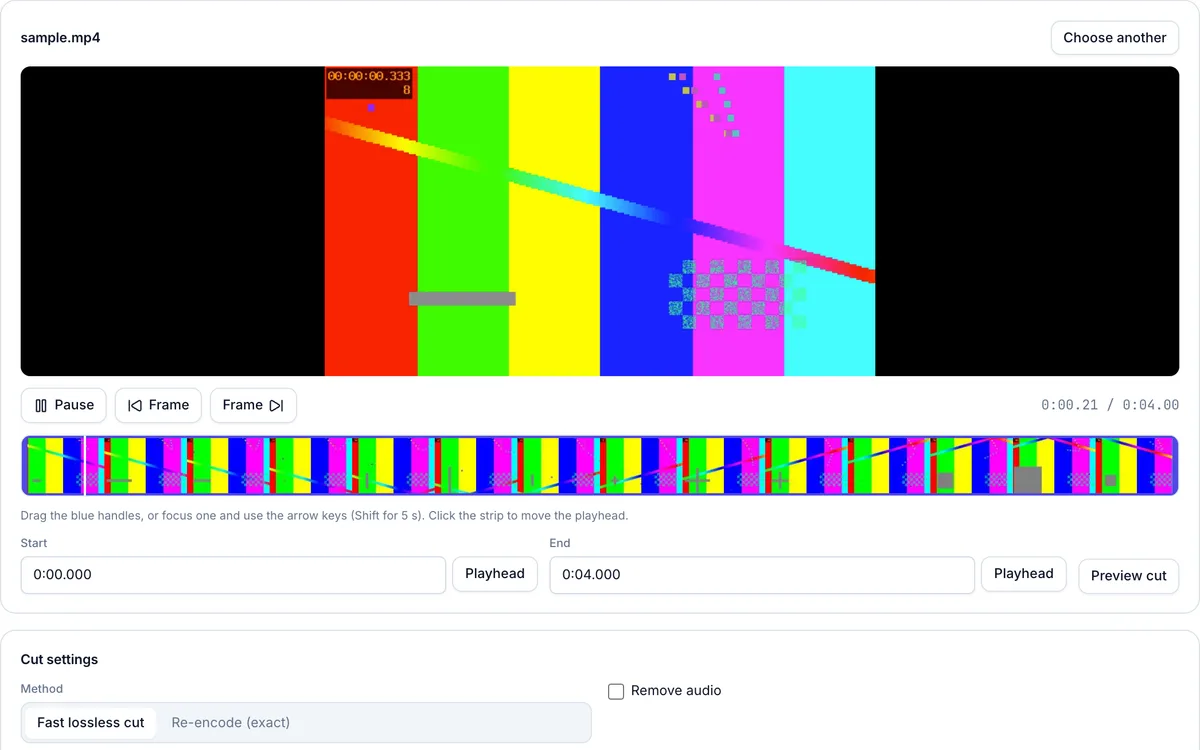
Each handle is a slider. Tab to it and use the arrow keys to move by half a second, or hold Shift to move five seconds.
The fast cut copies the original video and audio streams, so it finishes in seconds with no quality loss. Because it cannot start between keyframes, the clip may begin up to a couple of seconds early. Re-encode decodes and rebuilds the clip as H.264, which is frame-accurate but slower.
No. Cutting runs in your browser with ffmpeg compiled to WebAssembly. The engine itself (about 30 MB) is downloaded once from a public CDN and cached; your video never leaves your device.
Never. The download is a plain file with your clip only.
Use the Frame buttons to step back and forward one frame at a time at the playhead, then press Playhead next to Start or End. You can also type a time such as 1:23.450.
Anything your browser can preview, usually MP4, MOV, MKV and WebM. The fast cut keeps the same container; other formats are saved as MKV or MP4 so the copy works.
Thumbnails use your browser to decode frames. If a codec is not supported (some HEVC or professional formats) the strip stays empty, but you can still type times and cut with the engine.