DEV3 Technologies home

DEV3 Turnstub – Event Ticketing SaaS Laravel Script with Seat Maps, Signed QR Tickets and Offline Gate Scanner

A self-hosted event ticketing SaaS on Laravel 12 and Filament 4: organisers, seat maps with timed holds, checkout, signed QR tickets with a rotating wallet code, transfers, an offline gate scanner and payouts. Installer, demo data and Flutter app source included.
by DEV3 TechnologiesVerified Author(0) 0 sales 7 viewsUpdated 11 Nov 2026

Video tour. Pick a section below to browse 53 screenshots in 7 sections.

App & phone tours

Tap play to watch each app. Nothing downloads until you do.

  • Mobile web0:11

Turnstub is an event ticketing platform you run as the operator. It is built by DEV3 Technologies on Laravel 12 and Filament 4. Promoters, venues, festivals and clubs sign up as organisers, sell tickets to in-person events and scan people in at the door, while you take your platform fee. Each organiser has its own events, venues, seat maps, buyers and money.

What it does

  • Events and sessions. A step-by-step event wizard for single or multi-day events, sessions, ticket types, access codes, publish, pause, postpone, reschedule, cancel with refunds and duplicate.
  • Seat maps. Venues with sections, rows and seats generated as grids, per-seat edits on drafts, an SVG preview and published versions. Buyers pick seats on the event page and the seats are held for a countdown while they check out. Two buyers can never get the same seat.
  • Checkout and orders. Hold, promo codes, service fee and tax lines, a card page and a signed order page. Orders, manual refunds, resend, a box office page for door sales and a waitlist for sold-out sessions.
  • Signed QR tickets. Tickets are cryptographically signed. The fan wallet shows a QR image that refreshes every 30 seconds, and a ticket page and signed PDF work without an account.
  • Transfers and refund requests. Fans send a ticket to a friend by email; the old code stops working when the new holder accepts. Refund requests go to the organiser's queue.
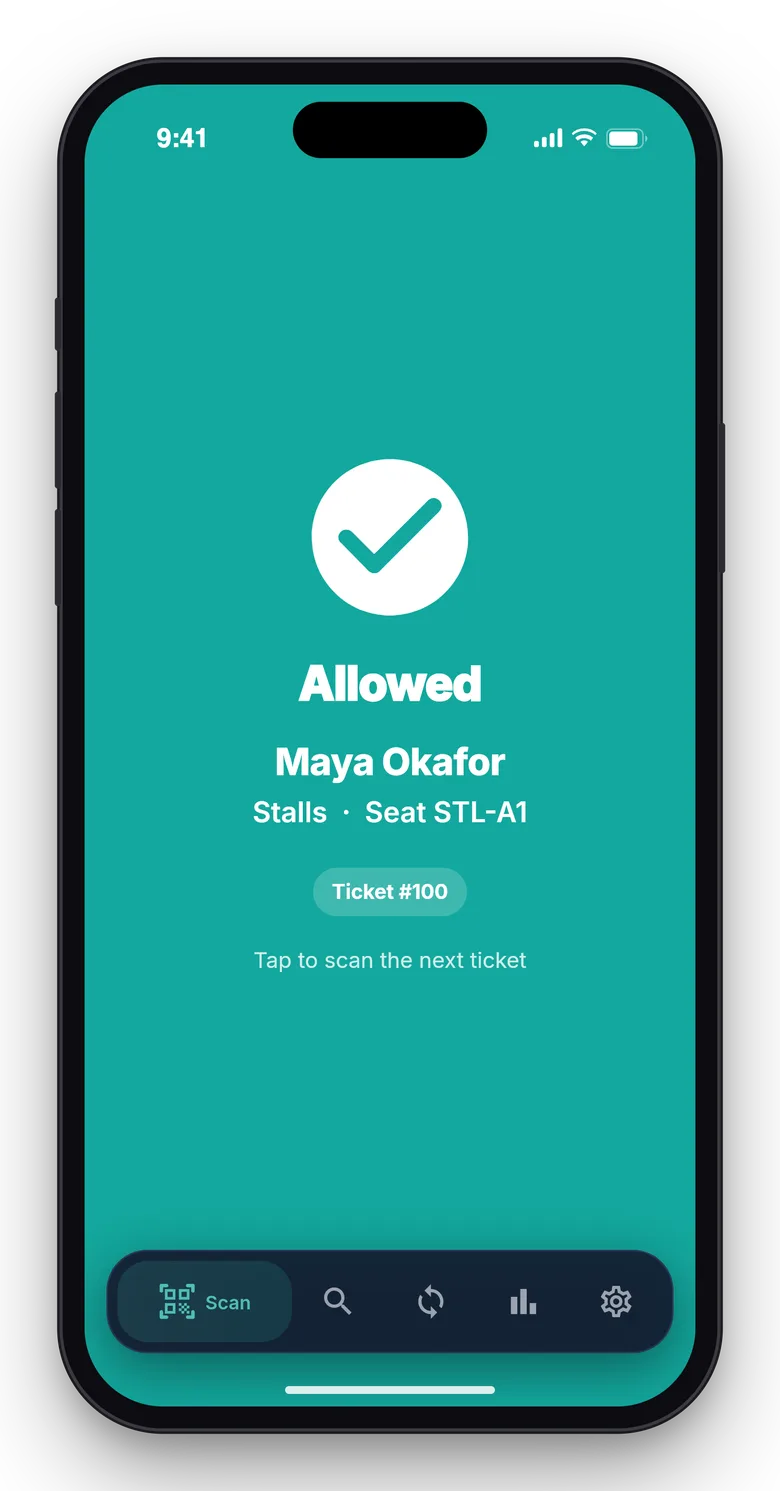
  • Gate scanning. Gates, scanner devices with a PIN shown once, a scan log, manual check-in, reissue and a live gate board. The scanner app works offline from a downloaded manifest and reconciles duplicates when it is back online.
  • Money. Fee rules, a platform wallet, settlements, weekly payout runs with a payout delay per organiser, stuck refund retries and an audited operator refund override. Money is kept in integer minor units and checked against 52 independently computed vectors.
  • Operator panel. Organisers, plans, subscriptions, invoices, fee rules, payout runs, platform orders, outbox, audit log and platform reports.
  • Embed, API and webhooks. An embeddable widget, a scoped REST API with ts_ keys, an OpenAPI document and signed webhooks.
  • Flutter apps. Source for an attendee app (wallet, rotating QR, transfers) and a scanner app (offline gate scanning) is included.

Quality checks

The release passed seven gates on the final code: Larastan level 6 with no baseline, Pest, a build inside the page budget, migrations and the full demo seed on MySQL 8 and SQLite, a headless browser smoke test (public pages, a seat purchase through the simulated card page, the ticket PDF, the wallet QR and a crawl of both panels), race checks on MySQL (eight buyers on the same seats, payments, refunds, transfers, payouts and an integrity check after every race), the installer driven from the zip, and a secret scan.

What you should know before buying

  • You are the operator and merchant of record. Card payments and organiser payouts are simulated until you connect a payment gateway. There are no payment-processor, fraud-proof or insurance claims.
  • Seat maps are grids. Sections, rows and seats are generated in the editor and edited per seat through a form. There is no CAD import and no designer for arbitrary shapes.
  • Offline scanning has one gap. If an old ticket code is scanned offline before a transfer has synced, both the old and the new holder can get in. A two-hour transfer cutoff before the event narrows it, and duplicates are flagged when the scanner syncs.
  • No hardware drivers. There are no turnstile, RFID or wristband drivers; a signed relay webhook is the only integration point.
  • Transfers are face value only. There is no resale marketplace.
  • Store publishing for the two Flutter apps is your step (a guide is included).
  • The apps were checked in simulators only. They were verified in simulator builds, automated tests and against the live API, not on a real device or camera. Push is simulated. Swap the device token store for secure storage before shipping. Store approval is not promised.
  • Use MySQL or MariaDB for a live site. A cron entry every minute is required.

Included

Source code, the web installer, a buyer guide, demo data with fictional organisers (a concert hall, a three-day festival, a tech summit and a comedy club), the attendee and scanner Flutter app source, and six months of support.

How it's built

Architecture, stack, key decisions and the quality gates DEV3 Turnstub passed before release.

The engineering behind Turnstub: seat holds under row locks, QR tickets that rotate and stay signed, transfers that retire the old code and a scanner that reconciles after working offline.

The problem it solves

Ticketing looks like a shop until eight buyers want the same two seats, a ticket is transferred twice or a gate loses its connection. Each must end with every seat sold once, every ticket admitting one person and every payout adding up, across many organisers sharing one install.

Architecture and approach

Turnstub is a Laravel 12 application with Filament 4 organiser and operator panels and hand-built public, wallet and checkout pages. Seat holds and claims are written under row locks with a unique claim per seat, so concurrent buyers get one hold and the rest an answer. Tickets carry a signed payload; the wallet shows a QR that rotates every 30 seconds, and a transfer retires the old code when the new holder accepts. The scanner works from a downloaded manifest and reconciles duplicate scans when it reconnects. Money is integer minor units rounded half up per line, fees come from rules, and turnstub:check reconciles seats, tickets, orders, wallets and payouts.

Quality gates and results

The release passed seven gates, including race checks on MySQL for simultaneous seat holds, payments, refunds, transfers and payouts, and 52 money vectors computed independently. The reconciliation command passes on the demo data: tens of thousands of orders, tickets and scans across four organisers.

Tech stack

Area Technologies
Application Laravel 12, Filament 4, Blade, REST API
Data MySQL 8, SQLite
Frontend Tailwind CSS 4, Vite, Flutter
Quality Pest, Larastan level 6, Playwright

Inside the build

Sell every seat: the marketing hero with stage lights, a live ticket and the scanner's Allowed screen. Sell every seat — the marketing hero with stage lights, a live ticket and the scanner's Allowed screen.

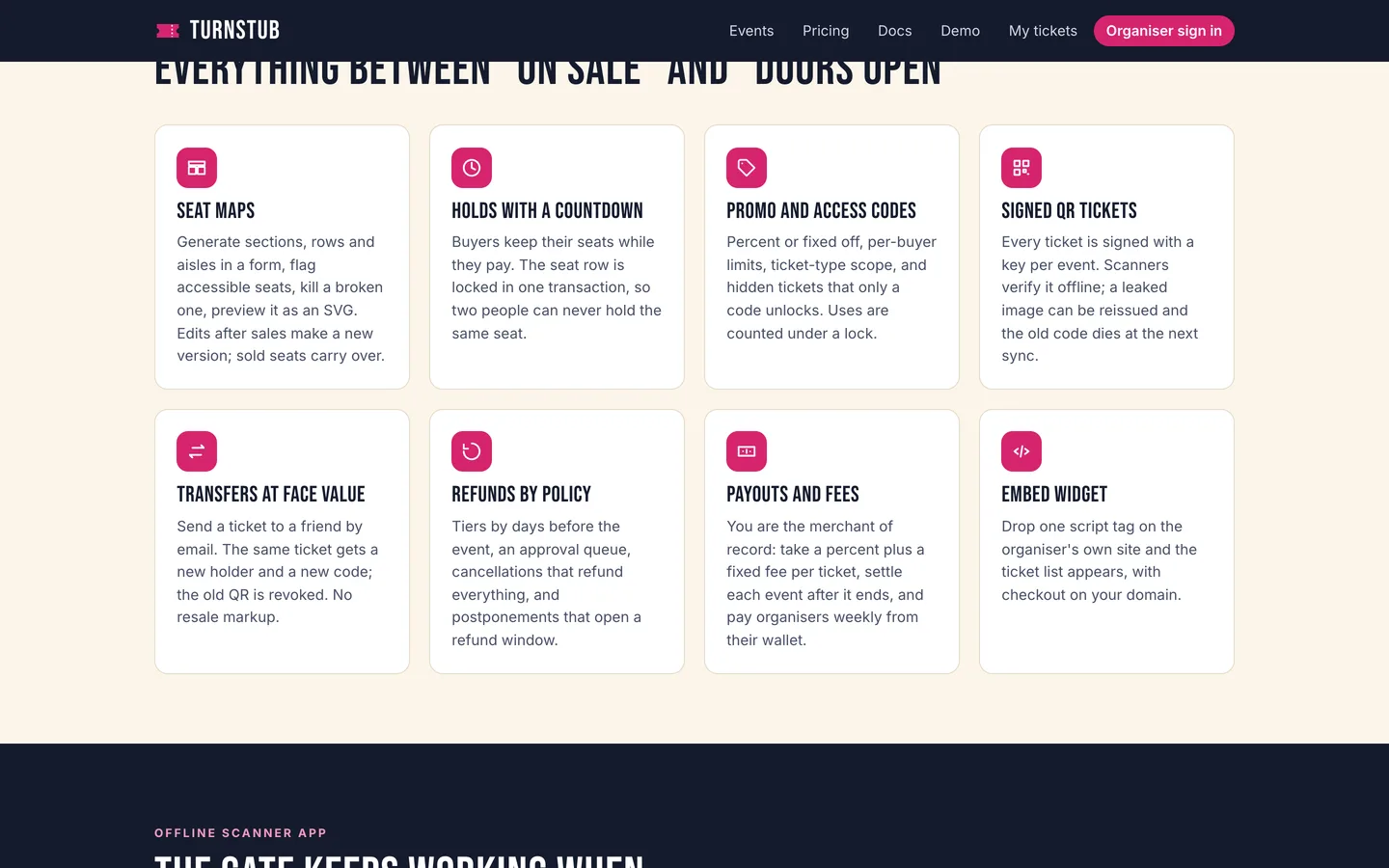
Everything between on sale and doors open: seat maps, holds, promo codes, signed tickets, transfers, refunds, payouts and the widget. Everything between on sale and doors open — seat maps, holds, promo codes, signed tickets, transfers, refunds, payouts and the widget.

Guides & articles

Practical guides and engineering write-ups for DEV3 Turnstub.

Event ticketing software: 6 things to check before you pick one

Last updated
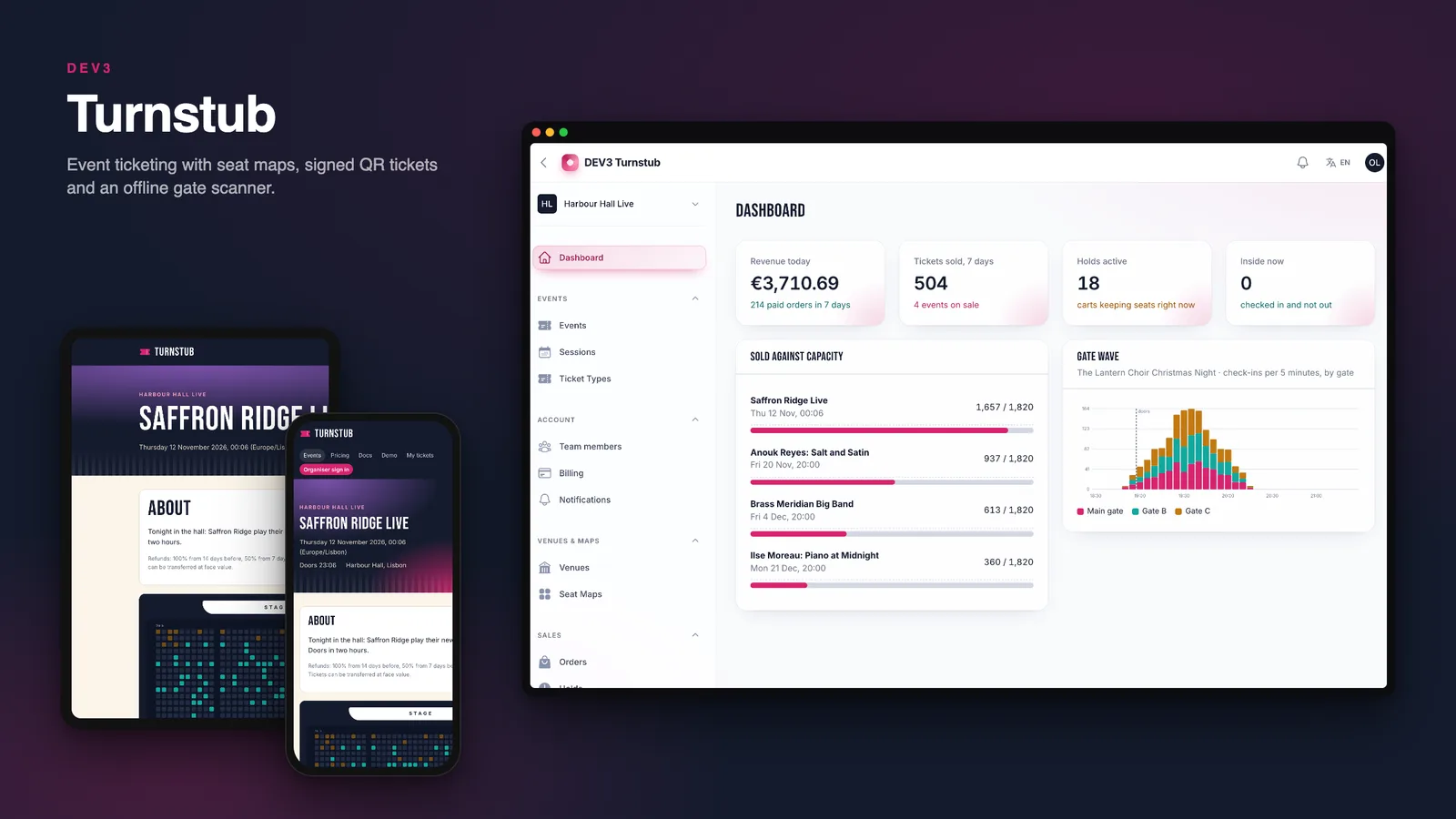
Event ticketing software: 6 things to check before you pick one: DEV3 Turnstub

An event does not lose money at the till, it loses it in the gaps: the seat sold twice, the ticket screenshot that gets two people in, the scanner that went quiet when the Wi-Fi did. Here are six things to check before you pick ticketing software, with DEV3 Turnstub as the worked example.
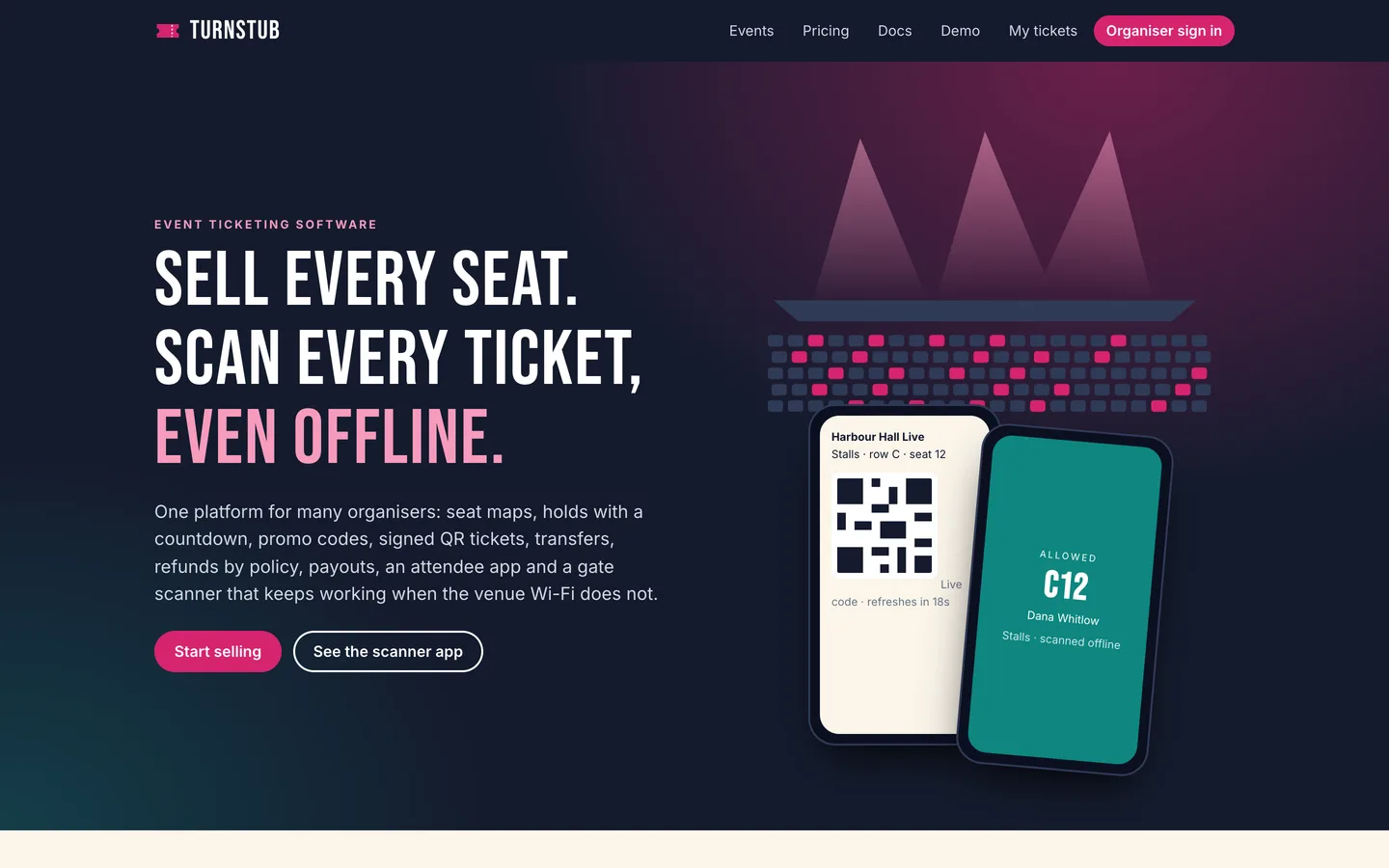
Turnstub home page: stage lights drawn in SVG over the headline and call to action

1. Can two people ever hold the same seat?

Ask what happens when eight people click the same two seats in the same second. The right answer is one winner and seven clear messages, with nothing half-held. In Turnstub a hold claims the seats under a row lock and a countdown tells the buyer how long they have.
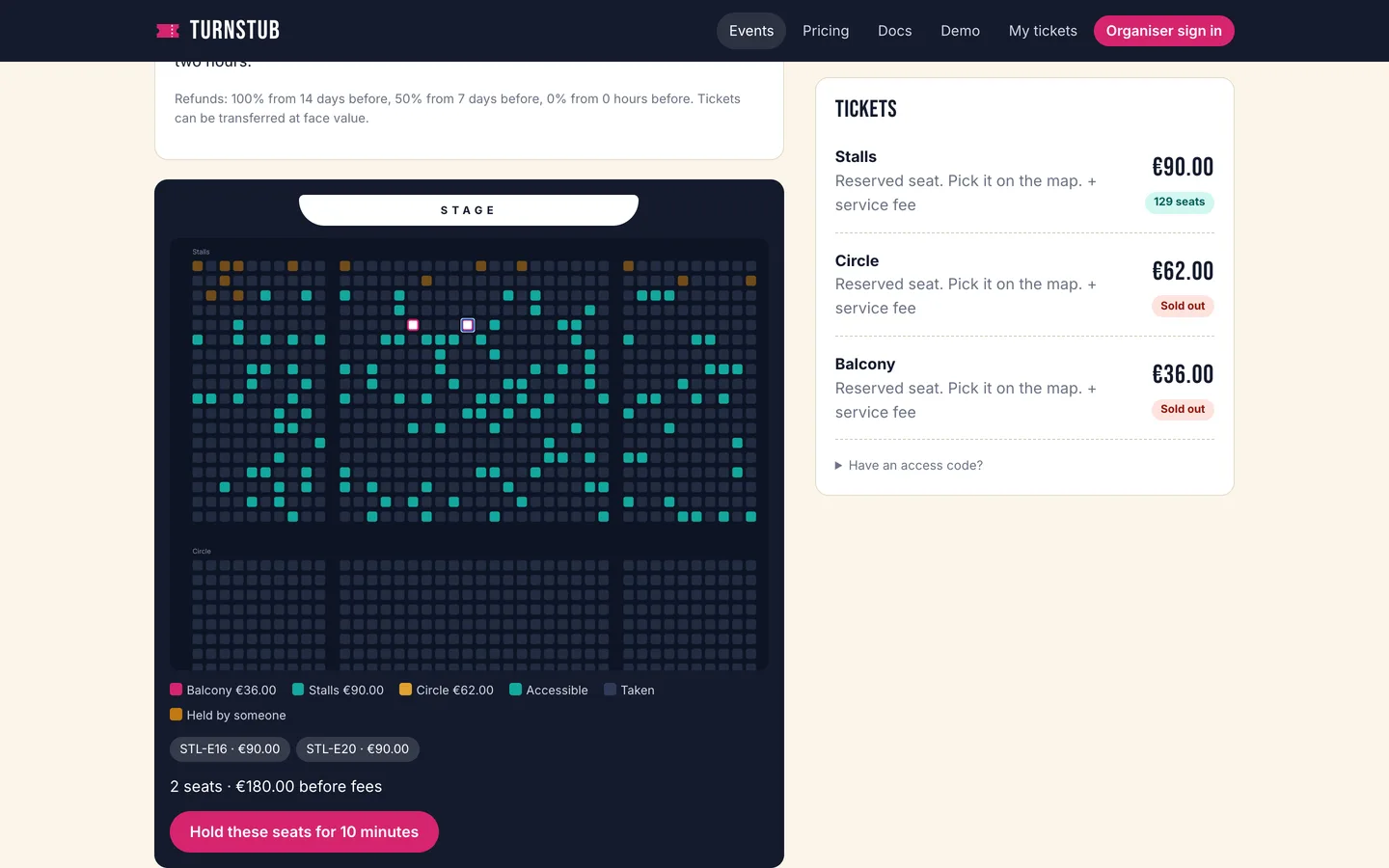
The seat picker with open, held and sold seats

2. Is the hold visible at checkout?

A buyer who does not see a clock will wander off and block the seats. Look for a countdown, a price summary that includes fees and tax, and a promo code field that updates the total.
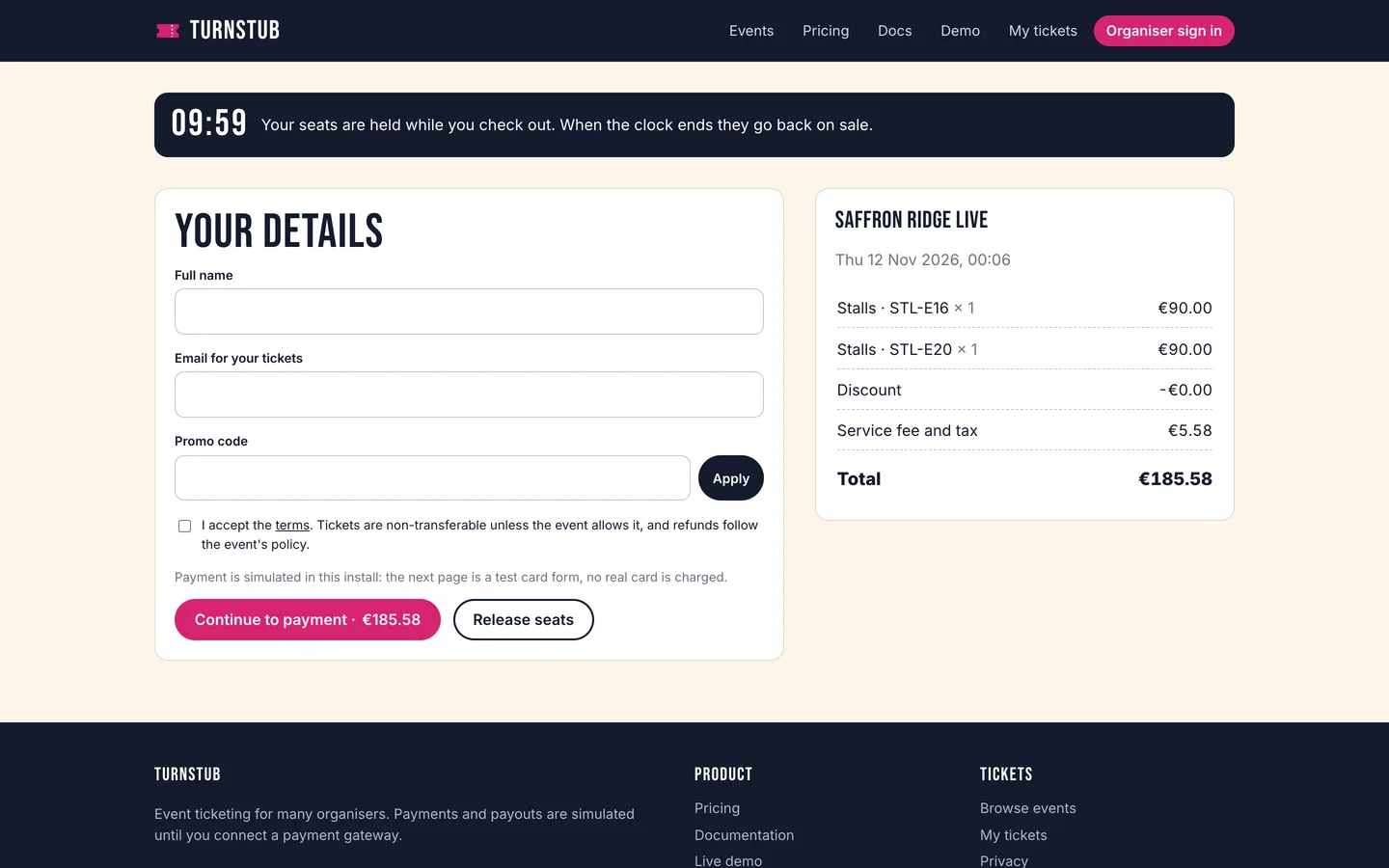
Checkout with the hold countdown and the price summary

3. Does a ticket stay one ticket?

A screenshot should not be a second ticket. Turnstub signs every ticket, and the wallet shows a QR image that refreshes every 30 seconds.
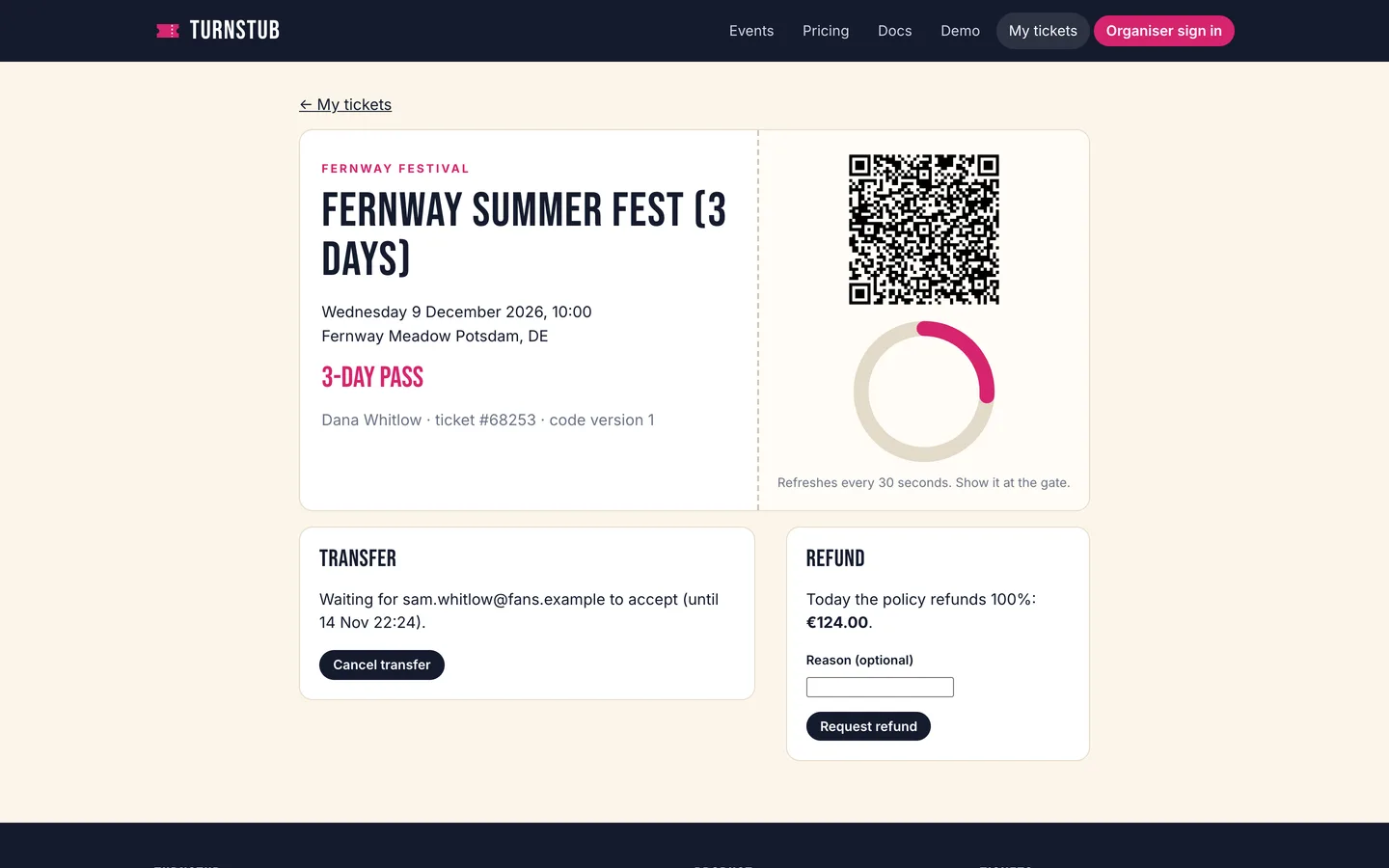
The fan wallet with the live QR code

4. What happens to a transfer?

A transfer should send a link, show the recipient the event and seat, and retire the old code when it is accepted.
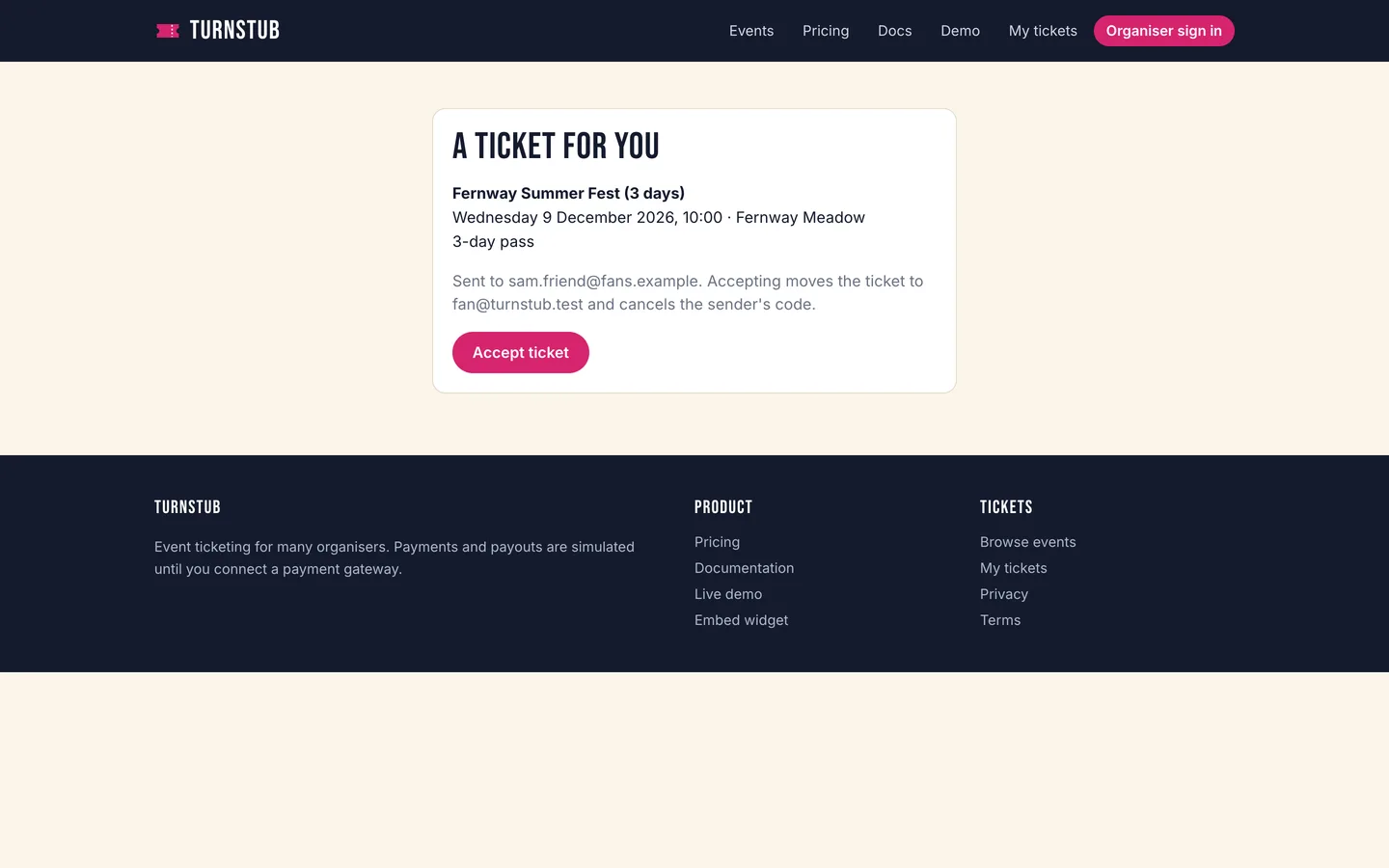
Accepting a transfer: the recipient sees the event and seat

5. Does the gate cope with no signal?

Ask whether the scanner works from a downloaded list when the connection drops, and what it does with duplicates afterwards. Turnstub's scanner app reconciles when it is back online, and the organiser sees the live gate board and a scan log.
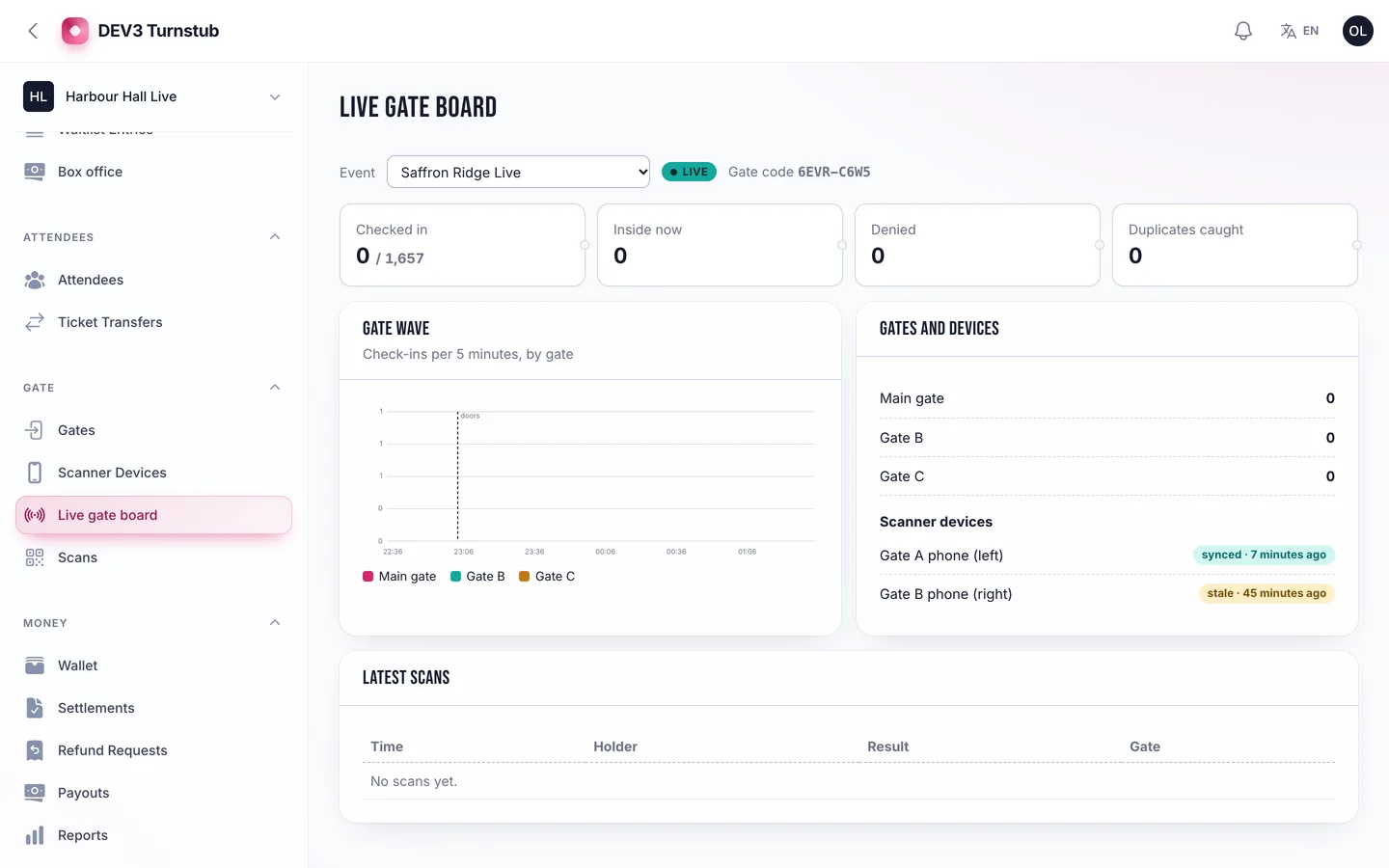
The live gate board for an event

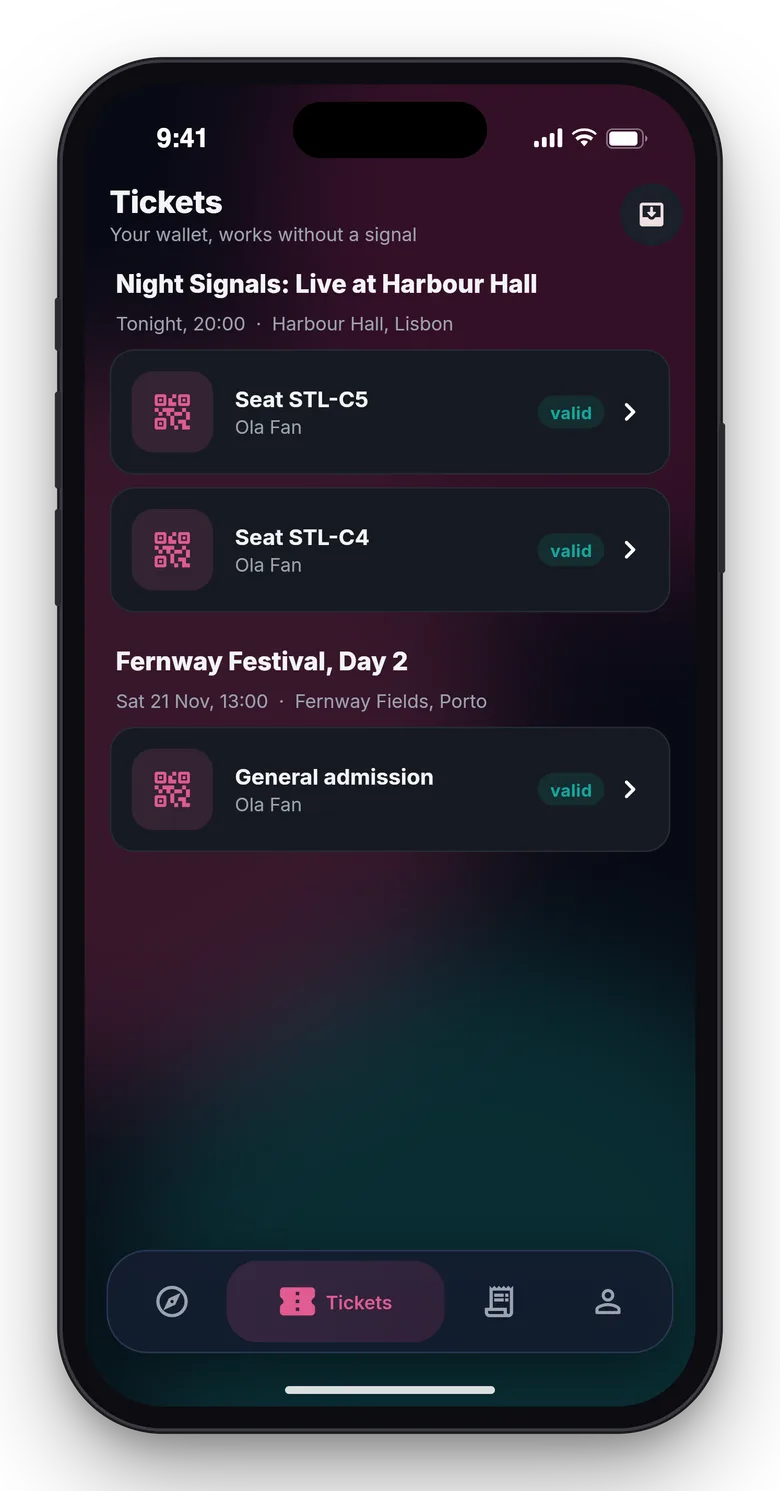
Attendee app: the fan wallet with tickets grouped by event

Scanner app: the big green Allowed verdict at the gate

6. Are the limits honest?

Turnstub is an install you run as the operator. Card payments and organiser payouts are simulated until you connect a gateway, and seat maps are generated grids with no CAD import or designer for arbitrary shapes. If an old ticket code is scanned offline before a transfer has synced, both the old and the new holder can get in; a two-hour transfer cutoff before the event narrows that gap. There are no turnstile, RFID or wristband drivers, and publishing the two Flutter apps to the stores is your step. The apps were verified only in simulator builds, tests and against the live API, not on a real device or camera; push is simulated and the device token store should be swapped for secure storage before shipping. Say that plainly to your buyers.

Video: The Turnstub tour

Frequently asked questions

The complete source code (version 1.0.1) as a download from your account, with the setup and usage guides shown on this page. You can modify the code to suit your product.

Buying guides: Laravel scripts with Filament panels and a web installer · Next.js or Laravel for a SaaS script?

Questions about this product (0)

Answers from the DEV3 team and the community.

Ask a question

No questions yet.

Wondering about setup, licensing or customisation? Ask, and the DEV3 team will help.

More from this author

View all

Related in Web Scripts & Software

View all