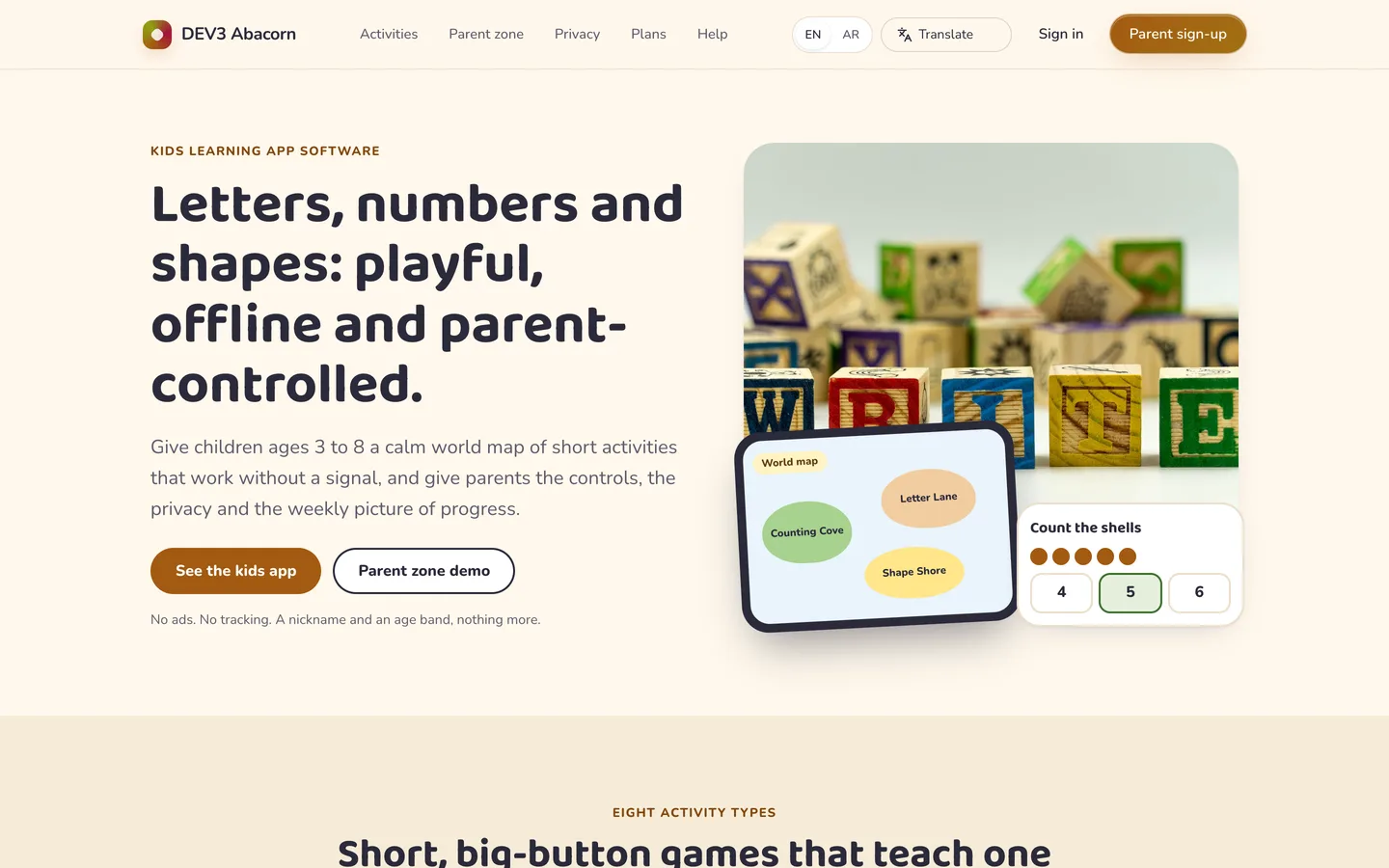
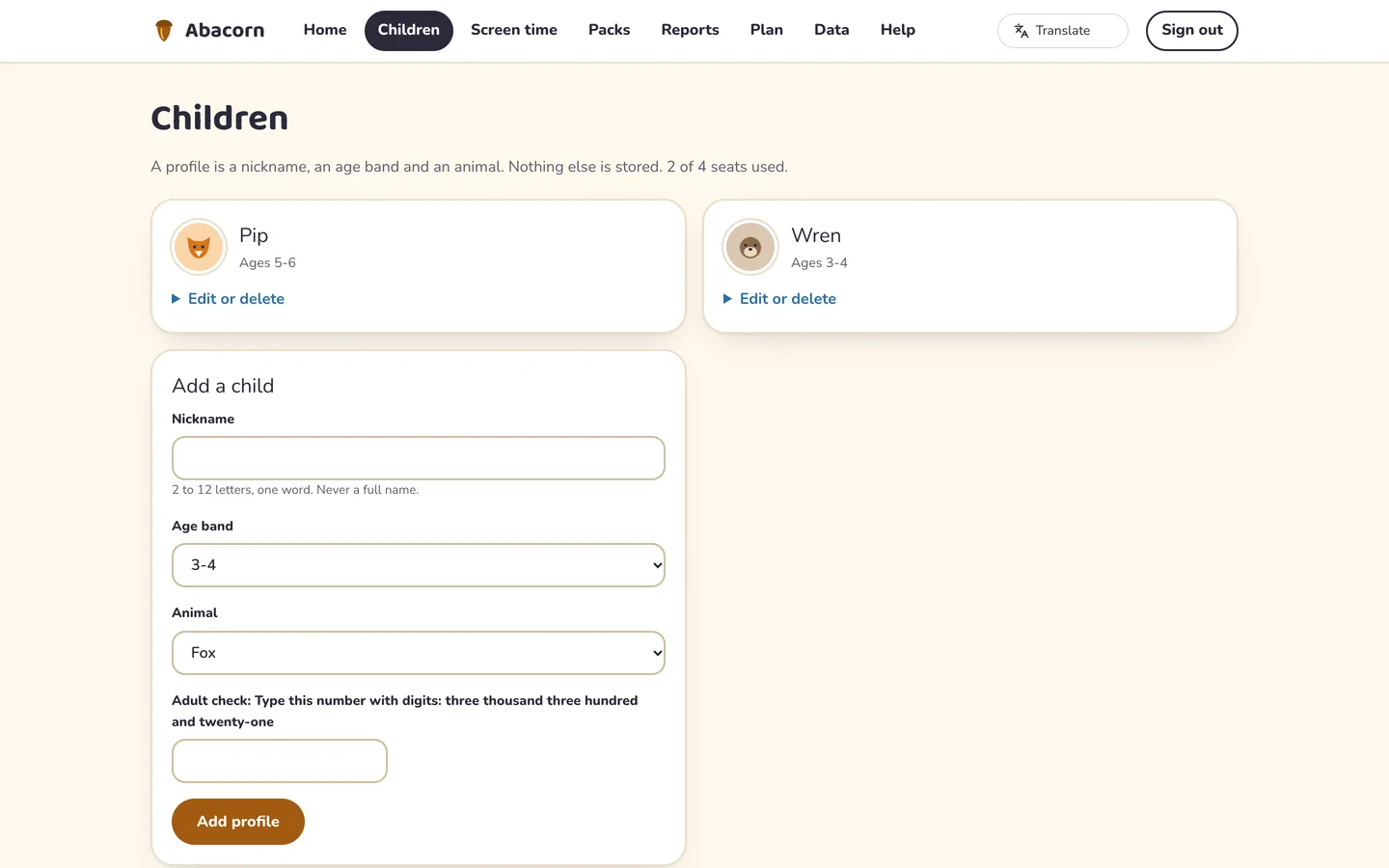
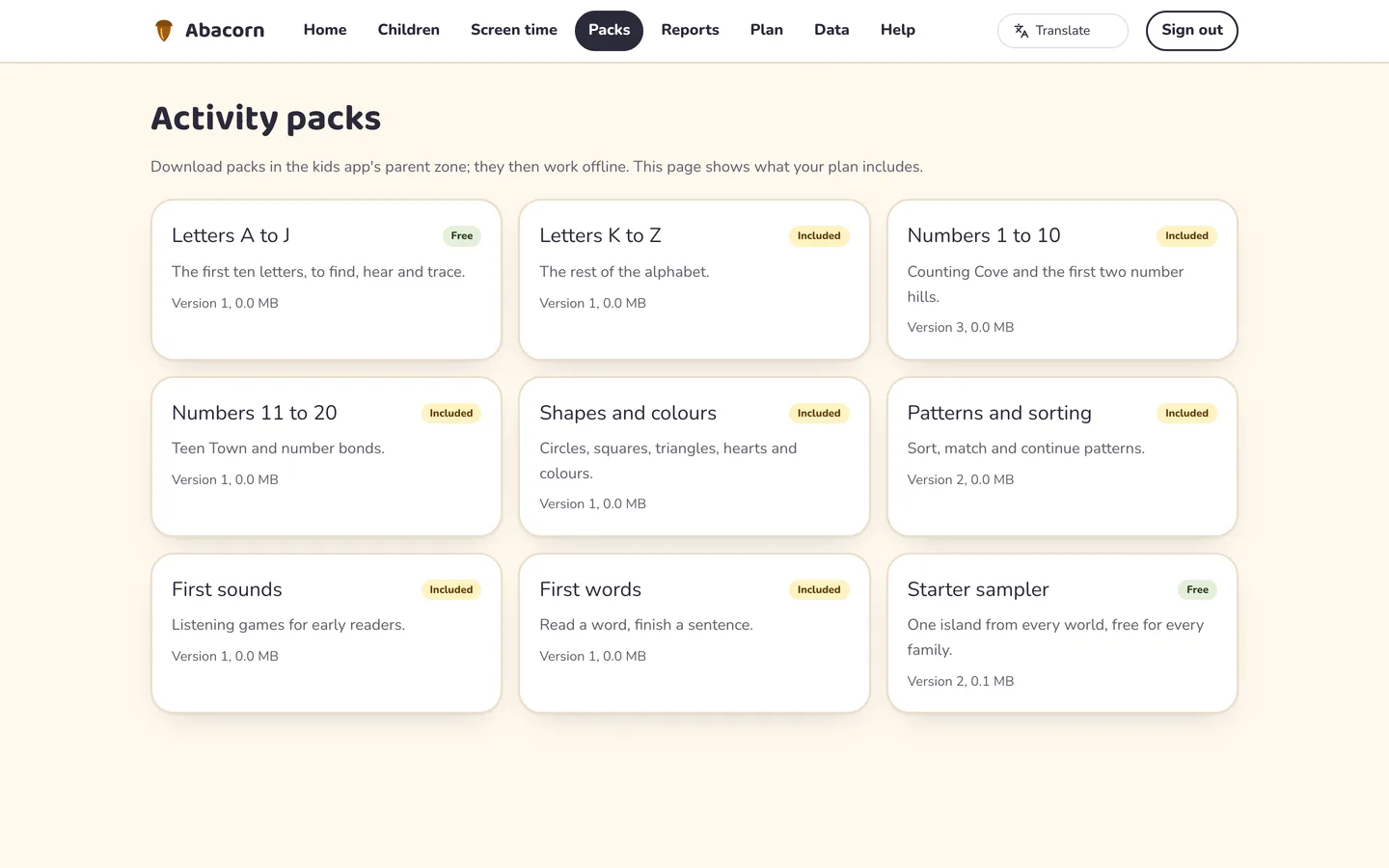
Abacorn is the software for running your own kids learning service for ages 3 to 8. Content editors build worlds, islands and activities from eight activity templates, a reviewer approves them, and the operator publishes them as signed offline packs that the Flutter kids app downloads once and plays without a connection. A parent holds the only account: children are a nickname, an age band and an animal avatar, and everything about them sits behind a parent gate. It is built by DEV3 Technologies on Laravel 12 and Filament 4, with one Flutter app whose source is included.
What it does
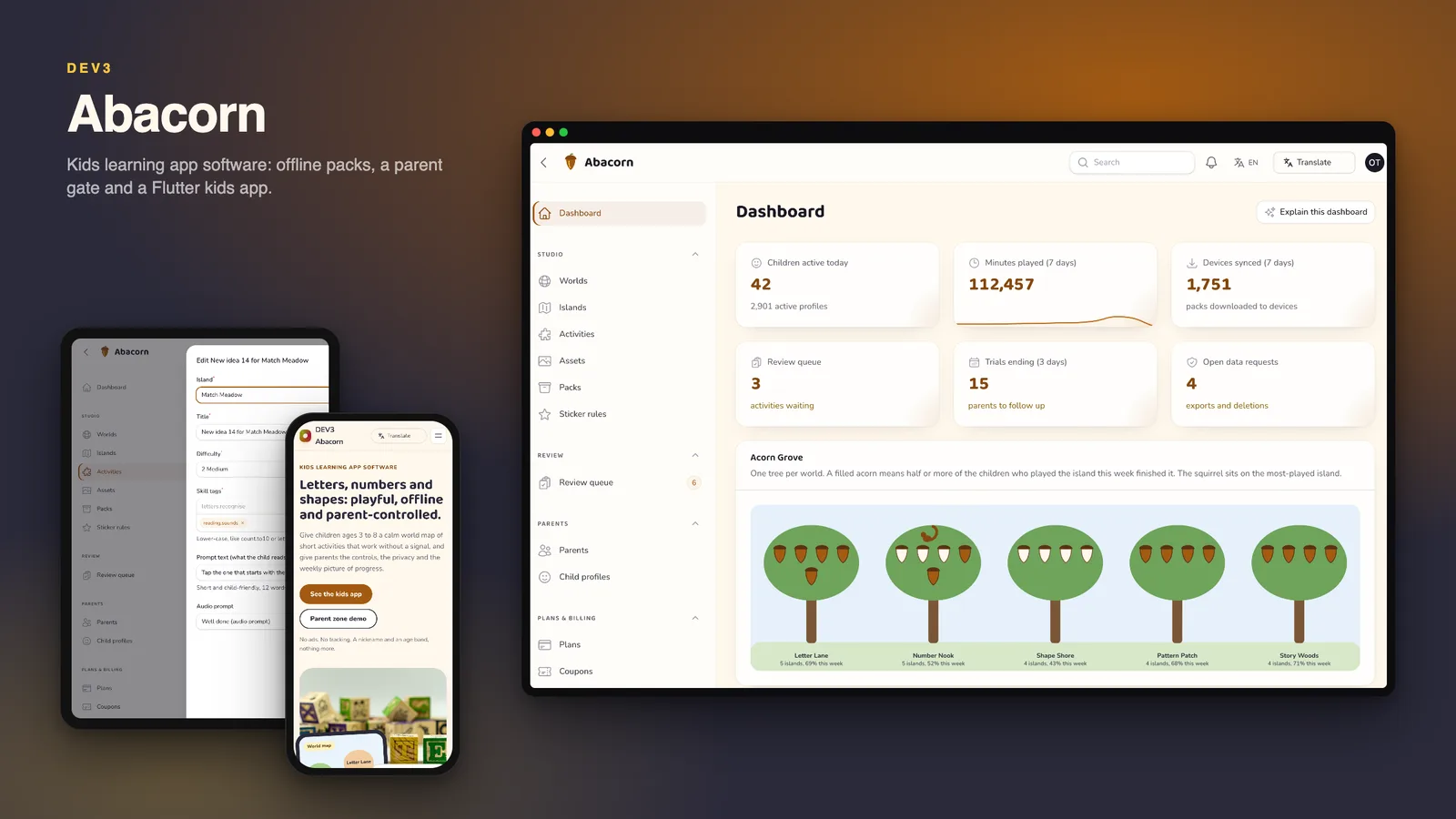
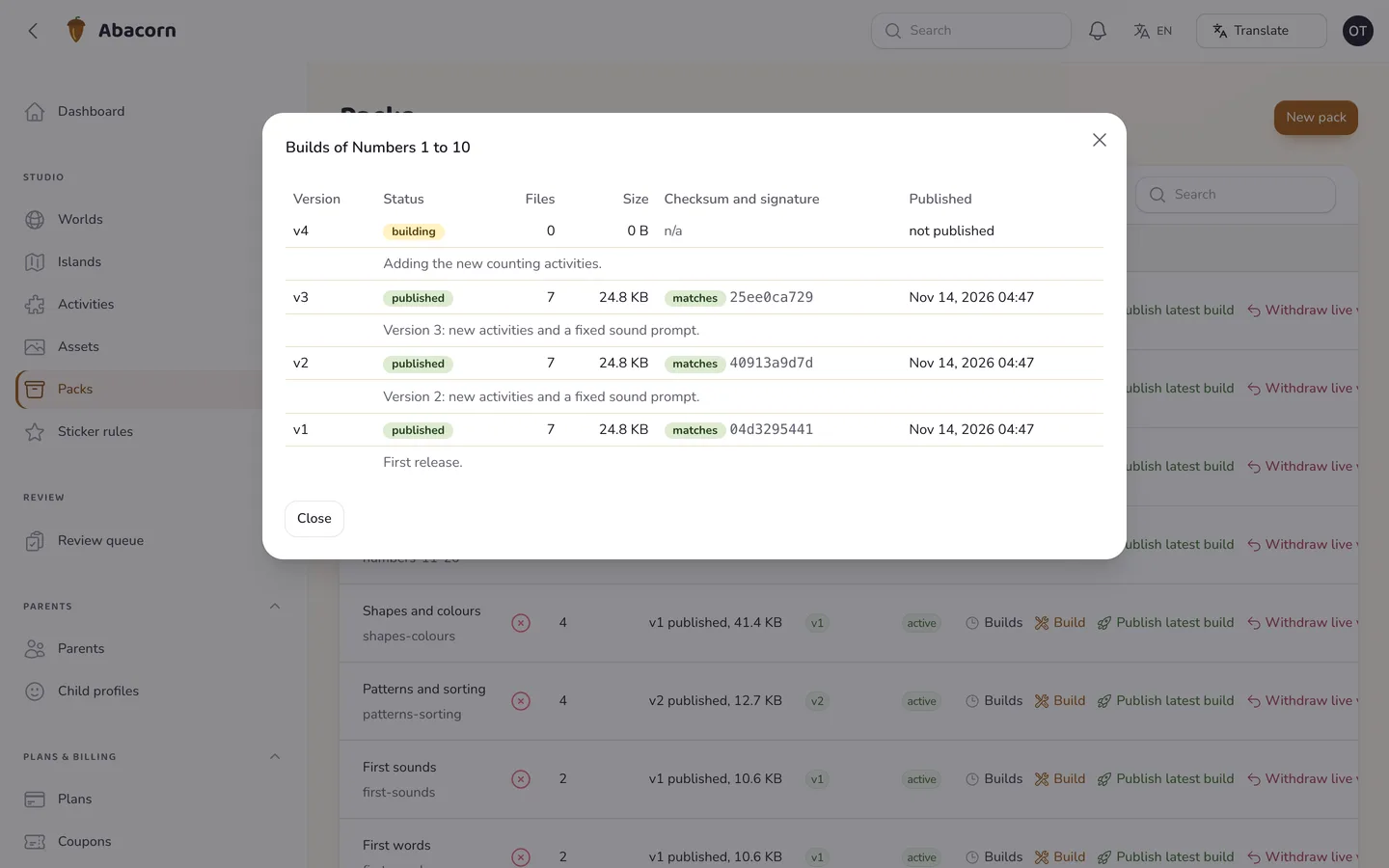
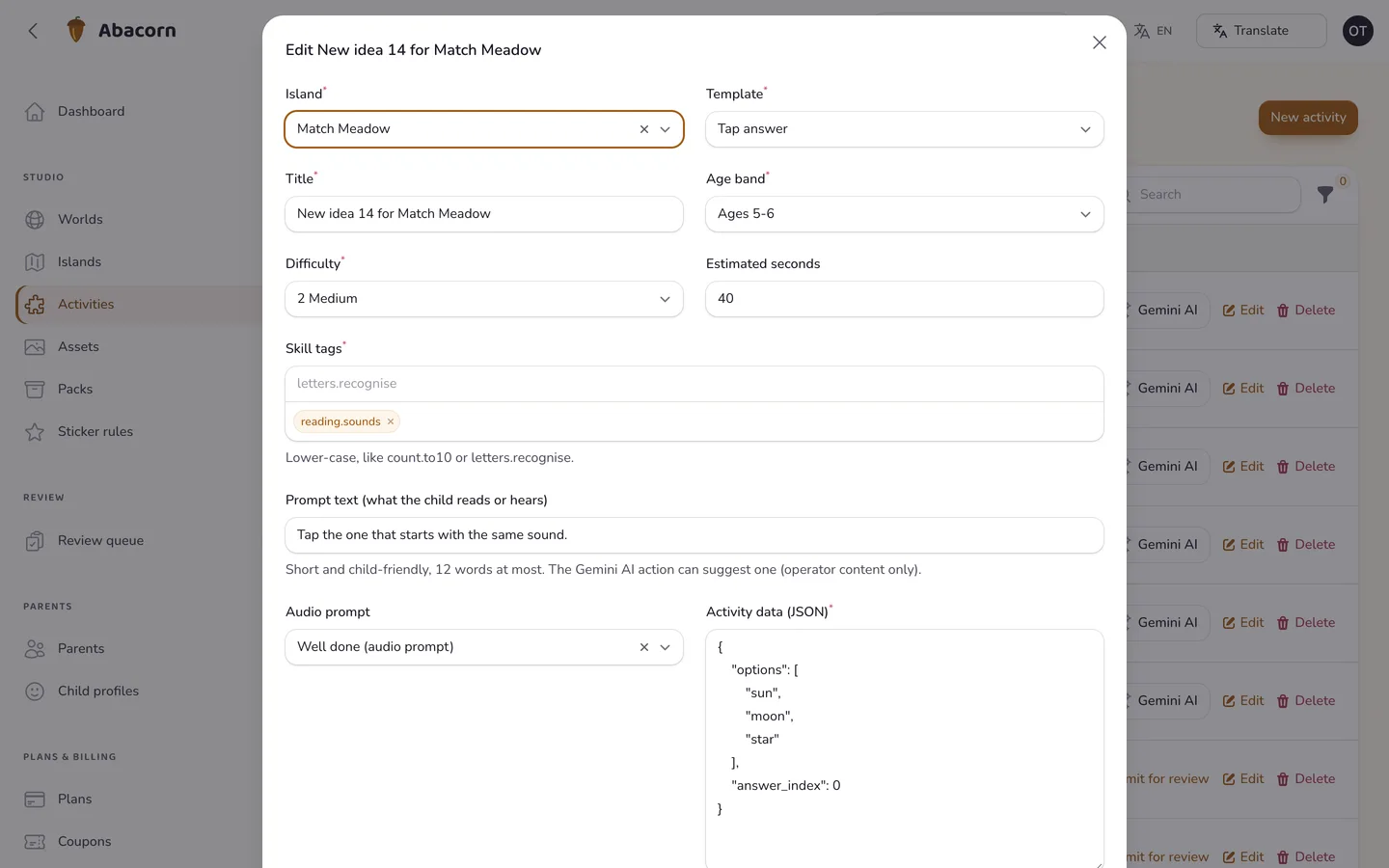
- Content studio. Worlds, islands and activities with a live template preview, eight templates (tap the answer, count and pick, drag to a target, trace the path, match pairs, sort into bins, listen and find, order a sequence), assets with a licence field, packs with a manifest and checksums, and a four-eyes review queue where the editor cannot approve their own work.
- Signed offline packs. Every pack has an Ed25519-signed manifest, a SHA-256 for each file, a 15 MB size cap, short-lived download links bound to the parent and delta updates. A withdrawn pack disappears from the device on the next sync.
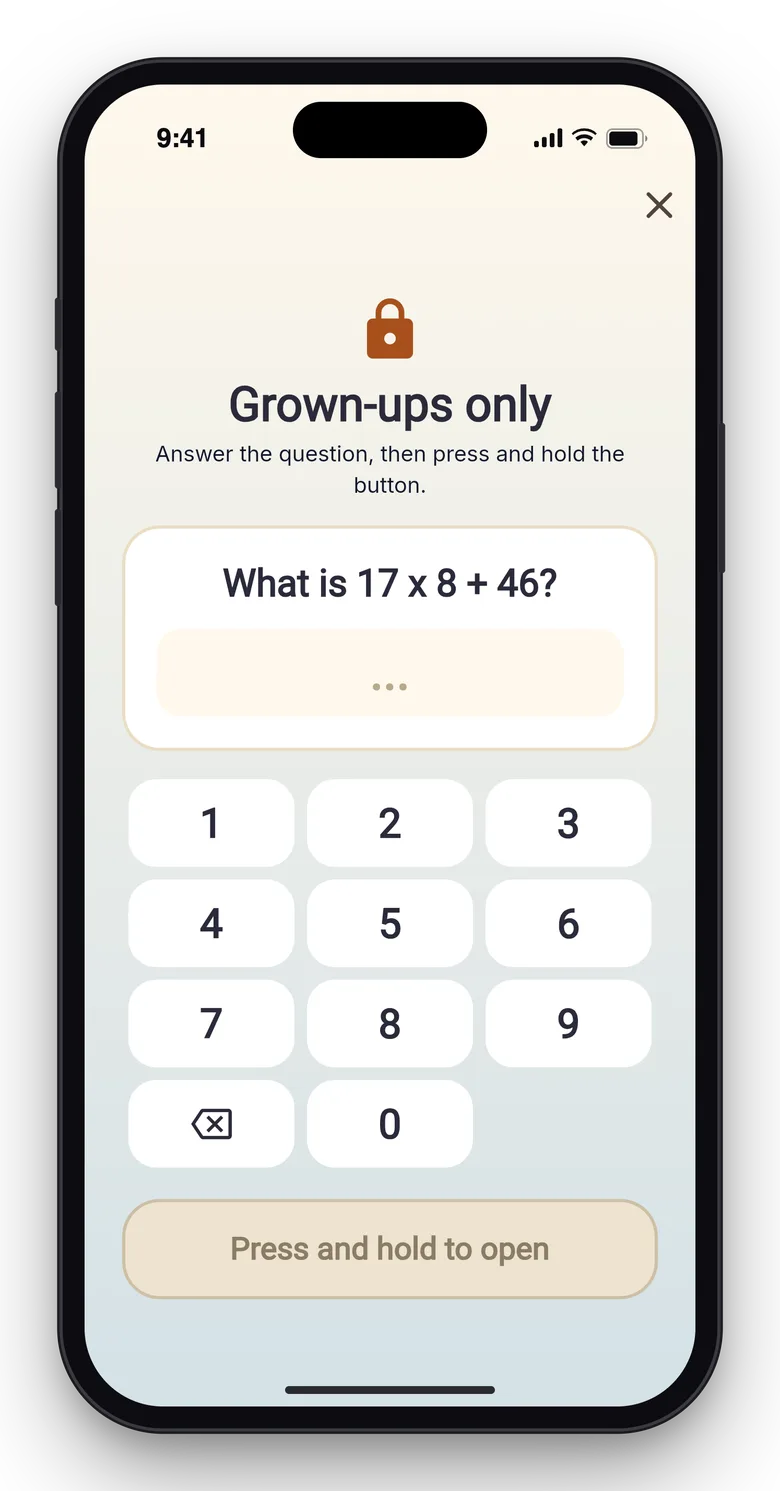
- Parent gate. An adult-level question plus a three second hold before anything about children, purchases, deletion or the parent zone opens, with three tries and a one minute lock. The kids app asks the server when it can and uses the same generator offline.
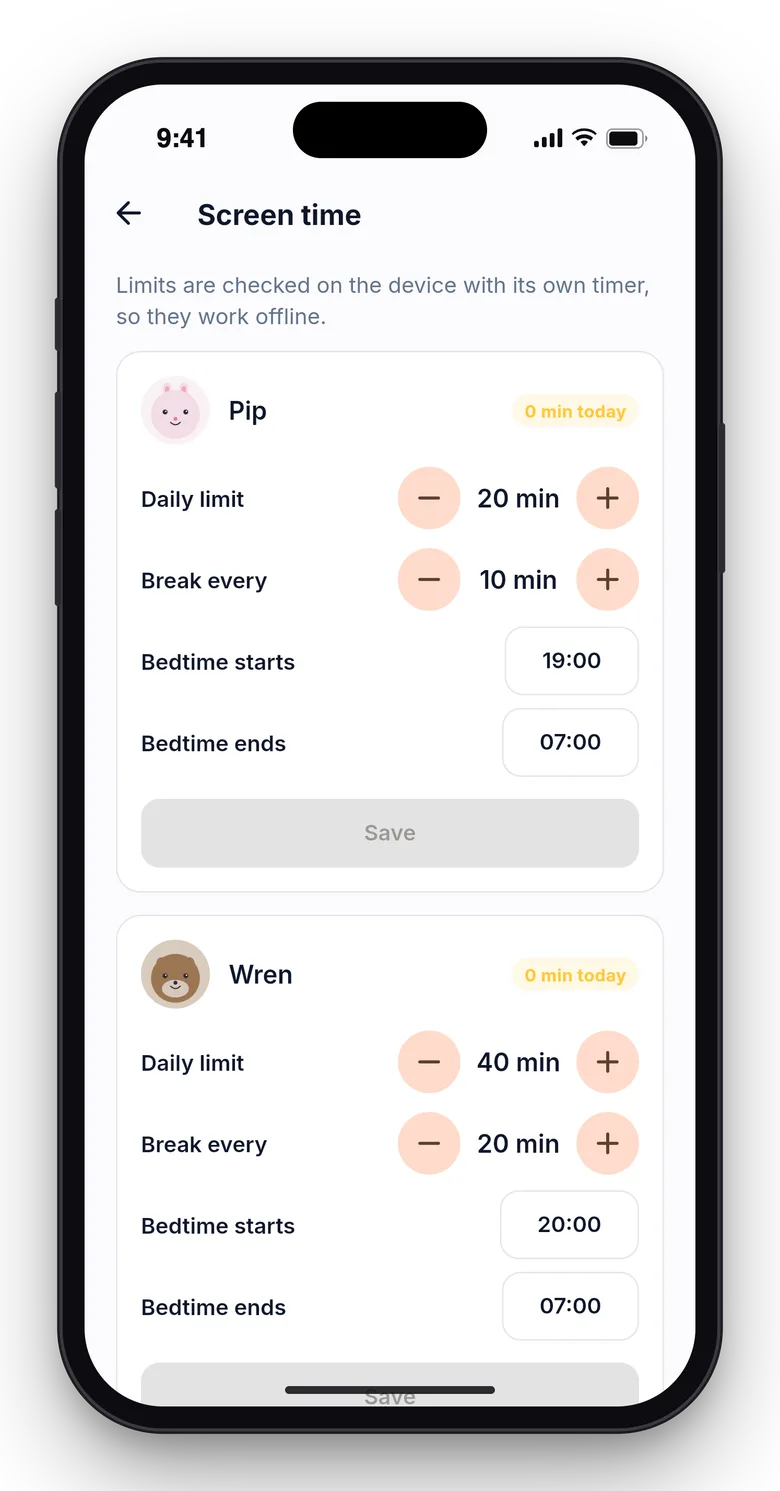
- Screen time. Daily minutes, a bedtime window and a break reminder per child, enforced on the device offline from a signed policy and a monotonic counter. The server flags clock changes to the parent only.
- Progress that survives bad connections. Play results are queued with client ids and synced in batches; a replayed batch never counts twice. Mastery per skill is recomputed from the events, and stickers come from play only.
- Parent web area and weekly reports. Children, screen time, packs, plan, data export and deletion, and a weekly email with skills practised, minutes, stickers and a suggested next island.
- Family plans. A starter tier (one child and the starter packs) and a family plan with a seven day trial, coupons, tax, proration and refunds, all through a simulated gateway until you connect your own.
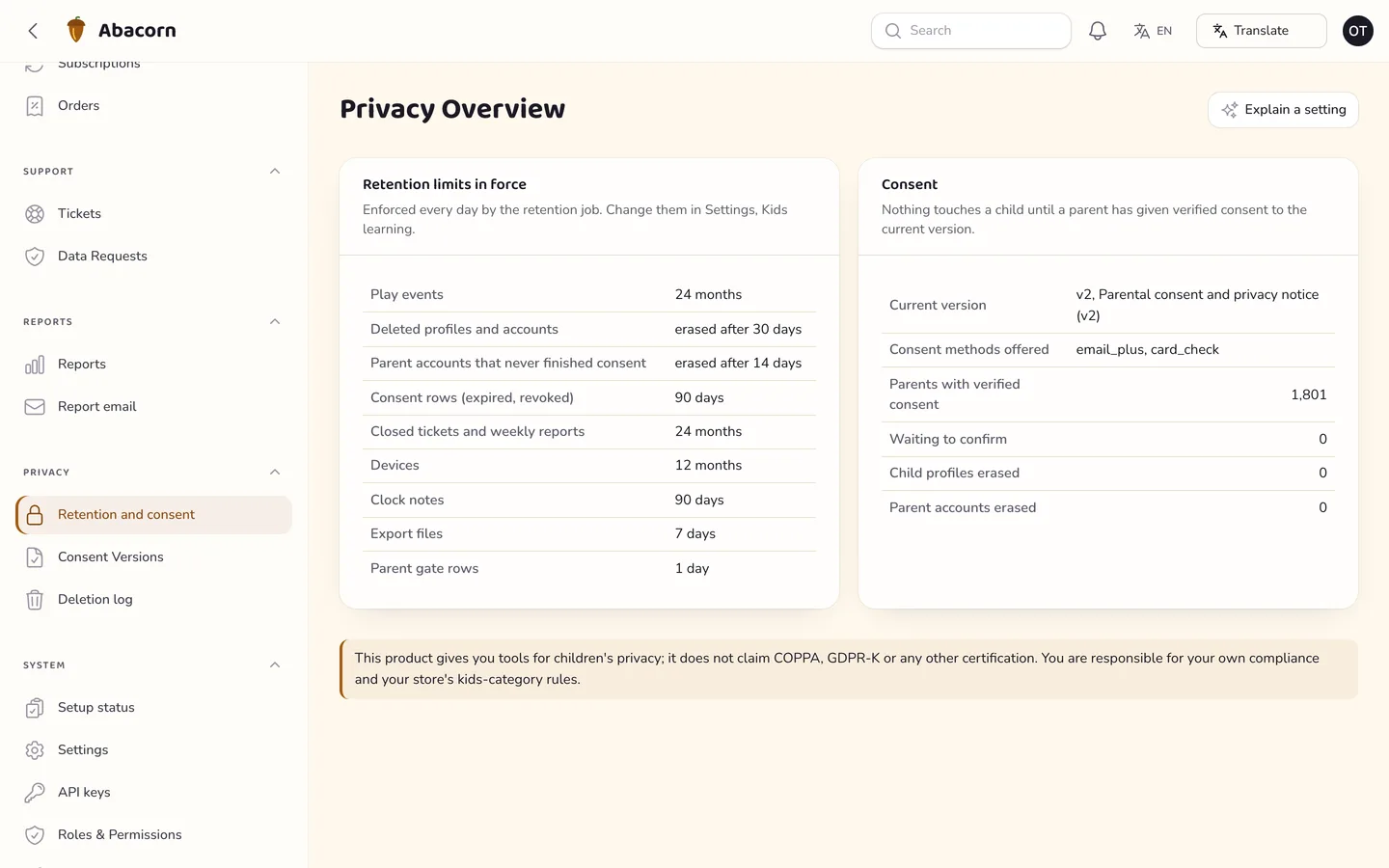
- Operator panel. Dashboard with an Acorn Grove, reports with a skills heatmap (groups of 20 or more children only), parents and children (masked), plans, coupons, subscriptions, orders and refunds, tickets, data requests with due dates, consent versions, privacy settings, API keys and webhooks.
- API and app. A key-based partner API with an OpenAPI document (catalogue and packs only, no child or parent data) and the app API used by the Flutter app.
The Flutter app
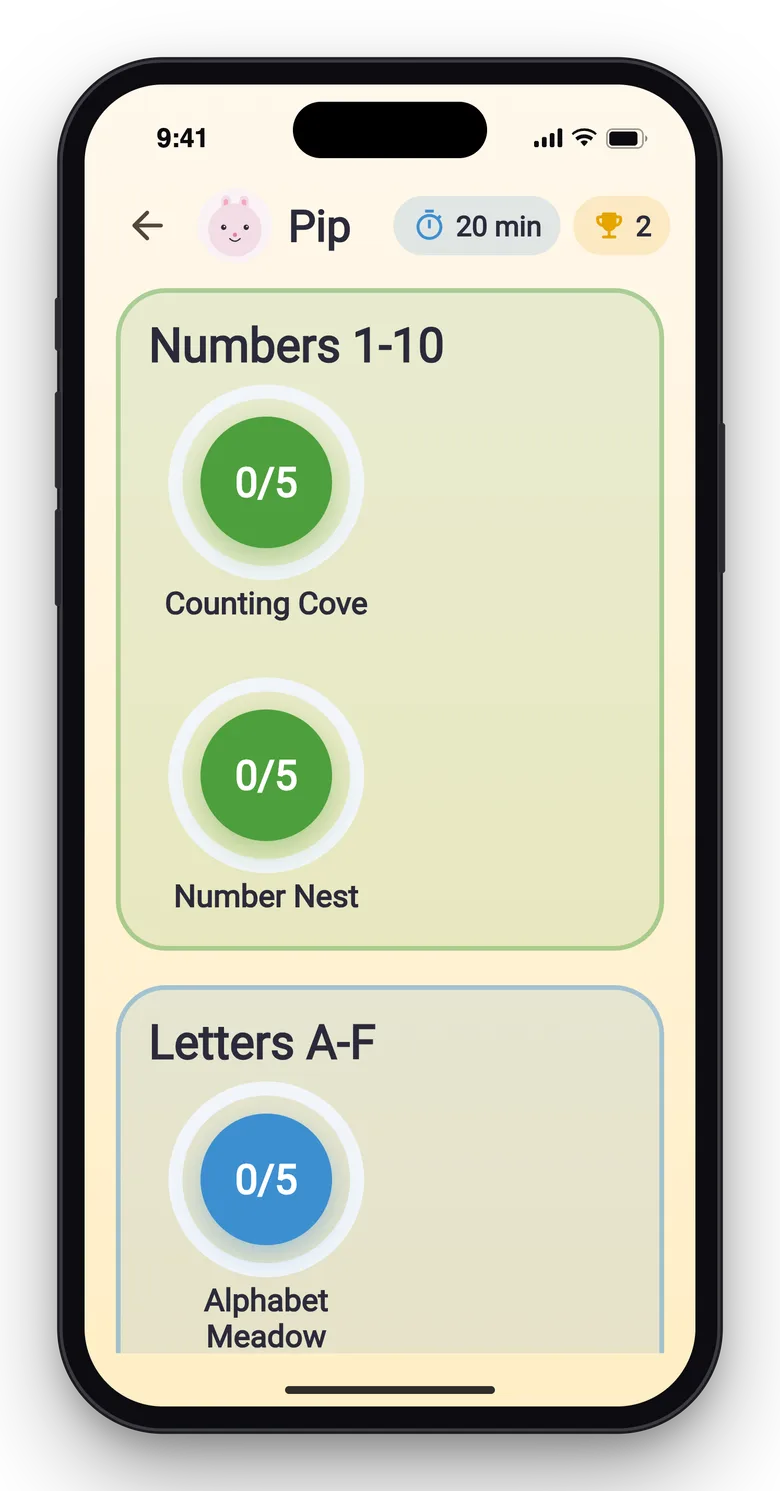
The kids app (apps/kids) starts in demo mode and covers the welcome promise, the parent gate, who is playing, a world map with progress rings, islands, all eight activity types, a sticker book, a break screen and the parent zone: children, screen time, packs, progress, plan, language and data. It works offline after the first pack download and has an in-app language picker (English, Spanish, French and Arabic). A store-publishing guide for Apple Kids Category and Google Play Designed for Families is included in apps/kids/docs/STORE-PUBLISHING.md.
Gemini AI admin tools
Gemini AI admin tools need your own Google Gemini API key (Settings → AI); no key or AI usage is included. Without a key the AI buttons stay disabled and say "Add your Gemini key in Settings". Google bills your own account. Every result is a draft you preview and edit; nothing is saved, published or sent automatically.
- Studio: write and improve titles and descriptions, suggest skill tags, write a short activity prompt, suggest wrong answers, check vocabulary against an age band, write alt text and pack release notes, and review hints for the queue.
- Reports and money: explain the dashboard and a report, rewrite the weekly-report email template, and summarise anonymous cancellation reasons.
- Support: summarise a ticket, draft a reply, classify the topic, draft a data-request confirmation and explain a setting. These support tools are off by default.
- A Google Translate language switcher (10 languages) in the public header, the parent area and the admin bar. The kids app has its own picker and no Google widget.
Child data is never sent to AI: the AI code reads no child, progress, device or parent table, prompts containing a known nickname, email, phone or id are refused, and reports need at least 20 children in a group.
Quality checks
The release passed seven gates on the final code: Larastan level 6 with 0 errors, a Pest suite of 492 tests (3,931 assertions), a build with a 24 KB page budget and no 3D, migrations and the full demo seed on MySQL 8 and SQLite, a headless smoke test with 52 checks, the web installer driven from the zip, and a secret scan. A consistency command (abacorn:check) proves the demo figures agree. The Flutter app passed analysis, 155 tests and simulator builds, and ran once against the live API: sign-in, the parent gate, children, a rejected nickname, signed policy and pack checks, a replayed sync and a 404 for another family's child.
What you should know before buying
- You are the operator and responsible for children's-privacy law (COPPA, GDPR-K, the UK Children's Code) and for the store's kids programme review. No compliance certification is claimed.
- Verifiable parental consent. Email-plus is the default (a notice, a one-time link with an adult question and a second email with the way to revoke). A card-check adapter is included for you to bind your own verifier; the shipped one is a simulation that refuses to run on a live site, and the app offers card check only after you bind yours.
- Kids store category rules. The kids app has no ads, no analytics SDK and no links out; purchases, the parent zone and external addresses sit behind the gate. The store guide maps Apple Kids Category and Google Play Families rules to what the app does. Review and approval are the store's decision.
- No ads and no tracking. Analytics are first-party aggregates only.
- Child data is never sent to AI, and the AI support tools (tickets and cancellation reasons) are off by default; when you switch them on, names, ages, health terms and the parent's own name are removed first.
- Tracing is not handwriting recognition; it checks a finger against a guide path. Screen time is enforced offline, and a child can change the device clock, which the parent is told about.
- Purchases are simulated until you connect a gateway; the store adapter reads Apple and Google payload shapes and proving a receipt with the store is your step. There is no audio package in the app: prompt replay is visual and haptic (an audio adapter is documented).
- One Flutter app with source and a store-publishing guide. Building, publishing and store approval are your step; the app was verified in simulator builds, automated tests and against the live API, not on a physical device.
- A Google Translate language switcher is on the public site and admin; it needs Google's widget to load in the visitor's browser.
- Use MySQL or MariaDB for a live site. One cron entry every minute is required.
Included
Source code, the web installer, the Flutter app source with a store-publishing guide, a buyer guide with a privacy-policy template and a consent-verifier guide, demo data for a fictional studio (5 worlds, 22 islands, 74 activities, 9 packs, 1,801 parent accounts, 2,902 child profiles and about 544,000 play results) and six months of support.
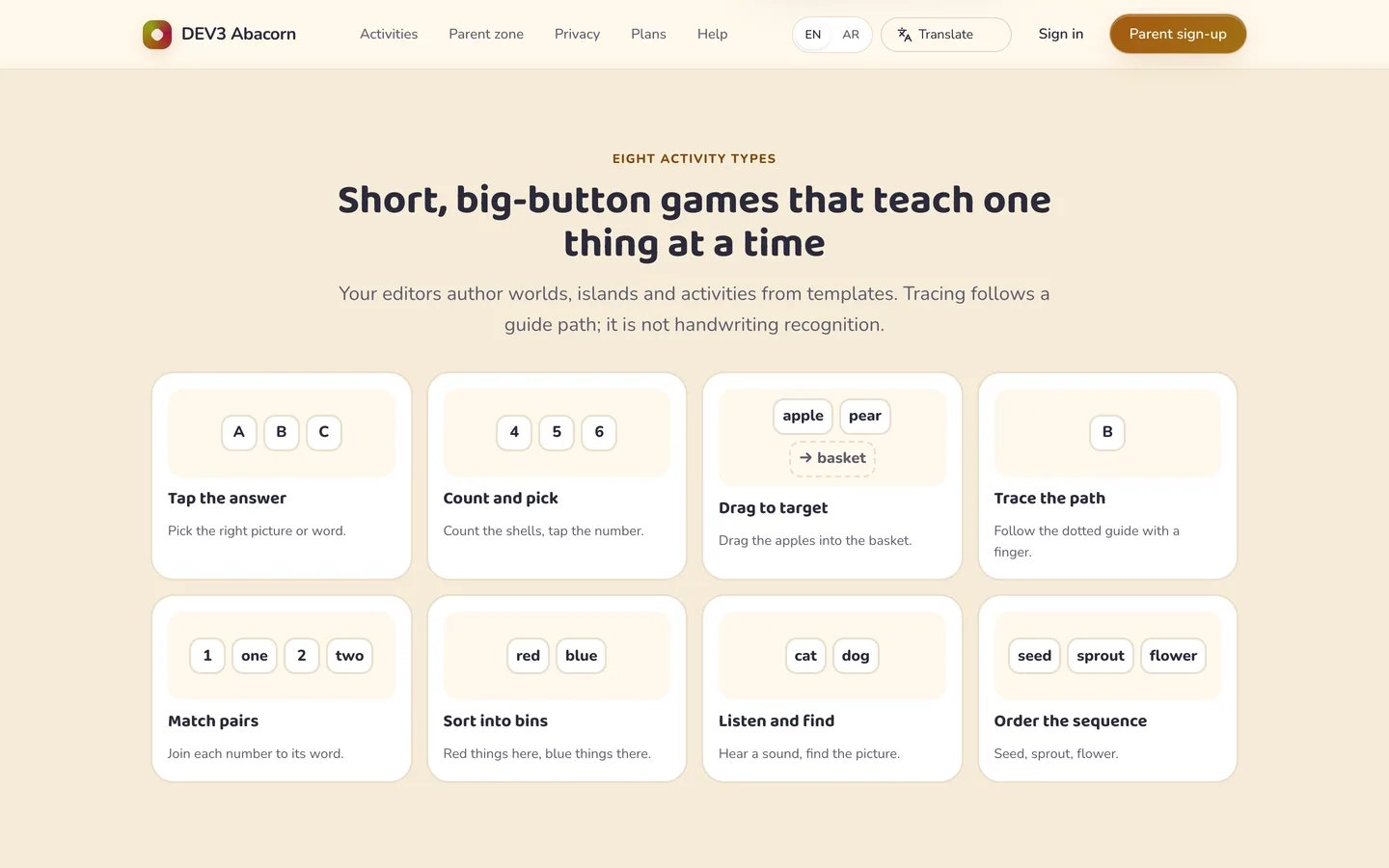 Eight activity types — tap, count, drag, trace, match, sort, listen and order, shown as live cards.