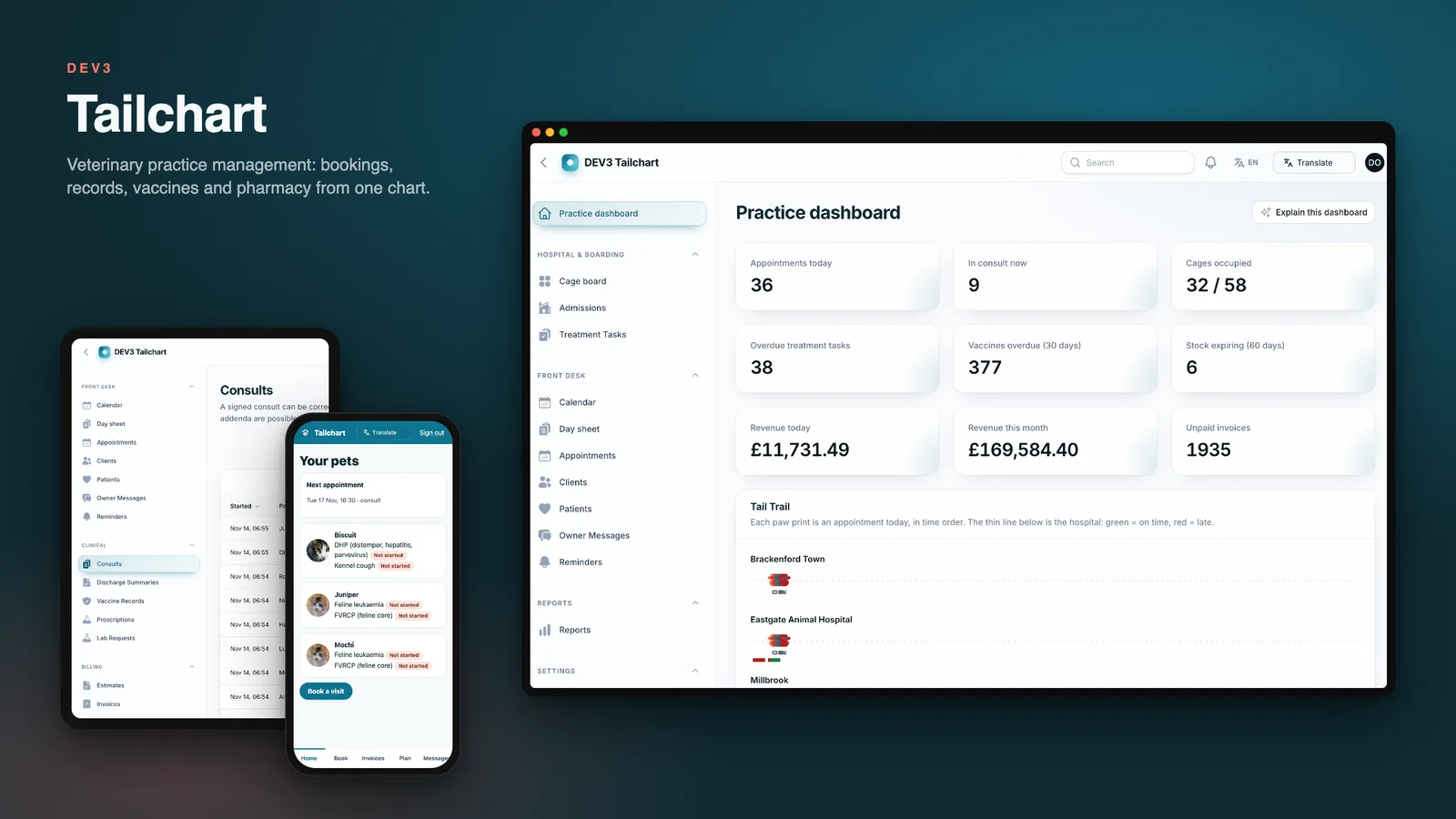
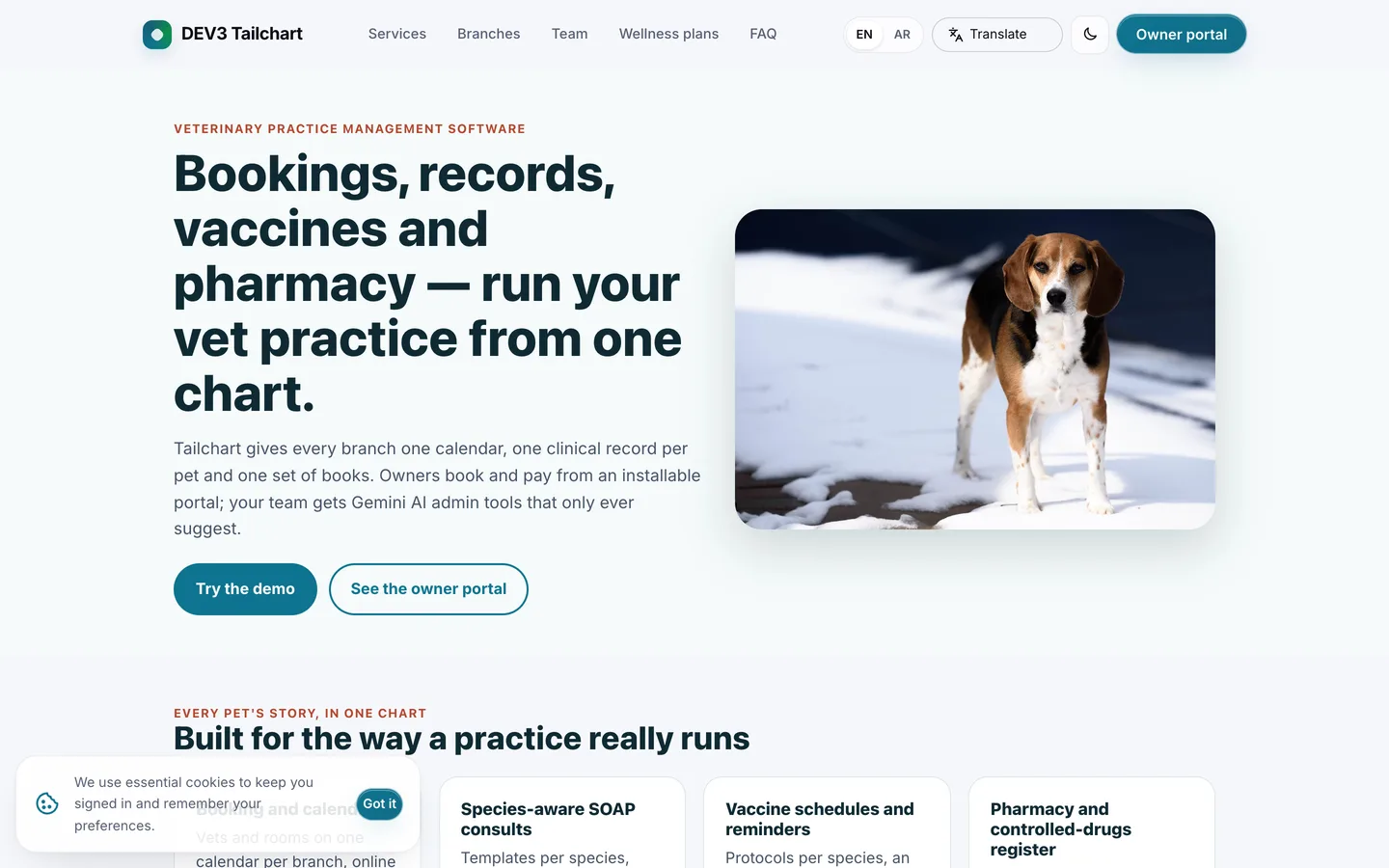
Tailchart is the software for running a veterinary practice from one chart. Reception books by branch, vet and room; vets write SOAP consults that lock after a day; nurses run the ward and the vaccine recalls; pharmacy tracks stock by batch and a controlled-drugs register with a running balance and a witness; accounts turn estimates into invoices and run wellness plans. Owners get an installable portal on their phone. It is built by DEV3 Technologies on Laravel 12 and Filament 4, with a plain Blade public site and no mobile app to build or publish.
What it does
- Branches, vets and rooms. One practice with as many branches as you like, each with its own opening hours, vets, rooms, wards and cages. Staff see their own branches; the practice owner sees all of them. Clients and pets are practice-wide, so a pet can visit any branch.
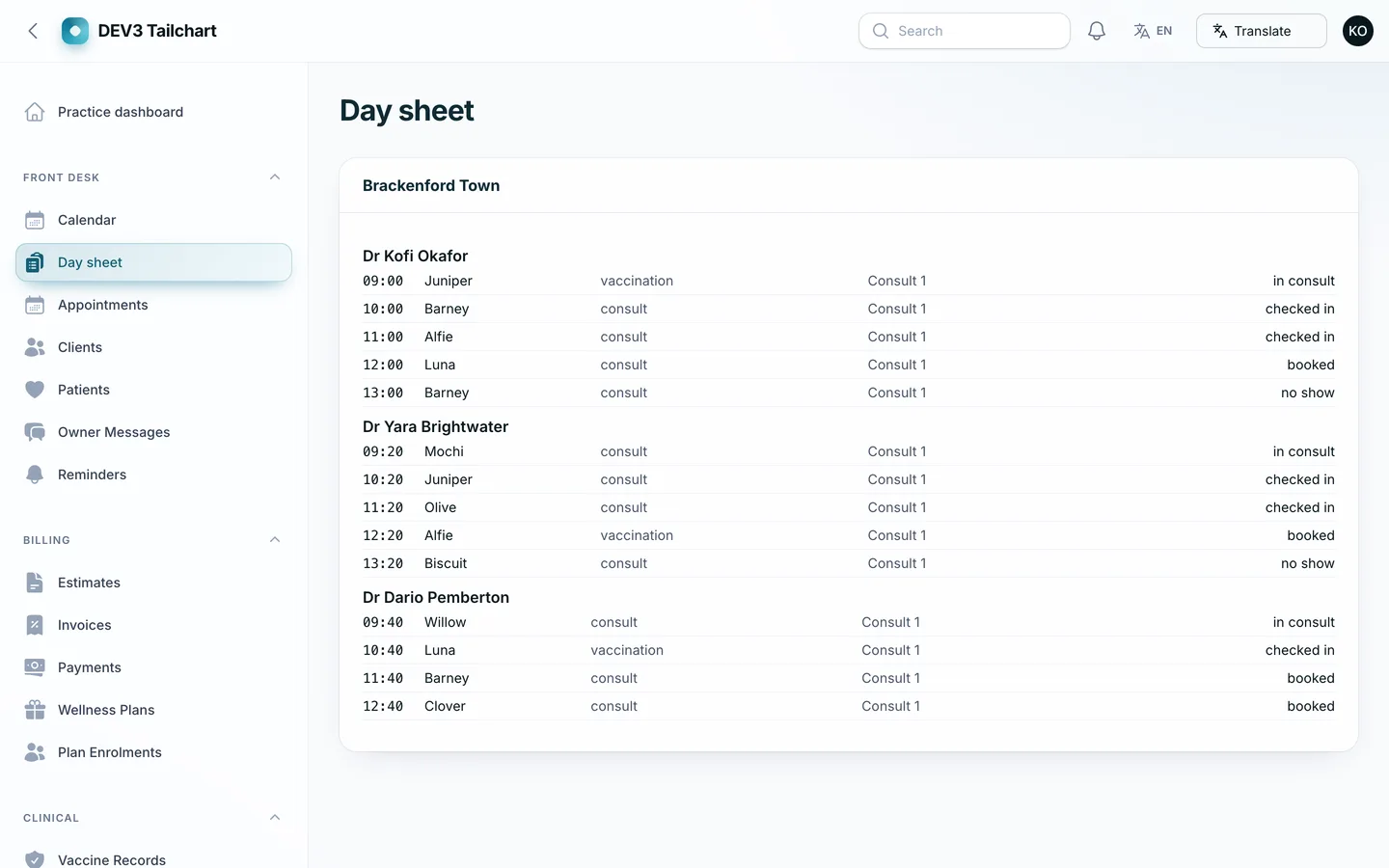
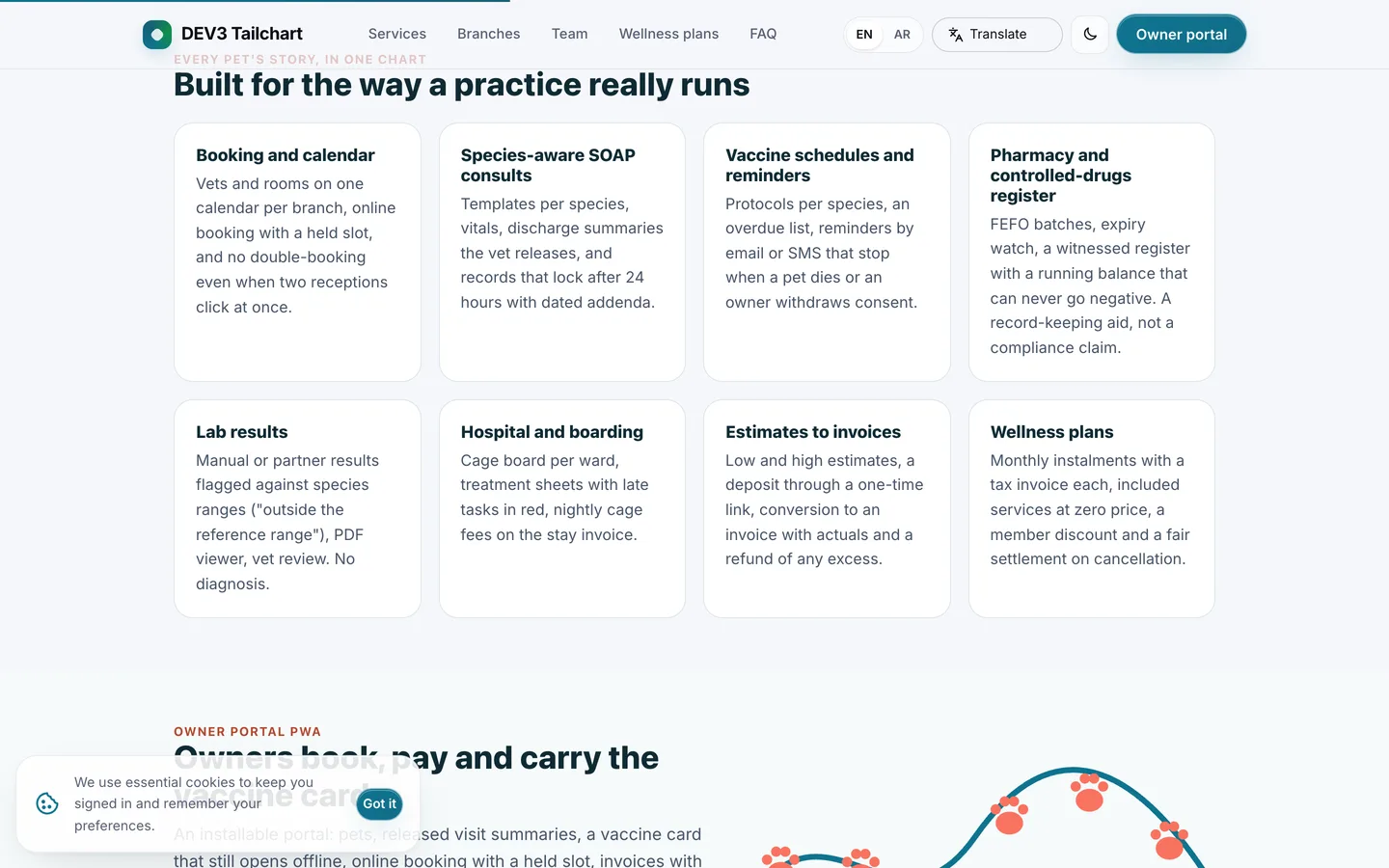
- Booking that cannot double-book. Slot lengths per appointment type, vet rotas, a held slot while an owner confirms, and a day sheet with check-in and a vet-by-room calendar. Two people cannot take the last slot.
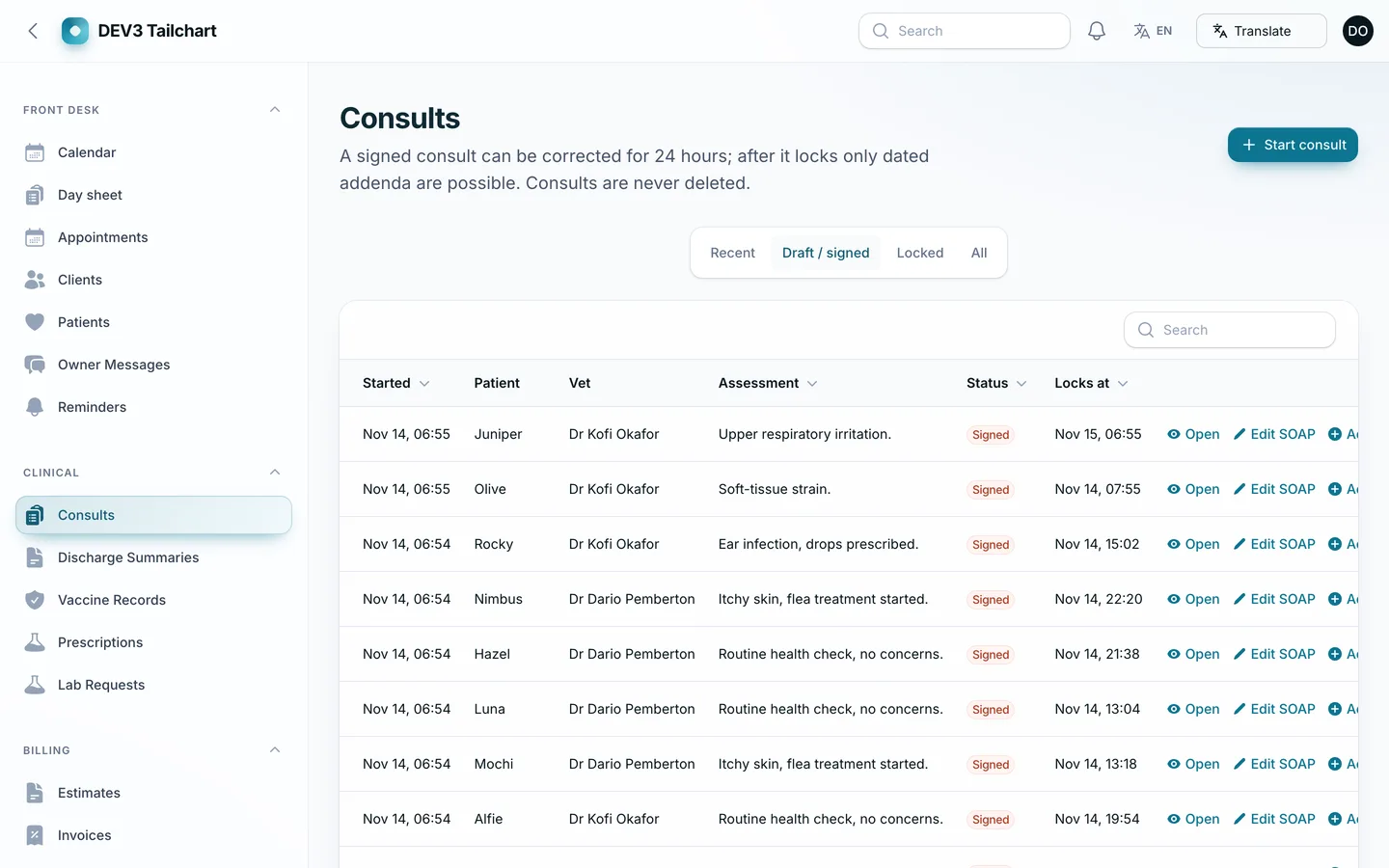
- SOAP consults and records. Species-aware templates, weights with a chart, a draft and signed state, and a lock 24 hours after signing. After the lock only an addendum can be added, and a content hash proves the record has not been altered.
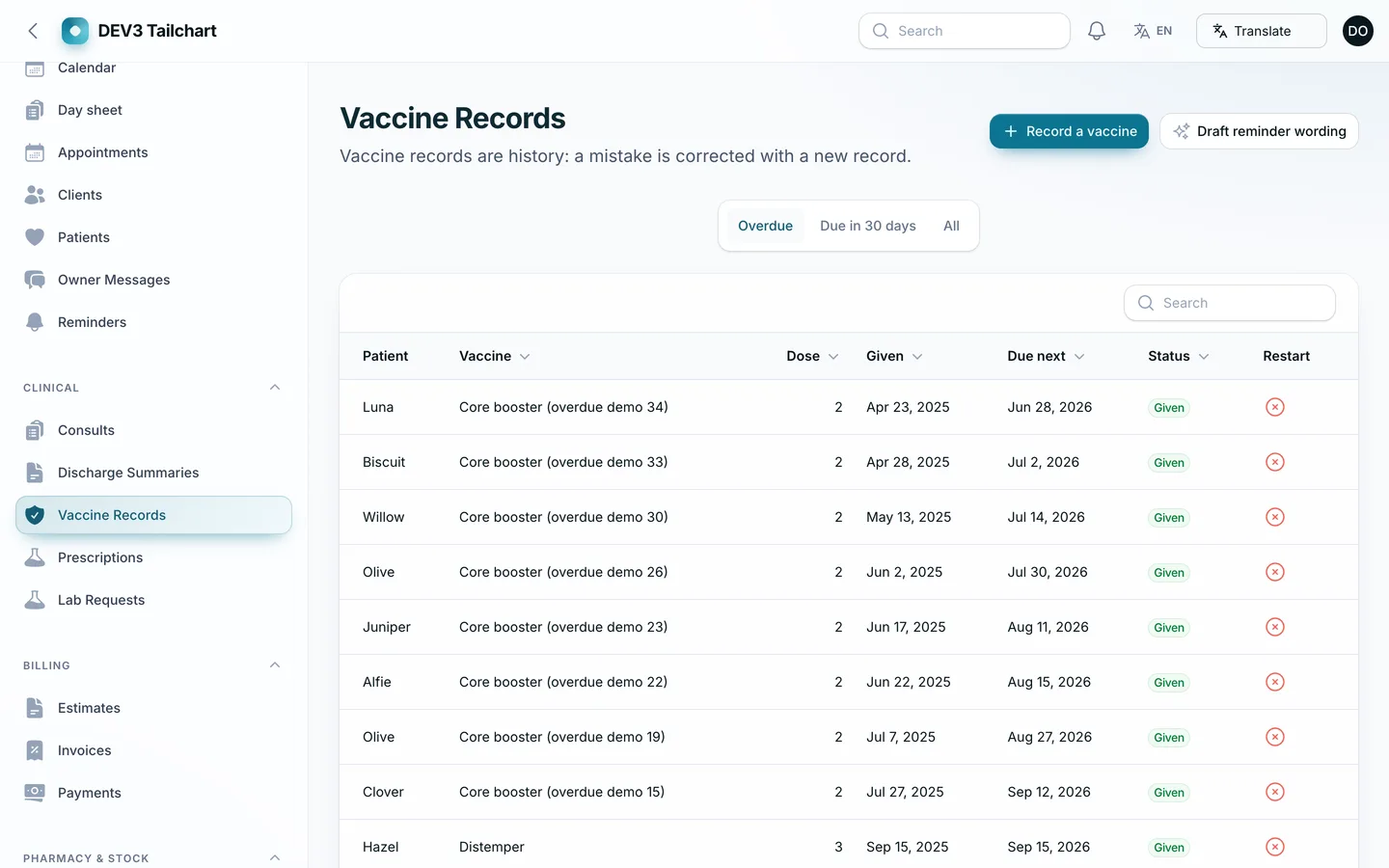
- Vaccine schedules and reminders. Protocols for dogs, cats, rabbits and ferrets with a primary course and boosters, an overdue list, restart flags when a dose falls outside its window, and reminder emails or texts through your own provider.
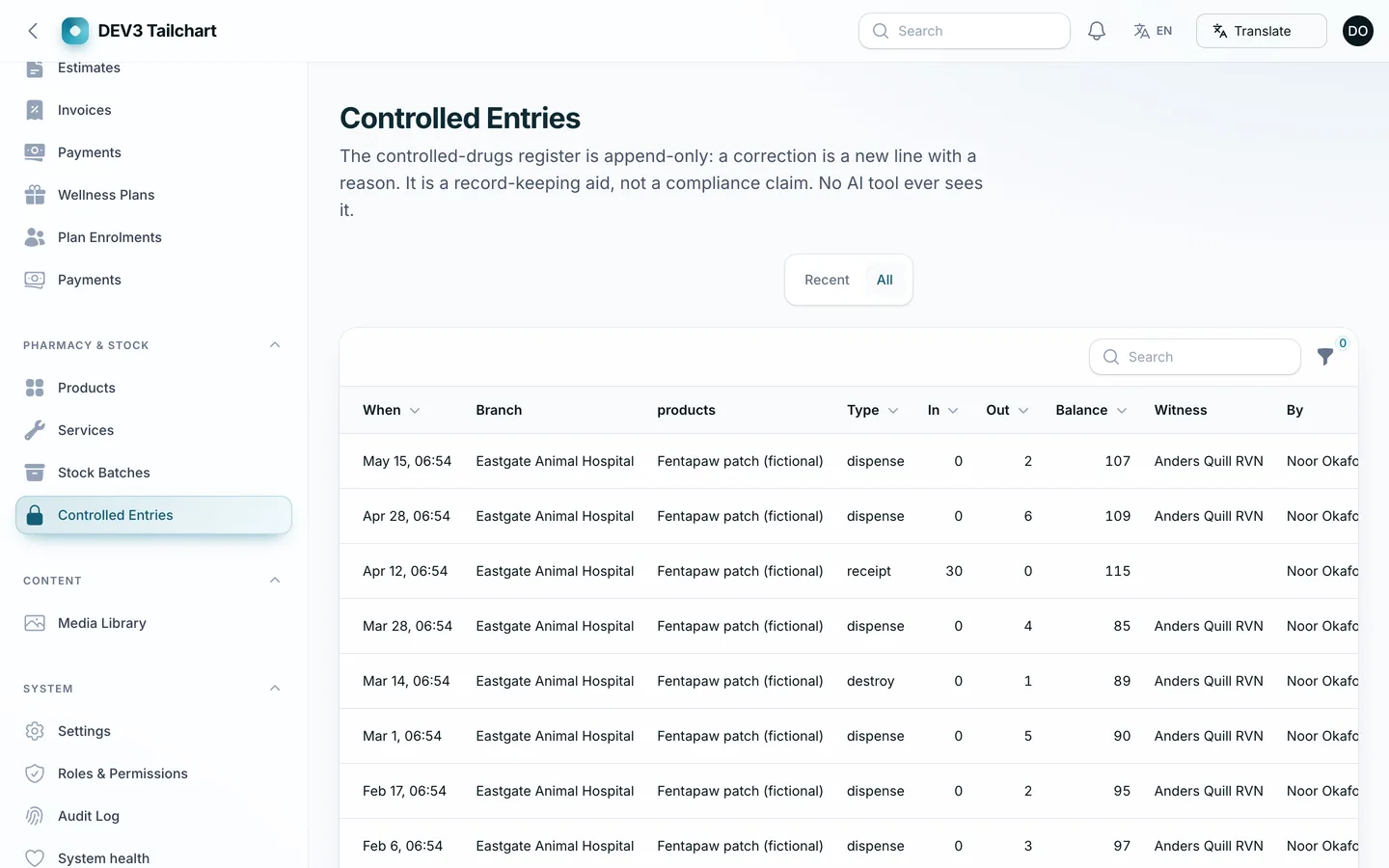
- Pharmacy and stock. Medicines and consumables by batch with expiry watch, receiving, transfers and counts. A controlled-drugs register is append-only: every entry has a running balance, and dispensing, destroying or adjusting a controlled product needs a second staff member with their own PIN as witness.
- Hospital and boarding. A cage board per ward, admissions, a treatment sheet by the hour with late tasks in red, and daily cage fees added to the running invoice.
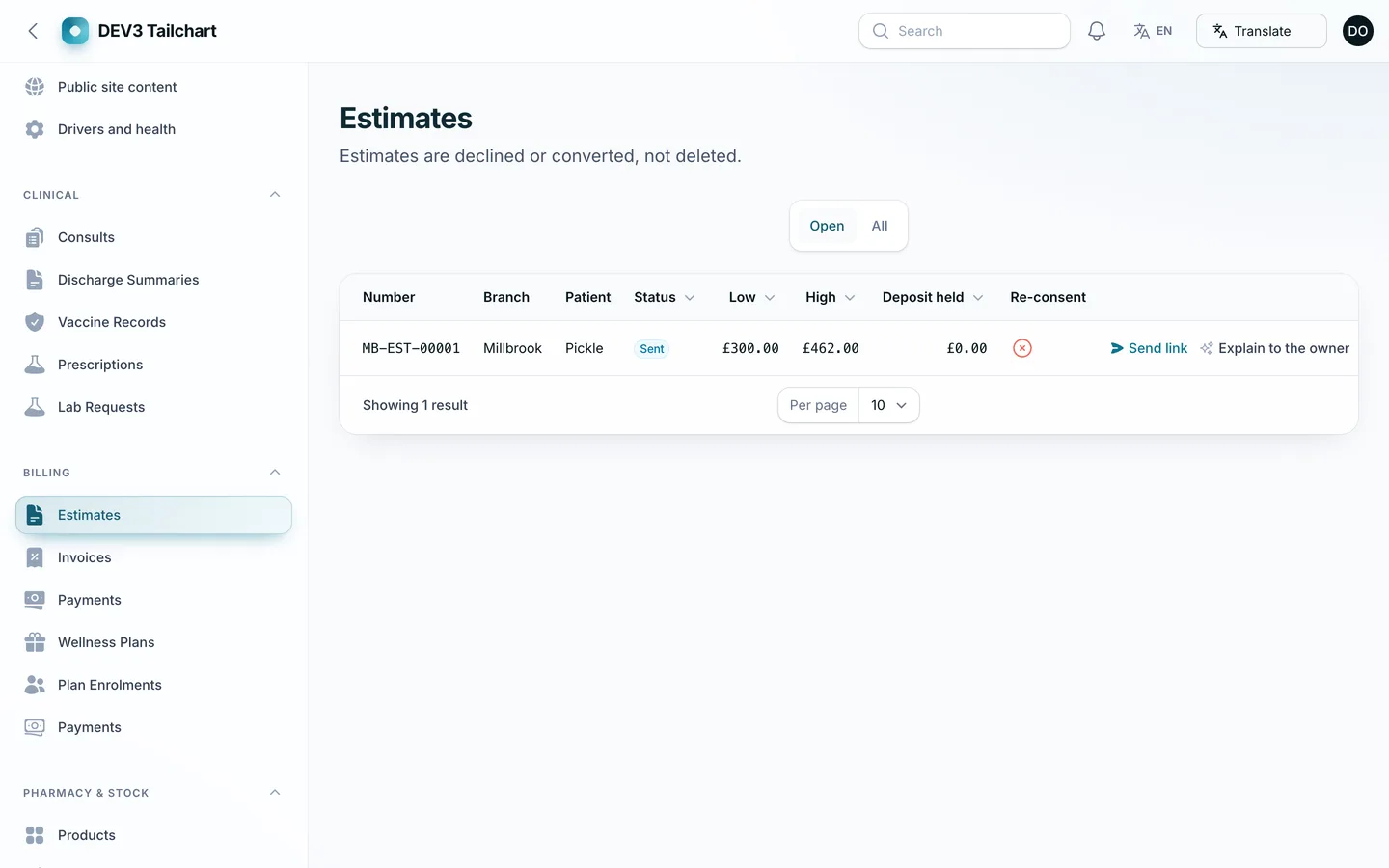
- Estimates, invoices and payments. Low and high estimates the owner accepts through a one-time signed link, a deposit taken at acceptance, estimate-to-invoice conversion with a warning when actuals pass the high figure, tax per line, gapless invoice numbers per branch, part payments, refunds and credit notes.
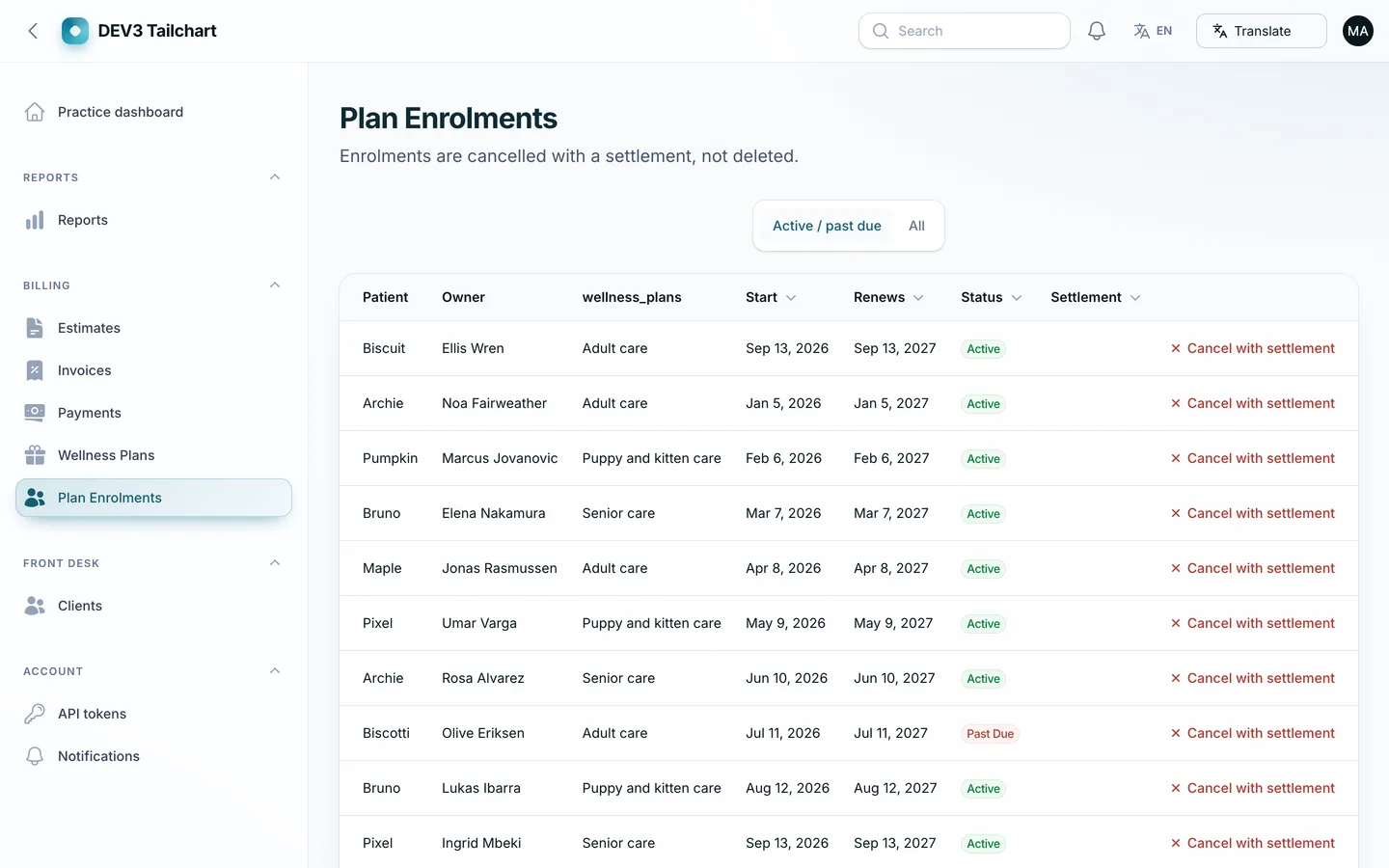
- Wellness plans. Monthly plans with included services and a member discount. Each instalment is a tax invoice at the plan's own rate, covered lines are priced at zero on the visit invoice with their value recorded, and cancelling a plan settles the used benefits at the prices and tax rates in force when they were used.
- Lab results. Entered or uploaded by your staff, flagged against reference ranges for 24 analytes in dogs and cats, with history when a result is corrected. There is no analyser integration.
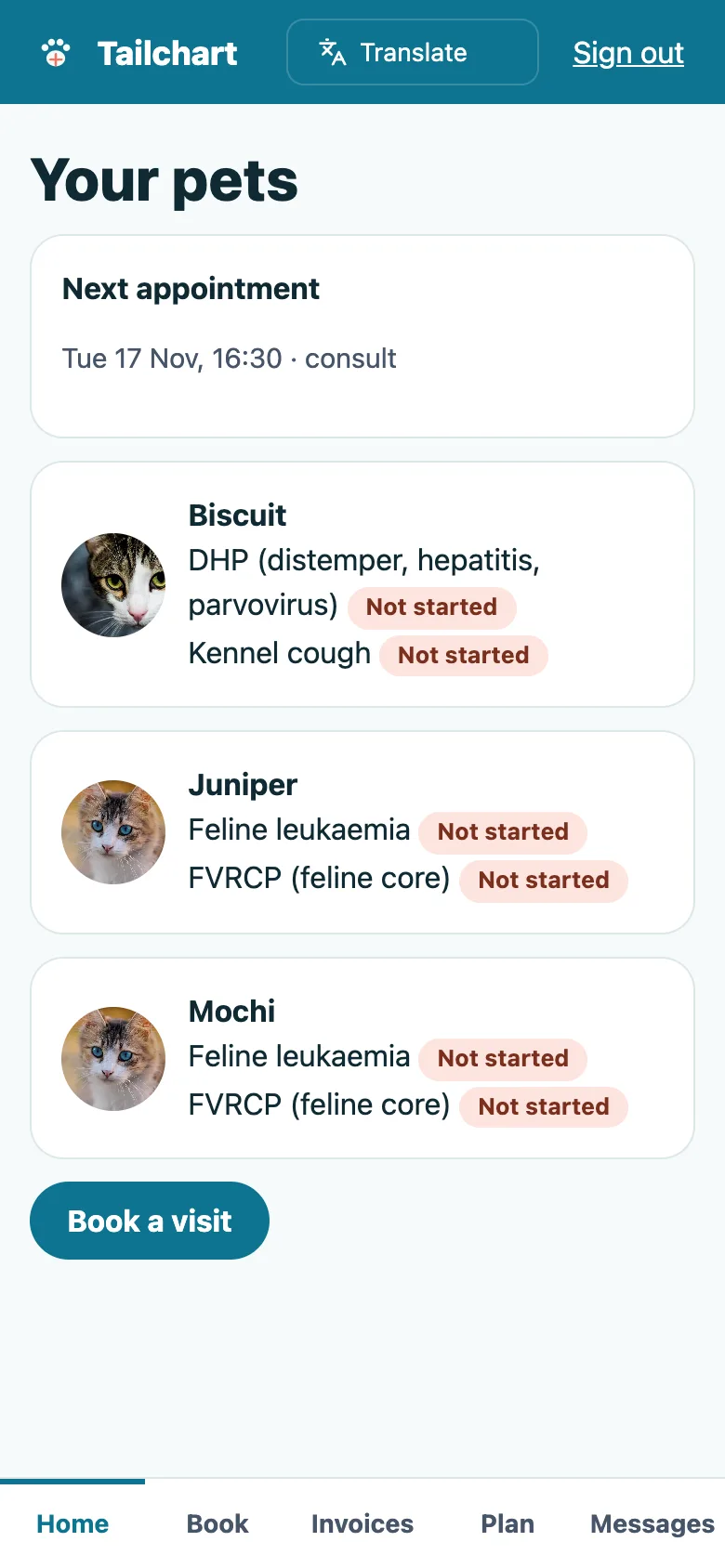
- Owner portal (installable PWA). Owners sign in to see their pets, the vaccine card, released visit summaries, invoices with a simulated payment in the demo, their wellness plan, online booking with a held slot and messages to the practice. It installs to the home screen and shows the last vaccine card offline.
- Admin panel. Dashboard with a "Tail Trail" of the day, reports for revenue, utilisation, vaccine compliance, stock value and expiry, wellness-plan revenue and debtors ageing, a site content editor, roles for six kinds of staff, API keys with scopes and a REST API with an OpenAPI document.
- Language switcher. A Google Translate language switcher (English, Spanish, French, German, Italian and Portuguese) in the public site header, the admin top bar and the owner portal.
Gemini AI admin tools
Optional, bring your own key: add your own Gemini key after purchase (Google bills your account); with no key the AI buttons say "Add your Gemini key in Settings". Every result is a draft you preview and edit; nothing is saved, prescribed, charged, dispensed or sent automatically.
- Consults and patients: summarise a visit, draft an owner-friendly discharge note, summarise recent visits, and "Ask in plain words" filters on the patients list.
- Front desk: suggest the urgency of an owner message (staff set it), summarise it and draft a reply, and write reminder wording.
- Lab and ward: summarise values outside the reference range for the vet's note (never a diagnosis) and summarise a treatment sheet for the shift handover.
- Catalogue and stock: write descriptions, improve titles, suggest tags, and flag expiry, low-stock or unusual write-off risks on non-controlled stock.
- Money and reports: explain an estimate to the owner in plain words, flag wellness plans with repeated failed instalments, and explain the dashboard and every report.
- Imports: clean up a client or pet CSV before you import it.
Owner names, phones, emails, addresses and microchip numbers are replaced with tokens before any call, pet names too unless the practice owner turns that on, and controlled-drug register data is never sent. Tokens are restored only in the preview on your server. You remain responsible for your own privacy notices and your agreement with Google.
Quality checks
The release passed seven gates on the final code: Larastan level 6 with 0 errors, a Pest suite of 332 tests, a build with a 21 KB gzip page budget and no 3D, migrations and the full demo seed on MySQL 8 and SQLite, a headless smoke test over 18 pages and 32 happy paths with seven MySQL race checks (last slot, last controlled unit, invoice finalised twice, room, estimate accepted twice, double enrolment), the web installer driven from the zip, and a secret scan. A consistency command (tailchart:check) proves that controlled-drug balances, stock on hand, invoice totals and tax, payments, deposits, plan coverage and consult seals agree on the demo data.
What you should know before buying
- Practice-management software, not a diagnostic tool. It does not diagnose, and lab results are entered or uploaded by your staff. No analyser integrations are included.
- The controlled-drugs register is a record-keeping aid. Dispensing, destroying or adjusting needs a witness with a PIN, but compliance with your local regulations remains your responsibility.
- Wellness-plan tax. Each plan has its own tax rate: instalments are tax invoices at that rate, covered services are zero-priced with their value recorded, and a cancellation settlement uses the original prices and rates. Check the treatment with your accountant for your country.
- Payments are simulated in the demo. Card payments, SMS and email run in demo mode until you connect your own gateway and providers; demo drivers refuse to run in production, so a live site needs a real payment gateway.
- The Gemini key is yours. Gemini AI admin tools need your own Google Gemini API key (Settings, then AI); no key or AI usage is included. Without a key the AI buttons stay disabled.
- Translate and privacy. A Google Translate language switcher is on the public site and admin; it needs Google's widget to load in the visitor's browser, and private areas (clinical records, pharmacy, owners, billing and the portal) are excluded from translation.
- The owner area is an installable web app. No native mobile app is included.
- Use MySQL or MariaDB for a live site; the concurrency checks were run on MySQL 8. One cron entry every minute is required.
Included
Source code, the web installer, a buyer guide, demo data for a fictional practice, Brackenford Veterinary Group (3 branches, 1,850 clients, 2,640 pets, about 31,000 appointments, about 20,000 consults, about 22,000 invoices and 410 wellness-plan enrolments), free-licence animal photos with credits, and six months of support.
 Species-aware SOAP consults and vaccine schedules — every pet's story in one chart.