DEV3 Technologies home

DEV3 Swatchyard – Digital Asset Management SaaS Laravel Script with Brand Libraries, Approvals and Share Portals

A self-hosted digital asset manager SaaS on Laravel 12 and Filament 4: brand libraries, metadata and tags, versions, renditions, usage rights with expiry, approvals, branded share portals and brand guidelines pages. Web installer and demo data included.
by DEV3 TechnologiesVerified Author(0) 0 sales 4 viewsUpdated 11 Nov 2026

Video tour. Pick a section below to browse 36 screenshots in 7 sections.

App & phone tours

Tap play to watch each app. Nothing downloads until you do.

  • Mobile web0:24

Swatchyard is a digital asset management system for brands, agencies and in-house design teams. It is built by DEV3 Technologies on Laravel 12 and Filament 4. You run it as the operator: you sell plans to workspaces, and each workspace gets its own libraries, members, assets, portals and brand guidelines.

What it does

  • Brand libraries. One library per brand with folders, member roles and permissions. Search runs only over what the person is allowed to see.
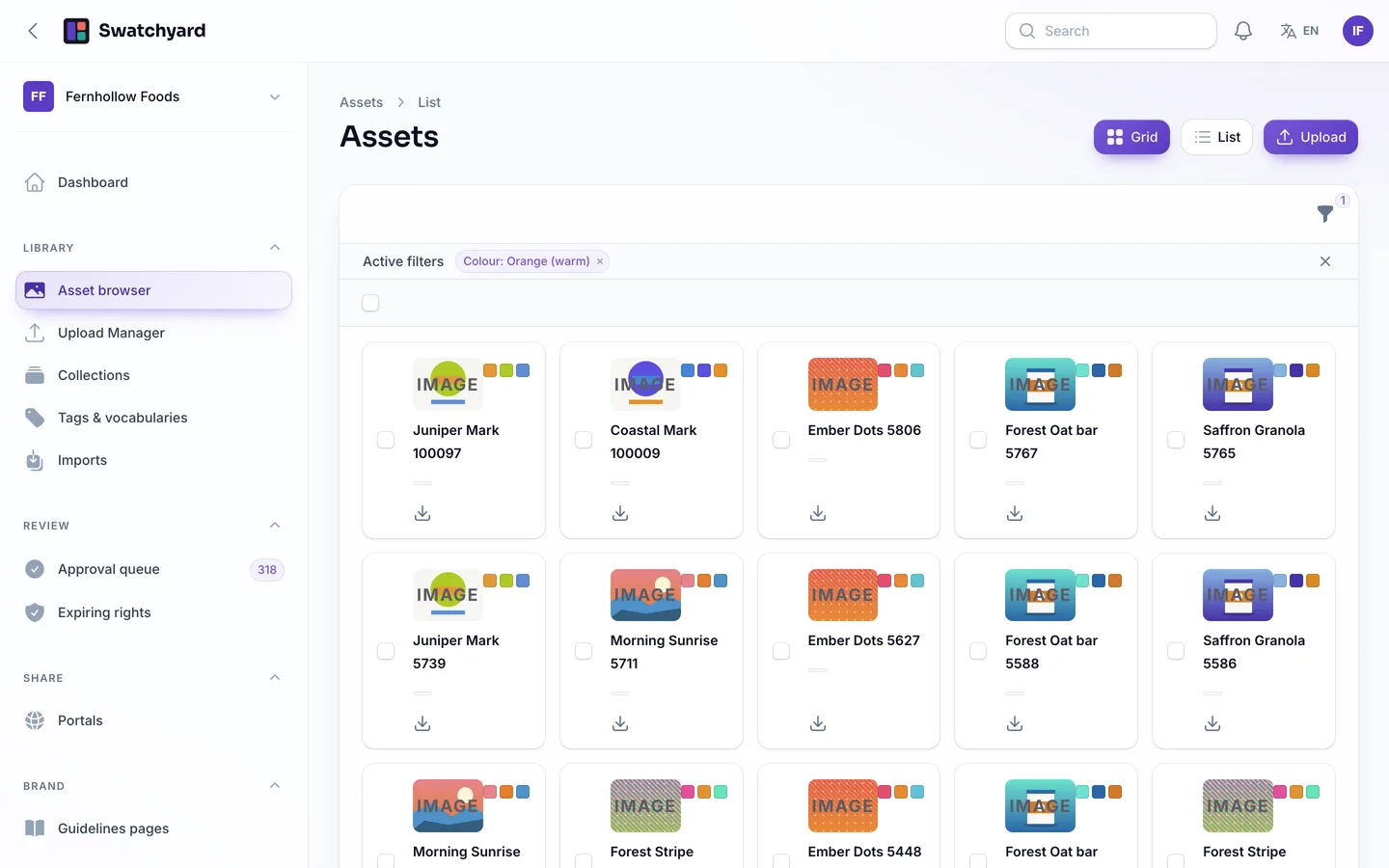
  • Asset browser. A grid or list of previews with facets, a dominant-colour filter, bulk tags, fields, moves, collections and ZIP download.
  • Resumable uploads. The browser uploads in chunks, can pause and resume, and asks what to do with duplicates. Bring files in from a URL or a ZIP with a metadata CSV.
  • Metadata and tags. Your own schema of fields and choices, fields that must be filled before approval, controlled tags with synonyms, merge and rename, and EXIF, IPTC and XMP read from the file.
  • Versions and renditions. New versions with promote and rollback. Rendition presets set size, crop, format, quality and a watermark, and can be re-rendered for a whole library.
  • Usage rights with expiry. Licence records and templates, renewal reminders and assets that are hidden or watermarked when the rights end.
  • Approvals. Workflows with a queue, bulk approve and reject, and comments pinned to the image. Only approved assets reach portals and the API.
  • Collections. Manual sets and smart sets built from a saved search.
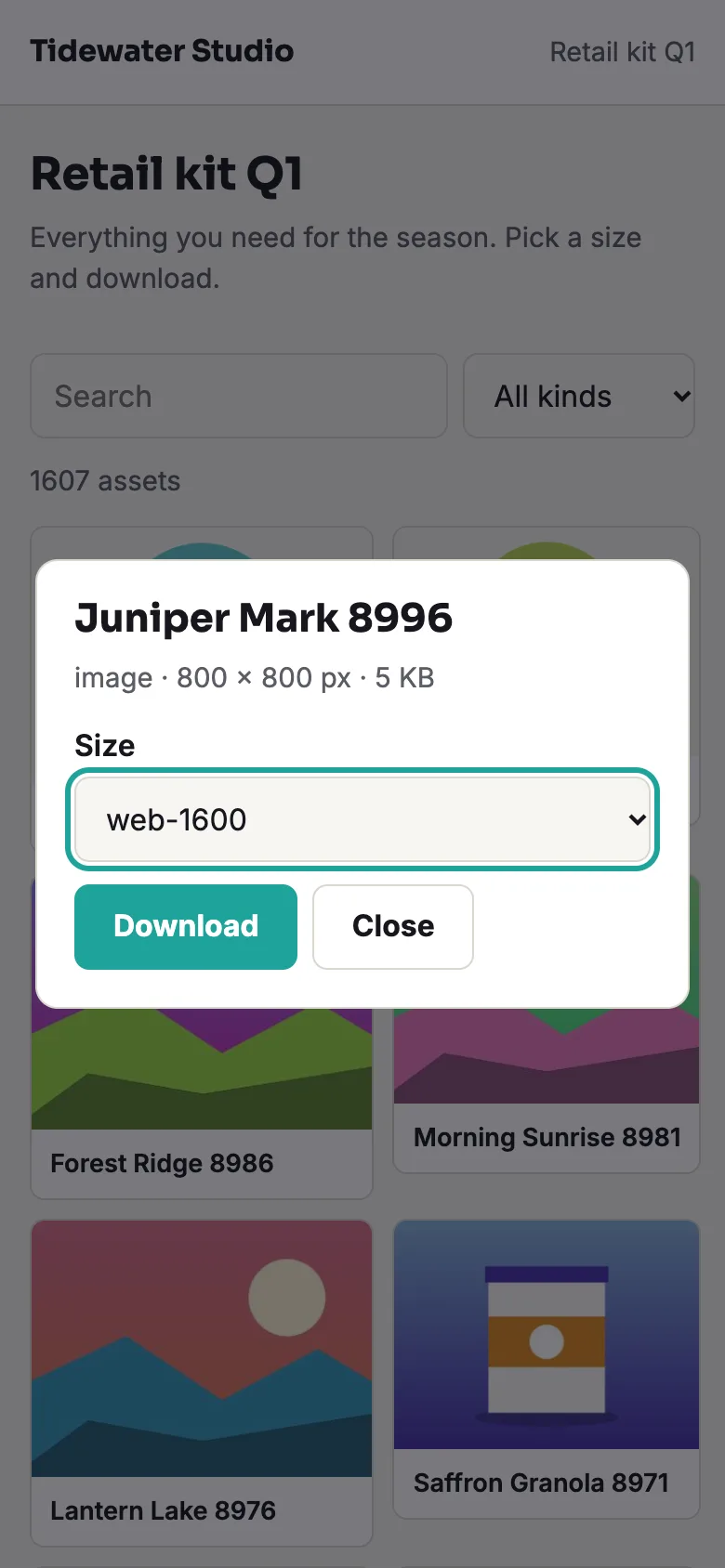
  • Share portals. A branded page for a press kit or a partner, open by link, by password or by emailed magic link, with an expiry, the sizes you offer, search, visit and download counts, and a custom domain you verify with a DNS record or a file.
  • Brand guidelines. Block-based pages per library with colour swatches (HEX, RGB, CMYK), logo downloads, do and don't images and type notes, published at a public address.
  • Insights. Downloads by asset, collection, portal and purpose, unused assets, storage by library, approval times and searches, with CSV export.
  • Operator panel, API and webhooks. Workspaces with meters for storage, assets, seats, portals and bandwidth, plans and billing, an outbox and audited view-only support sessions. A scoped REST API with an OpenAPI document and signed webhooks.

Quality checks

The release passed seven gates on the final code: Larastan level 6, Pest, a build inside the page budget, migrations and the full demo seed on MySQL 8 and SQLite, a headless smoke test across pages, roles, browser upload, portal download and guidelines, race checks on MySQL, the installer driven from the zip, and a secret scan. A cross-tenant walk checks that no route shows another workspace's data.

What you should know before buying

  • Files stay on your storage, local disk or S3-compatible. Storage and bandwidth are yours.
  • Renditions are made on your server with GD or Imagick. Video and PDF previews need ffmpeg and Ghostscript if you install them; otherwise a generic poster is shown.
  • No AI tagging and no face search. Tags are entered by people, plus metadata read from the file. Metadata is read, never written back into files.
  • Rights expiry works inside Swatchyard only. It hides or watermarks assets; it cannot recall files already downloaded.
  • No Adobe or Figma plug-ins. Web only.
  • Payments, mail and the DNS check are simulated until you connect real drivers. Use MySQL or MariaDB for a live site. A cron entry every minute is required.

Included

Source code, the web installer, a buyer guide, demo data with fictional workspaces and about 1,200 invented demo images drawn at install, fixed demo portals, and six months of support.

How it's built

Architecture, stack, key decisions and the quality gates DEV3 Swatchyard passed before release.

The engineering behind Swatchyard: search scoped to what a person may see, only approved assets delivered, chunked uploads that resume and portals that cannot leak.

The problem it solves

An asset library looks like a folder of images until two workspaces share one database, a rights licence ends mid-campaign, an unapproved file reaches a public link or a large upload dies at 90 percent. Each must end safely, and a portal visitor must never need an account.

Architecture and approach

Swatchyard is a Laravel 12 application with Filament 4 studio and operator panels and hand-built portal and upload screens. Every tenant query is fail-closed and an enumerated schema test plus a cross-tenant walk prove it. Search runs through one permission-scoped query used by the browser, collections, portals and the API. Delivery goes through one download service that refuses unapproved or expired-rights assets, and portal links, magic links and thumbnails are signed or stored as hashes. Uploads are resumable chunks that assemble under a lock, and swatchyard:check reconciles storage meters, renditions and download counts.

Quality gates and results

The release passed seven gates, including race checks on MySQL and a headless smoke test of the browser upload and the portal download. The reconciliation command passes on the demo data: eight workspaces, 30,000 assets and 420,000 download events.

Tech stack

Area Technologies
Application Laravel 12, Filament 4, Blade, REST API
Data MySQL 8, SQLite
Frontend Tailwind CSS 4, Vite
Quality Pest, Larastan level 6, Playwright

Inside the build

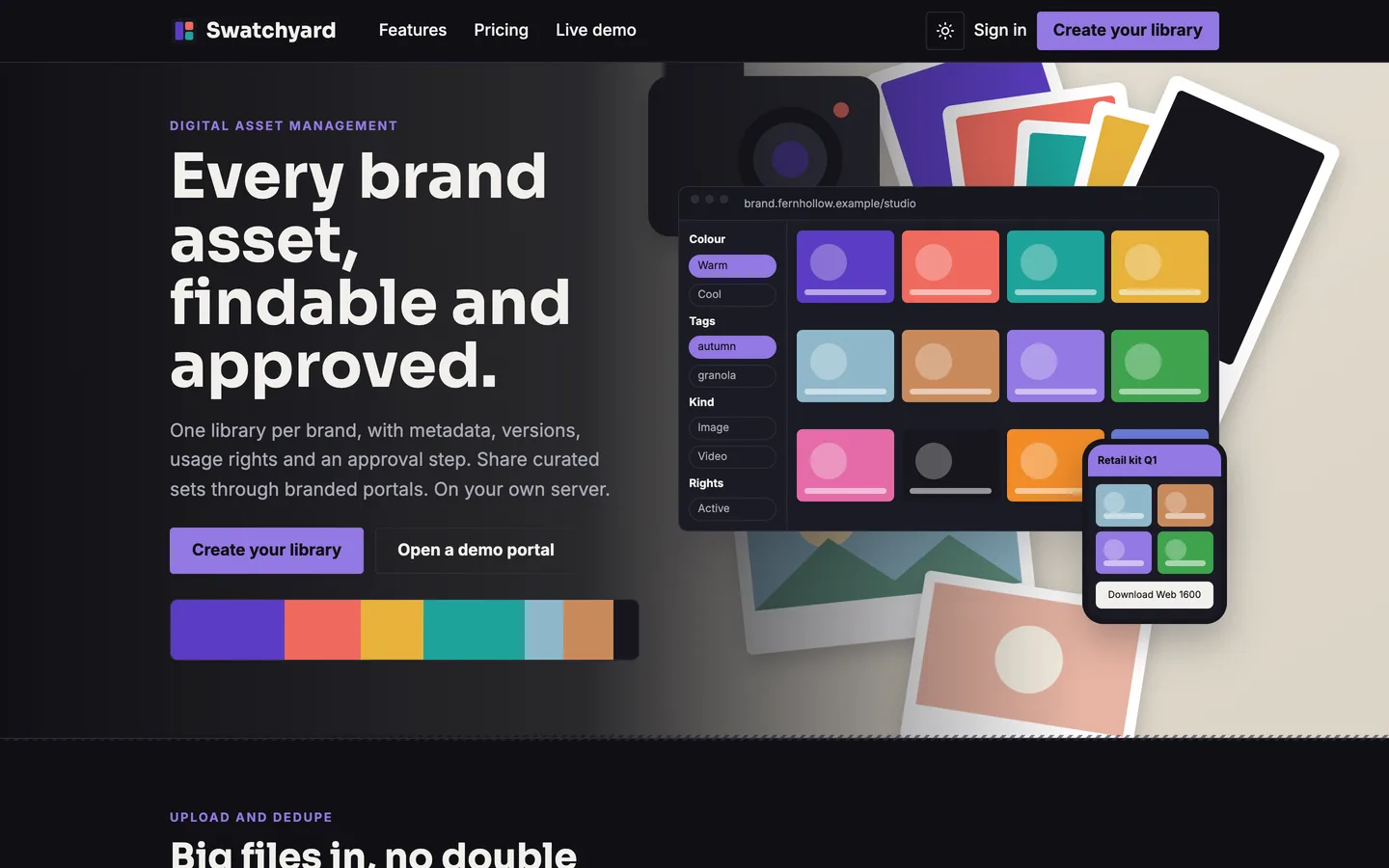
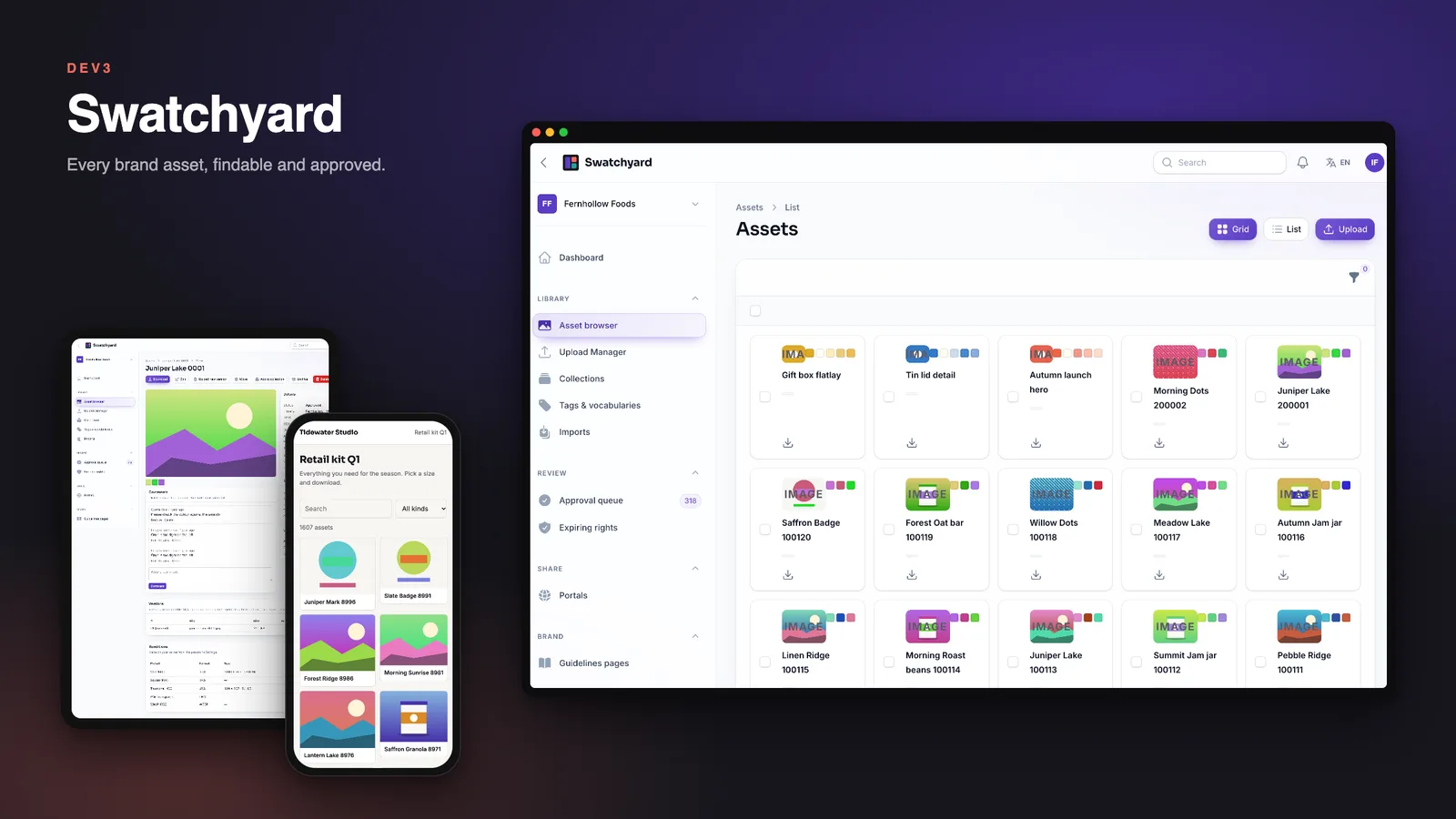
Digital asset management: a studio table of swatches beside the asset browser and a branded portal on a phone. Digital asset management — a studio table of swatches beside the asset browser and a branded portal on a phone.

Dark mode: the same home page in the dark scheme. Dark mode — the same home page in the dark scheme.

Guides & articles

Practical guides and engineering write-ups for DEV3 Swatchyard.

Digital asset management software: 6 things to check before you pick one

Last updated
Digital asset management software: 6 things to check before you pick one: DEV3 Swatchyard

A brand does not lose assets, it loses track of them: the logo in four versions, the photo whose licence ended last month, the partner who emails to ask for "the latest kit". Here are six things to check before you pick DAM software, with DEV3 Swatchyard as the worked example.
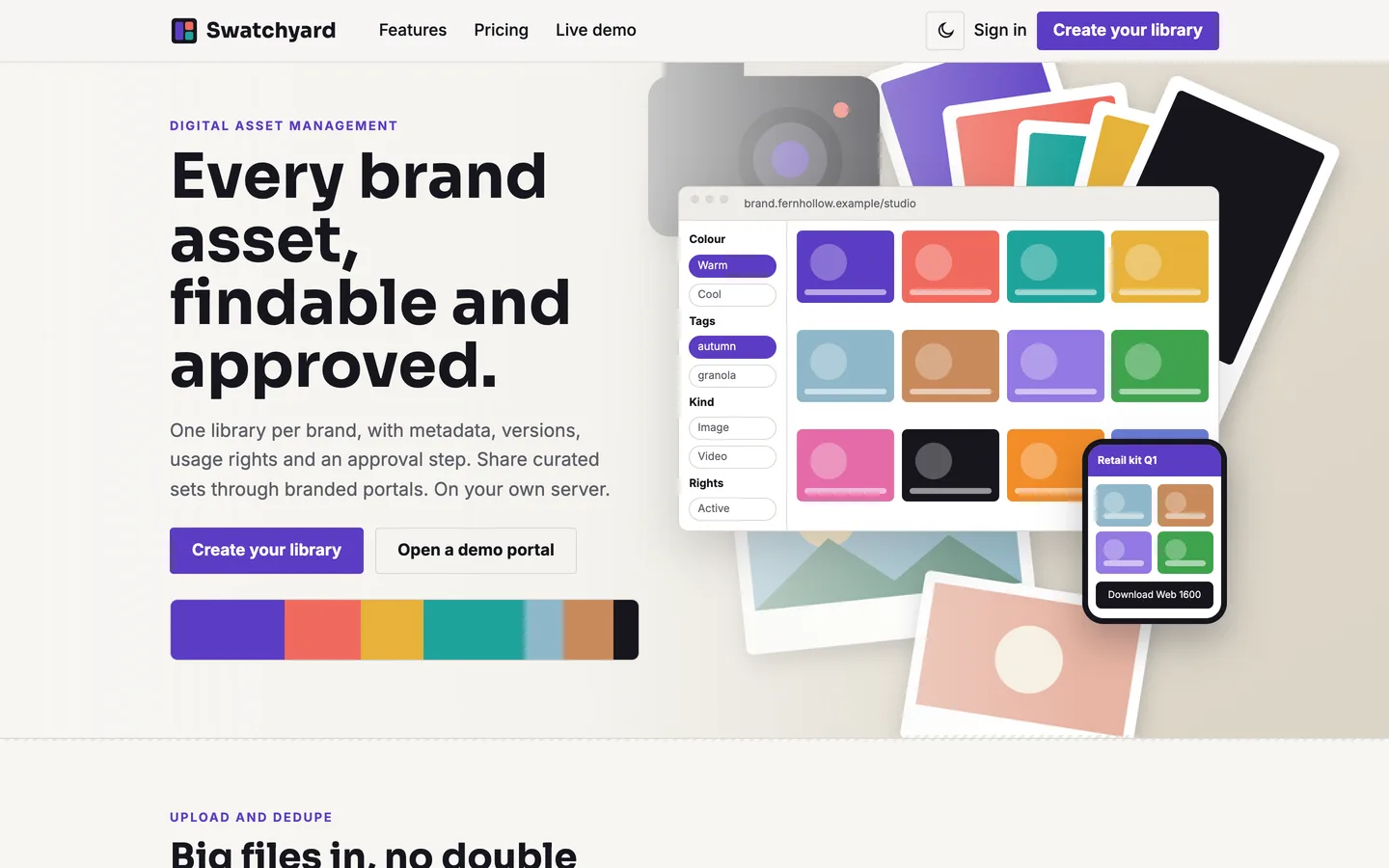
Swatchyard home page: a studio table of colour swatches beside the asset browser and a portal on a phone

1. Can people find things?

Search should cover names, tags, metadata fields and colour, and it should only show what the person is allowed to see. Look for facets, a grid and a list, and bulk actions for tagging and moving.
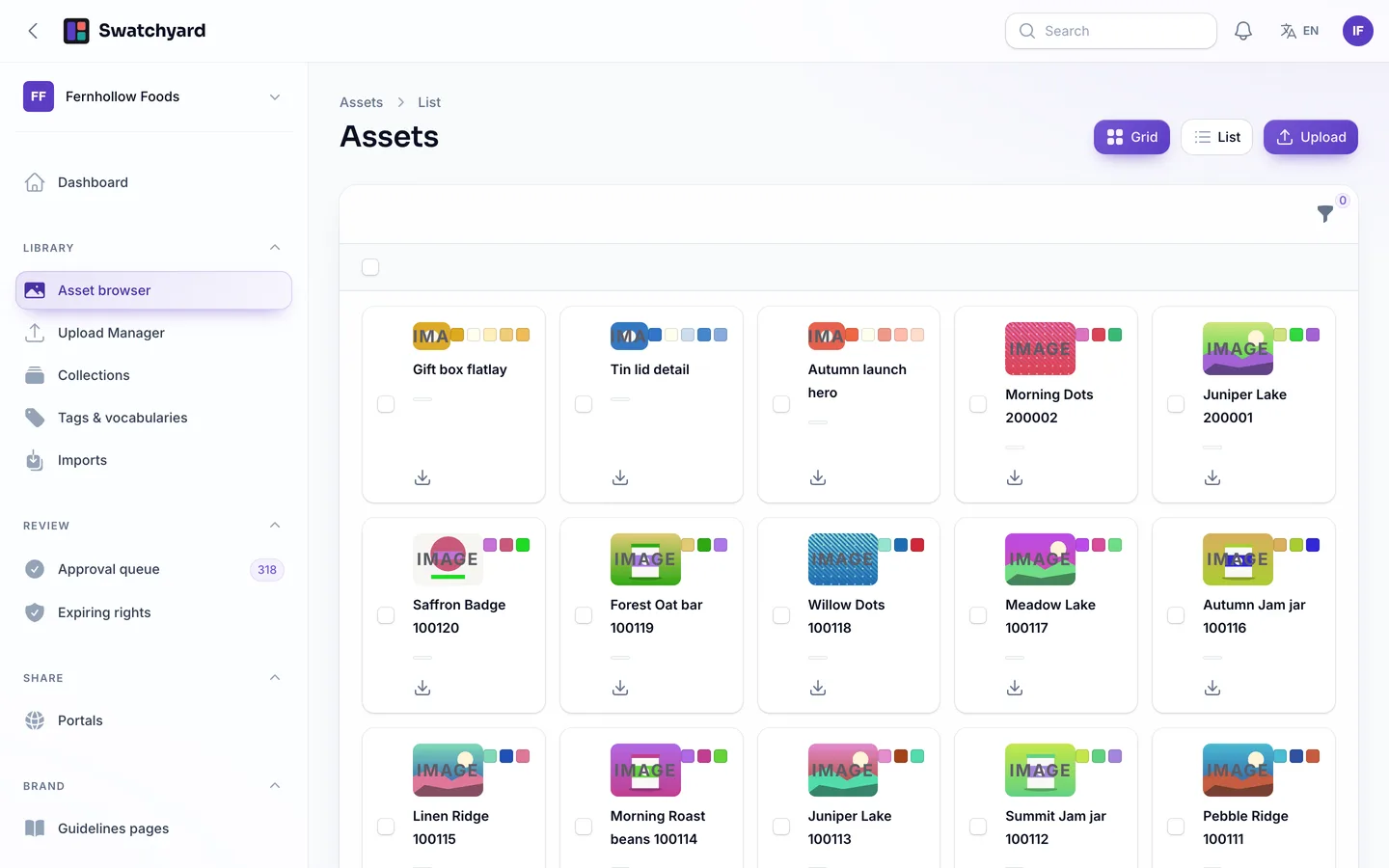
The asset browser: a grid of previews with facets and bulk actions

Colour filter: assets close to a warm orange

2. Is there an approval step that means something?

An approval is only useful if unapproved files cannot leave the building. Check that the queue supports comments pinned to the image, required fields before approval and bulk decisions, and that portals and the API serve approved assets only.
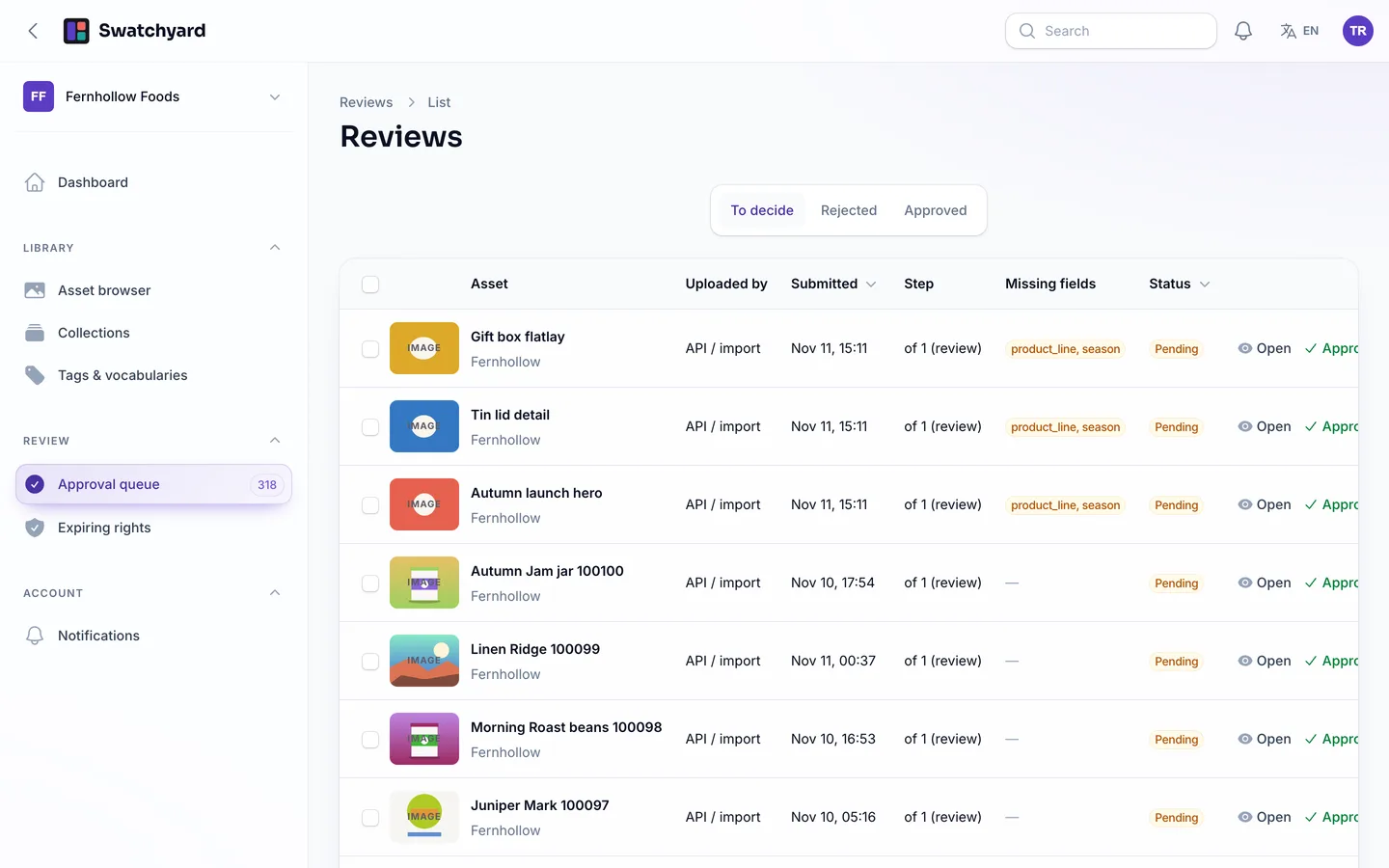
The approval queue with required-field warnings

3. Are usage rights tracked?

A licence has an end date. Look for rights records, reminders before they expire and a rule for what happens next, such as hiding or watermarking the asset.
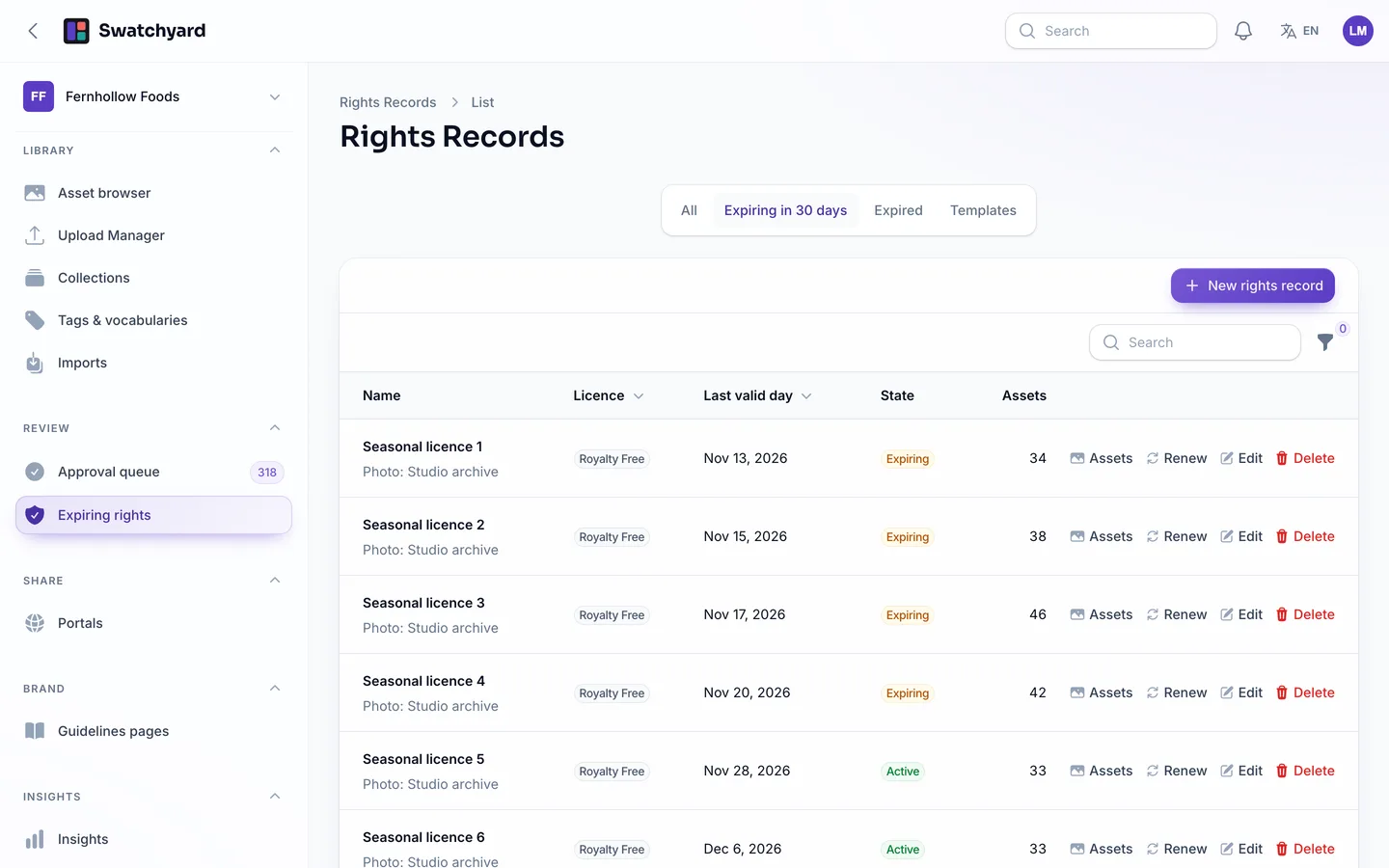
Expiring rights with renew and the assets they cover

4. Can you share without sending files?

A branded portal with a link, a password or a magic link, an expiry and a choice of sizes replaces the email attachment. Counting visits and downloads shows which kits are used.
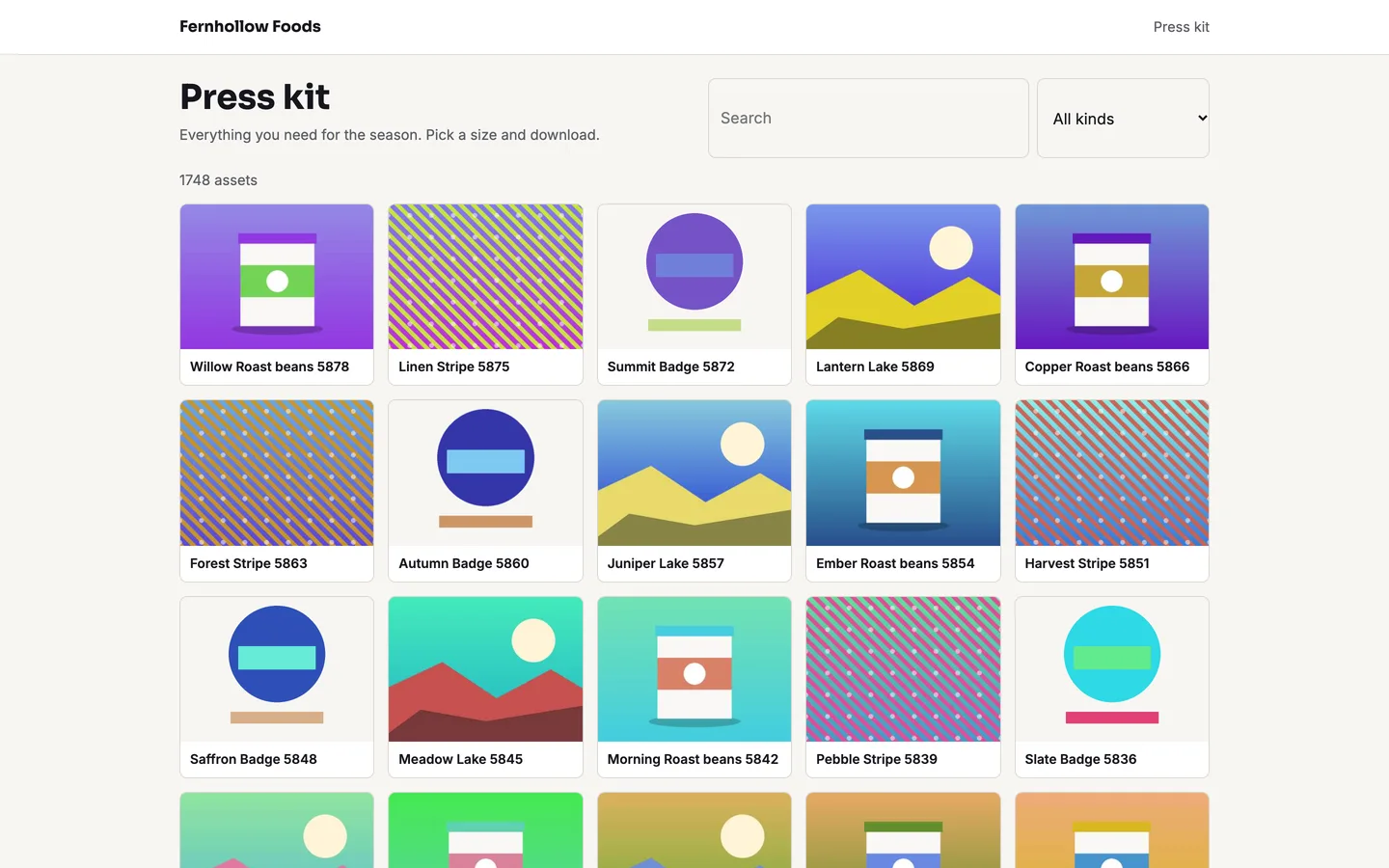
A press-kit portal anyone with the link can browse

A portal on a phone: pick a size and download

5. Are the brand rules next to the files?

Guidelines pages with colour values, logo downloads and do and don't examples stop people guessing. They work best when published at an address you can share.
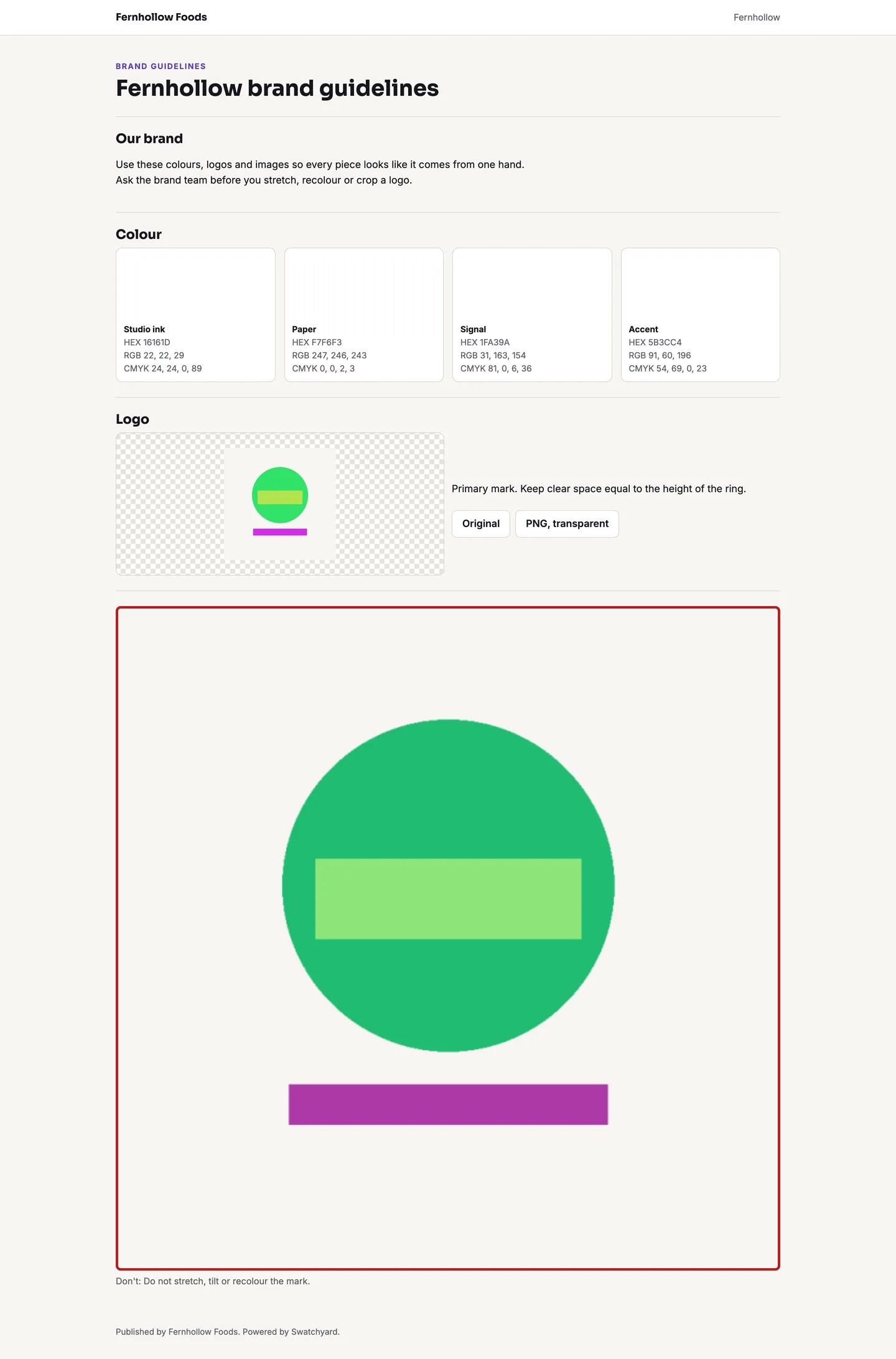
A published guidelines page with colour swatches and logo downloads

6. Are the limits honest?

Swatchyard keeps files on your own storage and makes renditions on your server. Video and PDF previews need ffmpeg and Ghostscript. It has no AI tagging or face search, it reads metadata but does not write it back, rights expiry works inside Swatchyard only and there are no Adobe or Figma plug-ins. Say that plainly to your buyers.
Video: The Swatchyard tour

Frequently asked questions

The complete source code (version 1.0.1) as a download from your account, with the setup and usage guides shown on this page. You can modify the code to suit your product.

Buying guides: Laravel scripts with Filament panels and a web installer · Next.js or Laravel for a SaaS script?

Questions about this product (0)

Answers from the DEV3 team and the community.

Ask a question

No questions yet.

Wondering about setup, licensing or customisation? Ask, and the DEV3 team will help.

More from this author

View all

Related in Web Scripts & Software

View all