DEV3 Technologies home

DEV3 Stagemere – Webinar & Live Class SaaS Laravel Script with Registration, Paid Tickets, Live Q&A and Replays

A self-hosted webinar and live class platform on Laravel 12 and Filament 4: registration and reminders, paid tickets and coupons, a live room with chat, Q&A and polls on your own Jitsi server, replays, certificates and attendance reports. Web installer and demo data included. No mobile apps.
by DEV3 TechnologiesVerified Author(0) 0 sales 0 viewsUpdated 11 Nov 2026

Video tour. Pick a section below to browse 97 screenshots in 7 sections.

App & phone tours

Tap play to watch each app. Nothing downloads until you do.

  • Mobile web1:20

Stagemere is webinar and live class software you host yourself, built by DEV3 Technologies on Laravel 12 and Filament 4. Each customer of yours is an organisation: a coach, a school, a training company or a marketing team that runs one-off webinars, multi-session cohorts and recurring office hours. Attendees register, get a personal join link, enter a live room and later watch the replay. You run it as the operator: plans, ticket sales, weekly payouts and abuse reports live in a separate panel.

What it does

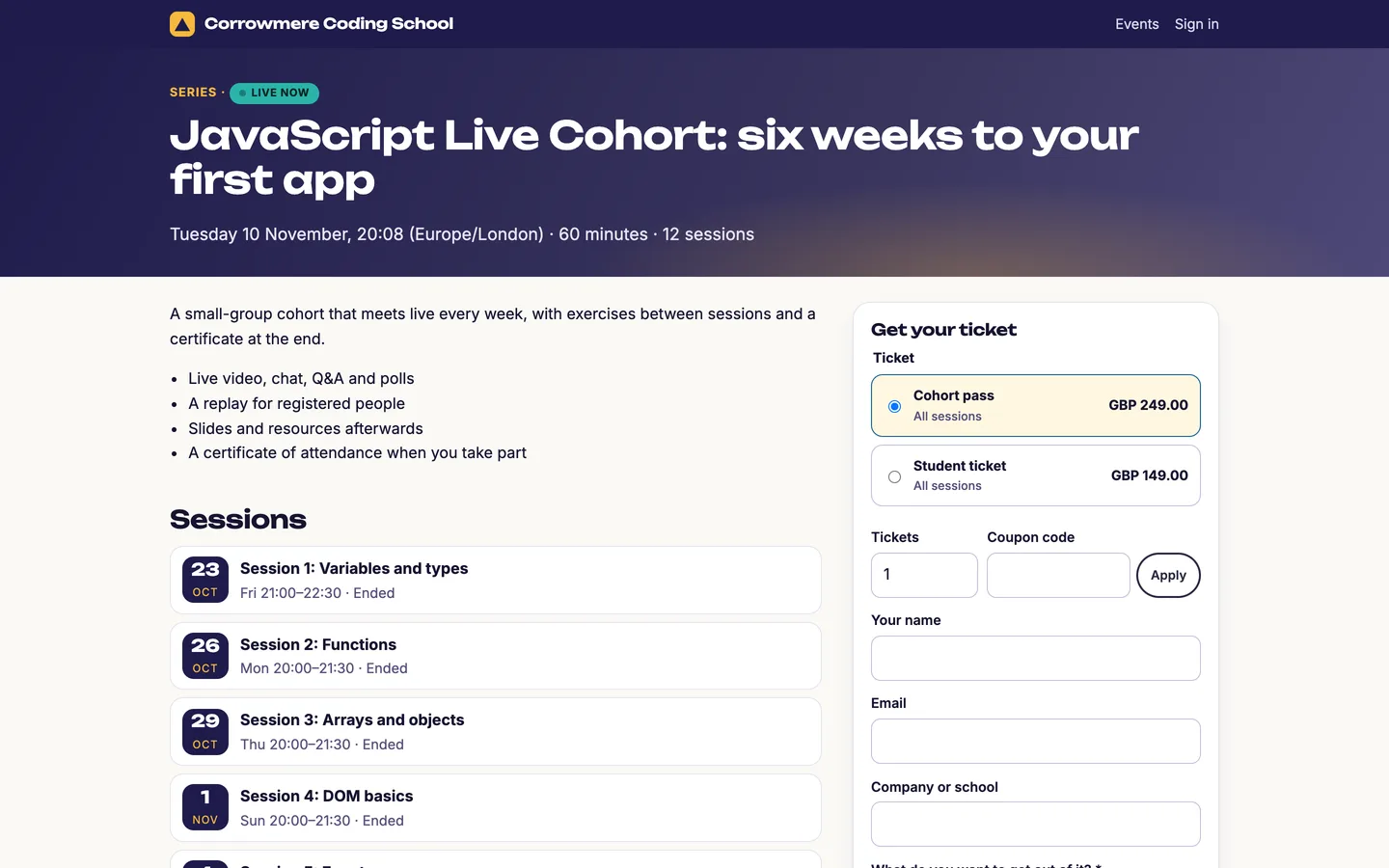
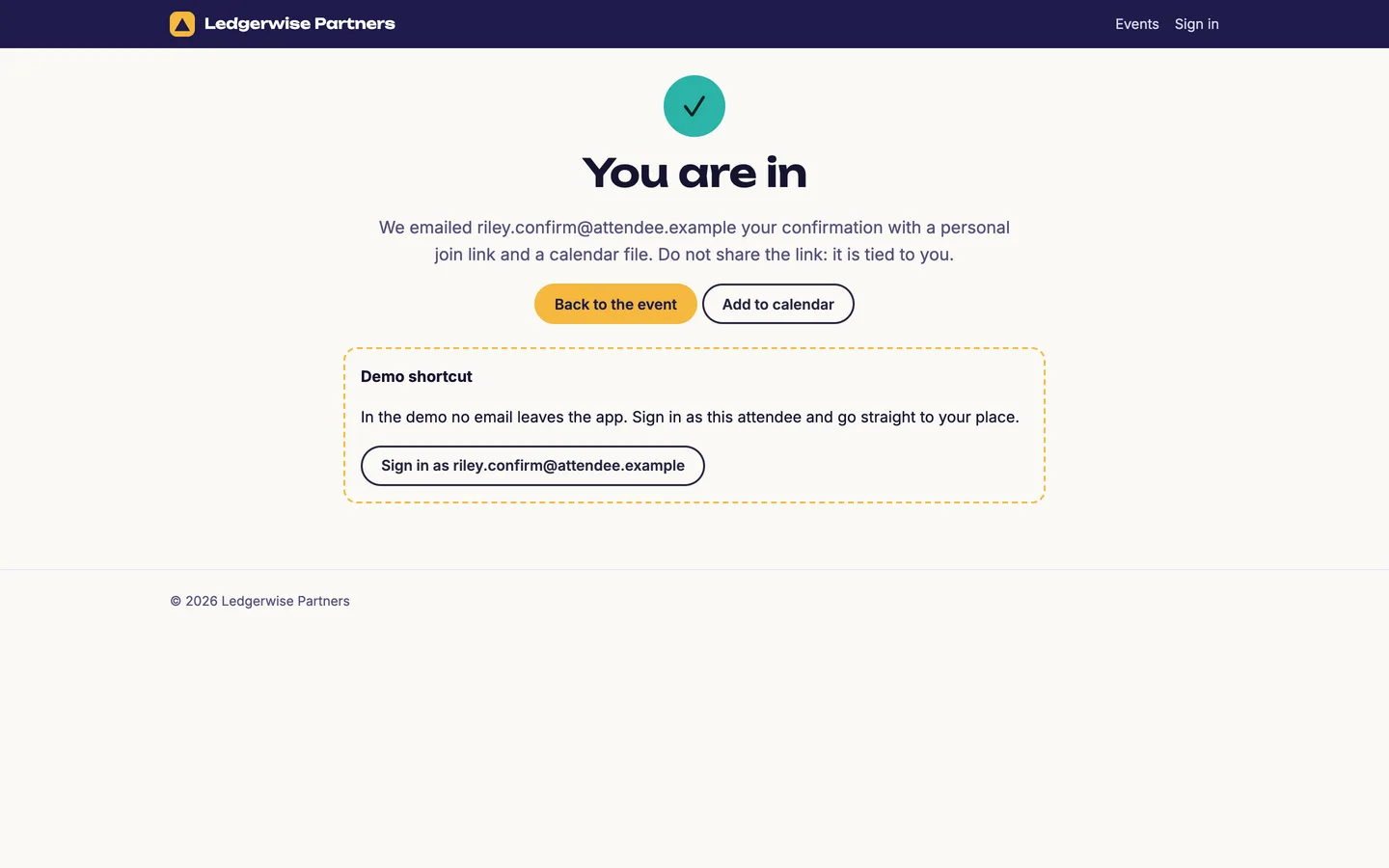
  • Registration that fills rooms. Branded event pages, your own registration questions, approval by hand when you want it, a waitlist that holds a freed seat for the first person in line, and a personal join link by email with a calendar file in the visitor's time zone. Reminders go out a day and an hour before and at the start; every email can be reworded and retimed.
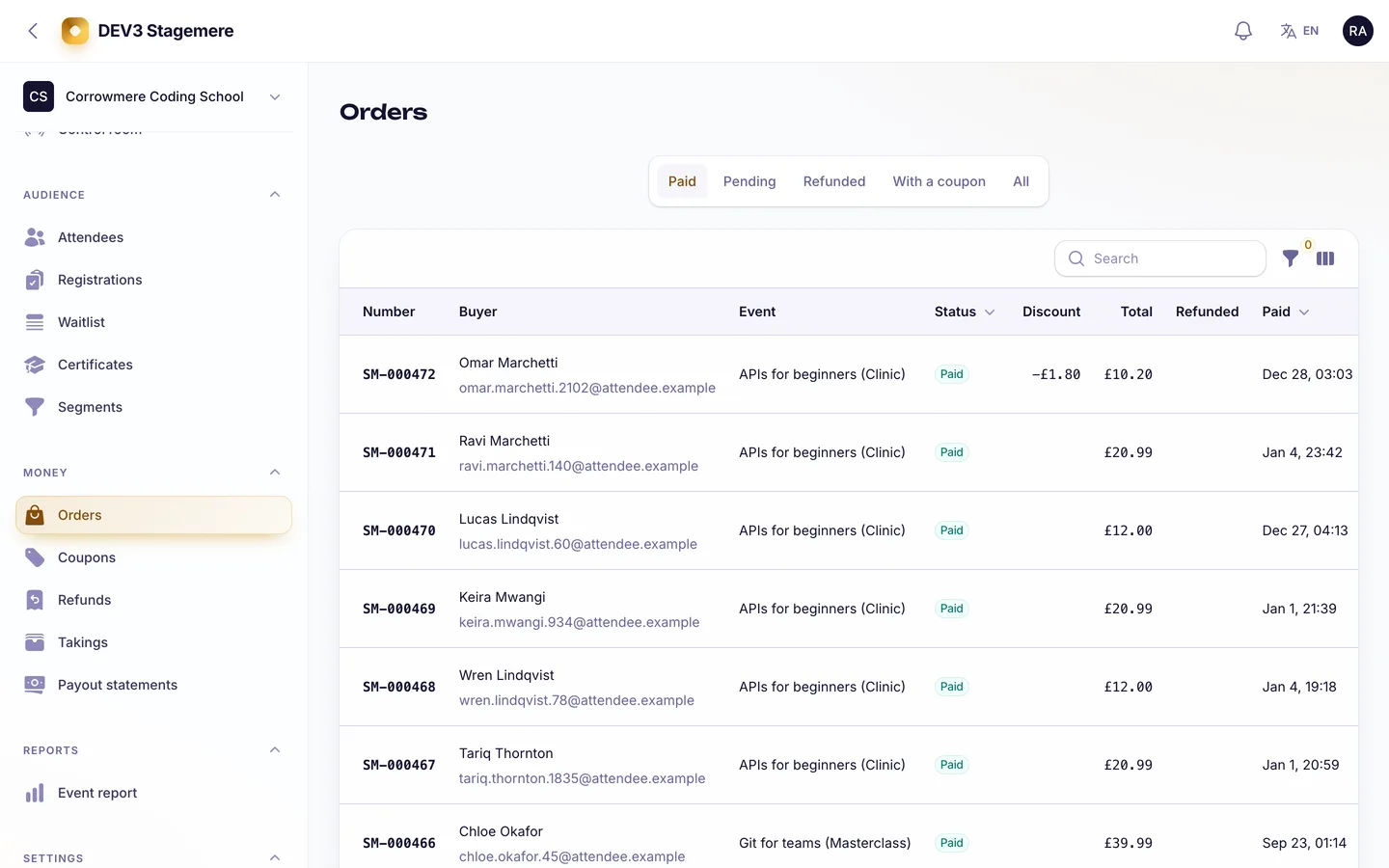
  • Paid tickets and coupons. Free or paid tickets per event, quantity limits, sales windows, percentage or fixed coupons and a price preview before checkout. Seats and tickets are held under a lock, so a full event never oversells; a payment that arrives after its hold expired is refunded automatically, and so is a duplicate. Refunds follow your policy, partial refunds are supported, and a cancelled session refunds its tickets (series tickets in proportion).
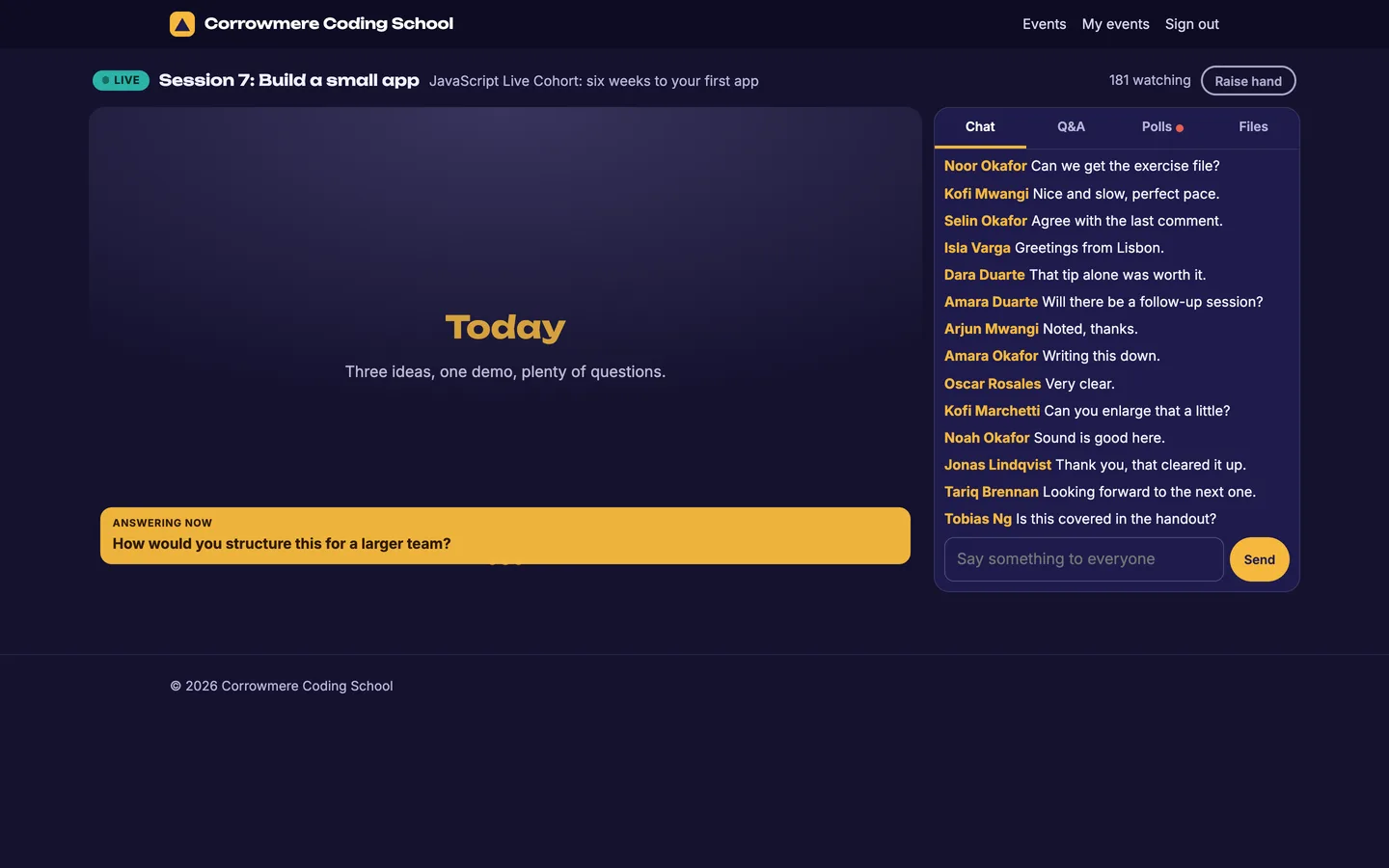
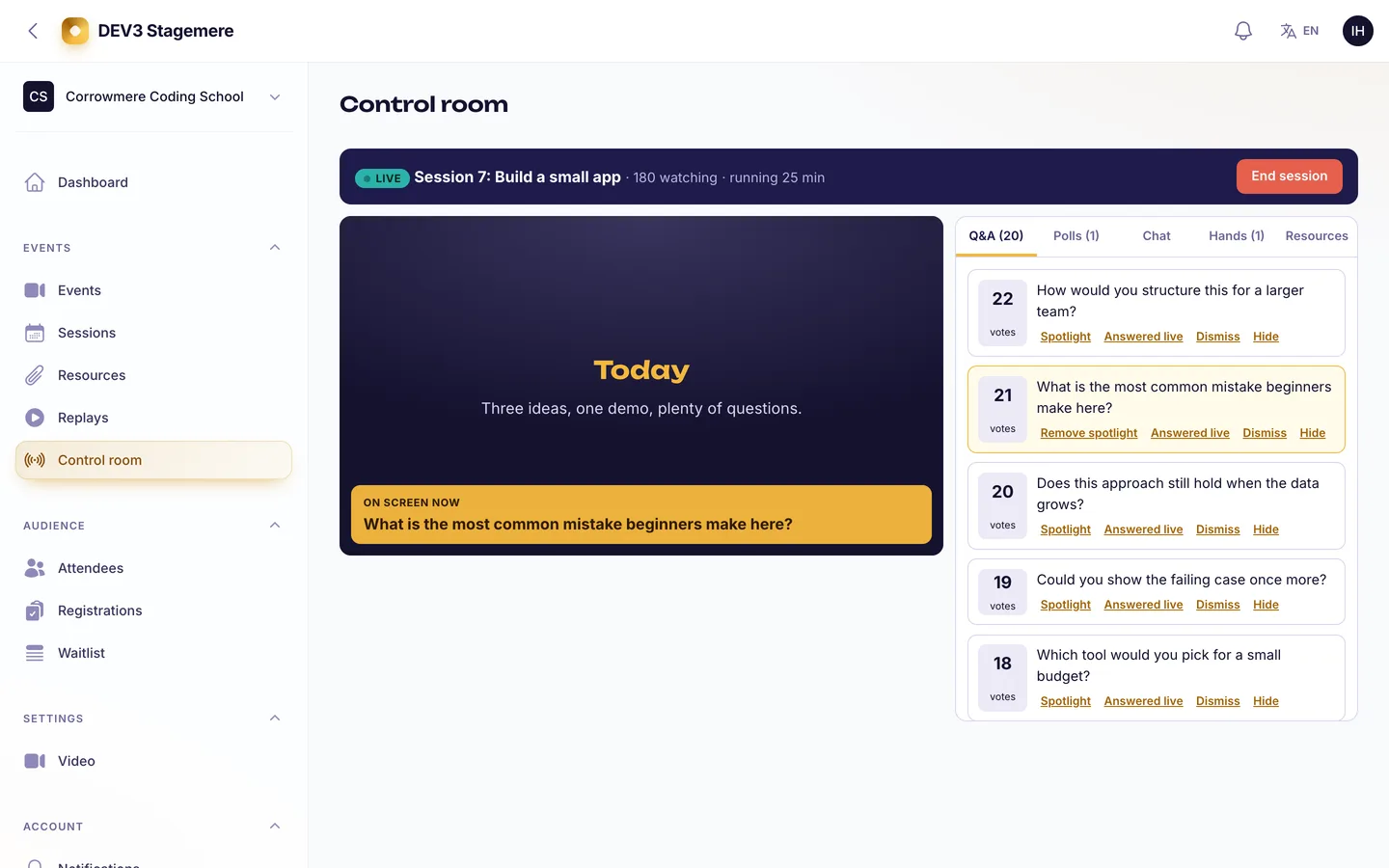
  • A live room that survives a bad day. A green room for hosts 15 minutes early, a lobby countdown for attendees, then the room: the stage, chat with slow mode, hide, pin and timeouts, a question queue sorted by votes with a spotlight, live polls, hand raises and resources pushed into the room. The host runs it from a control room with Go live and End confirmations. If the video server is down the room keeps working and the host sees a retry banner.
  • Series, office hours and certificates. A twelve-session cohort on one ticket, recurring weekly drop-ins, attendance across sessions and a certificate of attendance (PDF) at 75% that anyone can verify by link.
  • Replays. Upload a file or paste a link. Files are private and streamed through signed ten-minute links with range support; who may watch follows the event's policy and expiry. Questions answered live become chapters.
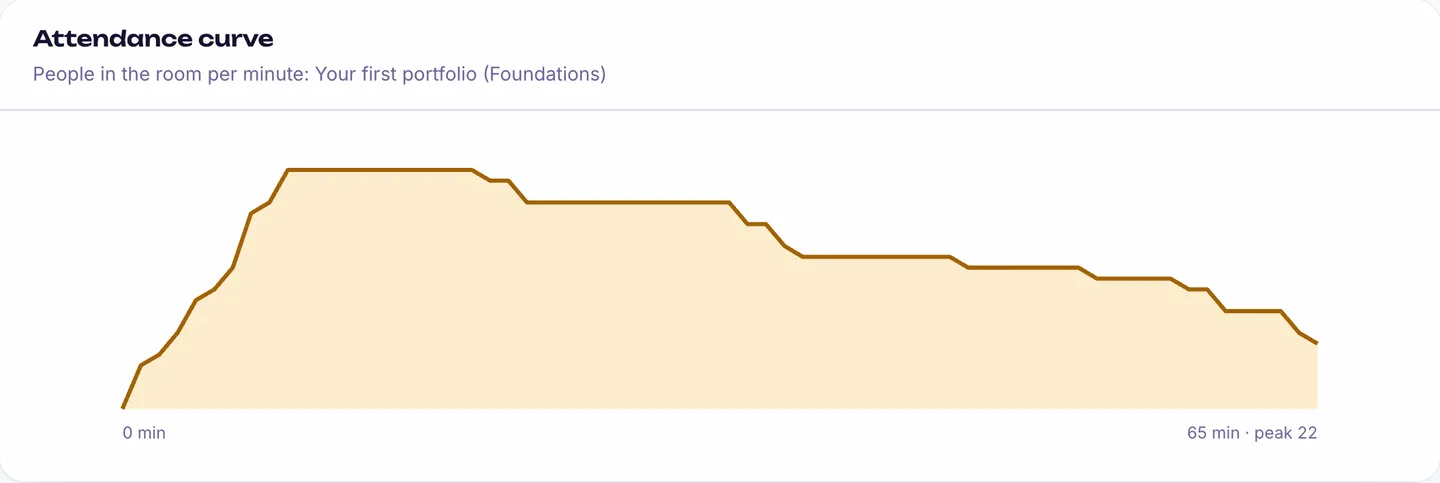
  • Reports. Registrations by source, show-up rate, average watch time, an attendance curve per minute, chat, question and poll engagement, revenue and replay views, with a CSV of every registration and segments you can export.
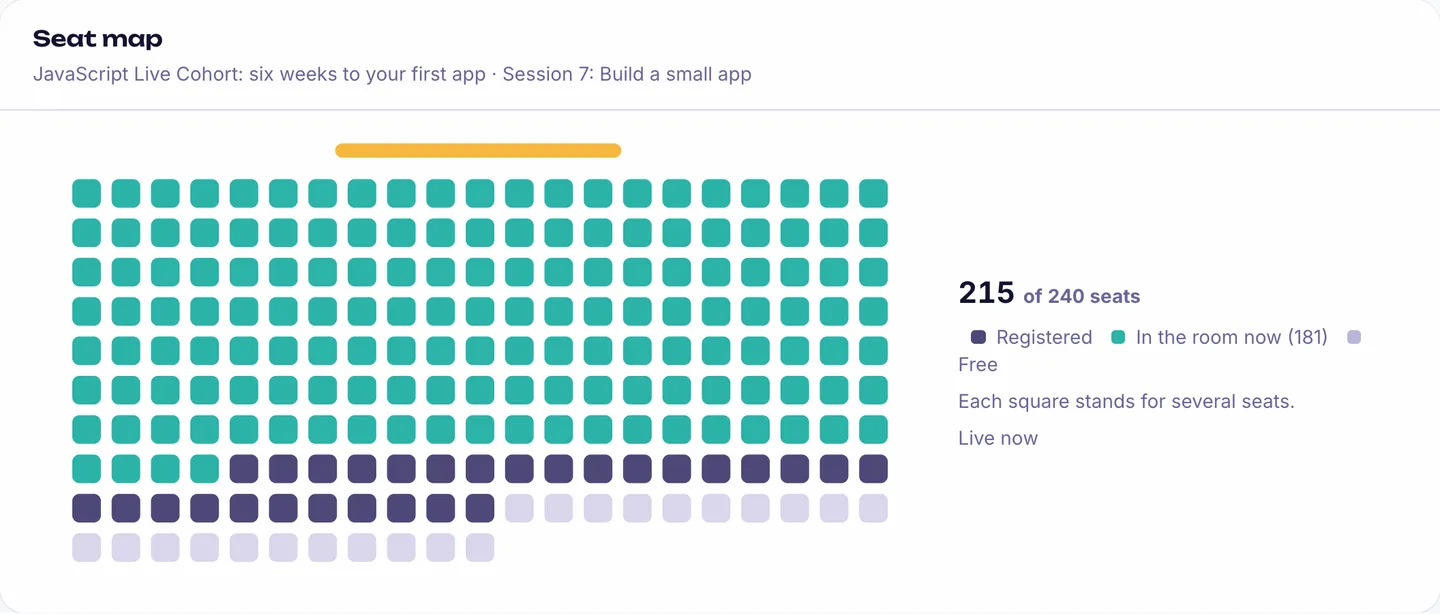
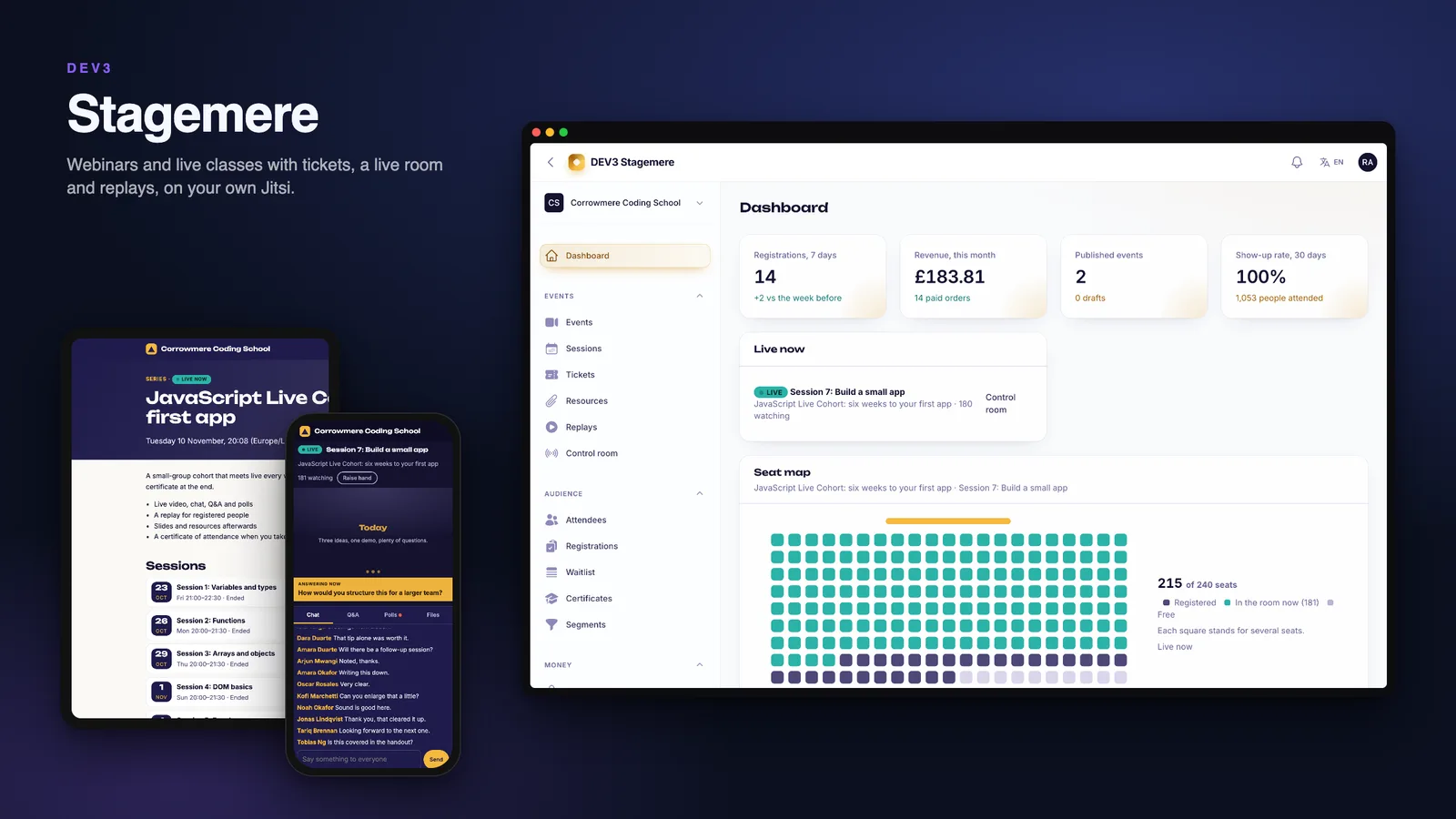
  • Studio and operator panels. The studio has a dashboard with a Seat Map, events, sessions, tickets, registrations, waitlist, orders, coupons, refunds, takings, payout statements, certificates, branding, custom domain, API keys, webhooks and roles (owner, producer, host, moderator, analyst). Operators get organisations with plan meters, subscriptions, ticket sales, payouts, refunds, a video driver page, abuse reports with takedowns, an outbox, an audit log and audited, view-only support sessions.
  • API and webhooks. Scoped keys, an OpenAPI description and signed webhooks for registrations, orders, session state, replays and attendance.

Video, in plain words

Stagemere hosts no video. Rooms run on Jitsi Meet through its embed API: use your own Jitsi server for production (signed JWT sign-in is supported, so only registered people get in) or a public instance for testing under its own terms. Recording needs Jibri on your server; replays are files or links. Attendance counts time on the Stagemere room page (a heartbeat every 30 seconds), not anything inside Jitsi. Public pages send a strict content security policy, and room pages allow exactly your Jitsi origin.

Quality

The release passed seven gates: Pint and Larastan level 6 with no baseline, 335 Pest tests (2747 assertions) on SQLite, a production build with a script budget, demo and empty seeders on MySQL 8 and SQLite, a headless browser smoke test with happy paths in the live room, the hero check at six widths and in Arabic and a no-3D check, MySQL race checks (twenty parallel registrations for the last five seats, parallel payments of one hold, two devices joining at once, parallel votes, go-live against cancel, parallel attendance finalisers), the web installer driven from the zip, and a secret scan. A model-assisted review of the money, room-access and attendance code found bugs that were fixed with regression tests before release. The home page scores performance 90 and accessibility 95 on mobile.

What you should know before buying

  • No video hosting, no recording. You need a Jitsi Meet server for real rooms; room capacity is whatever it handles. Jibri records; Stagemere takes the file.
  • You are the merchant of record. Tickets are paid on your gateway (simulated by default) and you pay each organisation out weekly from its takings. Organisations cannot connect their own payment account in this version.
  • Email needs your provider. Confirmations and reminders go to a log until you configure a mailer.
  • Live updates use Reverb when you run it and fall back to polling every three seconds otherwise.
  • Custom domains need DNS and TLS at your web server or proxy (a Caddy example is in the guide). Verification is simulated in the demo.
  • Web only. There are no mobile apps. Node.js is not needed to run it, since assets are prebuilt. MySQL 8 or MariaDB 10.6 or newer is recommended; SQLite works for trials.

Included

Source code, the web installer, a buyer guide, demo data with fictional organisations and people (10 organisations, about 26,000 attendees and a year of events, orders, attendance and replays, seeded in about 15 seconds), a live demo session that stays live, a cron entry for the scheduler, and six months of support.
How it's built

Architecture, stack, key decisions and the quality gates DEV3 Stagemere passed before release.

The engineering behind Stagemere: seats held under a lock, a room that keeps working without video, attendance from a heartbeat and a hard test of the races around the last seat and the double payment.

The problem it solves

A webinar looks like a form and a video link until twenty people tap register for five seats, one payment arrives after the seat was taken, a link is forwarded to a stranger, or the video server stops answering ten minutes into the session. Each must end with the right seat, the right money and a room that still works.

Architecture and approach

Stagemere is a Laravel 12 application with a Filament 4 studio for each organisation, an operator panel and hand-built attendee pages and room. Registration and checkout take their row locks in one fixed order, so the last seat goes to exactly one person and a payment that arrives late or twice is refunded through a durable queue.

The room is its own product: chat, questions, polls and presence run on Stagemere, and video is a driver. With Jitsi the page loads the embed script from the one configured origin, a signed token carries the room, a display name and the moderator flag for hosts only, and a strict content security policy lists exactly that origin. If the driver fails, the room shows a banner and carries on. Attendance is a heartbeat every 30 seconds while the tab is visible, with gaps and caps that keep the numbers honest.

Quality gates and results

The release passed seven gates, including a headless smoke test in the live room and race checks on MySQL. The reconciliation command passes on the demo data: ten organisations, about 26,000 attendees and a year of orders, attendance and replays.

Tech stack

Area Technologies
Application Laravel 12, Filament 4, Blade, REST API
Data MySQL 8, SQLite
Frontend Tailwind CSS 4, Vite, Jitsi IFrame API
Quality Pest, Larastan level 6, Playwright

Inside the build

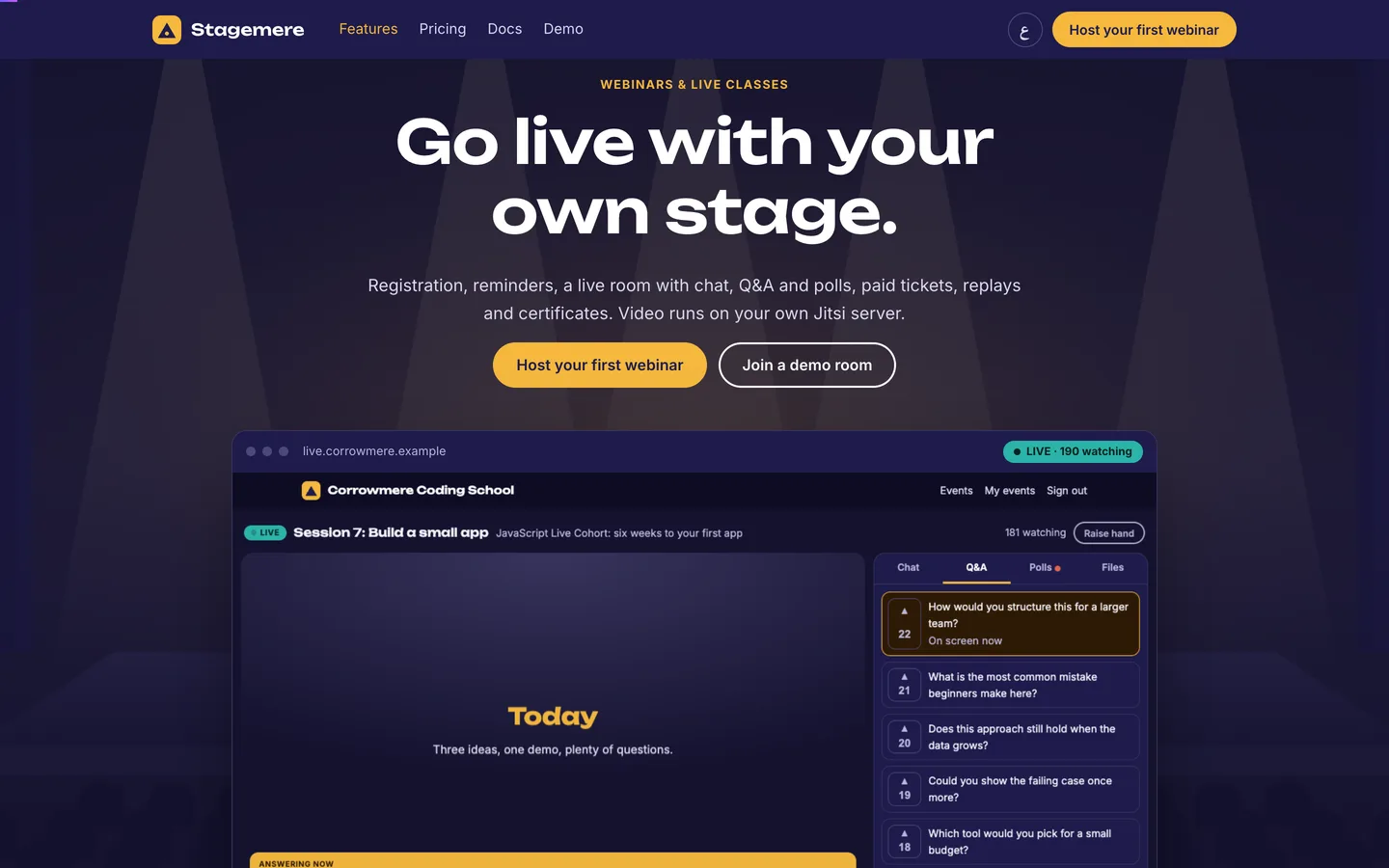
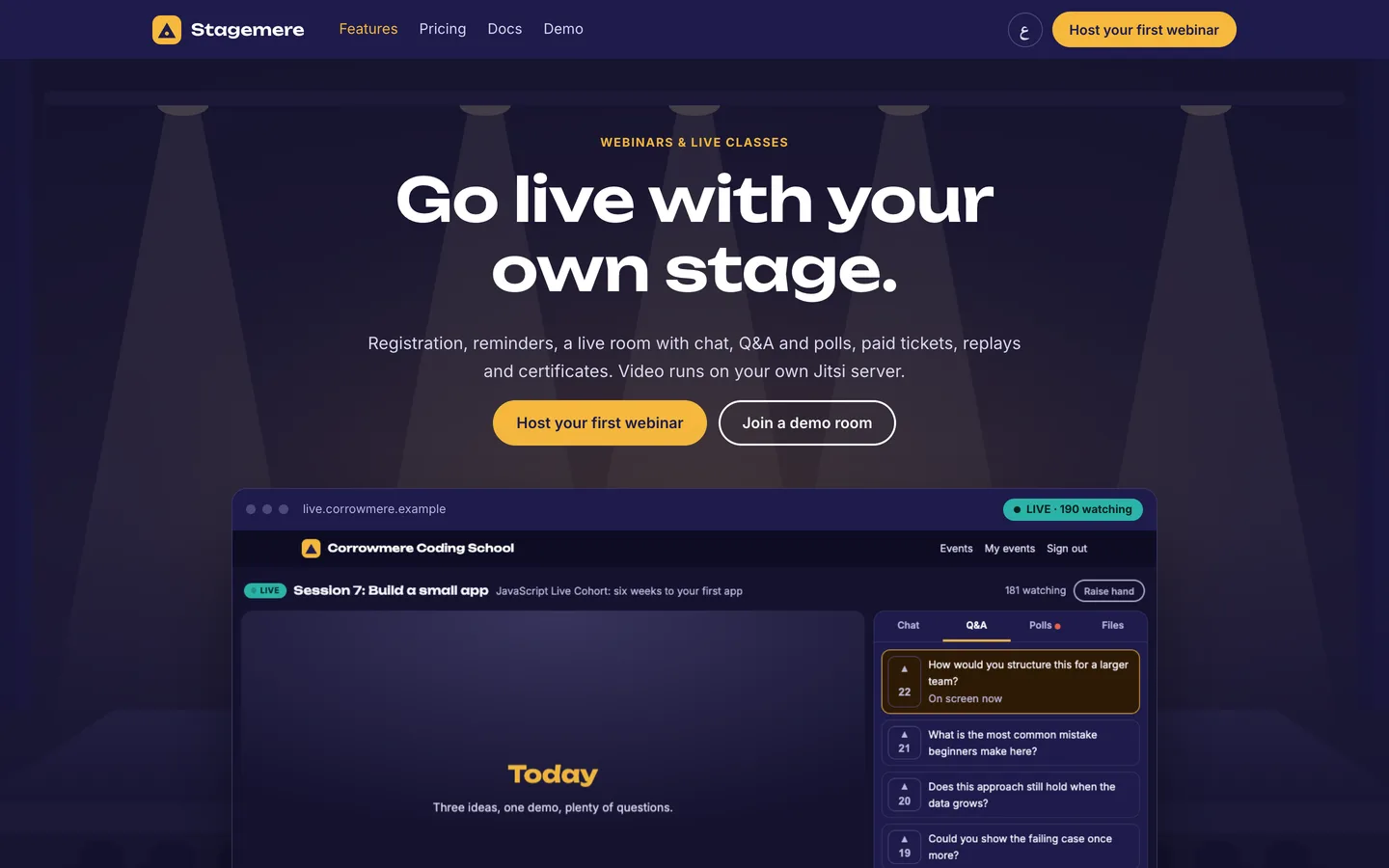
Go live with your own stage: A dark auditorium, the real live room in a browser frame and two clear calls to action. Go live with your own stage — A dark auditorium, the real live room in a browser frame and two clear calls to action.

Hero in the light theme: The marketing site follows the visitor colour scheme and keeps gold for every action. Hero in the light theme — The marketing site follows the visitor colour scheme and keeps gold for every action.
Guides & articles

Practical guides and engineering write-ups for DEV3 Stagemere.

Webinar software you host yourself: 7 things to check before you pick one

Last updated
Webinar software you host yourself: 7 things to check before you pick one: DEV3 Stagemere

A webinar looks like a form and a video link until twenty people tap register for five seats, a payment arrives after the seat is gone, a join link is forwarded to a stranger or the video server stops answering ten minutes in. Here are seven things to check before you pick webinar software you host yourself, with DEV3 Stagemere as the worked example.

The Stagemere home page: a dark auditorium with the live room in a browser frame

1. Does a full event stay full?

Seats and tickets must be counted under a lock. Stagemere holds a seat while a buyer pays, offers a freed seat to the first person on the waitlist for a day, and refunds a payment that arrives after its hold expired.

An event page with its sessions, tickets and registration form

2. Can people register in a minute and still get to the room?

Look for your own registration questions, approval when you need it, a personal join link by email with a calendar file and reminders a day and an hour before.

The confirmation after registering

3. What does the live room give the audience and the host?

Chat with moderation, a question queue sorted by votes, polls and hand raises, and a host control room with confirmations for Go live and End.

The live room with the stage, chat and a spotlighted question

The host control room with the question queue and viewer count

4. Who owns the video?

Stagemere hosts no video: rooms run on Jitsi Meet on your own server, with signed tokens so only registered people get in, a strict content security policy and a room that keeps working if the video server fails. Recording needs Jibri on your server.

The studio dashboard with the Seat Map

5. Is attendance honest?

Attendance here is time on the room page, counted from a heartbeat every 30 seconds with gaps and caps, and certificates follow a threshold you set.

The attendance curve of a finished session

6. Do replays and money behave?

Replays are private, signed and streamed with range support, with chapters from answered questions. Refunds follow your policy, and the operator is the merchant of record who pays organisations out weekly.

Orders with coupons and the refund on each row

7. What are the limits?

Ask every vendor about video hosting (none here), recording (Jibri on your server), payments (simulated until you connect a gateway) and mobile apps (there are none; it is a responsive web product).

Video: a tour of Stagemere from the event page to the live room and the report

Frequently asked questions

The complete source code (version 1.0.0) as a download from your account, with the setup and usage guides shown on this page. You can modify the code to suit your product.

Buying guides: Laravel scripts with Filament panels and a web installer · Next.js or Laravel for a SaaS script?

Questions about this product (0)

Answers from the DEV3 team and the community.

Ask a question

No questions yet.

Wondering about setup, licensing or customisation? Ask, and the DEV3 team will help.

More from this author

View all

Related in Web Scripts & Software

View all