DEV3 Technologies home

DEV3 Rafterbase – Headless CMS with Content Modelling, Locales, REST APIs & TS SDK (Next.js) with Gemini AI Admin Tools

Headless CMS on Next.js 16 and MongoDB: spaces and environments, content-type builder, versions, scheduled publishing, locales, media, REST APIs, TypeScript SDK, Gemini AI admin tools and a language switcher. Setup wizard and demo data included. No mobile apps.
by DEV3 TechnologiesVerified Author(0) 0 sales 4 viewsUpdated 15 Nov 2026

Video tour. Pick a section below to browse 40 screenshots in 9 sections.

App & phone tours

Tap play to watch each app. Nothing downloads until you do.

  • Mobile web0:30

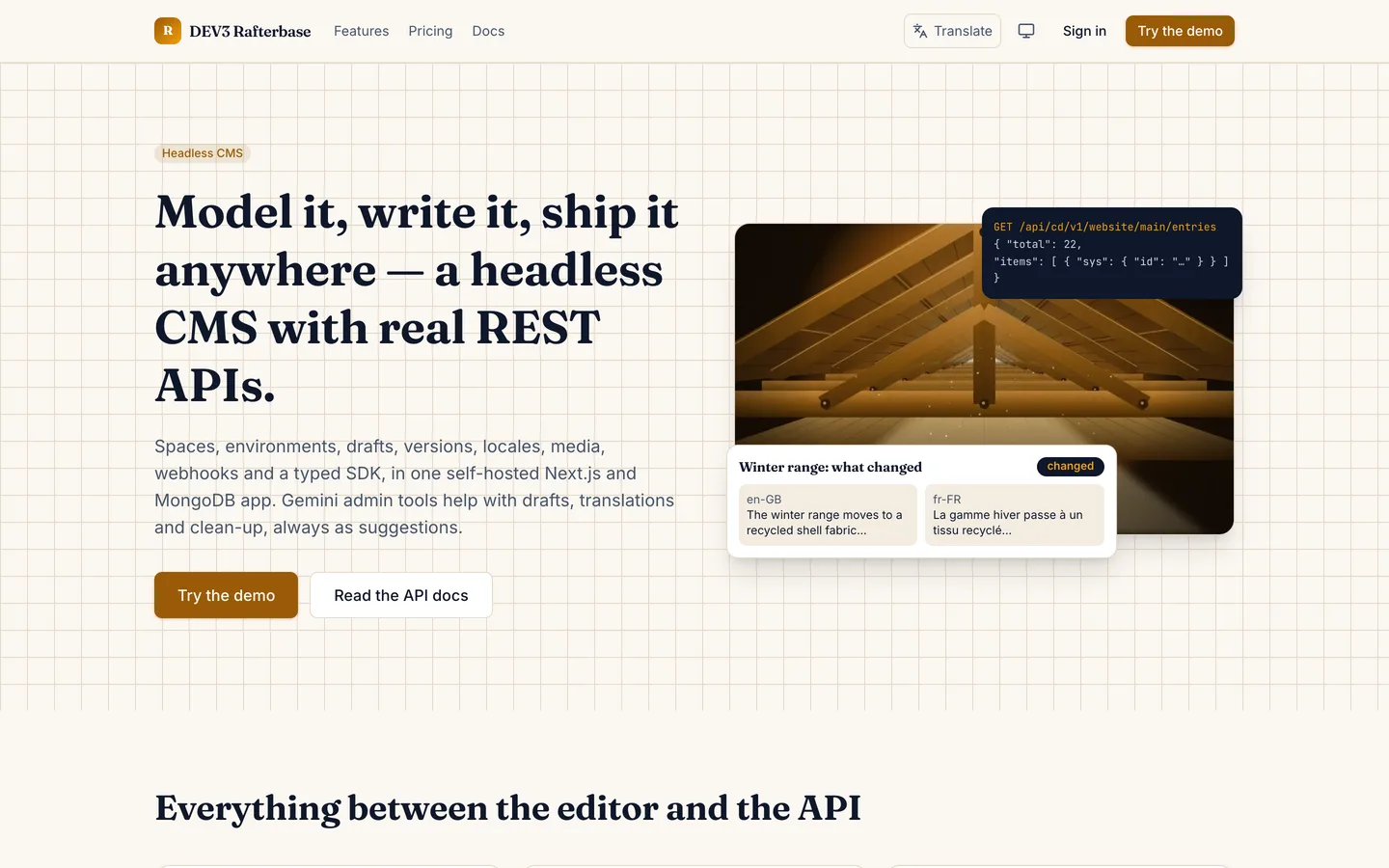
Rafterbase is a headless CMS built by DEV3 Technologies on Next.js 16, React 19, TypeScript, Tailwind 4 and MongoDB. You model your content, your editors write and publish it, and your websites and apps read it over a REST API. You download the source, run it on your own server and sell or use it for your own organisations. Out of the box it runs as a demo with three fictional customers: Fennick Outdoors (an outdoor-gear brand with a website space in three languages), Harbourline Ferries (timetable content) and Brightmoor Press (a magazine with a long revision history). The demo data is fictional and holds about 2,400 entries.

No live demo: 40 grouped screenshots and two video tours show the marketing site, the workspace, the content model, the editor, the API pages, the admin console and the starter website. Install it with the demo data to try every role on your own server. This product is a web application: there are no mobile apps.

Content modelling and editing

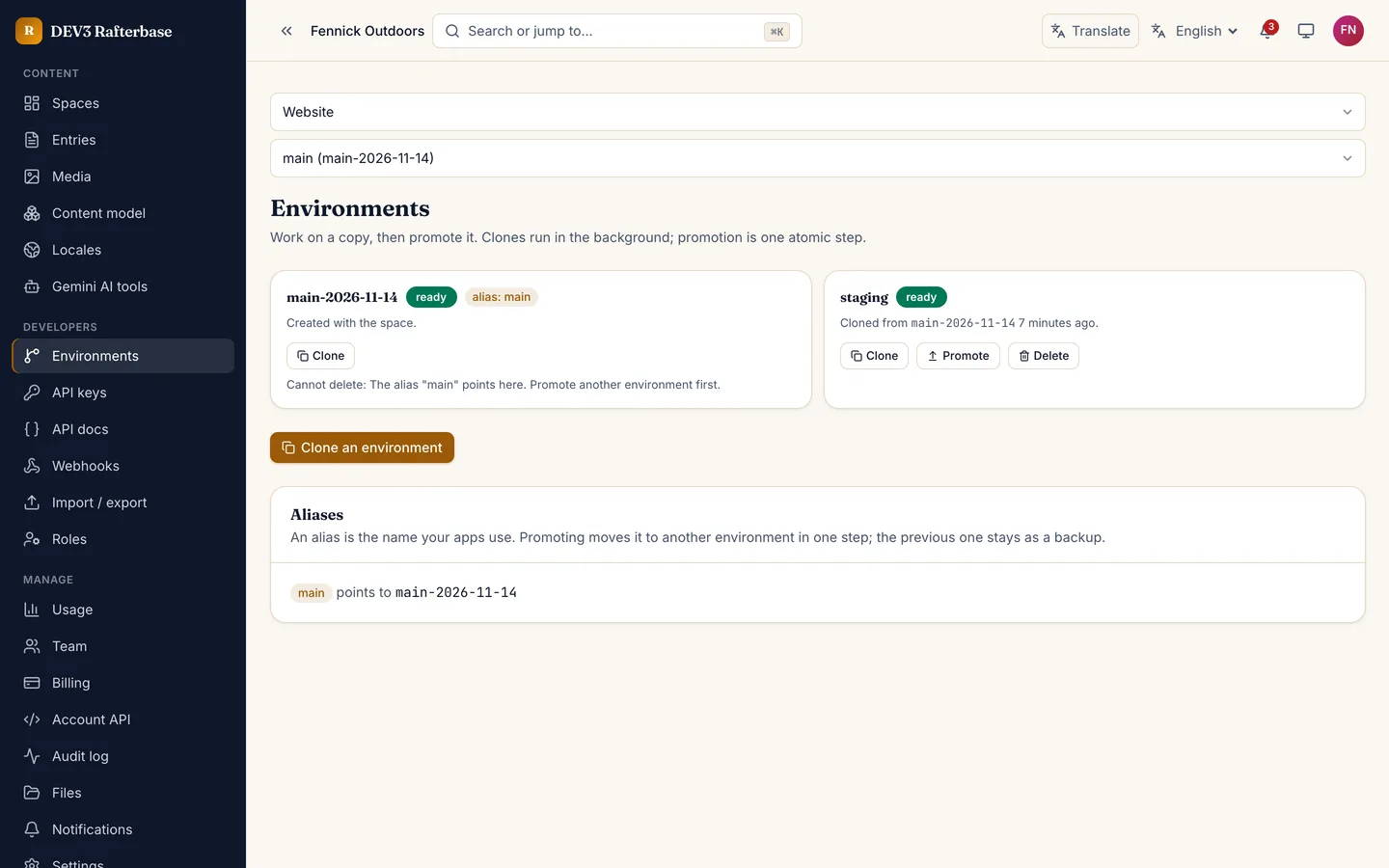
  • Spaces and environments: each organisation has spaces, and each space has environments (a main alias plus staging and your own). Clone an environment, change the model there and promote it with one atomic alias swap. The previous environment is kept as a backup.
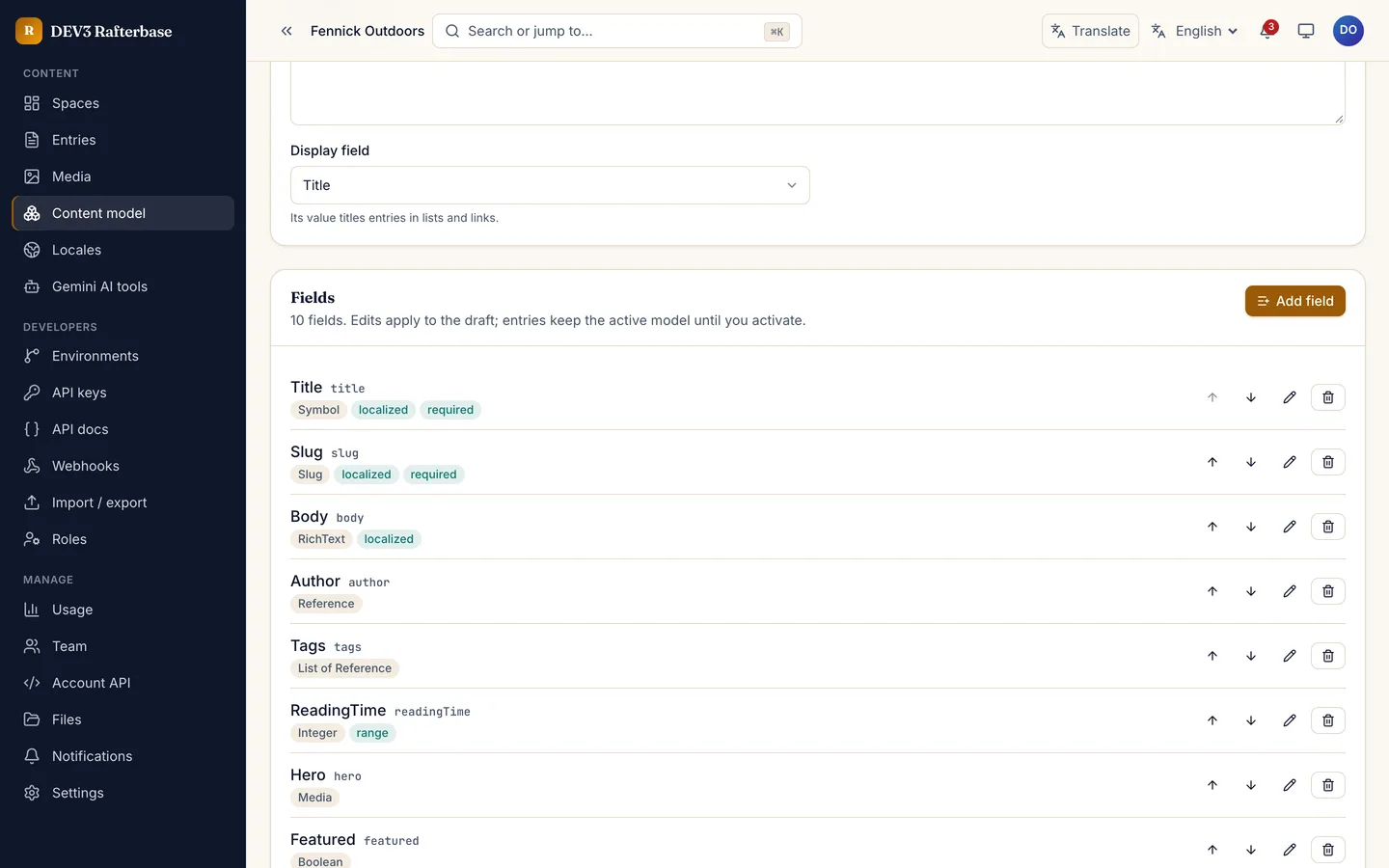
  • Content-type builder: twelve field types (short text, long text, rich text, integer, decimal, boolean, date, media, reference, list, JSON and slug) with validations. A type change shows a dry-run report of the values that cannot convert, and applying it is non-destructive: those values are kept for 30 days.
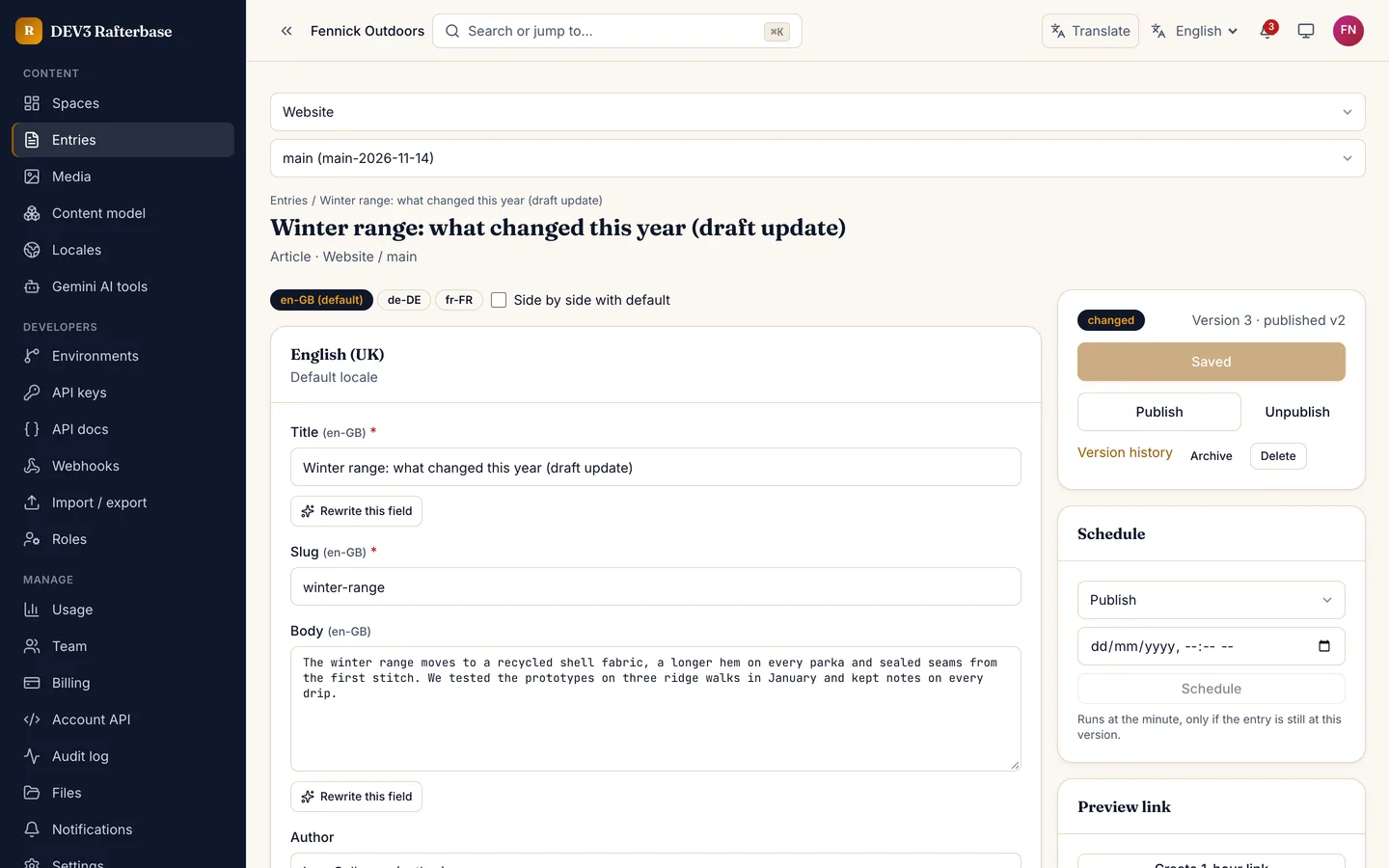
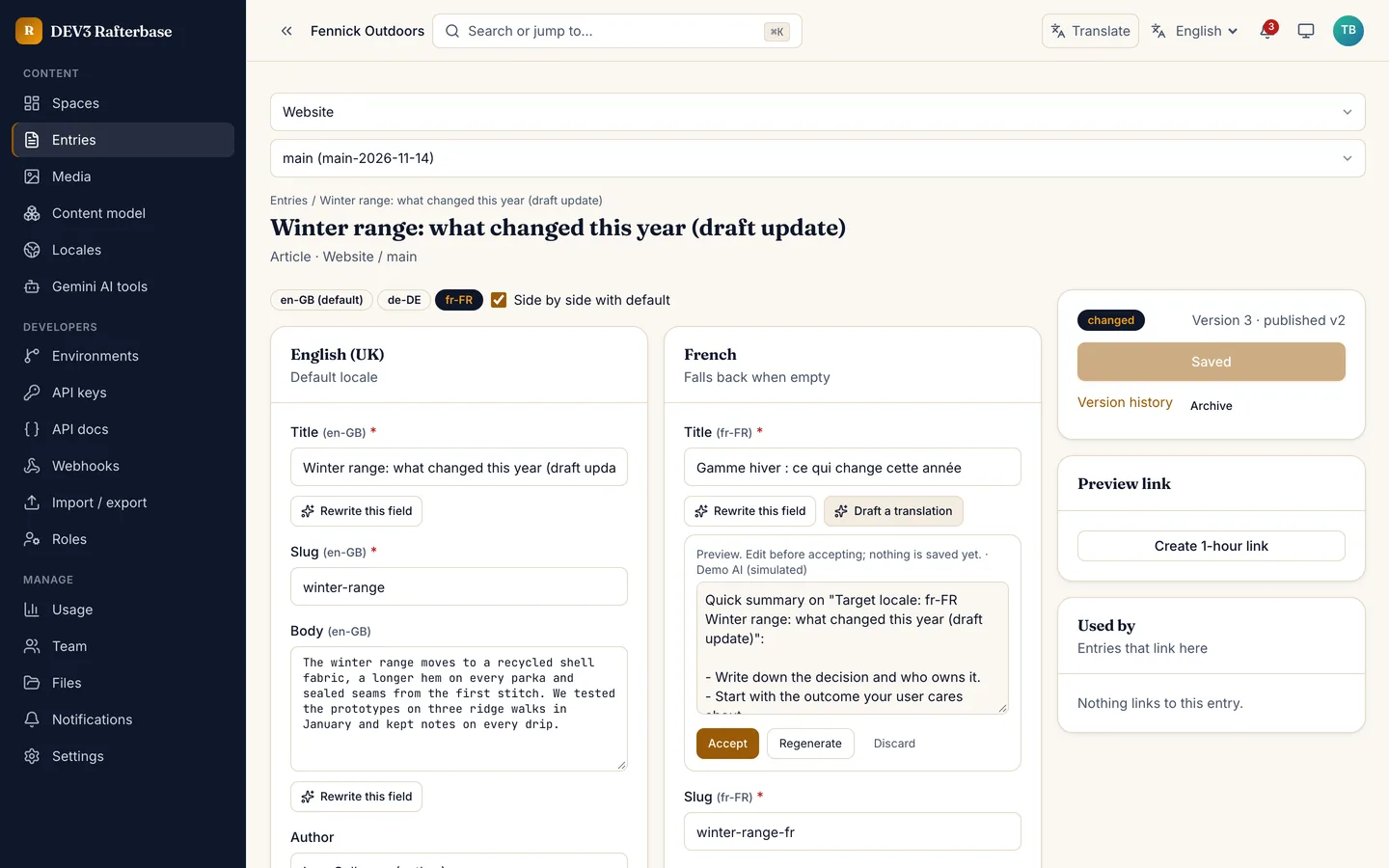
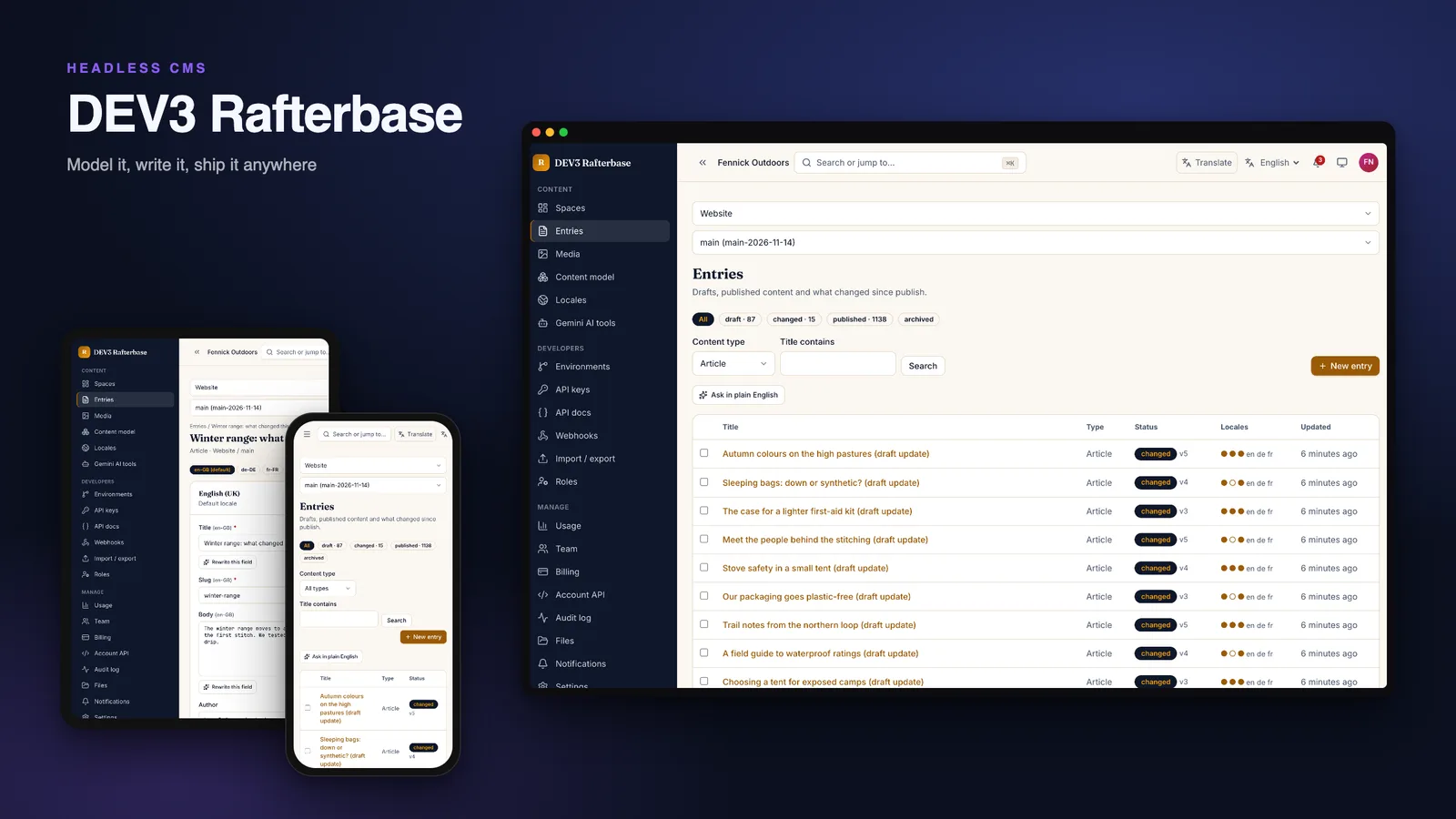
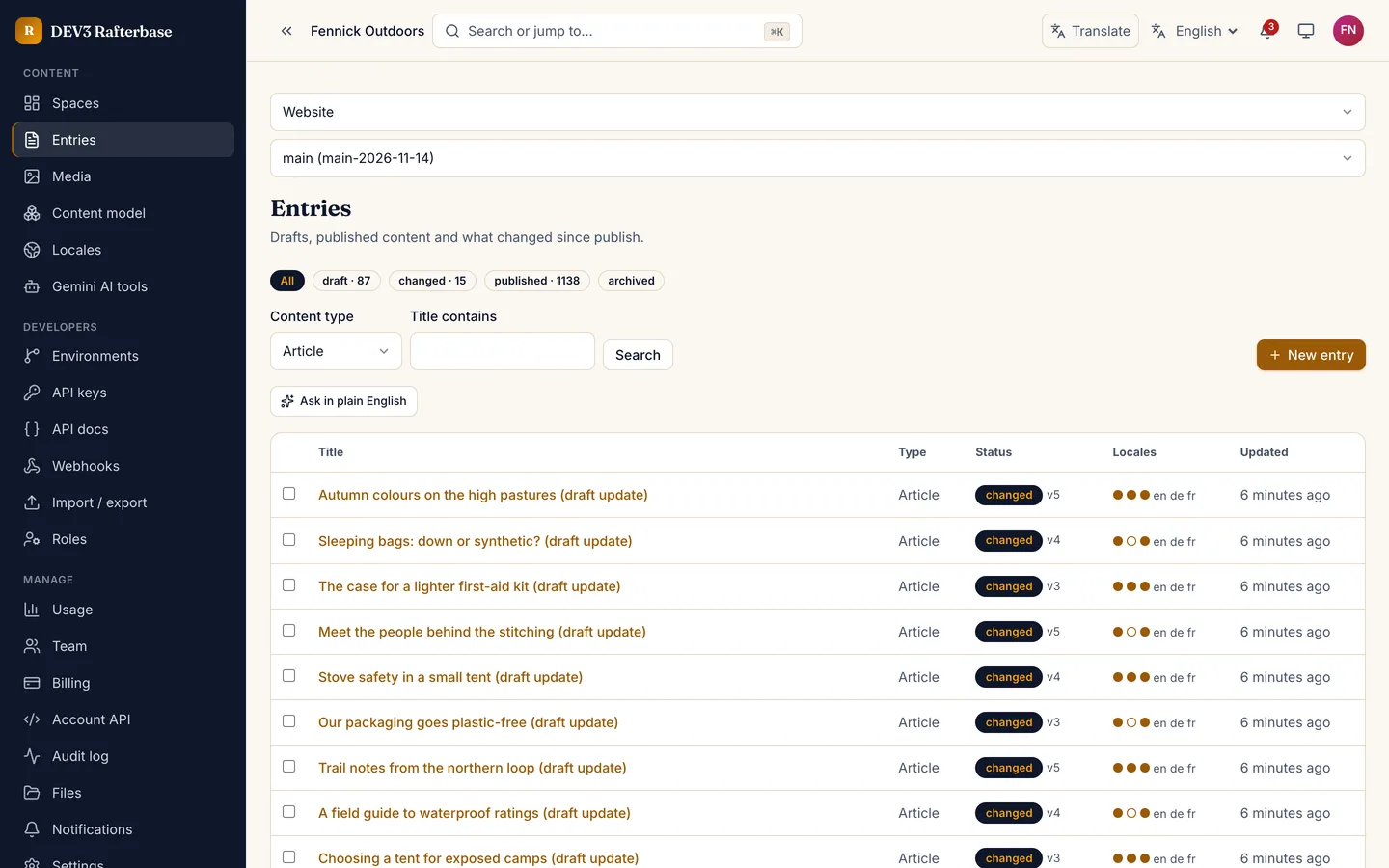
  • Editor: drafts, a status chip per entry, side-by-side locale editing, a reference picker, a media picker and a "used by" list. Two editors on one entry never overwrite each other: the second save gets a conflict view with a field diff.
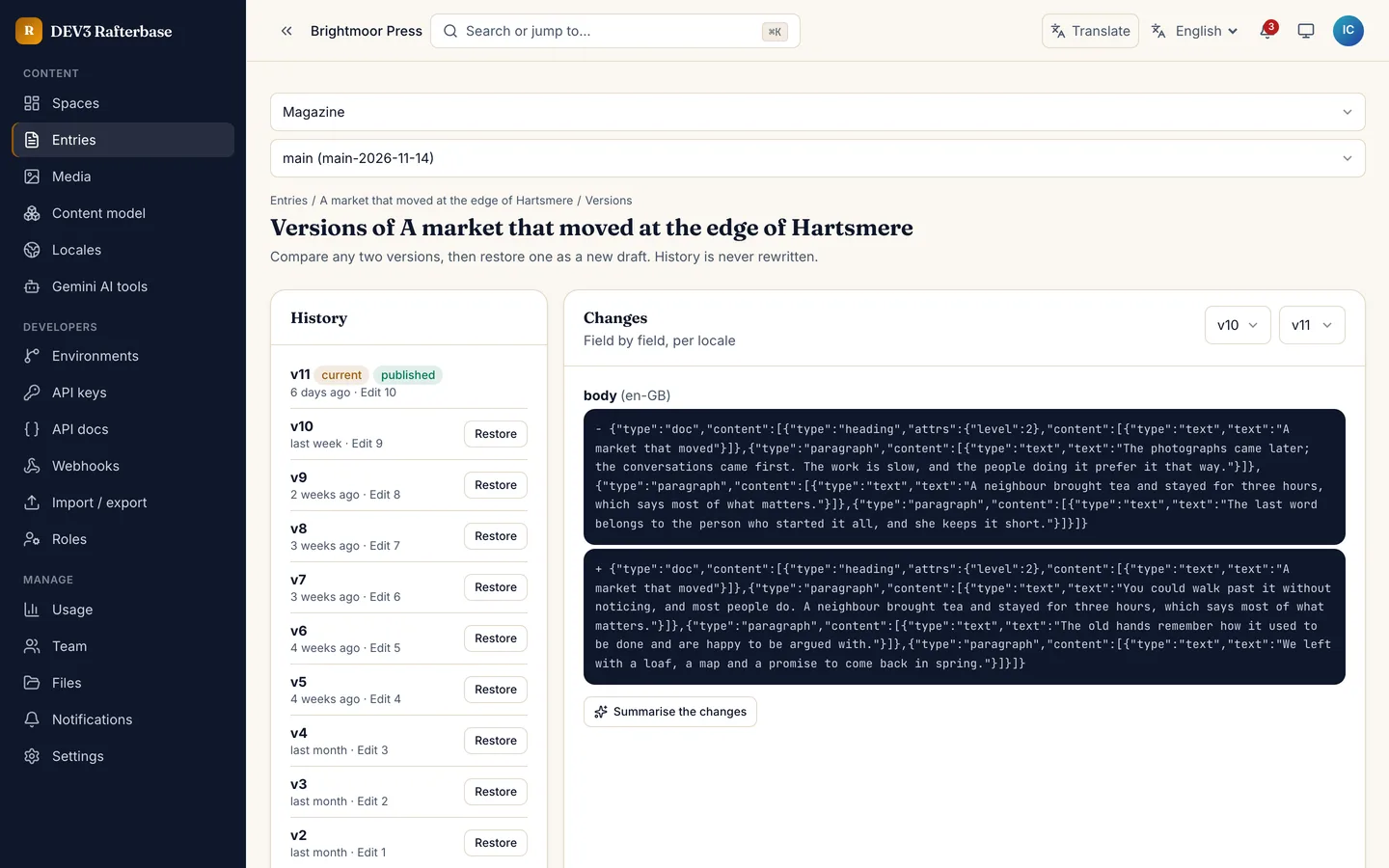
  • Versions: full history with a field-level diff and restore. Restoring creates a new draft, so history is never rewritten.
  • Scheduled publishing: publish or unpublish at a set time. A schedule goes stale, and the editor is told, if the entry changed after it was set.
  • Locales: any number of locales with fallback chains, optional locales and a coverage view per entry.
  • Media library: assets with per-locale titles and alt text, focal points and image renditions by URL.
  • Roles per content type: built-in roles plus your own, limited by content type, action and locale.

APIs and SDK

  • Delivery API (published content, ETag and 304, cache headers), Preview API (drafts, with signed preview links that expire) and Management API (scoped tokens). All are REST.
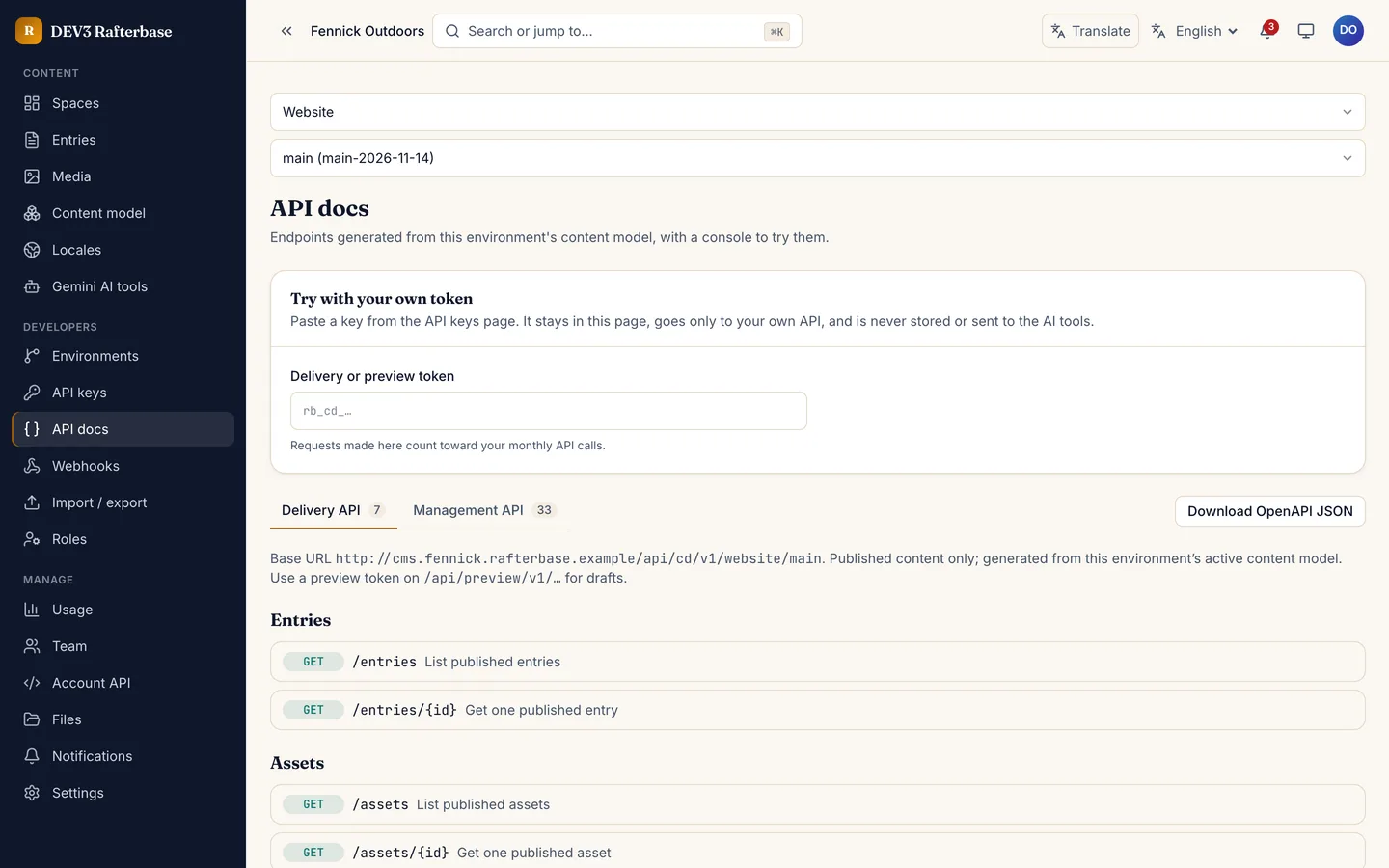
  • OpenAPI 3.1 document generated from each space's content model, rendered with a try-it console.
  • Webhooks signed with HMAC, retried at 1 minute, 5 minutes, 30 minutes and 2 hours, and disabled automatically after 50 failures in a row. Endpoints are checked so they cannot reach private addresses.
  • API keys per space with environment limits, scopes and per-token rate limits, plus per-organisation usage metering against the plan.
  • TypeScript client rafterbase-js and a Next.js starter site (examples/next-site) that renders the demo space with draft mode and webhook revalidation.
  • JSON import and export with a dry run before anything is written, and a docs site with 12 guides.

Gemini AI admin tools and Translate

  • AI panels across the workspace and admin: rewrite a field, draft an SEO title and description, summarise an entry, suggest fields from a description, draft alt text, explain a version diff, clean up an import, explain a failed webhook delivery or a usage spike, and filter entries in plain English. Suggestions are previews: nothing saves until you accept.
  • Translation drafts: a translator can ask for a draft in the target locale, review it and accept it field by field. Drafts never publish themselves.
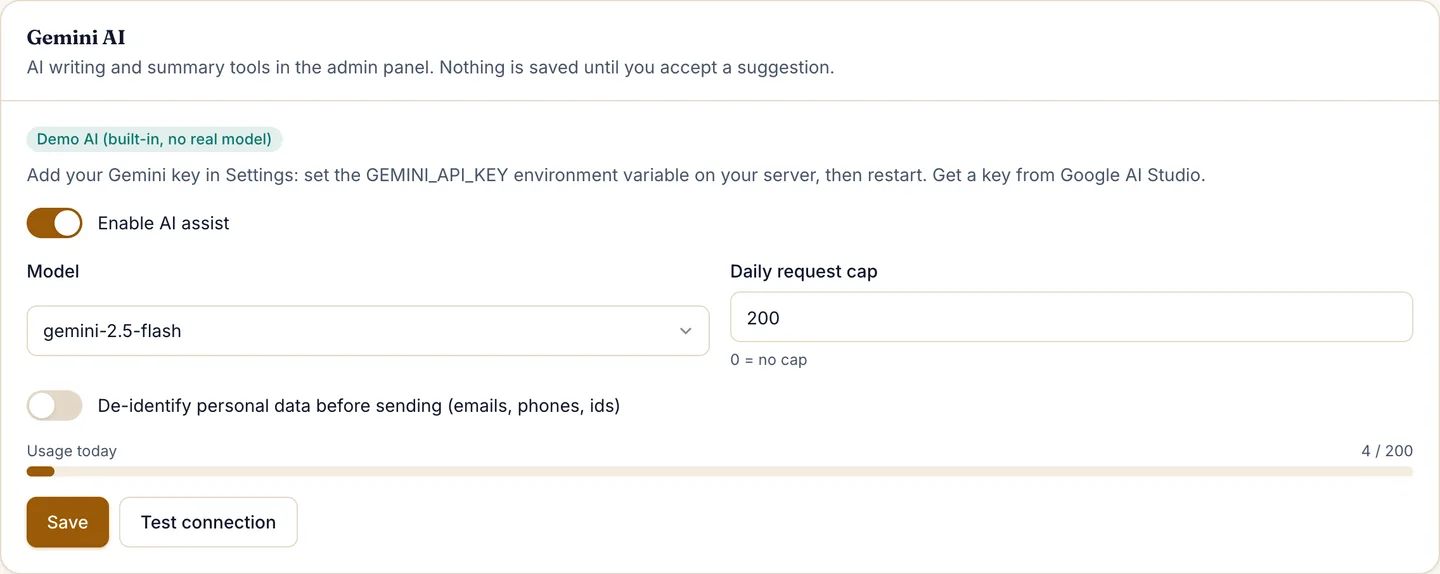
  • Bring your own key: the product ships with GEMINI_API_KEY blank. You add your own key after purchase and Google bills it. Choose the model, daily cap and de-identification in Settings. Without a key the AI buttons stay disabled.
  • Google Translate switcher in the public header and the workspace header, with your own language list.

Safe by design

  • Every query is scoped to the organisation by a plugin that fails closed. Publishing, slug reservation, environment promotion and webhook delivery use conditional single-document updates and unique indexes, and race tests run against a real MongoDB.
  • Reserved key names are refused in field maps, tokens limited to an environment cannot read other environments, and the content-security policy uses a per-request nonce.
  • 542 app tests and 49 core tests pass. The first-load JavaScript on the home page is about {FIRSTLOAD} KB gzipped.

Good to know

  • The APIs are REST only. There is no GraphQL endpoint in this version; GraphQL is planned for a later release.
  • Image renditions use the optional sharp package. If sharp cannot load on your host, Rafterbase serves the original image and the media screen says renditions need sharp. Everything else keeps working.
  • Production mail needs a real driver. The default mail driver stores messages in the admin outbox and refuses to run in production. Set MAIL_DRIVER=smtp and an SMTP URL (and install nodemailer) before you go live.
  • Gemini AI admin tools need your own Google Gemini API key (Settings → AI); no key or AI usage is included. Without a key the AI buttons stay disabled. In the demo, AI buttons use a deterministic simulated driver labelled as a sample and make no real AI calls.
  • A Google Translate language switcher is on the public site and admin; it needs Google's widget to load in the visitor's browser, and private areas are excluded from translation. When a visitor uses it, the text of the page they are viewing is sent to Google. The workspace, the entry editor and the admin carry a do-not-translate marker so your private content is not sent.
  • Payment, SMS and other third-party connections run in demo mode until you configure your own provider; demo drivers refuse to run in production. The plan billing gateway is simulated until you add your own.
  • Media is stored on local disk or on S3-compatible storage; use your own CDN at scale. Content delivery is cached for 60 seconds by default, so put a CDN in front for heavy traffic.
  • You need Node.js 20.9+ and MongoDB 6+ (a single-node replica set works). Scheduled publishing and webhooks run in a second process, npm run worker, which must stay running. Runs on any Node host.

What you get

The application source, the packages/rafterbase-js client, the examples/next-site starter, a setup wizard, demo data, .env.example, the worker, tests, the buyer documentation, START-HERE.txt and the licence. Setup wizard and demo data included. No mobile apps.

How it's built

Architecture, stack, key decisions and the quality gates DEV3 Rafterbase passed before release.

The engineering behind Rafterbase: optimistic versions with a conflict view, an environment promote that is one conditional update, idempotent scheduled publishing, scoped tokens, signed webhooks and a model migration that never destroys data, with the known limits written down.

The problem it solves

A content system looks finished once an editor can save a page and an API can return it. The problems come with two editors on one entry, a publish clicked twice, a scheduled post whose text changed after it was scheduled, a field type changed on a model with thousands of entries, a webhook URL that points at an internal address, or a staging environment promoted halfway. Each of these has to end in one safe state, and the people who extend the code must not be able to bring the bugs back by accident.

Architecture and approach

Rafterbase is a Next.js 16 application on MongoDB with a separate worker process. Everything that belongs to an organisation goes through a tenant plugin that fails closed, and nothing relies on multi-document transactions: each write is a conditional single-document update, a unique index acts as the lock, and a lost race compensates by releasing what it reserved.

Versions without overwrites

An entry save carries the version the editor loaded. A mismatch returns a conflict with the server's fields and a field diff instead of writing. Slugs are reserved through a unique index per content type, locale and environment, so two concurrent saves cannot both take the same slug. Restoring an old version creates a new draft; history is never rewritten.

Publishing that runs once

Publishing is a conditional update on the version being published, so five parallel publishes produce one publish, one delivery per webhook and four no-op successes. A scheduled action runs only if the entry is still at the version that was scheduled; otherwise it is marked stale and the editor is told.

Environments and models

Promoting staging to main is one conditional update of an alias, and the previous environment is kept as a backup. A model change produces a dry-run report of the values that cannot convert, and applying it moves those values into a shadow field kept for 30 days.

Tokens, webhooks and AI

Delivery, preview and management tokens are hashed, scoped to environments and rate limited. Webhook URLs and secrets are sealed at rest, payloads are signed with HMAC, outbound requests pin the resolved address and refuse private ranges, and a failing endpoint backs off and is disabled after 50 failures in a row. The AI panels are configured from one map file, send only the text being worked on after stripping tokens, webhook secrets and team members' details, and never apply a suggestion automatically. The product ships with the Gemini key blank.

Quality gates and results

The app has 542 tests plus 49 for the core, including race groups run against a real MongoDB for publishing, slugs, environment promotion and webhook delivery. The demo seed loads about 2,400 entries and 14,000 versions in well under a minute and a data check confirms every published entry against its content type. Known limits are written down: REST only with no GraphQL in this version, image renditions depend on the optional sharp package, delivery responses are cached for 60 seconds by default so heavy traffic needs a CDN, and there is no real-time co-editing.

Tech stack

Area Technologies
Application Next.js 16 App Router, React 19, Tailwind CSS 4, Docs site with 12 guides
Content platform Spaces and environments, Content-type builder, Versions, schedules and locales, Delivery, Preview and Management APIs
Data and security MongoDB 6+, Fail-closed tenant plugin, Signed webhooks with DNS-pinned requests, Scoped API tokens
Quality Vitest unit and race tests, Headless smoke tests, Secret scan of the zip

Inside the build

Headless CMS: Model it, write it, ship it anywhere, with real REST APIs. Headless CMS — Model it, write it, ship it anywhere, with real REST APIs.
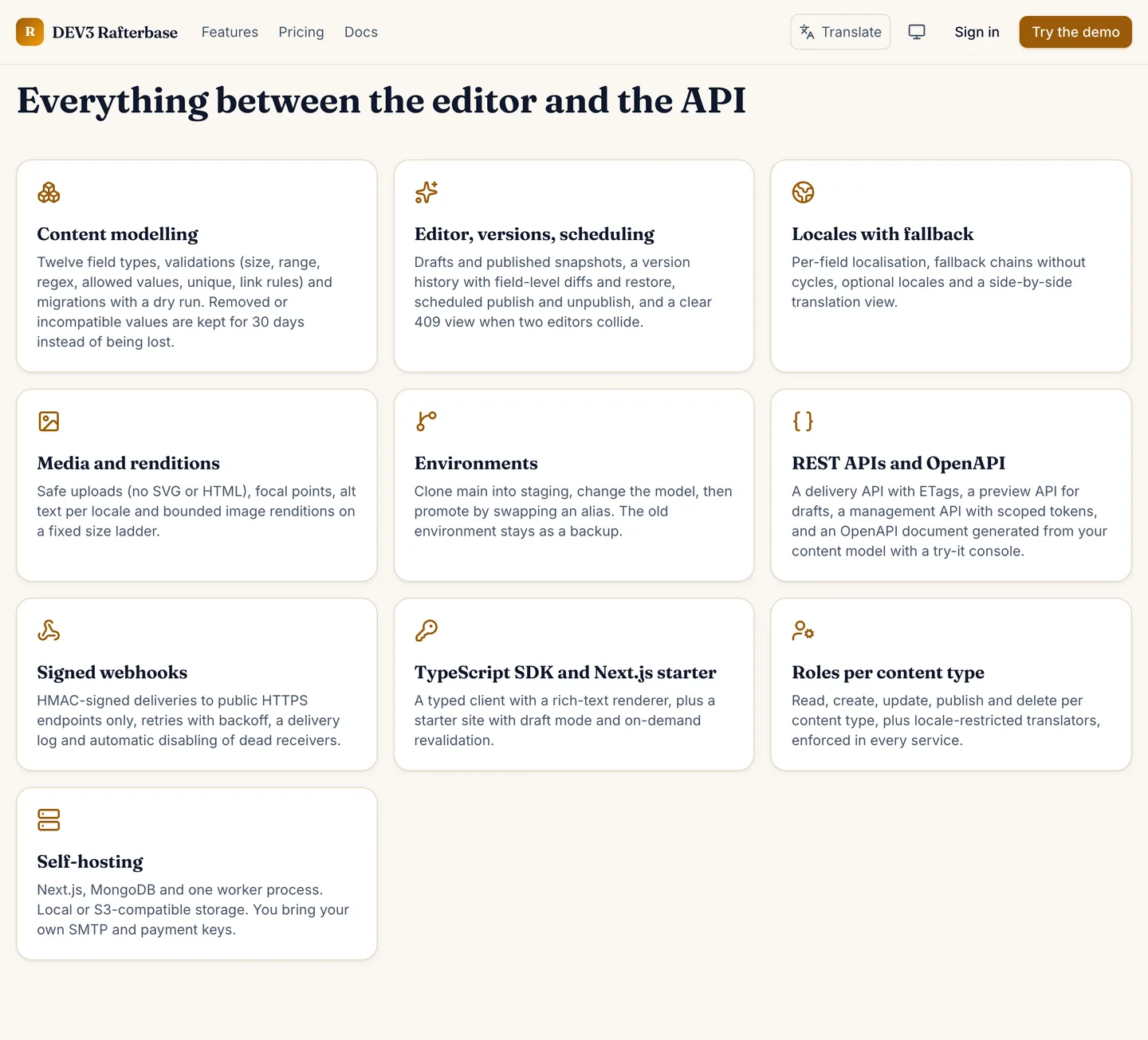
Content modelling: Twelve field types, validations and migrations with a dry run. Content modelling — Twelve field types, validations and migrations with a dry run.
Guides & articles

Practical guides and engineering write-ups for DEV3 Rafterbase.

Headless CMS: 7 things to check before you commit to one

Last updated
Headless CMS: 7 things to check before you commit to one: DEV3 Rafterbase

A headless CMS is easy to demo and hard to change later. Here are seven things to check before you commit to one, with DEV3 Rafterbase as the worked example.

The entries list with status chips and locale coverage

1. Can you change the content model safely?

Models change. Look for a dry-run report that tells you which values will not convert, and a migration that keeps the old values instead of deleting them. Rafterbase keeps values it cannot convert for 30 days.

A migration dry run on staging

2. What happens when two editors open the same entry?

The answer should be a conflict view with a field diff, never a silent overwrite. Check that a publish clicked twice produces one publish, not two.

The entry editor

3. Is version history real?

You want every save recorded, a field-level diff and a restore that creates a new draft instead of rewriting history.

A magazine story with eleven revisions

4. Are locales more than a dropdown?

Look for fallback chains, optional locales, side-by-side editing and a coverage view, so a missing translation is visible before it ships.

Side-by-side locale editing

5. Can you stage a change and ship it in one step?

Environments should clone, take a model change and promote atomically, with the previous environment kept as a backup.

Environments with clone and promote

6. Are the APIs and webhooks safe to build on?

Look for scoped tokens, a generated API reference with a try-it console, signed webhooks with retries, and outbound requests that cannot reach private addresses. Rafterbase's APIs are REST only in this version.

The generated API reference

Video: a tour of the content model, editor, API docs and environments

7. What about AI and translation?

Rafterbase adds Gemini AI admin tools to the editor, the model builder and the admin pages, and a Google Translate language switcher. The product ships with the Gemini key blank: you add your own, and Google bills it. Suggestions are previews that never publish themselves.

Settings with the AI section

One last check: read the limits. Image renditions use the optional sharp package, production mail needs a real driver, and delivery is cached for 60 seconds by default, so put a CDN in front for heavy traffic.

Frequently asked questions

The complete source code (version 1.0.0) as a download from your account, with the setup and usage guides shown on this page. You can modify the code to suit your product.

Questions about this product (0)

Answers from the DEV3 team and the community.

Ask a question

No questions yet.

Wondering about setup, licensing or customisation? Ask, and the DEV3 team will help.

More from this author

View all

Related in Enterprise SaaS Starters

View all