DEV3 Harvestly – Free Organic Grocery & Farm Store WordPress Theme for Elementor & WooCommerce

A free WooCommerce theme for organic grocers and farm shops: a weekly veg box builder, delivery zones and checkout slots, a postcode checker, a meet-the-growers directory, a seasonal calendar, recipes, product labels, mini cart, wishlist and quick view. Light motion only.

by DEV3 TechnologiesVerified Author(0) 0 downloads 0 viewsUpdated 06 Nov 2026

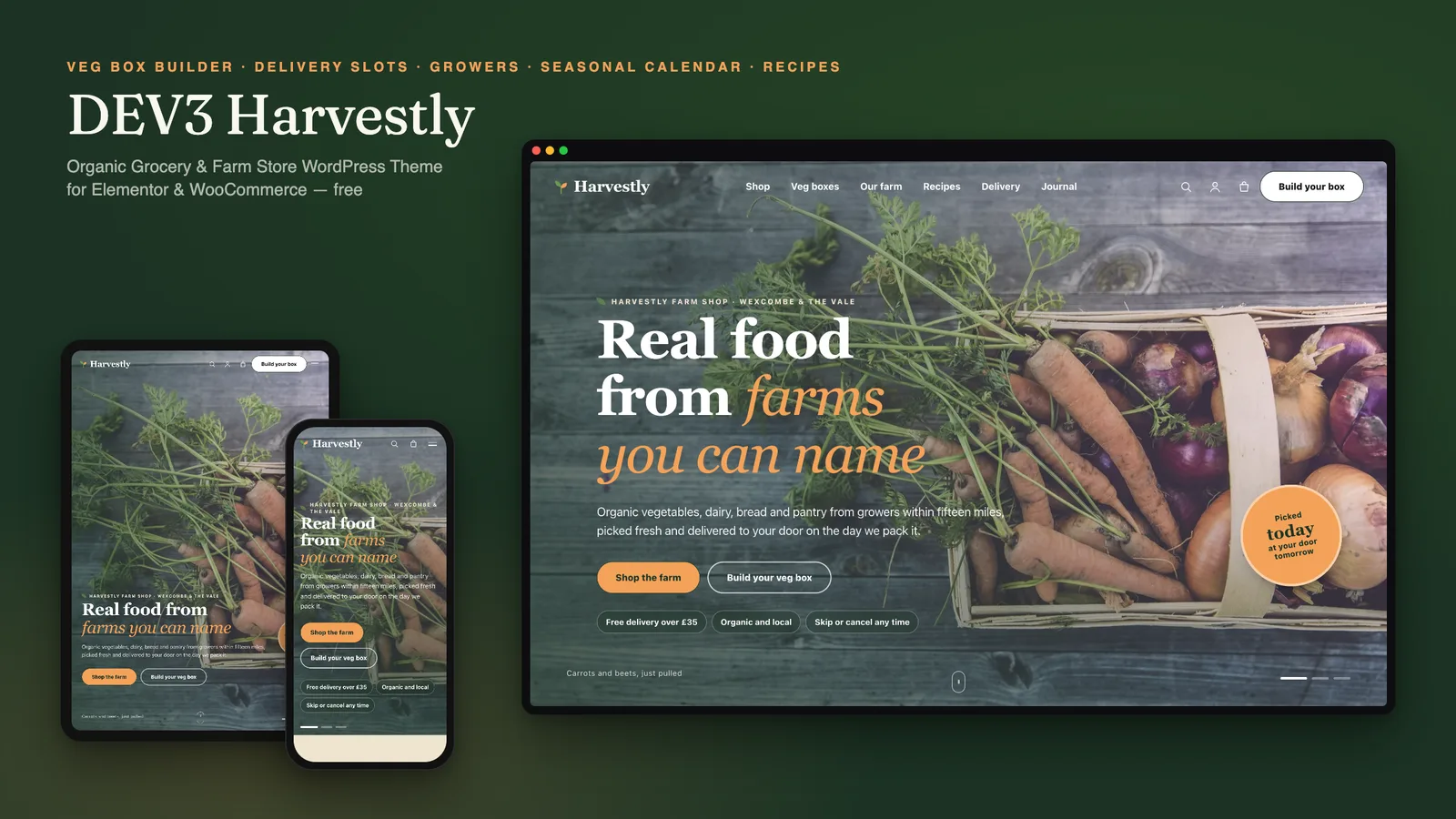
DEV3 Harvestly is a free WordPress and WooCommerce theme for organic grocers, farm shops, veg box schemes and local food hubs. It feels fresh and earthy: Fraunces headlines on cream paper, forest green with a carrot-orange highlight, arch-topped aisle cards, wavy band edges and tilted polaroid grower cards. Every section is led by real photography. Motion is light (split headings, reveals, a slow drift on the hero) and respects reduced motion.

Sign in to download it for free. There is no public live demo: watch the video tour at the top of this page, or step through the screenshots at desktop, tablet and phone sizes.

Built to sell fresh food

  • Weekly veg box builder: a friendly front end for a WooCommerce variable product. Choose a size and how often, leave out up to three vegetables and a preferred day; the choices travel with the cart line, checkout and order.
  • Delivery zones, a postcode checker and checkout slots: set zones, days and fees in the Customizer; shoppers check their postcode and pick a day and time window at checkout, saved on the order and in emails.
  • Meet the growers: a directory and a grower page for each farm, with distance from the shop, how they farm and the products they supply.
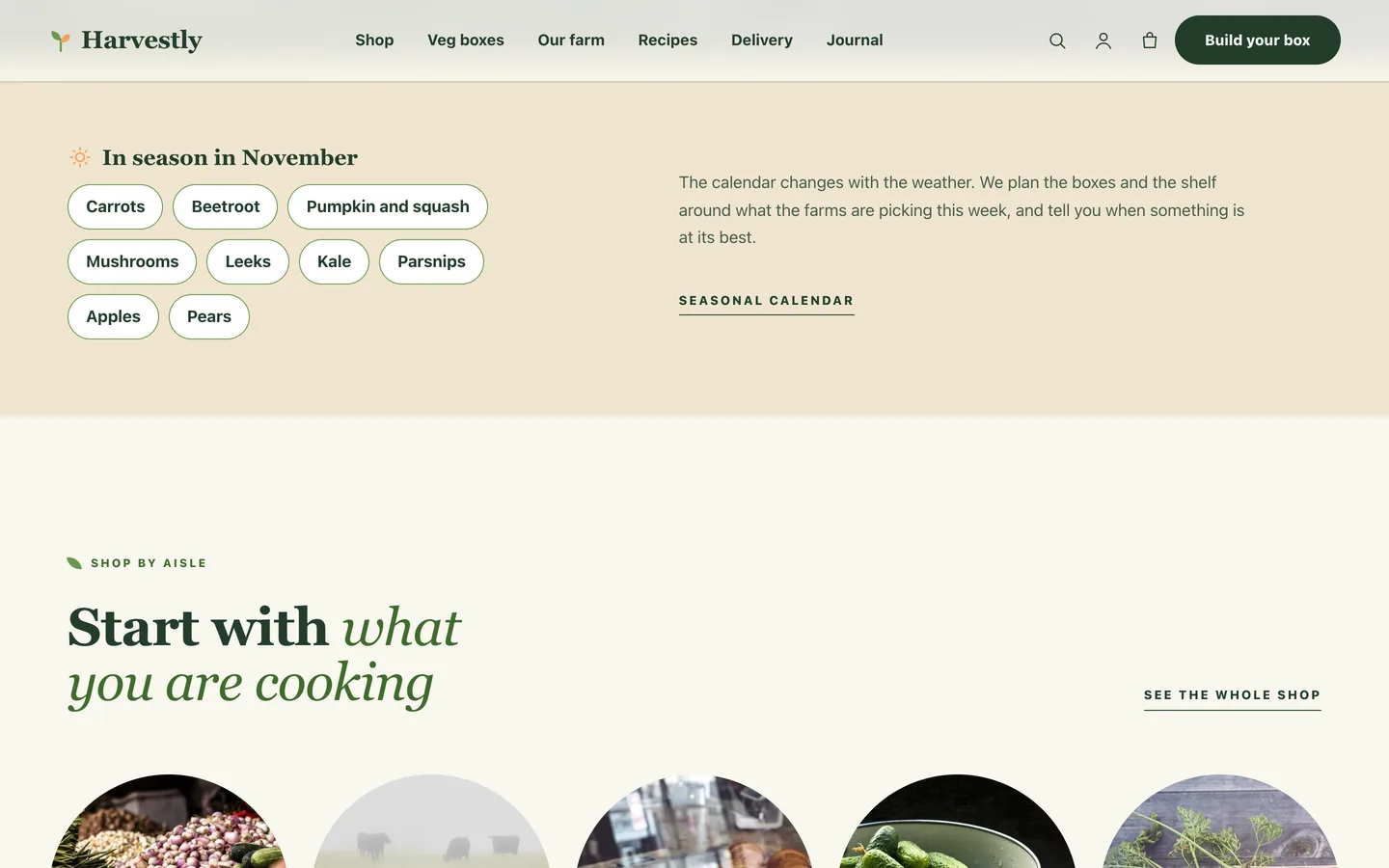
  • Seasonal produce calendar with the current month marked and filters, plus an "in season now" list.
  • Recipes blog with a facts strip and a shoppable ingredient list; product pages list the recipes that use them.
  • Product labels Organic, Local and Vegan as plain text pills (not certification marks), the grower line, freshness and season facts, and weight variations.
  • Mini-cart drawer, wishlist page and quick view from the DEV3 Theme Toolkit.

Pages included in the demo

Home, Veg boxes, Our farm, Meet the growers, Seasonal calendar, Recipes, Delivery, About, Contact, FAQ, Journal, Wishlist and the shop pages, with 35 demo products from fictional farms (no readable brands on any packaging), seven growers and eight recipes.

Built for editing

Every demo page is built in Elementor (free) with the DEV3 Theme Toolkit widgets, and 26 block patterns cover the same sections for the block editor. Colours and fonts come from one token file and sync to the Customizer, theme.json and the Elementor kit. Fonts are self-hosted. The demo photos are free-licence (CC0) stock photos listed in PHOTO-CREDITS.md; all names, products, prices and quotes are fictional.

How it's built

Architecture, stack, key decisions and the quality gates DEV3 Harvestly passed before release.

A free WooCommerce theme for organic grocers and farm shops: a weekly veg box builder, delivery zones and checkout slots, a grower directory, a seasonal calendar and recipes, built on the DEV3 theme core.

The problem it solves

Grocery shoppers want to know where food comes from, when it will arrive and what to cook with it. Most store themes show a grid and a price. Harvestly had to put the grower, the freshness and the delivery slot next to every product, make a flexible weekly box easy to order, stay fully editable in Elementor and look fresh and distinct from fashion and electronics stores, using photography and light motion only.

Architecture and approach

Harvestly is a classic PHP theme with theme.json on DEV3's flat theme core, with about 13 KB of always-loaded JavaScript gzipped.

The Toolkit's team type became Growers. A WooCommerce variable product powers the veg box builder; leave-outs and the preferred day are stored on the cart line and the order item. Zones come from one Customizer field and feed the postcode checker and a checkout delivery slot. Product meta drives labels, the grower line, season facts and tabs, and recipes list shoppable ingredients. Content markers such as {harvestly:calendar} place the dynamic sections anywhere.

Quality gates and results

Harvestly ships as a free download with a one-click demo: 12 pages, 35 products, seven growers, eight recipes, six customer stories and a journal. Gates: php -l 0, phpcs 0 errors and 0 warnings, Theme Check 0 required, Woo checkout flow and Elementor editor pass.

Tech stack

Area Technologies
Frontend DEV3 Motion, Photo Hero, Lenis, Elementor widgets, Block patterns
Platform WordPress 6.0+, PHP 7.4+, WooCommerce, Contact Form 7, DEV3 Theme Toolkit
Delivery phpcs (WPCS 3), Theme Check, No-3D build gate, One-click demo importer

Inside the build

Photo hero slideshow: a full-screen cross-fading slideshow of harvest photos with a serif headline, a carrot-orange sticker and trust chips. Photo hero slideshow — a full-screen cross-fading slideshow of harvest photos with a serif headline, a carrot-orange sticker and trust chips.

In season now: a kraft strip listing what the farms are picking this month, linked to the shop. In season now — a kraft strip listing what the farms are picking this month, linked to the shop.

Guides & articles

Practical guides and engineering write-ups for DEV3 Harvestly.

A free organic grocery WordPress theme with a veg box builder

Last updated
A free organic grocery WordPress theme with a veg box builder: DEV3 Harvestly

A good farm shop answers three questions before the shopper asks: who grew this, when will it reach me and what do I cook with it? DEV3 Harvestly is a free WordPress theme built to put those answers next to every product, with real photography instead of effects and every page editable in Elementor.
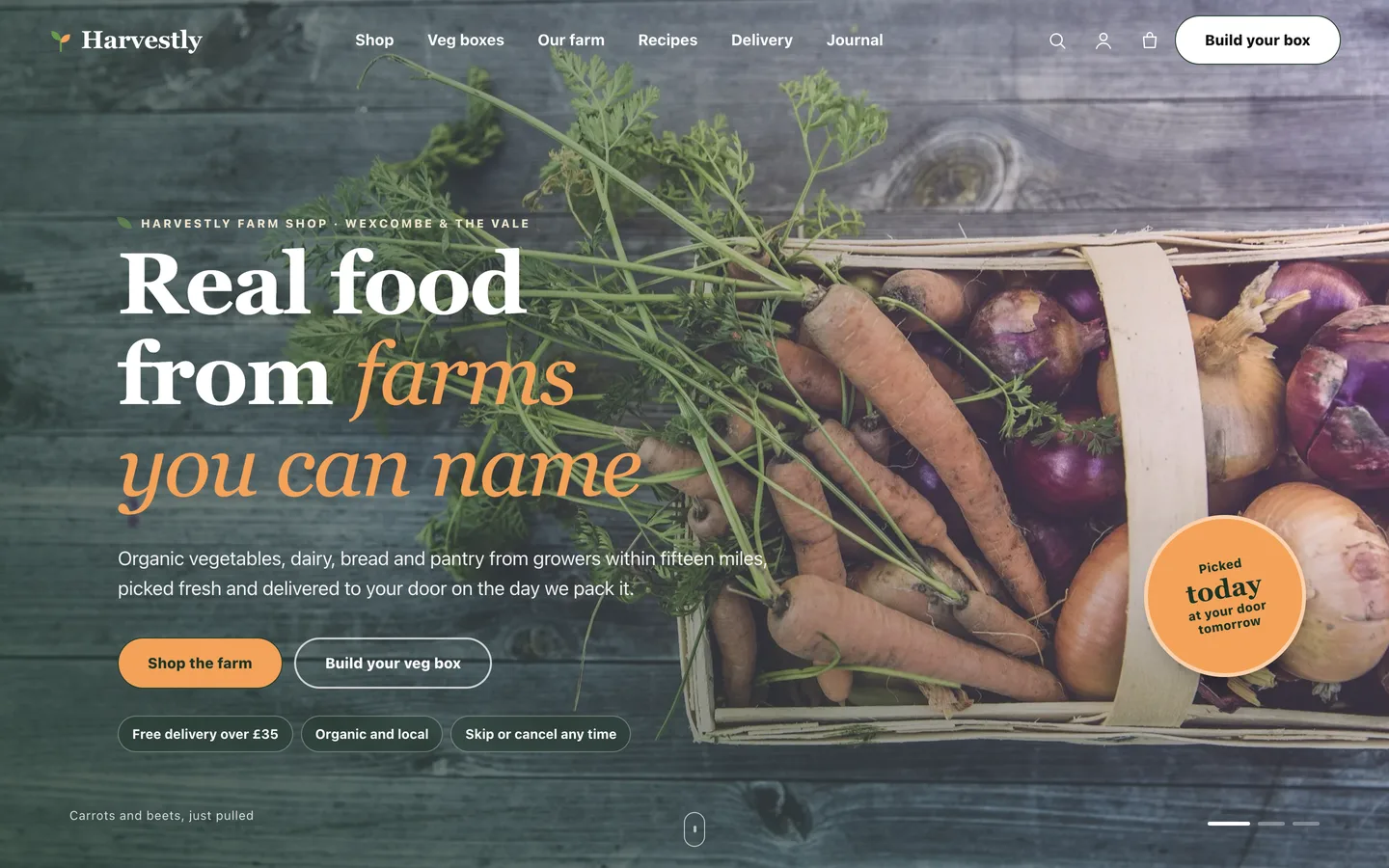
The Harvestly home page: a full-screen photo of carrots and onions in a wooden crate with the headline

Video tour of the Harvestly demo: the hero, aisles, the veg box builder, growers, the seasonal calendar and a product page

Who Harvestly is for

  • Farm shops and organic grocers that sell online and deliver locally.
  • Veg box schemes with weekly and fortnightly customers.
  • Food hubs and markets that sell for several local growers.

A veg box people can customise

The box is an ordinary WooCommerce variable product. The builder lets shoppers pick a size and a rhythm, leave out up to three vegetables and choose a preferred day, with the price updating as they go. The choices are saved on the order, so the packers see them.
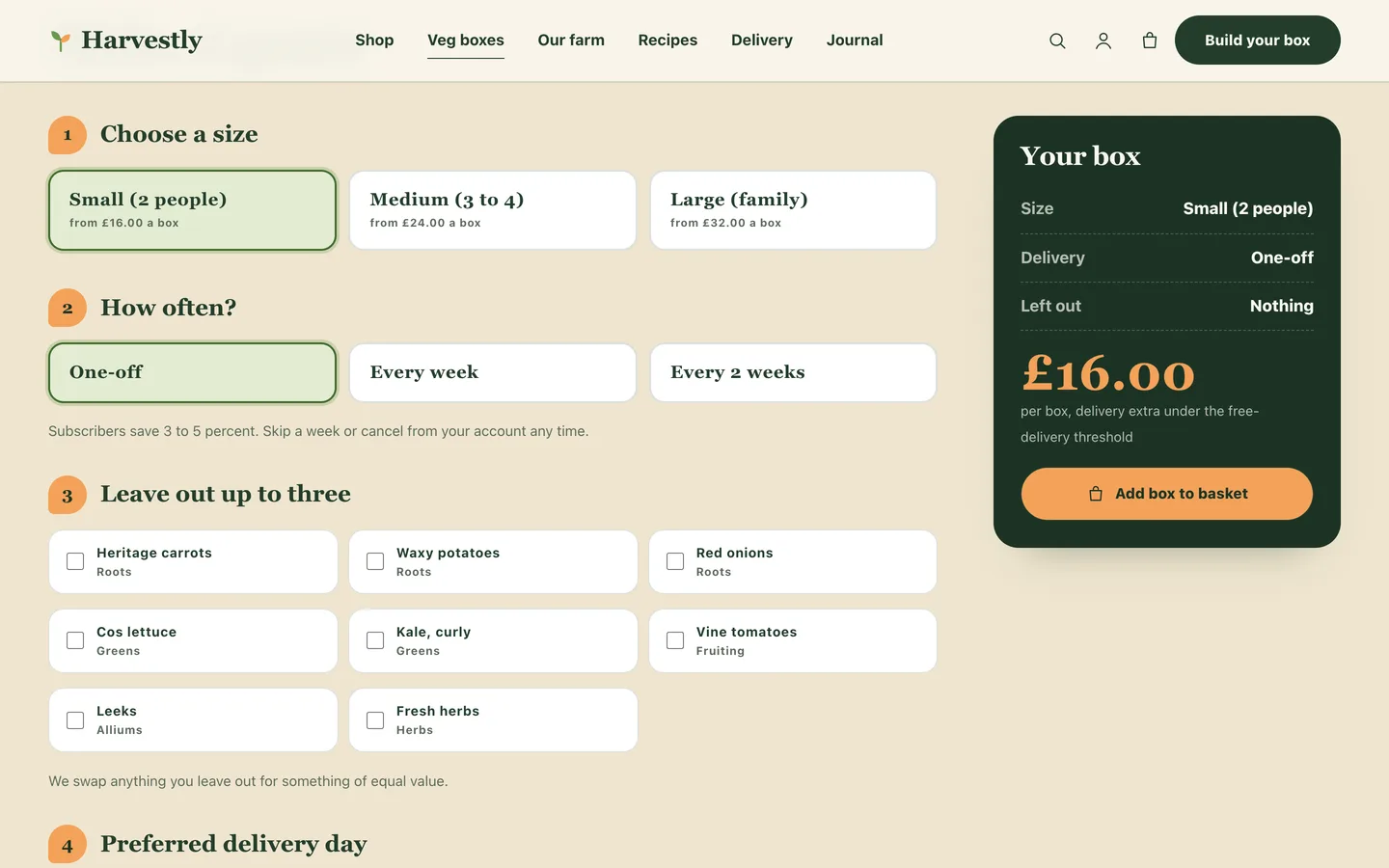
The veg box builder with size cards, frequency cards, leave-out chips and a dark summary card with the price

Delivery that people can plan around

Zones, days and fees live in one Customizer field. Shoppers check their postcode on the Delivery page and choose a day and a time window at checkout.
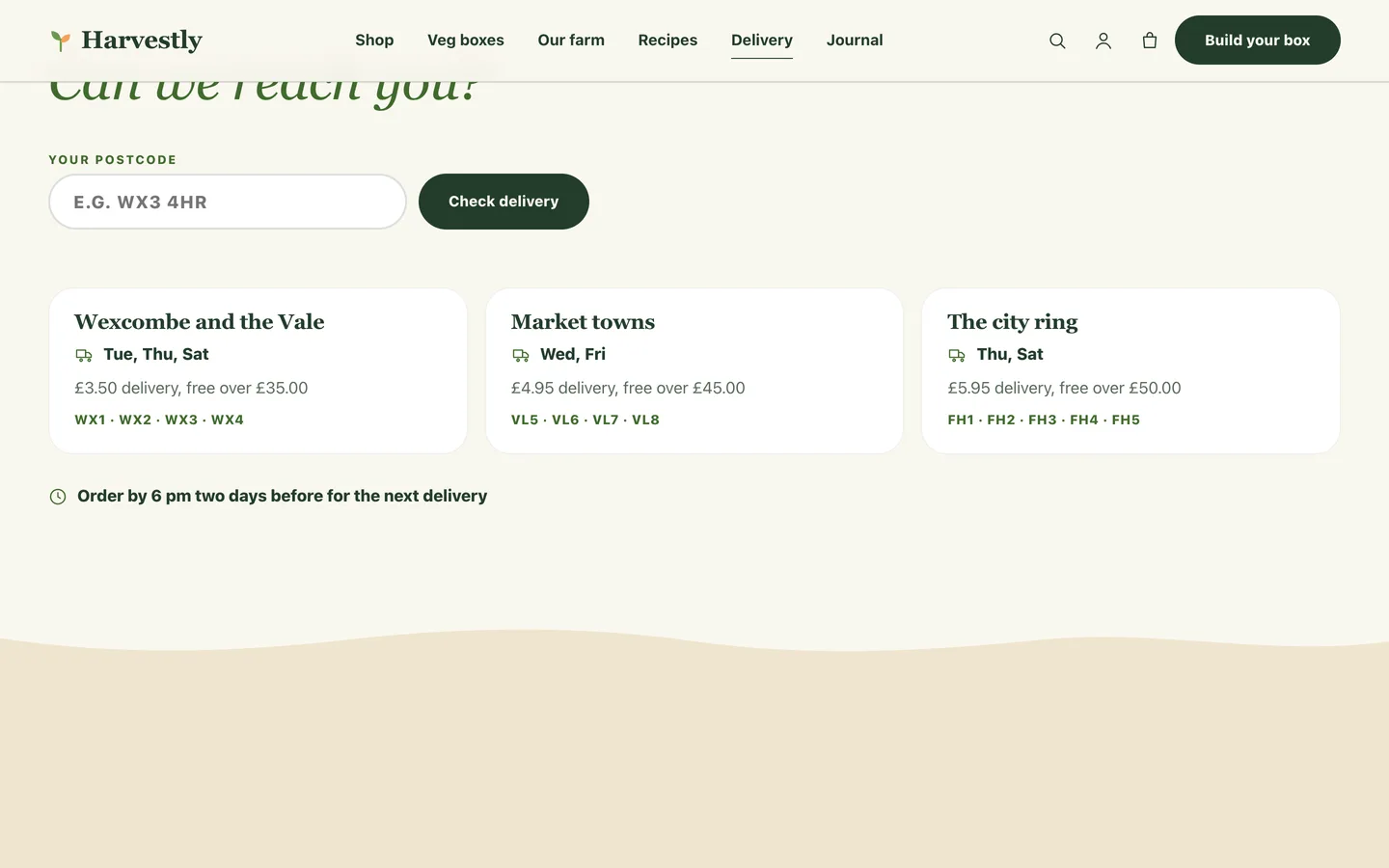
The delivery page with a postcode field and three delivery zone cards

Show where the food comes from

Each grower has a page with their story, how they farm and the products they supply. Product pages link back to the grower and show how many miles away they are.
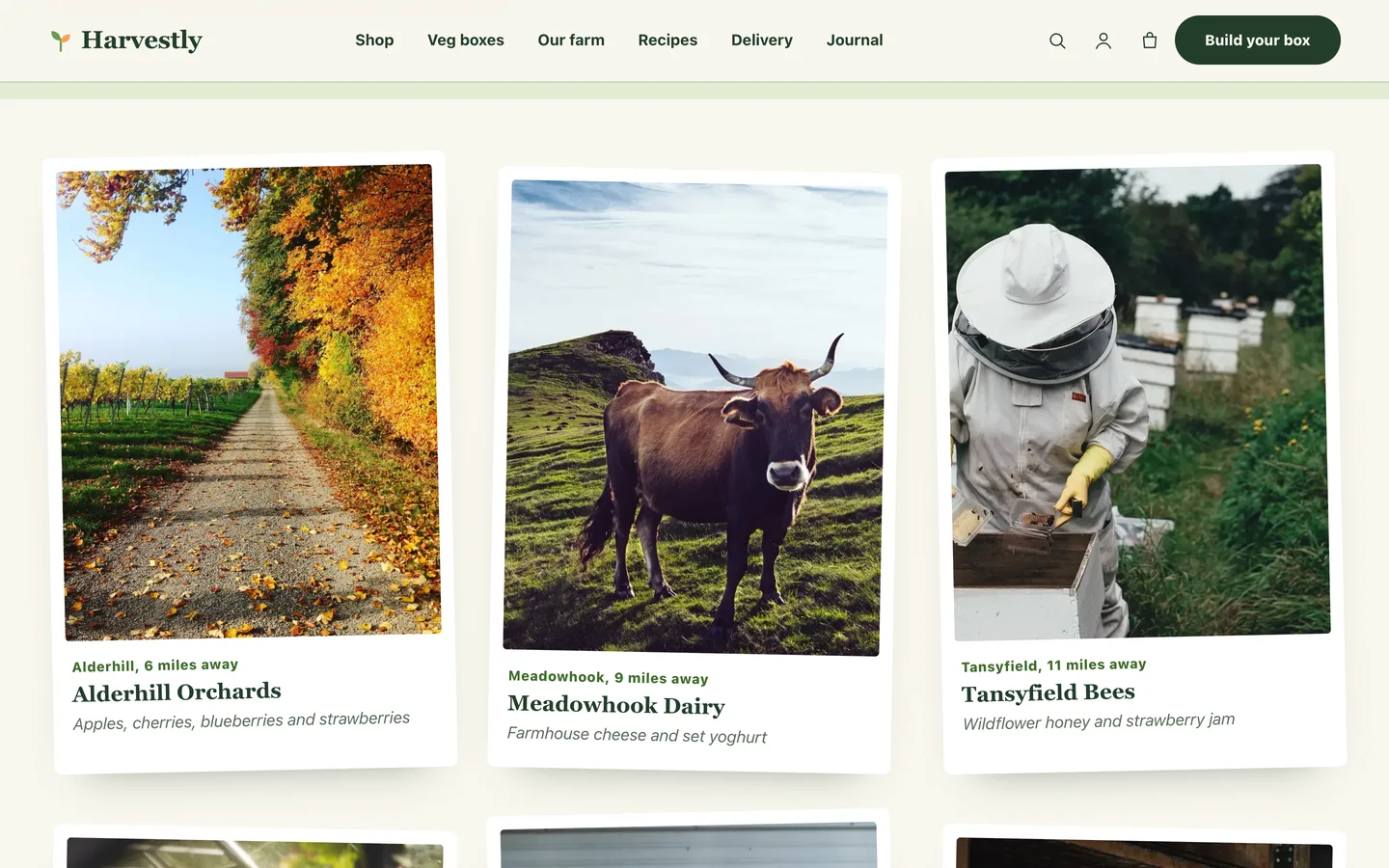
The growers directory as tilted polaroid cards

Cook with the seasons

A twelve-month calendar marks the current month, and recipes list ingredients that link straight to the shop.
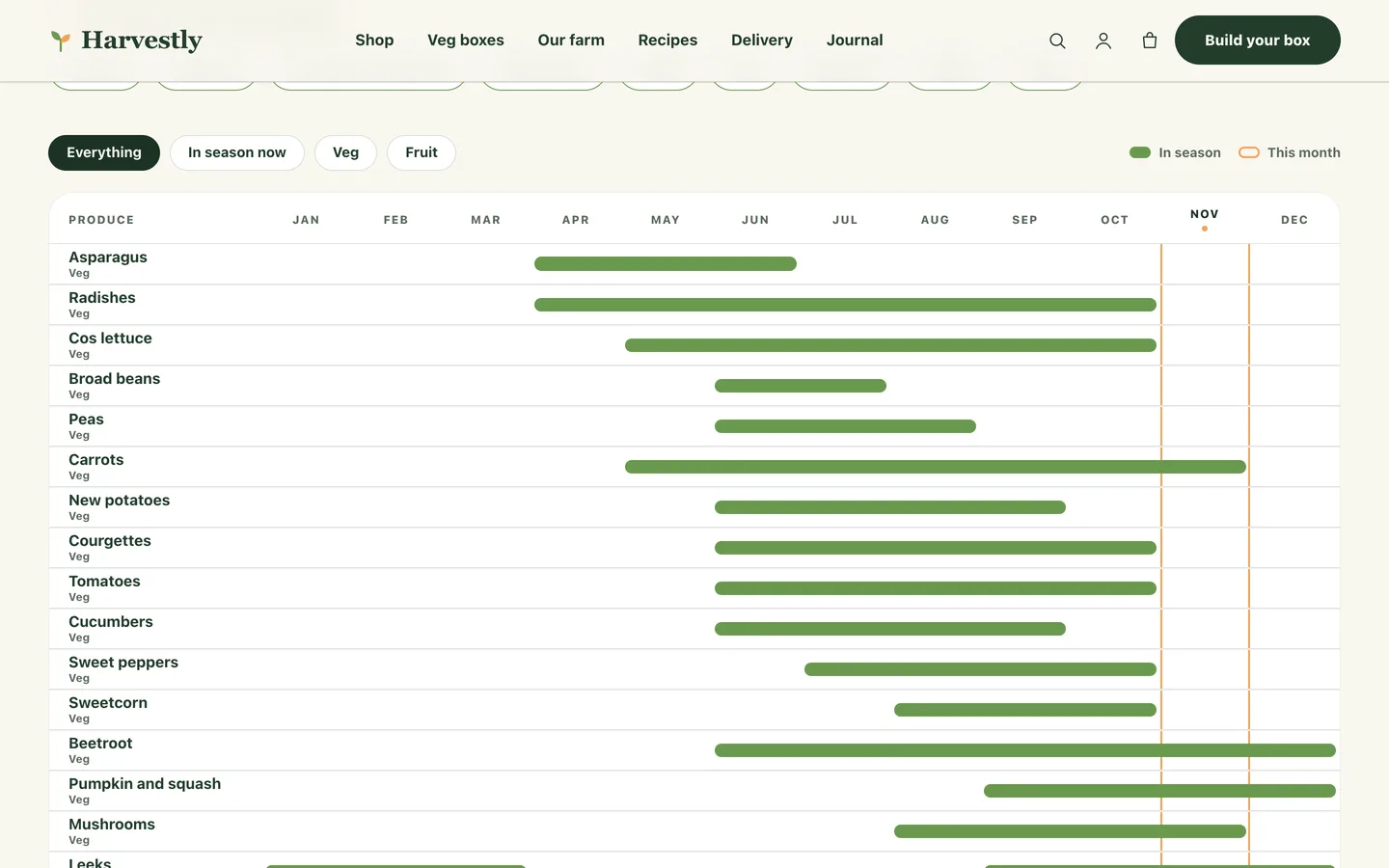
The seasonal calendar with green bars for the months each vegetable and fruit is in season

Set it up in an afternoon

  1. Install the theme and the DEV3 Theme Toolkit, then import the demo from Appearance → DEV3 Demo.
  2. Replace the demo photos, products and growers with your own.
  3. Set your delivery zones, time windows and cut-off line under Appearance → Customize → Harvestly: farm shop details.
  4. Tick the labels that are true for each product.
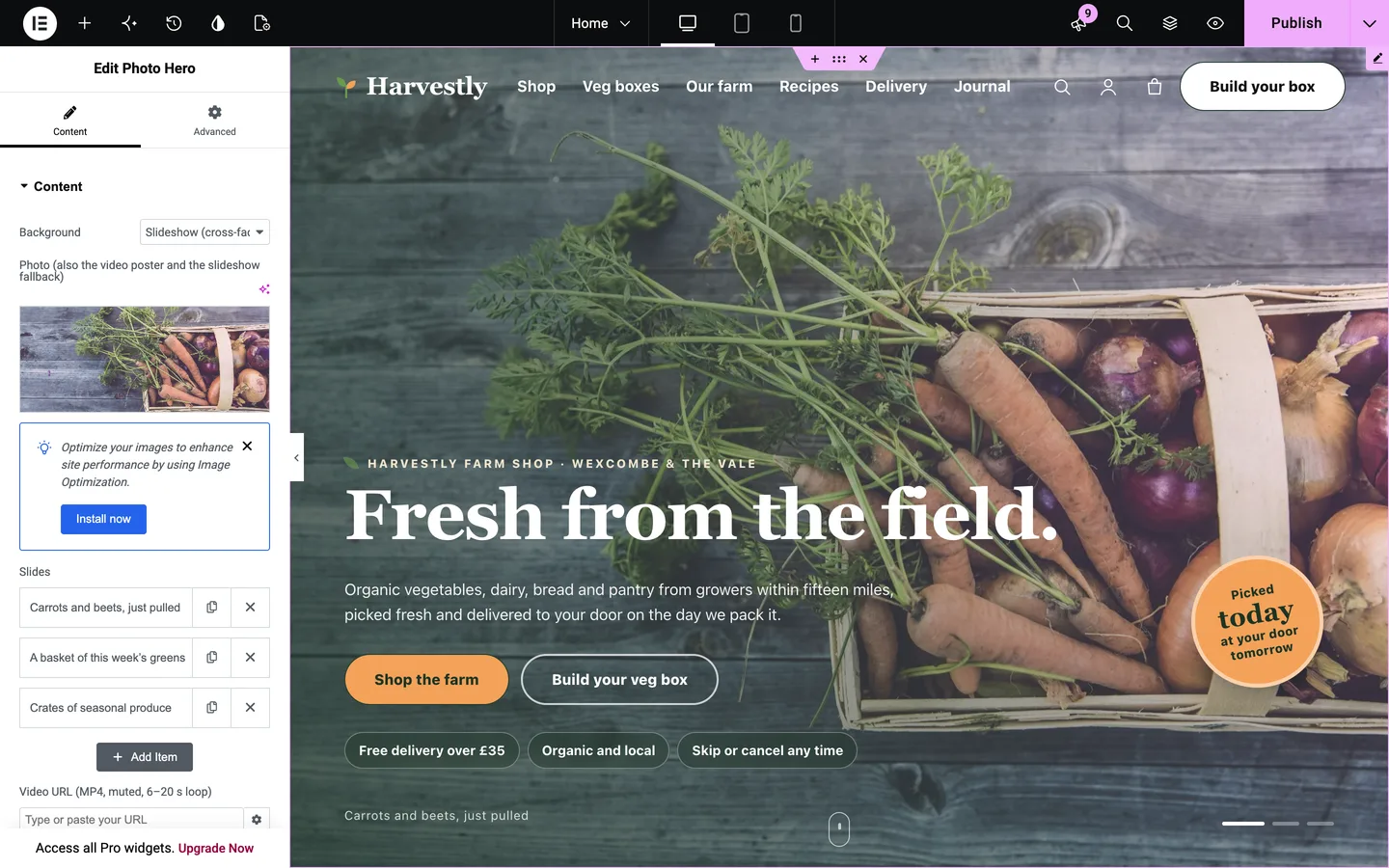
Harvestly in the Elementor editor with the Photo Hero widget selected

Harvestly is free: sign in on DEV3 to download it.

Frequently asked questions

The complete source code (version 1.0.0) as a download from your account, with the setup and usage guides shown on this page. It is free: sign in to download it.

Buying guides: 3D and motion WordPress themes for Elementor and WooCommerce

More from this author

View all

Related in CMS Extensions

View all