DEV3 Inkvault – Free Tattoo Studio WordPress Theme with Portfolio, Flash Sheets and Safe Uploads for Elementor

A free WordPress theme for tattoo studios: bold dark design, artist profiles, a portfolio with lightbox, flash sheets, a consultation form with safe reference uploads, deposit policy, aftercare guide and shop. No 3D, light motion.

by DEV3 TechnologiesVerified Author(0) 0 downloads 0 viewsUpdated 06 Nov 2026

DEV3 Inkvault is a free WordPress theme for tattoo studios, piercing and body-art shops, and independent tattoo artists. It is bold on purpose: Anton caps at poster size with Inter text on near-black walls, bone-paper panels, one hot red, thick stencil borders with hard offset shadows, stamped tags and flash-sheet cards with cut lines. Motion is light (reveals, split headlines, a marquee tape, button press effects) and it respects reduced motion. There is no 3D or WebGL in the theme at all.

Sign in to download it for free. There is no public live demo: watch the video tour at the top of this page, or step through the screenshots at desktop, tablet and phone sizes. The demo studio, Inkvault Tattoo Studio, is fictional, every price and figure is a sample, and the demo photos show hands, arms and backs only.

Artists, portfolio and flash

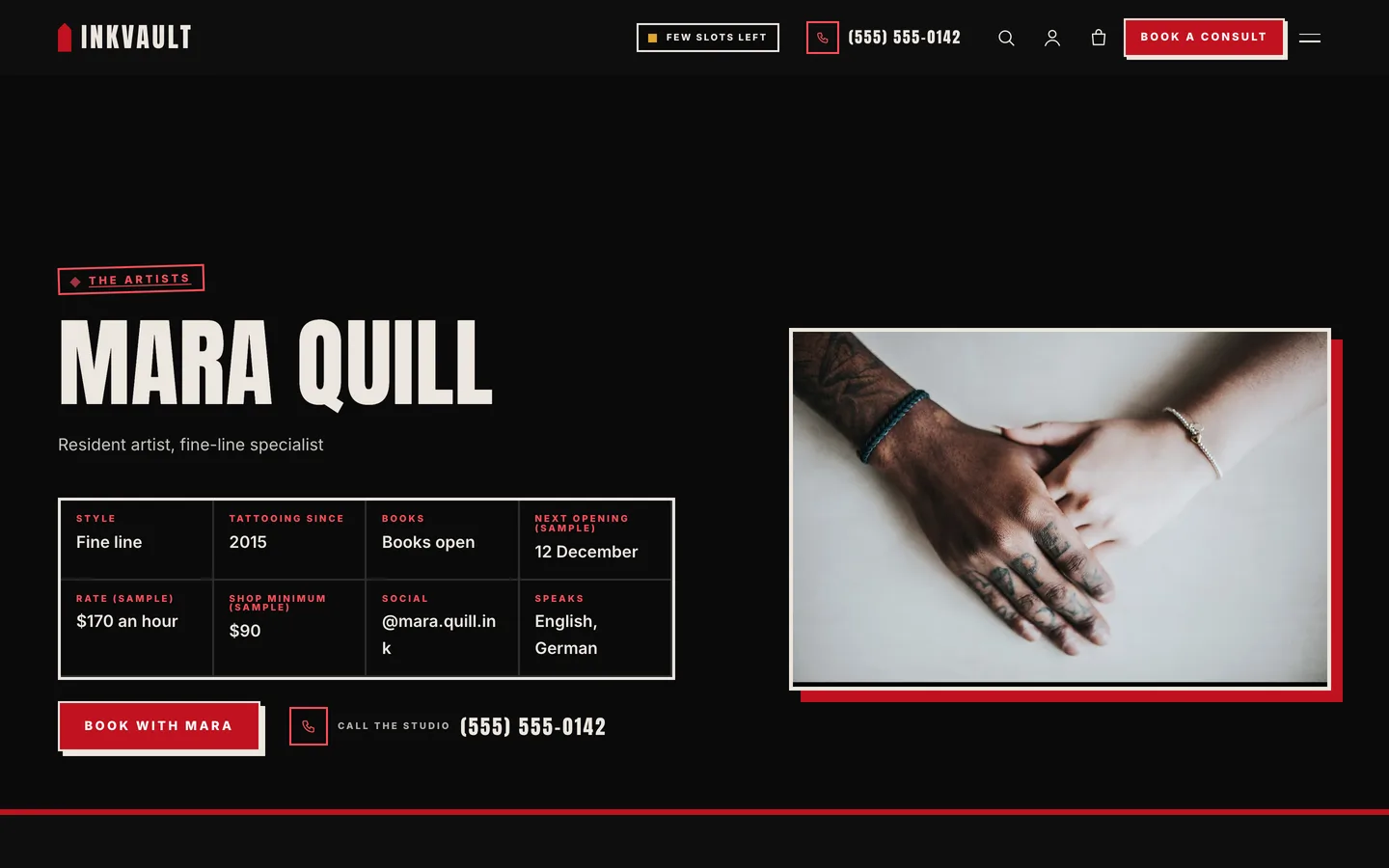
  • Artist profiles with a main style (fine line, traditional, blackwork, realism or watercolour), a books-open, waitlist or closed status, next opening, rate, what each artist loves and does not do, and their own portfolio.
  • A portfolio masonry with style filters and a lightbox built on the native dialog element: focus is trapped, Escape closes, arrow keys move, and focus returns to the picture you opened. Without JavaScript every piece is a normal link.
  • Flash sheets: twelve original generic designs on bone-paper cards with number, price, size and availability, filters, a TAKEN stamp and a Claim this design button that fills the consultation form.
  • Guest artists and events: dated cards for visiting artists, flash days and studio nights.

A consultation form built for tattoos

  • Artist cards, style, placement, size, first-tattoo and cover-up flags, a description, budget and timing.
  • Reference image uploads with safe file checks: three images of 5 MB at most, JPEG, PNG or WebP only, type checked from the file itself, dimensions checked, every image re-saved without location data or hidden code, stored under random names and never added to the Media Library.
  • A consult ticket with a sample estimate from the artist's rate and the size, and the deposit that holds the date. Age 18+ and deposit-policy confirmations are required.
  • A deposit policy card, a week-by-week aftercare guide and a tattoo FAQ covering age, pricing and touch-ups.

Shop

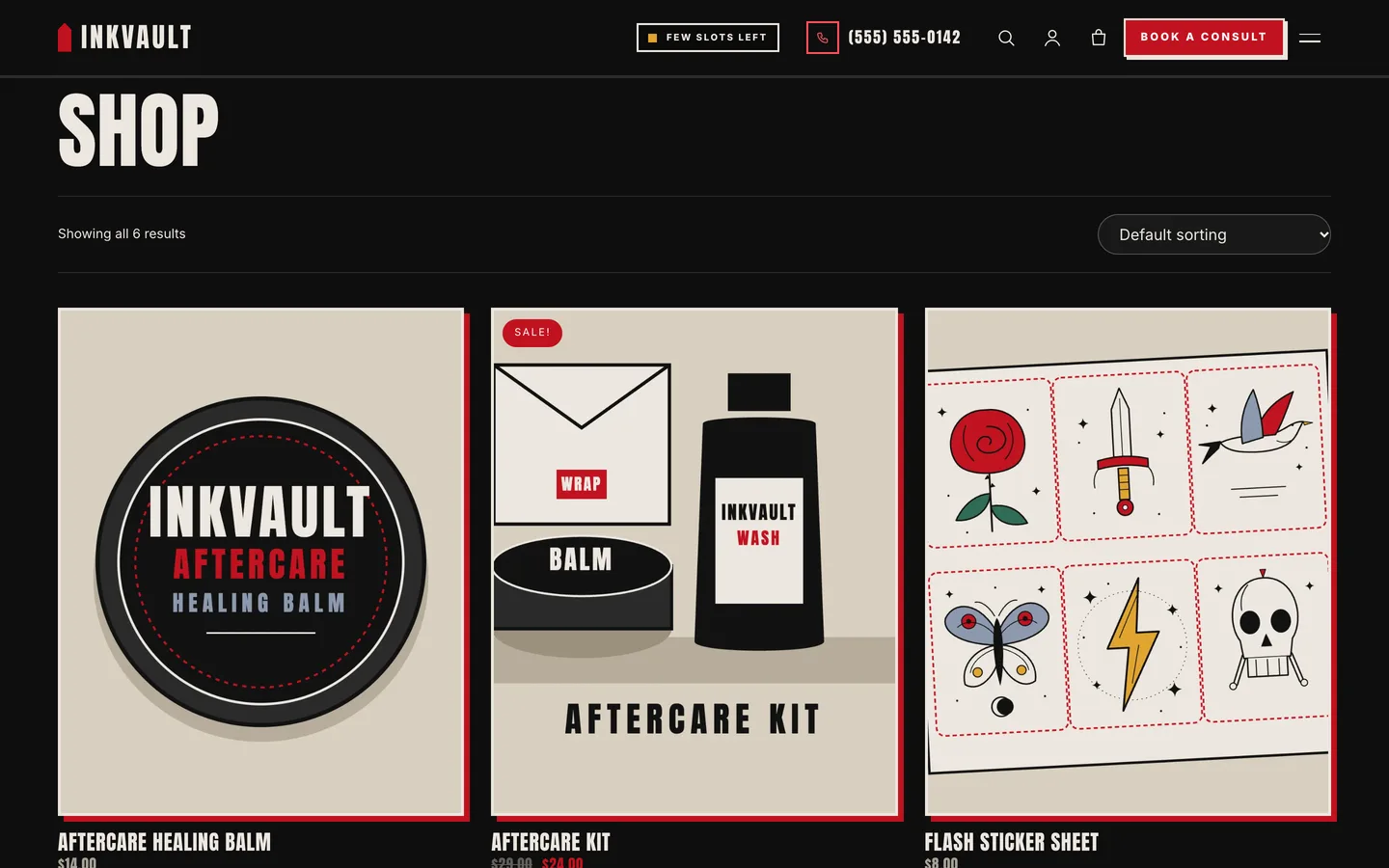
WooCommerce styling for gift vouchers, aftercare balm, wash and kit, stickers and a downloadable guide, with a slide-out mini cart and a clean checkout.

Built for editing

Every demo page is built in Elementor (free) with the DEV3 Theme Toolkit widgets, including the Photo Hero, and 30 block patterns cover the same sections for the block editor. A child theme is included. Colours and fonts come from one token file and sync to the Customizer, theme.json and the Elementor kit. Fonts are self-hosted. The demo photos are free-licence (CC0) stock photos listed in PHOTO-CREDITS.md; the flash art and product pictures are original vector drawings with no characters or brands.

How it's built

Architecture, stack, key decisions and the quality gates DEV3 Inkvault passed before release.

Our own free WordPress theme for tattoo studios: artist profiles, a portfolio with a lightbox, flash sheets and a consultation form with safe reference uploads, built on the no-3D theme core.

The problem it solves

People choosing a tattoo artist want to see the work, find the right style and know how booking works before they commit. Most tattoo themes give them a gallery plugin and a contact form that accepts any file. Inkvault had to show the portfolio fast, make artists and styles easy to compare, explain the deposit and aftercare clearly, take reference images without opening a security hole, and stay fully editable in Elementor while shipping no 3D or WebGL code.

Architecture and approach

Inkvault is a classic PHP theme with theme.json, built on DEV3's shared theme core in flat mode: a "flat": true token stamps a WebGL-free boot (smooth scroll, header, motion) and a build gate fails the theme if any three.js or WebGL code reaches its assets.

The DEV3 Theme Toolkit provides the post types, which Inkvault relabels as artists, portfolio pieces, flash designs and guest spots. A small script adds style filters and a lightbox on the native dialog element; every piece stays a normal link without JavaScript. The consultation form has its own handler: nonce, honeypot and rate limit, then strict reference-image checks (extension and real content type, decoded dimensions, size and count) and a re-encode with the WordPress image editor so only pixels survive. Files are kept under random names in a private uploads folder. A consult ticket turns the artist's rate and the chosen size into a labelled sample estimate beside the deposit.

The shop uses WooCommerce with a slide-out mini cart. The demo uses free-licence CC0 photos cropped to hands, arms and backs, plus original vector flash art.

Quality gates and results

Inkvault ships as a free download with a one-click demo for the fictional Inkvault Tattoo Studio, with sample prices and figures, 30 block patterns and a child theme.

It passes PHP lint, WordPress coding standards, Theme Check with no required issues, the WooCommerce checkout flow, an Elementor editor test, an upload test with hostile files, and its no-3D gate.

Tech stack

Area Technologies
Frontend DEV3 Motion, Photo Hero, Lightbox on native dialog, Elementor widgets, Block patterns
Platform WordPress 6.0+, PHP 7.4+, WooCommerce, Contact Form 7, DEV3 Theme Toolkit
Delivery phpcs (WPCS 3), Theme Check, Upload attack tests, No-3D build gate, One-click demo importer

Inside the build

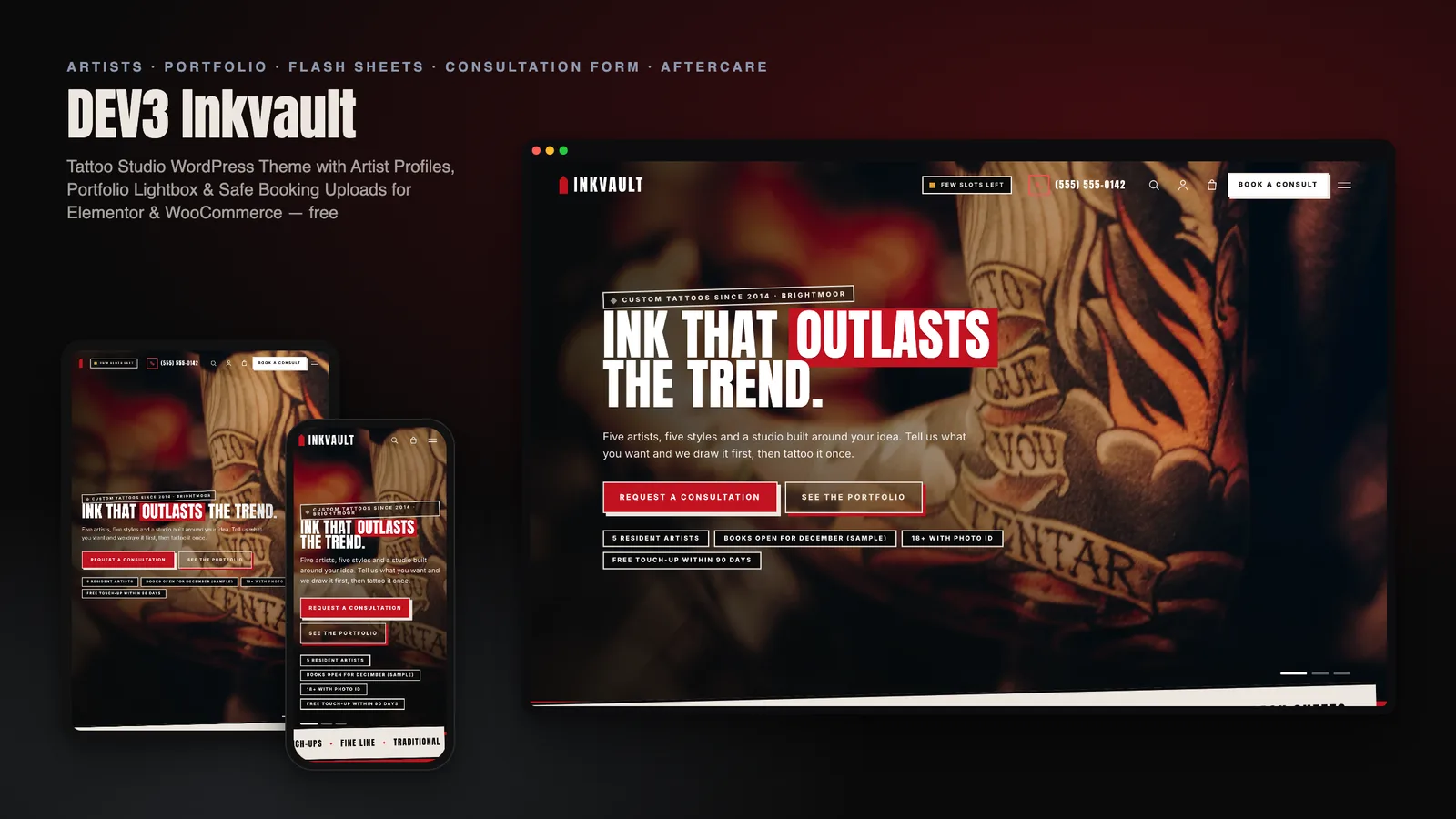
Photo hero slideshow: a full-screen cross-fading slideshow of tattoo close-ups with a red marker headline, two buttons and trust chips. Photo hero slideshow — a full-screen cross-fading slideshow of tattoo close-ups with a red marker headline, two buttons and trust chips.

The artists: five artist cards with their style, booking status and next opening, in a bold five-up grid. The artists — five artist cards with their style, booking status and next opening, in a bold five-up grid.

Guides & articles

Practical guides and engineering write-ups for DEV3 Inkvault.

A free tattoo studio WordPress theme: portfolio, flash and safe reference uploads

Last updated
A free tattoo studio WordPress theme: portfolio, flash and safe reference uploads: DEV3 Inkvault

Someone choosing a tattoo artist wants to see the work, find the right style and understand how booking works before they commit. DEV3 Inkvault is a free WordPress theme built around exactly that: artist profiles, a portfolio with a lightbox, flash sheets, a deposit policy and a consultation form that takes reference images safely, with every page editable in Elementor.
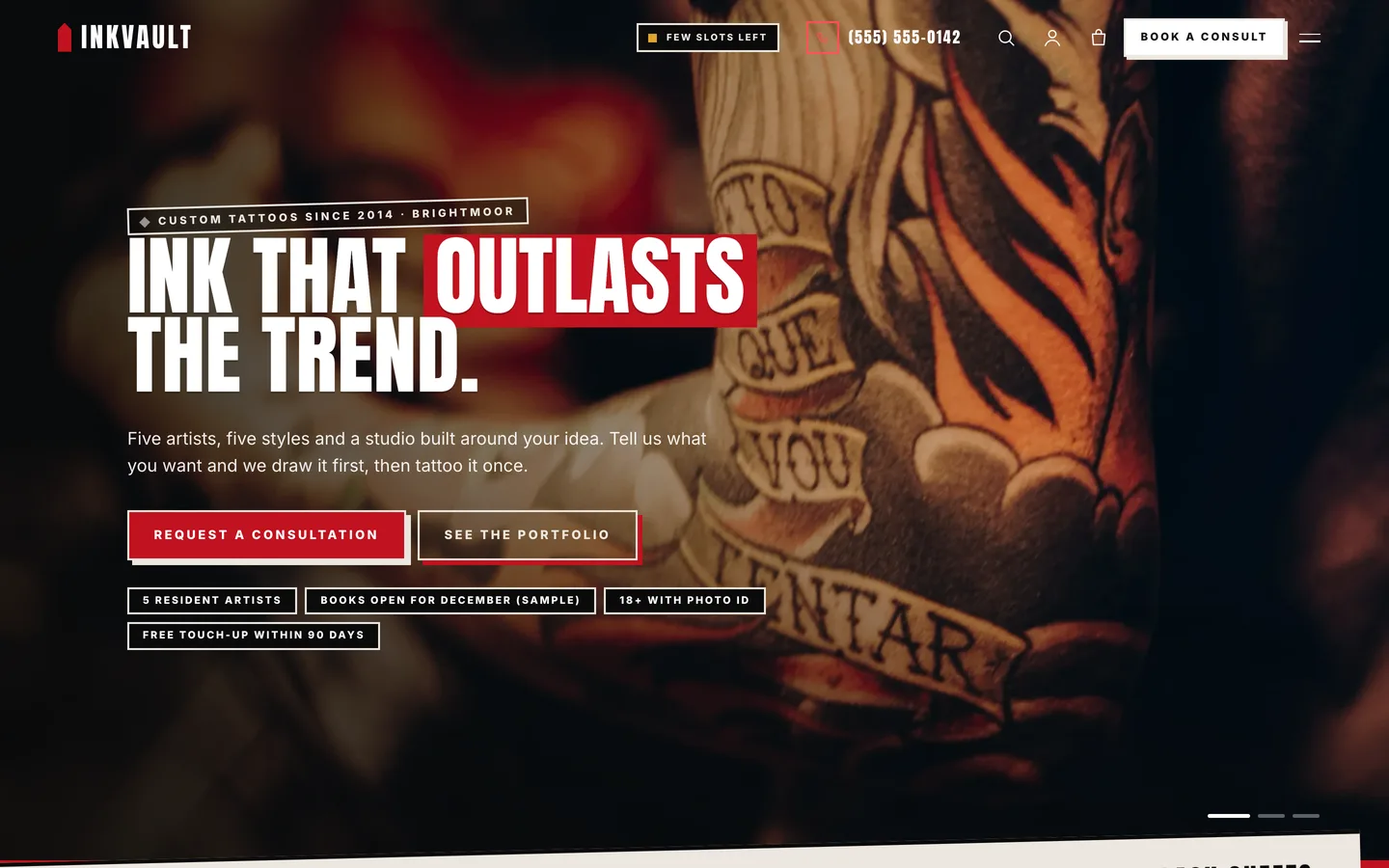
The Inkvault home page: a traditional tattoo sleeve under a red marker headline, with buttons for a consultation and the portfolio

Video tour of the Inkvault demo: the artists, portfolio, flash sheets, consultation form and shop

Who Inkvault is for

  • Tattoo studios, from one chair to a full floor of resident artists.
  • Independent tattoo artists, piercers and body-art shops that need a portfolio and a booking path.
  • Agencies and freelancers building a local-business site the owner will keep up to date.

Let artists show their style

Each artist has a main style, a books-open, waitlist or closed status, a next opening, a rate and a list of what they love to tattoo and what they do not. The cards sit in a bold grid, and each profile carries a Book with button that preselects the artist.
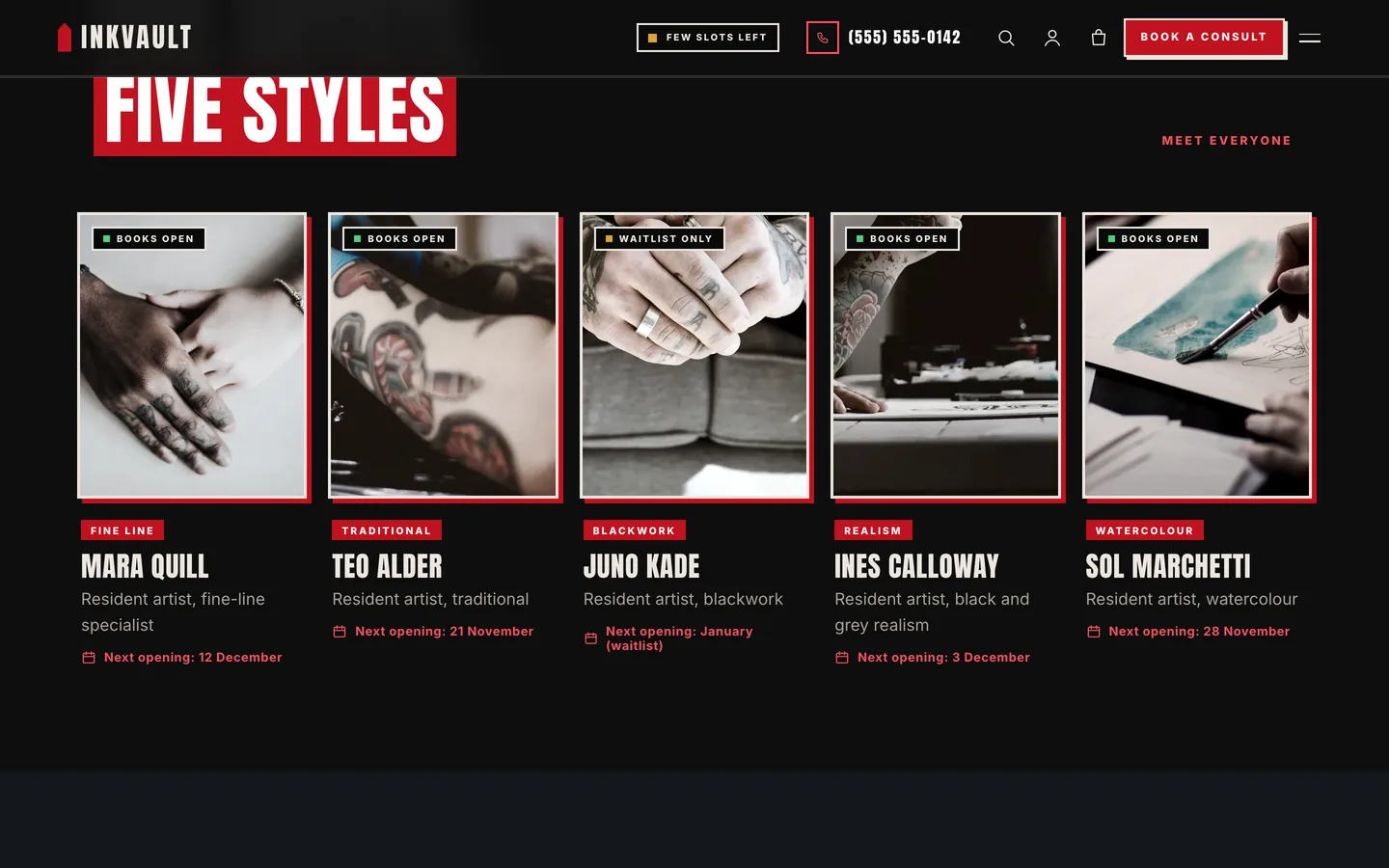
The Inkvault artist cards with style tag, booking status and next opening for five artists

An Inkvault artist profile with facts, availability and a Book with button

A portfolio that opens fast

Pieces sit in a masonry gallery with style filters. A click opens a lightbox on the native dialog element: focus is trapped, Escape closes it, arrow keys move between pieces and focus returns to the picture you opened. Without JavaScript, every piece is a normal link to its own page.
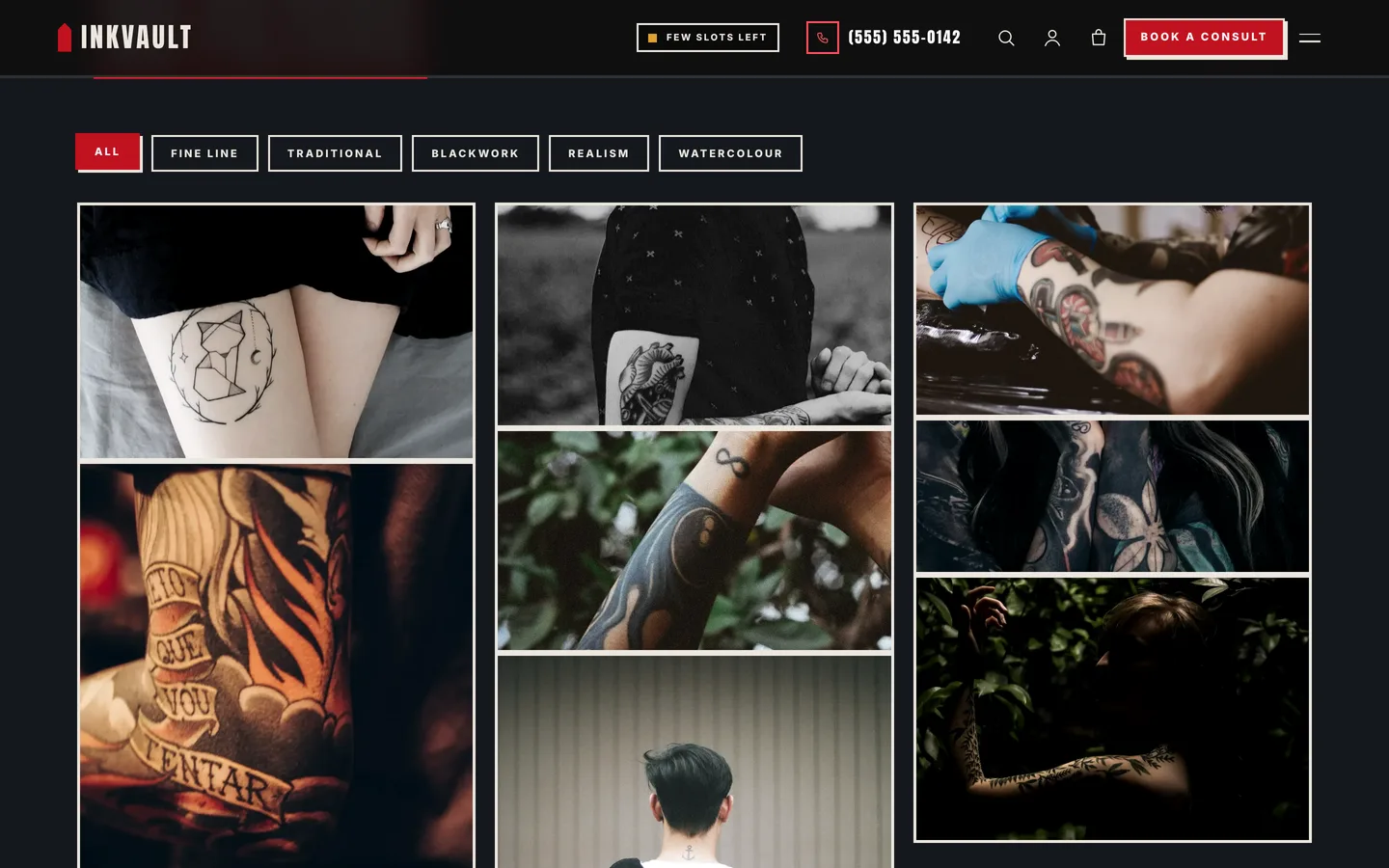
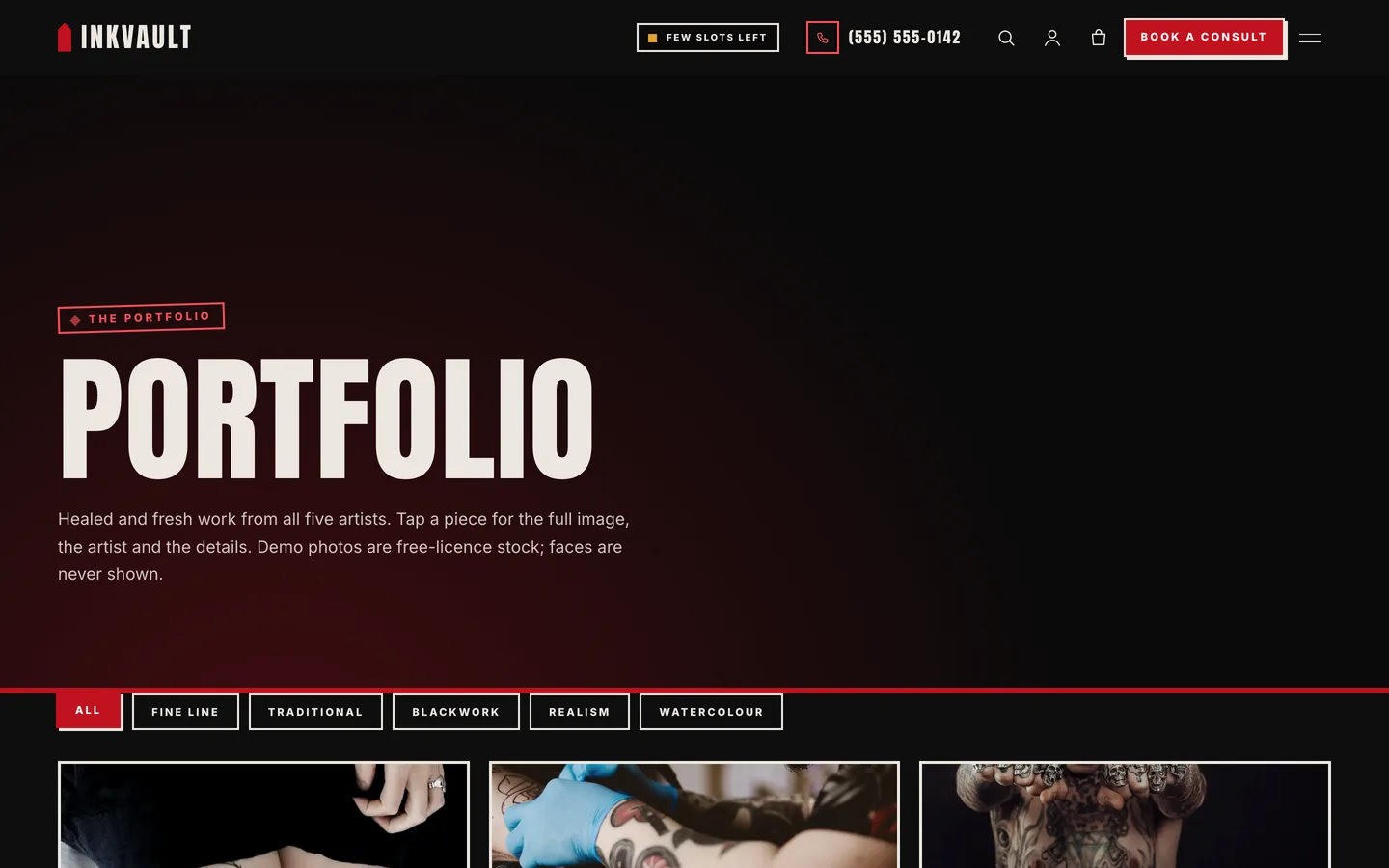
The Inkvault portfolio masonry with filters for fine line, traditional, blackwork, realism and watercolour

The full Inkvault portfolio page with the style filters above a thick-bordered masonry

Flash sheets people can claim

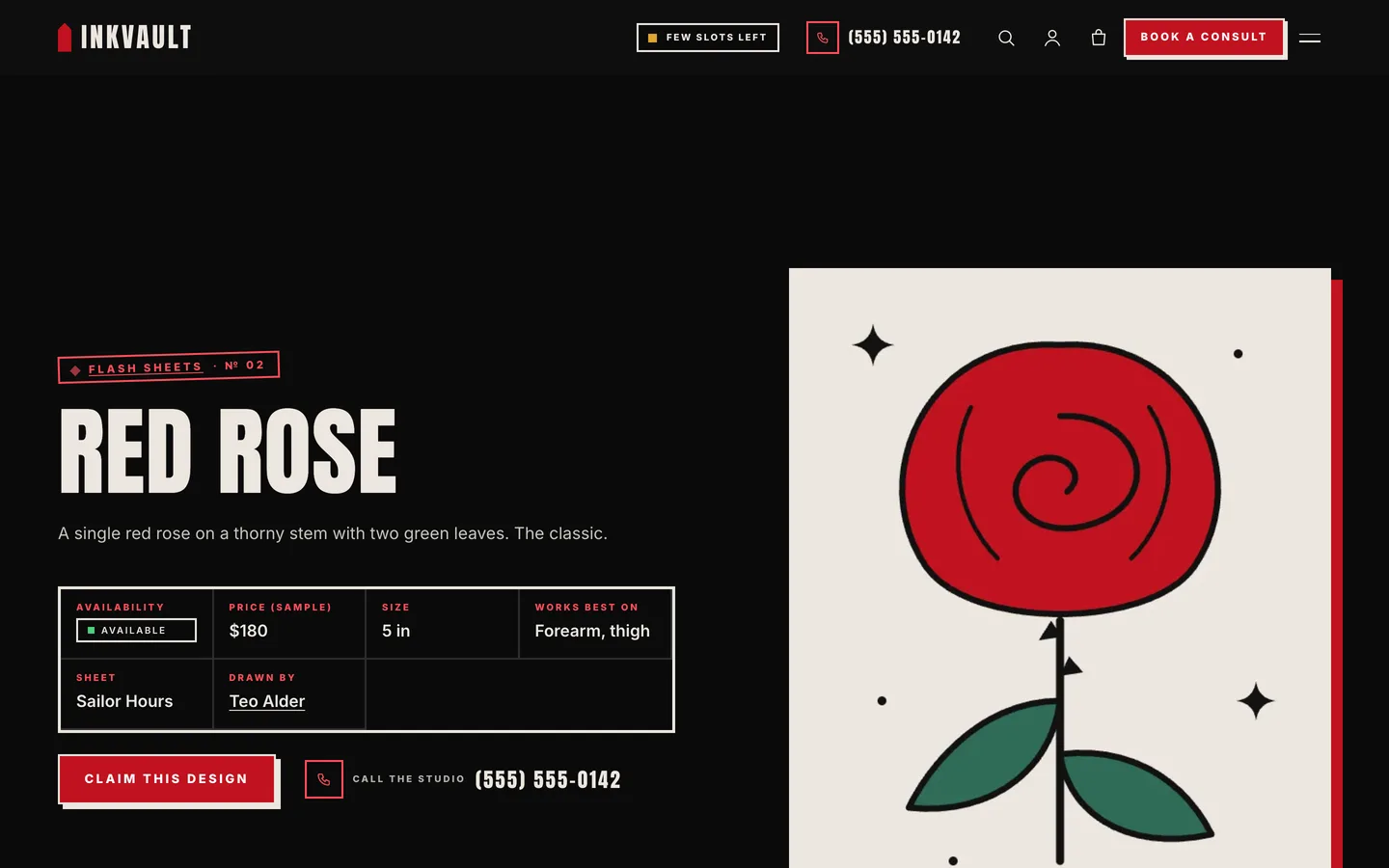
Flash is ready-to-tattoo art with a fixed price. Every design gets a bone-paper card with its number, size, price and availability, plus filters and a TAKEN stamp for designs that are gone. Claiming one opens the consultation form with the design chosen. The twelve demo designs are original generic artwork with no characters and no logos.
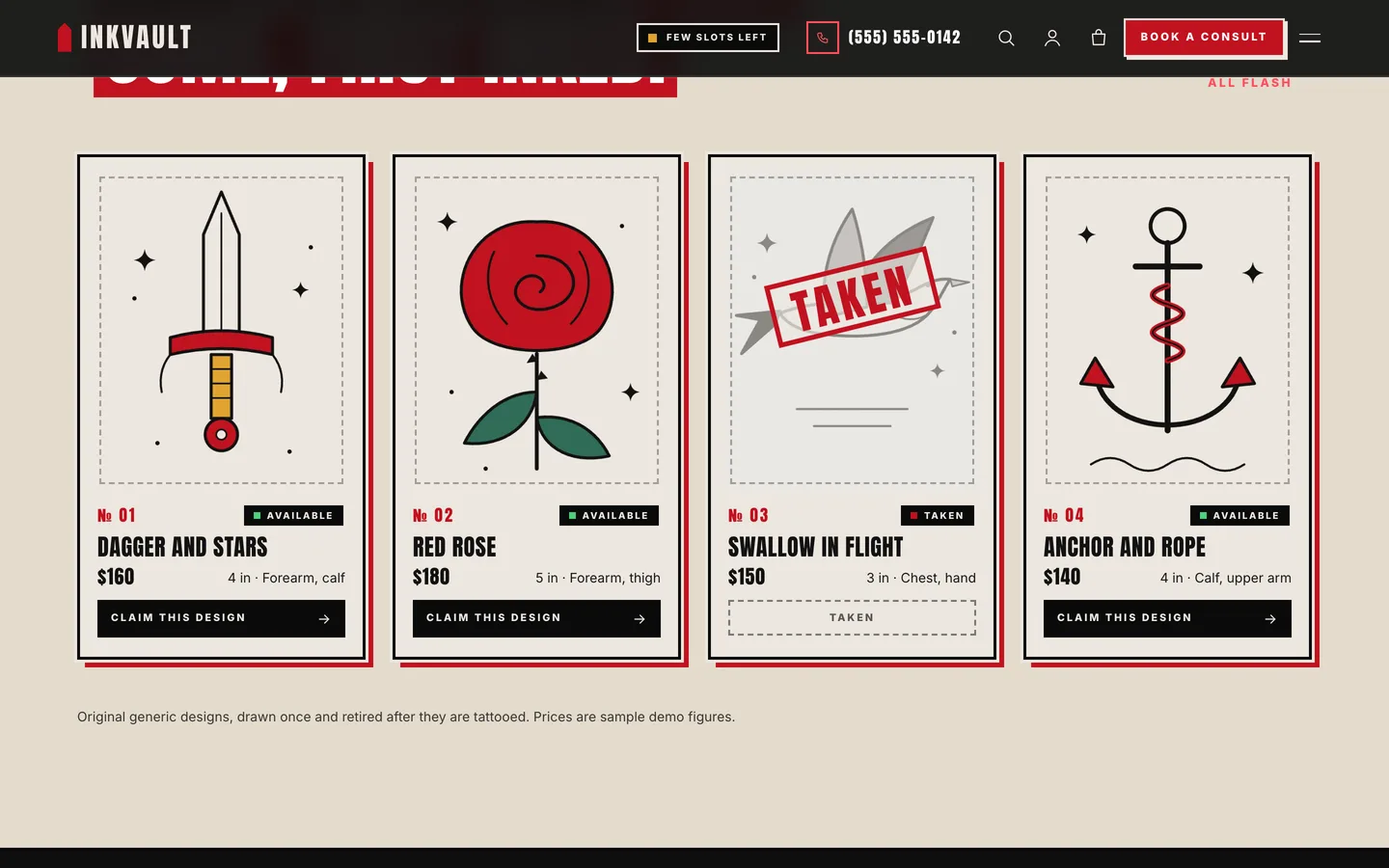
The Inkvault flash sheet cards with prices, sizes and claim buttons

An Inkvault flash design page with facts and a Claim this design button

A consultation form that is safe by default

The form asks for the artist, style, placement, size, a description, budget and timing, and takes up to three reference images. Each upload is checked from the file itself (not the browser's claim), measured, and re-saved with the WordPress image editor so location data and anything hidden in the file are dropped. Files go to a private folder under random names. A consult ticket shows a sample estimate from the artist's rate and the size, next to the deposit that holds the date.
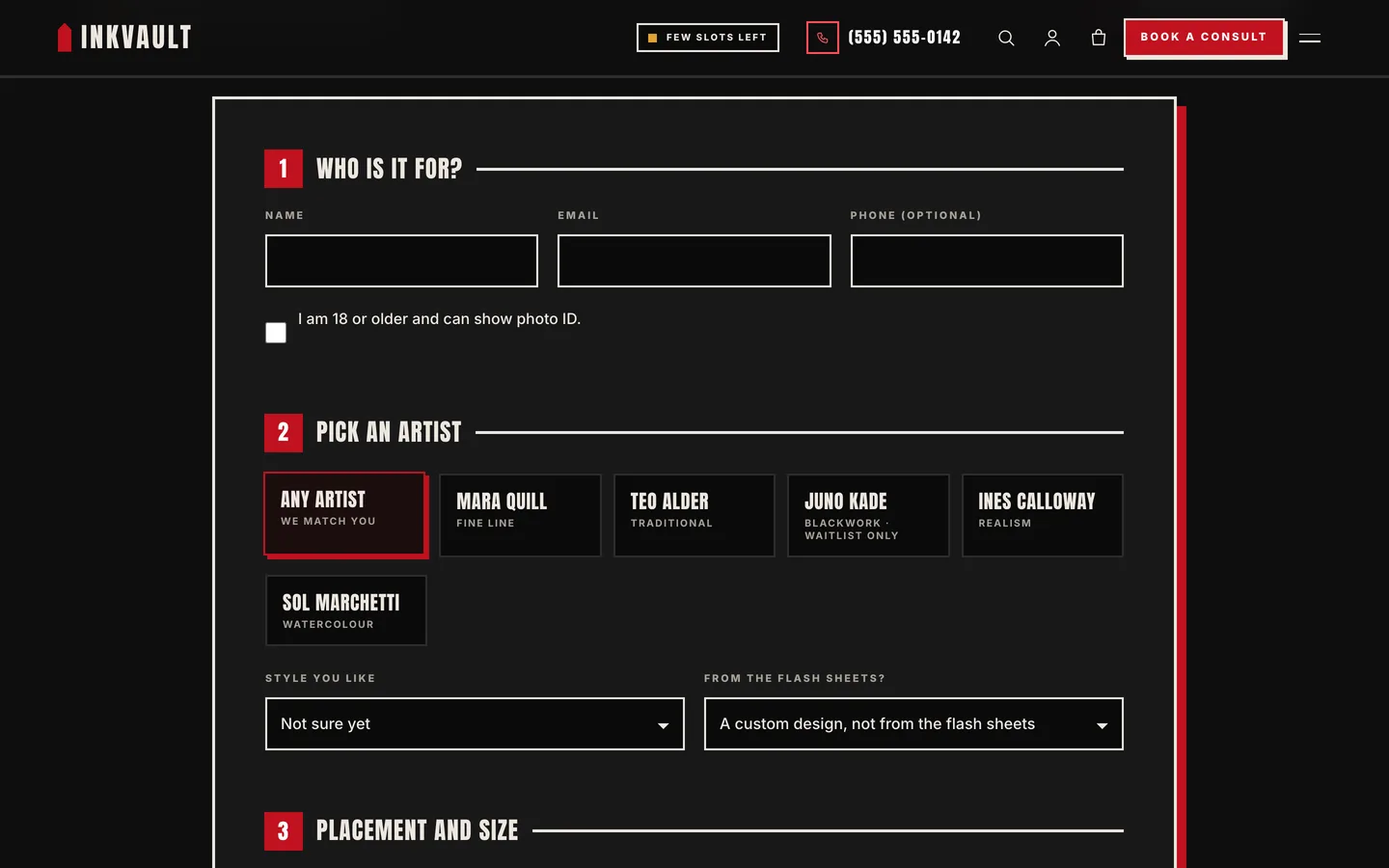
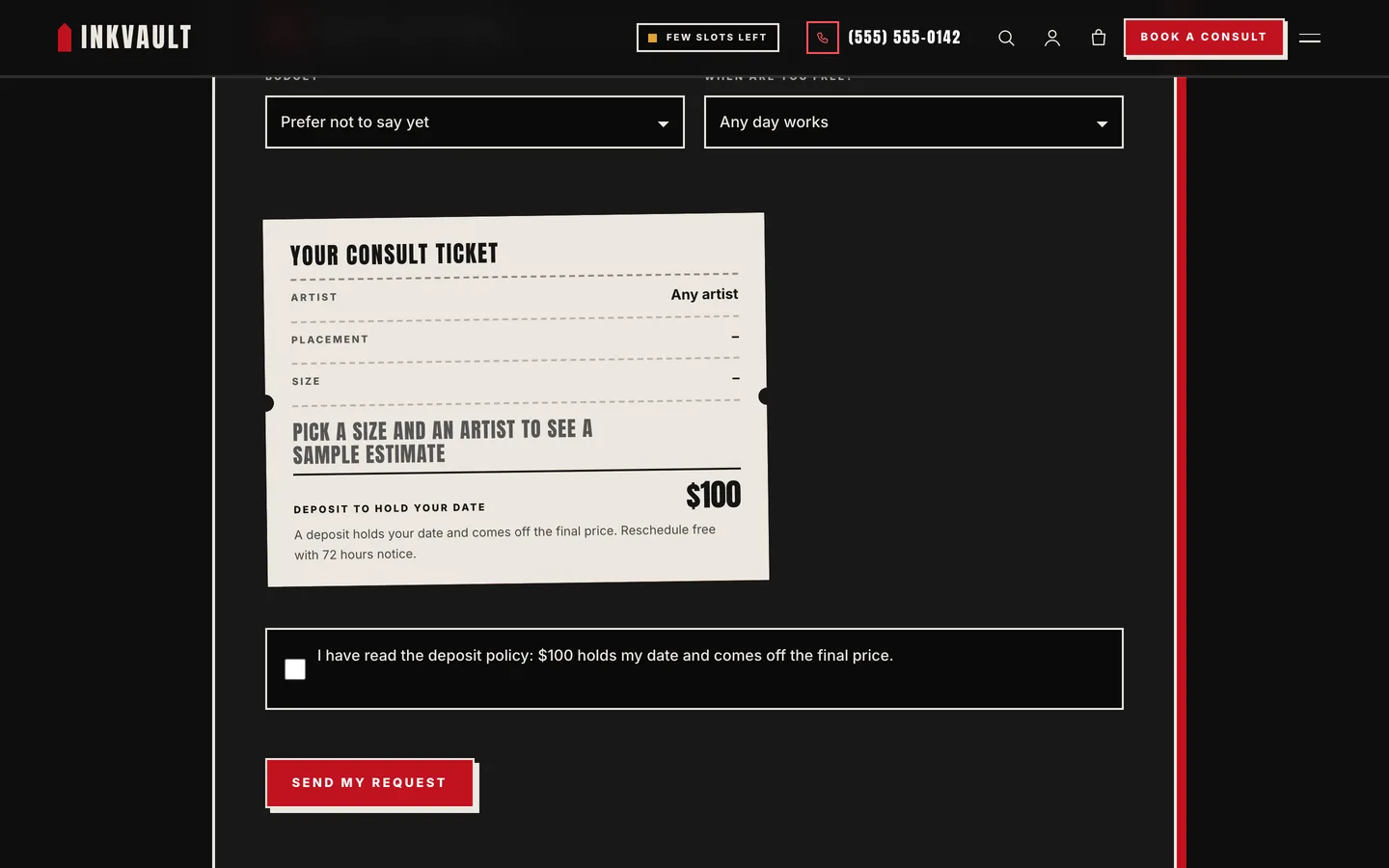
The Inkvault consultation form with artist cards, placement, size, description and a reference image upload

The Inkvault consult ticket with a sample estimate and the deposit amount

Deposit policy, aftercare and the questions everyone asks

A deposit card states the four rules in plain words, with the amount and minimum age set in the Customizer. The aftercare page walks through the first four weeks, with do and do-not panels, and the FAQ covers age 18+, pricing and touch-ups.
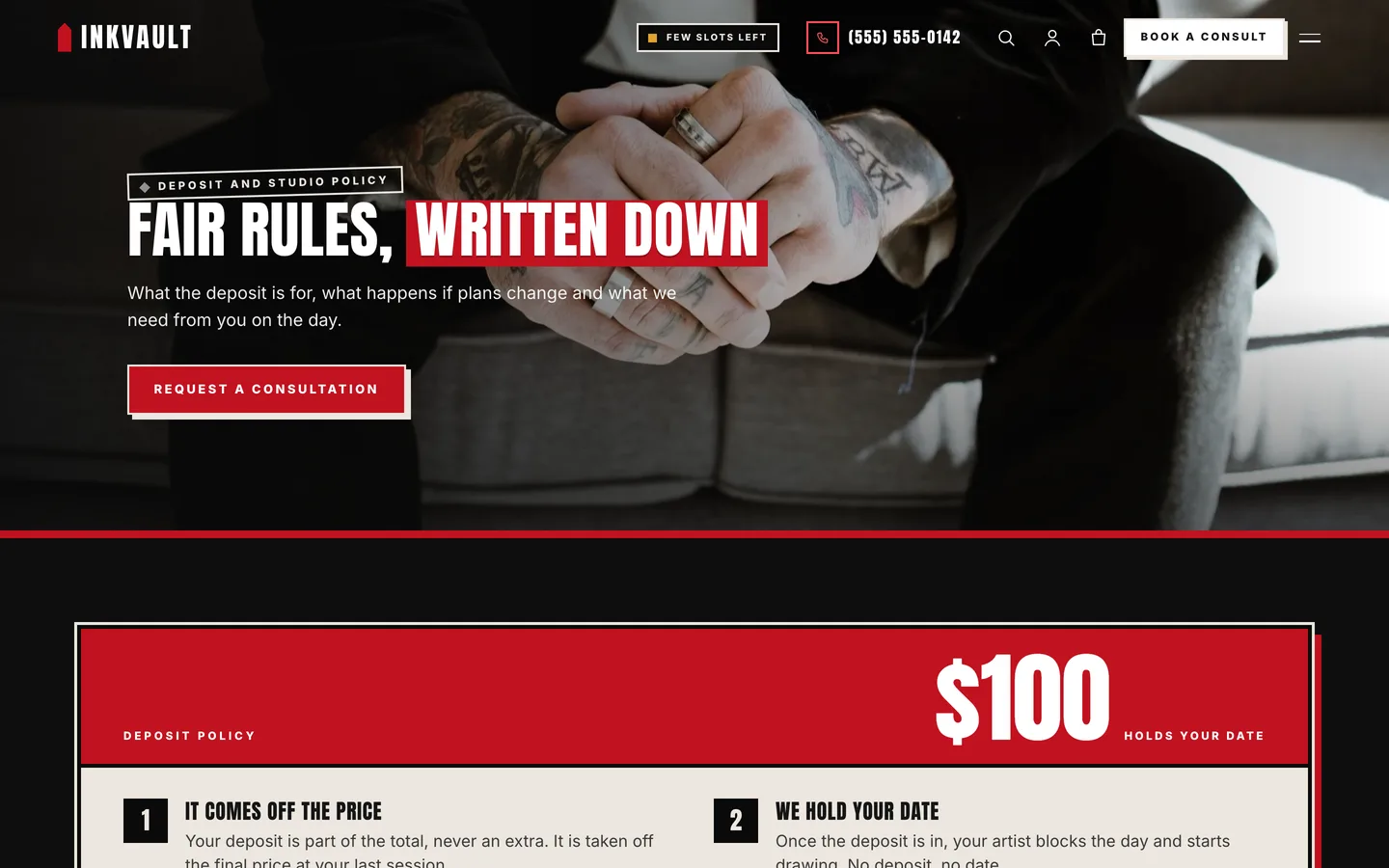
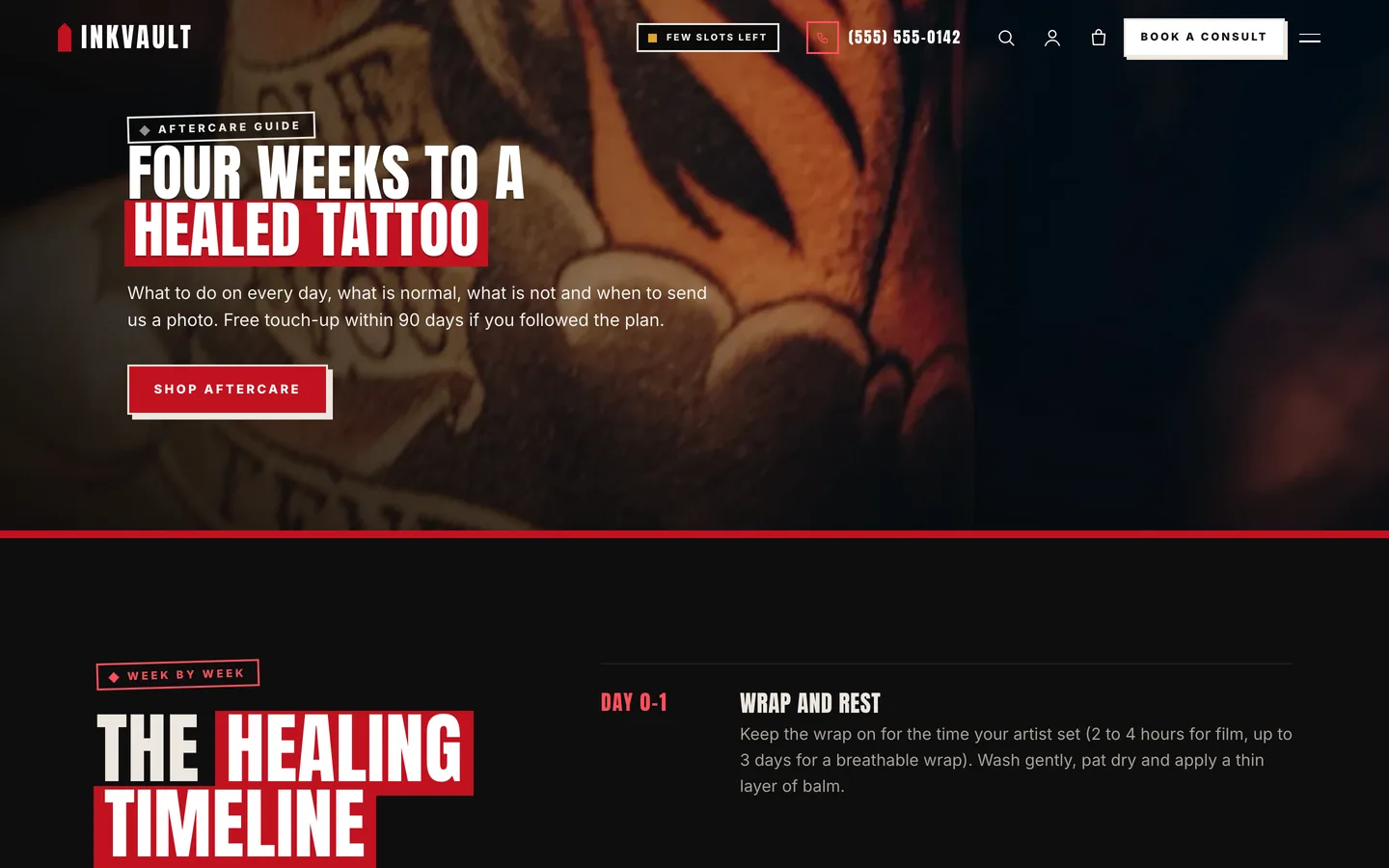
The Inkvault deposit policy page with the deposit card and studio rules

The Inkvault aftercare page with the week-by-week healing timeline

Guest artists, events and the shop

Visiting artists, flash days and studio nights come from the event type and are sorted soonest first. The WooCommerce shop covers gift vouchers, aftercare balm, wash and kit, stickers and a downloadable guide.
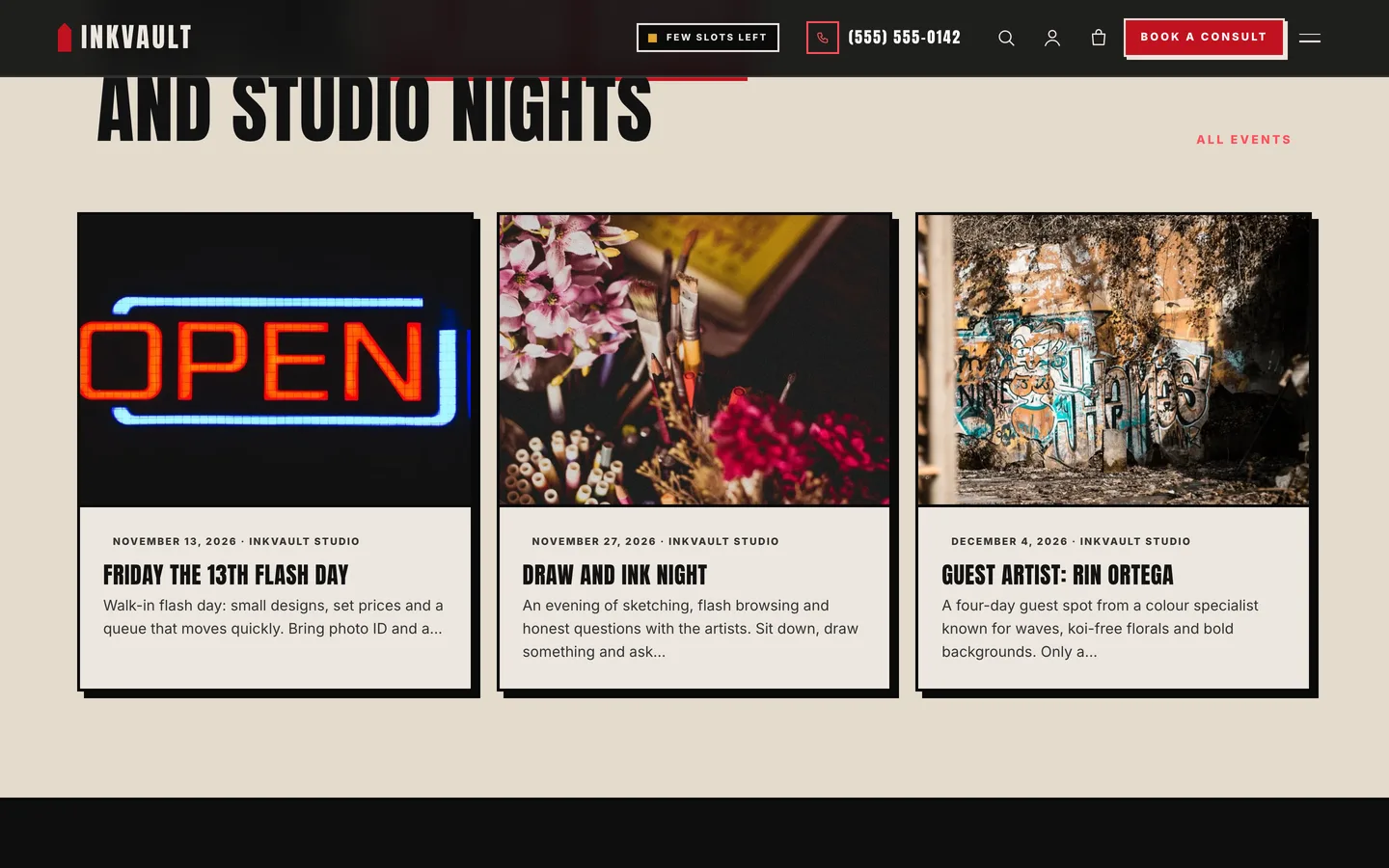
The Inkvault guest artists and events cards on the home page

The Inkvault shop with gift vouchers and aftercare products

Set it up in an afternoon

  1. Install the theme and the DEV3 Theme Toolkit, then import the demo from Appearance → DEV3 Demo.
  2. Replace the demo photos with your own and add your artists, portfolio pieces and flash.
  3. Set your phone number, studio hours, books chip, deposit and minimum age under Appearance → Customize.
  4. Check the consultation form once with a test image, then point the request email at your studio inbox.
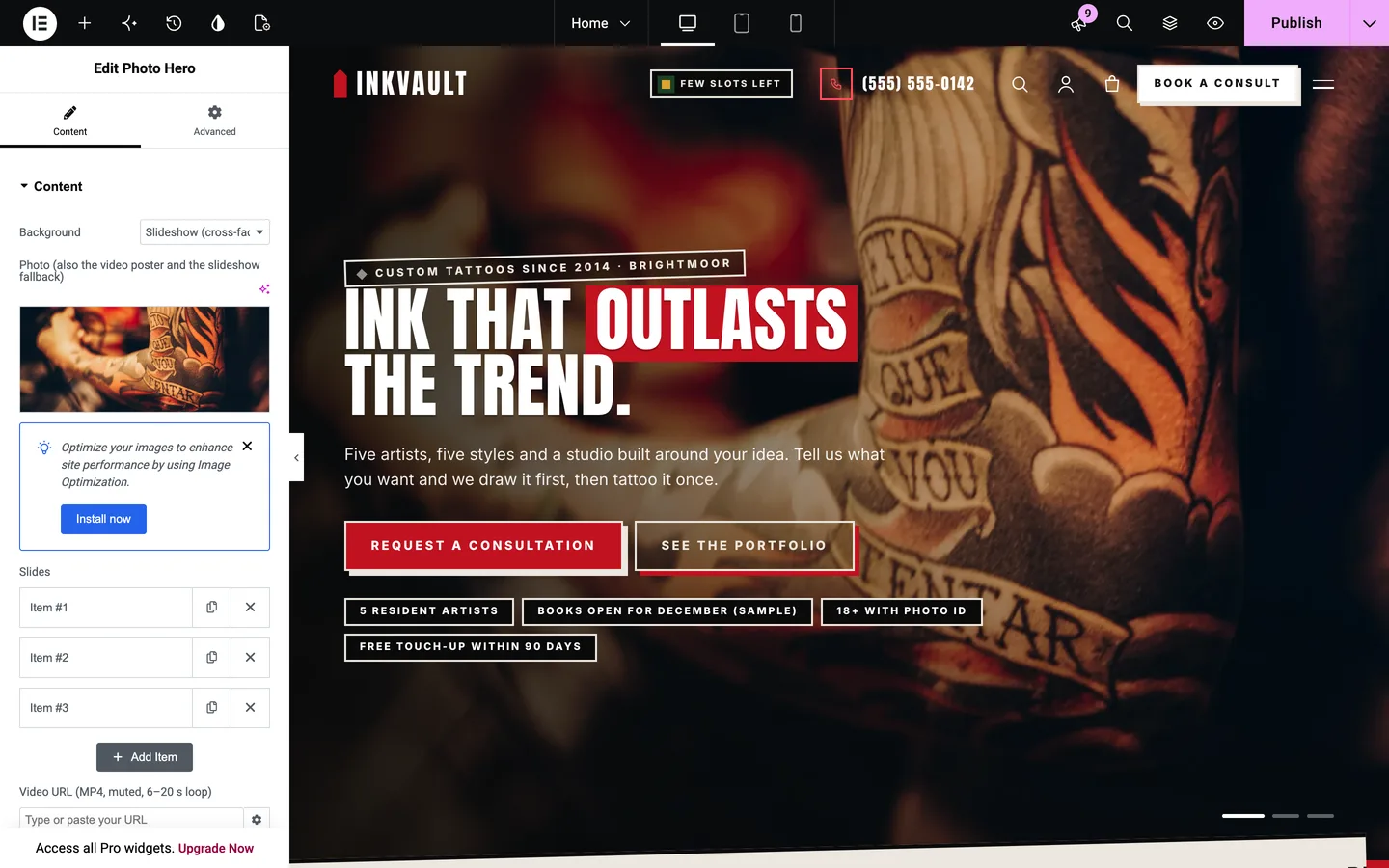
Inkvault in the Elementor editor with the Photo Hero widget selected

Inkvault is free: sign in on DEV3 to download it. The demo studio, Inkvault Tattoo Studio, is fictional, and the demo photos show hands, arms and backs only.

Frequently asked questions

The complete source code (version 1.0.0) as a download from your account, with the setup and usage guides shown on this page. It is free: sign in to download it.

Buying guides: 3D and motion WordPress themes for Elementor and WooCommerce

More from this author

View all

Related in CMS Extensions

View all