Launch Offer: up to 50% off

This item is 50% off: $24.50 instead of $49

Ends in
--
Days
--
Hrs
--
Min
--
Sec

DEV3 Chatterbay – Live Chat SaaS Laravel Script with Widget, Realtime Inbox, Routing & Offline Forms

A multi-tenant live chat SaaS on Laravel 12 and Filament 4: embeddable widget, realtime agent inbox with polling fallback, routing, canned replies, visitor tracking, triggers, offline forms, reports and an API. Web installer and demo data included. No mobile apps.

by DEV3 TechnologiesVerified Author(0) 0 sales 0 viewsUpdated 08 Nov 2026

Video tour. Pick a section below to browse 106 screenshots in 8 sections.

App & phone tours

Tap play to watch each app. Nothing downloads until you do.

  • Mobile web1:04

Chatterbay is a live chat platform that you run as a multi-tenant SaaS, built by DEV3 Technologies on Laravel 12 and Filament 4. Workspaces add one script tag to their sites, visitors chat through a small widget, and agents answer from a realtime inbox. You sell plans, and every workspace is isolated from the others.

What it does

  • An embeddable widget. One snippet loads a loader of under 3 KB; the full widget (under 30 KB gzip) runs in a shadow root, so it never touches the host page. Bubble, pre-chat form, department pick, typing, read receipts, file upload, rating and a transcript by email. Light and dark, right-to-left for Arabic pages, full screen on phones, keyboard and screen-reader friendly.
  • A realtime agent inbox. Queue, conversation and visitor details in three panes. Instant over Laravel Reverb, with automatic polling when Reverb is not running: the header shows a live or polling pill. Offers with a countdown, accept, transfer with a note, private notes, tags, and canned replies with variables.
  • Routing you can trust. Round robin, least busy or manual, with a limit of open chats per agent. Two agents can never take the same chat; the rules are checked against MySQL with parallel requests.
  • Departments and business hours per department, with holidays and daylight saving. Outside hours the widget turns into an offline form and an agent replies by email.
  • Visitor tracking. Live visitors, pages, location, device and returning visits. Business plans can identify signed-in users with an HMAC and keep one history across devices.
  • Proactive triggers. URL, time on page, visits, country, device and more, with cooldowns re-checked on the server; no chat starts until the visitor replies.
  • Supervisors. Live monitor, whisper notes the visitor never sees, take-over that bypasses capacity (audited) and an SLA clock that counts business seconds.
  • Reports. Chats per day, wait and first-response percentiles, CSAT, missed chats, agent leaderboard, busiest hours, CSV export, and Queue Tide: a flat chart of waiting and active chats per department.
  • SaaS layer. Plans with seats, sites and upload limits, trials, billing page, invoices, an operator panel with usage per workspace, global bans, a spam queue, an audit log and audited impersonation.
  • API and webhooks (Business plan): scoped keys hashed at rest, an OpenAPI document and signed webhooks sent through a guard that refuses internal addresses.
  • Private by design. Uploads are checked by content and size, scanned by a driver hook, stored privately and shared by short-lived signed links.

Install and demo data

A web installer checks the server, writes the configuration, migrates and loads either the demo or an empty install. The demo has 18 fictional workspaces, 26 sites, 64 agents and nine months of history (about 49,000 conversations and 590,000 messages), with a live inbox and four demo customer sites. Every demo password is password. Node.js is not needed because compiled assets and the widget scripts are included.

Good to know before you buy

  • Instant delivery needs Reverb. Without it the widget polls every 4 seconds and the inbox every 5, so shared hosting works with a delay of a few seconds.
  • Visitor locations are fictional until you add a GeoLite2 file and the geoip2 package. Nothing leaves your server.
  • Mail is simulated (written to the log) until you configure SMTP, so transcripts and offline replies need mail settings.
  • Subscription payments run on a simulated gateway. Stripe, Razorpay and PayPal are present; renewals on a real gateway leave the invoice open with a pay link, and stored-card auto-charging is a guarded stub you finish.
  • Workspaces cannot connect their own payment accounts: Chatterbay handles no money between a workspace and its visitors.
  • Agents are on the web only: sound and browser notifications while the tab is open. There is no mobile agent app.
  • Name: Chatterbay is a working name checked by a web search only, not a trademark clearance. Check it before launching under it.
  • No hosted demo. The brands, people and places in the screenshots are fictional.

Quality checks

Chatterbay 1.0.0 passed the seven release gates of the DEV3 Laravel suite on the final code: static analysis (Larastan level 6, 0 errors), the Pest suite, a front-end size budget, migrations and seeding on MySQL 8 and SQLite, a headless-browser pass over the public site, the workspace panel and the operator panel with MySQL race checks (two agents accepting one chat, capacity, parallel messages, duplicate sends, transfer against close, parallel identify merges) and a realtime check over Reverb and over polling, an installer test from the package and a secret scan.

How it's built

Architecture, stack, key decisions and the quality gates DEV3 Chatterbay passed before release.

The engineering behind Chatterbay: a conversation state machine whose timers are enforced on read, row-locked accept and transfer, per-chat message sequencing with idempotent retries, a tenant guard that fails closed and a 1 KB realtime client with polling fallback.

The problem it solves

Live chat looks easy until two agents click Accept in the same second, a visitor's phone retries a message, an agent closes a laptop mid-chat or a widget is loaded from a site that should not have it. Each of these needs one correct answer, on every request, without a scheduler you can rely on.

Architecture and approach

Chatterbay is a Laravel 12 application with a Filament 4 workspace panel, Blade pages for the public site and a JSON API for the three-pane inbox. It builds on the shared DEV3 core for settings, roles, wallets and audit.

A state machine that enforces its own timers

Every transition runs under the conversation row lock, with the state re-read after the lock. Offer timeouts, missed chats, pending and idle close and SLA breaches are applied whenever a conversation is read, so a stopped scheduler delays housekeeping but never breaks a chat.

Locks in one order

Team, visitor rows, conversation, agent rows, usage: always in that order and ascending by id inside each kind. A test records the locks of each operation and fails on any inversion.

Sequencing

Message numbers are assigned under the conversation lock, so they are contiguous, and a client id makes a retried send return the original message. Notes and whispers are stored with their own type and never leave through a visitor endpoint or channel.

A tenant guard that fails closed

Every public and agent entry point resolves the workspace from a key, a slug or a session, sets the tenant and arms a guard that throws if a tenant model is loaded without one. A generated test walks the routes with another workspace's ids and expects 404.

Realtime that degrades

Events carry only ids and sequence numbers; the content is fetched through the authorised endpoints. The widget speaks the Pusher protocol with about a kilobyte of code and polls when the socket is down.

Quality gates and results

Chatterbay 1.0.0 passed the seven release gates on the final code, including Larastan level 6 with no errors, a full Pest suite, a headless-browser pass and MySQL race checks: two agents accepting one chat, capacity, ten parallel messages, duplicate sends, transfer against close and parallel identity merges. A realtime check delivers a message in well under a second over Reverb and within the polling interval when Reverb is stopped. The demo seed holds about 49,000 conversations and a consistency check ties messages, first responses, ratings and report totals back to the raw rows.

Tech stack

Area Technologies
Application Laravel 12, Filament 4, Blade, REST API
Realtime Laravel Reverb, Pusher protocol client, Polling fallback
Widget Shadow DOM, esbuild bundle, Under 30 KB gzip
Concurrency Fixed lock order, Row locks, MySQL race checks
Quality Pest, Larastan level 6, Headless browser smoke, Installer test

Inside the build

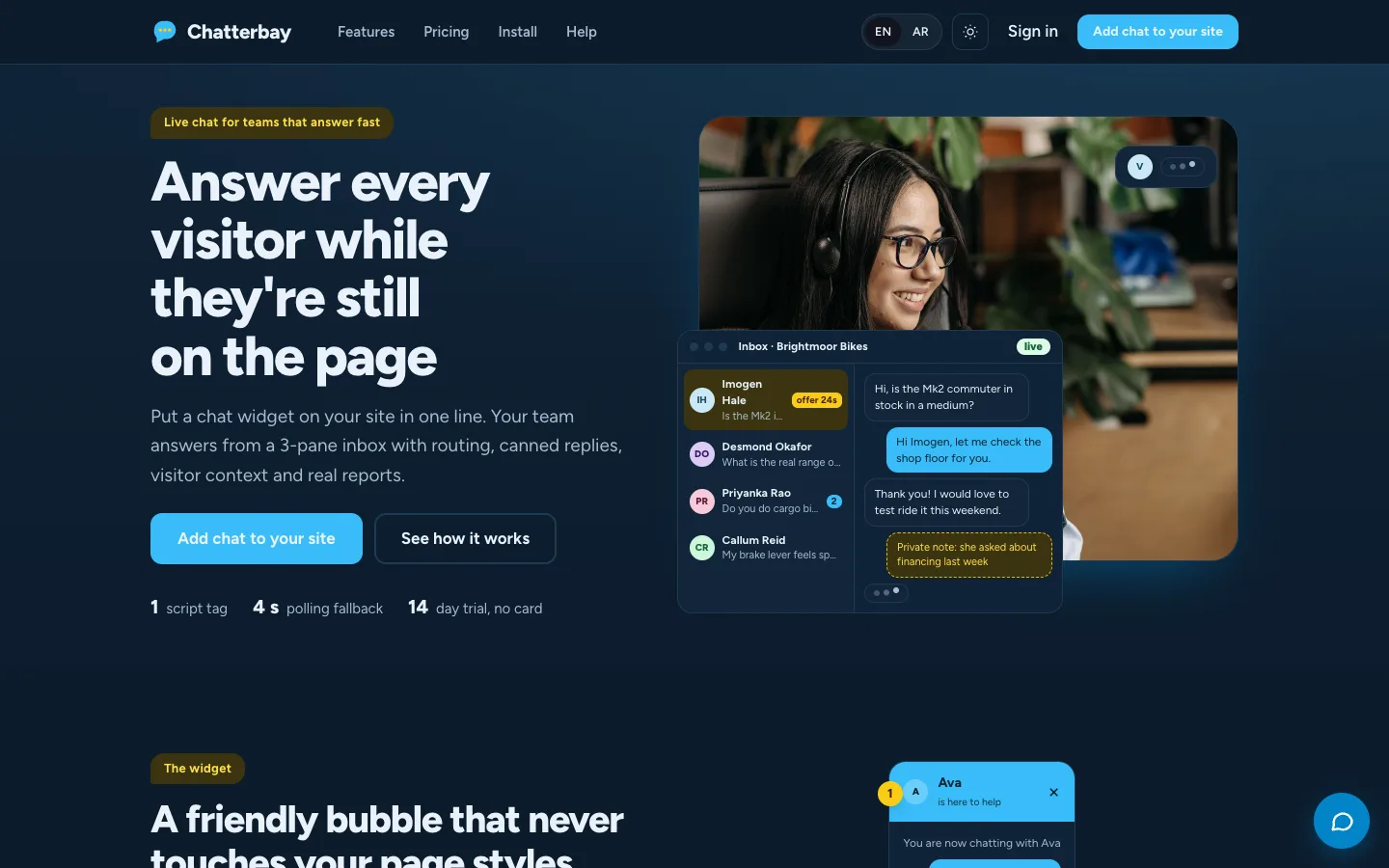
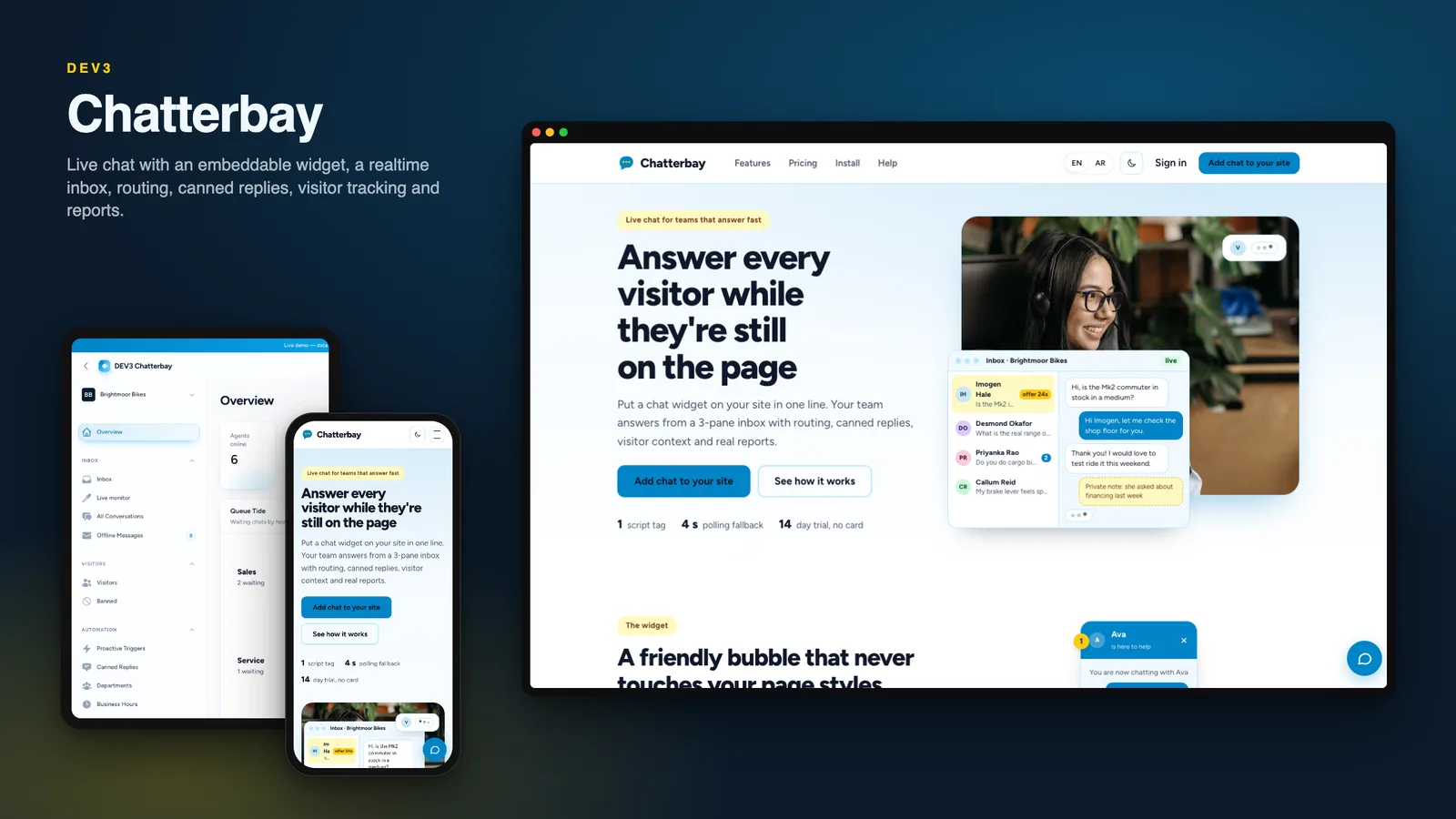
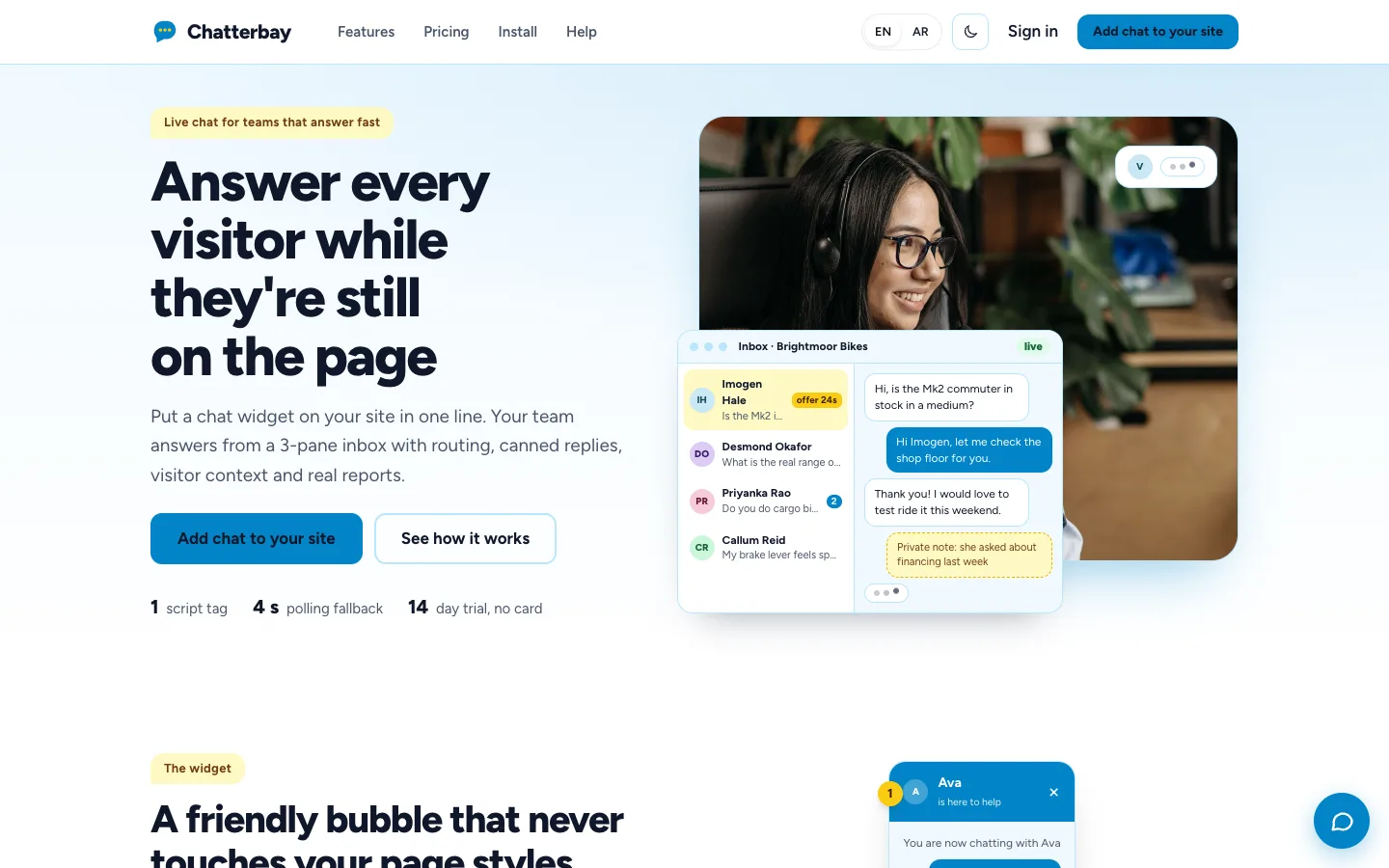
Home page: A smiling support agent, a real inbox card overlapping her photo and the live chat bubble in the corner. Home page — A smiling support agent, a real inbox card overlapping her photo and the live chat bubble in the corner.

Home in dark mode: The same page in the night-harbour theme, with sunshine kept for highlights. Home in dark mode — The same page in the night-harbour theme, with sunshine kept for highlights.

Guides & articles

Practical guides and engineering write-ups for DEV3 Chatterbay.

Live chat software for your website: 7 things to check before you pick one

Last updated
Live chat software for your website: 7 things to check before you pick one: DEV3 Chatterbay

Live chat is judged in the first ten seconds a visitor waits. Here are seven things to check before you pick software, with DEV3 Chatterbay as the worked example.
Video tour — visitor to inbox and back

Chatterbay home page: a support agent, the inbox card and the live chat bubble

1. How heavy is the widget?

A chat bubble should not slow your page. Chatterbay loads a loader of under 3 KB and fetches the full widget only when a visitor clicks or a trigger needs it. It lives in a shadow root, so it cannot break your styles.
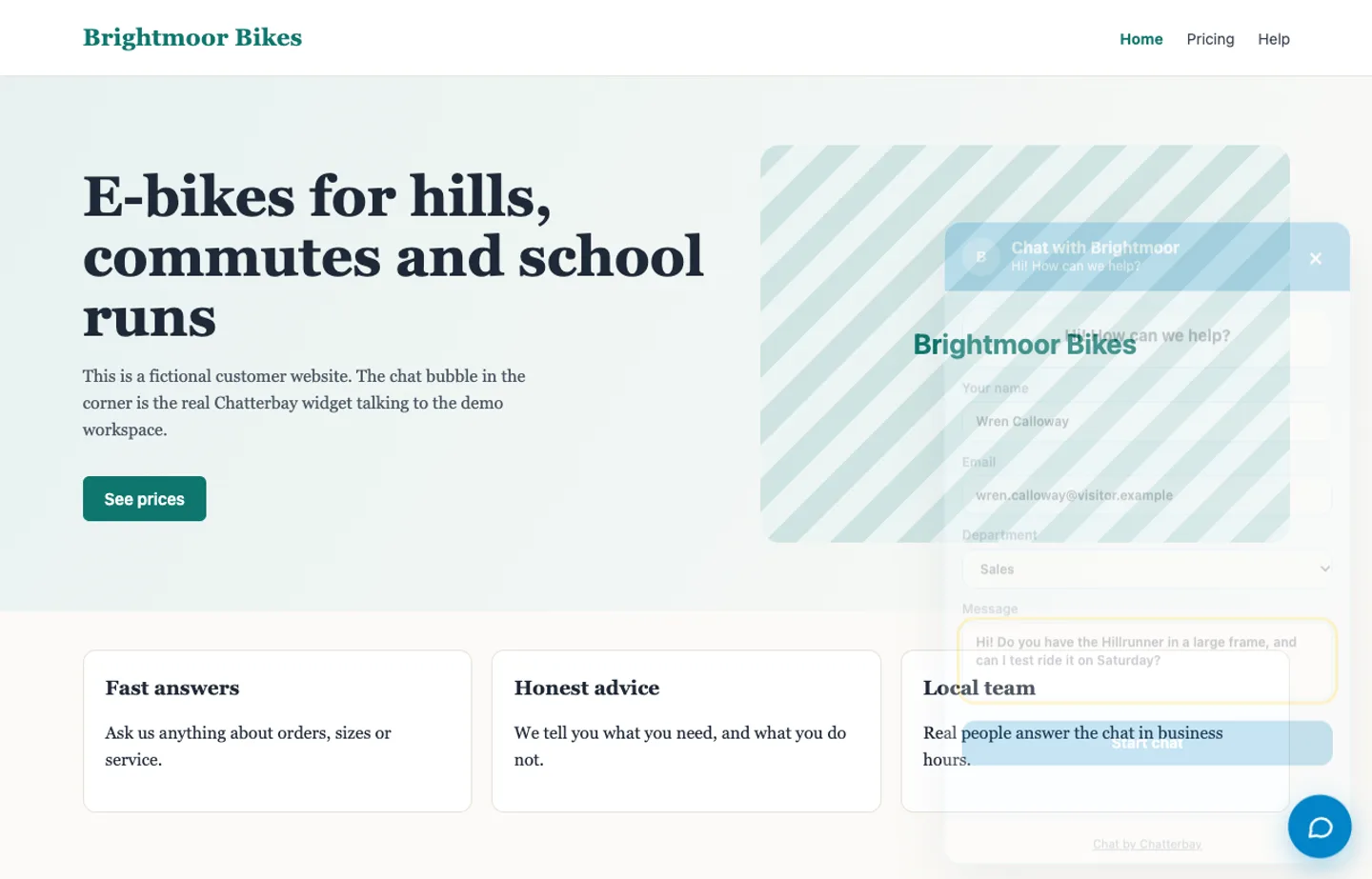
The widget on a customer site, open at the pre-chat form

2. What happens when nobody is online?

The widget should turn into an offline form, and the message should land somewhere a person looks. Business hours per department, holidays and daylight saving decide when chat is open.
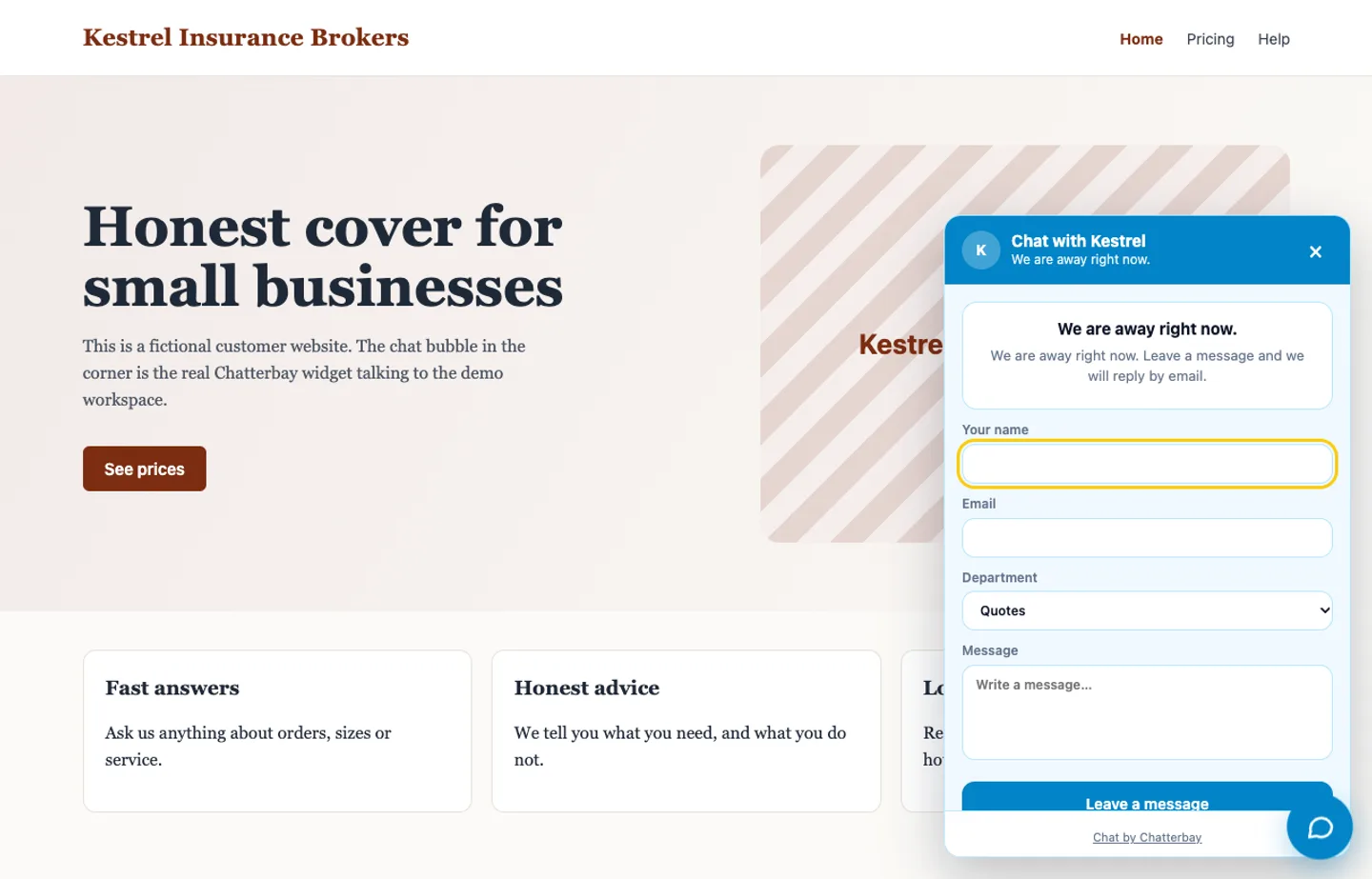
The offline form after hours

3. Is routing fair, and can two agents take one chat?

Round robin, least busy or manual, with a limit of open chats per agent. Acceptance is locked, so the second agent is told someone else took it.
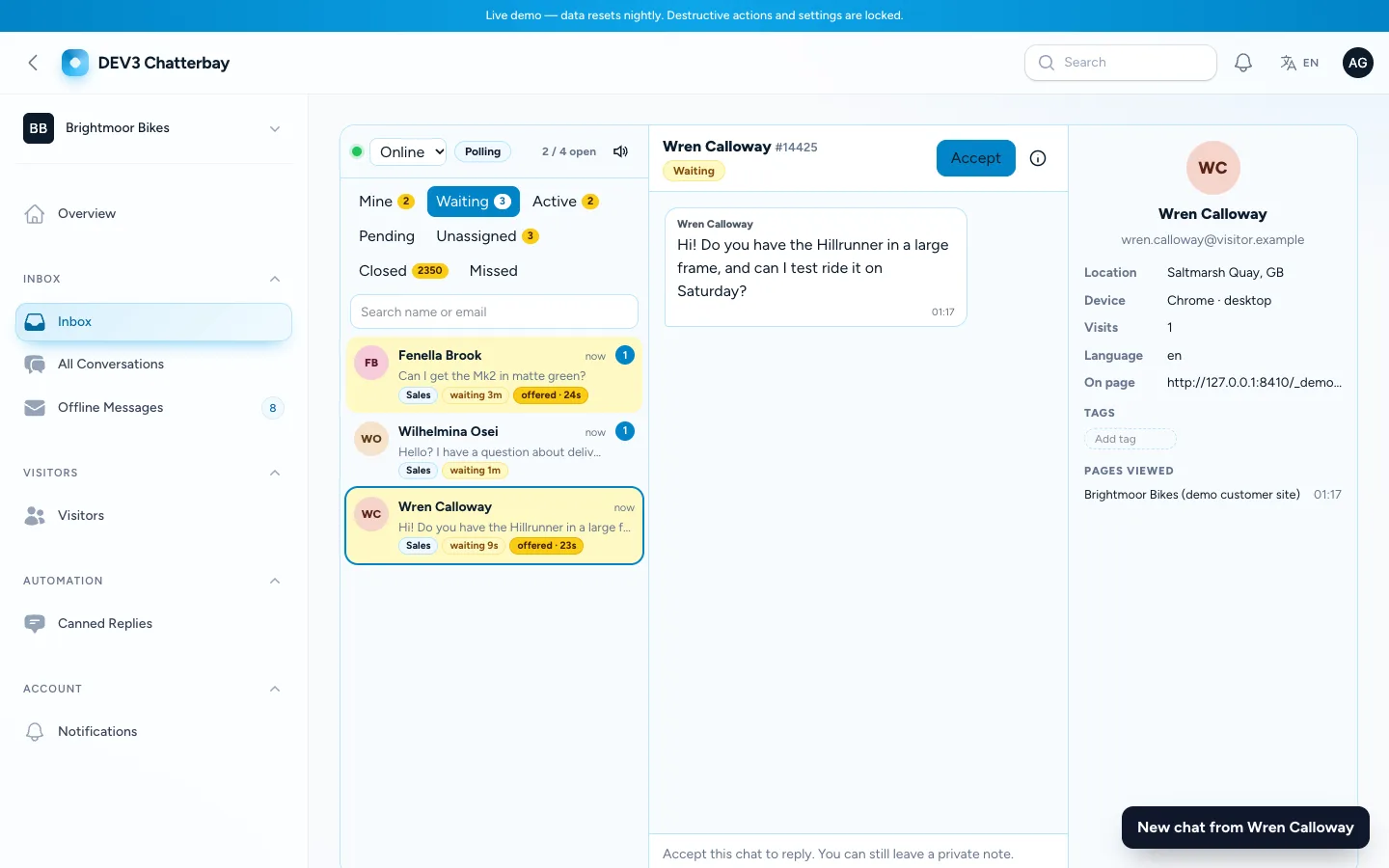
The inbox with a chat offered to an agent and its countdown

4. Can agents work fast?

Canned replies with variables, private notes, tags, transfers with a note and a visitor sidebar should be one click away.
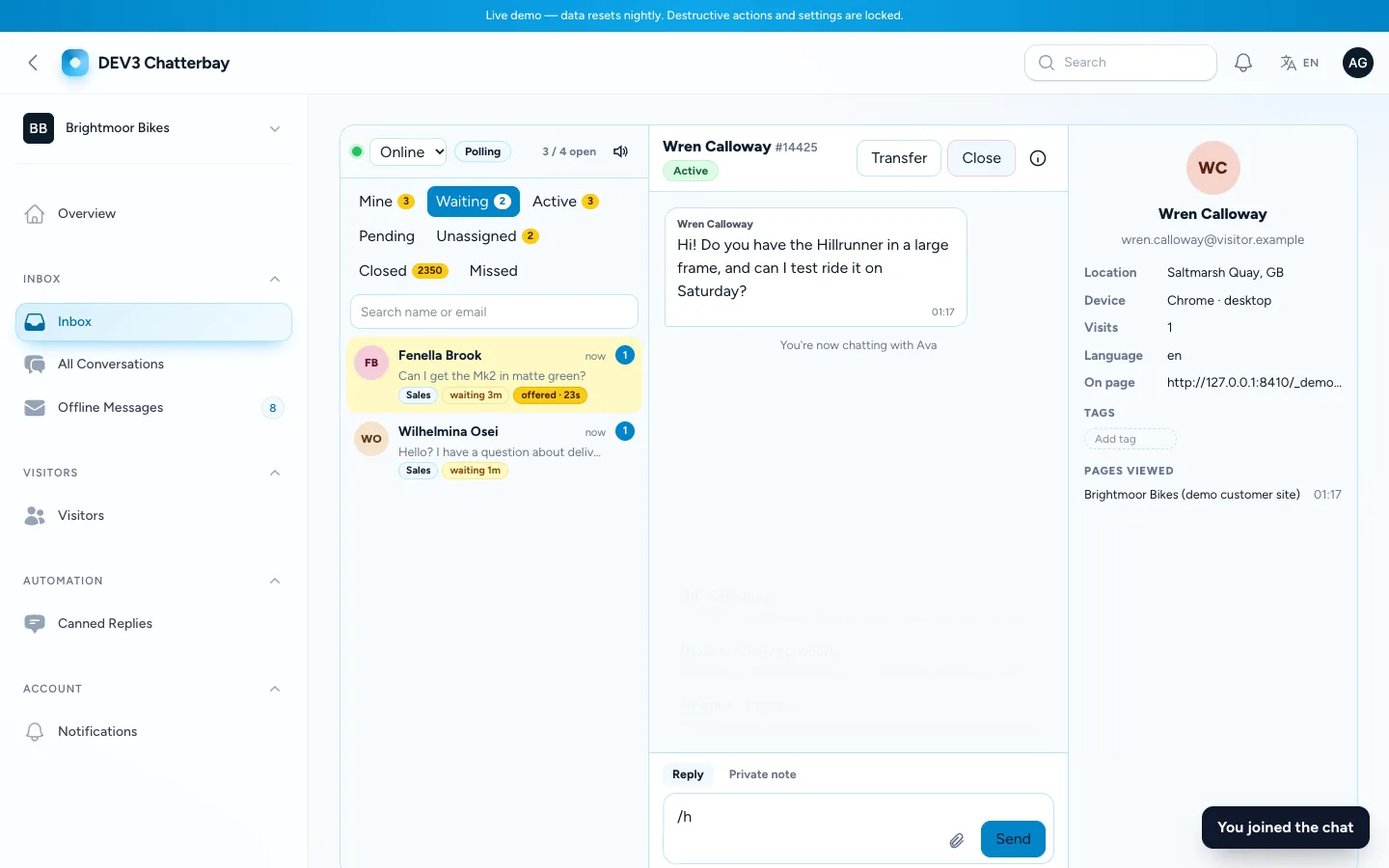
A canned reply being picked in the composer

5. Do you see who you are talking to?

Live visitors, the page they are on, where they come from and their past chats. Signed-in customers can be identified with a signed hash.

6. Does it respect privacy?

Private notes must never reach the visitor, uploads must be stored privately, and visitor tokens must work only for their own chat.

7. Can you measure it?

Wait and first-response percentiles, CSAT, missed chats and busiest hours. Chatterbay adds Queue Tide, a flat chart of waiting and active chats per department.
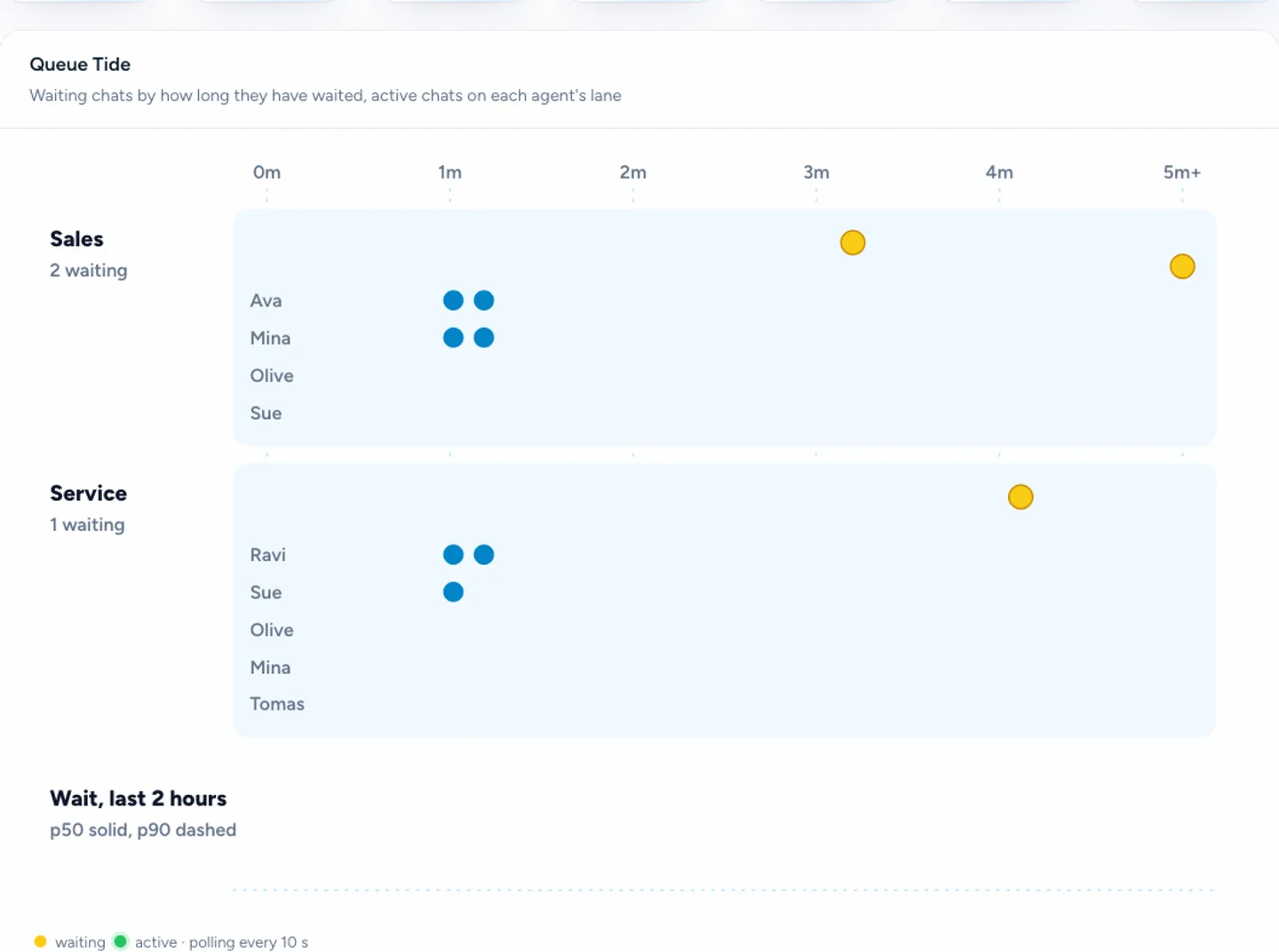
Queue Tide on the dashboard

Limits

Instant delivery needs Reverb (without it the widget polls every few seconds), visitor locations are fictional until you add a GeoLite2 file, mail is simulated until you configure it, and agents work on the web, not in a mobile app.


Frequently asked questions

The complete source code (version 1.0.0) as a download from your account, with the setup and usage guides shown on this page. You can modify the code to suit your product.

Buying guides: Laravel scripts with Filament panels and a web installer · Next.js or Laravel for a SaaS script?

More from this author

View all

Related in Web Scripts & Software

View all