DEV3 Technologies home

DEV3 Chalkridge – School Management ERP Laravel Script with Parent, Student & Teacher Flutter Apps

A self-hosted school ERP on Laravel 12 and Filament 4: admissions, timetable, attendance, marks and report cards, fees, transport and notices for one or more campuses. Includes a family app and a teacher app in Flutter with a publishing guide. Web installer and demo data included.
by DEV3 TechnologiesVerified Author(0) 0 sales 7 viewsUpdated 11 Nov 2026

Video tour. Pick a section below to browse 44 screenshots in 8 sections.

App & phone tours

Tap play to watch each app. Nothing downloads until you do.

  • Mobile web0:24

Chalkridge is a school management system for one school or a school group with one or more campuses. The office runs admissions from enquiry to enrolment, the academic team builds the timetable, teachers take attendance and enter marks, the bursar issues fee invoices, and the transport team follows the school bus. It is built by DEV3 Technologies on Laravel 12 and Filament 4, and it ships with a school panel plus two Flutter apps: a family app (parents, and students aged 13 and over) and a teacher app (teachers, class teachers and bus attendants).

What it does

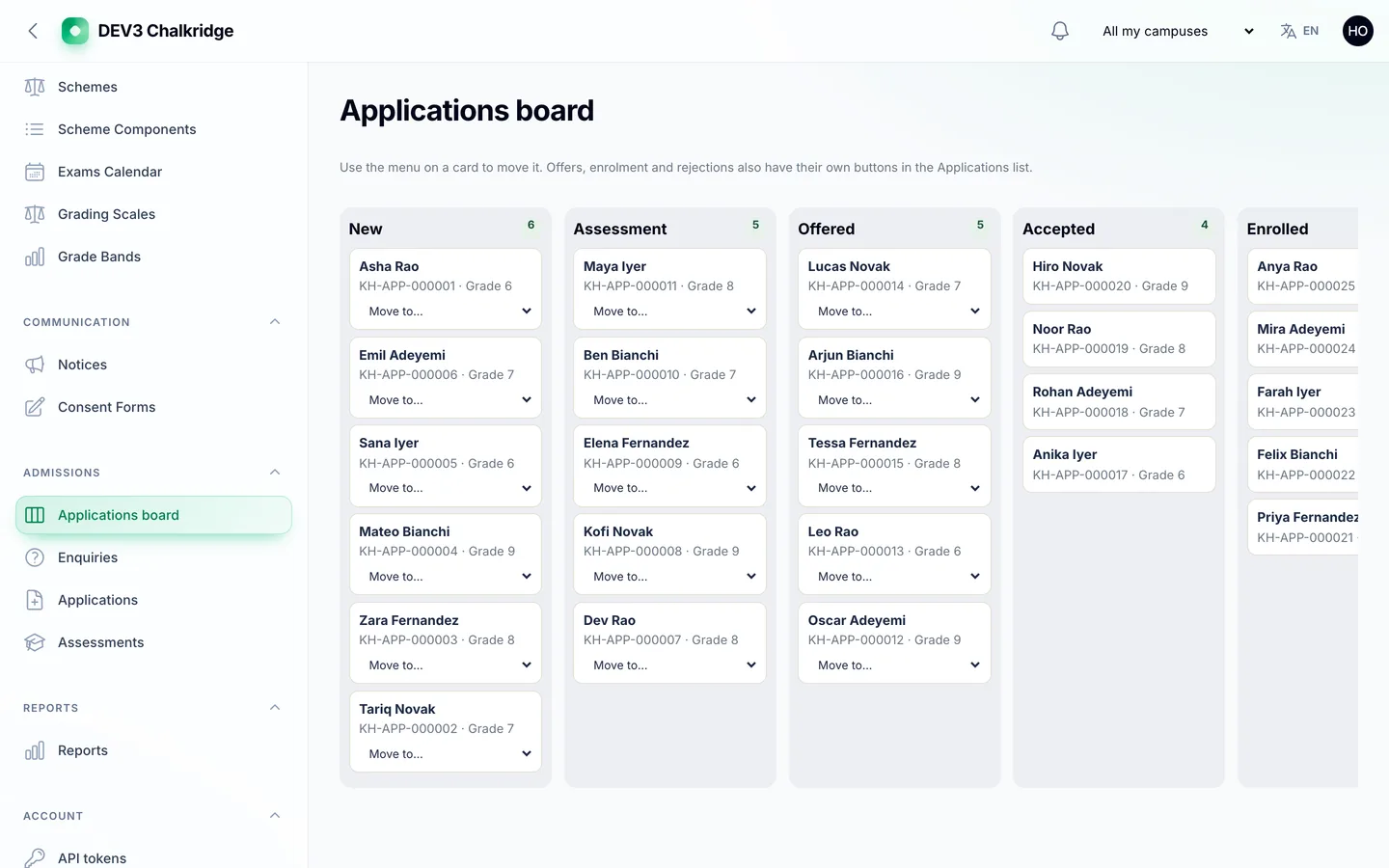
  • Admissions. A public application form per campus with an optional birth-certificate upload, a private status link, an application fee, and a board with a column for every stage from enquiry to enrolment. Enrolling creates the student, guardian logins, fee assignment and section.
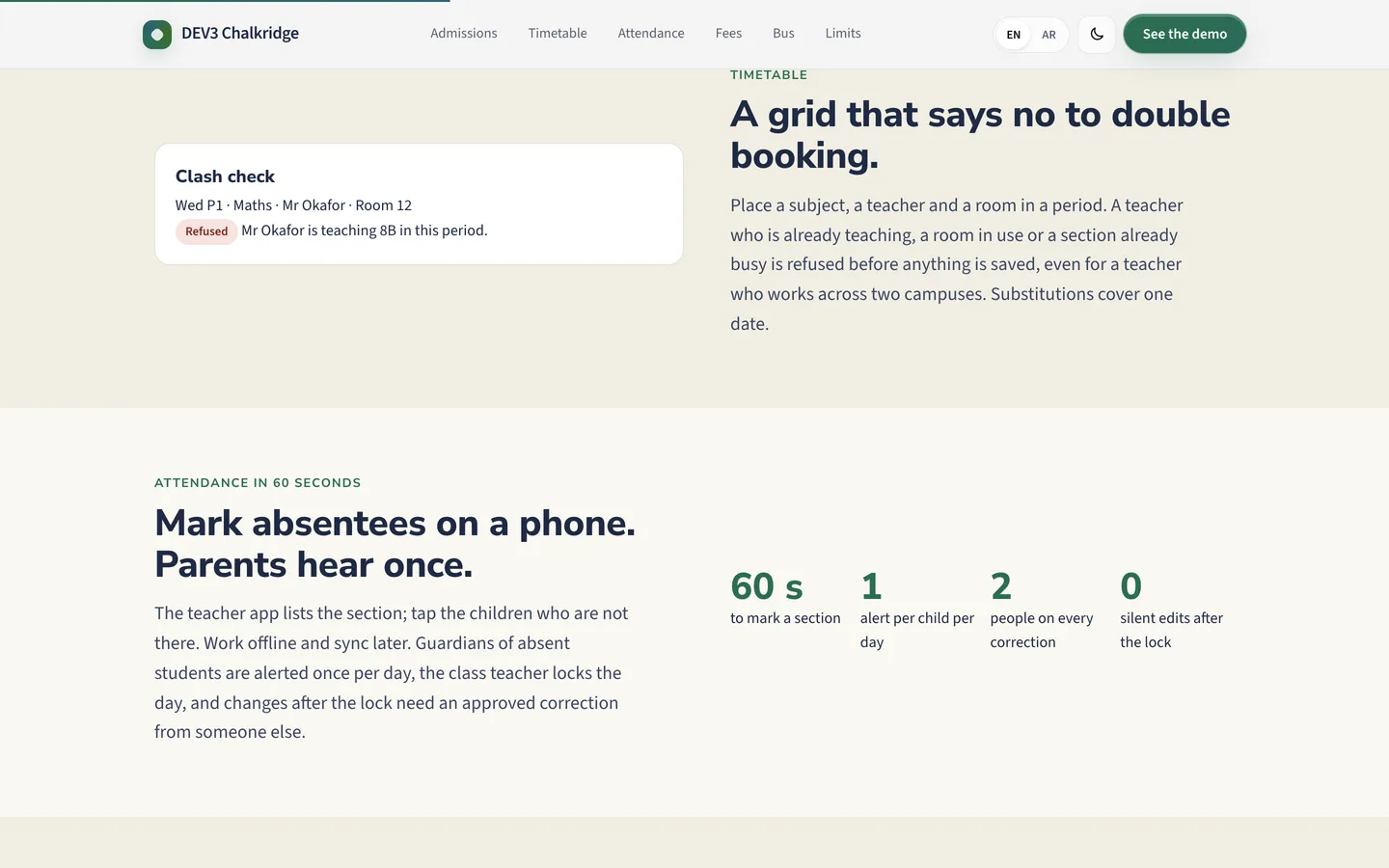
  • Timetable. A grid of sections by periods that refuses a clash: a teacher in two places, a room double booked or a section with two lessons at the same time. Substitutions are recorded per day.
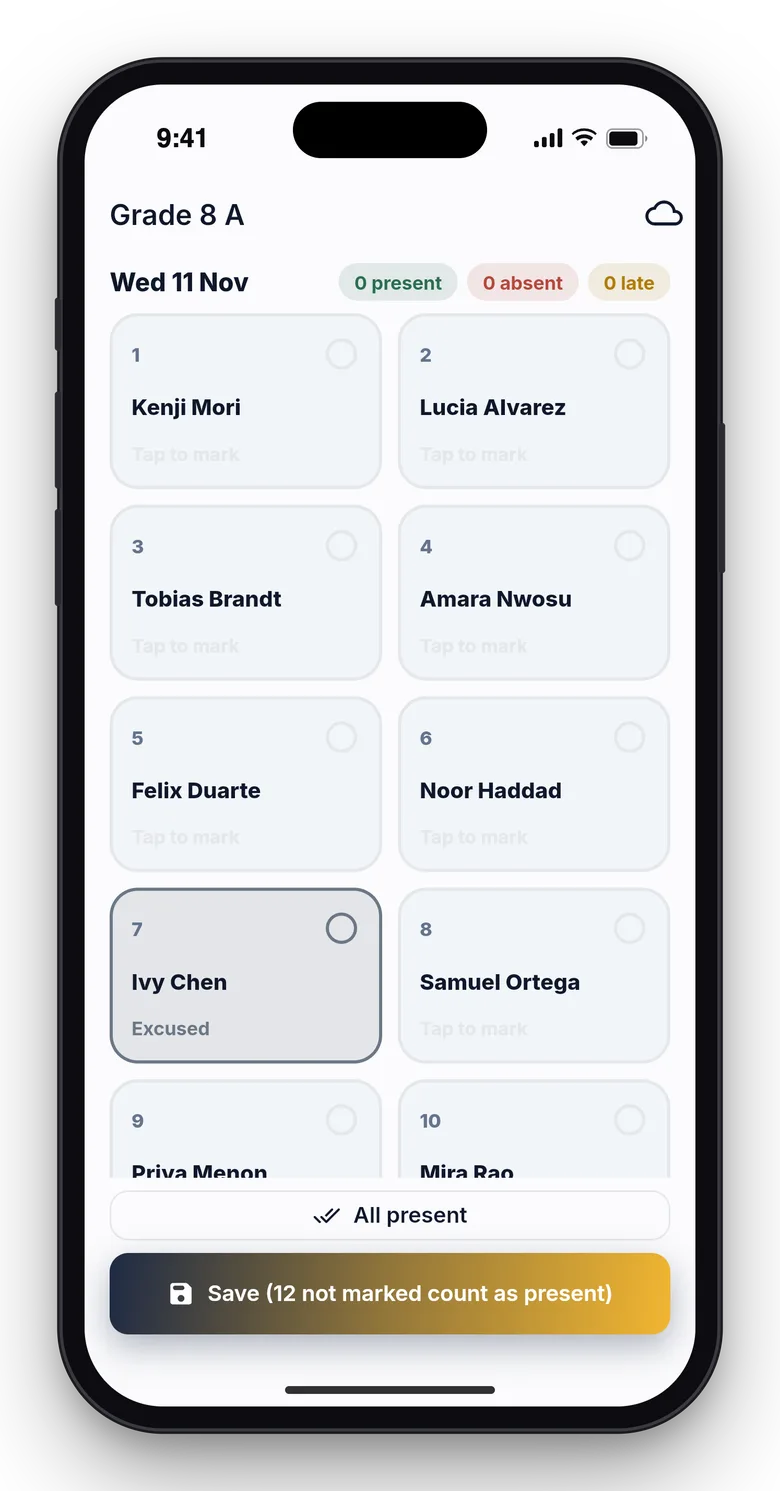
  • Attendance. Daily or per-period attendance with a lock by the class teacher. A change after the lock is a correction request that someone else must approve, and two devices syncing the same session are caught by a version check.
  • Marks and report cards. Assessment schemes with weighted components, marks entry for a whole section (absent is not zero), a lock board, report cards that are computed, reviewed, approved and published in separate steps, and a promotion wizard for year end.
  • Fees. Fee plans by grade, instalments, concessions that need a second person to approve, invoices with per-line tax, late fees, partial payments, receipts, credit notes and refunds, a signed pay link, defaulters ageing and a collection report.
  • Transport. Routes, stops, buses and trips, a live map, boarding events and parent notices. Position comes from the teacher app in bus mode or from a GPS device that posts to the API.
  • Communication. Notices to a campus, grade, section, guardians, staff or the public, consent forms with a drawn signature, and parent to teacher conversations.
  • Campuses and roles. Eight staff roles granted per campus, a campus switcher, and isolation so that staff see only the campuses they are granted. A REST API with an OpenAPI document and signed webhooks.

The two Flutter apps

  • Family app: today's timetable and homework, an attendance calendar, report cards, fees and payment, the bus on a map, notices, messages, leave requests and consent forms. A parent with several children switches between them.
  • Teacher app: my timetable, attendance that works offline and syncs later, marks entry, homework, messages, notices, leave, and a bus mode that sends the phone's position.

Both apps include full Flutter source and a demo mode that works without a server. The Documentation folder includes a Publishing the apps guide that explains how to rename them, set your own icons and backend address, and release them to the app stores under your own developer accounts.

What you should know before buying

  • For one school or one school group with one or more campuses. It is not a SaaS for many schools. It covers K-12 style terms, classes and sections; college (credits, semesters) and coaching-institute (batches) modes are not included. There are no LMS courses, no online exams and no payroll.
  • You publish the apps. The Flutter source is included; building, signing and releasing them under your own Apple and Google developer accounts is your step.
  • Simulated by default. Fee payments, SMS and push notifications use working simulated drivers until you connect your own gateway, SMS provider and Firebase or APNs setup. The school is the merchant of record. A real driver without configuration answers driver_not_configured.
  • Bus tracking needs a phone or a device. The driver or attendant runs the teacher app in bus mode, or a GPS tracker posts to the API. The demo uses simulated positions, and the live map is a static map unless you configure your own tiles.
  • No exam-board integrations and no compliance claims: grading scales and report cards follow your own rules, and you are responsible for checking them against your local requirements.
  • Use MySQL or MariaDB for a live site. A cron entry every minute is required; no queue worker is needed.

Included

Source code of the Laravel app, the web installer, the two Flutter apps with a store-publishing guide, a buyer guide, demo data for a fictional two-campus school group with hundreds of students, staff, a term of attendance, marks, fee invoices and bus trips, and six months of support.

How it's built

Architecture, stack, key decisions and the quality gates DEV3 Chalkridge passed before release.

The engineering behind Chalkridge: a timetable that rejects clashes, attendance locks with approved corrections, report cards computed from weighted marks and invoices whose lines and payments reconcile.

The problem it solves

A school system looks like a list of students until two teachers mark the same class, a mark is typed above the maximum, a report card is recomputed after approval or a parent pays an instalment twice from the app and at the office. Each must end consistent, and a guardian must only ever reach their own children.

Architecture and approach

Chalkridge is a Laravel 12 application with a Filament 4 panel, a public site and a REST API that two Flutter apps use. Every campus table carries a campus key and a scope, so staff see only the campuses they are granted. Attendance sessions lock and later changes are correction requests with a different approver. Marks are stored as integer hundredths, report cards are computed from weighted components and compared with the approved copy, and money is integer minor units with half-up rounding. chalkridge:check proves invoices, payments and balances agree.

Quality gates and results

The release passed seven gates, including a headless smoke test over the public pages, the admission form, the pay link and a crawl of the panel, plus race checks on MySQL. The reconciliation command passes on the demo data: two campuses, hundreds of students and a term of attendance, marks and invoices.

Tech stack

Area Technologies
Application Laravel 12, Filament 4, Blade, REST API
Mobile Flutter, Dart
Data MySQL 8, SQLite
Frontend Tailwind CSS 4, Vite
Quality Pest, Larastan level 6, Playwright

Inside the build

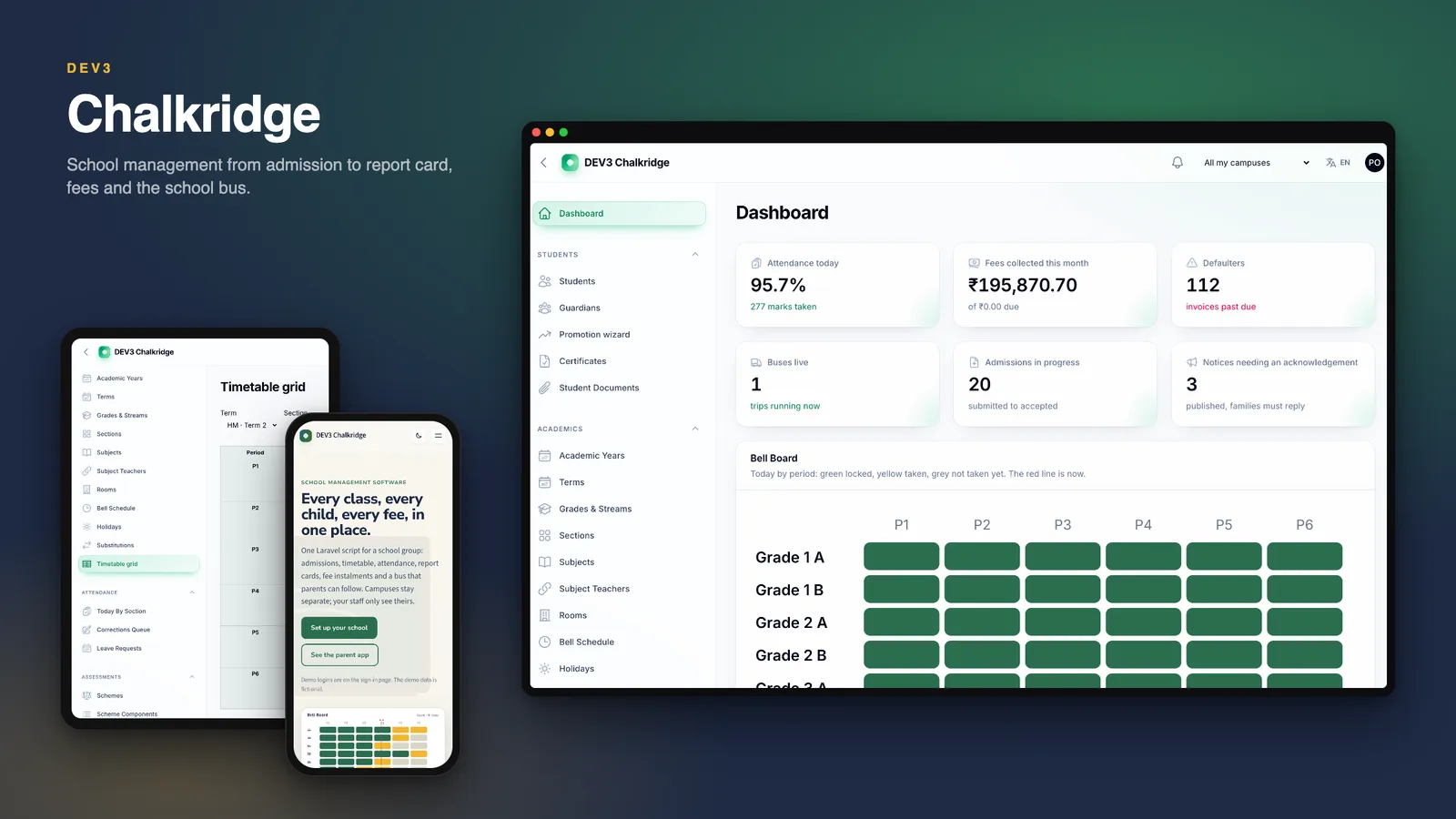
Every class, every child, every fee: The home page hero: a sunlit classroom, the Bell Board and the family and teacher apps. Every class, every child, every fee — The home page hero: a sunlit classroom, the Bell Board and the family and teacher apps.

A timetable that says no to double booking: The clash check beside the timetable story. A timetable that says no to double booking — The clash check beside the timetable story.

Guides & articles

Practical guides and engineering write-ups for DEV3 Chalkridge.

School management software: 6 things to check before you choose one

Last updated
School management software: 6 things to check before you choose one: DEV3 Chalkridge

Schools run on a dozen small promises: the right teacher in the right room, a register that cannot be quietly rewritten, a fee that is charged once. Here are six things to check before you choose school software, with DEV3 Chalkridge as the worked example.
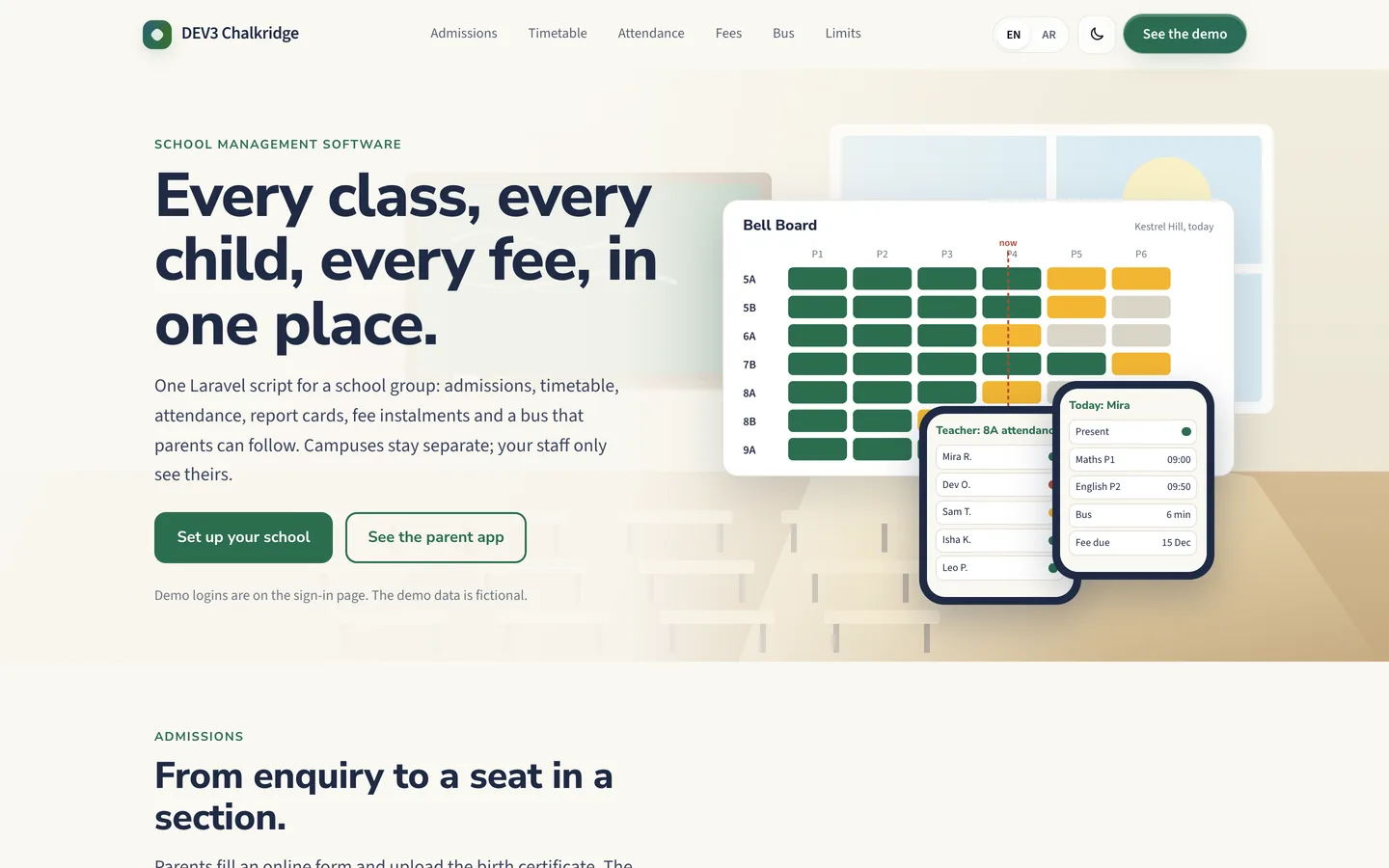
Chalkridge home page: a classroom, the Bell Board and the family and teacher apps

1. Does admissions end in an enrolment?

A parent should apply from a phone, upload a birth certificate, follow a private status link and pay the application fee. The office should see every stage as a column.
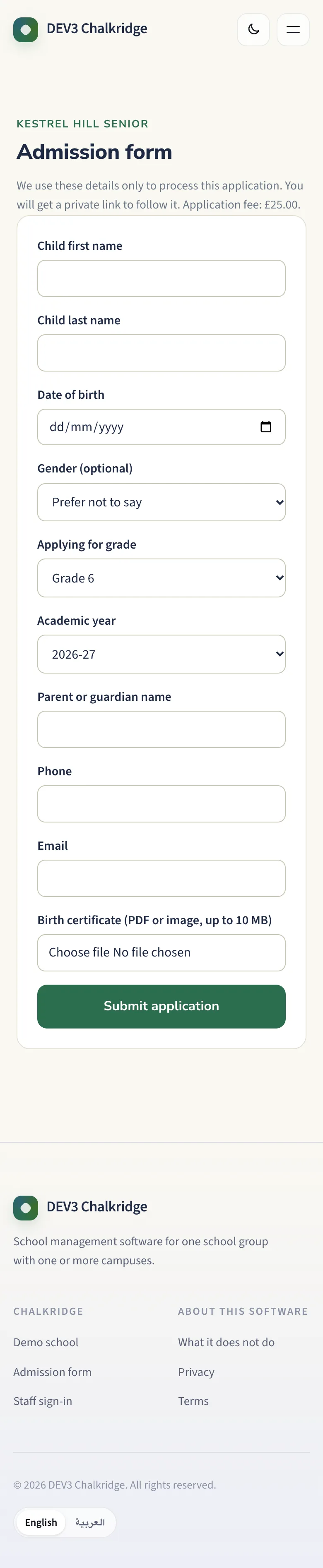
Online admission form on a phone

The applications board

2. Does the timetable refuse a clash?

A teacher cannot be in two rooms and a room cannot hold two classes. The grid should say no before the timetable is published.
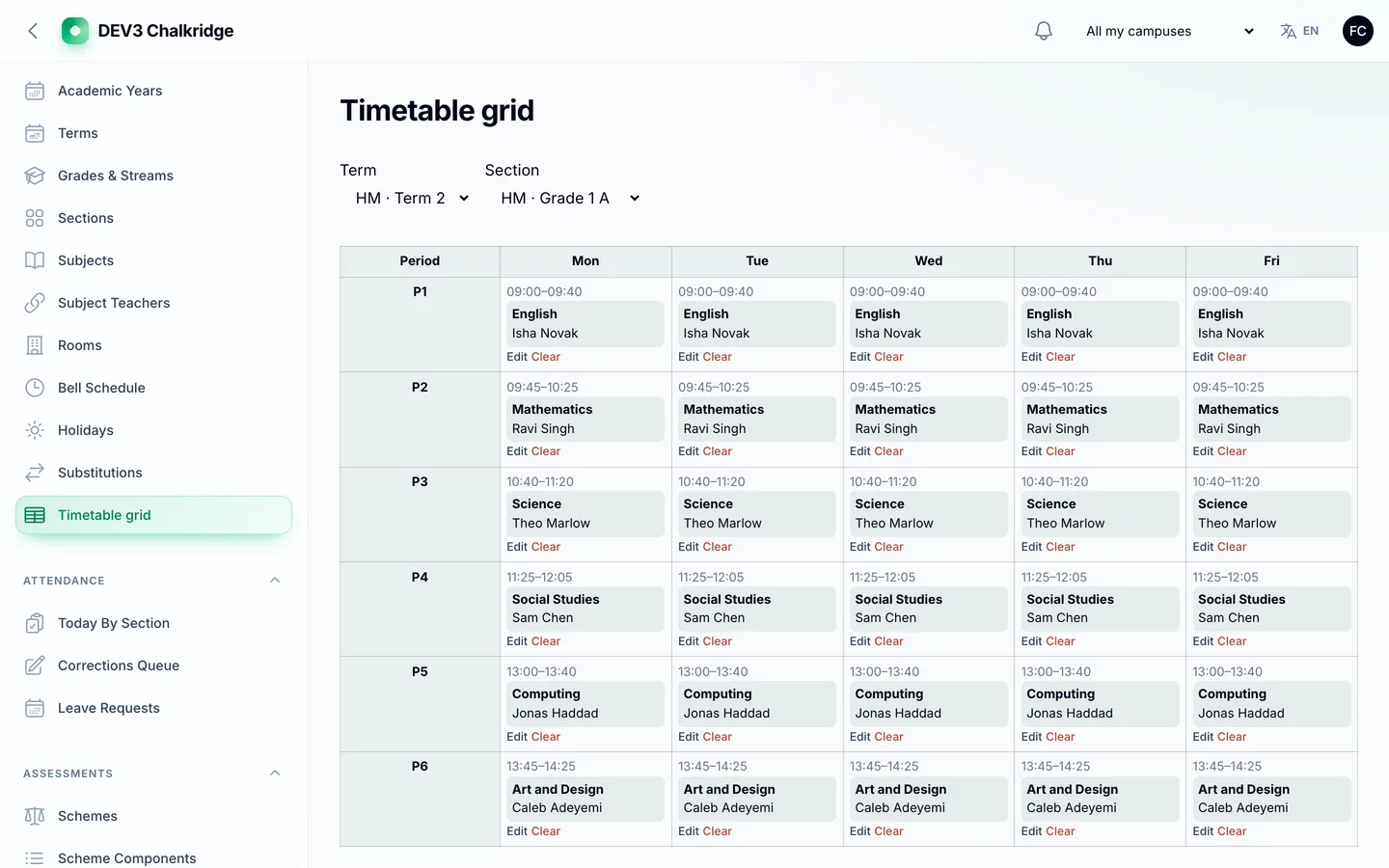
The timetable grid

3. Can a register be changed quietly?

Chalkridge lets the class teacher lock the day. A later change becomes a correction request that someone else approves.
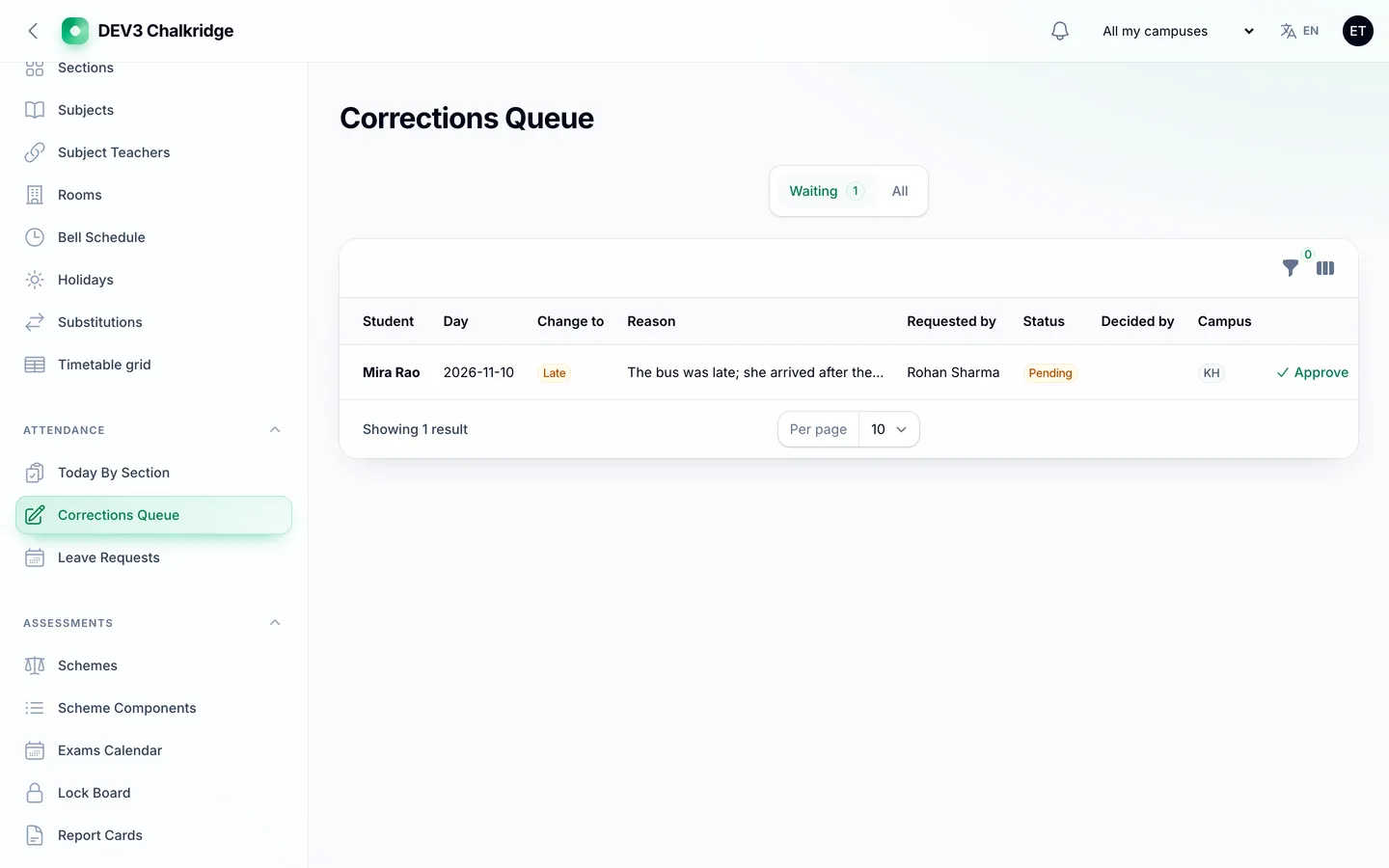
The corrections queue

4. Are report cards computed, not typed?

Weighted components, grade bands and attendance feed the card, which is reviewed, approved and published in separate steps.
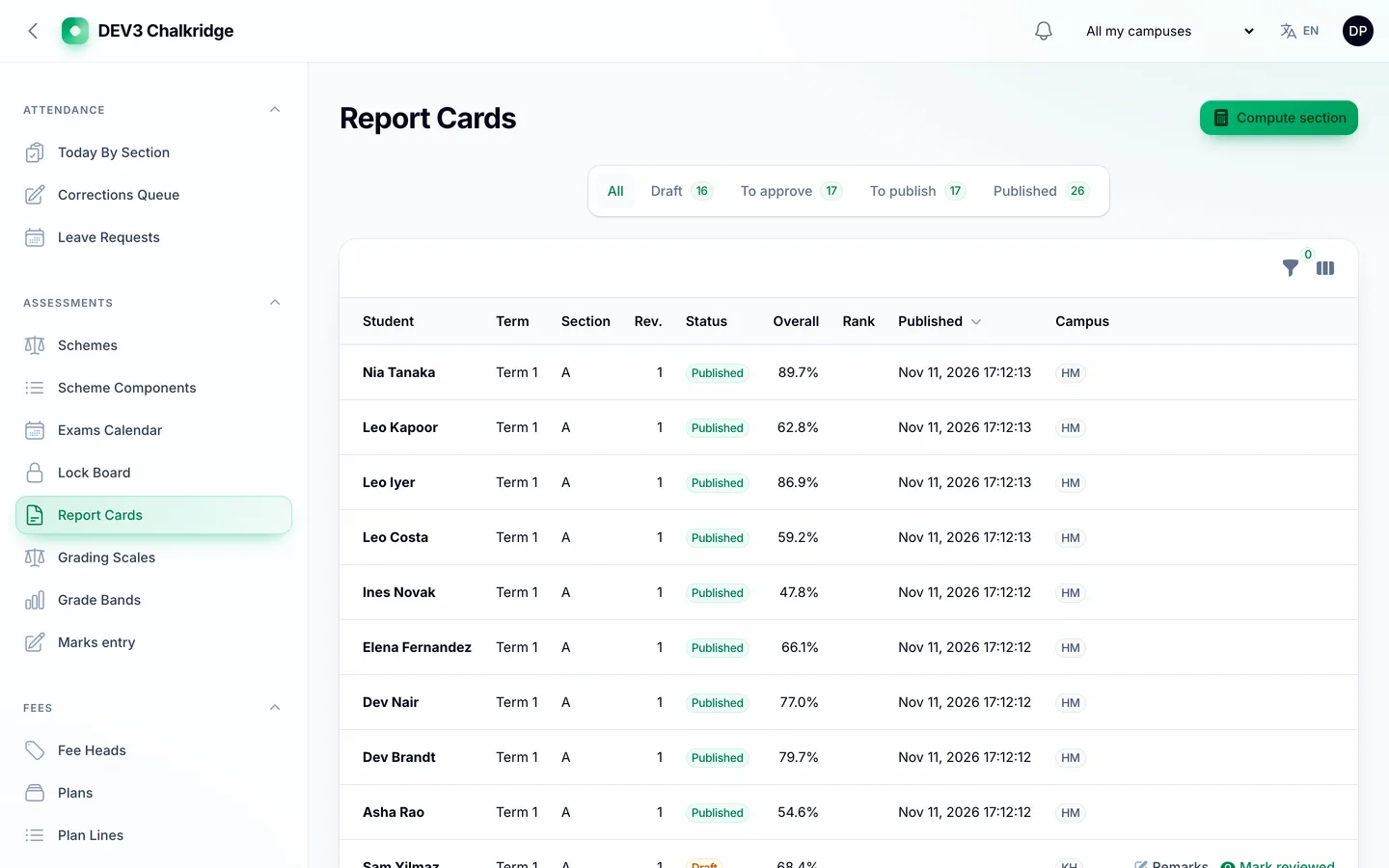
Report cards

5. Do fees reconcile and can parents pay easily?

Instalments, concessions approved by a second person, late fees, partial payments and a signed pay link that needs no login.
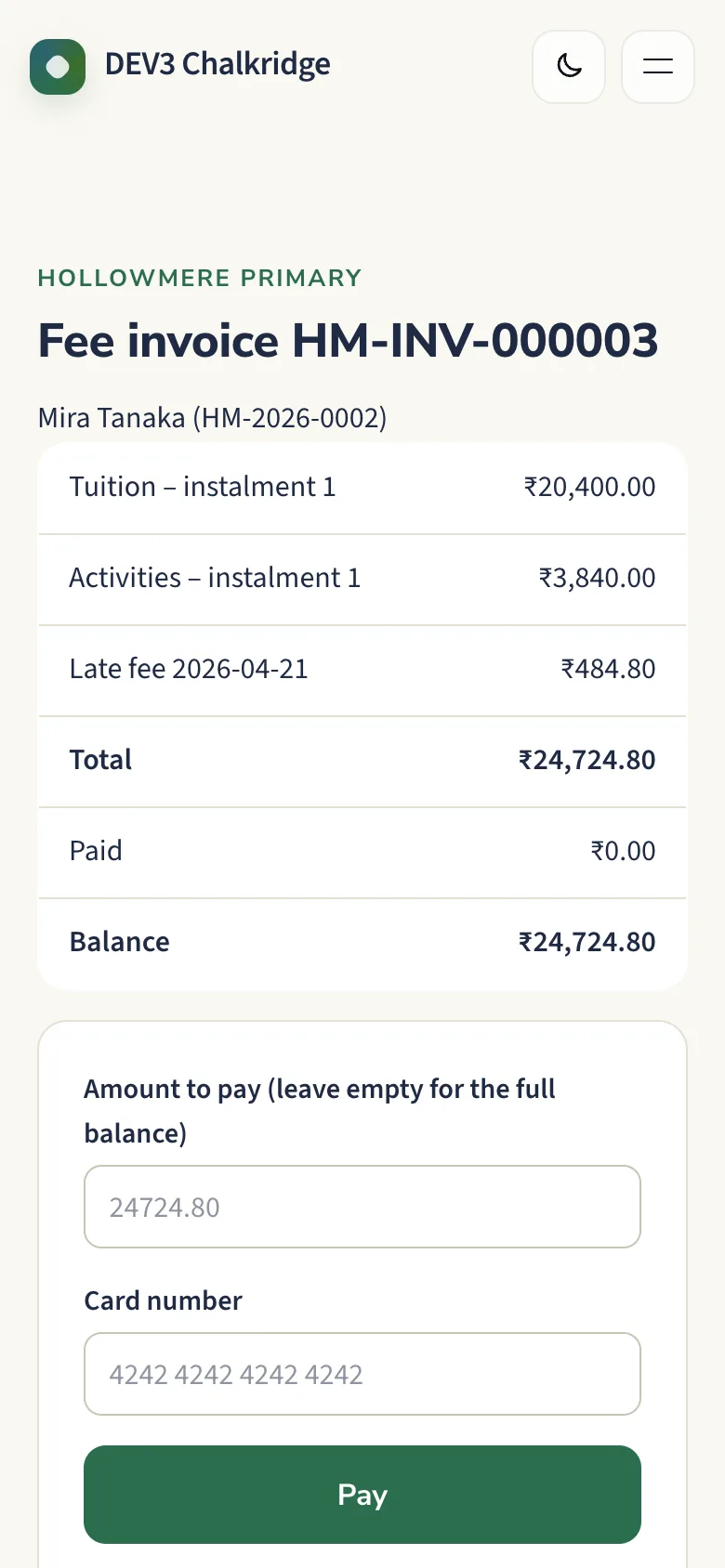
A fee pay link on a phone

6. Are the limits honest?

Chalkridge is for one school or group with one or more campuses, not a SaaS for many schools. It ships a school panel plus two Flutter apps, family and teacher, with a guide for publishing them under your own store accounts. Fee payments, SMS and push are simulated until you connect real ones, and bus tracking needs a phone in bus mode or a GPS device.

The family app shows parents the day, the report card and the bus; the teacher app takes attendance without signal and runs bus mode. Source for both ships in the zip with a store-publishing guide.
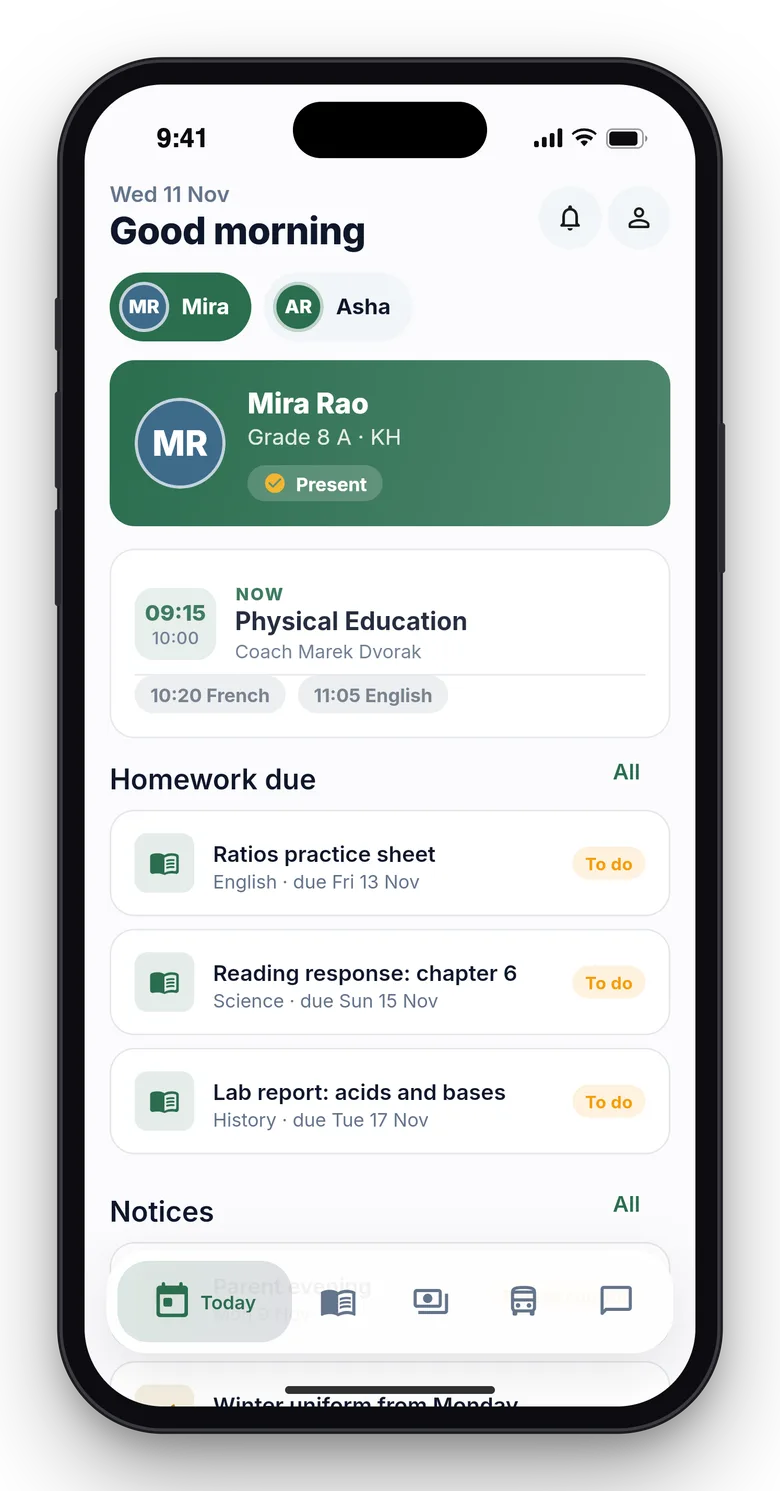
Family app: the Today screen

Teacher app: the attendance roster

Video: The Chalkridge tour

Frequently asked questions

The complete source code (version 1.0.1) as a download from your account, with the setup and usage guides shown on this page. You can modify the code to suit your product.

Buying guides: Laravel scripts with Filament panels and a web installer · Next.js or Laravel for a SaaS script?

Questions about this product (0)

Answers from the DEV3 team and the community.

Ask a question

No questions yet.

Wondering about setup, licensing or customisation? Ask, and the DEV3 team will help.

More from this author

View all

Related in Web Scripts & Software

View all